

Instagram changes fast. One week, a new feature appears on your account. The next week, it may be missing, renamed, or available only to certain users.
I have seen how these updates can affect content planning, editing, account management, and audience reach. Keeping up is not always easy, especially when Instagram rolls out features slowly or tests them in limited regions.
For businesses building a presence in a specific niche, exploring established Instagram accounts can also be part of a wider growth plan.
Buy an Established Instagram Account
Skip starting from zero. Browse Instagram/TikTok accounts with audiences across many niches.
See Available AccountsThis guide tracks the most important Instagram updates in 2026, including what changed, who can access each feature, and what it could mean for your content strategy.
Latest Instagram Updates: September 2026
Instagram began September with an update focused on transparency for accounts that feature AI-generated people. The platform is also continuing to roll out tools and tests gradually, so availability may vary by account, device, and region.
“AI Creator” Label Renamed to “AI-Generated Profile”
Instagram is renaming its “AI creator” label to “AI-generated profile.” The new wording is designed to make it clearer when an account represents an AI-generated person rather than a human creator.
The label applies to profiles centered on an AI-generated person or character. It is not intended for human creators who use AI only for tasks such as editing, caption support, graphics, or production assistance.
Unlabeled AI Profiles May Lose Recommendation Eligibility
Instagram may limit the reach of profiles that feature AI-generated people but do not use the appropriate label. These accounts could become ineligible for recommendations, which can reduce their visibility in recommendation surfaces such as Explore, Reels, and suggested content.
If Instagram applies a label or limits an account’s recommendation eligibility, account owners may be able to address the issue through Account Status by adding the relevant disclosure or submitting an appeal.
For social media managers, this makes clear labeling especially important when managing virtual influencers, AI characters, AI-led brand accounts, or profiles whose main identity is generated rather than human.
What Social Media Managers Should Do
- Review any account that uses an AI-generated face, avatar, or fictional person as its central identity.
- Add the AI-generated profile label where Instagram provides the option.
- Check Account Status regularly for recommendation-eligibility notices or policy issues.
- Do not assume the label is needed merely because AI was used for editing, brainstorming, captions, or creative production.
- Keep disclosure language clear in the bio and content when an account is operated around a virtual or AI-generated persona.
Instagram First Draft for Faster Reel Editing
Instagram’s First Draft tool, announced in late August, is continuing to roll out to iPhone users. It creates an editable first cut from selected video clips by trimming pauses and removing silent sections. Creators can then adjust the sequence before publishing.
The feature began rolling out on iPhone, so it may not yet be available to all accounts, devices, or regions. Social media managers can use it to speed up the initial editing pass for talking-head videos, tutorials, and multi-clip Reels.
Update Status: Instagram features may be fully available, gradually rolling out, limited to certain accounts or regions, or still in testing. This article is updated monthly, and each reported change should be verified against an official Instagram or Meta announcement before publication.
Instagram Updates: August 2026
Instagram continued to release new creator, editing, discovery, and profile tools in August. Some features were available globally, while others were being tested or rolling out gradually.
Replace Audio Remains Available for Published Posts and Carousels
Instagram’s Replace Audio tool lets users change the music or audio on a published feed post or carousel without deleting it. The feature began rolling out in July and remained relevant for creators updating older content in August. This is useful when a track no longer fits the content, becomes unavailable, or needs to be updated.
The post keeps its existing likes, comments, shares, and other engagement data after the audio is replaced. Open the post, tap the menu in the top-right corner, select Edit, then choose Replace Audio.
Add Photos in Instagram Comments
Instagram is reportedly testing photo comments for feed posts and Reels, allowing users to add an image directly in a comment thread. Availability may be limited by account, device, and region.
This can make comment threads more visual and give brands new ways to respond to customer questions, share product examples, or join community conversations. Availability may vary by account and region.
New Wordmark and Type Refresh
Instagram updated its wordmark for the first time in around a decade. The refreshed text logo has a sharper, more modern look, while the gradient app icon remains unchanged.
The update is part of a broader type refresh that is rolling out during 2026. This change mainly affects Instagram’s visual identity rather than how creators post or manage content.
Instagram Tests Bonuses for Photos and Carousels
Instagram is testing bonus opportunities for eligible creators who publish photo posts and carousels, expanding incentives beyond Reels.
This matters for creators and brands that rely on carousels for educational content, product updates, before-and-after posts, and storytelling. Eligibility and availability can vary, so check the Professional Dashboard for any monetization notices.
Individual Captions for Carousel Slides
Instagram is reportedly testing carousel features that may allow creators to add more context to individual slides. Because the feature is not widely confirmed, check your account before building a workflow around it.
If it rolls out widely, this could make carousels more useful for tutorials, product explainers, travel guides, and step-by-step stories. Each slide could include its own short context instead of relying only on one main caption.
Instagram Series Tests for Episodic Reels
Instagram is testing a Series hub for episodic Reels. The feature could help creators organize related videos into a sequence, making it easier for viewers to follow multi-part stories, educational posts, or recurring shows.
Brands can prepare by creating repeatable Reel formats with consistent names, covers, and episode numbers.
Edits Expands to Desktop
Meta has announced a desktop version of Edits, giving creators more room to work on video projects and manage edits across devices. Instagram has also discussed AI-assisted production tools for Edits, although access and features may vary during rollout.
For social media managers, the main opportunity is a more practical desktop workflow for preparing, reviewing, and organizing video content.
New Tools in Edits
Edits has added or tested several new tools, including:
- Custom font imports
- Automatic lyrics for selected music
- Video-effects search
- Project folders for organizing edits
- A built-in teleprompter for recording scripts
- AI-assisted clip creation and production support
These updates can help creators keep brand styles consistent, speed up editing, and record more structured videos without switching between multiple apps.
More Reels Translation Languages
Instagram has expanded AI-powered Reels translations to include Japanese, Korean, French, German, and Italian.
Translated Reels can help creators reach audiences in more markets without recording separate versions of the same video. Review translated captions and audio before publishing to make sure the wording fits your brand and message.
Teen Account Changes
Instagram continues to expand Teen Account protections. Teens under 16 may need parental approval before going Live, depending on their account settings and region. Check Meta’s latest Teen Account guidance before changing a youth-focused content or moderation policy.
No Confirmed Major Reels Ranking Update
No major Reels ranking update was publicly confirmed for August. Continue tracking watch time, retention, sends, shares, saves, and likes rather than making strategy changes based on unverified algorithm rumors.
What Social Media Managers Should Do
- Update older posts and carousels when their audio becomes outdated.
- Test photo comments as part of community-management responses.
- Use carousels for tutorials, product education, and visual stories.
- Build recurring Reel formats that could later fit Instagram Series.
- Test desktop Edits when it becomes available for your account.
- Review your Reels for translation opportunities in new markets.
- Check the Professional Dashboard for bonus and monetization notices.
- Keep following official Instagram and Meta channels because many August tools are still rolling out.
Instagram Updates in June 2026
June 2026 brought new Instagram features that give creators and social media managers more control over profiles, Reels, music, and how they connect with followers.
1- Rearrange Your Profile Grid After Posting
Instagram now lets you reorder posts on your profile grid without deleting or re-uploading them. You can long-press a post in grid view, drag it to a new position, and save, giving you more creative control over how your profile looks.
2- Trial Reels Go Global
Trial Reels, previously limited to selected regions and accounts, are now rolling out globally. Creators can test Reels with a small audience before publishing them fully, helping you experiment with hooks, topics, and formats with less risk.
3- Royalty‑Free Music Library for Reels
A dedicated royalty‑free music section is live inside the Reels music picker, making it easier to find tracks that are safe for commercial and creator use. This reduces the chance of audio mutes or copyright issues while still giving you trending sounds to work with.
4- Profile Grid And Carousel Reordering Combined
Carousel reordering (changing the slide order after posting) is now widely available and pairs with the new profile grid controls. Together, these updates give brands much more flexibility to refine how key content appears without losing existing engagement.
5- WhatsApp Contact Link on Profiles
Service providers and businesses can now add a WhatsApp contact button directly on their Instagram profile. This turns profile visits into one‑tap conversations, especially useful for coaches, consultants, and local businesses that close deals via chat.
6- New Fonts for Reels and Stories (Rolling Out)
Instagram is rolling out new font styles for Reels and Stories, with a global release expected toward the end of June. These options make it easier to keep on‑brand typography in your short‑form content without relying on external editing apps.
7- AI Label Tests for Creator Profiles
Instagram has started testing account‑level labels for creators who frequently post AI‑generated or AI‑assisted content. The label appears in the profile bio and on posts and Reels, and is currently opt‑in, helping audiences understand when AI plays a role in what they see.
Instagram Updates in May 2026
1‑ Instants: Live disappearing photos feature is fully rolling out.
Instagram’s Instants now lets you share live disappearing photos.
They vanish after being viewed, so you can post behind-the-scenes content without cluttering your feed.
Spontaneous content often drives fast engagement. You can use Instants to test new content ideas and see what your audience reacts to in real time.
2‑ End‑to-End encryption for DMs
Instagram has updated how direct messages are handled and stored, with more content now processed on Meta’s servers to support safety tools and moderation. You should avoid sharing sensitive information in DMs and review your privacy settings regularly.
3‑ Algorithm shift to favor original content.
Instagram now prioritizes original posts and Reels over reposted content.
Unique, creative posts are more likely to reach wider audiences. Brands that lean into storytelling or unique perspectives can see stronger engagement.
Audit your recent content and focus on new, brand-specific ideas. Track performance to see what resonates most.
4‑ Android creator enhancements linked to Android 17.
Android users now get optimized camera tools, faster Reels rendering, and exclusive editing features.
This reduces lag and speeds up content creation. Testing new Reels formats on Android first can reveal performance insights before wider distribution.
Test multi-layer Reels on Android devices and compare engagement to iOS to optimize your workflow.
Instagram Updates in April 2026
1- Edits gets smarter: new features to create faster.
Instagram’s Edits app now includes faster workflows, improved overlays, and easier caption management.
This saves creators time and streamlines Reels production, especially if you’re juggling multiple accounts.
Want to speed up your Reels workflow? Start by reusing your old clips with the new overlay and caption tools. You’ll see how much quicker it is.
2- AI video generation comes to Edits.
AI can now generate short video clips directly in Edits.
Quick hack: Input a simple script or visual prompt, and let AI create a base clip, then tweak for your brand style.
Early testing shows AI-generated content can reduce production time while maintaining engagement comparable to manually edited clips.
3- Pay to watch stories anonymously (Test).
Instagram is testing a feature where viewers can pay to watch Stories without leaving a visible view.
This could help you monetize privacy-conscious audiences.
Curious if it’s worth trying? Start with a small set of Stories and track who engages, then adjust pricing or content.
4- Instagram Plus subscription with extra perks
Meta is testing a subscription with perks like extended Story expiry, multiple Story audiences, and rewatch insights.
Businesses can experiment to see if premium features boost reach or engagement.
Ask yourself: Could segmenting my audience with Instagram Plus give me better insights? Studies suggest premium content can increase engagement 10–15% if timed correctly.
5- Updated insights: Share, skip & engagement metrics front and center.
Insights now highlight share, skip, and overall engagement rates for Reels. This helps you identify what content hooks viewers fast.
6- Instagram Instants app lets you share raw, temporary photos.
Instants lets you share unedited, ephemeral photos. It’s perfect for spontaneous storytelling.
Try posting a behind-the-scenes moment today. Watch how your audience reacts in real time.
7- Shoppable affiliate links in Reels & new discovery tool.
Creators can now tag products and link affiliates directly in Reels.
Test products in Reels where visual storytelling aligns with the item.
Instagram Updates in March 2026
1‑ Tap‑to‑Pause makes Reels easier to watch.
Instagram added a tap-to-pause control for Reels, replacing the old press-and-hold method.
Viewers can pause and rewatch content without frustration.
For you, that means users are more likely to stay longer and catch key parts of your message.
Try it out: Encourage viewers to pause at important moments by adding a subtle visual cue.
2- Edit thumbnails on posted Reels and grid posts in 20 seconds.
Finally! No need to delete and re-upload just to tweak a thumbnail. Change thumbnails after publishing in seconds.
This saves time and avoids confusion if your original thumbnail wasn’t compelling.
Quick tip: Swap thumbnails to A/B test which images get more clicks.
3‑ New in‑app social features and privacy/game tools (emerging).
Instagram is quietly testing new social features, including interactive mini‑games in DMs and enhanced privacy controls for followers and close friends.
These make group chats more fun and offer more control over who sees what. Head to your DMs and try any new interactive options under stickers or attachments.
Early testers report increased chat engagement when using mini‑games or shared features.
4‑ Good news for content creators: Interactive Reels and new engagement tools are spreading.
These give viewers a way to engage directly within the video. Engagement keeps content in front of more people.
A quick tip: add a one‑question poll in the middle of your next Reel to spark views and comments; interactive videos have higher watch completion rates.
5‑ Edits spp adds 11 new effects to boost your Reels & stories.
The Edits app received 11 new visual effects, overlays, and enhanced caption styling tools.
Try saving a few favorite effects as presets. Creators who use consistent visual styles report better brand recognition and higher engagement.
6‑ Instagram Changes How DMs Are Stored: What You Need to Know
Instagram is updating how direct messages are handled, with more message data processed and stored on Meta’s servers to support safety and moderation tools.
7‑ Meta begins testing Instagram Plus, a premium subscription.
Early reports suggest perks such as anonymous Story views and exclusive badges.
For managers, this signals future monetization trends; start thinking about how premium content could tie into your strategy.
8‑ Creator tools are now open to all public accounts.
Tools once reserved for professional or creator accounts are now available for all public profiles.
You can access analytics and editing tools without switching account types.
Try exploring these tools to improve content quality and save time on edits.
Instagram Updates in February 2026
1- This Valentine’s Day, Instagram and Edit will give you new creative tools with Valentine’s themes.
Instagram and Edit are releasing Valentine’s-themed stickers, filters, and templates, perfect for creating seasonal content that stands out.
These tools help increase Story interactions by tapping into trending conversations. Quick tip: Schedule your Valentine’s posts a few days early and pair them with trending hashtags to maximize reach.
2- Instagram is working on a standalone app that allows users to share disappearing photos with friends.
The new app allows you to send temporary photos that disappear after viewing, keeping casual and behind-the-scenes content separate from your main feed. This helps avoid clutter while encouraging spontaneous engagement.
3- Another major update on Reels, called “Your Feed,” is in process.
“Your Feed” will prioritize Reels based on personal relevance, giving creators a better chance to reach niche audiences.
4- Instagram tests ‘Friends’ count instead of following.
Instagram is experimenting with replacing the “Following” count with a “Friends” count, emphasizing mutual connections over total followers. This encourages more authentic engagement.
5- Instagram launches TV App on Google TV (U.S.)
IGTV is now available on Google TV, expanding long-form content beyond mobile devices. Tip: design videos with clear hooks every 30–60 seconds to keep viewers engaged on a big screen, and repurpose existing Reels or series for this format.
6- You can now share Threads posts directly to their Instagram Story without switching apps.
This integration makes cross-platform sharing seamless, driving more traffic from Stories to your Threads posts.
Highlight polls or questions when sharing to Stories to encourage fast responses and interaction.
7- Creators will be able to share “Short Dramas” on Instagram!
Instagram is testing Short Dramas, a mini episodic video format where creators can post multi-part stories that viewers can follow like a series.
This is perfect for serialized brand content or behind-the-scenes stories, boosting repeat engagement. To try it, plan a short series with a clear hook in the first few seconds to keep viewers watching.
Instagram Updates in January 2026
1- “Friends” or “Following?” Instagram is testing a new label to prioritize connections.
It seems that 2026 is the year to get closer to your friends, especially on social media.
That’s why Instagram is testing a new ‘Friends’ vs. ‘Following’ label that prioritizes close connections, similar to the Green Circle Stories feature on the platform.
As of now, it only has been tested for some profiles, so, it’s natural if you don’t see it yet. However, this update can be considered as a huge emphasis on valuing friendships on Instagram and prioritizing close connections.
2- You can now schedule Instagram Stories directly inside the app! (No third-party tools needed.)
Good news for those who have been waiting a long time! A highly requested feature is now rolling out: you can schedule your Instagram Stories directly within the app, and the best part is that no third‑party tools required.
This makes planning campaigns, launches, or Story series much easier and more efficient for content calendars. (Your original point, polished)
3- The application “Edit” is getting more popular with new and handy features.
If you edit your Instagram posts with Edits, 2026 is the year this application surprises you! Instagram’s Edits app added in-video links, expanded storyboards, 25 new video effects, and AI-powered content prompts.
These updates make it faster and easier for creators to plan, edit, and publish engaging Reels without leaving the app.
4- New feature alert! Instagram now lets you auto-dub Reels in multiple languages, making content more global and accessible!
Instagram’s AI‑powered dubbing tool, which was originally announced with support for English, Spanish, Portuguese, and Hindi, has been expanded to include five additional Indian languages: Bengali, Tamil, Telugu, Kannada, and Marathi.
This lets creators automatically dub and lip‑sync Reels into more languages, helping content resonate with diverse global audiences. Audio preserves the speaker’s voice tone and syncs to mouth movements, making translated Reels feel natural and native.
5- AI-assisted captioning is now rolling out to all users.
Instagram’s AI‑assisted captioning feature, which automatically generates captions for Reels and video content, is now rolling out broadly to all users. This makes accessibility better and can boost engagement, as more viewers watch videos with on‑screen text.
This feature is part of the broader AI-powered tools shaping social media marketing, as explained in How AI Is Transforming Social Media Marketing in 2026.
6- Instagram Reels aren’t going anywhere, but carousel posts seem to be surging again in 2026.
While Reels remain central to Instagram’s strategy, carousel posts are showing renewed growth in 2026. With algorithm shifts and engagement behavior evolving (e.g., users spending more time swiping and engaging with multi‑image/video formats), carousels are becoming a powerful tool for storytelling, product showcases, and educational content.
Note that it doesn’t mean you shouldn’t share Reels anymore! Keep uploading both of them and make sure to include a strong hook in the very first 3 seconds of your Reels to grab more attention.
7- English-speaking users can now access Instagram’s “Your Algorithm” controls.
Instagram’s new “Your Algorithm” feature, initially introduced in late 2025, lets users manually customize the topics they want to see more or less of in their Reels feed.
This control tool shows users the interests Instagram’s AI has inferred from their activity, and allows them to add or remove topics via a slider icon in the Reels interface.
As of January 2026, this feature has expanded so that all English‑speaking users globally can access it, helping them fine‑tune their content recommendations.
8- No need to panic! Instagram confirms your data is safe; there’s been no breach.
Despite occasional rumors or user concerns, Instagram has officially confirmed that there has been no data breach affecting user accounts.
This reassurance comes at a time when privacy is top of mind for many social media managers and creators, especially given increased scrutiny on data practices across platforms.
Instagram Updates in December 2025
1- Meta Newsroom shares official Instagram update on Threads.
Instagram is keeping social media managers informed by posting official updates directly on Threads.
According to Meta Newsroom, Instagram has announced new features and improvements for December 2025, including enhancements for Reels, Stories, and AI-powered creative tools. Following these updates early helps you adapt your content strategy and stay ahead of trends.
2- Instagram may cut the hashtag limit from 30 to 5!
Do we have to say goodbye to Instagram hashtags? Apparently, yes! Some users are now seeing in-app pop-ups warning that posts can only include three to five hashtags, down from the previous limit of 30.
While Instagram hasn’t officially confirmed this change, social media managers should start planning more strategic hashtag use to maintain reach and engagement.
3- New account support hub to recover hijacked Instagram accounts.
Meta has launched a centralized support hub in the Instagram and Facebook apps to make it easier to report issues and recover hijacked or compromised accounts.
The hub brings together all the tools you need to report problems, start the recovery process, and access help more quickly than before.
It also includes smarter AI‑powered support features aimed at simplifying account security and access recovery for users; a big relief if you or your clients ever face account access issues.
4- Good news: You can now share public Stories even if you’re not tagged!
After all these years, it’s available now! Instagram has introduced a new Stories resharing feature that lets you add any public Story to your own Story feed, even when you weren’t tagged in it.
Previously, you could only reshare Stories that tagged you, but now, if the account is public and has “Allow sharing to story” enabled, you’ll see an “Add to Story” option when viewing their Story. This opens up a new way for brands and creators to amplify community content and reach more followers with user‑generated content.
5- A new Early Access feature for Instagram Reels.
Instagram is experimenting with a new Early Access Reels format that lets creators publish Reels to their followers before the content goes live for everyone else. No! It’s not the same as Instagram Trial Reels! (Want the full breakdown of how Trial Reels work and how they can boost your reach and engagement? Check out our complete Trial Reels guide.)
These Reels show a blurred cover with a timer and follow prompt, encouraging viewers to follow the creator to unlock the video while it’s in its early window; a strategy that can help boost follower growth and engagement.
Early Access Reels look like a promising tool for creators to build hype around exclusive content before a wider rollout.
6- New Edits templates, storyboards, and creative tools.
Instagram’s standalone Edits video‑editing app just received a significant feature upgrade designed to help creators produce polished videos faster and more efficiently.
The latest update adds ready‑made templates that let you quickly assemble clips with trending music and dynamic fonts, so you can publish eye‑catching content without starting from scratch.
There’s also a new storyboard feature that turns idea stickies into structured video layouts, making planning and editing much smoother.
Plus, the app now includes expanded text controls and an iOS lock‑screen widget for faster access to the camera and sticky notes. These changes together make it easier than ever to create engaging Reels and Stories right from the Edits app.
7- New Algorithm for Boosting Engagement on Instagram.
Experts suggest it’s the perfect time to use Trial Reels strategically.
Here’s how: save your Instagram Reels as three separate drafts. First, publish one draft as a Trial Reel to test engagement.
After a few hours, post the main version of the Reel as usual. Finally, upload the third draft again as a Trial Reel to maximize reach and interaction.
This simple strategy can help you take full advantage of Instagram’s latest algorithm updates for higher engagement.
Instagram Updates in November 2025
1- More features on Instagram Reels.
Reels just got longer! Now, you can film up to 20 minutes. On top of that, there’s now an undo button for edits, which helps if you make a mistake while creating. Handy for longer tutorials, behind-the-scenes videos, or storytelling content.
With Reels now up to 20 minutes and new creative tools, you can engage your audience like never before; discover easy ways to make Reels with photos for more engagement.
2- Limited hashtags on Instagram? Time to pick your best 3.
Big change: you can no longer add 30 hashtags! The limit is now 3 per post. That means you’ll want to be way more strategic about which hashtags you pick.
Many users are now getting a pop-up when they try to add more than 3 hashtags to a post, so quality over quantity is key.
Since the hashtag limit is now only three per post, it’s more important than ever to use hashtags strategically; check out our guide to Instagram hashtags that actually work in 2025 to make every hashtag count.
3- Instagram gives users more control over Reels.
Now you can decide if you want your Reels feed to show the newest posts first or the most-viewed ones. Great if you want to catch the latest content or focus on trending videos.
4- Heads-up: “Schedule Post” might come to Trial Reels.
Instagram is reportedly testing the ability to schedule Trial Reels. This could be a game-changer for planning content ahead, especially for brands and creators.
Trial Reels are perfect for testing content, and if you want to maximize growth, check out our guide on how to grow your Instagram with Trial Reels.
5- Edits gets more creative: from custom captions, color correction, to animations.
Now you can add custom captions, tweak colors, and apply custom animations. There are 28 new video effects available, giving you more flexibility to make your Reels and videos look polished and on-brand.
6- Instagram gets a sleek new look: updated icons & navigation bar.
Instagram is quietly refreshing its interface icons, from the DM symbol to the activity heart, giving the app a cleaner, more modern look.
The current navigation remains: Home, Reels, DMs, Explore, Profile, but the heart icon for notifications has moved to the top right corner, taking the spot where the DM icon used to be.
Instagram Updates in October 2025
1- Instagram now offers a dedicated “Watch History” for Reels.
This feature allows users to revisit videos they’ve watched in the past 30 days. It’s especially useful for rediscovering content from accounts you may not have saved or followed.
2- New navigation bar on Instagram.
Instagram is prompting users to switch to a new navigation bar that prioritizes Reels and DMs. This change aims to enhance user experience by making these features more accessible.
3- There are now enhanced remix Tools for Instagram Reels.
Good news for creators, as they can now remix Reels with:
- Layered audio from up to three sources.
- Multi-angle collaborations.
- Automatic style matching for seamless transitions.
4- The platform is testing new Reels algorithm controls.
This feature includes prompts like “What do you want to see more of?” and “What do you want to see less of?”
It allows users to have more influence over their content recommendations.
5- There’s been an upgrade on the reposting feature.
Instagram’s reposting feature has been upgraded to allow users to repost public Reels and regular grid posts from other users.
A dedicated “Reposted” tab has been added to profiles, making it easier to navigate through the content you’ve reposted.
6- More new updates on the “Edits” application.
The Edits app has been enhanced with AI-powered animations, subject cutouts, transitions, and other advanced tools to help creators produce professional-quality Reels and posts.
Instagram Updates in September 2025
1- Instagram introduces a new “Schools” feature.
Good news for college students! You can now connect with classmates and join verified school communities directly on Instagram. This will make it easier to concentrate at your university.
How to use this feature?
Step 1- Open your Instagram app and go to your profile.
Step 2- Look for the option “Add School” on your profile settings.
Step 3- Tap it, then go through a verification process (typically via UNiDAYS) to confirm you’re an enrolled student.
Step 4- Once verified, a school banner will be added to your profile. You’ll also get access to a student directory for your school.
There are privacy settings so you can control who sees your school banner (just schoolmates, followers, etc.).
2- An exclusive Instagram app version for iPad users.
iPad users, rejoice!
After years of waiting, Instagram has launched a native iPad app. The new design makes the most of the bigger screen, with smoother layouts for Reels, Stories, and DMs; no more stretched-out phone view.
3- You can now report content in the “Suggested Reels” section.
If you see irrelevant or unwanted Reels in your suggestions, you can now report them instantly.
Here’s how to do it quickly:
Step 1- When a Suggested Reel pops up in your feed, tap the three dots (⋮) in the top-right corner of the Reel.
Step 2- From the menu, select “Report” if the content is offensive, harmful, or violates Instagram’s rules.
Step 3- If it’s simply irrelevant or not your taste, choose “Not Interested.”
Instagram will then adjust your recommendations so you see fewer Reels like that.
4- “Chat Folders”: the latest addition to Instagram’s messaging features.
Instagram now lets you organize your DMs into folders, so you can keep your conversations easy to find.
Let me explain it with an example: You could have separate folders for close friends, work contacts, brand inquiries, or general chats.
This makes it much faster to locate important messages and prevents your inbox from feeling overwhelming
Why is this feature handy? Because if you manage multiple accounts or get lots of messages every day, you can easily organize them.
5- Instagram finally allows users to pin their comments to their posts.
Creators and brands can now highlight top comments on their posts, giving more visibility to meaningful conversations.
Pinning your comments has the same process as pinning others’.
6- Good news: your Instagram Story views will stay steady from now on.
Instagram has fixed fluctuations in Story analytics, so creators won’t see sudden drops in their view counts anymore.
Saying so, you can share 10 or more stories in a row without worrying that the last ones won’t get noticed!
7- Watch Reels at 2x speed, hands-free!
Instagram has made it easier to speed through Reels. Now, all you have to do is press and hold the corner of your screen for a second, then swipe up. The Reel will keep playing at 2x speed even after you lift your finger; no need to keep holding it down.
Instagram Updates in August 2025
1- The “Repost” feature is now available on Instagram.
Finally, Instagram lets you repost public feed posts and Reels directly to your profile, no need for screenshots or third-party apps.
Here’s how it works:
Step 1- Open Instagram and find the post you’d like to repost.
Step 2- Tap the “Repost” icon. You’ll find it between the comment and share icon.
Step 3- Now, you can add an optional note (a small thought-bubble appears) to add a short comment or context.
Step 4- Confirm the repost by tapping the Repost/Save button shown.
How to find your “Repost” content? The item will be shared with your followers and collected in a new “Reposts” tab on your profile.
Note that to use this feature, you must have the latest version of Instagram, and it’s better to ask permission from the original creator before reposting their content; otherwise, they can easily disable this option, and your content will be removed.
2- The new “Friends” tab in Reels.
Inside the Reels section, you’ll now find a “Friends” tab that shows you Reels your friends have liked, commented on, reposted, or posted themselves.
This new feature has both fans and critics. Some believe it violates their privacy, while others welcome it because it lets them enjoy content their friends like or interact with.
Not a fan? You can easily disable it:
Step 1- Open Instagram and go to your profile.
Step 2- Tap the three lines (menu) in the top right corner.
Step 3- Scroll to How others can see your activity (name may vary by version, but it’s mainly known as “Your Activity”).
Step 4- Turn off Activity status so people can’t see when you’ve liked, commented, or reposted something.
Pro tip: If you only want certain people excluded, use Mute or Restrict on their profiles; this keeps your interactions from showing to them.
Note that this doesn’t remove the Friends tab entirely, but it does stop your activity from appearing in others’ Friends feeds.
3- Instagram “Map” allows users to explore and share locations with friends!
Instagram’s new Map feature lets you share your last active location with chosen friends, plus browse location-tagged content like Stories, Reels, and Notes nearby.
It’s a cool way to discover places and events, but it’s entirely opt-in, which means it’s off by default, and you can turn it off anytime.
Instagram Updates in July 2025
1- It’s time to try “Trial Reels” more than ever!
Trial Reels let you post your Reel to a small test audience before deciding if you want to share it widely.
Instagram says creators who use Trial Reels tend to see up to 40% higher reach and engagement compared to posting straight away, making it a low-pressure way to test ideas and boost performance.
2- Public content are now searchable on Google.
From July 10, public Business and Creator account posts, Reels, carousels, and photos can appear in Google Search results.
This is a huge step for SEO, meaning your Instagram posts can now work like mini landing pages that attract traffic from outside the app.
Pro tip: Using clear captions, descriptive alt text, and relevant keywords will help your content rank higher and get discovered by people who aren’t even on Instagram.
3- More features on the Edits app.
Instagram’s Edits app got a creative boost in July with new smooth transitions, advanced AI restyling tools that let you easily change colors and styles, improved voice effects for clearer audio, and a refreshed Ideas tab where you can save and organize creative inspiration for your next posts or videos.
4- You can now create longer Reels; up to 3 minutes.
Good news for creators! Reels can now run up to three minutes, giving creators more room for storytelling, tutorials, or behind-the-scenes content without rushing.
5- New AI features and styles on Instagram stories.
Stories got a glow-up with AI-powered image expansion, custom fonts, fresh stickers, and new ways to display captions and comments for a more personalized vibe.
Try the new fonts and styles to add more feelings and uniqueness to your stories.
6- There are more safety options for parents and teenagers.
Instagram rolled out stronger privacy settings, combined “block and report” buttons, and in-app safety tips for teen users to make the platform safer and easier to manage.
7- There will be the “telepromoter” feature on Instagram’s Edits application.
For video creators, the new teleprompter in Edits lets you read your script smoothly while recording, keeping your eyes on the camera.
8- The “Trial Reel” feature is now available for small accounts (under 1,000 followers).
Previously only for larger creators, Trial Reels now work for small accounts too, so even if you’re just starting out, you can test content before going public.
Instagram Updates in June 2025
1- Instagram added new features to Edits.
Good news for Edits users! The app is now supposed to release new features every week! The latest feature is called “Restyle,” which leverages AI to help users completely alter the context of their videos.
Saying so, you will have more AI options to edit your videos!
2- Trial Reels bring more engagement and reach.
Do you remember Trial Reels? They helped you publish your videos that only non-followers will watch to bring more audience and new followers.
Early reports from creators suggest Trial Reels can bring noticeably higher reach and engagement compared to posting straight away, especially when you reuse Reels that already performed well. A smart strategy is to re‑share your best‑performing Reels as Trial Reels so more new people can discover your account.
3- The new algorithm supports small accounts.
Are you a small business owner or creator? Instagram is now supporting your account more than ever!
Instagram promised to show small accounts’ content to more new people to help them grow faster. However, the key is still creating engaging, creative, and high-quality content.
Want to see how these algorithm changes impact your account? Learn how to perform an Instagram audit step-by-step to measure your growth effectively.
4- What is the new “small star” icon on Instagram?
Some users reported they noticed a small star icon in their feed posts. What is this little icon? It helps users to start their favorite content from their favorite content creator or business account!
If you haven’t seen this feature yet, don’t worry! It may not be available for everyone now.
5- Instagram now values original content.
Instagram’s algorithm is prioritizing original content by boosting visibility for creators who post unique Reels and photos, rather than recycled or reposted content.
Thus, stay unique and creative so the algorithm system notices you!
6- You can now filter your Instagram comments.
If you have over 100K followers, you can filter your comments based on Top Comments, Newest First, and Follower Count.
How does this feature help creators? It empowers high-impact accounts to more efficiently manage engagement, spotlight valuable interactions, and deepen connections with key followers.
7- A surprise for SEO lovers! Users may now be able to find your Instagram posts in Google Search.
Instagram is starting to let your public posts—like Reels and photos—show up in Google Search, starting July 10, 2025.
That means people might find your content even if they’re not on Instagram, which is great for reaching more eyes!
8- Share your favorite songs on Spotify in Notes.
Now you can share your favorite Spotify songs directly in Instagram Notes (above your DMs).
Your friends will see what you’re listening to, and they can tap to play it on Spotify too—like a little musical status update!
Instagram Updates in May 2025
1- There will be a text transcription for audio messages on Instagram DMs.
Instagram chief Adam Mosseri announced that the DM section will have more new features and elements.
The platform is adding text transcription of voice messages in DMs. You can use this handy feature by tapping on the “View transcription” option, which allows you to see the transcription during and after playing the voice message.
2- You can now send voice messages longer than one minute!
Another good news for Instagram users is that the platform is increasing the length of voice messages from one minute to five!
Some of you may have already noticed this feature, yet Instagram is still testing it.
3- You can create a note prompt to go beyond sharing a simple note for your followers.
This new feature lets you start a meaningful conversation with your followers and create something more engaging than a simple note in the DM section.
By sharing a prompt as your note, your followers can respond to your note, which will shape a conversation.
Here’s how you can create your first prompt:
Step 1- Go to your DMs and tap “What’s new” to share the note.
Step 2- Tap on the small question mark in the cloud icon.
Step 3- Write your prompt in the box.
Step 4- Add a response.
Step 5- Tap “Share” to finish the process.
4- There is some news that you can customize your notes on Instagram.
Another under-development feature of Instagram allows users to customize their notes color to express themselves more personally.
However, it doesn’t end here! Once the feature is available to all users, you can also add a cute emoji to your note while customizing it with your favorite color!
5- With one click, you can now follow multiple accounts in your Instagram group chats.
Have you recently been added to new Instagram groups and aren’t following all the members? Don’t worry—you don’t have to tap the follow button separately for each!
Instagram added a new “Follow All” button, which allows you to follow all the group members in less than a second.
6- The “Lockable Reel” feature is now available!
This feature was tested last month. You could only share your Reels with specific users, and they had to unlock them with a certain code.
How did users notice this feature is available? Thanks to the Weeknd! He activated it with the musician launching a clip from his new film called “Hurry Up Tomorrow.” Hi hid it behind a secret code.
7- The platform now supports 3:4 aspect ratio photos.
Instagram now supports posting photos in the 3:4 ratio, which is the default of most smartphones.
It’s such good news because it means there are no more annoying Instagram auto-crops!
8- New features are available on the “Edit” application.
Some advanced video editing features have been added to the application, including:
- Frame-by-frame editing.
- Auto subtitles.
- AI photo animation.
- Up to 10 minutes of recording.
- Pro-level camera settings.
- Collaborative draft sharing.
Instagram Updates in April 2025
1- New fonts and voice effects have been added to Edits.
Adam Mosseri shared a Threads and announced that new fonts and voice effects have been added to Instagram to help content creators share more engaging content.
2- You can add “Overlays” to your Reels.
If you wanted to add overlays to your videos while editing, you needed to use a third-party editing application. However, you can now easily add overlays to your Reels on Instagram!
Step 1- Take each step to create and share a Reel until you reach the editing process.
Step 2- Choose the “Overlay” icon from the editing tools.
Step 3- Select the overlay.
Step 4- Tap and move it to place it where you want.
3- New editing tools have been released on Edits.
You can now capture your special moments in a longer time, up to 10 minutes. These new features allow you to share high-quality videos. Some of the most helpful options include auto-enhance features and real-time insights.
4- Another new feature (Story Collabs) called “Storyline” is being tested by users now.
From now on, you can share collaborative Instagram stories! This amazing feature can open new doors for content creators and businesses.
Step 1- Open Instagram and capture or select the media.
Step 2- Before publishing, tap “Add to Story” and choose the “Collaborate” option.
Step 3- Send an invitation to the user you want to collaborate with.
5- The “Blend” feature for Instagram Reels.
Instagram has been testing this feature for more than a year, and it’s available now! You can use it to create a shared feed of recommended Reels with your friends or in a group chat. Long story short, instead of sharing each Reel with your friends separately, this feature allows you and your friends to watch all the Reels you would share with each other in a feed.
6- The “Lockable” posts on Instagram!
Have you ever wished you could lock your Instagram posts? This wish is going to happen! This feature allows users to lock their posts, and only people who have a secret code can access and view the content.
7- You will have access to a monthly performance summary insight.
Instagram is testing this feature, which gives users a monthly performance summary about how their content performed when their followers were the most active and more valuable insights.
8- Instagram is testing new sorting filters for Reels.
You will be able to watch Instagram Reels with your preferred filter: “Latest” and “Most Viewed.” The only thing you need to do is to visit your favorite account and sort their Reels based on how you want to watch them.
Instagram Updates in March 2025
1- You can share your favorite songs directly through DM.
Step 1- Open Instagram and go to the desired DM.
Step 2- Tap on the sticker icon.
Step 3- Tap the “Music” icon.
Step 4- Search for the song and share a 30-second music preview.
2- You can schedule your messages.
Step 1- Write down your message.
Step 2- Tap and hold the “Send” button.
Step 3- Schedule the message and tap “Send.”
3- Pin a message in your chat.
Step 1- Open Instagram DMs.
Step 2- Select and hold the message you want to pin.
Step 3- Choose “Pin” from the menu.
4- Where is the “Add Note” feature?
Many users loved the “note” feature; however, Instagram removed it from feed posts and Reels. Mosseri announced that this feature didn’t gain much, and they decided to remove it!
Instagram Updates in February 2025
1- The “Dislike Comment” feature on Instagram?
It has been said that Instagram is developing a new feature similar to YouTube’s “dislike button” to help users show that they don’t like a particular comment.
2- Instagram is working on a new feature called “Create task.”
It is going to be a new feature on Instagram DMs, which allows users to create tasks through messages using Meta AI!
3- Another useful application from Instagram is on the way!
As a social media manager or a regular user, your tasks are getting easier day by day! Instagram is working on a new application called “Edit” to help users edit their videos and photos on their phones.
Instagram Updates in January 2025
1- Use the “Adjust preview” feature to change how your posts appear on your account’s grid.
Step 1- Open Instagram and go to your profile.
Step 2- Select the desired post and tap on the three small dots icon in the top right corner.
Step 3- Tap “Adjust preview.”
Step 4- Tap on “Fit” or “Fill” to change its shape.
Step 5- Tap “Background” to change it to black or white.
2- Is Instagram’s traditional “Square” grid format gone?
It seems the app has updated its grid layout and changed it to a rectangular format.
3- Is shadowbanning real on Instagram?
Have you ever been afraid of getting shadowbanned on Instagram? You don’t have to worry about it anymore, as Instagram announced it doesn’t exist on the platform. If you face any issues, it is better to check your account status, and if you don’t see anything irrelevant, you are not shadowbanned; you may have shared inappropriate content.
Instagram Updates in December 2024
1- Instagram “Trial Reels”
This feature shows your Reels to your non-followers at first, and if it works well, it will appear on your followers’ feeds as well.
Step 1- Open Instagram and take the regular steps to share a Reel.
Step 2- Right before tapping the share button, enable the “Trial” feature to use it!
2- Instagram will notify users if they take a screenshot of a message in “vanish mode” or when the “view once” option is enabled.
This feature offers more privacy to users; however, people who use older versions of Instagram still can take screenshots, and you won’t understand!
3- Users can no longer follow hashtags on Instagram
Gone are the days you would see users follow hashtags on Instagram due to preventing spam and irrelevant content often associated with trending hashtags. Besides, posts from the following hashtags will be removed from users’ feeds.
Instagram Updates in November 2024
1- Will Instagram allow users to add a “clickable link” to Reels?
There were discussions around Instagram allowing users to share clickable links to their Reels; however, it’s not available yet, and it seems users have to pay around $15 to use it when it becomes available.
2- You can select a nickname for yourself or friends on Instagram DMs.
Step 1- Open Instagram and go to the DM to which you want to add a nickname.
Step 2- Tap on the user’s name in the chat.
Step 3- Tap “Nicknames.”
Step 4- Select your name or theirs, type the nickname, and tap “Done” to finish the process.
3- More stickers and GIFs are available on Instagram DMs.
Step 1- Open the chat with your friend.
Step 2- Tap on the sticker icon.
Step 3- Send the existing stickers of GIFs or search for new ones.
4- Instagram highlights are moving to your “Profile grid.”
As we are in the middle of November 2024, the platform announced that Instagram highlights are getting a new home and will be shown in a new tab in your profile grid, just like the Reel and Tag tabs.
5- You can now remove “Deactivated” accounts from your followers or following list!
You may have visited your Instagram profile just to notice that some users have unfollowed you. These may be users who deactivated their accounts, not your loyal followers tapping the unfollow button!
This is how to find the deactivated accounts:
Step 1- Open Instagram and go to your profile.
Step 2- Tap your followers.
Step 3- Select “Deactivated accounts.”
Step 4- Tap “Remove” to remove them from your followers.
Instagram Updates in October 2024
1- Possible low quality for Instagram videos?
It’s shocking and interesting news for users! Adam Mosseri announced in a Q&A that Instagram may reduce the quality of Reels or stories if your followers don’t check them occasionally.
2- You can use your brand’s logo in your content.
Have you ever considered adding your logo to your Reels or posts, but changed your mind because you thought Instagram would remove the content?
The good news is that you can freely add your logo as a watermark to your Reels, and it won’t impact your reach or engagement.
3- Instagram releases the new WhatsApp sticker in stories.
If you have connected your WhatsApp Business number to your IG account, you can easily drive your customers into your DMs. (This feature is only available for business accounts).
Step 1- Open Instagram and select the content you want to add to your story.
Step 2- Tap on the sticker icon.
Step 3- Select “WhatsApp.”
Step 4- Tap on it to change its appearance and share your story!
4- Custom filters for stories
Instagram enabled businesses and influencers to create their own branded AR filters to enhance engagement in Stories.
Instagram Updates in September 2024
1- Users can now comment on Instagram stories!
If you already allow your followers to reply to your stories, they can now comment on them, and you are able to answer them! It is good to know that you can keep comments on your stories if you highlight them.
2- Instagram Reels now have a signature sound.
According to Instagram, it’s a punctuated but imperfect sound that you will only hear at the end of a downloaded Reel.
Instagram Updates in August 2024
1- Reels Performance Enhancements
Instagram rolled out a new Reels ranking algorithm, prioritizing content that encourages interactions over passive views.
2- Real-Time Polling on Stories
Users could now see real-time results from polls, quizzes, and other interactive Story features.
3- Multi-Post Carousel Update
Instagram introduced a new way for businesses to create carousel posts with multiple products, enhancing e-commerce capabilities.
Instagram Updates in July 2024
1- Increased Video Length for Stories
Stories were extended to 60 seconds, allowing more flexibility for creators to share engaging content without multiple clips.
2- Advanced Story Metrics
New metrics were added to Instagram Stories, allowing creators to track viewer retention and engagement.
3- New Shopping Features
Instagram introduced a “Buy Now” button in Reels and Stories, enabling direct purchases without leaving the app.
Instagram Updates in June 2024
1- You can now add a note to Instagram posts!
Step 1- Visit the post you want to add a note to.
Step 2- Tap on the “Share” button.
Step 3- Select “Add note.”
Step 4- Write your note and tap “Share.”
2- Story Highlights Redesign
Instagram redesigned the Story Highlights section to make it easier to categorize and organize highlights by theme.
3- Exclusive Subscription Features
Instagram tested paid subscriptions for content creators, offering exclusive content and interactions for paying subscribers.
Instagram Updates in May 2024
1- Instagram Live Upgrades
The platform introduced new features for Instagram Live, including live shopping and product tagging.
2- Enhanced Privacy Settings
Instagram rolled out updated privacy features to let users control who can see their posts and who can interact with them.
3- More AI Filters
A new batch of AI-powered AR filters was introduced, allowing users to experiment with face filters and other fun effects.
Instagram Updates in April 2024
1- Social Commerce Features
Instagram rolled out additional e-commerce features, including the ability to purchase directly from Stories.
2- Collaboration Tools for Creators
A new feature allowed creators to co-author posts and share revenue from sponsored content.
3- Profile Reels
Instagram began testing a “Profile Reels” feature where Reels were prominently featured on personal profiles, making them easier to discover.
Instagram Updates in March 2024
1- Expanded Reel Duration
Reels were extended to up to 3 minutes, allowing creators more time to engage their audience with dynamic content.
2- Content Moderation Tools
Instagram launched new moderation features to filter out offensive or harmful comments and reduce spam.
3- Advanced Analytics for Reels
New analytics tools allowed users to dive deeper into the performance of Reels, such as audience demographics and engagement rates.
Instagram Updates in February 2024
1- New Story Stickers
Instagram added interactive stickers, including a “vote” and “question” feature, to increase engagement with followers.
2- Video Thumbnail Customization
Users can now create custom thumbnails for videos and Reels to make their content more clickable.
3- Improved DM Features
Direct Messages were updated with the ability to send voice and video notes to multiple people in a group chat.
Instagram Updates in January 2024
1- AI-Powered Content Suggestions
Instagram introduced AI tools to suggest content ideas based on past engagement and user preferences.
2- Improved Hashtag Search
Hashtags now offer better discoverability, with real-time updates on trending and niche hashtags for brands and users.
3- Explore Tab Overhaul
The Explore tab became more personalized, curating content based on a user’s recent activity and interactions.
How Instagram Is Changing in 2025?

- Algorithm changes: Are you a fan of creating original and unique content on Instagram? If so, 2025 is your year! Instagram algorithm prioritizes original content more than ever! This happens while reposted content is facing some penalties!
- AI-powered content creation: I think we all agree that AI is changing our lives, and Instagram is no exception! The platform offers more space for users to create AI-powered content, and you will find more AI filters and features.
- New features: The app will include more features, such as Trial Reels, AI tools, story comments, etc.
- New privacy features: It’s 2025, and we are more concerned about our privacy on social media than ever! That’s why Instagram’s newest updates give users more control over their data.
- Shopping features: Instagram provides more accessible features, such as shoppable posts, to help users discover and purchase new products more efficiently.
Boosting Engagement with Instagram Updates in 2025
As an expert social media manager, you must understand how Instagram’s algorithm works in 2025 to boost engagement and get your content noticed by more target audiences.
Interest
It’s still on top of the Algorithm’s system! Do you have engaged and loyal followers? If yes, you are lucky because you have already taken the most important step to get more people to discover your account! The more likes, comments, shares, and saves you receive on your posts, the more chances you have that Instagram’s algorithm system favors your account.
Type of content
Did you know that each type of content on Instagram has its own ranking signals? The point is that Reels, carousels, and videos tend to attract more attention than single photos!
Frequency and usage
Something profound about Instagram’s algorithm changes is that it tracks how often users open the app and how long they scroll their feed or the Explore page! Isn’t it interesting? But it doesn’t end here. The more time they spend on the app, the fresher and more relevant the content they see. Conversely, users who spend less time on the app may only see the top posts that are performing well at the moment.
Relationships
Be honest! Are you talented enough as a social media manager to build strong relationships with your followers? Yes? Then you are lucky because Instagram prioritizes content from accounts that users mainly interact with.
Tips to boost engagement on Instagram:
- Create high-quality and engaging content.
- Encourage your followers to interact with your posts and stories.
- Use relevant hashtags.
- Share more Reels and carousels.
- Answer your followers’ comments and DMs.
- Create valuable content to convince users to share and save it.
- Be consistent and post regularly. Consistency is key, but how often should you post? Check our guide on the best time to post on Instagram for actionable posting schedules.
How to Stay Ahead of the Curve with Instagram Updates in 2025?
Every social media manager should ask this question! Here’s the best way to stay ahead:
Follow Instagram’s official channels
Stay updated by following Instagram’s official accounts; this is where they share the latest news, updates, and features.
Join social media communities
You can’t discover everything by yourself! The best thing you can do is join such communities to see how other social media managers learn about the latest features and updates. Don’t know where to find them? Start by looking for groups on Twitter, LinkedIn, Instagram, etc.
Test the new features
What’s the point of discovering the latest features without testing them? You can’t help others grow their Instagram account if you haven’t tested the features to see how they work. So, be the first to experiment with each feature and update to notice its weaknesses and strengths.
Track your account’s and content performance
You can’t stay ahead of the curve if you never use Instagram insights or other tools to track your posts or account performance over time. Did you know that one of the best ways to allow more people to notice your account is to create similar posts to content that went viral? You can’t detect such posts without analyzing their performance using the right tools.
Stay open to change
Don’t be afraid to change your strategies! That’s the piece of advice every social media manager must listen to! You should be flexible and adaptable to new changes. Feel free to be curious and constantly look for the latest updates and features from Instagram because that’s the key to success!
Must-Have Tools for Social Media Managers to Navigate Instagram Updates in 2025
To stay on top of Instagram updates in 2025 and boost engagement on your posts, having the right social media management tools isn’t optional; it’s essential!
Content creation tools
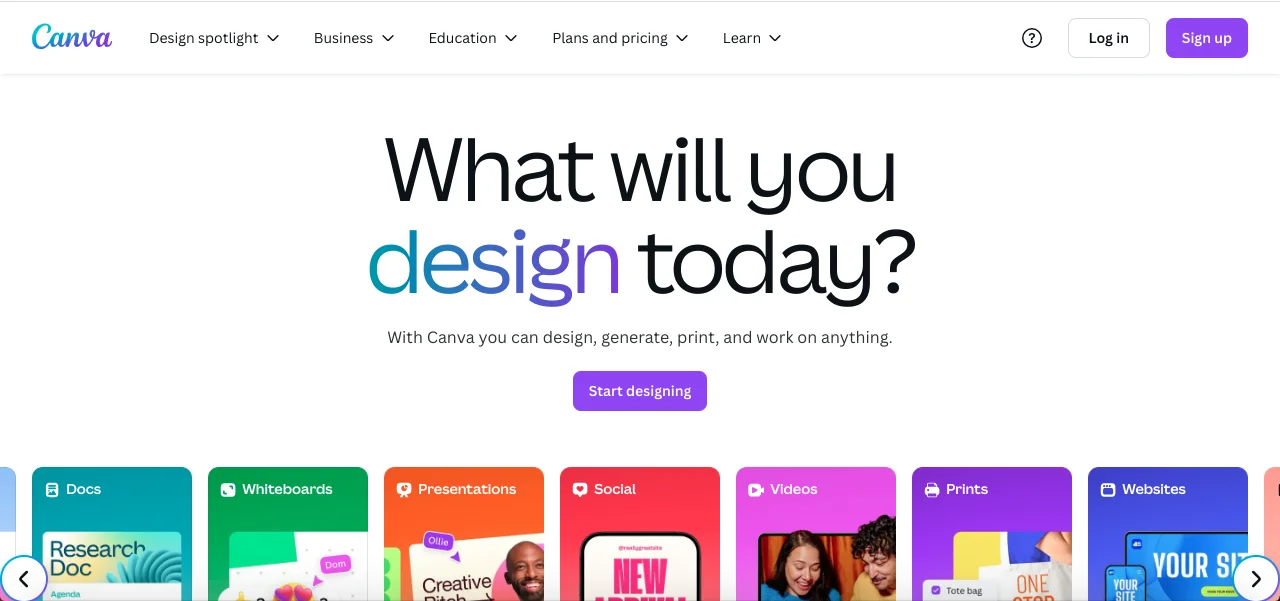
Aren’t you tired of jumping from one app to another just so you can edit one video or picture? A professional social media manager keeps searching for new content creation tools with various editing features to help them create engaging Reels and posts.
Social media management platforms
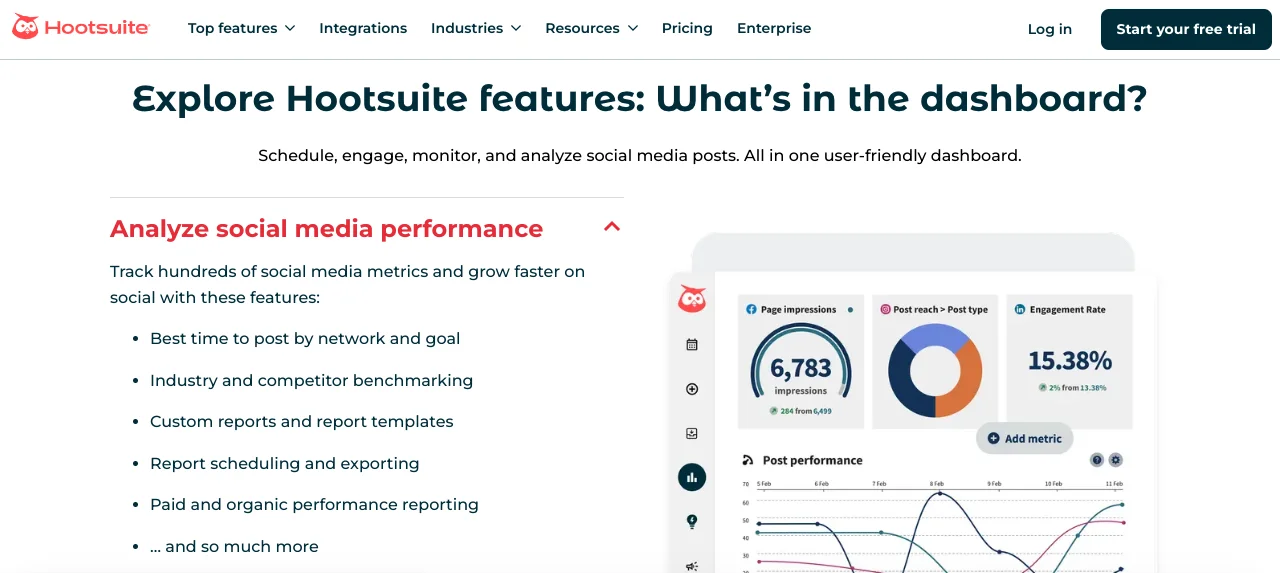
Use the right tools and platforms to streamline scheduling and manage multiple social media accounts efficiently. These social media management tools are essential for staying on top of Instagram updates in 2025.
Social listening tools
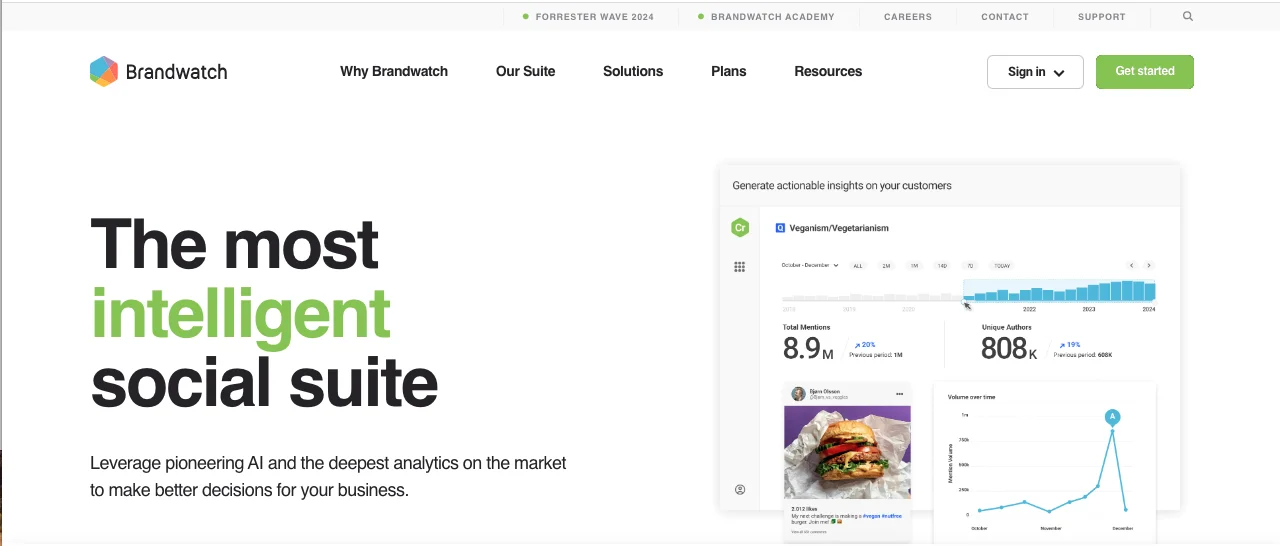
Did you know that social listening tools are designed to track social media conversations to help you understand what people say about your brand or industry? Such tools allow you to join relevant discussions and improve your content strategy.
Community management tools

Managing your followers and communities across platforms is not as difficult as it seems if you use the right tools to manage and respond to comments, messages, and mentions. They mainly offer helpful features, such as automated replies and unified inboxes.
Customer support tools

Customers aren’t always right, but your response matters. Using effective customer support tools, like chatbots, helps you provide fast, reliable service and improve engagement on Instagram business accounts in 2025.
Conclusion
Here’s all the fresh and valuable information you need as a social media manager about Instagram updates in 2025.
This year, Instagram is releasing more updates and features to keep users engaged and active on the app, while giving managers the tools and opportunities to grow their accounts and prove their expertise.
By following these updates and using the platform’s new features strategically, you can stay ahead of the curve and make the most out of Instagram’s evolving landscape.
Remember to check back on Social Tradia every month for the latest updates and a complete rundown of what’s happening on Instagram, so you never miss an opportunity to optimize your content and engagement.
FAQs
What is the Instagram algorithm 2025?
Users will see content that is similar to what they like, share, save, and comment on. The app will show posts with high engagement rates to more people, and Reels tend to work better than regular posts.
What are the biggest Instagram updates in 2025?
AI-powered tools, specific story features, Trial Reels, privacy features, and social commerce options.
How to get new Instagram features?
Keep the Instagram app updated, follow Instagram channels on multiple platforms, collaborate with other social media managers, and join Instagram’s beta program.
How to grow on Instagram in 2025?
Share at least two feed posts and three Reels a week, use relevant hashtags, engage with your followers, use Instagram’s latest features, and follow trends.
What new features should social media managers focus on in 2025?
AI-driven content creation tools, social commerce options, and privacy control features.
How to reset the Instagram algorithm?
Clear your search history, unfollow or remove irrelevant accounts, and use the “Not interested” feature.

Emi Daniel
Buy an Established Instagram Account
Skip starting from zero. Browse Instagram/TikTok accounts with audiences across many niches.
See Available AccountsRelated articles
-

How to Go Live on Instagram: A Step-by-Step Guide
Going live can feel more stressful than posting a Reel. You cannot remove a pause, rewrite a sentence, or start over after an awkward moment. But that…
17 min readEmi Daniel
-

Instagram Instants Feature: What It Is, How It Works, and How to Turn It Off
The first time I opened Instagram Instants, I almost backed out. I had taken a normal photo. Nothing worth editing. Nothing worth posting. Nothing that needed an…
11 min read -

How to Clear Instagram Cache on iPhone, Android & Desktop
Instagram can quietly build up a lot of temporary files while you scroll through Reels, watch Stories, save posts, and upload your own content. You may not…
12 min read