

Have you ever seen an Instagram story so perfect that you wanted to take a screenshot to rewatch it, but weren’t sure if Instagram would notify the account owner?
As you know, Instagram stories disappear after 24 hours, which means they are temporary, so the best way to have the chance to rewatch any story is to take a screenshot.
However, the main question is whether Instagram notifies the account owner when you screenshot their story.
Buy an Established Instagram Account
Skip starting from zero. Browse Instagram/TikTok accounts with audiences across many niches.
See Available AccountsBefore we go any further, let me clarify that the direct answer to this question is no, so why do people still wonder if they’ll get caught when they take a screenshot of a story?
You will find the answers to all your questions in this article, and I will explain every detail you need to know to help you understand whether you can comfortably screenshot Instagram stories.
Why Would Someone Screenshot An Instagram Story?
As mentioned before, unlike Instagram posts and Reels, Instagram stories are temporary and will disappear after 24 hours, so how can people keep their favorite stories to rewatch them? Yes! By taking screenshots.
There are several reasons that someone would screenshot an Instagram story; the main reason is to be able to rewatch it, especially if the content of the story is something important or even a funny meme.
Let me tell you something! If you open my phone and visit my screenshots, you’d be surprised to see how many screenshots I have of Instagram stories from business pages about an event, discount, promotion, etc.
Thus, another important reason someone would take a screenshot of an Instagram story is that those stories contain valuable information, such as event details, product launch dates, promotions, tips, and more.
Oh, I’m not done yet! I still have two more reasons to share with you.
As you may know, Instagram enables users to reshare stories with the share button (a paper airplane icon); however, users can disable this feature to protect their privacy.
So, if you ever encounter an account that has disabled this feature yet wants to share their stories with your friends, you can screenshot it.
Last but not least, sometimes you see a story that you find admiring or motivating, so you want to keep a record of it as someone’s achievements to remind yourself that if someone could do it, you can too!
The important point you better keep in mind is that it is true you can screenshot or screen record Instagram stories without getting caught; it is better to always respect others’ privacy and NOT take screenshots of private content.
Does Instagram Notify You When Someone Screenshots A Story?

As mentioned before, the answer to this question is no, Instagram won’t send a notification when you take a screenshot of someone’s story.
So, why do you think people still believe that Instagram let the other users know that you took a screenshot of their story?
The answer is simple! In February 2018, Instagram announced it would notify users if someone screenshots their stories. This feature failed because 99% of users were against it, and Instagram removed it the same year after only four months.
Therefore, the next time you see a friend who believes Instagram will notify someone if they screenshot a story, you can inform them that this feature has been gone for a long time, or you can keep it a secret! 😉
Reasons Instagram Doesn’t Send Notifications For Story Screenshots
In the previous section, I mentioned that once Instagram announced that the platform was going to notify users about story screenshots, the platform was also drowned by negative comments.
However, it’s not the only reason Instagram won’t send notifications for story screenshots. I will explain in this section.
Technical and legal issues
One of the main reasons is technical limitations and issues; as you may know, people can take screenshots using third-party tools, which means Instagram won’t understand and can not notify the user.
Now, imagine someone using a third-party tool to take a screenshot of someone’s private content and use it against that person to abuse them.
It’s a nightmare! Think about the moment the person sued Instagram for this matter. What can the platform do? I think nothing because the app was supposed to notify them and wasn’t successful.
Less engagement
The key to Instagram success is having engaged followers who interact with every piece of content you share on your account.
Now imagine you have many engaged followers who love your Instagram stories, and most of them usually take screenshots of your Instagram stories; I think you will get sick of receiving that amount of notifications alerting you that someone took a screenshot of your story.
I believe it was a smart move to abandon this feature because if you think deeply about it, you will understand that you share stories for people to watch and enjoy, so someone screenshotting it is not a big deal!
How to Understand If Someone Screenshots Your Story on Instagram?
Are you among those users who believe you should have the right to understand who screenshot your Instagram stories?
If yes, I must tell you that it’s impossible to know who took a screenshot of your story content.
The only way to understand this is if the person asks for your permission or sends you the screenshot.
How to Stop Others from Taking Screenshots of Your Instagram Stories?
If you want me to be honest with you, I should tell you there is no exact way to prevent others from taking screenshots of your Instagram stories.
However, some tips help you along the way.
Share stories with your close friends
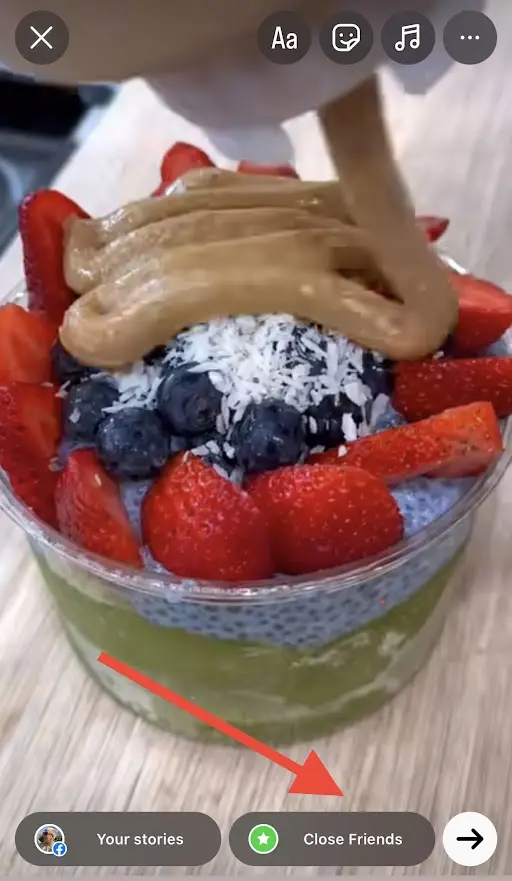
One of the easiest ways to prevent others from taking screenshots of your Instagram stories is to create a list of close friends of people you trust and share content exclusively for them.
It is better to choose the names for this list wisely; otherwise, some people may not respect your privacy and will screenshot your content without permission.
Keep your account private
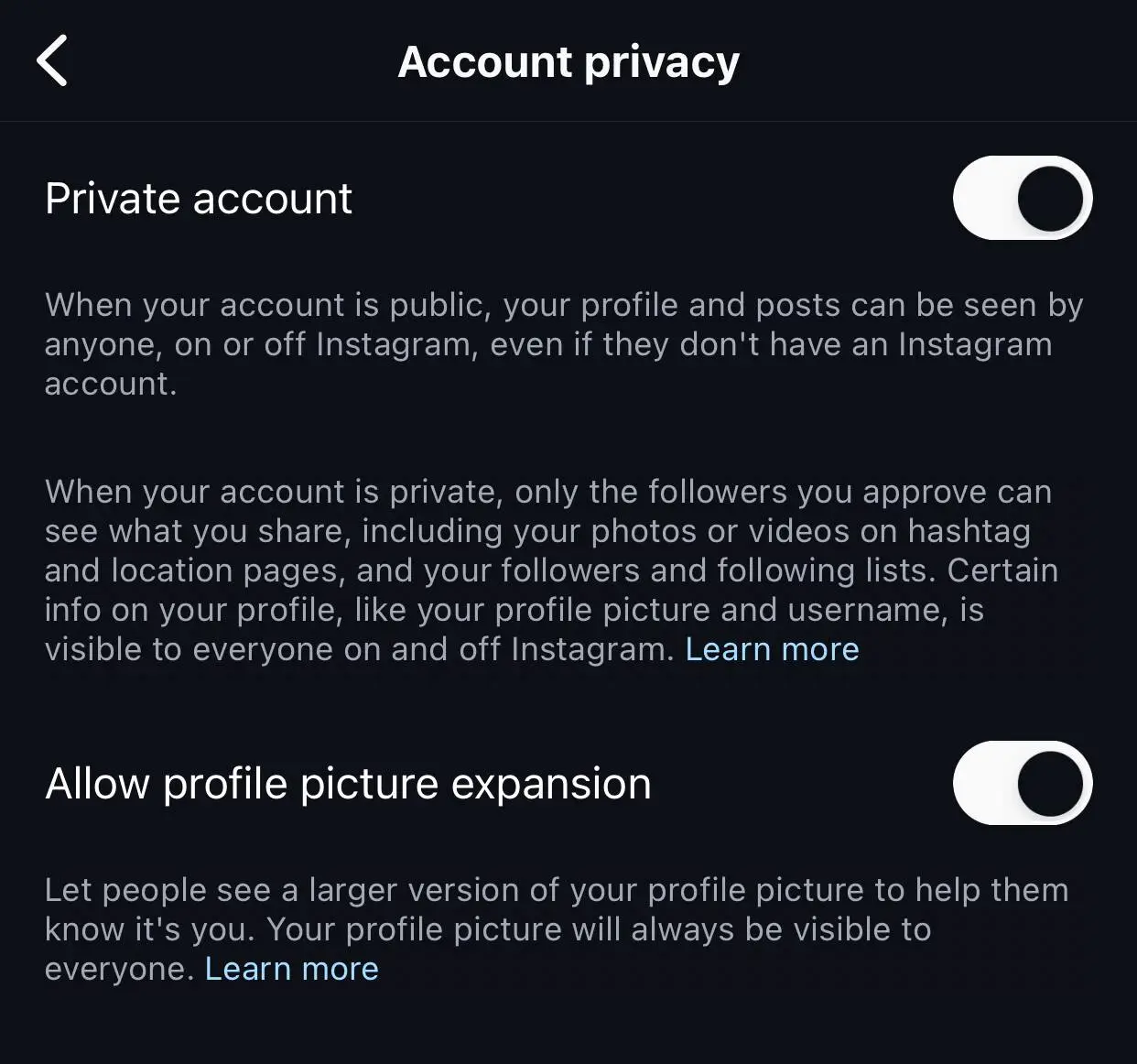
Have you ever thought about it? Why do you think you have to worry about who is going to take screenshots of your stories? It’s because you allow random people to visit your account.
If you care about your privacy and don’t want everyone to be able to access what you share, you should keep your account private and only accept those you know and are close to you.
Restrict problematic accounts
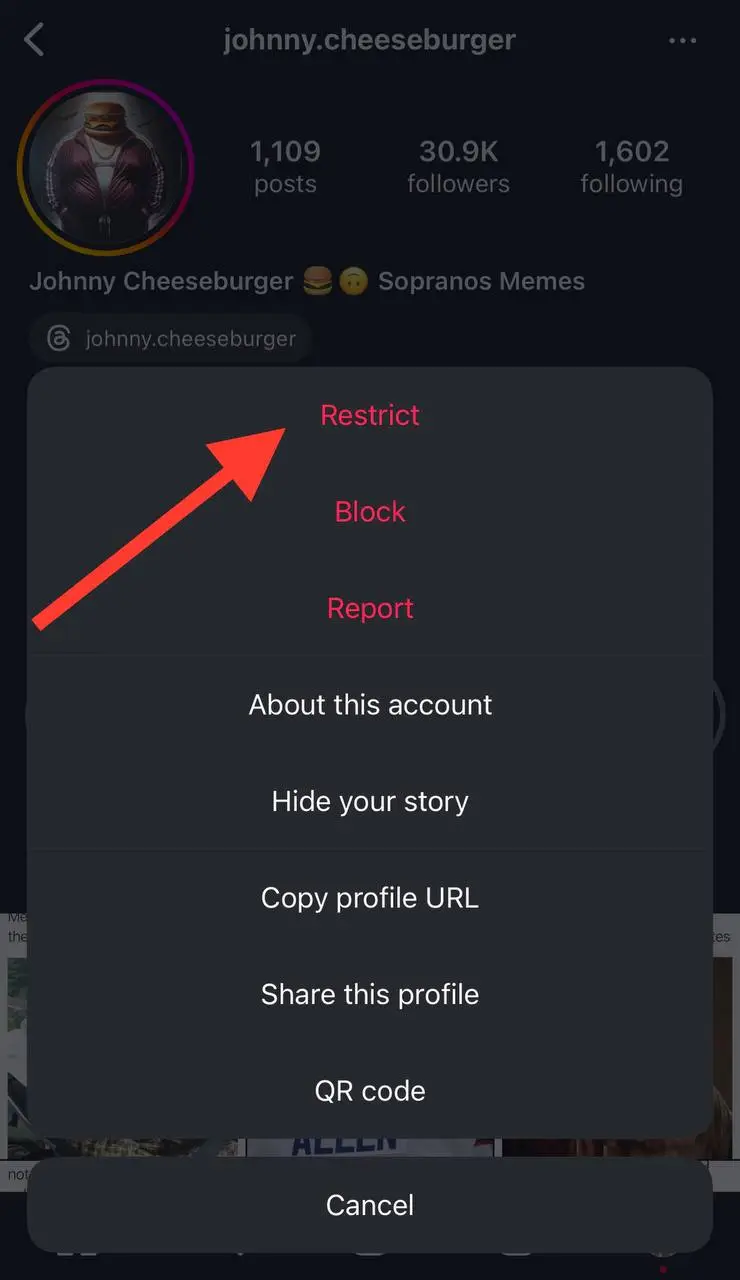
Another effective action you can take is to enable the ‘restrict’ feature on your account, which allows you to better manage who can interact with your Instagram stories.
To use this feature you can restrict all the suspicious accounts you think some day they would take screenshots of your stories.
To simply restrict any account, visit their profile, tap on the three dot icon in the top right corner of their profile, select “Restrict,” and they will have limitations on how they can interact with your content.
Block annoying followers
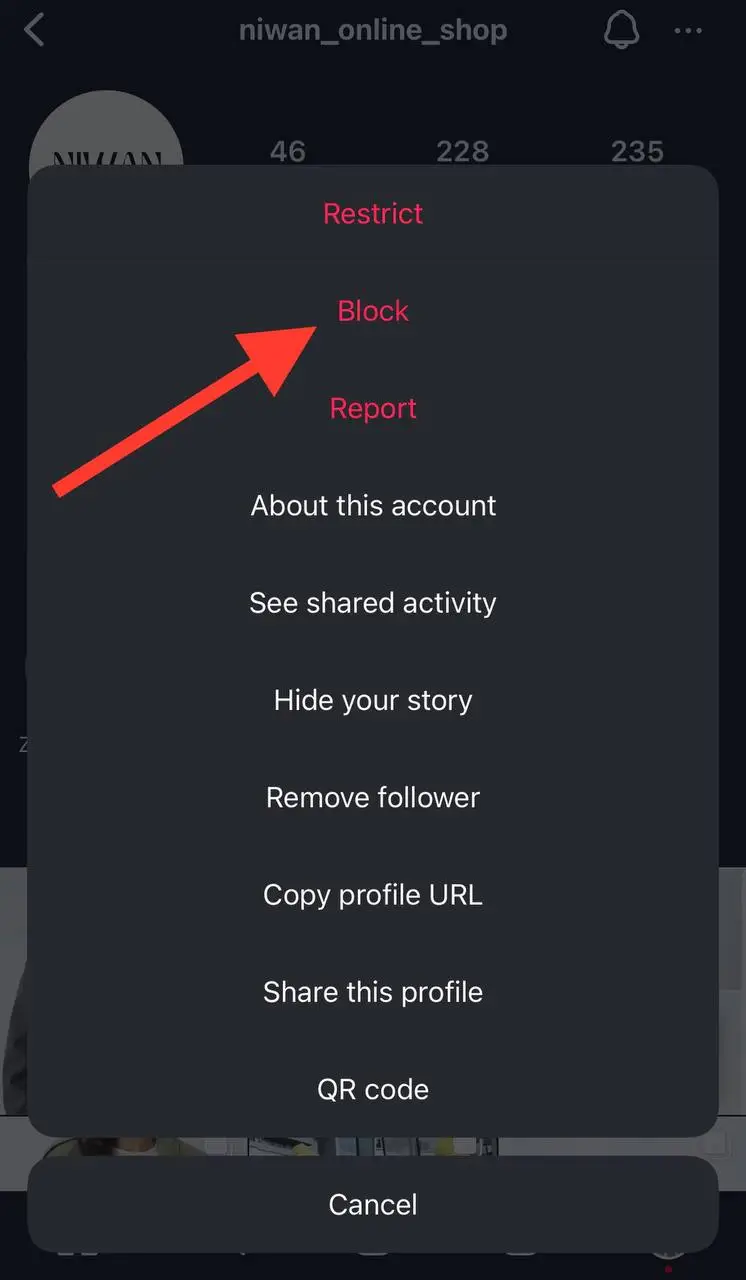
If you ask me about one easy way to get rid of annoying people on social media, I would immediately tell you to block them right away.
If you ever notice someone taking screenshots of your content, block their accounts immediately—and never unblock them because they will do it again!
Do not share sensitive content
As you may know, once you upload something to Instagram, others can see it and engage with it.
Therefore, it is better not to share sensitive content on Instagram or other social media platforms because you never know how people would interact and use that information.
Hide your stories
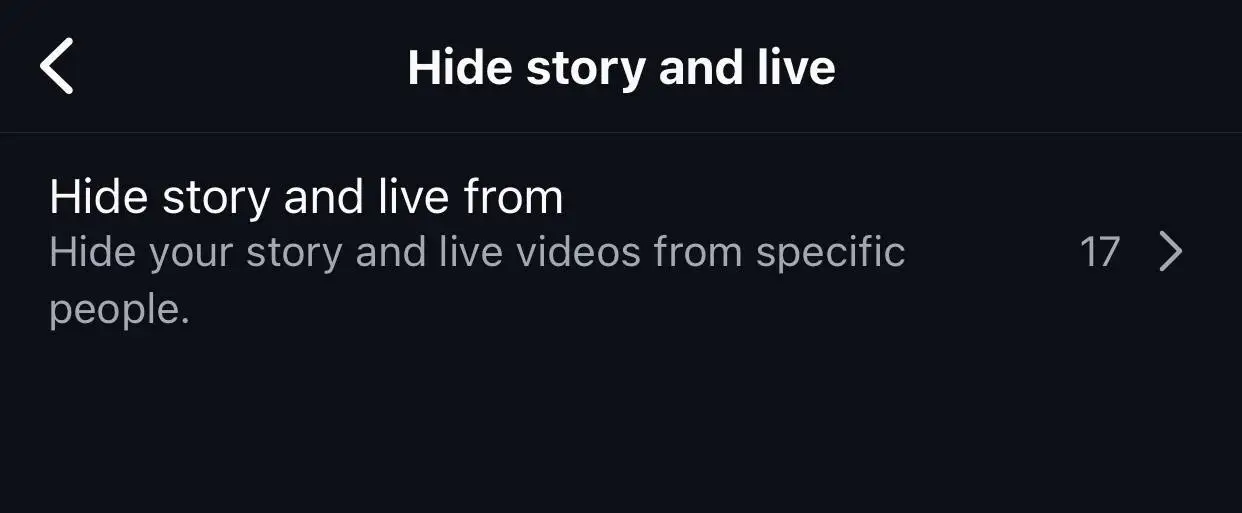
If you think you know which accounts are most likely to disrespect your privacy by taking screenshots of your stories, you can simply hide your stories from them, and they will never understand what you share.
However, remember that if you have a public account, they may check your profile using an anonymous account to see what you have shared recently.
Send them a direct message
If you suspect or find out someone has taken a screenshot of your Instagram story, you can send them a direct message and ask them to respect your privacy by not sharing your content with others.
Always keep in mind that once you share content on social media, especially a popular platform like Instagram, you lose control over how people interact with it.
Therefore, if you are not comfortable with not being able to control how others will use what you share on Instagram, it is better to prevent sharing sensitive or personal content.
Does Instagram Notify When Someone Screenshots a Post or DM?
Now that you know Instagram won’t notify you when you screenshot a story, you may wonder if the app notifies users about posts, Reels, or direct messages screenshots.
In simple words, Instagram will not send notifications to users when you take a screenshot of their post, Reel, or DM.
But the story does not end here! There is one way that people understand you screenshot or screen record messages and photos in DM.
Have you ever heard about Instagram vanish mode? This feature allows users to send “disappearing” text messages, photos, and videos in Instagram chats.
Long story short, if you try to take a screenshot of a direct message that was in vanish mode, the other person will be notified.
How to Enable Vanish Mode on Instagram for More Privacy
If you are here, it means that you are interested in using this feature to better protect your privacy on Instagram.
Let’s see how to turn on and off vanish mode on Instagram step by step.
Step 1- Open the Instagram app on your mobile device.
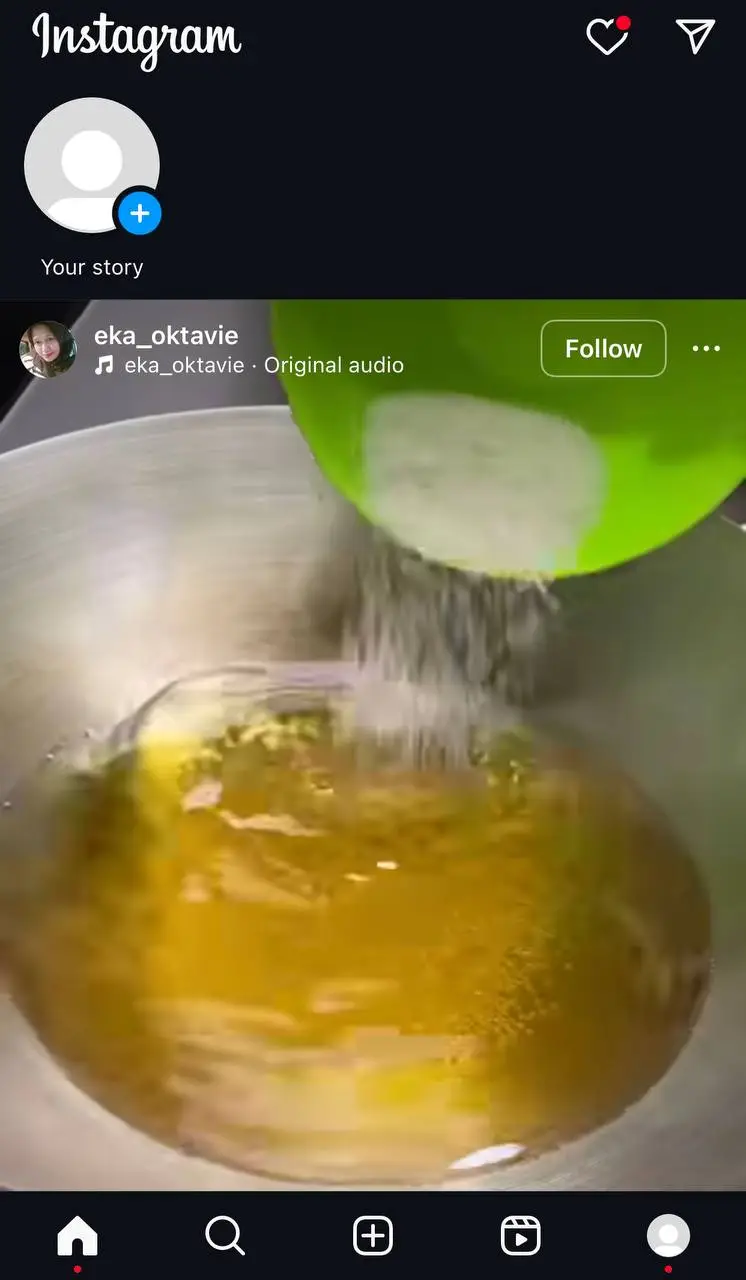
Step 2- Tap on the little paper airplane icon to open your DMs.
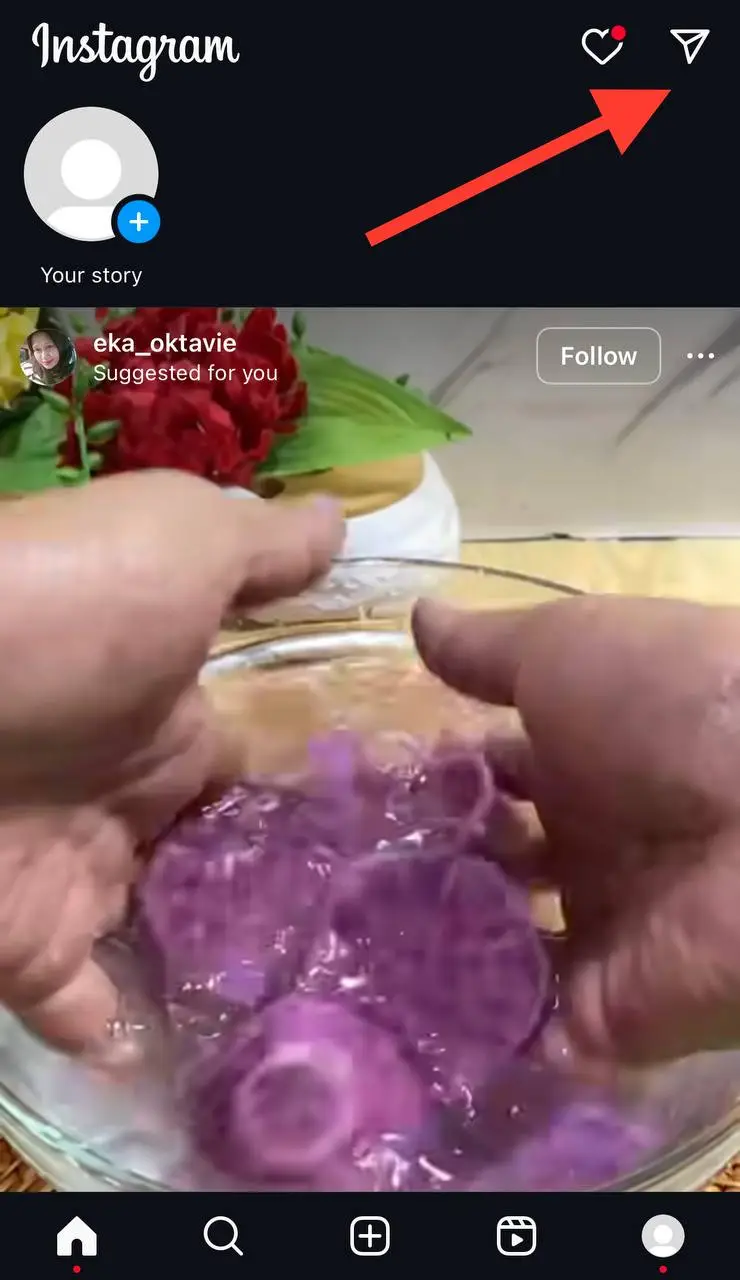
Step 3- Select the chat you want to start a conversation in vanish mode.
Step 4- Swipe up the screen from the bottom of the conversation. You want the gray circle to turn blue, and release it as soon as it is blue.
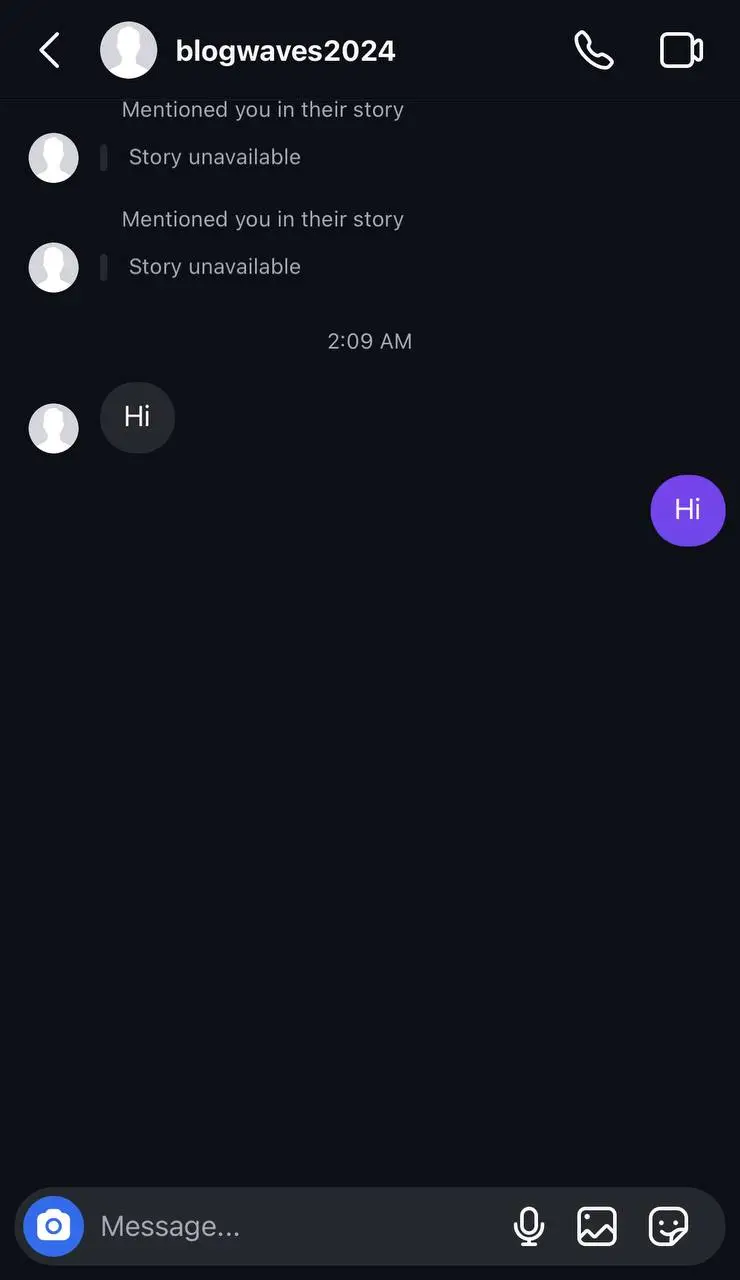
Now, you can send any message in this chat and it will disappear after the other person reads or sees it.
To turn off Vanish Mode, simply repeat step 4 and wait for the blue circle to turn gray again.
Conclusion
It is true that Instagram does not send notifications when you take a screenshot of someone’s story and gives you a higher level of freedom; however, it is better to respect other users’ privacy on the platform and consider how they feel if they understand you screenshot their content.
If you are not close to someone on Instagram, I suggest asking for their permission before taking screenshots to respectfully engage with their content.
I hope you enjoy reading this article and get the answers to your questions about taking screenshots of someone’s Instagram stories!
FAQs
1- Can I see who took a screenshot of my Instagram story?
No, Instagram does not notify users when you take a screenshot of their story, so you won’t be able to see if someone screenshots your story!
2- Does Instagram notify you when you screenshot someone’s profile?
Instagram recently released a feature that enables users to open others’ profiles; however, the application won’t send a notification if you screenshot someone’s profile picture.
However, it is better not to take a screenshot of someone’s profile picture and respect their privacy.
3- Can I screenshot an Instagram DM without the other user knowing?
For a long time, people were afraid to screenshot an Instagram DM because they were told that Instagram would notify the other user that they had taken a screenshot of their chat; however, this is not true. You can screenshot any Instagram direct message, and the other person won’t understand.

Emi Daniel
Buy an Established Instagram Account
Skip starting from zero. Browse Instagram/TikTok accounts with audiences across many niches.
See Available AccountsRelated articles
-

How to Clear Instagram Cache on iPhone, Android & Desktop
Instagram can quietly build up a lot of temporary files while you scroll through Reels, watch Stories, save posts, and upload your own content. You may not…
12 min readEmi Daniel
-

How to See Who Reposted Your Instagram Post (2026 Guide)
Someone reposted your Instagram post, but you have no idea who it was. You check notifications, search through your profile, and still cannot find a clear answer. …
18 min read -

How to Reset Instagram Algorithm in 2026
Instagram can start showing too much of the same type of content. Your Explore page may no longer match your interests, Reels may feel repetitive, or suggested…
12 min read