


Someone reposted your Instagram post, but you have no idea who it was. You check notifications, search through your profile, and still cannot find a clear answer.
With Instagram introducing new sharing options and changing how reposts appear on the platform, understanding what you can and cannot track has become more important. These changes are part of the platform’s new Instagram features that continue to shape how users share and interact with content.
Instagram still does not show every person who reposts or shares your content. However, some repost activity is visible. You can find certain Story shares, mentions, and overall share numbers through Instagram’s built-in tools.
Buy an Established Instagram Account
Skip starting from zero. Browse Instagram/TikTok accounts with audiences across many niches.
See Available AccountsIn this guide, we’ll explain what Instagram lets you see, how reposts are different from Story shares and private messages, and the steps you can take to track repost activity on your posts and Reels.
Can You See Who Reposted Your Instagram Post on Instagram?
The short answer is: sometimes, but not always. Instagram does not provide a complete list of everyone who reposted your content. There is no single page where you can view every account that shared, reposted, or sent your post to others.
What you can see depends on how someone reposted your content. If they share your post to their Story and mention your account, you may receive a notification and be able to see it. Public reposts or mentions can also be visible when someone credits your account.
However, Instagram keeps some sharing activity private. If someone sends your post through direct messages, saves it, takes a screenshot, or uploads it again without tagging you, you usually cannot see who did it.
Instagram also does not provide a universal repost history because many shares happen privately. Instead, the platform gives creators limited information, such as the number of shares through Instagram Insights, rather than a full list of users behind those actions.
What Counts as a Repost on Instagram?
The word “repost” can mean different things on Instagram. Some users mean sharing a post using Instagram’s own features, while others mean uploading someone else’s content again on their profile. These actions work differently, and the amount of information you can see depends on the type of repost.
Understanding the difference helps you know what you can track and what stays hidden.
Native Instagram Reposts
A native repost happens when someone uses Instagram’s built-in repost feature to share another user’s content.
Depending on the feature availability and account settings, the repost may appear as a separate activity connected to the original post. This type of sharing is easier for Instagram to identify because it happens inside the platform.
However, Instagram does not always provide creators with a complete list of everyone who reposted their content.
Instagram Story Reshares
A Story reshare happens when someone adds your post, Reel, or other content to their Instagram Story.
The process works differently depending on whether you are mentioned in the Story or not, and users may have different options when they want to repost an Instagram Story without being tagged.
If the person mentions your account, you may receive a notification and can see the share. Story reshares are one of the easiest types of reposts to notice because they are public for the duration of the Story.
If someone shares your content privately or does not tag you, you may not be able to see it.
Third-Party Reposts
Third-party reposts happen when someone uses another method to share your content, such as:
- Taking a screenshot of your post
- Downloading your photo or Reel and uploading it again
- Manually recreating your content on their account
These reposts are harder to track because Instagram may treat them as new content instead of a share of your original post.
Direct Message Shares
When someone sends your post to another user through Instagram Direct Messages, you cannot see who received or shared it.
Instagram keeps private conversations hidden, so there is no way to view a list of people who shared your content through DMs.
You may see the total number of shares in Instagram Insights, but the usernames behind those shares remain private.
How to See Who Reposted Your Instagram Post (Step-by-Step)

Instagram does not have a dedicated “repost history” section, but there are a few ways to check whether someone has shared your content. The first place to look is your notifications, where Instagram shows some public interactions with your posts.
Method 1: Check Instagram Notifications
Follow these steps:
- Open the Instagram app.
- Tap the Activity icon (heart icon).
- Check your notifications for reposts, Story mentions, tags, or shares related to your post.
If someone shares your post to their Story and tags your account, Instagram may send you a notification. You can usually tap the notification to view the Story share and see who reposted your content.
Keep in mind that notifications do not show every repost. You may not receive an alert if someone shares your post through a private message, uploads your content manually, or reposts it without mentioning your account. The type of share and the person’s privacy settings determine what information Instagram can show you.
Method 2: Check Your Instagram Post Insights
If you have a Creator or Business account, Instagram Insights can help you understand how often your content has been shared. While Insights cannot show the usernames of everyone who reposted your post, they provide useful data about how your content is performing.
To check your post Insights:
- Open the Instagram app.
- Go to your profile and open the post you want to check.
- Tap View Insights.
- Review the available metrics, including shares and engagement data.
Instagram Insights can show:
- Shares: How many times your post was shared with others.
- Reach: How many unique accounts viewed your content.
- Engagement: Actions people took, such as likes, comments, and interactions.
- Saves: How many users saved your post for later.
Insights only show the numbers behind these actions, not the accounts that shared your content. Instagram keeps individual sharing activity private, especially when posts are sent through direct messages or other private methods. However, this data can still help you understand which posts are getting the most attention and reaching a wider audience.
Method 3: Check Story Mentions and Tags
One of the easiest ways to find a repost is by checking when someone publicly credits your account. If another user shares your post or Reel to their Story and mentions your username, Instagram will usually notify you.
When someone tags you in a Story:
- You receive a notification or message in your Instagram inbox.
- You can open the mention and view who shared your content.
- The Story may also allow you to reshare it to your own audience.
To find older mentions, check your Instagram notifications and message requests. Since Instagram Stories expire after 24 hours, mentions may no longer be visible unless they are saved as Highlights. If someone shared your content without tagging your account, Instagram may not show you that repost.
Method 4: Search for Public Reposts Manually
If Instagram does not show you a repost directly, you can try finding public reposts yourself. This works best when someone uploads your content again on their profile, mentions your username, or uses related hashtags.
Here are a few ways to search:
Search on Instagram
Use Instagram’s search bar to look for:
- Your username
- Your brand name
- Specific phrases from your caption
- Relevant hashtags connected to your post
If someone credited your account or used a related hashtag, their repost may appear in the results.
Check Username Mentions
Search for your username without the “@” symbol. Some users may tag you in captions, comments, or their own posts when sharing your content.
Use Google Search Operators
Google can sometimes find public Instagram pages that Instagram search misses. Try searches like:
site:instagram.com “your username”
You can also search for unique parts of your caption or keywords from your post.
Remember that this method only works for public content. Private accounts, direct message shares, and untagged reposts usually cannot be found through search.
How to See Who Reposted Your Instagram Reel
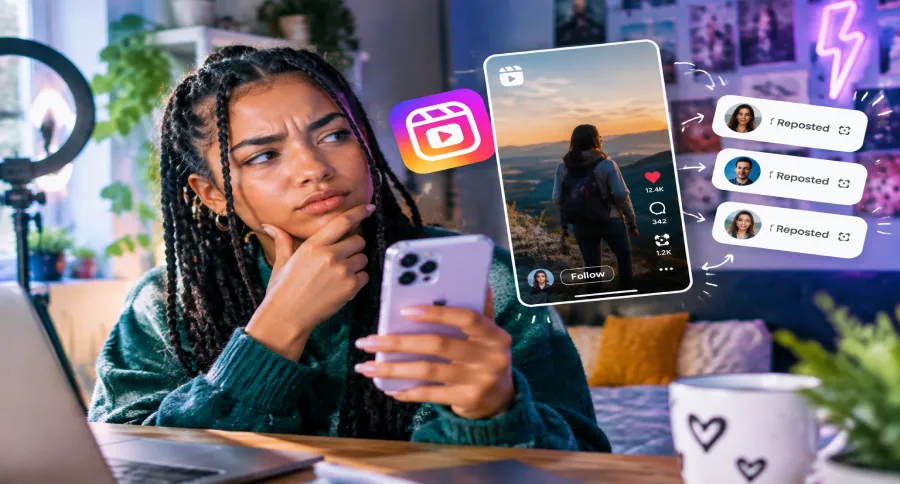
Instagram Reels are shared more often than regular posts, but tracking who reposted a Reel works in a similar way. Instagram can show some public interactions, but it does not provide a complete list of every account that shared your Reel.
If someone reposts your Reel to their Story and tags your account, you may receive a notification and be able to see the share. However, if someone sends your Reel through direct messages, downloads it, or uploads it again without credit, Instagram usually does not reveal who did it.
Reel Shares vs Reel Reposts: What’s the Difference?
These two actions are often confused:
- Reel Share: Someone sends your Reel to another person through a Story, direct message, or other sharing option. Instagram may count this activity in your Insights.
- Reel Repost: Someone publishes your Reel again on their own profile or uses Instagram’s repost feature. Whether you can see it depends on how they reposted it.
A high number of Reel shares does not always mean you can identify every person who shared it. Instagram mainly provides performance data, not a full sharing history.
Check Your Reel Insights
If you have a Creator or Business account, Reel Insights can help you measure how far your content has spread.
To check your Reel performance:
- Open the Reel on your profile.
- Tap View Insights.
- Review metrics such as:
- Shares: How many times your Reel was shared.
- Reach: How many accounts viewed your Reel.
- Plays: How many times your Reel was played.
- Engagement: Likes, comments, saves, and other interactions.
These numbers help you understand whether your Reel is spreading, but they do not show the usernames of people who shared it.
How to Track a Viral Reel
When a Reel starts getting attention, watch for:
- New account mentions and tags
- Comments from users who discovered your content elsewhere
- Sudden increases in reach and shares
- Public reposts using your username or hashtags
For creators and businesses, combining Instagram Insights with manual searches is the best way to understand how a Reel is being shared across the platform.
Can You See Who Shared Your Instagram Post Through Direct Messages?
No. Instagram does not show who shared your post through direct messages or who received it.
When someone sends your post, Reel, or Story to another user privately, that activity stays between those accounts. Instagram keeps private conversations hidden to protect user privacy, so there is no way to view a list of people who shared your content through DMs.
However, creators can still measure the overall impact of these shares. If you have a Creator or Business account, Instagram Insights can show the total number of shares, along with other performance data such as reach, saves, and engagement.
This means you can see how often your content was shared, but not who shared it through private messages.
Why Can’t I See Who Reposted My Instagram Post?
If you cannot find who reposted your Instagram post, it does not always mean the repost did not happen. In many cases, it comes down to how the content was shared and what information Instagram allows users to access. Here are the most common reasons:
The Person Has a Private Account
If someone with a private Instagram account reposts your content, you may not be able to see it unless they mention your account or you already follow them. Private activity is limited to approved followers, which makes tracking these reposts difficult.
They Shared It Privately
When someone sends your post through Instagram Direct Messages, Instagram does not reveal the sender or the recipients. Private shares are hidden by design, so there is no way to check who shared your content in DMs.
Instagram Does Not Support That Tracking
Instagram does not provide a complete repost history for users. Unlike likes or comments, repost activity is not fully visible, and there is no built-in tool that lists every account that shared your post.
The Repost Was Uploaded Manually
Some users repost content by downloading an image, recording a Reel, taking a screenshot, or uploading the content again as a new post. Since Instagram sees this as new content, it may not connect it to your original post.
The Feature Is Not Available on Your Account
Instagram regularly tests and releases features gradually. Some repost-related features may not be available for every account, region, or app version. Updating the app or switching to a Creator or Business account may give you access to additional insights and sharing data.
Instagram Repost vs Share: What’s the Difference?
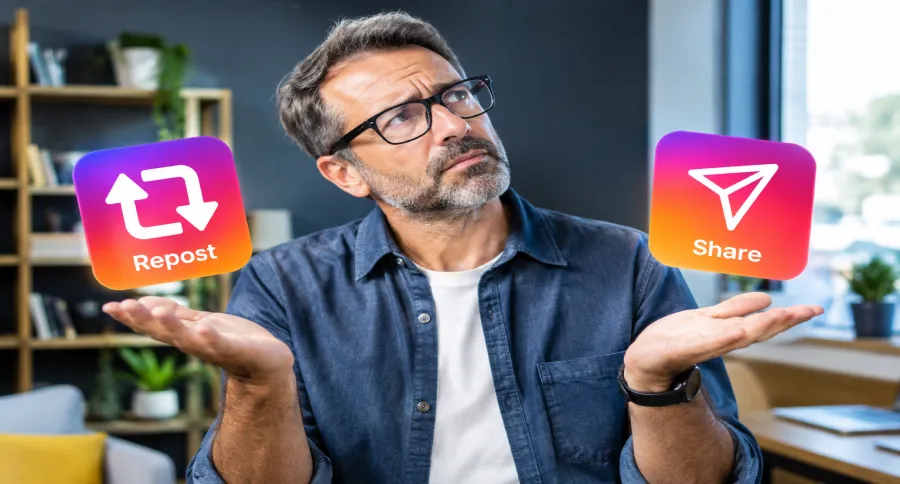
Many people use the words repost and share interchangeably, but they are not always the same thing on Instagram. A share usually means sending or adding someone’s content using Instagram’s sharing tools, while a repost often means publishing someone else’s content again on your own profile or Story.
The difference matters because each type of activity gives you different levels of visibility. Some reposts can be tracked, while others remain completely private.
| Action | Can You See Who Did It? | Where to Check |
| Story Share | Sometimes | Notifications or Story Mentions |
| Native Repost | Sometimes | Repost activity (if available) |
| DM Share | No | Not available |
| Screenshot Upload | No | Manual search |
| Link Share | No | Not available |
Story Share
When someone adds your post or Reel to their Story, you may see it if they mention your account. Instagram notifications and mentions are the main places to check these shares.
Native Repost
A repost made through Instagram’s own features may be easier for the platform to identify. However, Instagram does not always show creators a complete list of accounts that reposted their content.
DM Share
If someone sends your post privately through Instagram messages, you cannot see who shared it. Instagram protects private conversations and does not provide this information.
Screenshot Upload
When someone takes a screenshot and uploads your content as a new post, Instagram treats it as separate content. You may only find it through manual searches, mentions, or if someone credits your account.
Link Share
Sharing your post link outside Instagram or through private messages cannot be tracked by the original creator. Instagram may measure some activity internally, but it does not reveal who shared the link.
Can Third-Party Apps Show Who Reposted Your Instagram Post?
You may find apps or websites claiming they can show exactly who reposted your Instagram content. However, most of these tools cannot provide the information they promise.
Instagram does not give third-party apps access to a complete list of users who shared, reposted, or sent your posts privately. Because of these platform limitations, no external tool can reliably track every repost or reveal private shares.
Why Many Apps Make False Claims
Some repost-tracking apps use attention-grabbing claims like “see who shared your post” or “find your secret viewers” to attract users. In reality, they often provide estimated data, recycle information already available in Instagram Insights, or show unrelated account activity.
If an app promises to reveal every person who reposted your content, it is likely not using real Instagram data.
Instagram API Limitations
Instagram’s API controls what information third-party services can access. While approved tools can help with analytics, scheduling, and content management, they do not have access to private sharing activity such as:
- Who sent your post through DMs
- Who saved your content
- Every account that reposted your content
- Private Story shares
This means even legitimate tools cannot bypass Instagram’s privacy restrictions.
Privacy Risks of Repost Tracking Apps
Using unreliable apps can put your account at risk. Some tools may ask for your Instagram login details, which can lead to:
- Account security issues
- Unauthorized access
- Spam activity
- Loss of account control
You should be careful with any service that asks for your password or promises access to hidden Instagram data.
Signs of an Unreliable Tracking Tool
Avoid apps that:
- Promise to show every person who viewed or reposted your content
- Ask for your Instagram password outside the official Instagram login
- Have no clear company information or privacy policy
- Show suspiciously detailed “reports” that Instagram itself does not provide
The safest way to track repost activity is by using Instagram’s own features, such as notifications, mentions, and Insights. These tools provide accurate data without putting your account security at risk.
How Businesses and Creators Can Track Instagram Reposts Better
For creators and businesses, reposts are more than just extra views. They show that people find your content valuable enough to share with their own audience. While Instagram does not reveal every repost, you can use a combination of tools and strategies to understand how your content spreads.
Use a Professional Instagram Account
Switching to a Creator or Business account gives you access to Instagram Insights, which provides more detailed performance data.
You can track metrics such as:
- Number of shares
- Reach from your content
- Engagement rate
- Saves and interactions
While Insights will not show every person who reposted your content, it helps you identify which posts are getting shared the most.
Monitor Brand Mentions
Many public reposts happen through tags and mentions. Regularly checking your notifications, mentions, and tagged content can help you find users who are sharing your posts.
For brands, monitoring mentions also helps you:
- Thank users who share your content
- Build relationships with your audience
- Find potential collaborations
Track Engagement Spikes
A sudden increase in views, followers, comments, or profile visits can be a sign that your content is being shared widely.
When you notice an unusual spike:
- Check recent mentions
- Search your username and hashtags
- Look for public reposts of your content
This can help you identify where new traffic is coming from.
Use Social Listening Tools
Social listening tools can help businesses monitor public conversations, mentions, and brand activity across social platforms.
They are useful for finding:
- Public mentions of your brand
- Customer posts featuring your products
- Content created by your audience
However, they cannot access private shares or reveal every person who reposted your Instagram content.
Create Content That Encourages Reposts
The easiest way to increase reposts is to create content people naturally want to share.
Content that often gets reposted includes:
- Helpful tips and guides
- Original templates
- Relatable posts
- Industry insights
- Quotes or visual content
You can also encourage sharing by adding simple calls to action, such as asking followers to share the post with someone who would find it useful.
For creators and businesses, the goal is not only to find every repost but also to understand what makes people share your content in the first place.
How to Encourage More Instagram Reposts
Getting more reposts starts with creating content that people feel is worth sharing. Users usually repost content that helps them, represents them, or gives value to their own audience.
Here are some practical ways to make your posts more shareable:
Create Share-Worthy Content
People are more likely to repost content that solves a problem, provides useful information, or creates an emotional reaction.
Examples include:
- Quick tips and tutorials
- Industry insights
- Useful checklists
- Relatable content
- Original ideas and opinions
Before publishing a post, ask yourself: “Would someone want their followers to see this too?”
Create Saveable Posts
Posts that people save are often shared as well. Educational content, step-by-step guides, and helpful resources give users a reason to keep and share your content.
Formats that often perform well include:
- Carousel guides
- Step-by-step tutorials
- Tips and lists
- Reference materials
Use Clear Calls to Action
Sometimes users need a simple reminder to share your content. Add natural calls to action that encourage engagement without feeling forced.
Examples:
- “Share this with someone who needs it.”
- “Send this to a friend who would find it useful.”
- “Save this for later.”
Create Templates People Want to Repost
Templates make sharing easier because users can quickly add their own touch and repost them.
Popular examples include:
- Story templates
- Checklists
- Industry-related graphics
- Question prompts
- Interactive posts
The easier your content is to reuse, the more likely people are to share it.
Make Crediting Easy
If you want people to repost your content, make it simple for them to give credit.
You can:
- Add your username clearly to graphics
- Encourage users to tag your account
- Keep your branding visible but natural
- Create content that looks good when shared
Easy crediting helps you discover reposts and can also bring new followers back to your account.
Final Thoughts
Instagram makes it possible to track some repost activity, but there is no complete list showing everyone who shared your content. Public reposts, Story mentions, and tagged shares can sometimes be found through notifications and searches.
However, private actions such as direct message shares or untagged reposts remain hidden. Instagram protects this information, so no tool can reveal every person who shared your post.
For creators and businesses, Instagram Insights remains the most reliable way to measure how your content spreads. While it does not show usernames, it helps you understand which posts get the most shares, reach, and engagement.
Frequently Asked Questions
Can someone repost my Instagram post without me knowing?
Yes. Someone can repost your Instagram content without you knowing, especially if they share it privately, upload it manually, or repost it without tagging your account. Instagram does not provide a complete history of all repost activity.
Does Instagram notify you when someone reposts your post?
Sometimes. Instagram may notify you when someone mentions your account in a Story or publicly tags you. However, you will not receive notifications for every repost, especially private shares or untagged uploads.
Can I see who shared my Instagram Reel?
Only in some cases. If someone shares your Reel publicly and mentions your account, you may be able to see it. Instagram Insights can also show the number of Reel shares, but it does not reveal the usernames of everyone who shared it.
How do I find reposts of my Instagram content?
You can check your notifications, Story mentions, and tags for public reposts. You can also search Instagram using your username, relevant hashtags, or parts of your caption. Instagram may not show reposts that are shared privately or without mentioning your account.
Can Instagram show who shared my post privately?
No. Instagram does not reveal who sent your post through direct messages or who received it. Private sharing activity remains hidden to protect user privacy.
Are Instagram repost tracker apps real?
Most apps claiming to show every person who reposted your content are not reliable. Instagram does not provide third-party apps with access to private shares or a complete repost history. Avoid tools that ask for your password or promise access to hidden Instagram data.

Emi Daniel
Buy an Established Instagram Account
Skip starting from zero. Browse Instagram/TikTok accounts with audiences across many niches.
See Available AccountsRelated articles
-

How to Reset Instagram Algorithm in 2026
Instagram can start showing too much of the same type of content. Your Explore page may no longer match your interests, Reels may feel repetitive, or suggested…
12 min readEmi Daniel
-
Browse Instagram Without an Account: Tools and Tips for Viewing Public Profiles
Browsing Instagram without an account is possible in some situations, but what you can view is limited. You may be able to view parts of a public…
15 min read -
300 Instagram Notes Ideas to Attract Attention
Are you looking for a new and creative way to communicate with your followers and grab their attention? You don’t have to search anymore, as Instagram Notes…
27 min read