

Do you ever find yourself scrambling to post anything on your business’s social media at the last minute? You know what I’m talking about!
That feeling when you keep scrolling your competitor’s social media account and think maybe you are behind them, so you just want to upload something to say that you’re still here!
For many marketers and business owners, social media management often feels like an “important but not urgent” task—until suddenly it’s both.
Buy an Established Instagram Account
Skip starting from zero. Browse Instagram/TikTok accounts with audiences across many niches.
See Available AccountsA social media calendar is more than just a scheduling tool; a well-designed social media calendar transforms your digital marketing plan and turns reactive posting into strategic communication.
In this guide, we’re going to take you step by step through everything you need to create a social calendar that works for your business. From the essentials to how to measure success, you’ll have actionable steps to turn your social presence from wild to insightful.
What Is a Social Media Calendar?
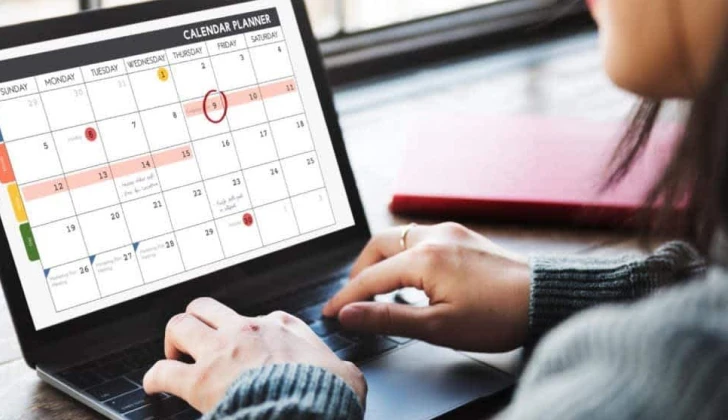
Suppose you are thinking of going on a long vacation, what is the first thing that comes to your mind? For many, they would prepare a plan to know what they want to do each day of their journey, right?
Having social media accounts requires more detailed and profound planning than a vacation, which is called a “Social Media Calendar”!
What is it? It’s your game plan for what you’re going to post on your social channels—and when. I mean a detailed schedule of what you want to post, when you want to do it, and how well you think it’ll perform?
If you are among those who share a post at the last minute, you NEED a social media calendar more than you think! Because it’s a roadmap that keeps you on track so you can share the right message at the right moment.
Why Every Business Needs a Social Media Calendar
From great Instagram experts to other social media platforms, they all agree that every business, influencer, and content creator does better with a well-designed social media calendar; so, if you don’t have one, you’re missing big opportunities!
We all know that to get the best results on social media and attract more target audience, you should post constantly, and that’s not going to easily happen without a social media calendar.
Long story short, without a calendar, your social presence can become erratic and disjointed. When you post inconsistently, you miss the chance to catch your audience when they are most active.
But it doesn’t end here! A social media calendar also prevents the quality dips that often come with rushed content creation.
What Your Social Media Calendar Must Include?
Like every other plan and calendar, your social media calendar must include some factors to perform well and help you reach your goals.
A perfect social media calendar has platform-specific formats, campaign alignment, post dates and times, and team assignments.
Want to get the best results? Make sure to include space for tracking performance metrics; why? Because it allows you to evaluate what’s working and adjust your strategy based on that.
How to Create Your Social Media Calendar: Step-by-Step

Now that you know how important it is to have a well-designed social media calendar, it’s time to learn how to create the most effective one to grow your business or professional account on social media.
Auditing Your Current Social Media Performance
The first thing to do before planning future content is to assess what’s already working for your account. Saying so, you need to keep your current strategy about what works best for your account.
To begin, review your existing social media presence; how to do so? By analyzing your top-performing posts across platforms.
Don’t forget about reviewing audience growth and engagement trends, and evaluating posting frequency and optimal times.
Identifying Your Target Audience and Platform Priorities
Not all social platforms will deliver equal value for your business; that’s why we already discussed how each platform requires its calendar!
Prioritize channels based on where your target audience spends their time, your team’s capacity to create platform-specific content, and which platforms align with your content type (visual, written, video).
Setting SMART Goals for Your Social Media Strategy

Your calendar needs direction, and that comes from clearly defined goals.
To make it more clear, note that effective social media objectives should be specific, achievable, measurable, relevant, and time-bound.
These goals will guide what types of content you prioritize in your calendar and how you measure success.
Determining Optimal Posting Frequency and Timing
All social media experts believe timing and posting frequency are two important considerations that determine a social media account success.
That is why it takes balancing audience expectations, platform algorithms, and your content creation ability to achieve the right timing and posting frequency.
If you’re creating an Instagram social media calendar, you should post 3-7 per week; for Twitter, 1-2 times a day; and for Facebook, posting 3-5 per week is ideal.
Then, personalize it to your usage patterns. Look over when your audience is most active and schedule your most important posts during that time.
Remember that quality always trumps quantity—it’s better to post less frequently with high-value content than to fill your feed with low-effort posts that don’t serve your audience.
How Social Media Calendars Boost Marketing ROI
When your content is planned strategically rather than created on the fly, you can reduce resource waste by batching content, boost conversion with more considered calls-to-action, and create more cohesive campaigns that support your message.
The structured approach of a social media calendar makes your social channels profit centers rather than cost centers by having every post contribute to a specific business objective.
Benefits of Using a Social Media Calendar

The advantages of using a social media calendar extend beyond just staying organized, increased engagement, and attracting more target audience.
Let’s explore the most impactful benefits for your social media accounts:
Maintaining Consistent Posting Across Multiple Platforms
When followers know they can expect regular content from you, they’re more likely to keep following you and engage with your content. Because who would keep following an account if they upload a post once a month?!
Do you have multiple accounts and channels on different platforms? Well, you don’t have to be worried anymore because a calendar helps you maintain a steady posting schedule across all platforms.
When posts are planned, you can ensure messaging remains on-brand even when different team members are involved in content creation.
Reducing Content Creation Stress and Last-Minute Rushes
If you are a business owner, influencer, or content creator who uploads posts at the last minute, you probably face more stress than others.
One benefit of having a social media calendar is that it allows you to reshare existing content on other platforms, share workload more evenly between your team, and batch content creation in productive hours.
With planning, you move content creation from an everyday fire drill to a controlled, strategic process.
Aligning Social Media Activities with Business Objectives
Random posting will get a reaction but never creates strong business results. A calendar gets you to connect each post to specific objectives—whether it’s driving traffic to your website, generating leads, or building brand awareness.
This alignment ensures you’re not just active on social media, but effective. Every post becomes a strategic asset working toward your larger business goals rather than just filling space in your followers’ feeds.
Improving Team Collaboration and Content Approval Process
For businesses with different stakeholders working on social media, a calendar organizes communication and streamlines processes. Clear visibility into upcoming content allows:
- Legal teams to review sensitive content in advance
- Subject matter experts to provide input on technical posts
- Leadership to align social content with company announcements
- Multiple team members to coordinate without duplication
This collaborative approach reduces bottlenecks and ensures all necessary approvals happen before content goes live.
Choosing the Right Social Media Calendar Tools
The right tools can transform your calendar from a basic spreadsheet into a powerful marketing asset.
Free vs. Paid Calendar Solutions: What’s Best?
Free solutions work for small businesses or solopreneurs, 1-3 social channel teams, and basic scheduling without advanced approval workflows.
Paid tools are worth it if you need advanced collaboration features, content approval processes, and programmatic publishing across multiple platforms.
Most companies start with free tools and scale up as their social media operation gets more complex.
5 Top Social Media Calendar Software Options
- Sprout Social: Single-platform tool with robust planning, scheduling, and analytics capabilities most ideal for mid-sized to large teams. Sprout Social enables users to create a unique social media calendar for multiple profiles in one place.
- Later: Visual-first platform best for Instagram and Pinterest-focused brands with top-notch content preview feature. Later allows you to brainstorm your social media in advance and keep your schedule updated.
- HubSpot: Most suitable for marketing teams with prior utilization of HubSpot’s CRM, with effortless integration into larger-scale marketing efforts.
- Hootsuite: Highly flexible platform with clear calendar view and robust publishing across multiple networks.
- Asana: While not a social media-specific tool, teams utilize Asana’s project management features to develop personalized social calendars with high workflow workflows. Asana’s free social media calendar templates help you.
Each platform has its own strengths, so consider your needs when selecting one.
Quick Content Planning Tips for Your Social Media Calendar
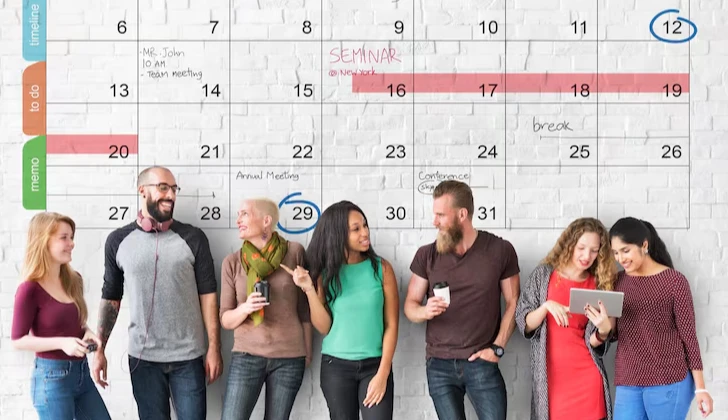
Here’s a list of tips to make your social media calendar beneficial for your business and followers.
- Incorporate content such as tips, behind-the-scenes, and industry insights.
- Schedule around holidays, trending topics, and season events. (You may think it’s harmful for your reach, but it works!).
- Develop themes or series (such as #TipTuesday or monthly themes) for continuity.
- Repurpose content: split blogs up into posts, quote out to graphics, chop videos up into clips.
- Be adaptive so you can hop on trends without being derailed.
Your calendar needs to be able to capture those repurposing opportunities and show how one central piece of content is broken out into multiple platform-specific assets.
How to Manage Your Social Media Calendar Efficiently

Do you think once you create your social media calendar, you don’t have to do anything more like managing it? If so, you’re wrong!
The reason is that even the best social media calendar needs proper management to work successfully.
Here’s how to do so:
- Content Idea Generation:
Determine who is responsible for generating ideas, how often it happens, and how ideas are submitted or tracked.
- Asset Creation & Collection:
Define the process for the development of required assets—copywriting, images, graphics, and videos.
- Publishing Roles & Backup Contacts:
Identify who schedules and publishes each post. Identify backup team members for absences or emergencies.
- Engagement & Community Management:
Decide who monitors comments, messages, and tags—how and when to reply (e.g., within 24 hours).
- Documentation & Access:
Keep all workflows, tasks, and contacts well-documented in a place where they can be accessed.
How to Measure the Success of Your Social Media Calendar

Honestly, just posting to social media isn’t enough! If you’re not paying attention to what’s working (and what’s not), you’re basically flying blind. Some posts will land, some won’t—and that’s normal—but you need to look at patterns. What kinds of stuff are people actually liking, clicking, or sharing? Are you even sticking to your own schedule? And is all this planning actually saving you time, or is it turning into another headache?
Look at how your posts are doing on each platform. Twitter might love short snappy takes, while your audience on LinkedIn might prefer longer, thoughtful stuff. If something’s getting real traction, figure out why. And try to connect those wins to actual business results. Like—are more people visiting your site? Are you getting leads? Is anyone buying?
Based on that, tweak things. Change up your post times. Double down on formats that work. Drop the ones that flop. Don’t be afraid to test things—try two versions of a post, mix up the captions, swap out images, or play with hashtags. See what actually moves the needle.
Common Social Media Calendar Mistakes to Avoid

Even the most carefully planned social media calendar can fall short if you’re not paying attention to a few key things. Here are some common mistakes that trip teams up—and how to stay ahead of them:
- Each platform is different, and your posts should reflect that. What may work on TikTok might completely fail on LinkedIn. It’s a bit more effort, but it’s worth it to adjust your posts depending on where they’re going — change up the tone, remember the structure, choose hashtags that function for the platform, and don’t have your photos getting cut off raggedly somewhere along the way.
- Planning is great, but don’t get ahead of yourself to the point where you’re not leaving any room for movement. Things change continually — product information, current events, even the general tone on the internet. Something you’ve had in the queue for a month might not be suitable anymore.
- Posting is one thing, but if you’re not replying to comments or messages, you’re kind of missing the point. Block out some time to talk to your audience — like their posts, reply to mentions, and just be present.
Conclusion
Look, a social media calendar is not just for keeping your posts in order. It’s one of the best methods of preventing last-minute scrambling and starting to be more conscious of what you post.
If you’re new to this, don’t stress about building a big fancy system right away. Just try to schedule out your week’s content. That will give you so much more clarity (and less stress). Once you get into the rhythm, you can build upon it and become a bit more detailed.
And don’t feel like it has to be perfect. The best calendars are the ones you tweak and improve as you go.
Use the template here to get started, then shape it into whatever actually works for you and your team. Over time, with a bit of consistency, your social media won’t just be active—it’ll start working for you.
FAQs
What should I include in my social media calendar?
Include the post date/time, platform, caption/copy, visual asset, hashtags, link (if needed), content theme, and the person responsible for posting.
How often should I post on social media?
It varies by platform; for example, Instagram: 3–5 times/week, X (Twitter): 1–3 times/day, TikTok: 3–7 times/week, and Facebook: 3–5 times/week.
Can my small business benefit from a social media calendar?
Yes! Small businesses often benefit the most—it helps make the most of limited time and resources while creating a more professional, consistent brand presence.

Emi Daniel
Buy an Established Instagram Account
Skip starting from zero. Browse Instagram/TikTok accounts with audiences across many niches.
See Available AccountsRelated articles
-

Best Influencer Marketing Software in 2026: Top Platforms to Grow Your Brand
Influencer marketing used to feel optional, something you tried after you’d “done” everything else. Now it’s often the first place customers hear about a brand. The problem…
18 min readEmi Daniel
-

The Ultimate Digital and Social Media Marketing Playbook: From Basic to Advanced Tactics
Are you tired of trying different methods and realizing your brand doesn’t get the attention it deserves? If so, you need to come up with the right…
23 min read -
Social Media Competitor Analysis: Tools, Benchmarks, and Strategy Guide
Are you getting fewer likes lately? You’re not alone. On Instagram, the average engagement dropped to about 0.45% in 2025, down 24% from last year. Still, the…
26 min read