

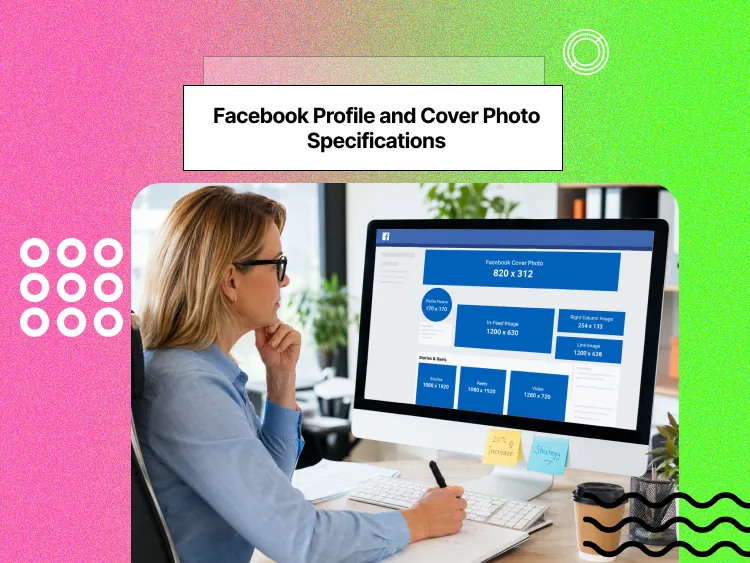
Did you know that Facebook posts with properly sized images tend to get much higher engagement than posts with poorly cropped or low‑quality visuals? This alone shows why getting your image dimensions right matters so much.
Wrong image sizes cost you more than you think, because they hurt your reach and make your brand look unprofessional. When Facebook crops your images badly or displays them in poor quality, people scroll past without stopping to engage.
Getting these dimensions right gives you a real competitive advantage. Your content looks more professional and performs better than competitors who ignore these details.
Buy an Established Instagram Account
Skip starting from zero. Browse Instagram/TikTok accounts with audiences across many niches.
See Available AccountsAnd if you’re wondering if people still use Facebook, the short answer is yes. There’s still a huge audience there, especially for brands that get their visuals right.
This 2026 guide covers all the key Facebook image specifications. You’ll learn the recommended dimensions for every post type, ad format, and profile element.
We’ll go through feed posts, Stories, profile photos, cover images, ads, events, groups, and business-specific elements. You’ll also get advanced optimization techniques and tools to make image creation and publishing easier.
Why Facebook Image Dimensions Are Critical for Success
Just like any other social media platform, Facebook’s algorithm prefers high-quality, properly sized visual content. The platform wants to show users the best possible experience, which means crisp, clear images that display correctly across all devices.
Studies show that images formatted to recommended sizes tend to get noticeably higher engagement than incorrectly sized ones. This difference affects your organic reach and how many people actually see and interact with your content.
Optimizing your visuals not only improves engagement but also supports your broader online presence, as SEO and social media work together to amplify reach and visibility across platforms.
You may wonder what the connection is between Facebook reach and content quality. Image quality affects organic reach and distribution in Facebook’s news feed. The algorithm considers user experience signals when deciding which posts to show, and poor image quality sends negative signals.
Again, why does posting Facebook images with the right dimensions matter? Because users won’t enjoy your content when images don’t fit properly, which leads to lower engagement and fewer conversions.
Most current social media image size guides and analytics tools recommend these dimensions or very similar ranges, and we’ve aligned this cheat sheet with those benchmarks.
Facebook Image Sizes 2026 (Updated Guide + Cheat Sheet)
Everything you need to know about Facebook post image sizes, Story dimensions, and ad formats, all updated for 2026.
Facebook Post Image Aspect Ratios & Recommended Sizes
Single image posts work best at 1200 x 630 pixels. This 1.91:1 aspect ratio displays well in Facebook’s news feed. The minimum resolution is 600 x 315 pixels, but a higher resolution looks much better.
Pro tip: Keep your file size under 8MB, as Facebook compresses all images during upload. Starting with high-quality files helps maintain image quality after compression.
Desktop and mobile displays show images differently. What looks perfect on your computer might get cropped on phones, so always check how your images appear on both screen types.
If you want a detailed guide on posting efficiently from your computer, check out our step-by-step tutorial on how to post on Instagram from your PC. Many of the same workflow tips apply to managing Facebook visuals, too.
Let’s have a quick review:
- Landscape carousel images use 1200 x 630 pixels with a 1.91:1 aspect ratio.
- Portrait carousel images should be 1080 x 1350 pixels with a 4:5 aspect ratio.
- Link sharing and preview images should be 1200 x 630 pixels.
- The minimum size for quality display is 600 x 315 pixels.
- Album and photo gallery posts can be up to 2048 x 2048 pixels maximum. For best results, upload images at 1200 x 1200 pixels.
- Album cover images need optimization, too. Choose your best photo as the cover since this represents the entire album.
- JPEG format works best for photographs and images with many colors. Facebook’s compression works better with JPEG files.
Facebook Story Dimensions 2026 (Full-Width & Vertical Formats)
Facebook Stories work best at 1080 x 1920 pixels with a 9:16 aspect ratio. This vertical format fills the entire mobile screen.
To get the best results, keep important content within 1080 x 1420 pixels. This “safe zone” helps you avoid overlap with interface elements like your profile photo, buttons, and text fields.
File size limits are around 30MB for images and 4GB for videos, although most Story images will be much smaller than this in practice. Facebook Stories disappear after 24 hours unless you save them to your Story archive or feature them in collections, so plan what you want to keep visible for longer.
How to optimize your Facebook stories:
- Simple, clear images usually perform better than cluttered designs.
- Post Stories when your audience is most active; use Facebook Insights to find the best times.
- Use Story archives and collections to save essential content and organize it by topic, making it easier for visitors to find what matters most.
Facebook Profile and Cover Photo Specifications
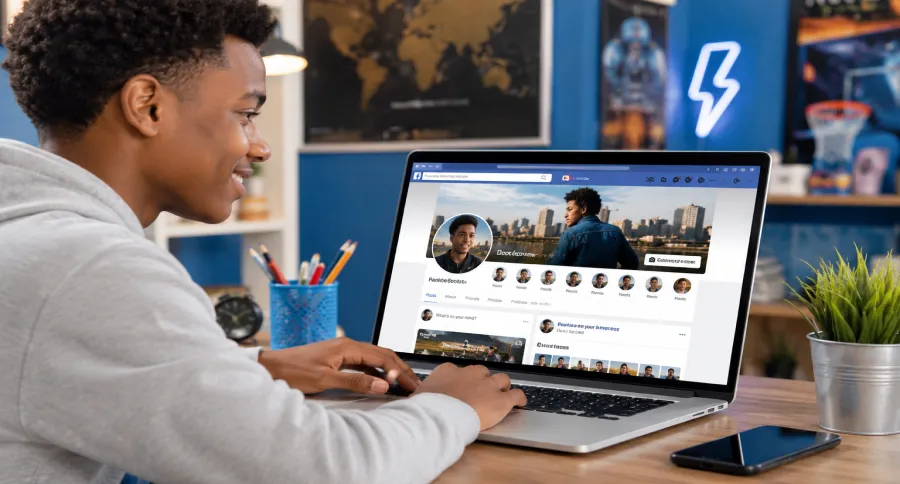
It’s time to learn the proper dimensions for your Facebook profile so you can add that perfect image to your page.
Your Facebook profile picture shows up at 170 x 170 pixels on desktop and 128 x 128 pixels on mobile. For a clear, high-quality look, upload an image that’s at least 400 x 400 pixels.
A friendly reminder: the sharpest results usually come from using 800 x 800 pixels, which looks crisp across most devices.
Facebook crops profile pictures into circles, so it’s best to keep the important parts of your image centered. Looking for a pro tip? Use tools like InShot to help you create profile photos at the right dimensions.
Now, let’s talk about Facebook cover photos. They appear at 820 x 312 pixels on desktop and 640 x 360 pixels on mobile. To help them display well across devices, upload your cover image at around 1200 x 630 pixels.
Facebook Advertising Image Specifications
How much do you care that your Facebook ad posts perform well? I’m sure you want to get the best results, so pay attention to the exact dimensions of each ad type on Facebook.
- Feed ads work best at 1200 x 628 pixels with a 1.91:1 aspect ratio. This size displays well in news feeds across most devices.
- Square ads use 1080 x 1080 pixels with a 1:1 aspect ratio. This format works well for product photos and simple graphics.
- Vertical ads should be 1080 x 1350 pixels with a 4:5 aspect ratio. This format takes up more vertical space in mobile feeds.
- Story ads need 1080 x 1920 pixels with a 9:16 aspect ratio because this creates a full‑screen, immersive experience.
- Right column ads use 1200 x 628 pixels but display at around 254 x 133 pixels, so they’re designed for a smaller viewing size and should stay simple and clear.
- Marketplace ads need 1200 x 1200 pixels with a 1:1 aspect ratio. This square format works well for product listings.
- Additional Marketplace images should use the same 1:1 ratio.
- Carousel ads use 1080 x 1080 pixels per card. All cards in a carousel must use the same aspect ratio to avoid awkward cropping.
- Collection ads use 1200 x 628 pixels for cover images, while product catalog images should be at least 1080 x 1080 pixels to stay sharp.
Facebook Event and Group Images
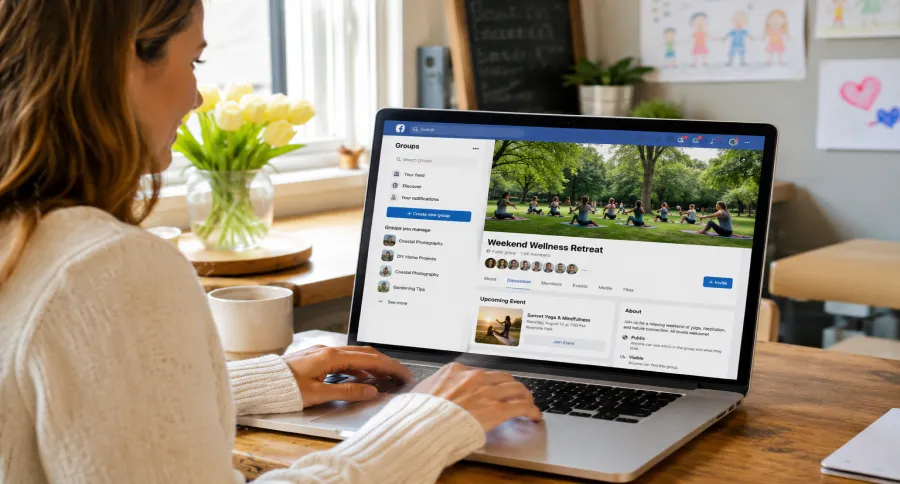
When designing images for Facebook events and groups, using the correct sizes ensures your visuals look sharp across all devices.
It’s important to design your event cover with the type of event in mind. A business conference graphic will look quite different from a flashy concert poster.
Make sure to include details like the date, time, and place of the event, and ensure they are readable on smaller screens.
- Event cover photos should be 1200 x 628 pixels with a 1.91:1 aspect ratio. This size works well across desktop and mobile displays.
- On mobile, events typically display at around 560 x 315 pixels, while desktop shows the full 1200 x 628 pixels.
- Facebook Group cover images use 1640 x 859 pixels on desktop and about 640 x 360 pixels on mobile.
- Keep essential content within the center 1200 x 600 pixels. This safe zone helps make sure your key text and visuals stay visible across different devices.
Tip: When it makes sense, use community-generated content. Member photos and contributions can strengthen group bonds and make your group feel more active and authentic.
Facebook Image Sizes at a Glance (Cheat Sheet)
| Category | Type | Recommended Size |
| Feed Posts | Single Image | 1200 x 630 px |
| Carousel (Square) | 1080 x 1080 px | |
| Carousel (Landscape) | 1200 x 630 px | |
| Link Preview | 1200 x 630 px | |
| Stories | Standard Stories | 1080 x 1920 px |
| Safe Zone | 1080 x 1420 px | |
| Profile Elements | Profile Picture | 400 x 400 px (min) |
| Cover Photo | 1200 x 630 px | |
| Advertising | Feed Ads | 1200 x 628 px |
| Story Ads | 1080 x 1920 px | |
| Right Column | 1200 x 628 px | |
| Video Thumbnails | 1200 x 675 px | |
| Events & Groups | Event Cover | 1200 x 628 px |
| Group Cover | 1640 x 859 px (desktop) |
Advanced Facebook Image Optimization Techniques
Now that you know the most important Facebook image sizes for 2026, let’s talk about the next level: optimization.
Beyond dimensions, factors like image format, compression, and loading speed can make or break your Facebook content performance, not just for engagement but also for SEO and overall user experience.
Technical Optimization
The first step is making sure your images load quickly without losing quality, as smart compression saves space without warping or blurring your visuals.
Progressive JPEGs are a smart option because they initially load a lower‑quality version of the photo, then sharpen up as the page finishes loading.
To add further acceleration, especially for overseas viewers, use a Content Delivery Network (CDN). This helps your images load fast, regardless of where people are viewing from.
You can also add relevant schema markup on your website so search engines better understand your images, which can improve how they appear and perform beyond Facebook.
A/B Testing and Performance Tracking
Testing is key to finding out which images truly resonate. A/B testing lets you compare different formats, colors, sizes, or styles in a structured way.
Track major metrics like engagement, reach, and conversions, not just likes or clicks. Run tests long enough to see daily and weekly patterns, since very short tests can give misleading results.
Accessibility Best Practices
Accessibility should be built into every image strategy. Always include alt text so screen readers can describe visuals to visually impaired users.
Make sure text overlays have good color contrast by using accessibility checkers. Avoid relying on color alone to communicate key information, since many people have some form of color blindness.
For international audiences, consider multi‑language strategies. Text overlays should work across different languages and layouts without losing clarity or readability.
Advanced Analytics
While Facebook provides helpful insights, going deeper often requires third‑party tools.
By combining Facebook data with tools like Google Analytics or Adobe Analytics, you can see how your images perform across your entire marketing funnel, not just inside Facebook.
Heat‑mapping tools can help you see how people interact with your images and which areas receive the most attention.
Another powerful way to research what works is by studying live ads. The Facebook Ads Library lets you see active campaigns from competitors, which you can then combine with your own analytics to sharpen your strategy.
Workflow and Automation
Managing large volumes of content can be overwhelming, but automation tools make it easier. Meta Business Suite, for example, allows for batch processing and centralized management. Template systems help keep branding consistent across campaigns while saving time.
Clear workflows for creation, review, and approval also help teams stay efficient and maintain quality.
Automation Tools for Streamlined Optimization
If you’re managing multiple Facebook pages or running ad campaigns, automation tools can save hours:
- Canva Pro / Adobe Express for ready-made size templates
- Meta Business Suite for batch uploads & previewing on desktop/mobile
- Cloudinary / TinyPNG API for automated compression pipelines
Common Facebook Image Mistakes (How to Avoid and Fix Them)
It’s easy to make simple design or formatting errors that hurt your Facebook performance, but with the right approach, you can avoid these pitfalls and create images that boost engagement and brand visibility.
Here are the most common mistakes to avoid, along with practical tips to fix them.
- Mistake: Uploading images with incorrect aspect ratios
How to avoid: Know Facebook’s recommended dimensions before uploading.
Solution: Use the appropriate aspect ratios so they won’t get automatically trimmed. Place important content in the center so nothing gets cut off.
- Mistake: Ignoring mobile-first design
How to avoid: Always check how images appear on smaller screens.
Solution: Create for mobile first, and then follow up on desktop to keep all devices consistent.
- Mistake: Placing text or logos in crop zones
How to avoid: Avoid edges where Facebook automatically crops.
Solution: Keep critical text, logos, and CTAs within Facebook’s safe zones.
4) Mistake: Not testing across devices
How to avoid: Don’t assume your image looks the same everywhere.
Solution: Preview your designs on desktops, tablets, and phones to ensure a smooth experience.
5) Mistake: Skipping A/B testing
How to avoid: Don’t rely on guesswork.
Solution: Test different images, formats, and styles to discover what performs best.
Conclusion
Keeping up with Facebook image sizes in 2026 doesn’t have to be a guessing game. Bookmark this Facebook photo size cheat sheet and stay consistent across your posts, ads, and Stories.
If there’s one thing you take away from this guide, it’s that Facebook image sizes do matter. A blurry or badly cropped image might not ruin your content entirely, but it definitely makes people scroll past.
It may sound simple, but even small tweaks, like checking mobile views, keeping text out of crop zones, and using high‑resolution files, can make a noticeable difference.
So, here’s what you should do next: take a quick look at your Facebook page right now. Swap out anything that looks off, use the dimensions in this guide, and experiment.
Optimizing your Facebook images is just one step toward a stronger social presence. If you’re serious about growth, explore Social Tradia’s marketplace to find ready-made accounts or learn how to maximize your brand online.
FAQs
What size are Facebook photos in 2026?
It depends on the type of picture. For feed posts, 1200 x 630 px is a solid choice. Profile pictures should be at least 400 x 400 px, but 800 x 800 px will keep them sharp almost everywhere. For cover photos, using around 1200 x 630 px helps avoid unwanted cropping and blur.
Can I use the same image dimensions across Facebook and Instagram?
Square images, like 1080 x 1080 px, work for both, so that’s an easy win. But some stories, covers, and ads need their own sizes, so you can’t always use the same file.
What is the best size for Facebook photos?
For feed posts, it’s 1200 x 630 px. The profile picture is optimum at 800 x 800 px, and the cover photo is also 1200 x 630 px. That way, nothing will be cropped or blurry.
How often does Facebook update its image size requirements?
There is no specific schedule. Typically, they make changes whenever they revamp layouts or ad types, maybe once every year or so.
How big should Facebook Images be for mobile users?
Most people browse Facebook on their phones, so design with mobile in mind. Use at least 1080 px on the shortest side for key visuals and always preview your feed posts, covers, and ads on mobile to make sure nothing important gets cropped.

Emi Daniel
Buy an Established Instagram Account
Skip starting from zero. Browse Instagram/TikTok accounts with audiences across many niches.
See Available AccountsRelated articles
-
A Guide to Gen Z Emojis: Speak Their Language on Social Media
Emojis are more than fun add-ons for Gen Z. They can signal humor, irony, tone, and shared cultural references in a few characters. For brands and creators,…
17 min readEmi Daniel
-
Top 10 Apps Like Pinterest to Try for Free (2026 Guide)
Pinterest used to feel like flipping through someone’s real taste. Lately it feels more like scrolling past ads with a few actual pins mixed in, and a…
21 min read -
How to Increase Your Snapchat Score in 2026: Records, Strategies & Smart Tips
Snapchat Score is one of social media’s most mysterious features, and plenty of people check it every day just to see that number go up. At first…
15 min read