

Pinterest used to feel like flipping through someone’s real taste. Lately it feels more like scrolling past ads with a few actual pins mixed in, and a lot of those “actual” pins are AI-generated images that all look the same.
If your saved boards have started feeling less like inspiration and more like a product catalog, you’re not imagining it. The good news is you don’t have to give up the habit of collecting visual ideas, you just need a better place to do it.
Here are the 10 best free apps like Pinterest, grouped by what they really solve, so you can jump straight to the one that fixes what’s bothering you.
Buy an Established Instagram Account
Skip starting from zero. Browse Instagram/TikTok accounts with audiences across many niches.
See Available AccountsBest Free Pinterest Alternatives at a Glance
- Best overall free pick is We Heart It: the closest like-for-like replacement, still fully free
- Best for no-account privacy is Are.na: browse public channels without signing up, you’ll only need an account to save
- Best for artists & designers is Behance: real portfolio work instead of recycled stock photos
- Best AI-powered pick is Adobe Firefly Boards: generate and remix images with AI directly inside a moodboard
- Best for shopping inspiration is Houzz: product discovery without a checkout-first feed
Why People Are Leaving Pinterest in 2026
Open Pinterest right now and count how many pins in your first ten are actual saves from real boards versus paid placements dressed up as “recommended for you.” For a lot of users that ratio has flipped. What used to be a scroll through other people’s taste has turned into a scroll through inventory.
The bigger complaint isn’t the ads though, it’s what’s replacing organic pins. AI-generated images have taken over entire categories: minimalist bedrooms, cottagecore kitchens, fantasy character art. They’re technically on-theme, but they’re also interchangeable.
Save one dreamy kitchen board today and Pinterest will show you four more that look stamped from the same prompt, none of them tied to a real designer, photographer, or maker you could actually follow.
I noticed this myself scrolling through a “minimalist kitchen” search last month: four boards in, half the images had that same slightly-off AI sheen, and not one linked back to an actual designer’s work.
Then there’s the feed itself. Search for something specific, like “1970s wallpaper patterns,” and you’ll get three relevant results buried under twenty tangential ones the algorithm decided were “similar enough.” Pinterest’s discovery engine was built to surface more content, not better content, and in 2026 that tradeoff is starting to show.
Ad density, AI content flooding, and a feed built for volume over relevance. Put those three together and it’s easy to see why people are hunting for something that still feels handmade.
How We Tested and Ranked Our List
Weak privacy or buried pricing dropped an app’s rank, even when its content library was strong. We opened a real account on each app and checked five things:
- Free-tier depth: counted how many boards, saves, or collections you get before a paywall shows up
- Day-one content quality: judged what a brand-new, empty account gets recommended with zero saved history
- Privacy: noted whether you can browse without signing up and what personal data signup actually requires
- Platform availability: opened the iOS, Android, and web versions directly instead of trusting app store claims
- Everyday feel: timed load speed, counted ad interruptions, and tracked how many taps it takes to save something
Quick Comparison Table
| App | Price | Platforms | Ad-Free | Account Required | Free Plan Limits |
| We Heart It | Free (Premium from $1.99/mo removes ads) | iOS, Android, Web | No, ads on free tier | Yes | Unlimited saves and boards, but ads stay unless you upgrade |
| Behance | Free | iOS, Android, Web, Adobe Creative Cloud | Mostly, occasional promoted content | Adobe ID needed to upload or message, browsing is open | No paywall, unlimited projects and uploads |
| Dribbble | Free (Pro from $4/mo) | iOS, Android, Web | Yes | Browsing is open, account needed to post | Unlimited shots, but capped at 3 boards |
| Are.na | Free (Premium around $5 to $7/mo) | Web, iOS | Yes, always | No login needed to browse public channels, only to save | 200 total connections on the free Guest tier |
| Milanote | Free (Solo plan $9.99/mo billed annually) | Web, iOS, Android | Yes, no ads | Yes | 100 notes, images, or links and 10 file uploads before upgrade |
| Houzz | Free | iOS, Android, Web | Mostly, some sponsored listings | Account needed to save ideabooks | Unlimited browsing and saving on the free tier |
| Tumblr | Free (Premium removes ads, $6.99/mo or $69.99/yr) | iOS, Android, Web | No, unless you buy Premium | Yes to post, browsing public blogs needs no account | Unlimited posts and blogs, ads included by default |
| Savee | Free | iOS, Web | Appears low-ad, not fully confirmed | Only public pages are viewable without an account | Full saving and collections gated behind login |
| Pearltrees | Free (Premium from $2.99/mo) | iOS, Web | Mostly ad-free | Yes | Limited storage before premium, historically under 1GB |
| Free | iOS, Android, Web | No, ad-supported with no ad-free option | Yes, guest mode is very limited | Unlimited flipping and following, ads throughout |
The 10 Best Free Apps Like Pinterest
Each of the following apps got tested with a real account, not just scanned from a press kit, so the free plan limits and platform details below reflect what you’ll actually run into, not what the app store listing promises.
1. We Heart It: Best overall free pick
We Heart It is the app on this list that feels closest to what Pinterest used to be before ads and AI-generated boards took over the feed, right down to the heart-based save system that works exactly like pins.
Key Features
- Heart-based saving system that doubles as a like and a bookmark
- Personalized “For You” feed built from what you’ve hearted before
- Built-in photo editor with filters, overlays, and text tools
- Direct messaging to share finds with friends inside the app
Free Plan Limits
Unlimited hearting, collections, and browsing. Ads keep running between posts on the free tier, and the ad-free experience, extra fonts, and editing tools are locked behind a Heartists Club subscription starting around $1.99/month.
Pros & Cons
Pros
- Feels closest to pre-ad Pinterest of anything on this list
- Strong existing community built around aesthetics and mood content
- Photo editing built in, no need to jump to a separate app
Cons
- Ads show up frequently on the free tier
- Skews younger and more aesthetic-focused, less useful for practical DIY or recipe boards
- Premium pricing has crept up over the years according to user reviews
Platforms Available
iOS, Android, Web
Best For
Anyone who wants a near-identical swap for Pinterest’s mood board feel without paying anything and doesn’t mind occasional ads.
2. Behance: Best for artists and designers
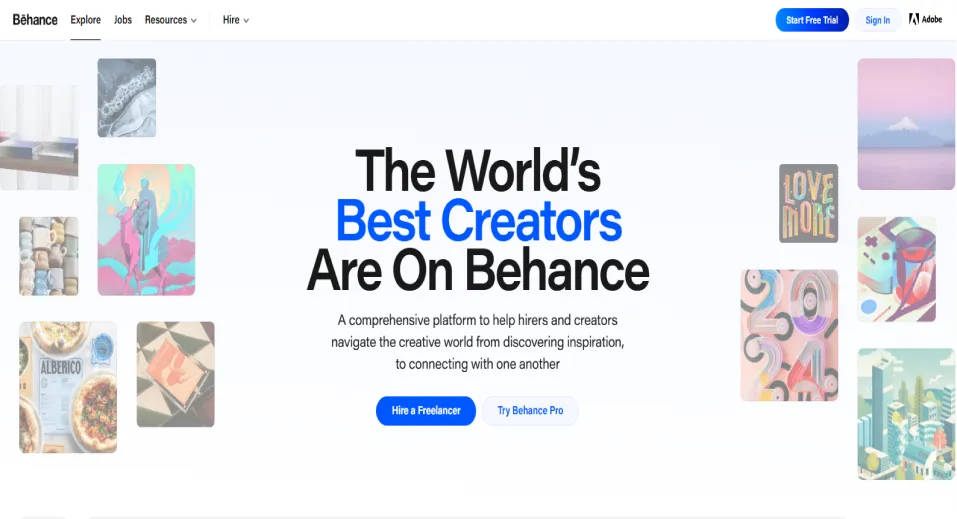
Behance trades Pinterest’s mixed feed for a space built entirely around portfolio-quality creative work, where every save connects back to the artist or designer who actually made it.
Key Features
- Project-based portfolios instead of a single endless feed
- Direct sync with Adobe Creative Cloud
- Live streams and process videos of creators working
- Curated galleries organized by discipline
Free Plan Limits
Completely free. No project cap, no upload limit, and no paywall for browsing, posting, or messaging other creatives.
Pros & Cons
Pros
- No paywall anywhere on the platform
- Portfolio quality is far higher than a typical Pinterest board since it’s built for professional work
- Owned by Adobe, so it isn’t going anywhere anytime soon
Cons
- Requires an Adobe ID to sign up, which feels like unnecessary friction to some
- Skews heavily toward graphic design, illustration, and branding
- Feels more like a portfolio wall than a casual scroll
Platforms Available
iOS, Android, Web, Adobe Creative Cloud desktop app
Best For
Designers and illustrators who want inspiration from finished professional work instead of recycled stock photos.
3. Dribbble: Best for UI and product design inspiration
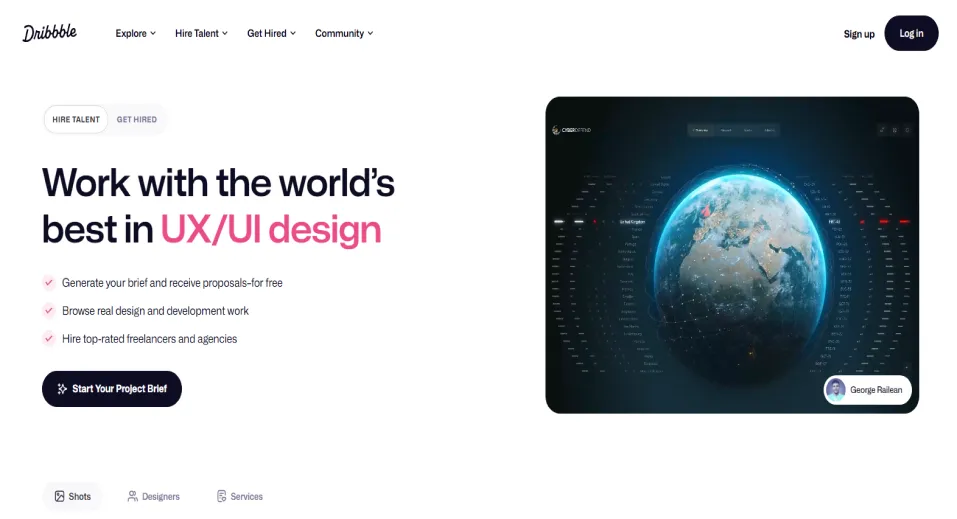
Dribbble narrows the focus even further than Behance, built specifically around UI, product, and interaction design work from designers actively shipping real products.
Key Features
- “Shots” format built for showcasing work in progress or finished pieces
- Color and tag-based search more precise than Pinterest’s visual search
- “Playoffs” where designers riff on each other’s shots
- A hiring board for studios seeking freelance or full-time designers
Free Plan Limits
Browsing and posting shots is free with no cap. The free tier limits you to 3 boards for organizing saved shots and gates profile analytics and the 0% platform fee behind Pro, which starts around $4/month.
Pros & Cons
Pros
- No ads anywhere on the platform
- Extremely high signal-to-noise ratio for interface and product design specifically
- Free tier is genuinely usable, not just a demo
Cons
- Narrow focus makes it a poor Pinterest substitute for anything outside design
- Only 3 boards on the free plan feels restrictive for deep organizers
- Community skews professional, so casual browsing feels less natural
Platforms Available
iOS, Android, Web
Best For
UI, UX, and product designers who want sharper, more technical inspiration than Pinterest’s general feed.
4. Are.na: Best for no-login privacy
Are.na strips away the algorithm and the ads entirely, letting you build and browse research channels without ever creating an account.
Key Features
- “Channels” and “blocks” system for organizing links, images, and text together
- No algorithm and no like count anywhere on the platform
- Minimal, text-forward interface that loads fast on any connection
- Channels can be public, closed, or fully private with collaborators
Free Plan Limits
Free Guest accounts get up to 200 total connections across all channels. Premium, around $5 to $7/month, removes the cap and unlocks reader mode and table view.
Pros & Cons
Pros
- Completely ad-free regardless of account type
- You can browse most public channels without ever creating an account
- No engagement metrics means less pressure to perform or chase saves
Cons
- The 200-connection cap fills up fast for active savers
- Minimal design means no photo editing or filters
- Smaller, more niche community than Pinterest, so discovery moves slower
Platforms Available
Web, iOS
Best For
Privacy-conscious users who want to browse and collect inspiration without handing over an email address first.
5. Milanote: Best for structured moodboards
Milanote swaps Pinterest’s endless scroll for an actual canvas, where you can arrange images, notes, and links into a moodboard that looks the way you actually planned it.
Key Features
- Drag-and-drop boards mixing images, notes, links, and files in one canvas
- Templates for specific projects like mood boards or storyboards
- Nested boards for organizing sub-projects inside a bigger one
- Real-time collaboration for sharing a board with a team or client
Free Plan Limits
Unlimited shared boards, but capped at 100 notes, images, or links total and 10 file uploads before you need the Solo plan at $9.99/month billed annually.
Pros & Cons
Pros
- No ads, ever
- Far more structured than Pinterest for actual project planning, not just saving
- Templates make it easy to start instead of staring at a blank board
Cons
- The 100-item cap is easy to hit for heavy savers
- Less of a discovery feed and more of a personal organization tool, so you bring your own images
- Not built for casual scrolling the way Pinterest is
Platforms Available
Web, iOS, Android
Best For
Anyone using Pinterest less for discovery and more for organizing a specific project, like a wedding, room redesign, or client mood board.
6. Houzz: Best for home and shopping inspiration
Houzz narrows the inspiration down to home and interior design specifically, pairing every saved image with real products and professionals you can actually hire or buy from.
Key Features
- Idea books for saving rooms, products, and professionals in one place
- “View in My Room” AR tool to preview furniture before buying
- Directory of architects, contractors, and designers with reviews
- Shoppable photos linking straight to the product
Free Plan Limits
Free to browse, save to idea books, and message professionals, with no cap on idea book storage. Enhanced directory visibility is reserved for paid business accounts, not individual users.
Pros & Cons
Pros
- Shopping links tie to real, purchasable products instead of dead-end pins
- Directory of vetted professionals is genuinely useful for renovation planning
- AR preview tool has no real equivalent on Pinterest
Cons
- Heavily skewed toward home and interior content, not fashion, food, or art
- Some sponsored listings mixed into search results
- Feels more purchase-intent focused than Pinterest’s casual browsing
Platforms Available
iOS, Android, Web
Best For
Anyone using Pinterest mainly for home renovation, interior design, or furniture shopping inspiration.
7. Tumblr: Best for community and long-form visual blogging
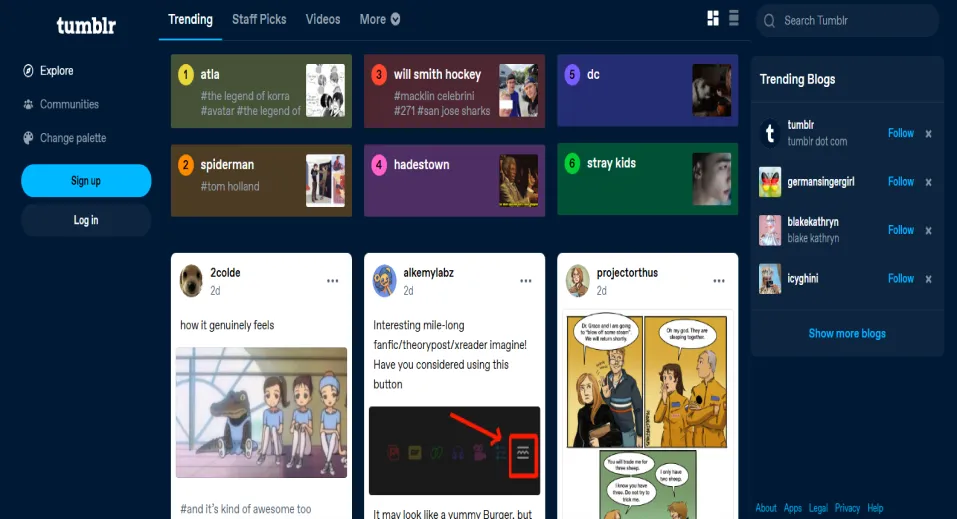
Tumblr adds what Pinterest never had, an actual community that comments, reblogs, and talks back, built around long-form posts instead of a single static feed.
Key Features
- Reblogging system that spreads content through the community, not just an algorithm
- Tagging system that doubles as search and personal organization
- Supports long-form text, GIFs, and multi-image posts in one format
- Anonymous asks and a comment culture Pinterest never had
Free Plan Limits
Unlimited posting, reblogging, and following. Ads appear throughout the dashboard on the free tier, and Tumblr’s Premium tier removes them for $6.99/month or $69.99/year.
Pros & Cons
Pros
- Community and commentary culture that Pinterest boards can’t replicate
- Great for niche, specific aesthetics without a mainstream home elsewhere
- Older content can still resurface, so the feed isn’t purely recency-driven
Cons
- Interface feels dated compared to newer Pinterest alternatives
- Ads are present by default unless you pay for the add-on
- Tag-based discovery is less refined than Pinterest’s visual search
Platforms Available
iOS, Android, Web
Best For
People who want the aesthetic-hoarding habit of Pinterest plus an actual community talking back.
8. Savee: Best minimalist, curated alternative
Savee keeps the feed deliberately small and curated, favoring quality over the volume-driven approach that made Pinterest’s discovery feel diluted.
Key Features
- Clean, gallery-style grid with no clutter or sidebar noise
- Curated by a small team rather than an open-upload free-for-all
- Boards for organizing saved inspiration by project or theme
- Browser extension for saving images directly from any site
Free Plan Limits
Free to download and use. Public pages are viewable without an account, but saving, boards, and the full browsing experience require a free login.
Pros & Cons
Pros
- Curated approach means less low-quality or AI-generated filler than an open platform
- Minimal design keeps focus on the images, not ads or clutter
- Browser extension makes saving from any website fast
Cons
- Login wall for anything beyond public pages limits casual browsing
- Smaller content library than Pinterest since it’s curated, not crowd-sourced
- Less useful for niche or highly specific searches given the smaller catalog
Platforms Available
iOS, Web
Best For
Design-minded users who’d rather browse a smaller, curated pool of quality images than an endless algorithmic feed.
9. Pearltrees: Best for organizing research into collections
Pearltrees is built less for browsing and more for organizing, letting you structure saved links, images, and documents into nested collections instead of one flat board.
Key Features
- Visual “tree” structure that nests collections inside collections
- Browser extension for saving pages, not just images
- Collaborative team pearltrees for shared research or class projects
- Combines bookmarking, file storage, and visual boards in one tool
Free Plan Limits
Limited storage, historically under 1GB, for uploaded photos and files. Premium plans starting around $2.99/month add several gigabytes up to 100GB depending on the tier.
Pros & Cons
Pros
- Better than Pinterest at organizing mixed content like web pages, PDFs, and images together
- Nested structure suits research and reference work better than a flat board
- Education-focused plans are genuinely useful for teachers and students
Cons
- Free storage cap is small for anyone saving files rather than just links
- The tree metaphor takes longer to learn than Pinterest’s simple boards
- Community and discovery feed are far smaller than Pinterest’s
Platforms Available
iOS, Web
Best For
Researchers, students, and teachers organizing reference material rather than casual browsing.
10. Flipboard: Best for news-style visual curation
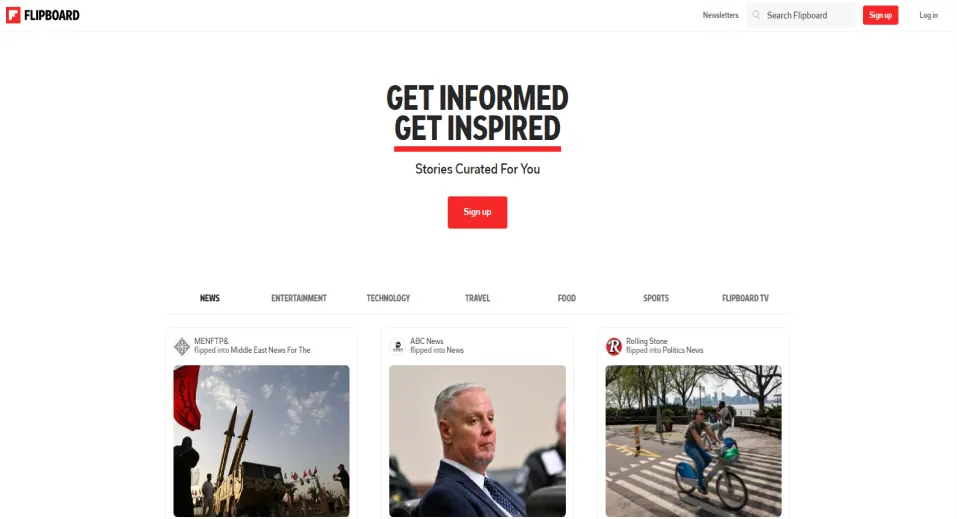
Flipboard turns saved content into a magazine-style feed, pulling in news and articles alongside images so your curation reads more like a briefing than a scrapbook.
Key Features
- Personalized “magazines” built around specific topics
- Curated content pulled directly from publishers, not just user uploads
- Flipboard TV for video content organized the same way as articles
- Reader mode that strips ads from linked articles
Free Plan Limits
Unlimited magazines, following, and flipping. There’s no ad-free tier for general users, so display ads and video pre-rolls stay part of the free experience no matter how much you use it.
Pros & Cons
Pros
- Best on this list for staying current on news and trending topics visually
- Reader mode is a genuinely useful feature Pinterest doesn’t have
- Curating your own magazine feels more intentional than an algorithmic feed
Cons
- Guest browsing without an account is very limited
- No way to remove ads even with money, unlike most others on this list
- Less useful for pure aesthetic or mood-board saving, more built for articles and video
Platforms Available
iOS, Android, Web
Best For
Anyone who wants Pinterest’s visual scrolling habit applied to news and current events instead of static images.
Apps Like Pinterest by Use Case
Best for Mood Boards & Interior Design
Milanote wins here because it’s built for exactly this: dragging images, notes, and links into one board instead of a flat grid. If your mood board is specifically about a room redesign rather than a general aesthetic, Houzz is worth pairing with it since its AR “View in My Room” tool lets you preview furniture before buying, something no pure moodboard app does.
Best for Artists & Illustrators
Behance takes this one, since it’s built around finished project galleries rather than a scroll of random saves, and it’s completely free with no upload cap. If you’re specifically doing UI, UX, or product design rather than illustration or fine art, Dribbble’s shot format and color-based search will feel more relevant to your work.
Best for Shopping & Product Discovery
Houzz is the clear pick, since its saved images link straight to purchasable products instead of dead-end pins, and its professional directory means you can go from inspiration to hiring someone in the same app. Nothing else on this list ties browsing directly to buying the way Houzz does.
Best for Privacy (No Account Required)
Are.na is the strongest option, since you can browse most public channels without ever creating an account, and the platform stays ad-free no matter what tier you’re on. Savee comes close too, though only its public pages are viewable before you’re asked to log in.
Best AI-Powered Alternative
Adobe Firefly Boards is the pick here, letting you generate, remix, and organize images with AI directly inside a board, similar to a Pinterest feed you can actually create from rather than just browse. The free plan gives you around 25 generative credits a month and caps you at 3 boards, which is enough to test it seriously before deciding whether to upgrade.
Free vs. Paid: What You Actually Get
“Free” doesn’t mean the same thing across these ten apps like Pinterest, and pricing pages are built to blur that difference. Here’s what free actually buys you once you group them by how the limit actually works.
No real ceiling
Behance, Houzz, and Flipboard don’t cap anything meaningful. You can upload unlimited projects on Behance, save unlimited idea books on Houzz, and follow unlimited topics on Flipboard without ever hitting a wall that forces an upgrade. The catch with Flipboard specifically: there’s no paid tier that removes ads, so free here just means free, not ad-free.
A soft cap that works until it doesn’t
Dribbble, Are.na, Milanote, and Pearltrees all give you a genuinely usable free plan, but each one caps a specific resource rather than the whole experience. Dribbble stops you at 3 boards, Are.na at 200 total connections, Milanote at 100 saved items and 10 file uploads, and Pearltrees at a small storage allowance. None of these will bother a casual browser, but a heavy saver will hit the ceiling within a few weeks and feel the nudge toward the paid tier.
Free, but you’re paying with attention
We Heart It and Tumblr are fully free with no functional limits, but ads run through the feed by default. We Heart It’s ad-free upgrade runs around $1.99/month, while Tumblr’s Premium tier removes ads and adds extra posting limits for $6.99/month or $69.99/year, so the actual free plan is closer to ‘free plus ad exposure’ than free plus nothing.
The account wall
Are.na and Savee both let you browse without signing up, but only Are.na lets you do anything real that way, since public channels are fully functional without an account. Savee limits guest access to public pages only, so saving or building your own boards requires logging in even though the app itself costs nothing.
The one that isn’t actually free
Kosmik shows up often as an AI-powered pick in this field, but it only offers a 1-week trial before requiring a paid subscription starting at $11.99/month. If an app asks for a card on day 8, it doesn’t belong on a “try for free” list, which is why we went with Adobe Firefly Boards instead, since it has an actual recurring free tier.
How to Move Your Pinterest Boards to a New App
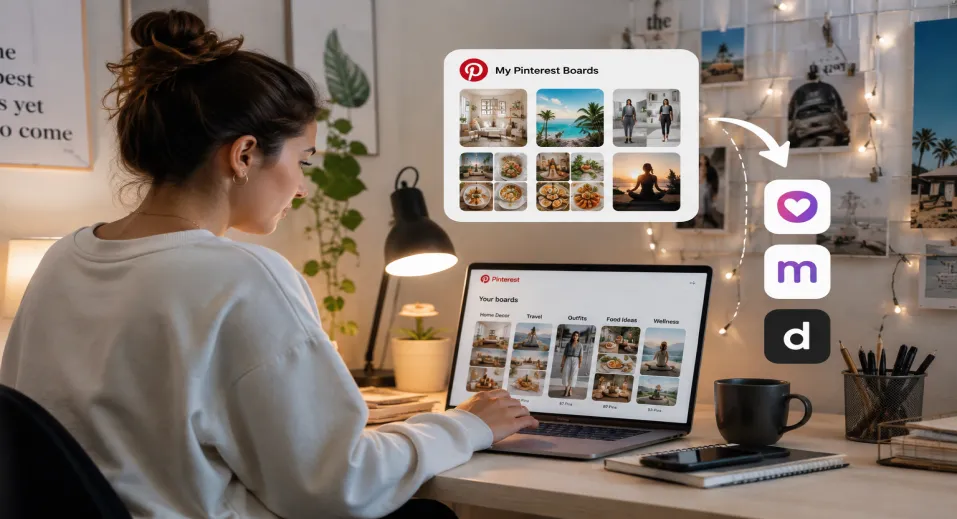
None of the ten apps like Pinterest have a “Sign in with Pinterest” button that pulls your boards over automatically. Switching means doing the export yourself, and for a modest collection it takes about 20 minutes.
Step 1: Request Your Official Pinterest Data
Go to Settings, then Privacy and Data, then Request Your Data, and click Start Request. Pinterest emails you a download link within 48 hours through a secure third-party provider. This file gives you your board names, pin descriptions, source links, and account activity, but it doesn’t package the actual images in a usable format, so treat it as a backup of your organization, not your visuals.
Step 2: Bulk-Download the Actual Images
For the images themselves, you’ll need a browser extension or downloader tool, since Pinterest has no built-in “export images” button:
- A Chrome extension like Pinterest Board Bulk Downloader lets you paste a board URL and pull every image into one ZIP file.
- Desktop tools like Pinboard or WFDownloader work the same way without a browser extension, though Pinboard’s free tier caps you at 100 images per board.
- If you’re moving work into a design tool rather than another feed, extensions like Pinpasta send images straight into Figma instead of a ZIP, but the free tier limits you to 30 images per batch.
- If what you saved were video pins rather than static images, general image tools often skip them, so dedicated Pinterest video downloaders handle that format more reliably
Step 3: Rebuild Your Boards in the New App
Once your images are downloaded and sorted into folders matching your old board names, upload them manually. Drag-and-drop apps like Milanote make this fast since you can drop an entire folder onto a board at once. Apps built around individual saves, like We Heart It or Behance, require uploading one at a time, so budget more time if you’re moving a large collection into one of those.
Step 4: Keep the Source Links, Not Just the Images
A pin is really just an image with a link attached, and that link is the part people forget to save. Before you bulk-download, check your Pinterest data export for the source URLs tied to each pin, especially for boards full of recipes, tutorials, or product pages, since the image alone won’t get you back to the original page.
When I did this migration myself, the boards I almost lost weren’t the aesthetic ones, they were the recipe boards, since a saved photo of a dish is useless without the link back to the actual recipe.
How to Choose the Right Pinterest Alternative
Skip the feature comparison and answer these three questions in order. By the third one, you’ll have your answer.
Question 1: Do you want to browse without creating an account?
If yes, go with Are.na. Most public channels are viewable with zero signup, and the platform stays ad-free either way. If you’re fine creating a free account, move to question 2.
Question 2: Are you saving for a specific project, or just browsing for inspiration?
If you’re planning something concrete, like a room redesign, a wedding, or a client presentation, pick a structured tool over a feed: Milanote for general moodboards, Houzz specifically for home and furniture. If you’re just browsing with no fixed goal, skip to question 3.
Question 3: Is this for professional creative work or personal use?
If you’re a designer, illustrator, or artist building a portfolio-worthy collection, go with Behance for general creative work or Dribbble if you’re specifically doing UI and product design. If this is just personal, casual scrolling, We Heart It is the closest match to Pinterest’s original feel, and Tumblr is the pick if you also want a community talking back.
Still not sure? We Heart It is the safest default. It’s free, it’s the closest like-for-like replacement, and it’s built for exactly what most people used Pinterest for in the first place.
Final Thoughts
Pinterest isn’t going away, and honestly, some of the apps on this list work better alongside it than instead of it. We Heart It still wins for anyone who just wants Pinterest’s old feel without the ad load.
Behance and Dribbble beat it outright if your inspiration needs are professional. Are.na and Savee solve for privacy in a way Pinterest never will.
I tested a few of these apps like Pinterest side by side for a couple of weeks. No single app won me over completely, but the whole habit felt lighter once ads stopped deciding what I saw next.
The bigger point: “free” was never really the hard part. Pinterest itself is free too. What you’re actually trading is ad exposure, AI-generated filler, and an algorithm optimized for engagement over relevance, for a smaller, more intentional space that still costs nothing.
Pick based on what you actually use Pinterest for, not which app has the most saves, and you’ll end up somewhere better than where you started.
Frequently Asked Questions
What’s another app like Pinterest but free?
We Heart It is the closest free match, using a heart-based save system just like Pinterest’s pins. It’s free with ads on the base tier, while Behance and Dribbble offer a fully ad-free experience if you don’t mind a design-focused feed.
Is there a Pinterest alternative that doesn’t require an account?
Are.na lets you browse public channels without ever signing up. Savee comes close, but only its public pages are viewable before you’re asked to log in.
Can I import my Pinterest boards into a new app?
Not directly, since none of these apps have a “Sign in with Pinterest” option. You’ll need to export your data from Pinterest’s settings, bulk-download the images separately, then re-upload them yourself.
Which Pinterest alternative is completely ad-free?
Are.na and Dribbble stay ad-free on every plan, free or paid. Behance is close behind, with only occasional promoted content.
Why are people looking for alternatives to Pinterest?
Users are pointing to heavier ad density, feeds flooded with near-identical AI-generated images, and a discovery algorithm that surfaces “close enough” results over relevant ones.

Emi Daniel
Buy an Established Instagram Account
Skip starting from zero. Browse Instagram/TikTok accounts with audiences across many niches.
See Available AccountsRelated articles
-
A Guide to Gen Z Emojis: Speak Their Language on Social Media
Emojis are more than fun add-ons for Gen Z. They can signal humor, irony, tone, and shared cultural references in a few characters. For brands and creators,…
17 min readEmi Daniel
-

How to Increase Your Snapchat Score in 2026: Records, Strategies & Smart Tips
Snapchat Score is one of social media’s most mysterious features, and plenty of people check it every day just to see that number go up. At first…
15 min read -
Facebook Image Sizes 2026: Complete Guide & Cheat Sheet
Did you know that Facebook posts with properly sized images tend to get much higher engagement than posts with poorly cropped or low‑quality visuals? This alone shows…
12 min read