


I have seen this message appear when someone is trying to follow an account, leave a comment, like a post, or send a message. It says, “We restrict certain activity to protect our community,” and it usually means Instagram has temporarily limited a feature on your account.
The first thing I would check is Account Status. Then stop trying the same action again for a while. If you have connected third-party apps, remove any that you do not recognize or no longer use. I would also check your login activity if anything about the account looks unfamiliar.
In this guide, I will explain what this message means, what to check first, the common reasons it appears, and what you can do to avoid another Instagram action block.
Buy an Established Instagram Account
Skip starting from zero. Browse Instagram/TikTok accounts with audiences across many niches.
See Available AccountsWhat Kind of Instagram Restriction Do You Have?
Not every “We restrict certain activity to protect our community” message has the same cause. Before changing settings or waiting, identify what is actually restricted.
|
What You See |
Likely Issue |
Best First Step |
|
You cannot follow, like, comment, or send messages, but can still browse Instagram |
Temporary action restriction |
Stop retrying the action and check Account Status |
|
Account Status shows “Features You Can’t Use” |
Feature-level restriction or policy-related limitation |
Review the notice and use any available appeal or review option |
|
Account Status shows removed content |
Content may have breached Instagram rules |
Review the removal reason and request a review only if you believe it was incorrect |
|
You see unfamiliar logins, messages, posts, or connected apps |
Possible account compromise |
Change your password, review login activity, remove unknown apps, and enable two-factor authentication |
|
The error happens only on one device, network, or app version |
App, device, or connection issue |
Update Instagram, restart the device, and test one alternative connection |
|
The error appears while publishing through a scheduling platform |
Third-party publishing or automation issue |
Pause publishing, disconnect the tool temporarily, and test a manual post |
What Does “We Restrict Certain Activity” Mean on Instagram?
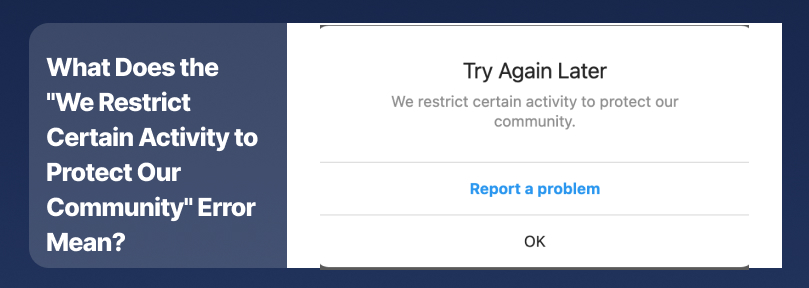
The “We restrict certain activity to protect our community” message means Instagram has detected activity that may appear unusual, automated, spam-like, or against its rules.
Instagram may temporarily limit actions such as:
- Following accounts
- Liking posts
- Commenting
- Sending direct messages
- Posting content
- Sharing links
- Using certain account features
The restriction does not automatically mean your account has been disabled. In many cases, Instagram limits one action while you can still browse posts, view Stories, and use other parts of the app.
Why Instagram Restricts Certain Activity
Instagram uses automated systems to identify activity that may affect platform safety. Several situations can trigger this message.
Too Many Likes Follows Comments or Messages
Liking many posts, following many accounts, leaving repeated comments, or sending a large number of similar messages in a short period can look like spam.
Slow down your activity and avoid repeating the action that Instagram restricted.
Repetitive Activity and Automation Tools
Automation tools, bots, bulk-DM services, auto-follow tools, and auto-like services can trigger an Instagram action block.
Even if you are using the tool for legitimate marketing, automated activity may look suspicious to Instagram’s systems.
Connected Third-Party Apps
Some follower trackers, analytics tools, engagement apps, browser extensions, and growth services require access to your Instagram account.
Apps that promise followers, likes, or automated engagement can put your account at risk. Instagram advises users not to share login information with apps they do not trust.
Account Security or Unrecognized Login Activity
Instagram may temporarily restrict features if it detects an unfamiliar login, a new device, a sudden location change, or activity that suggests someone else may have accessed your account.
Check your email address, phone number, login activity, and connected apps if you believe your account may have been compromised.
Content That May Violate Instagram Rules
A restriction may appear after Instagram removes content or detects a possible violation of its rules. This can include spam, misleading behavior, repeated prohibited content, or other activity that requires review.
App or Connection Issues
Sometimes the message may appear because of an app bug or a connection problem. If the restriction only appears on one device or network, update the app and test another connection.
Check What Instagram Restricted First
Before changing passwords, reinstalling Instagram, or repeatedly trying the blocked action, check whether Instagram identifies the reason for the restriction.
- Open Instagram and go to your profile
- Tap the menu in the top-right corner
- Select Settings and privacy
- Search for Account Status
- Review notices under Features You Can’t Use, removed content, or other account issues
Account Status can help you identify whether Instagram restricted a specific feature or removed content from your account.
If you see a notice about removed content, review it carefully. If Instagram provides an option to request a review and you believe the decision was wrong, submit the review through the app.
How to Fix the Instagram Restriction
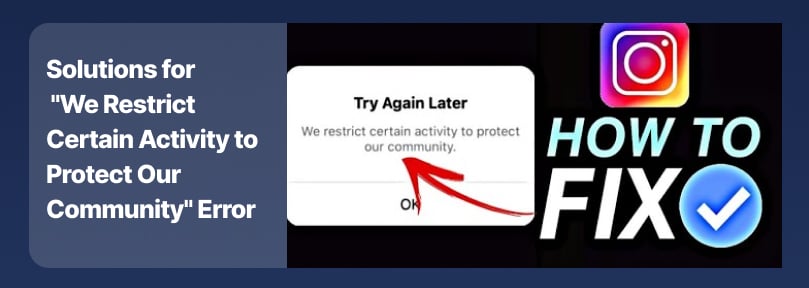
Before taking further steps, pause the activity that triggered the restriction so Instagram has time to remove the temporary limit.
Stop Repeating the Restricted Action
If Instagram blocks you from following, liking, commenting, posting, or messaging, stop trying the same action repeatedly.
Repeated attempts can appear automated and may extend the restriction. Continue using your account normally only where Instagram allows it.
Check Your Instagram Account Status
Open Settings and privacy and search for Account Status.
Look for notices about restricted features, removed content, or review options. This is the best first step because it may show whether the restriction relates to content, account features, or another issue.
Remove Connected Apps and Automation Tools
Disconnect any app, browser extension, or service that has access to your Instagram account, especially tools for:
- Auto-following
- Auto-liking
- Bulk messaging
- Follower tracking
- Automated comments
- Engagement growth
Open Settings and privacy, search for Apps and Websites, and remove access for services you no longer use or do not recognize.
Avoid apps that promise followers or likes. Instagram warns users not to share login details with apps they do not trust.
Secure Your Account
Change your password if you notice unfamiliar logins, unexpected posts, messages you did not send, or unknown connected apps.
Use a strong password that you do not use on other websites. Enable two-factor authentication and confirm that your email address and phone number are correct.
Update Instagram and Restart Your Device
Update Instagram through the App Store or Google Play. Then restart your device and try the action once.
If the issue happens only on Wi-Fi or only on mobile data, test the other connection. Avoid switching repeatedly between VPN locations, public networks, or multiple devices while troubleshooting.
Report the Problem to Instagram
If Account Status does not explain the restriction and the message continues, try contacting Instagram through the app.
- Open your Instagram profile
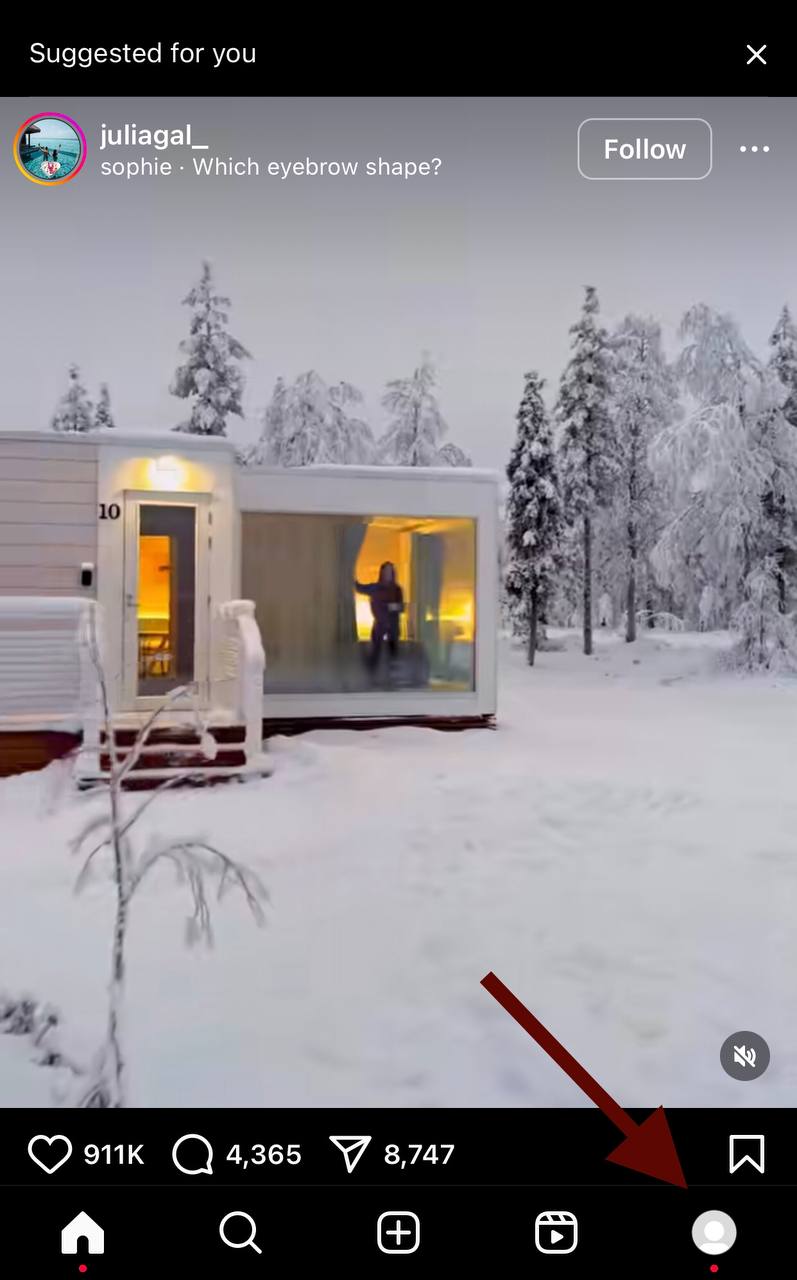
- Tap the menu in the top-right corner

- Select Help
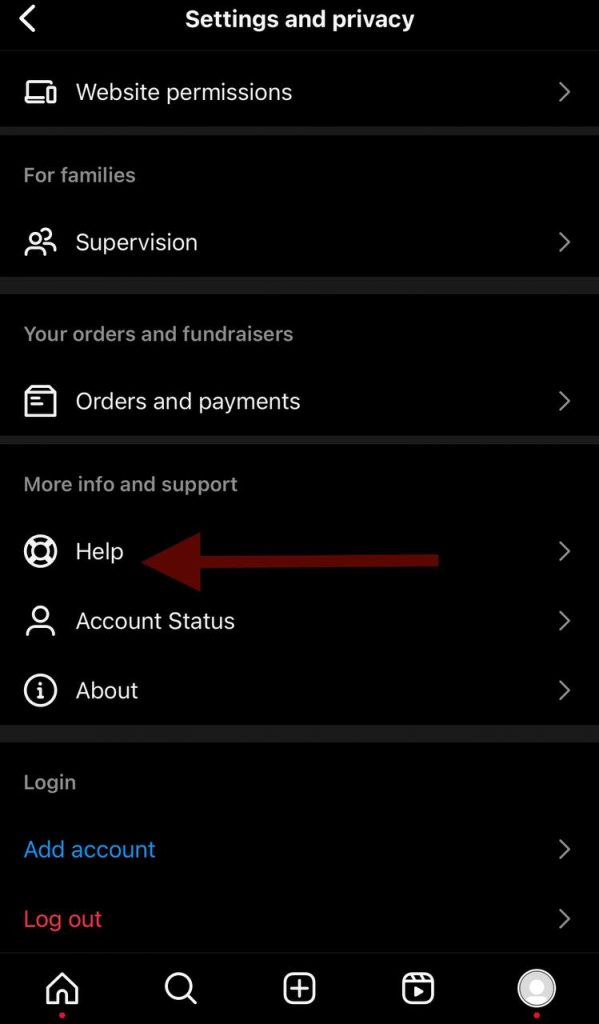
- Tap Report a Problem
- Choose the option that best describes your issue
- Include the exact error message, the action that failed, when the issue started, and a screenshot
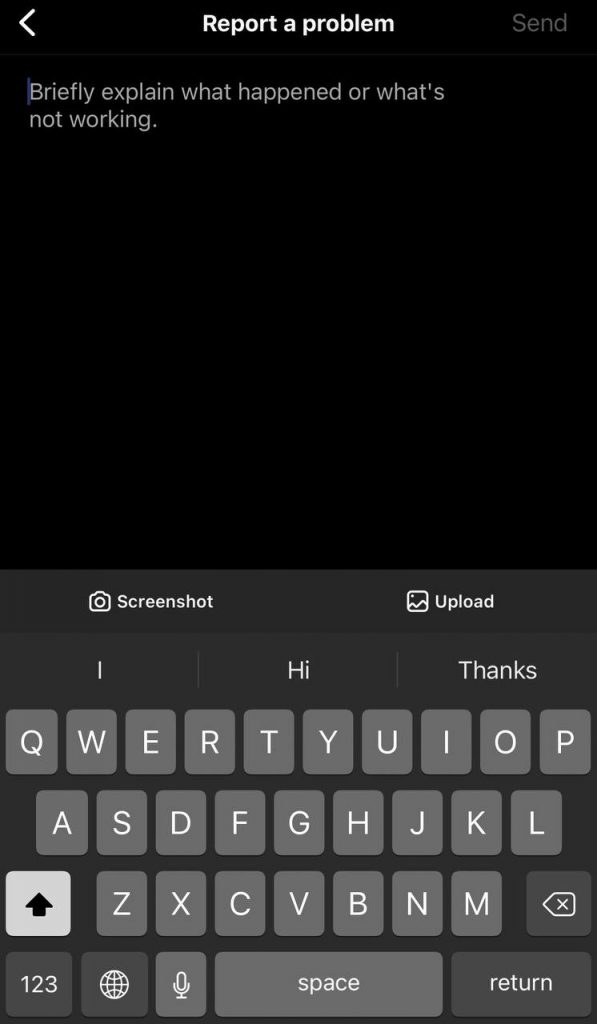
Submit one detailed report rather than sending multiple reports for the same issue.
What Not to Do During an Instagram Action Block
Avoid these actions while the restriction is active:
- Do not keep retrying the blocked action every few minutes
- Do not use bots, auto-engagement tools, or bulk-DM services
- Do not give your password to follower-growth apps or unofficial recovery services
- Do not create multiple new accounts to repeat the same restricted activity
- Do not change your password, email address, phone number, device, network, and VPN location all at once
Make one sensible change at a time. This helps you understand what solved the issue.
How Long Does the Restriction Last?
Instagram does not publish a universal duration for this message. Some restrictions end quickly, while others last longer depending on the action involved, recent activity, account history, and whether Instagram needs additional verification or review.
Avoid articles that promise the restriction will end within a specific number of hours. The safest approach is to stop the restricted behavior, remove risky connected apps, check Account Status, and submit a report if the problem continues.
How to Resume Activity Safely
Once the restricted feature returns, resume activity gradually. Avoid rapid follow-unfollow patterns, repeated comments, bulk direct messages, and multiple simultaneous changes to your account, device, network, and connected tools.
If the error returns immediately, stop the activity and recheck Account Status rather than continuing to test the same action.
How to Prevent Another Instagram Restriction
You can reduce the chance of receiving this Instagram error again by following these steps:
- Avoid rapid likes, follows, comments, and direct messages
- Do not use automation tools or bots
- Remove unused third-party apps from your Instagram account
- Use trusted analytics and scheduling tools only
- Avoid copying and sending the same message to many users
- Keep your login details private
- Enable two-factor authentication
- Review Account Status regularly
- Follow Instagram’s Community Guidelines and Terms of Use
Final Thoughts
I would treat this message as a signal to slow down and check the account, not as a reason to panic. In many cases, Instagram has only limited one feature for a while.
Start with Account Status. If you see removed content or a feature restriction, follow the option Instagram gives you. If you see unknown logins or apps, secure the account right away. If Account Status is clear, update the app, test one other connection, and report the issue if it does not go away.
The main thing is not to keep retrying the blocked action. Find the likely cause first, make one sensible change at a time, and let the account return to normal activity gradually.
Frequently Asked Questions
Why Do I Get the “We Restrict Certain Activity” Error on Instagram?
Instagram may show this message when it detects activity that appears unusual, spam-like, automated, or connected to a possible security or policy issue. Common triggers include rapid liking, following, commenting, repeated messages, automation tools, untrusted connected apps, and content that may violate Instagram rules.help.
Is “We Restrict Certain Activity to Protect Our Community” Permanent?
Usually, no. This message often relates to a temporary action restriction rather than a permanent account disablement. The result depends on the reason for the restriction and your account history. Check Account Status for information or available review options.
How Long Does the Instagram Restriction Last?
There is no official fixed duration. It can vary based on the restricted action, recent activity, account history, and whether Instagram requires review or verification.
Can I View Posts and Stories During the Restriction?
Often, yes. Many restrictions affect a specific feature, such as following, liking, commenting, posting, or messaging. You may still be able to browse posts and Stories, but the available features depend on the restriction applied to your account.
Can a VPN Cause This Instagram Error?
A VPN is not a confirmed universal cause of this message. However, frequently changing locations, devices, or networks can make account activity appear unusual. Avoid repeated location changes while you are troubleshooting an account restriction.

Emi Daniel
Buy an Established Instagram Account
Skip starting from zero. Browse Instagram/TikTok accounts with audiences across many niches.
See Available AccountsRelated articles
-
How to Go Live on Instagram: A Step-by-Step Guide
Going live can feel more stressful than posting a Reel. You cannot remove a pause, rewrite a sentence, or start over after an awkward moment. But that…
17 min readEmi Daniel
-
Instagram Instants Feature: What It Is, How It Works, and How to Turn It Off
The first time I opened Instagram Instants, I almost backed out. I had taken a normal photo. Nothing worth editing. Nothing worth posting. Nothing that needed an…
11 min read -
How to Clear Instagram Cache on iPhone, Android & Desktop
Instagram can quietly build up a lot of temporary files while you scroll through Reels, watch Stories, save posts, and upload your own content. You may not…
12 min read