


Instagram is one of the most popular social media platforms among people and business brands.
Instagram has more than a billion monthly active users who use this platform to have fun, shop, get ideas and make friends.
Apart from Instagram posts, Stories, Reels, and Live videos, the platform has many other useful features for both businesses and regular users.
Buy an Established Instagram Account
Skip starting from zero. Browse Instagram/TikTok accounts with audiences across many niches.
See Available AccountsDM or direct messaging, the chat feature on Instagram has different features for personal and business accounts.
This article provides a complete guide on the Instagram DM option and how to use it for personal and business accounts.
What is Instagram DM?
As mentioned, DM is a chat feature on Instagram that allows you to send messages to your friends or other people and communicate with them. Actually, it can act as both a private message feature and a group conversation platform for Instagram users.
These messages can be in the form of text, photo, video, or voice. In addition, you can share the photos and videos you see on Instagram with others through DM on Instagram or send them to several people simultaneously and form a group.
Also, when you reply to someone’s story, your message will reach that person through DM, and you can continue your conversation there.
You can use DM stability to do different things like create a new chat, like messages, send photos and videos, and voice, voice, and video calls.
We will explain all these things to you ultimately.
How to look for the Direct Message icon?
The first step in using the DM feature is to know what icon it has and where it is located.
Open the Instagram app. A small sign like a paper airplane is in the top right corner; that symbol is the DM icon.
How to use the Instagram DM feature on personal and business accounts?
You can have multiple Instagram accounts, including a personal and a business account, each of which has similar features, but the business account provides you with more unique features.
One of these differences can be how to use DM on each account and the facilities a business account DM has.
If you have an Instagram business account in any category, you can have more options for sending messages through DM.
In the following, we will explain how to use the Direct Message feature on Instagram and some of the options that the DM of a business account provides.
How to create a new conversation
Creating a new conversation through Direct Messages is done similarly in both personal and business accounts.
Step 1) Tap on the Plus icon in the top right corner of the DM section.
Step 2) Now, you will see a list of friends; you should choose a person from the list or search for an ID.
Step 3) Select the ID you want and tap on Chat in the top right corner. Now you can start a new chat.
How to send and unsend a message
By going through a few simple steps, you can send a message in Direct Message or delete it, which is also called “Unsending”.
All these steps are the same for personal and business accounts.
Sending:
Step 1) Select the chat or ID you want to message.
Step 2) Type what you want to share on the “Messages” bar.

Step 3) Tap on “Send”, and you will simply send your message.
Unsend:
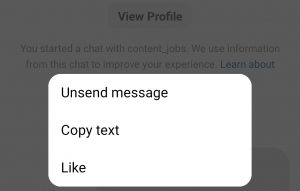
Step 1) Hold the message you want to unsend for 2 seconds.
Step 2) Tap on the “Unsend message” option.
How to start an audio and video call through DM
Audio call
Step 1) Choose the person you want to call and go to your chat page.
Step 2) Tap on the “Phone” icon in the top right corner.

Video call
Step 1) Open the DM of the person you want to start a video call.
Step 2) Tap on the “Camera” icon on the upper right.
Note that for these two unique features in DM, you must update your Instagram to its latest version and ensure that you have given all the necessary permissions for recording sound or access to the camera in the settings section.
How to send a photo or video in DMs
Instagram direct messaging has the ability to select photos and videos from your gallery and send them. This is the same for personal and business accounts.
Follow the steps below to send a photo or video:
Step 1) Open the chat you want to message.
Step 2) Tap on the “Image” icon on the bottom right side of the page.

Step 3) Choose the photo and video from your gallery.
Step 4) Tap on “Send” to finish the process.
Remember that you can select and send more than one photo or video from your mobile gallery.
How to react to messages on DMs
At first, in Instagram direct messages, you could only double-tap on the message to like it, which was shown with a red heart, and this was the only way to react to the Instagram messages.
But in recent Instagram updates, you can react to messages with more emojis besides the red heart!
To do this, follow the steps below.
Step 1) Open the DM you want.
Step 2) Tap and hold the message you want to react to.
Step 3) Select the desired emoji as soon as the emoji display pops up.
Step 4) Tap on “Done” in the right corner to finish reacting to the message.
How to send a voice message on Instagram DMs
Undoubtedly, one of the best features of Instagram DM is the ability to send voice messages. Using this feature, you can easily leave a voice message for others.
Step 1) Open a conversation.
Step 2) Tap on the small “Microphone” icon on the bottom right side of the page.
Step 3) Start talking, and it will record your voice, and when you drop the microphone icon, your voice message will be sent.
You should know critical key points when sending a voice message:
- Sending voice messages on Instagram is limited. You can only record a voice for one minute.
- To cut off your voice, you can drag it to the left while recording, and your voice will be cut and deleted.
- To record your voice more easily, after holding the microphone icon, drag it upwards and release it; your message will be recorded without the need to hold the icon.
Now that you are familiar with Instagram’s DM feature and how to use it, it is better to check why individuals and businesses should use this feature and what is the benefit of DM for businesses.
Why is Instagram DM useful for personal accounts?
As we mentioned at the beginning of the article, Instagram has more than one billion monthly active users, a considerable part of which are ordinary people or so-called personal accounts.
There are various reasons that people use this application, but the most important of them can be entertainment and shopping.
People can create personal accounts, follow their friends, relatives, and favorite celebrities, and, more importantly, find new friends.
The best way to communicate with each other on Instagram is through DM.
You can share your favorite posts with others through DM, talk about your life, etc.
Or you can send messages to online stores and purchase through DMs.
In general, if you spend a large part of your time on Instagram, you can make this time more fun and enjoy it with the direct messaging feature.
Why is Instagram DM important for business?
Using DM and its special features helps businesses to be able to communicate with their customers and sell their products to them without needing another messenger.
Business owners can accompany customers in the purchase process with DM facilities at any moment of their journey and respond to them if needed.
Instagram Direct Messages enables business owners to ask their followers to direct them for more product information, such as price, model variety, and color.
This will increase your page’s engagement, and you will be in private and direct contact with your customers. Therefore, Instagram DM helps to increase your sales, and you can keep your customers satisfied by providing the right service and timely response in DM.
In general, the DM feature of Instagram helps you to have a deeper relationship with your customers, and you can make your customers loyal to your product and brand by giving exemplary service, all of which ultimately lead to the development of your business and increase your sales.
How does Instagram business DM differ from personal accounts?
As we mentioned earlier, the DM feature for business accounts differs from personal accounts; Three important of them are:
- Direct Message shopping feature
- Business chat and Quick replies
- Automatic reply
In the following, we will examine all these things in detail.
What is the Instagram DM shopping feature?
This feature allows you to register your order and pay the amount through Instagram direct messages.
Therefore, with this feature, you do not need to go to the site or elsewhere to buy the product and pay the amount.
To do this, follow the steps below:
Step 1) Select the desired product and send a message to the seller
Step 2) The seller will create a payment request and send it to you.
Step 3) Pay the price of the product and finalize your order.
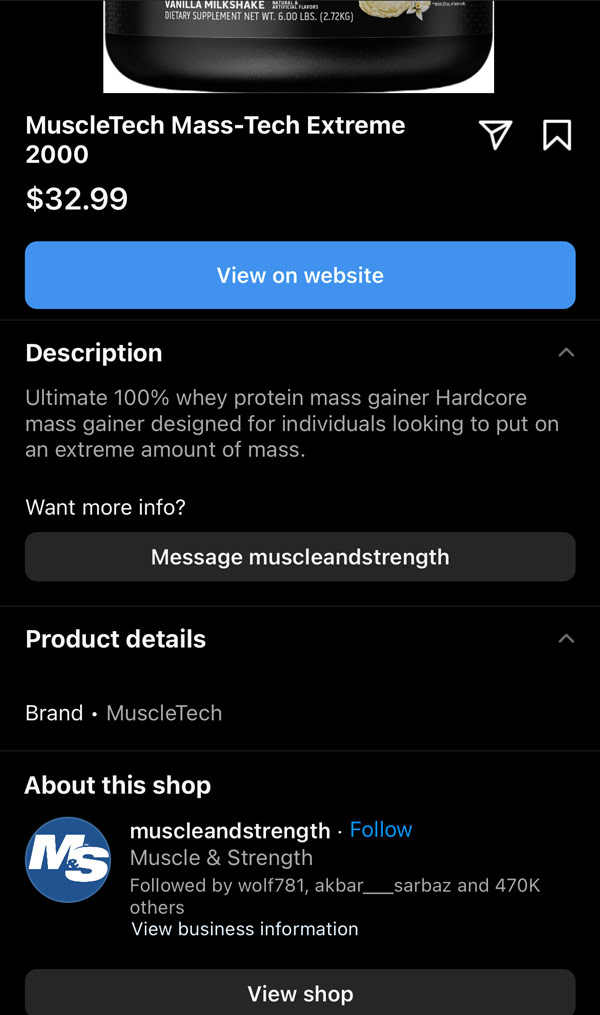
This great feature helps businesses respond to their customer’s needs in the shortest possible time and speeds up the buying process.
This feature also makes your customers save time and quickly choose their product, ask their questions and finally pay the amount right there.
All these things help to grow your business and increase your customers and sales.
Note that this option is currently active in some countries. To see if your Instagram has this feature, update it to its latest version.
Instagram business chat
Another thing that differentiates the Direct Message of a business account is called Business Chat.
A business chat is a conversation that takes place with a business account.
As a business owner, you can use this option to make the work of your customers and followers easier. How to do that?
You can add several ready-made messages known as “Quick Replies” to your direct message, which will help your customers choose the option they want, and you will respond to them faster.
Follow the below steps to create a quick reply for your business account and enjoy its benefits!
Step 1) Open your Instagram and go to “Settings”
Step 2) Then select “Business” from the menu
Step 3) Now, select “Saved replies”
Step 4) Tap on the “Plus” (+) sign in the top right corner
Step 5) Write your message and then type a shortcut
Step 6) Tap “Done” to save the changes
In order to understand the use of Quick Reply better, we have prepared some examples for you to get ideas from:
- Can I get a discount on product X?
- What is the money-back policy?
- Do you still have product X?
What is the Instagram Auto reply feature?
Instagram auto-reply available in business accounts helps business owners to respond to their directs automatically.
Through this option, you can welcome your customers directly, answer their questions and provide them with various information.
Note that these messages will no longer be shown when the conversation starts.
Follow the steps below using Meta Business Suite to set the auto-reply option for your DMs:
Step 1) Open Meta Business Suite and get the admin permission
Step 2) Select “Inbox”
Step 3) Choose the Instagram application
Step 4) Select Instant or Autoreply
Step 5) Turn on the Instant reply button
Step 6) Type your response, and your auto-reply is all set
The most significant use of this option is to help businesses to improve their services to customers and that these messages communicate with customers from your side when you are offline.
Conclusion
Instagram is one of the largest social media platforms, and its users are increasing daily. This application provides more unique features for its users in its updates to make its use more enjoyable and accessible. Undoubtedly, one of the best features of Instagram that has made it more popular is the DM option, which is used by both personal accounts and is of great help to businesses. As you have seen, this article explains how to use Instagram’s direct messaging feature for personal and business accounts and its benefits. Therefore, if you want to make the most of this feature in your personal account or help your business grow with the help of this option, be sure to use the items we have mentioned in this article.
In order to be able to know all the features and facilities of Instagram Direct Messenger and learn how to use it step-by-step, it is necessary to check several different sources.
But this article has explained and provided all these things to you entirely and at once. So without needing to check different sites for each of these features, you can have all this information in this article.

Emi Daniel
Buy an Established Instagram Account
Skip starting from zero. Browse Instagram/TikTok accounts with audiences across many niches.
See Available AccountsRelated articles
-

How to Go Live on Instagram: A Step-by-Step Guide
Going live can feel more stressful than posting a Reel. You cannot remove a pause, rewrite a sentence, or start over after an awkward moment. But that…
17 min readEmi Daniel
-

Instagram Instants Feature: What It Is, How It Works, and How to Turn It Off
The first time I opened Instagram Instants, I almost backed out. I had taken a normal photo. Nothing worth editing. Nothing worth posting. Nothing that needed an…
11 min read -

How to Clear Instagram Cache on iPhone, Android & Desktop
Instagram can quietly build up a lot of temporary files while you scroll through Reels, watch Stories, save posts, and upload your own content. You may not…
12 min read