

You might notice a common error saying, “This story is unavailable,” while checking Instagram stories. Do you know what this means?
Seeing this error is an unpleasant experience, especially when you want to check someone’s story who is important to you or to check something in a story from your favorite content creators.
The first thing you would ask yourself while seeing this error is what does it mean, and how can I fix it?
Buy an Established Instagram Account
Skip starting from zero. Browse Instagram/TikTok accounts with audiences across many niches.
See Available AccountsWell, “This story is unavailable” has different meanings on Instagram, but it usually means that the account owner has blocked you, the story has been removed or it has expired, etc.
In this article, we will examine all the common reasons you get this error on Instagram and provide helpful solutions to fix this issue easily.
11 Reasons You See “This Story Is Unavailable” on Instagram Stories?
1- The story is hidden from you

One of the most common reasons for getting such an error is that the account owner hides the story from you after uploading it.
As you know, Instagram values users’ privacy and security and enables you to let specific people view your stories so you can easily hide your stories from certain followers.
The best thing you can do to see if someone is hiding stories from you is to check their Instagram profile and see if any highlights you could previously see have now disappeared.
2- The story has been deleted
It is normal for people to delete or remove their stories after publishing them, which can be due to various reasons; for example, they don’t want the content to be public anymore, regret sharing it in the first place, or upload the story accidentally.
In such a common case, you can’t see the story, and you will receive this error message, so you can ensure it doesn’t have a negative reason behind it.
3- The time of the story has expired

As you may know, Instagram stories are limited and will disappear after 24 hours, so if you check someone’s story after 24 hours, you will see the message saying, “This story is unavailable.”
However, it can be because of Instagram bugs, and when you click on a story on your feed, the story won’t disappear, but you still receive the annoying message.
4- The user has switched to a private account
If you want to maintain your privacy on Instagram, it is good to know that this platform lets users set their accounts to private, which allows them to create a VIP list of followers.
Therefore, this can be one of the main reasons for getting such a message while checking stories, which means you are no longer in that account’s followers list, so you won’t be able to see their content.
5- Instagram removed the story

It’s not among the common reasons why you face such an annoying issue, but it happens! As you know, Instagram gets restricted when it comes to the platform’s terms of use.
Therefore, if your story contains anything against its terms of use, Instagram will remove it, and your followers can no longer see your stories.
Note that if Instagram removes a story itself, it doesn’t matter if you are on the follower list or not; no one can view the story.
6- Instagram glitches
All applications may have bugs and technical issues, so Instagram is no exception. Technical problems such as software bugs, maintenance downtime, and server issues can be the common reasons why stories are unavailable on Instagram.
7- Weak internet connection

Not being able to view a story on Instagram because of a poor Internet connection is more common than you may think.
Therefore, to avoid facing this problem, make sure you have a stable connection when checking Instagram.
8- The owner of the story has blocked you
Instagram users can easily block anyone who makes them uncomfortable or just doesn’t want to interact with them.
If someone blocks you on Instagram, you can no longer see their stories or any other content shared on their account.
Remember that if they share a public story or post, you still can’t see it, and you will face the unavailable error.
9- The account has been deactivated

People can deactivate their Instagram accounts for any personal reason; for example, they want to take a break from using Instagram for some time.
When people deactivate their accounts, you will no longer be able to see their posts or stories.
Note that there is nothing you can do to see content from deactivated accounts on Instagram; the only way you can view their stories is if they use Instagram again!
10- The story is only available to close friends
If you have ever used Instagram’s “close friends” feature, you know that these stories only appear to a selected group of followers on the close friends list.
So, if you are not on the list, you can’t see close friends’ stories, and you may receive such an error.
11- You’ve muted the account owner
As mentioned earlier, Instagram cares about users’ privacy and security, which is why you can mute anyone’s account who makes you feel uncomfortable or you don’t want to see what content they share.
Therefore, if you mute someone on Instagram, it means that you can’t see their stories, posts, DMs, etc., and you will get the message “This story is unavailable.”
How to Fix the “This Story Is Unavailable” Error?

Now that you know why you see “This story is no longer available” on Instagram stories, it is time to fix this issue.
Log out and re-login to your account
If you think this method is not going to help you, you are making a mistake because it’s an easy way you can give it a shot.
To log out from your account and re-login, follow the steps below:
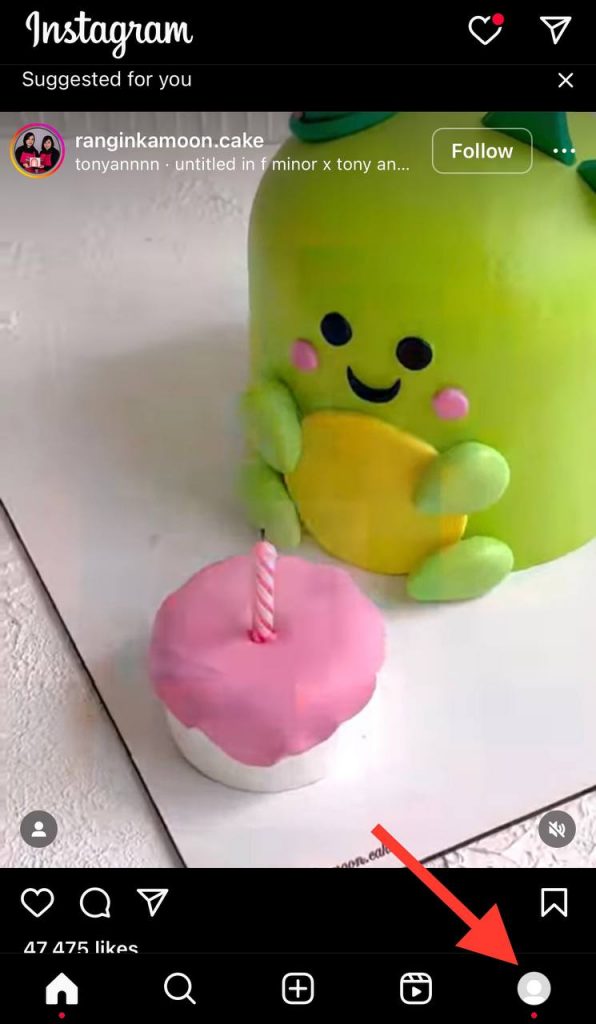
Step 1- Open Instagram on your device. Tap the profile icon at the bottom right of the screen.
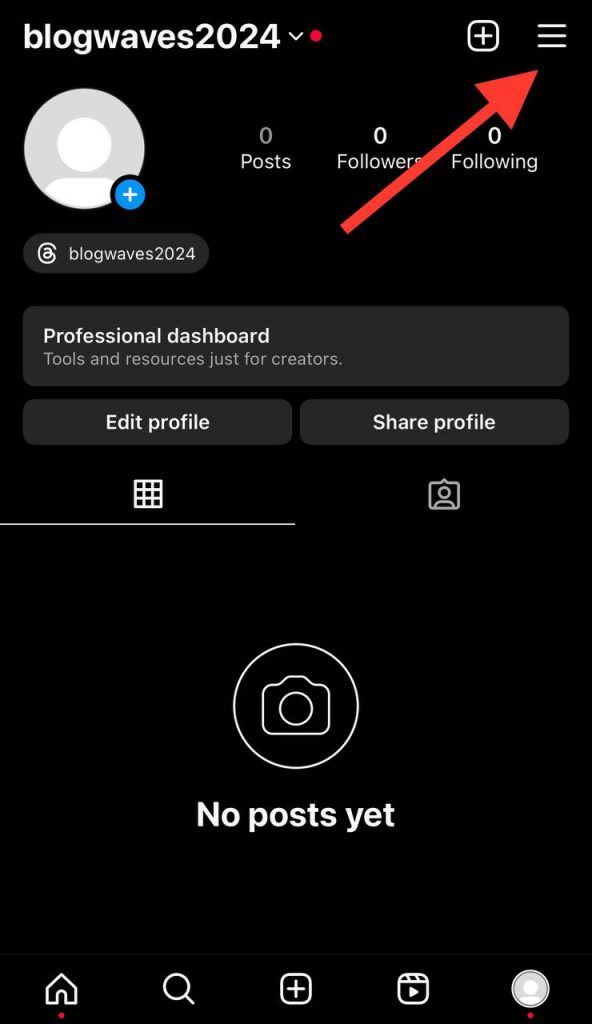
Step 2- Tap the three horizontal lines at the top right to open the menu, then choose “Settings.”
Step 3- Scroll down the settings to find the “Log Out” option, tap on it, and log out from your account.

Step 4- Now, you need to log back into your account with your credentials.
Clear Instagram cache
Instagram accumulates data that can lead to glitches and bugs, so it is better to clear the Instagram cache on your device from time to time to avoid this problem and resolve the error.
Clear Instagram cache on Android devices
Step 1- Open your device and go to the “Settings” menu.
Step 2- Tap on Apps or Applications and find Instagram.
Step 3- Select Storage and then “Clear cache.”
Clear Instagram cache on iOS devices
Step 1- Open “Settings” on your device.
Step 2- Scroll down the menu to find the Instagram application.
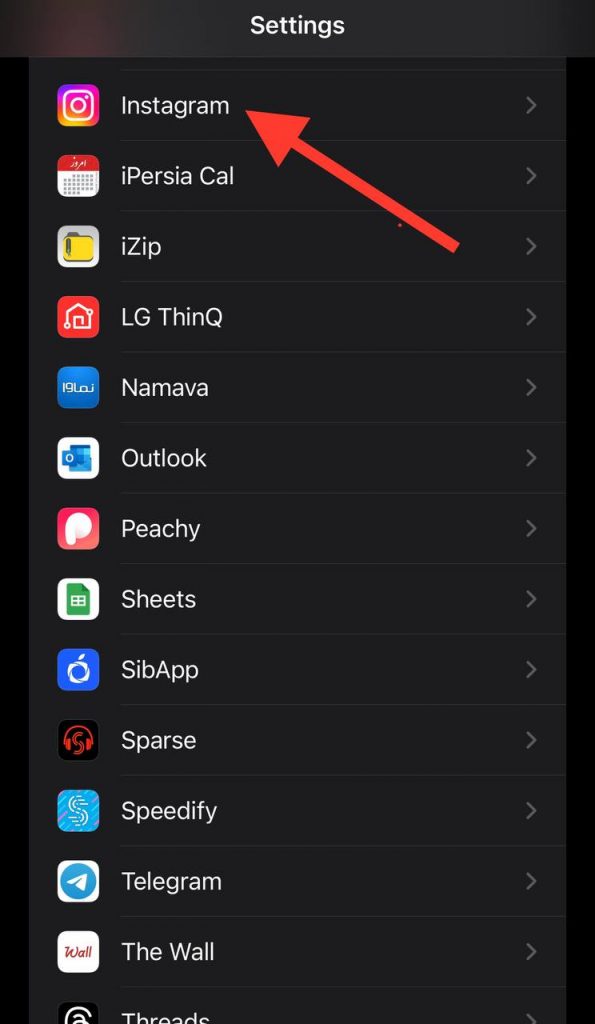
Step 3- Tap Clear cache to finish the process.
Update the app to the latest version
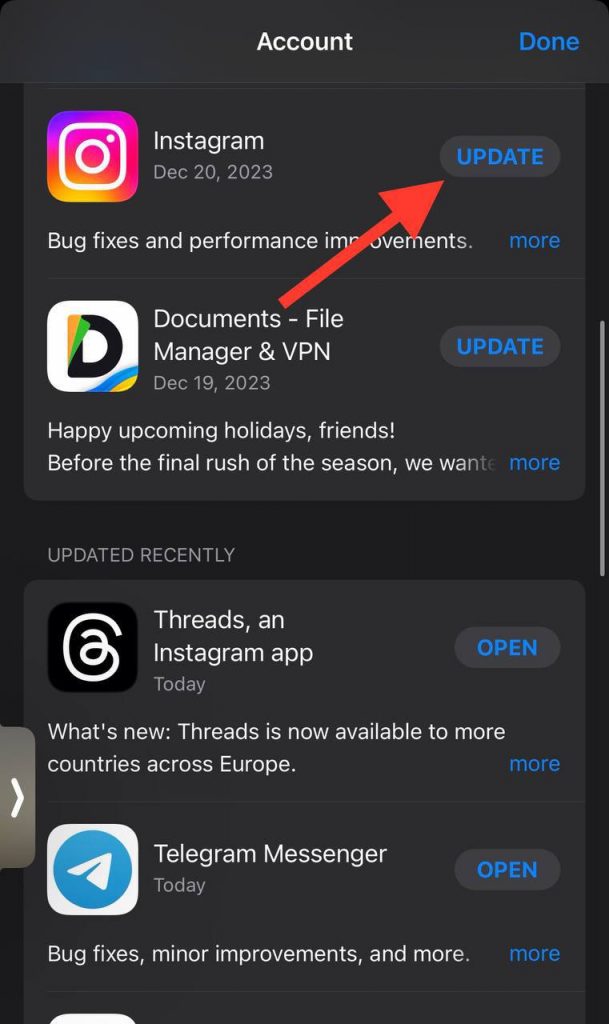
Instagram always releases new features so users have a better experience using the app; however, these features may come with bugs or technical issues, which can be the reason you receive such an error.
Therefore, it’s a good idea to ensure you are using the latest version of Instagram to easily avoid Instagram glitches or errors.
Refresh your feed
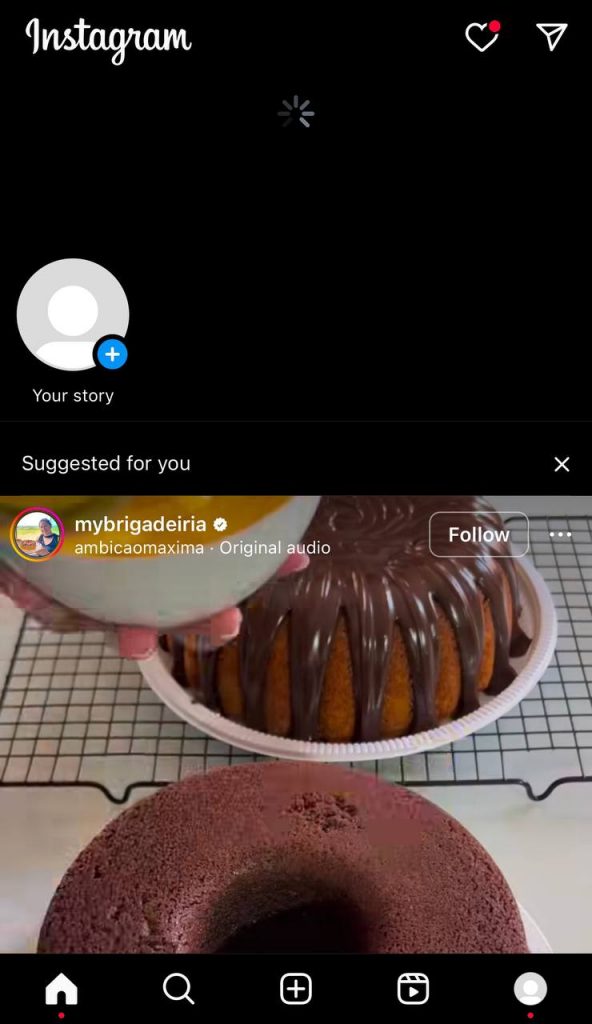
Perhaps the easiest thing you can do is to simply refresh your feed because Instagram sometimes shows you a feed of previous content that may include expired stories.
To refresh your Instagram feed, all you need to do is pull down the screen and wait for a few seconds, and it’s done!
Reinstall the Instagram application
If you get the “This story is unavailable” error too often, you can delete the application and reinstall it again.
Android devices
Step 1- Open the Google Play Store on your device and find Instagram.
Step 2- Tap uninstall to remove the app.
Step 3- Once you have confirmed to uninstall the app, you can install it again.
iOS devices
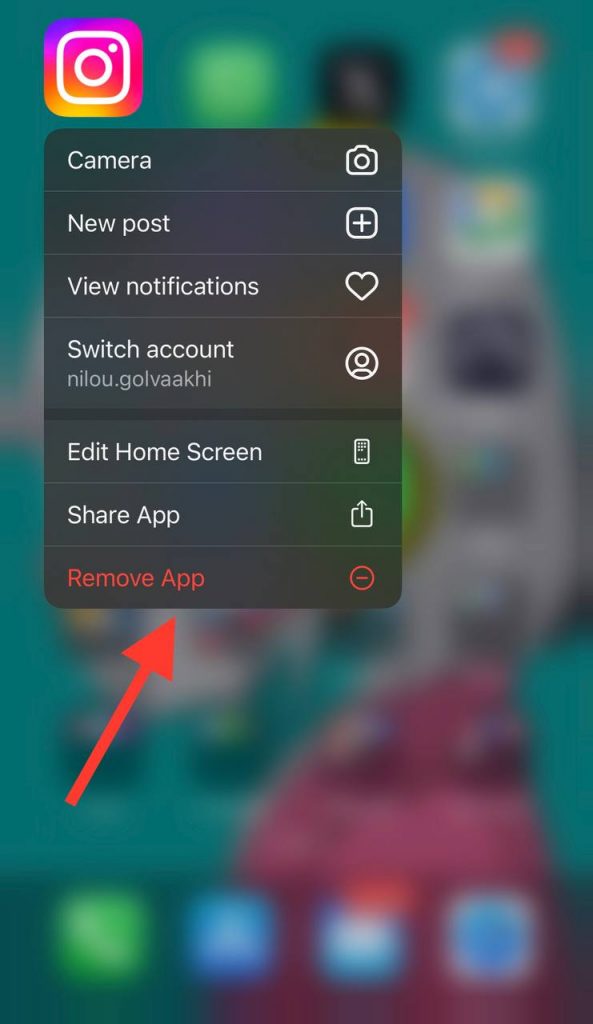
Step 1- Hold the Instagram application icon on your mobile.
Step 2- Then tap “Remove app.”
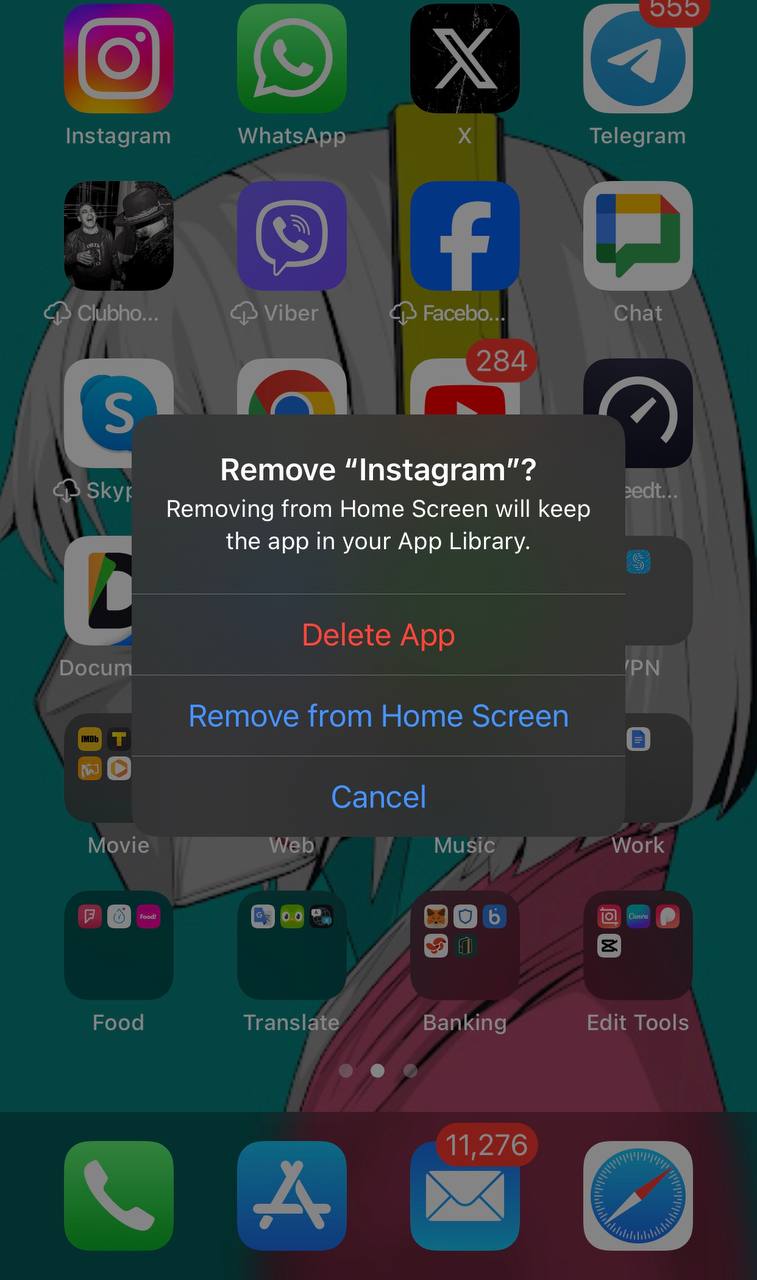
Step 3- Confirm removing (deleting) the application.
Step 4- Open the App Store and install Instagram again.
Check the story with another account
As you know, people can hide some users so only specific individuals can see their content. It may hurt you, but yes! The account owner may have hidden you to see their stories; however, you can use another account to see if you are able to view the story or not.
Report to Instagram
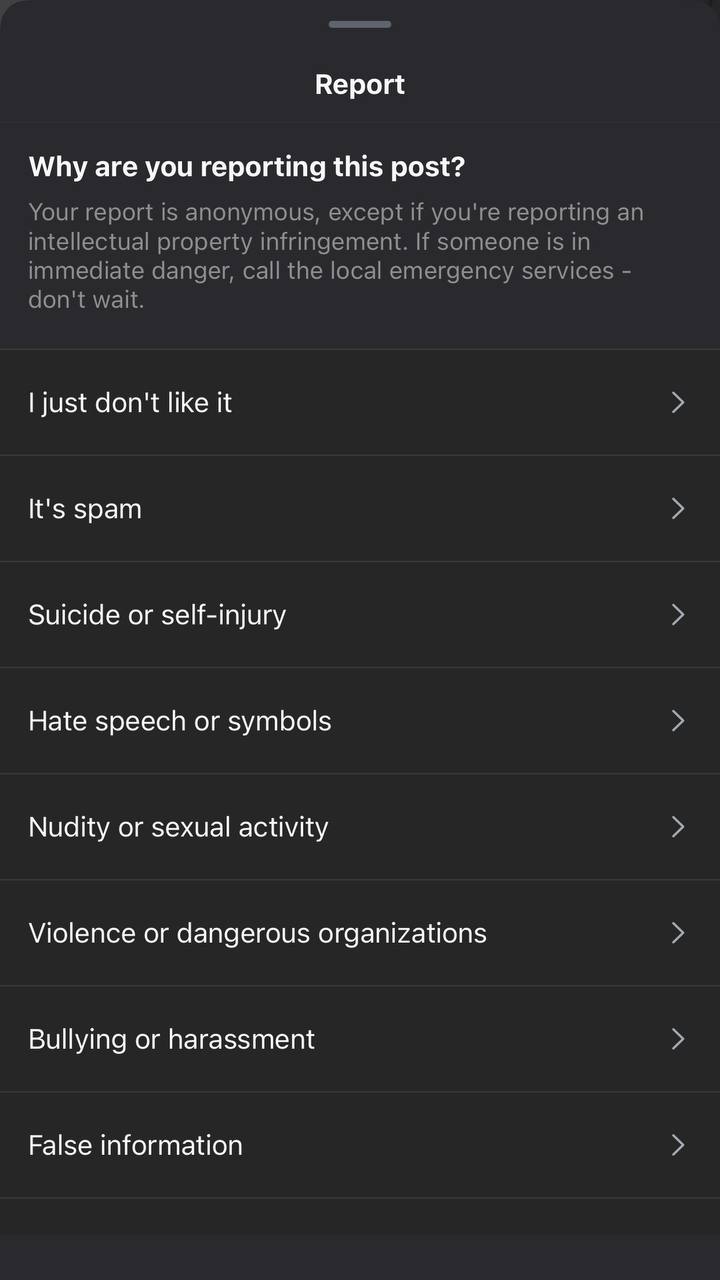
If you have tried all the mentioned methods but still face the same issue, it is time to report the problem to Instagram, and it will take quick action to solve the problem.
FAQs
1- How can I tell if someone has muted my story?
Instagram won’t notify you that someone has muted your stories. If someone who used to watch your stories all the time suddenly stops, it is most likely that they have muted your stories.
2- Can I make my Instagram stories unavailable?
Yes, you can make your stories unavailable by limiting who can view them or completely deleting them.
3- Are Instagram stories limited?
There are different limits for Instagram stories; for example, Instagram story length can be up to one minute, or they will disappear after 24 hours. So, if you try to reach a story after 24 hours, you will receive a message saying, “This story is no longer available.”
Conclusion
Now that you know why you receive such a message while checking Instagram stories, it is important to keep in mind that seeing this message doesn’t mean something dramatic that you can’t solve.
As you know, it can be due to a simple reason, such as the story has expired, removed, or deleted by Instagram.
Finally, you can use the solutions mentioned in this article to fix the issue and enjoy using Instagram while checking stories.

Emi Daniel
Buy an Established Instagram Account
Skip starting from zero. Browse Instagram/TikTok accounts with audiences across many niches.
See Available AccountsRelated articles
-

How to Clear Instagram Cache on iPhone, Android & Desktop
Instagram can quietly build up a lot of temporary files while you scroll through Reels, watch Stories, save posts, and upload your own content. You may not…
12 min readEmi Daniel
-
How to See Who Reposted Your Instagram Post (2026 Guide)
Someone reposted your Instagram post, but you have no idea who it was. You check notifications, search through your profile, and still cannot find a clear answer. …
18 min read -

How to Reset Instagram Algorithm in 2026
Instagram can start showing too much of the same type of content. Your Explore page may no longer match your interests, Reels may feel repetitive, or suggested…
12 min read