


Learn everything about Instagram story dimensions and size.
We all know that Instagram is one of the biggest social media platforms, and every day it releases updates and new features that are hard to ignore.
One of the best features of Instagram is its story section, which has handy features.
Buy an Established Instagram Account
Skip starting from zero. Browse Instagram/TikTok accounts with audiences across many niches.
See Available AccountsIt doesn’t matter if you have a regular, business, or creator account on Instagram, or in what category your account is. It is essential to be able to share exciting and high-quality IG stories.
One of the things that will help you create a professional Instagram story is knowing its standard size and dimensions.
In the following, we provide you with complete information about the appropriate size and dimensions of Instagram stories. It’s good to read this article before starting to post Instagram stories.
What is Instagram story size and dimension?
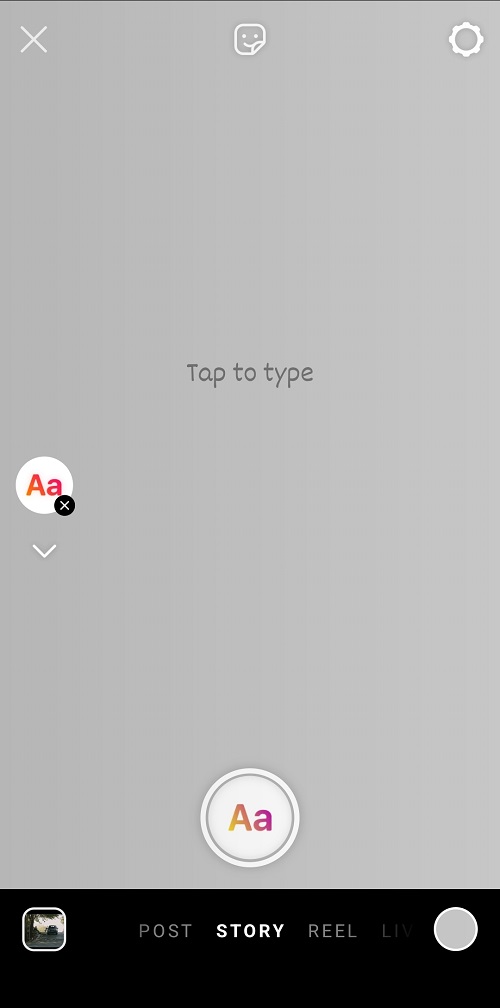
When you decide to share image content on social media, you should pay attention to the fact that to upload images in any application; you must consider the dimensions and size that the app supports for uploading images to be able to share quality content.
Instagram story is no exception to this rule and supports specific sizes and dimensions for image content, which we will fully explain in the next part.
In order to be able to share the photo in the standard format of great Instagram stories, you can easily crop it; some tips help you to upload your content based on the ideal size of the story, which we will examine in the rest of this article.
What is the best size and dimensions for Instagram stories?
As mentioned in the previous section, the dimensions and sizes of stories have rules that you must follow before creating Instagram stories.
The best image content size for Instagram stories is 1080px by 1920px with an aspect ratio of 9:16. This size is suitable for photos and videos.
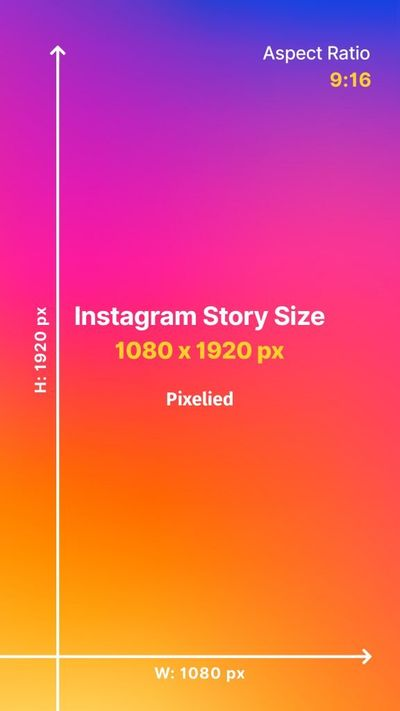
It is important to note that in order to upload images, your photos don’t need to have a resolution of 1080×by1920 pixels; it is enough to have an aspect ratio of 9:16 because Instagram automatically adjusts your content with the right dimensions.
Also, it is good to consider the following items:
- The duration of showing photos in the story is 5 seconds, and for each video, between 15 seconds and 1 minute
- The recommended file size of the photo you upload is 30 MB maximum
- The files that Instagram story supports are PNG and JPG
In addition to the mentioned items, there are other resolutions; they have an aspect ratio of 9:16 and are suitable for the story section:
- 720px by 1280px
- 1080px by 1920px
- 1440px by 2560px
- 2160 px by 3840px
You can create high-quality and eye-catching stories by knowing and following these tips.
Why Instagram Stories dimensions are important?
The right size and dimensions of every social media content are important, no matter we’re talking about Instagram posts or stories. The correct Instagram story dimensions guarantee that your content is of good quality and is displayed correctly because if you use the wrong dimensions to share the story, your content may be automatically cut, which causes reducing the quality of your images.
Therefore, one of the important reasons for using the correct and standard dimensions for Instagram stories is to maintain the high quality of your content.
Among the other reasons that show the importance of the size and dimensions of the Instagram story, the following can be mentioned:
- The pixels of your photo follow the standard resolution of Instagram, and there will be no extra pixels
- Your brand keeps its reputation, and your account looks more professional
- The quality of your content will be maintained
- Your story will have better quality and will be shown to more people
- The details of your images and content are displayed correctly
- Important information in the image will be preserved
Therefore, if you want to use the advantages of using Instagram story dimensions correctly, pay attention to the mentioned items.
What is the safe zone for the Instagram story?
When you share a photo on the Instagram story, you may add a text description or use stickers to make your stories look more attractive.
You should pay attention to the fact that the text or sticker you intend to use must be placed in the right place of the story so that it is evident and the audience can see it.
These areas of the story page where text content, photos, or stickers are placed in their proper place are called safe zones.
In other words, safe zones are content areas not covered by UI elements such as usernames.
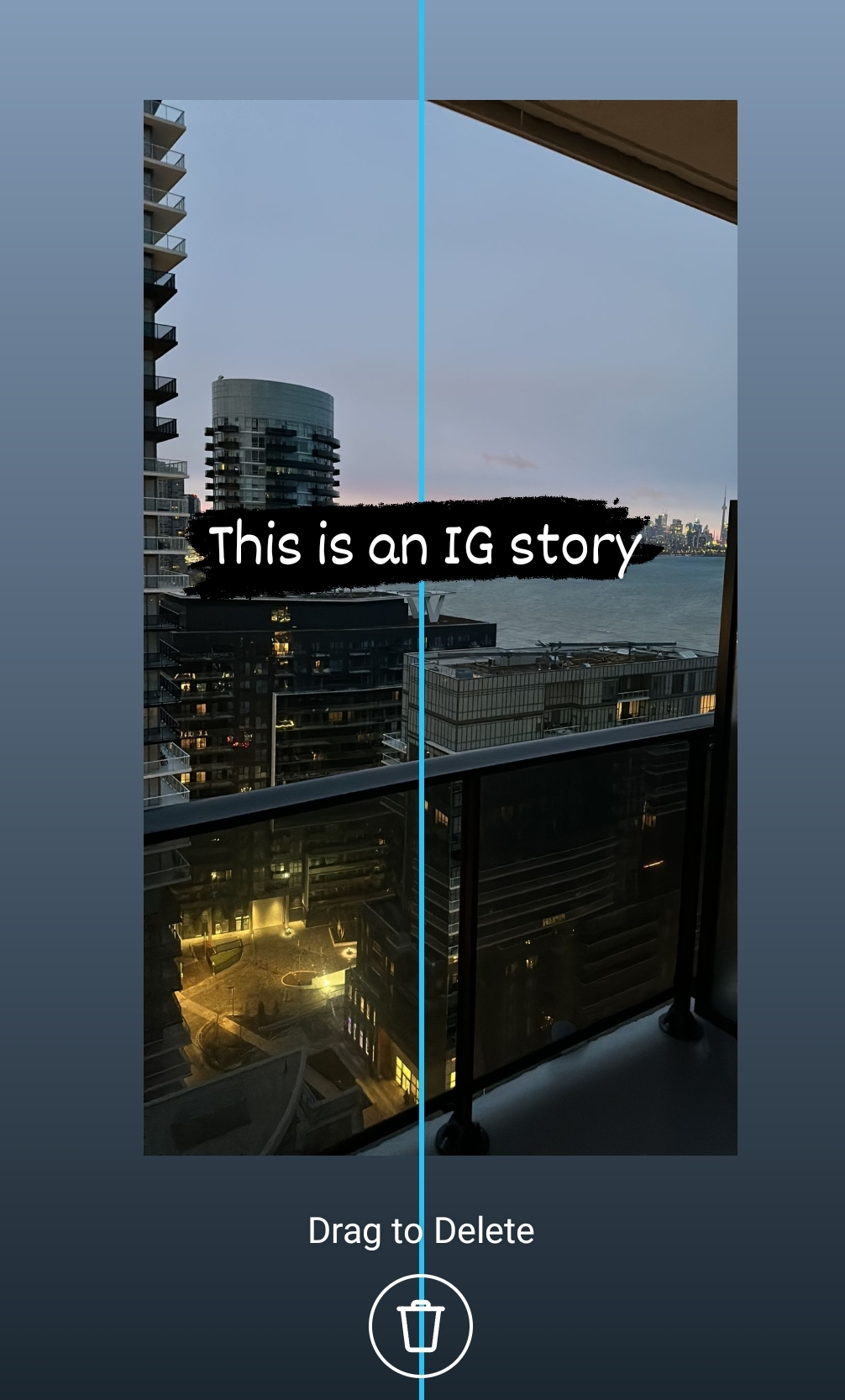
In order for your content to be placed in the safe zone, you must keep approximately 250 pixels at the top and bottom of the story empty so that the content will not cover any important elements, such as the username and the profile photo (in the top left corner of the screen), the “send message” box and share option (at the bottom of the screen).
When you upload the content in the story, Instagram will automatically show the blue vertical and horizontal lines on the story page, indicating the safe zone for you so that you can use it to share your content in the correct Instagram stories dimensions.
Tips for ideal Instagram story dimensions and size
In this section, we look at the tips that significantly impact making an Instagram story with the right size and dimensions. Here are some great Instagram story dimensions tips.
Choose the proper aspect and ratio
It doesn’t matter if you want to display your content horizontally or vertically; choosing the correct dimensions is important. As we said, the best aspect ratio for Instagram stories is 9:16.
Otherwise, Instagram may automatically resize your content to fit the standard size, which may reduce the quality of your content or crop it.
Use high-quality content
Another thing that you should pay attention to is that when you post photos, video files, or music on Instagram, Instagram compresses them, which causes their quality to decrease a little, so if you use low-quality images, your content won’t be shown in good quality. Try to use pictures that Instagram story resolution supports.
Consider the file size and format
Another thing that will help you to create a quality story in the right dimensions is the file size and format of the selected file.
The best file size for photos is a maximum of 30 MB, and for videos, 4 GB. Also, the suitable photo format is JPG and NPG; for videos, it is MP4 and MOV.
Observing these things will make your content uploaded in the right dimensions; it should be noted that Instagram will reject it if your content is not in the size and format mentioned.
Consider using photo editing apps
You can use photo editing applications to ensure your content is uploaded to the Instagram story with the right size and dimensions.
These programs will help you ensure that your content is high quality and conforms to the size and dimensions of Instagram stories.
Share vertical content
As a last point, we remind you to upload your content in vertical mode because all users watch your story through their mobile phones and hold it vertically. Additionally, the vertical way is best for sharing content in Stories, ensuring you share your content based on the correct dimensions.
Conclusion
As mentioned, the Instagram app is one of the most popular and prominent social media platforms, and most of its users use its story feature, so it is important to provide quality content, and one of the things that determine the high quality of content in compliance with the size, and dimensions of the story.
In this article, we have provided all the information and details you need about the standard dimensions of Instagram stories, their importance, essential points to follow, etc.
Therefore, by observing the things mentioned in this article, you can share high-quality stories in appropriate dimensions on Instagram. Try to consider the perfect Instagram story size to get the best result.

Emi Daniel
Buy an Established Instagram Account
Skip starting from zero. Browse Instagram/TikTok accounts with audiences across many niches.
See Available AccountsRelated articles
-

Instagram Instants Feature: What It Is, How It Works, and How to Turn It Off
The first time I opened Instagram Instants, I almost backed out. I had taken a normal photo. Nothing worth editing. Nothing worth posting. Nothing that needed an…
11 min readEmi Daniel
-

How to Clear Instagram Cache on iPhone, Android & Desktop
Instagram can quietly build up a lot of temporary files while you scroll through Reels, watch Stories, save posts, and upload your own content. You may not…
12 min read -

How to See Who Reposted Your Instagram Post (2026 Guide)
Someone reposted your Instagram post, but you have no idea who it was. You check notifications, search through your profile, and still cannot find a clear answer. …
18 min read