


Are you looking for Instagram’s new feature, “Notes,” and don’t find it? You may have heard of it but can’t figure out how to add them to your profile.
Or you may have no idea what I’m talking about and want to know more about the newest updates of Instagram!
Don’t worry; this article includes everything you need to know about Instagram Notes, why they’re essential, and how they can enhance your Instagram experience.
Buy an Established Instagram Account
Skip starting from zero. Browse Instagram/TikTok accounts with audiences across many niches.
See Available AccountsWhat is Instagram Notes Feature?
Instagram Notes is an exciting new feature allowing users to add information to their posts. Think of it as a secondary caption, an extra layer of information, or a fun fact to accompany your photo or video.
The Notes feature can be located under the caption of a post, where you can include details, shoutouts, or any extra context you’d like your followers to see.
Imagine if you’re a travel blogger. You might use the Instagram Notes feature to share a backstory about where your picture was taken, or if you’re a food blogger, you might include a quick recipe or cooking tips.
It’s a unique, creative way to further engage with your followers and add depth to your posts.
Why is the Notes feature Important, and How Does it Enhance the Instagram Experience?
Adding notes to your Instagram posts can make your storytelling more complete and engaging. It’s a great way to provide context and depth to your images or videos and connect with others on the platform.
The Notes feature lets you share more about their lives, passions, and experiences. We must sa;y it takes your Instagramming to the next level by turning your posts into full narratives that can entertain, inform, and inspire your followers.
And by the way, the Notes feature can be instrumental for businesses and influencers. It provides an extra space to share product details, promotional codes, or collaborations, potentially increasing reach and engagement rates. So it even helps your business grow!
Want to use it, but you don’t see it now? We’ll tell you why.
Why Instagram Notes Is Not Showing
You’ve read about Instagram Notes, understand how they work, and now you’re all set to start adding them to your posts, but wait! They need to be found on your app. Why is this happening? Why can’t you find the Notes feature on your Instagram?
Reason #1: Outdated Instagram Version
Like many other apps, Instagram continuously evolves and rolls out new features to enhance the user experience. Instagram Notes is one such feature. If you need help finding the Notes option in your app, it’s likely because you’re running an outdated version of Instagram.
The Importance of Keeping Your Instagram App Up to Date
Regularly update your Instagram app to access the latest features like Instagram Notes. This will help you stay up-to-date, engage with your followers better, and provide more value to them.
Updating your app regularly ensures you have the latest security patches, which is critical for protecting your account from potential threats.
Lastly, updates often come with bug fixes and performance improvements. This means the newer your app version, the smoother and more efficient your Instagram experience will be.
Reason #2: Geographical Limitations
Another possible reason why Instagram Notes might not be showing on your app is because of geographical limitations.
How Location-Based Feature Access Impacts Your Instagram Experience
Like many social media platforms, Instagram sometimes rolls out new features in a limited geographical scope to test and refine them before making them available globally. This approach helps Instagram iron out potential kinks and garner user feedback before a worldwide release.
So, if you’ve heard about Instagram Notes but can’t find them in your app, the feature may be available only in specific regions.
This does not mean you won’t ever get it! Once Instagram has tested the feature sufficiently, they usually make it accessible worldwide. In this, patience is the key!
Reason #3: Delayed Profile Update
If you’ve updated the app but you’re still struggling to find the Notes feature, it could be due to a delayed profile update.
Why Some Features Take Time to Roll Out to Your Profile
When Instagram launches a new feature, it only becomes available to some users simultaneously. Instagram often rolls out new features in phases, starting with a smaller group and gradually extending it to all users.
This gradual rollout helps Instagram manage server loads and observe the feature’s performance on a manageable scale before making it universally available. So, don’t take it personally and just wait!
Reason #4: Muted Notes
The last potential reason for not seeing Instagram Notes could be that you have muted them. Yes, it’s possible to mute it accidentally!
Did I Accidentally Mute Notes on Instagram?
Instagram provides you with the ability to customize your experience. This includes the option to mute certain features of the content you see. You may have unintentionally muted Instagram Notes.
To check if this is the case, take the following steps:
Navigate to your settings on Instagram. Under the notifications or content preferences section, look for a toggle related to Instagram Notes.
If it’s turned off, it means you’ve muted notes. Switch it back on, and you should be able to see Instagram Notes on your posts.
Methods to Restore Instagram Notes Visibility
Now, we’ll outline these strategies you can use to restore Instagram Notes visibility.
First Method: Updating Your Instagram App
The first and simplest method to restore Instagram Notes’ visibility is by making sure you’re using the most recent version of Instagram.
A Step-by-Step Guide to Ensuring You Have the Latest Instagram Version
- Open your device’s app store: Google Play Store for Android users and the App Store for iOS users.
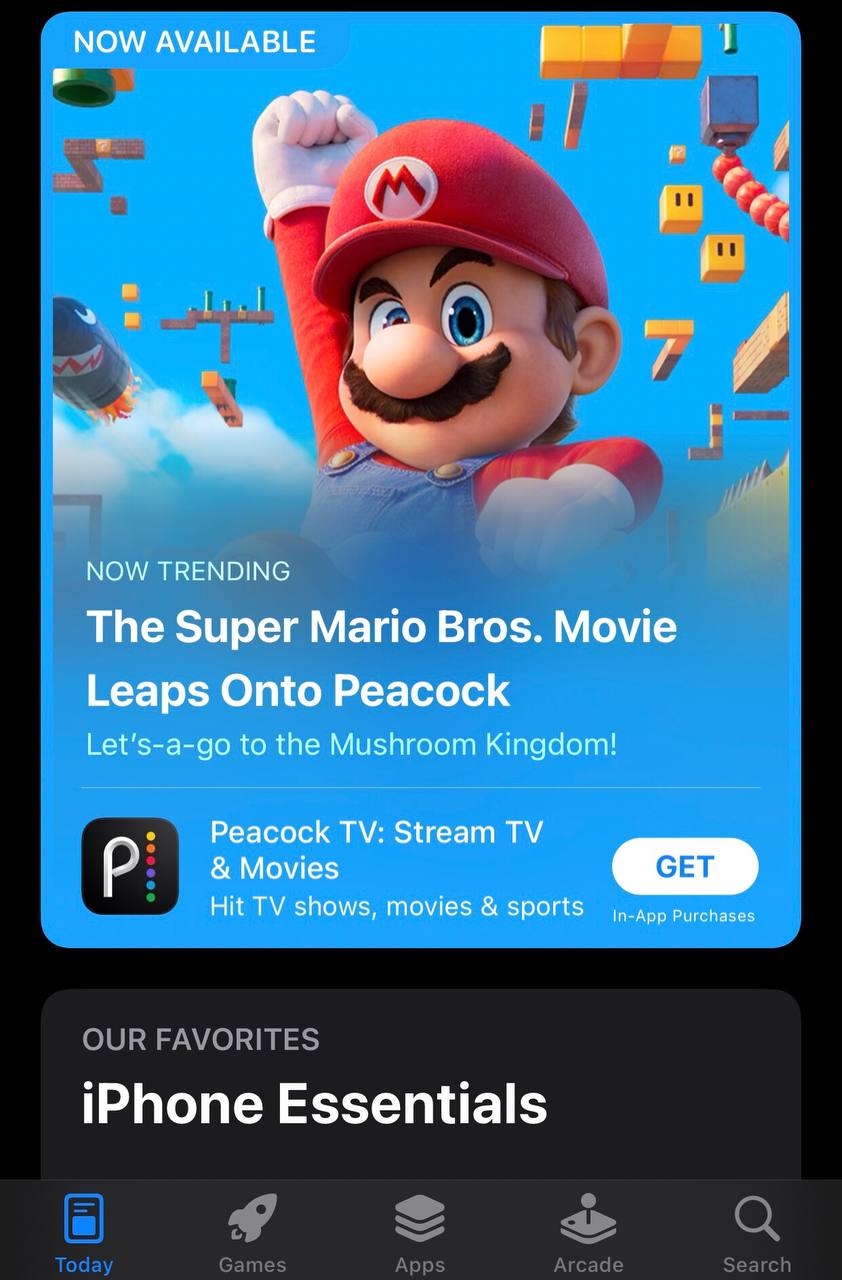
- Tap on ‘My apps & games’ or ‘Today’ for Android and iOS, respectively.
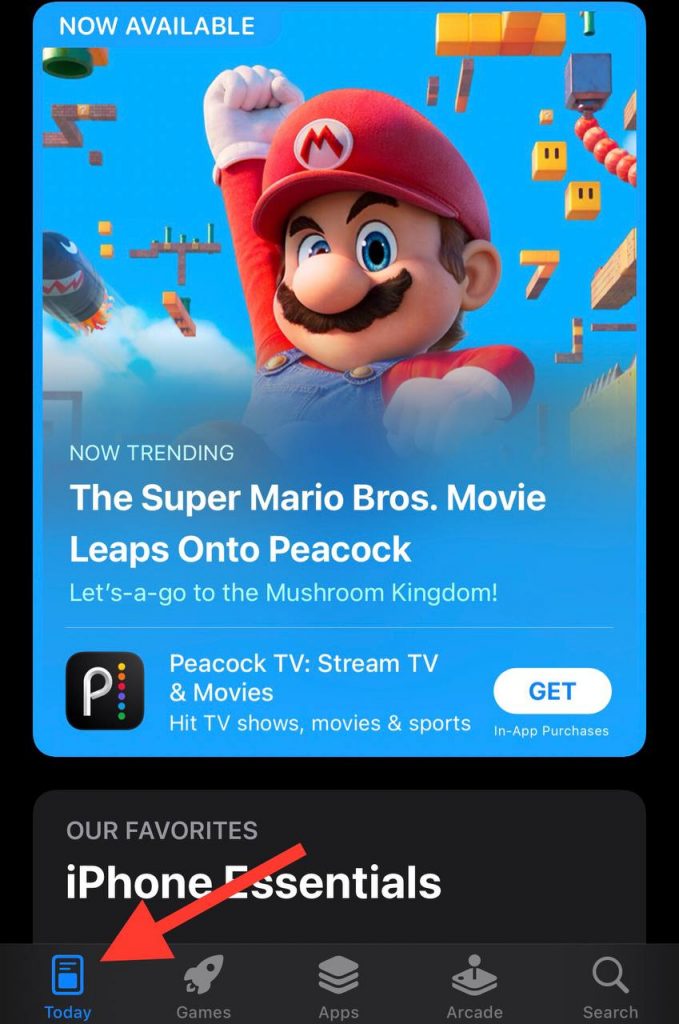
- Find Instagram in the list of your installed apps.
- If there’s an ‘Update’ button next to Instagram, tap it. If you see ‘Open’ instead, it means your app is already up to date.
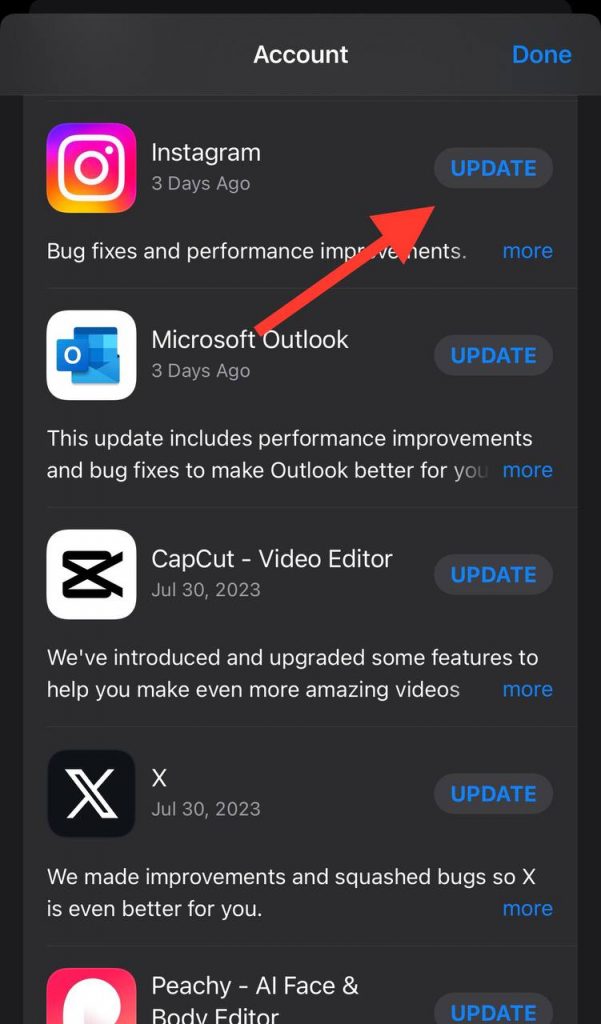
- Once updated, open Instagram and check if you can see the Notes feature.
Second Method: Patience and Checking Updates Regularly
If updating the app doesn’t work and the Notes feature is confirmed to be available in your region, you may need to wait.
Third Method: Contacting Instagram Support
If you’ve tried the above methods and still can’t access Instagram Notes, it might be time to contact Instagram Support.
Your Guide to Reaching Out to Instagram for Assistance
- Open your Instagram app and go to your profile.
- Tap the menu icon (the three lines) at the top right corner.
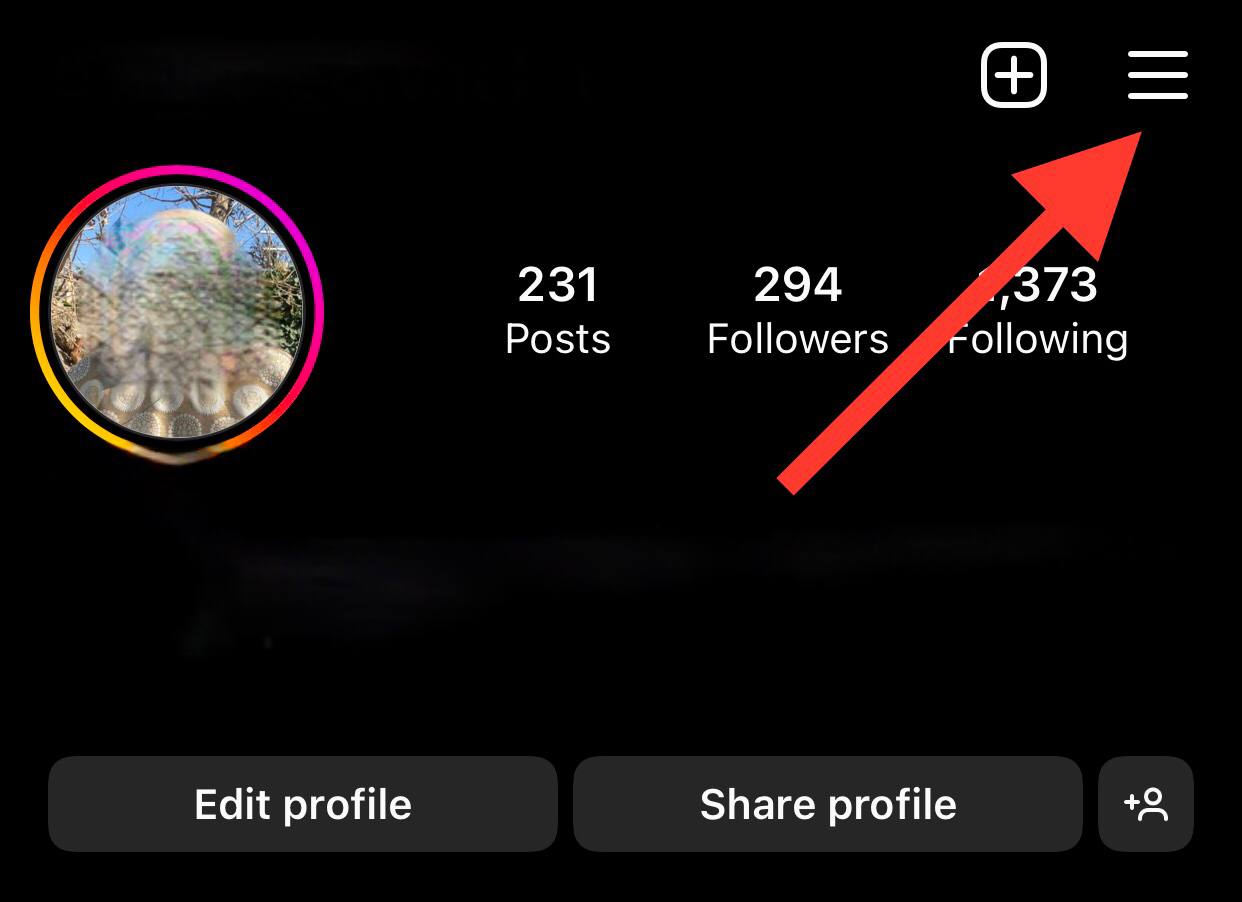
- Select ‘Settings’.
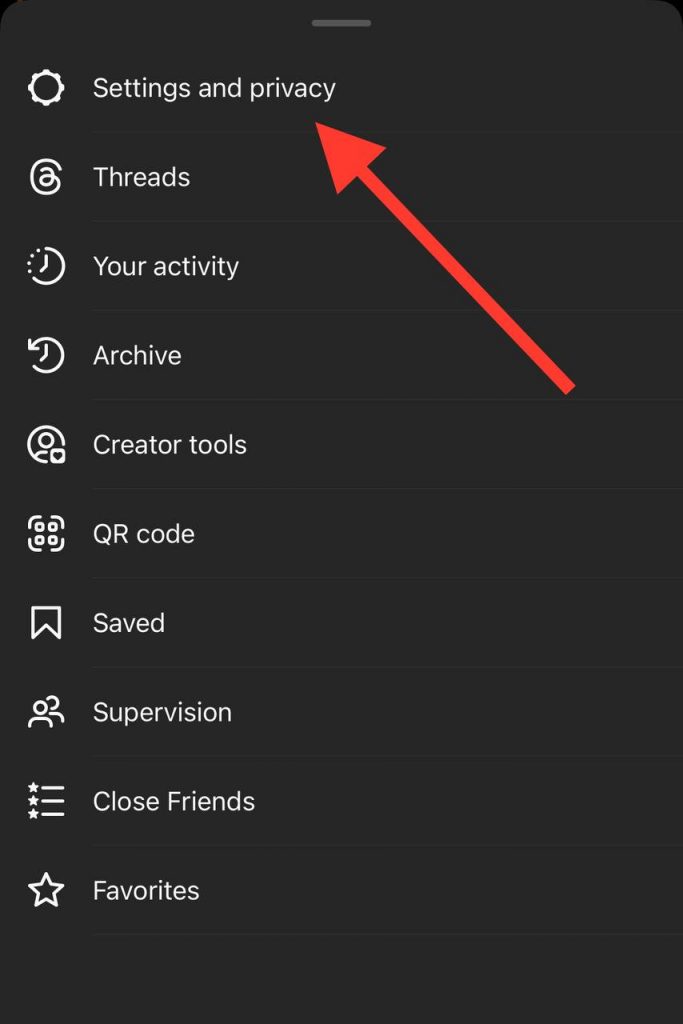
- Scroll down and tap ‘Help’.
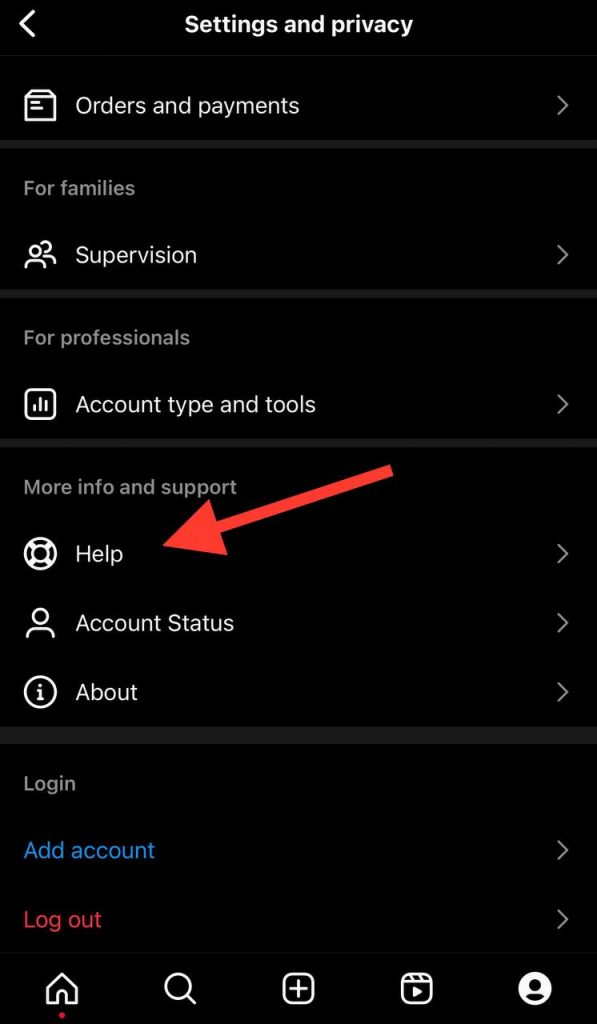
- From here, you can tap ‘Help Centre’, which will take you to Instagram’s online help center, or ‘Report a Problem’, where you can directly report your issue to Instagram.
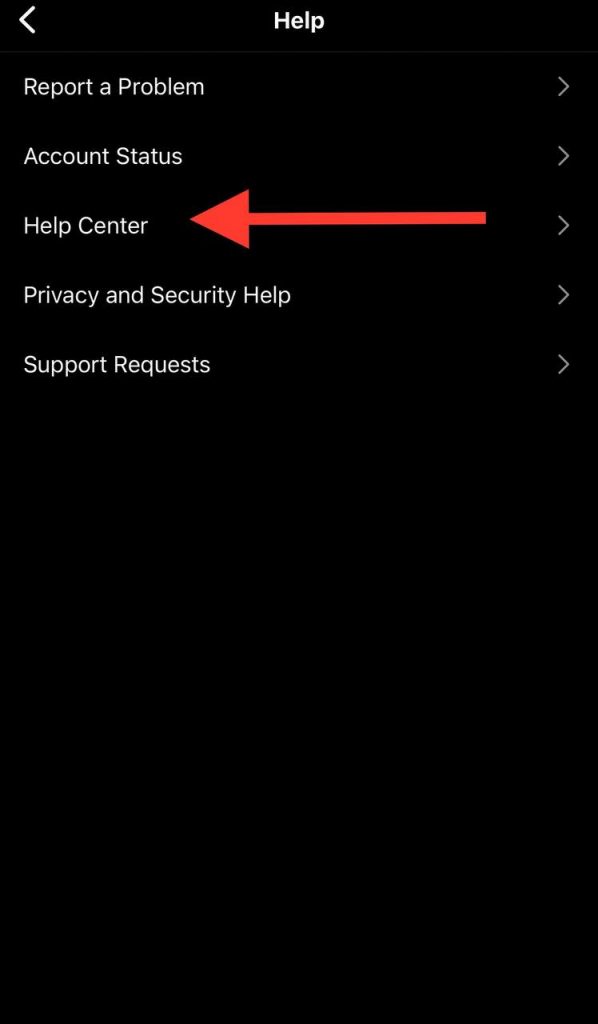
Explain your issue clearly, mentioning that you’ve tried updating the app and waited for the feature to roll out but can still not access Instagram Notes.
Creating and Managing Instagram Notes
Now that we’ve covered restoring visibility for Instagram Notes, let’s dive into how to enable, create, and manage them.
How to Enable and Create Notes on Instagram
Enabling Instagram Notes is pretty straightforward, and the process is similar for both Android and iPhone users.
Guide for Both Android and iPhone Users
- Open the Instagram app on your smartphone.
- Tap the ‘+’ icon at the bottom center of your screen to create a new post.

- Choose the photo or video you want to post and tap ‘Next’.
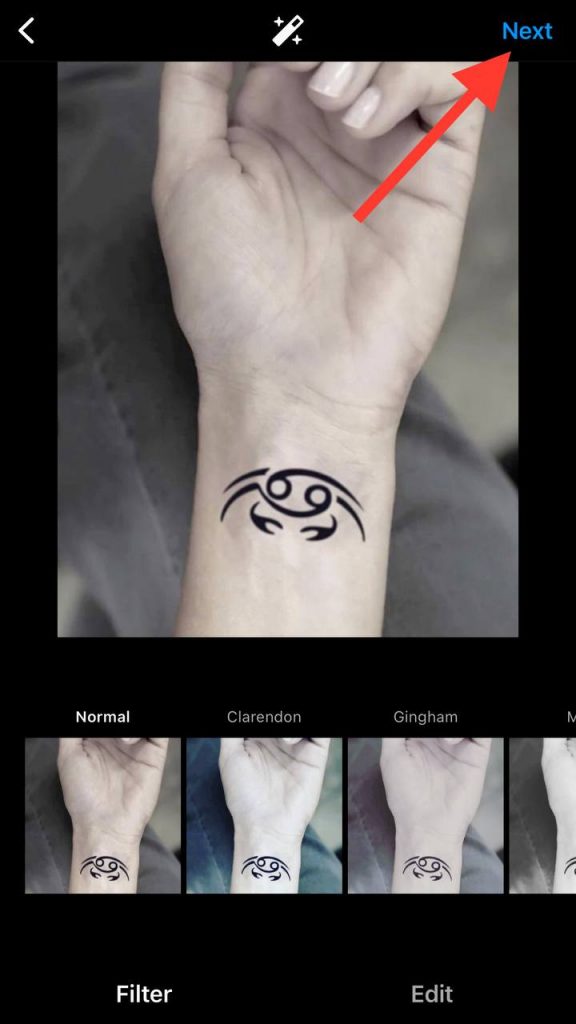
- After choosing a filter (if you wish) and tapping ‘Next’ again, you’ll see a screen where you can write a caption, tag people, and add a location.
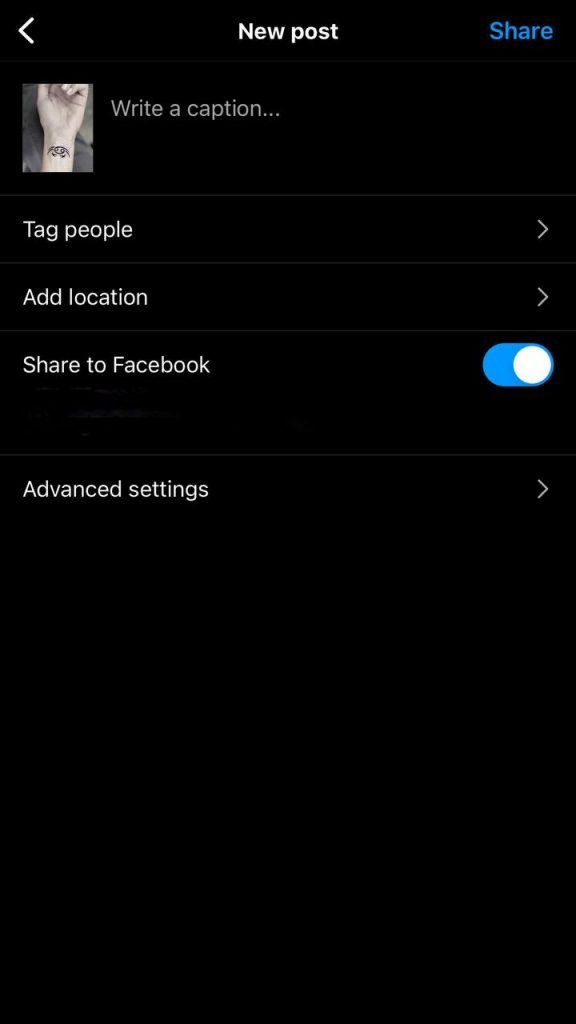
- You should see the ‘Add Note’ option underneath the caption box. Tap it.
- You can write your note here, providing extra context, details, or shoutouts related to your post.
- Once you’re happy with your note, press ‘OK’ or ‘Done’.
- Finally, share your post. Your note will appear underneath your caption.
Frequently Asked Questions

Questions often arise when dealing with new Instagram features like Instagram Notes. To help you navigate this fresh terrain, we’ve compiled and answered some frequently asked questions.
Why are Instagram Notes Still Unavailable After I Updated it?
Instagram often introduces new features gradually to manage server loads and assess performance.
Waiting for a little while should resolve the issue. However, if the feature doesn’t appear after a significant amount of time, consider contacting Instagram Support for assistance.
How to Activate Notes on Instagram?
To activate or enable Instagram Notes, simply navigate to the caption screen when creating a post. Below the caption box, you should see an ‘Add Note’ option. If you don’t see this option, ensure your Instagram app is updated, and the feature has been rolled out in your region.
What’s the Lifespan of Instagram Notes?
Instagram Notes aren’t temporary—they stay with your posts as long as they are live on your profile. They’re an integral part of your post, similar to a caption, and provide additional context or information.
Are Instagram Notes Visible to All My Followers?
Yes, Instagram Notes are visible to everyone who can see your post. This includes all your followers and, depending on your privacy settings, potentially anyone on Instagram.
Can I Edit or Delete an Instagram Note After Posting?
Yes, you can edit or delete an Instagram Note after posting. Go to the post, tap the three-dot menu at the top right corner, and choose ‘Edit’. From there, you can modify or delete your note.
Can I Use Hashtags and Mentions in Instagram Notes?
Yes, just similar to captions, you can include Instagram hashtags and mention them in your Instagram Notes. This can help increase the visibility of your post and enhance engagement.
Is There a Word Limit for Instagram Notes?
There’s a limit of 2200 characters for Instagram Notes, the same as the limit for Instagram captions. This includes the characters in hashtags and mentions.
Can I Add Multiple Notes to a Single Instagram Post?
As of now, Instagram only allows one note per post. However, keep an eye on updates from Instagram in case they change this feature in the future.
Wrapping Up
We hope this guide has cleared up all your questions, whether you’re eager to add more context to your posts with Notes or simply curious about the newest Instagram feature.
We’ve covered everything from understanding the importance of keeping your Instagram app up to date to learning how geographical limitations and profile update timelines can affect your access to new features.
Remember, staying patient, regularly checking for updates, and not hesitating to reach out to Instagram Support helps ensure a seamless Instagram experience.
And when you do get access to Instagram Notes, we’re sure you’ll make the most of this exciting feature, taking your Instagram posts to a new level.
Keep experimenting, keep posting, and above all, keep enjoying your Instagram journey!

Emi Daniel
Buy an Established Instagram Account
Skip starting from zero. Browse Instagram/TikTok accounts with audiences across many niches.
See Available AccountsRelated articles
-

How to Use Instagram: The Creator’s Guide to Building an Audience
Instagram in 2026 is no longer just a place to collect followers. The creators who grow consistently are the ones who understand how to earn attention, turn…
17 min readEmi Daniel
-

How to Go Live on Instagram: A Step-by-Step Guide
Going live can feel more stressful than posting a Reel. You cannot remove a pause, rewrite a sentence, or start over after an awkward moment. But that…
17 min read -

Instagram Instants Feature: What It Is, How It Works, and How to Turn It Off
The first time I opened Instagram Instants, I almost backed out. I had taken a normal photo. Nothing worth editing. Nothing worth posting. Nothing that needed an…
11 min read