

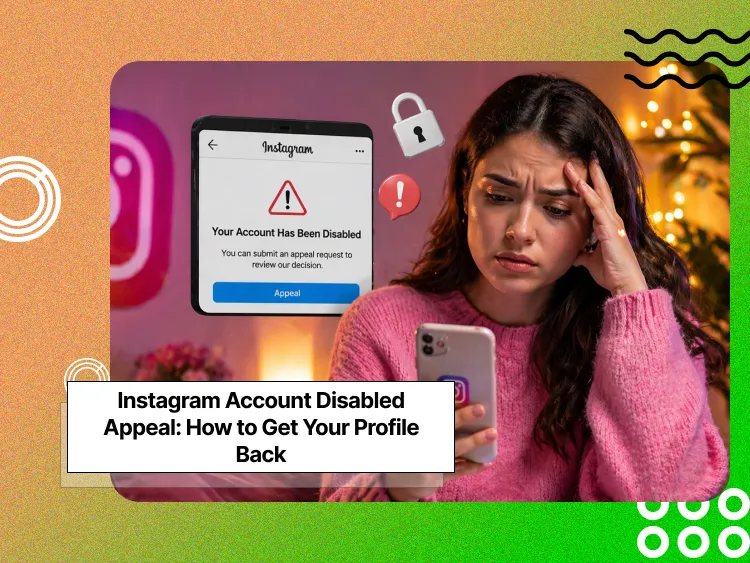
Did your Instagram account suddenly disappear? Few digital experiences feel as jarring as discovering your Instagram profile has been disabled, but the good news is, you can recover it through a proper Instagram account disabled appeal.
Whether you’re an influencer whose livelihood depends on the platform, a business owner connecting with customers, or simply someone who values their digital memories, losing access to your account can be devastating.
The good news? Many disabled Instagram accounts can be recovered through a proper appeal process.
Buy an Established Instagram Account
Skip starting from zero. Browse Instagram/TikTok accounts with audiences across many niches.
See Available AccountsIn this comprehensive guide, we’ll walk you through exactly what to do when facing an Instagram account disabled notice, from understanding why it happened to submitting an effective appeal that gets results.
Let’s get your Instagram profile back where it belongs: in your hands.
Why Instagram Disables Accounts: Common Violations You Must Know
Instagram takes certain violations of its policies very seriously. The most frequent reasons accounts get disabled include:
- Spam and Automated Activity That Can Disable Your Account
Following or unfollowing too many accounts quickly, excessive commenting, or using automation tools. Note that commenting with too many emojis on a post is also a spammy behavior on Instagram.
Protect your account from risky followers by learning how to identify and prevent fake followers on Instagram.
- Copyright and Trademark Violations on Instagram
Posting others’ trademarked or copyrighted work. To avoid it, you can quote or attribute the origin of the material.
- Hate Speech, Bullying, and Community Guideline Violations
Posts that contain hateful remarks or threats to individuals or groups. Even if you post hateful remarks or material or even bully someone, Instagram considers it a warning sign.
- Nudity and Inappropriate Content Restrictions
Sharing explicit images that violate Instagram’s community guidelines.
- Account Impersonation Rules
Creating accounts that pretend to be someone else, especially public figures.
- Instagram Age Restrictions You Must Follow
Users under 13 are not permitted on the platform.
Understanding which of these might apply to your situation helps you craft a more effective appeal.
How Instagram’s Community Guidelines Affect Your Account?
Instagram’s Community Guidelines serve as the site’s rulebook, defining the behavior and content that is acceptable.
The guidelines are in place to make Instagram a safe place for its global user base, which is diverse.
You accepted these conditions when you signed up for your Instagram account. Instagram uses both automated computer systems and human moderators to flag potential violations.
Unfortunately, these systems are not perfect, and that’s why legitimate accounts are sometimes misflagged.
The policies evolve, and thus, behavior that was acceptable years ago can now trigger enforcement. This is especially relevant to old accounts that have not evolved with more recent policies.
Temporary vs. Permanent Instagram Account Disabling Explained
Not all account disabilities are created equal. Instagram distinguishes between temporary restrictions and permanent disabling:
- Temporary restrictions typically result from less severe infractions or suspected unusual activity.
These might limit your ability to comment, like, or follow, but your account remains visible. These restrictions usually lift automatically after a set period (often 24-48 hours).
- Permanent disabling is more serious and requires a formal appeal. Your profile becomes inaccessible to both you and others, and without a successful appeal, the account remains disabled indefinitely.
The good news is that even “permanent” disabling conditions can often be reversed through a successful appeal, especially if they resulted from a misunderstanding or false flagging.
Staying updated on Instagram’s latest changes can help you understand why certain restrictions happen and how to avoid them in the future.
First Steps to Take When Your Instagram Account Is Disabled
Take these actions to increase your chances of recovery:
Check Your Email for Instagram Disabled Account Notifications
The first place to look is your email inbox, specifically the address connected to your Instagram account.
Instagram typically sends an official notification explaining:
• That your account has been disabled
• The general reason for the action
• Instructions for appealing the decision
Check your spam or promotions folders, as these notifications sometimes get filtered and you don’t notice them.
This email provides information about why your account was disabled, which helps formulate an effective appeal.
Use the Instagram App to Start Your Account Appeal
Try to access Instagram via the mobile app; If your account is disabled, you should receive a message indicating so when attempting to log in.
Navigate to the Help section by:
1. Tapping “Get help logging in” on the login screen
2. Selecting “Need more help?”
3. Following prompts for disabled account assistance.
This in-app path often leads to specialized recovery forms based on your specific situation.
Check If Your Account Is Temporarily or Permanently Disabled
Your ability to log in reveals important information about your account status:
• If you can log in but see a message that your account is “disabled for violating our terms,” this is generally a temporary suspension with an in-app appeal.
• If you cannot log in at all and see a message that your account has been disabled, you will need to resort to external avenues of appeal.
• If you’re able to sign in but some features are limited, you’re probably facing a temporary restriction instead of complete account disabling.
Document everything while doing this assessment: screenshots of the error messages, the timestamp, and the steps you were on before the disabling happened.
How to Appeal a Disabled Instagram Account: Step-by-Step Guide
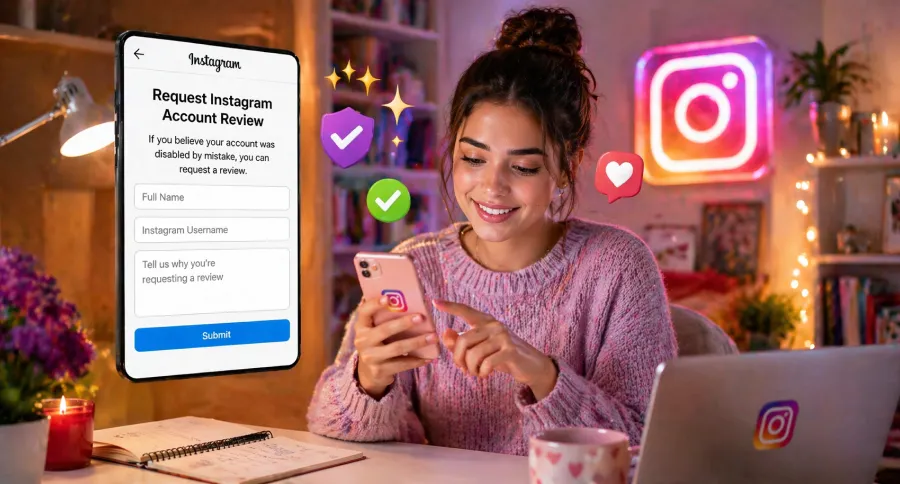
Instagram offers several official channels for appealing a disabled account. Understanding each option helps you choose the most appropriate approach.
Appealing Through the Instagram App
If you can still access the app partially, you may see an in-app option to request a review:
1. Attempt to log in to your disabled account
2. On the error screen, look for “Learn More” or “Request Review”
3. Tap this option and follow the on-screen instructions
4. You’ll need to provide your full name, username, and explanation
This method works best for accounts that have been temporarily restricted or recently flagged but not completely removed from access.
Appealing Through Instagram’s Online Form
For completely disabled accounts, Instagram’s dedicated appeal form is your primary resource:
1. Visit the “My Instagram Account Was Deactivated” form (easily found through search)
2. Enter the email address associated with your account
3. Provide your full name as it appears on the account
4. Enter your Instagram username (@username)
5. Explain why you believe the account was disabled by mistake
6. Submit the form and note the date for follow-up purposes
Complete all fields thoroughly, as incomplete information can delay the review process.
Essential Documents to Include in Your Instagram Appeal
Strengthening your appeal with proper documentation significantly increases your chances of success:
- Proof of identity: A clear photo of government-issued ID that matches the name on your account (cover any sensitive information not needed for verification)
- Business verification: If appealing for a business account, include business registration documents or other official proof of association
- Content context: If your account was disabled for specific content, provide context explaining the misunderstanding
- Account history evidence: Screenshots of positive account interactions or community contributions that demonstrate good standing
- Submit high-quality, legible images of these documents to avoid delays in processing.
5 Proven Tips to Strengthen Your Instagram Account Appeal
1. Be honest and specific: Directly address the potential violation without making excuses.
2. Remain professional: Avoid emotional language, accusations, or threats; maintain a respectful tone.
3. Demonstrate understanding: Show that you comprehend Instagram’s guidelines and are committed to following them.
4. Keep it concise: Focus on relevant facts rather than lengthy explanations.
5. One appeal at a time: Submit a single, complete appeal rather than multiple submissions that could confuse the review process. Submitting too many appeals can also be considered a red flag!
Remember that real people review these appeals, so clarity and professionalism matter.
How to Build a Winning Instagram Appeal Case
The quality of your appeal significantly impacts your chances of recovery.
Here’s how to build the strongest case possible.
Providing Proof of Identity for Account Verification
Identity verification is often crucial to successful appeals:
• Use a current, government-issued photo ID that clearly shows your face
• Ensure the name matches the one on your Instagram account
• Include your date of birth if it’s required in the form
• Make sure the image is well-lit and all text is legible
For business accounts, be prepared to prove your association with the business through official documentation or company email addresses.
Explain Violations Clearly Without Admitting Fault
Craft your explanation carefully:
• Acknowledge the specific guideline that might have been violated
• Explain any context that might have led to a misunderstanding
• Avoid definitive statements of guilt if you believe no violation occurred
• Focus on your commitment to guideline compliance moving forward
For example, instead of “I didn’t post any nude content,” say “The fitness content on my account follows community guidelines by focusing on exercise techniques rather than explicit imagery.”
Writing a Compelling Appeal That Gets Results
Structure your appeal for maximum impact:
• Clear introduction: State your username and when the account was disabled
• Factual middle section: Provide context and explanation without emotional language
• Action-oriented conclusion: Express willingness to correct any issues and request a specific review
Keep your appeal under 250 words to ensure it’s fully read and considered by reviewers who handle numerous cases daily.
Alternative Ways to Recover a Disabled Instagram Account
When standard appeal processes don’t yield results, consider these alternative approaches.
Using Facebook Business Support for Instagram Issues
Since Meta (formerly Facebook) owns Instagram, business users have additional recovery options:
1. Log in to your linked Facebook Business account
2. Navigate to Facebook Business Help Center
3. Select “Need More Help” and choose “Instagram” from the products list
4. Submit your issue through the business support channels
This method often provides faster response times for accounts associated with active business profiles or advertising accounts.
Contact Instagram via Multiple Support Channels
Diversify your approach by trying these additional support channels:
• Instagram’s Twitter support: Tweet @InstagramComms or @Instagram describing your issue (without sharing personal account details publicly)
• Report a Problem feature: If you have access to any Instagram account, use the “Report a Problem” option in Settings to describe your disabled account issue
• Instagram Help Center: Submit help requests through different relevant sections, as some paths receive different levels of attention
Maintain consistent information across all channels to avoid confusion.
Escalate Through Meta Concierge for Business Accounts
For business accounts with significant following or advertising history, Meta offers concierge support:
• Available to accounts that have spent above certain thresholds on Facebook/Instagram ads
• Provides more personalized assistance and sometimes faster resolution
• Can be accessed through the Facebook Business Help Center’s chat feature (if available to your account)
This premium support option isn’t available to all users, but it can be extremely effective when accessible.
What to Do After Submitting Your Instagram Appeal?
The waiting period after submitting your appeal can be stressful.
Here’s how to manage this time effectively:
How Long Instagram Appeals Usually Take
Understanding typical response times helps manage expectations:
• Standard appeals typically receive responses within 24-48 hours for simple cases
• Complex situations involving content reviews may take 7-14 days
• During high-volume periods (holidays, platform updates), responses can take 30+ days
The absence of a response doesn’t necessarily mean rejection; persistence is key during this waiting period.
Follow-Up Tips for Your Instagram Appeal
After submitting your initial appeal:
• Wait at least 48 hours before any follow-up
• Use the same email address for all communications to maintain case continuity
• Submit a follow-up through the same form regarding your original submission date
• Limit follow-ups to once weekly to avoid flagging your case as spam
Each follow-up should include your username, full name, and original appeal date for proper tracking.
Setting Up a Temporary Profile Safely
While waiting for a resolution, you might consider a temporary presence:
• Create a new profile with clear differentiation from your disabled account
• Include “temporary” in the username or bio to signal its purpose
• Avoid recreating exact content from your disabled account
• Don’t use automation tools or mass-following techniques that could trigger restrictions
Remember that this is a stopgap measure; focus primarily on recovering your original account.
How to Prevent Your Instagram Account from Getting Disabled Again
Once your account is recovered, take proactive steps to prevent future problems.
7 Best Practices to Stay Compliant with Guidelines
1. Regular guideline reviews: Check Instagram’s Community Guidelines quarterly for updates
2. Content pre-screening: Before posting controversial content, review it against current policies
3. Engagement moderation: Maintain natural engagement patterns; avoid rapid following/unfollowing
4. Third-party app audit: Remove permissions for any unauthorized tools that access your account
5. Strong authentication: Enable two-factor authentication and use strong, unique passwords
6. Regular device logout: Periodically sign out from unfamiliar devices via account settings
7. Comment monitoring: Regularly review comments on your posts to remove policy violations
Implementing these practices significantly reduces your risk of future account issues.
To reduce the risk of future account issues, consider posting at the best times for engagement on Instagram to maintain natural activity patterns.
Tools to Monitor Your Account’s Health
Several legitimate tools help maintain account compliance:
• Instagram Professional Dashboard: Review insights and account status directly through Instagram
• Creator Studio: Monitor content performance and potential policy flags for business accounts
• Notification settings: Enable all security notifications to catch unusual activity early
Regularly checking these resources helps identify potential issues before they trigger account actions.
Backup Your Instagram Content to Protect Your Account
Protect your content investment with these backup practices:
• Download your Instagram data monthly through Settings > Security > Download Data
• Save high-value posts to your device after publishing
• Maintain an off-platform portfolio of your best content
• For businesses, archive campaign assets in cloud storage solutions
These backups ensure that even if account issues arise, your content investment remains protected.
Last Resort Options When Your Instagram Account Cannot Be Recovered
Sometimes, despite best efforts, account recovery isn’t possible. Here’s how to move forward.
Legal Steps for Disabled Instagram Accounts
In rare cases involving significant business impact:
• Consult with an attorney specializing in digital media law
• Consider a formal cease and desist letter if you believe legal rights were violated
• Evaluate whether the terms of service were properly applied in your specific case
Legal action should be considered only as a last resort, as these cases are costly and have limited precedent for success.
Starting Fresh: Building a New Instagram Presence
When recovery isn’t possible, rebuild strategically:
• Choose a username that maintains brand consistency while being distinct
• In your bio, avoid mentioning that your account was disabled
• Focus on quality over quantity in rebuilding your following
• Leverage your presence on other platforms to announce your new account
• Apply all learned lessons to maintain strict guideline compliance
Many creators have successfully rebuilt their presence by focusing on higher-quality, guideline-compliant content.
Tips from Successful Instagram Appeal Stories
The Instagram community offers valuable recovery insights:
• Reddit communities like r/Instagram often share successful appeal strategies
• Professional forums for social media managers document effective approaches
• Industry publications regularly update best practices for account recovery
Study these resources for evolving tactics that match Instagram’s current review processes.
If you think recovery isn’t possible, consider purchasing an established Instagram account and rebuilding strategically!
Conclusion
Recovering a disabled account takes patience, documentation, and strategy. Following these steps ensures the best chance of a successful Instagram account disabled appeal and protects your digital presence for the future.
Remember that Instagram’s review processes are designed to maintain platform integrity, but they also provide legitimate users with paths to recovery.
Document everything, remain professional in all communications, and demonstrate your commitment to following community guidelines.
Your Instagram presence represents a significant investment of time and creativity. Taking the right steps now helps protect that investment for the future.
FAQs
How do I appeal a disabled Instagram account?
Use the in-app appeal form or visit Instagram’s Help Center to submit a request for review.
What information do I need to provide in my appeal?
Include your full name, username, email, and any proof of identity that Instagram requests.
Why was my Instagram account disabled?
Accounts can be disabled for violating Instagram’s community guidelines or terms of service.
How long does the appeal process take?
Response times vary, typically taking a few days to a couple of weeks.

Emi Daniel
Buy an Established Instagram Account
Skip starting from zero. Browse Instagram/TikTok accounts with audiences across many niches.
See Available AccountsRelated articles
-

How to Clear Instagram Cache on iPhone, Android & Desktop
Instagram can quietly build up a lot of temporary files while you scroll through Reels, watch Stories, save posts, and upload your own content. You may not…
12 min readEmi Daniel
-

How to See Who Reposted Your Instagram Post (2026 Guide)
Someone reposted your Instagram post, but you have no idea who it was. You check notifications, search through your profile, and still cannot find a clear answer. …
18 min read -

How to Reset Instagram Algorithm in 2026
Instagram can start showing too much of the same type of content. Your Explore page may no longer match your interests, Reels may feel repetitive, or suggested…
12 min read