

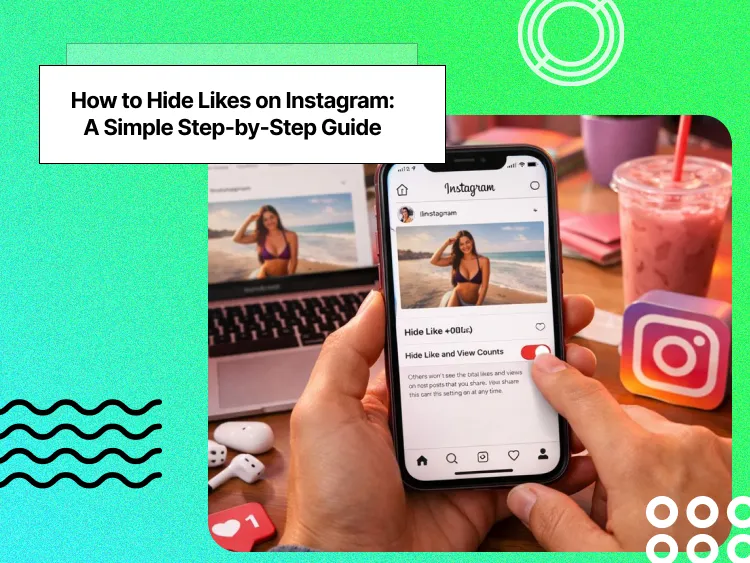
Instagram features a heart option on every post and story, which content creators intend to make red to increase the number of likes on their posts, Reels, and stories.
Nowadays, users are more concerned about the number of likes on their Instagram posts than ever before, and they usually feel pressured to seek validation through these numbers.
The number of likes tells different things about content; first of all, if an Instagram post has a huge number of likes, more people tend to like it and interact with that post and account.
Buy an Established Instagram Account
Skip starting from zero. Browse Instagram/TikTok accounts with audiences across many niches.
See Available AccountsMoreover, Instagram likes affect the account’s engagement and show others how people find your content engaging, worthy, and valuable.
That is why Instagram has launched a feature that enables users to hide likes on their Instagram posts to have a more private experience using this platform.
If you want to understand how to hide Instagram likes or just learn how others enable this feature, you are in the right place.
In this article, we will discuss all the information you need to know about hiding Instagram likes, review the reasons you may want to go over this process, examine whether hiding Instagram likes affects your account’s engagement, and more.
Why Do People Hide Likes on Instagram?
We all know that Instagram likes are a great measure of popularity; however, some users prefer to disable this feature for several reasons, which we will examine in the section below.
To remove biased opinions
Instagram likes sometimes can lead to a sense of social bias and cause users to compare and judge accounts based on the number of likes on their posts.
That is why some people choose to turn this feature off to minimize or avoid biased opinions on their content.
To encourage users to engage with your content
As you know, when you hide likes on your posts, others can not see the number of likes on your content, which encourages them to have more interactions with your posts.
Therefore, more people will comment on your post and will support your content because they find it valuable.
To protect mental health

The number of likes on Instagram posts can impact mental health, which is the reason most people compare themselves to those who receive too many likes.
This leads to low self-esteem, anxiety, and depression, which will stop you from being active on Instagram again.
Thus, to have better control over your mental health while using social media, hiding likes on your posts is one of your best options.
To avoid seeking social validation
Instagram likes play a crucial role in social validation; it has been said that once you start gaining too many likes on your posts, you will try to increase this number to get more validation.
However, if you disable this feature, you will only focus on building healthy relationships with your followers and try to grow your account without worrying about what others think about you.
To create more quality content
When you create high-quality content, more people will like it, which causes you to become more picky over what you want to share because you need to receive a huge number of likes to ensure your content is high-quality.
If you want to stop just sharing any content to receive likes, you can turn this feature off to stay focused on creating quality content.
How to Hide Likes on Instagram in 2025
Did you know that Instagram allows you to hide likes on your posts or Reels to better control your account?
Instagram’s 2025 updates haven’t changed the way you hide likes, but some menu labels look slightly different. So, don’t worry if your settings look a bit new; the steps below still work the same.
If you want to explore all the latest changes on Instagram, check out our 2025 Instagram Update Guide for Social Media Managers.
How to Hide Instagram Likes Before Publishing Your Post
If you want to hide likes on your post before you even share it to your account, you can try the simple steps explained in this section.
Step 1- Open Instagram on your mobile and create a new post as usual.
Step 2- When you can see the section where you can write the caption, scroll down and tap on the ‘Advanced Settings.’
Step 3- Select the ‘Like and share counts’ option from the menu and toggle the switch to enable this feature.
How to Hide Instagram Likes on Existing Posts
If you want to hide likes on all the posts you shared, you should do the following steps post-by-post, which is time-consuming.
Thus, we recommend hiding Instagram likes for your future posts instead.
Step 1- Open Instagram and go to the post where you want to hide its likes.
Step 2- Tap on the three-dot menu icon in the post’s top right corner.
Step 3- Now, choose the ‘Like and Share Count’ option from the menu.
Note that taking these steps will immediately hide the number of likes on that specific post and won’t work for other shared posts on your account.
Besides, if you ever change your mind and want to show the likes on your post, simply repeat the process and choose the ‘Unhide Like Count’ option.
Can You Hide Likes on Instagram Reels?
Instagram allows users to hide likes on their Reels; let’s see how to hide likes on Instagram Reels:
Step 1- Open Instagram and create a new Reel.
Step 2- Scroll down the menu and tap on the ‘Advanced settings’ option, before uploading the Reel.
Step 3- Toggle the button for ‘Hide like count on this reel’ to finish the process.
Hiding likes on Reels changes how your content is displayed to followers, but understanding how the Instagram Reels algorithm works can help you maintain reach and engagement even without visible like counts.
Is It Possible to Hide Instagram Likes on Others’ Posts?
As you know, Instagram is among the platforms that prefer quality to quantity, which is why it offers the option to hide likes on posts made by others, so everyone enjoys using this application.
To hide likes on others’ posts, follow the steps below:
Step 1- Open Instagram, go to your profile, and tap on the three-line icon in the top right corner of your profile.
Step 2- Scroll down the menu, and tap on ‘Like and share counts’ under the ‘What you see’ section.’
Step 3- Now, toggle the switch to enable this feature.
Can You Still See Hidden Likes on Instagram?
Now that you know how to hide Instagram likes, you may wonder if you can still see how many people liked your posts.
Note that when you hide likes on Instagram, it means that they won’t be visible to the public; however, you can still see them.
To see the hidden likes on your Instagram posts, follow the steps below:
Step 1- Open Instagram and navigate to the post you want to see its likes.
Step 2- Tap on the ‘Liked by’ section below your post.
Step 3- Now, you can see a window showing the number of likes on your post and the usernames of the accounts that liked your content.
It is important to remember that if you have a personal account rather than a business or creator account, you may not be able to see the total number of likes after hiding it.
Does Hiding Instagram Likes Affect Engagement?
As you know, Instagram likes are an important part of your account’s engagement and how people will interact with your content, affecting how your content is ranked in the Instagram algorithm.
Now, you may question whether hiding likes on Instagram posts influences your account’s engagement.
It is good to know that hiding Instagram likes does not directly affect your content’s visibility and reach, which means your posts’ algorithmic rankings and engagement metrics will not change.
The reason is that when you hide the number of likes on your posts, Instagram can still see the likes on your posts, and users can still interact with your account.
Finally, while hiding likes doesn’t directly impact your reach, maintaining strong engagement remains key to growth. For a deeper look at proven engagement strategies, see how to boost Instagram posts effectively.
Who Should Consider Hiding Instagram Likes?
Hiding likes on Instagram isn’t a one-size-fits-all decision. So, how does it work? Well, it depends on your goals, your audience, and how you use the platform. While some users find it freeing, others may prefer to keep their metrics public.
Here are a few types of people who might benefit the most from hiding like counts:
Content creators dealing with pressure or comparison
If you constantly find yourself checking numbers or comparing your likes to others, hiding them can bring a much-needed mental reset, as it allows you to focus on creativity, storytelling, and connection rather than chasing validation through engagement metrics.
Influencers who want real engagement
Without visible counts, followers are more likely to comment, share, or save posts because they genuinely enjoy the content, not because it already looks popular.
Brands focusing on content quality
If your brand values storytelling, education, or thought leadership, hiding likes can keep attention on what matters most: the message.
New or growing accounts
If your account is still gaining traction, hiding likes helps remove early social proof bias. People won’t judge your content based on small numbers and are more likely to interact naturally, which can accelerate organic growth.
Users prioritizing mental health
Anyone who feels self-conscious about public engagement metrics can benefit from hiding likes. Doing so promotes a healthier relationship with social media and reduces the constant need for external approval.
Pro Tip: If you’re unsure whether this feature is right for you, test it out! Hide likes on a few posts and keep them visible on others. Compare how your audience reacts and how you feel when creating.
Troubleshooting: Why You Can Not Hide Instagram Likes
Now that you are familiar with all aspects of hiding Instagram likes, it is time to learn why you can not hide likes on your posts.
Let’s examine the possible reasons you are not able to enable this feature.
You are using an outdated version of Instagram
The first reason may be using an outdated Instagram version; as you know, to effectively use Instagram, you must always keep it updated to the latest version because this option may be available on newer app updates.
To ensure your app is updated, check the App Store (iOS devices) and Google Play Store (Android devices) for any available updates for Instagram to install on your device, if there are any.
You are not in a supported region
As you may know, when Instagram releases a feature, it will work in specific regions only before it becomes available for all regions, so you can not enable this feature on your device because you are not located in a supported region.
Therefore, if you know you are not in one of the supported locations, you can use a VPN or wait for the feature to be available.
You have a business account
Did you know that Instagram offers different settings and features for personal and business/creator accounts?
It is true because every user has their specific needs, and Instagram wants to satisfy its users, which means if you use a business account, you may not be able to use features, such as hiding likes.
Thus, if you have such an account and want to use this feature at all costs, you can switch to a personal account to hide likes on your account; however, note that doing so may cut off some of your accessibility.
You already enabled this option
It is good to remember that if you have hidden likes on your Instagram posts in the past and want to show them again, this option won’t be available immediately, which is why you can not enable it.
Instagram restricts certain activities to protect its privacy, so this feature may take some time to appear on your account. You can constantly check your Instagram settings to see when it becomes available again.
Should I Hide Likes on Instagram or Not? (Pros & Cons)
| Pros of Hiding Likes | Cons of Hiding Likes |
| Reduces pressure & comparison – You won’t constantly compare your likes with others. | Lack of social proof – Followers can’t see how popular your posts are, which might reduce perceived credibility. |
| Protects mental health – Less focus on numbers means lower risk of anxiety, low self-esteem, or validation-seeking. | Brands may prefer visible likes – If you’re working with sponsors, they may want to see engagement metrics publicly. |
| Encourages genuine engagement – People interact because of the content, not because it already has many likes. | Followers may get curious – Some might think you’re hiding likes because of low engagement. |
| Keeps focus on content quality – Lets you post more creatively without worrying about “how many likes” you’ll get. | Harder to gauge success publicly – Without visible likes, it’s tougher for others to measure what’s working for you. |
| Avoids seeking validation – Helps shift focus to building relationships with your audience. | May confuse new followers – Some users expect to see likes and may find hidden numbers unusual. |
A friendly tip: If you’re a creator or influencer, you can experiment; hide likes on some posts and keep them visible on others. This way, you’ll know which approach resonates more with your audience and with brands.
Conclusion
Instagram likes are a vital feature on the platform, and users try their best to reach a high number of likes as much as possible because one important metric that causes content to go viral is the number of its likes.
However, some users prefer to hide likes on their posts for several reasons, such as protecting their privacy, removing biased opinions, decreasing the need for social validation, etc.
Thus, knowing how to hide likes on your posts helps you to maintain more privacy while keeping your audience engaged with your account.
We hope you find this article helpful and start to use Instagram better!
FAQs
Can I see who liked my post even if I hide the likes?
Yes, you can still see who and how many likes your posts have. The only thing you need to do is tap on ‘Likes by’ below the post.
Can I hide likes on Instagram for all posts at once?
Yes, you can hide likes for all future posts at once in your account settings, but you’ll need to adjust older posts individually.
Why don’t I have the option to hide likes on Instagram?
It could be because your app isn’t updated, or Instagram hasn’t rolled out the feature to your account yet. Updating the app usually fixes it.
Can people see the number of likes on my Instagram posts?
If you have a private account, only your approved followers can see the likes on your posts, while with a public account, everyone is able to see who and how many people liked your content, unless you hide the likes on your posts.
Can I see if someone checks my likes on Instagram?
No, because Instagram does not allow you to see who views your account, which means you can not understand whether someone has checked the likes on your posts.
Can people tell if I hide likes on Instagram?
No, people can’t see that you’ve turned off likes; they’ll just notice that the like count isn’t showing on your posts.
Can business accounts hide likes on Instagram?
Yes, business accounts have the same option to hide likes as personal accounts.

Emi Daniel
Buy an Established Instagram Account
Skip starting from zero. Browse Instagram/TikTok accounts with audiences across many niches.
See Available AccountsRelated articles
-

How to Clear Instagram Cache on iPhone, Android & Desktop
Instagram can quietly build up a lot of temporary files while you scroll through Reels, watch Stories, save posts, and upload your own content. You may not…
12 min readEmi Daniel
-

How to See Who Reposted Your Instagram Post (2026 Guide)
Someone reposted your Instagram post, but you have no idea who it was. You check notifications, search through your profile, and still cannot find a clear answer. …
18 min read -

How to Reset Instagram Algorithm in 2026
Instagram can start showing too much of the same type of content. Your Explore page may no longer match your interests, Reels may feel repetitive, or suggested…
12 min read