


Who doesn’t love a good Instagram Reel? They’re fun, engaging, and a great way to share a slice of life with friends, family, or even customers if you’re a business owner. But creating them must make you wonder:
“How can I design an Instagram reel on my own?”
It may need the design skills or the budget for expensive tools.
Buy an Established Instagram Account
Skip starting from zero. Browse Instagram/TikTok accounts with audiences across many niches.
See Available AccountsDont worry! You can do it all on your own now.
Want to know more about these tools and how to use them?
Keep scrolling and design your reels with free Instagram rels templates and without anyone helping you!
What are Instagram Reels?
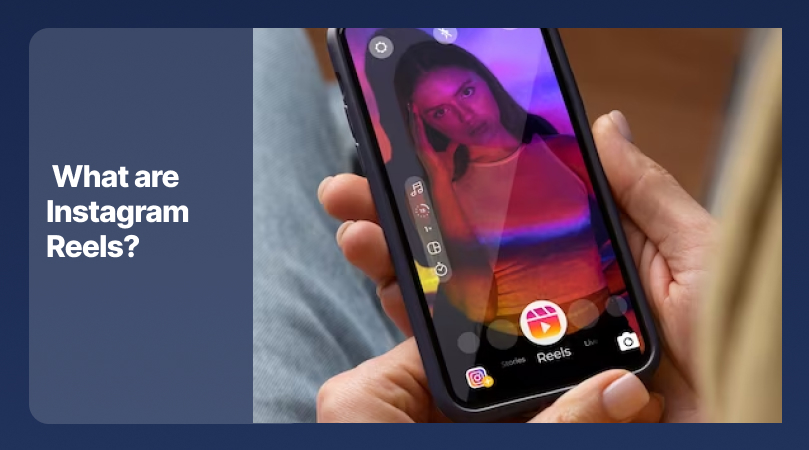
You open Instagram Explore and you see Reels! You open the account you like and you see Reels!
So why is Reels taking over social media? What makes it so popular?
All About Instagram Reels
Instagram Reels are short videos (up to a minute), and they’re actually combining TikTok’s creativity and Instagram’s community. Pretty cool, right?
You can create your own Reels by mixing different videos and music. It’s very easy and fun!
You can use Instagram reels to show your skills. They get a good impression, too.
So, if you’re looking for more followers for your lifestyle account or for selling your product, you must know how to work with reels.
Creating Reels Via Ready-to-Use Templates
What if you want to create a Reel, but video editing isn’t what you’ve done before?
No worries! That’s where free Instagram Reel templates come in.
These ready-to-use templates are designed to help you create professional-looking Reels without needing expert editing skills.
These templates come in different styles, themes, and formats, but you can decide which works better for your content.
Tools to Craft the Perfect Instagram Reels
Creating Instagram Reels can be so much fun; you don’t have to pay a pro editor for it!
Today, various user-friendly options are available to help. Here’s a list:
Tool 1: Free Instagram Reels Templates Websites

You can seek what you need on some websites that offer Reels templates. Just look them up on Google.
Websites like Simple Video Making, Canva, and Freepik offer various ready-made reel templates.
Go on and easily choose a template. Then you can add your content, and your favorite music, and have a Reel ready to impress which is all you and your creativity!
Tool 2: In-App Video Editor
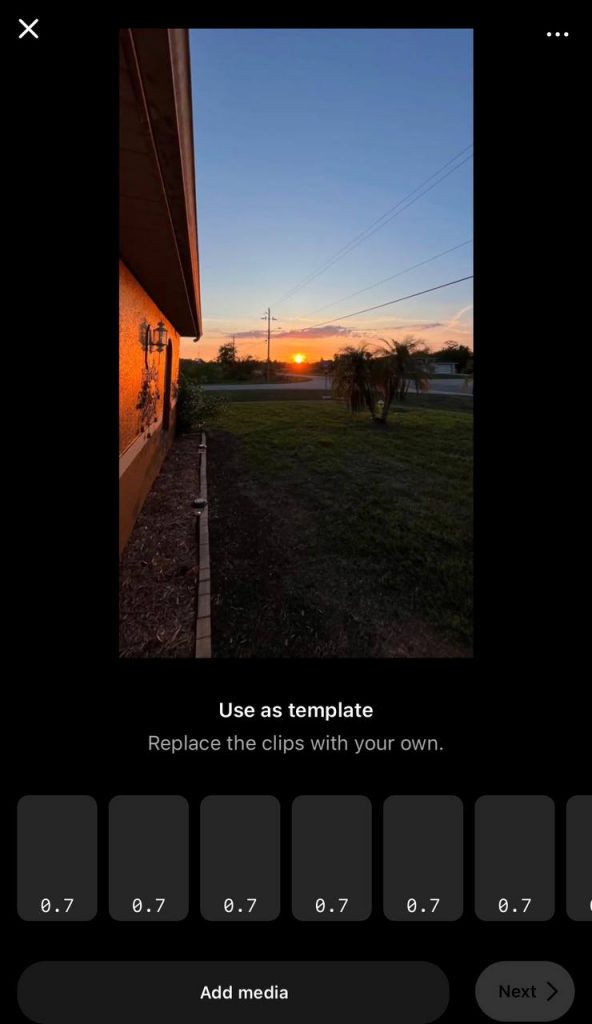
You can use the app itself!
This tool has everything you need, from trimming clips to adding effects and even text.
And the best part? It’s completely free to use! So, before testing any third-party apps or websites, take a look at Instagram and you may not need anything else!
Tool 3: Third-Party Animation Tools
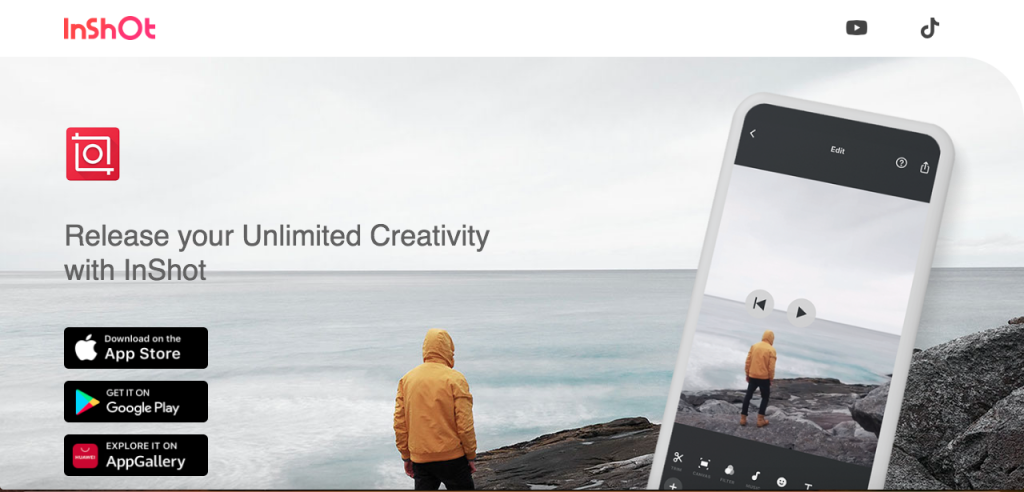
Animations are entertaining and build an impression.
You can use third-party animation tools like Adobe Spark or InShot to make your Reels stand out.
These tools provide various animation options, from basic text animations to visual effects. You don’t have to be a pro to use them. They’re very easy to use.
Some features may require you to pay for their subscription, but many of them offer free versions with the most important features.
Intuitive Video Editor for Streamlined Reel Creation
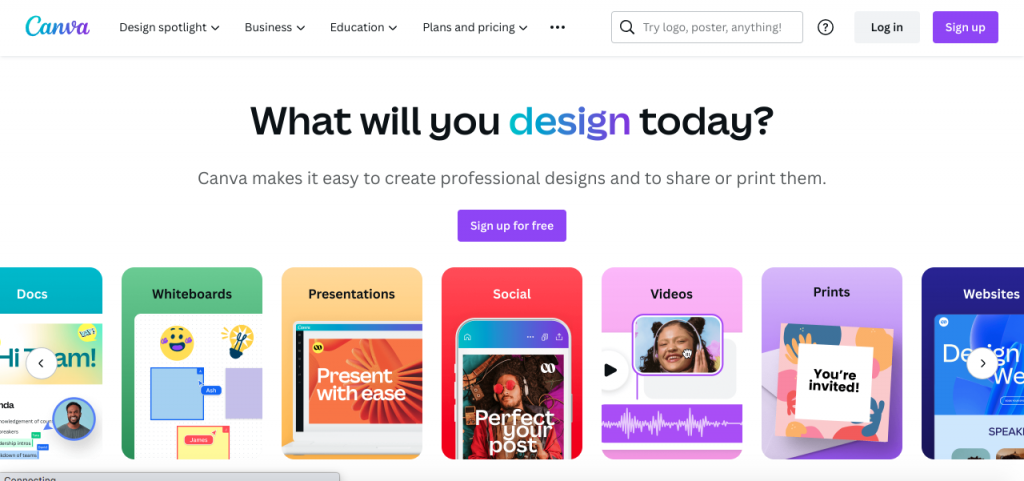
By using a video editor, you can produce Reels with the highest quality. These editors provide every feature that you need to create a professional Reel.
Canva or Adobe Spark are very user-friendly and that’s why very simple for beginners. The most important thing is your personal taste.
The apps do the rest!
Add Personality with Voiceover, text-to-speech, and Cool Animations
Want to make your Reels truly your own? Adding personality is key. Tools like in-app video editors or third-party apps offer features like voiceover, text-to-speech conversion, and animations that allow you to express yourself in unique ways.
Whether you’re narrating a story, adding quirky text effects, or integrating animated elements, these features empower you to make your Reels stand out from the crowd.
Collaborate with Your Team and Build Your Brand Kit

Collaboration is essential if you’re a business owner or part of a creative team. Many Instagram Reel creation tools offer features allowing you to work with your team on projects.
Share your templates, comment on others’ drafts, and build a brand kit with all you need: logos, colors, and fonts!
Free and Premium Options: Choose Your Plan
If you have a limited budget or want to have some advanced features, you can go for a premium plan.
The thing about free plans is that they offer essential tools and templates for personal use or small businesses. But the premium plans offer more options, tools, and a more extensive library.
So, if it’s something pro you’re after, premium is a better choice for you.
Expert Tips for Making Instagram Reels
Crafting Instagram Reels that captivate and engage your audience can be fulfilling. Whether you’re a novice or a seasoned creator, these pro tips can elevate your creations to new heights:
Pick the Right Template for You
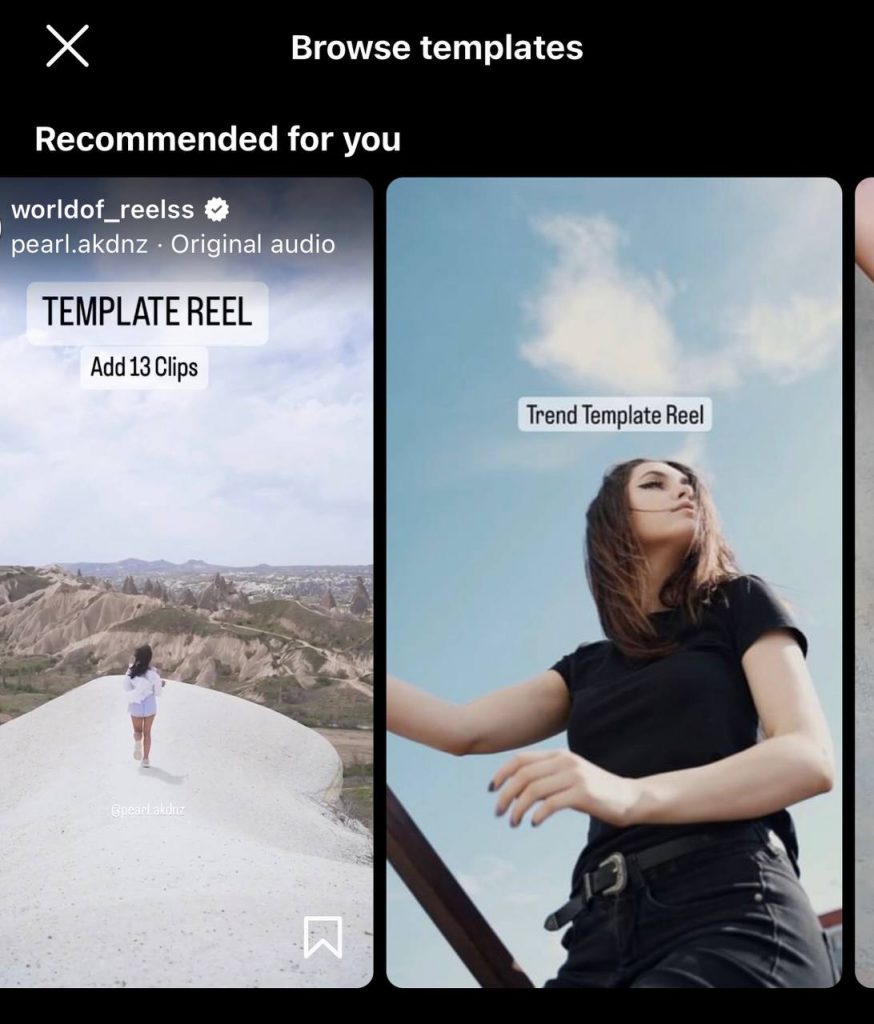
When creating an Instagram Reel, the first step is to choose the template that matches your content.
Select a template that aligns with yours by considering your target audience and the purpose of the Reel.
You can take a look at color psychology, like for a food Reel what color and font works better? What if for a mother/child Reel?
Personalize Your Reels with Unique Touches
When creating Reels, it’s important to show your personality or brand’s identity. You can make your Reels personal by choosing your own text, colors, music, and other elements.
Personalization is key to transforming a template into something that is uniquely yours.
Enhance Your Videos with Transitions and Filters
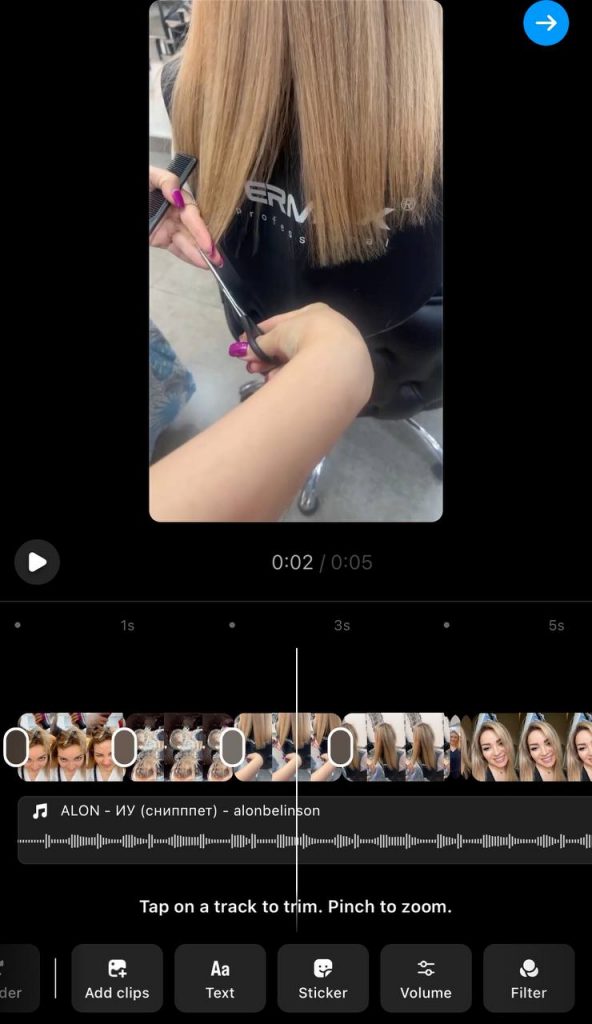
Just like spices in a dish, transitions, and filters can add flavor and depth to your Reels. Smooth transitions can create a seamless flow between clips, while filters can add a creative flair or a consistent look.
Try out different options to see what complements your content without overpowering it.
Simplified Methods for Adding Animations
Adding animation to your Reels can give them a magical touch. Whether you want to add a playful bounce or a sophisticated fade, animations can make your Reels more dynamic.
Many tools offer easy drag-and-drop methods for adding animations, so you don’t need to be an animation expert to bring your Reels to life.
Resize, Download, and Share: The Final Steps
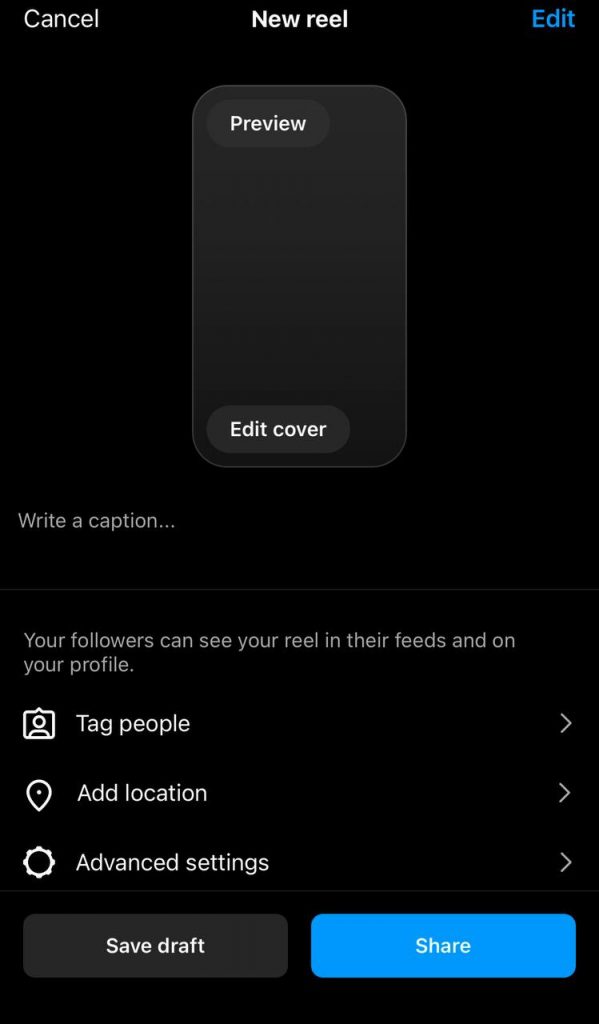
After creating your ideal Reel, it’s important to resize it according to Instagram’s standards, download it onto your device, and share it with your followers. Many editing tools provide easy resizing options; downloading is typically just a click away. Remember to add captivating captions and hashtags to increase the reach of your Reel.
Extra Resources and Inspiration
Creating Instagram Reels is an exciting journey with plenty of resources and inspiration to help you along the way. If you need free templates, time-saving options, or a boost of inspiration, here are some places where you can find additional guidance:
Save Time and Effort with Ready-to-Use Options
Pre-made options can make a huge difference when you’re short on time or prefer a stress-free process. These pre-designed templates and features enable you to produce visually appealing Reels with minimal effort and time investment.
By simply adding your content and clicking a few buttons, you can create a Reel that appears to have been professionally crafted.
You don’t have to sacrifice creativity to save time!
Frequently Asked Questions
What are Instagram Reels, and how can I use them?
Instagram Reels are short videos that you can create and share on Instagram. They last for 60 seconds and allow you to show your creativity, taste in music, and special effects. They build interaction and impression more than regular posts and stories.
Where can I find templates to use for my Instagram Reels?
You can find free templates for Instagram Reels on platforms like Canva, Adobe Spark, and others. You can also use the app itself since Instagram lets you choose from its free Reels templates.
Can I work with my team to create an Instagram Reel?
Working with a team on Instagram Reel creation is possible with many online tools like Canva. These platforms let you share drafts, comments, and your team’s vision.
What are some free tools for creating Instagram Reels?
The in-app editor on Instagram is entirely free, and platforms like Canva have free templates and editing tools.
Conclusion
Instagram Reels are now very popular on social media because they boost impressions! Every influencer and business owner is creating Reels.
Creating Reels gives you the opportunity to show your creativity and keep yourself entertained! Yes! Creating Reels can be your new hobby!
Instagram Reels is not just a feature. You can tell your story, show your brand, or simply let everyone see you through reels.
It doesn’t matter if you’re new to the Reels world, you can still be the best designer you know!
You can start by choosing a platform, whether paid or free, and then select your template, personalize it, and add some filters, animations, and music to your Instagram reel.
With your taste, you’ll have an innovative Reel in no time!
So why wait? The world of Instagram Reels is yours now! We can’t wait to see what you create!

Emi Daniel
Buy an Established Instagram Account
Skip starting from zero. Browse Instagram/TikTok accounts with audiences across many niches.
See Available AccountsRelated articles
-

How to Clear Instagram Cache on iPhone, Android & Desktop
Instagram can quietly build up a lot of temporary files while you scroll through Reels, watch Stories, save posts, and upload your own content. You may not…
12 min readEmi Daniel
-

How to See Who Reposted Your Instagram Post (2026 Guide)
Someone reposted your Instagram post, but you have no idea who it was. You check notifications, search through your profile, and still cannot find a clear answer. …
18 min read -

How to Reset Instagram Algorithm in 2026
Instagram can start showing too much of the same type of content. Your Explore page may no longer match your interests, Reels may feel repetitive, or suggested…
12 min read