

Browsing Instagram without an account is possible in some situations, but what you can view is limited. You may be able to view parts of a public profile in a browser, especially if you know the username, though Instagram may show a login prompt or restrict browsing when you’re logged out.
People may want to check a public brand, creator, or business profile without creating an account or signing in. Others simply want to find publicly available content through a browser or search engine.
This guide explains what you can and cannot view without an Instagram account, practical ways to find public profiles, and how to avoid misleading third-party viewer sites. Private profiles and posts require approval from the account owner.
Buy an Established Instagram Account
Skip starting from zero. Browse Instagram/TikTok accounts with audiences across many niches.
See Available AccountsIs It Possible to Browse Instagram Without an Account?
Yes, it is possible to browse Instagram without an account, but with some important limitations.
Over the years, Instagram has made it harder for non-users to access content freely, requiring most visitors to log in to view full profiles, stories, and posts.
However, there are still ways to view public profiles, explore hashtags, and check out location-based content without creating an account. This is done through web-based Instagram viewers, browser extensions, or specialized apps designed to show public Instagram content anonymously.
Keep in mind that:
- You cannot access private profiles without approval.
- Certain features like full Reels, comment sections, and Instagram Live are often restricted for non-logged-in users.
- Instagram may limit logged-out browsing or show a login prompt. Avoid third-party services that promise unlimited anonymous access or access to private content.
While Instagram makes anonymous browsing more challenging, with the right tools and techniques, you can still browse Instagram without an account effectively, safely, and ethically.
What You Can and Cannot View Without an Instagram Account
You may be able to view parts of a public Instagram profile in a web browser without signing in, especially when you know the account’s username.
However, Instagram can limit logged-out browsing or show a login prompt, and the available content may change over time.
Instagram Features You Can View Without an Account
| Content or feature | Available without an account? | What to know |
| Public profile details | Sometimes | You may see the username, bio, profile photo, and links, but Instagram can limit access. |
| Public posts and videos | Sometimes | A direct profile link or search result may show some content, but full browsing may require sign-in. |
| Stories, Highlights, and Reels | Limited | Availability varies, and Instagram may require you to log in. |
| Comments, likes, follows, saves, and messages | No | These features require an Instagram account. |
| Private profiles and posts | No | Only approved followers who are logged into Instagram can view private content. |
Do not rely on websites or apps that claim they can unlock private profiles or guarantee unlimited anonymous access. Instagram warns users not to share login information with untrusted third-party apps, and unauthorized automated collection of Instagram data can violate its Terms of Use.
How Instagram Limits Public Access in 2026
Do you remember when Instagram once allowed relatively unrestricted viewing of public profiles? Meta has implemented strict limitations for non-logged-in users.
Now, visitors without accounts can only view a limited number of posts before facing the login page, which encourages users to complete their registration.
When users check your Instagram profile without an account, they aren’t engaging with your content! Thus, this restriction is a good thing for creators, businesses, and influencers.
You may be wondering why Instagram has these limitations. To protect users’ privacy and encourage more people to create an account.
Reasons to Browse an Instagram Account Anonymously

There are plenty of legitimate reasons why someone might want to browse Instagram without an account in 2026.
While Instagram encourages users to log in, anonymous browsing still serves practical purposes:
- Competitor Research: Businesses and marketers often need to monitor competitors’ content, engagement strategies, and campaigns without revealing their identity.
- Privacy and Digital Footprint: Many users prefer not to create an account to minimize personal data tracking or avoid targeted ads.
- Quick Profile Checks: You might want to view a friend, influencer, or brand’s public profile without the hassle of signing up.
- Content Inspiration: Creators can browse Instagram for design, marketing, or lifestyle inspiration without being tracked or leaving digital traces.
- Location and Hashtag Searches: Anonymous browsing allows users to explore trending content, hashtags, or local posts without logging in.
By understanding these reasons, you can use safe and reliable tools to browse Instagram anonymously while protecting your privacy and staying within ethical boundaries.
7 Top Web-Based Instagram Viewers for Anonymous Browsing
Some third-party websites claim to display public Instagram profiles without requiring a login. Their availability, privacy practices, and compliance with Instagram’s rules can vary, so use caution and never enter your Instagram login details.
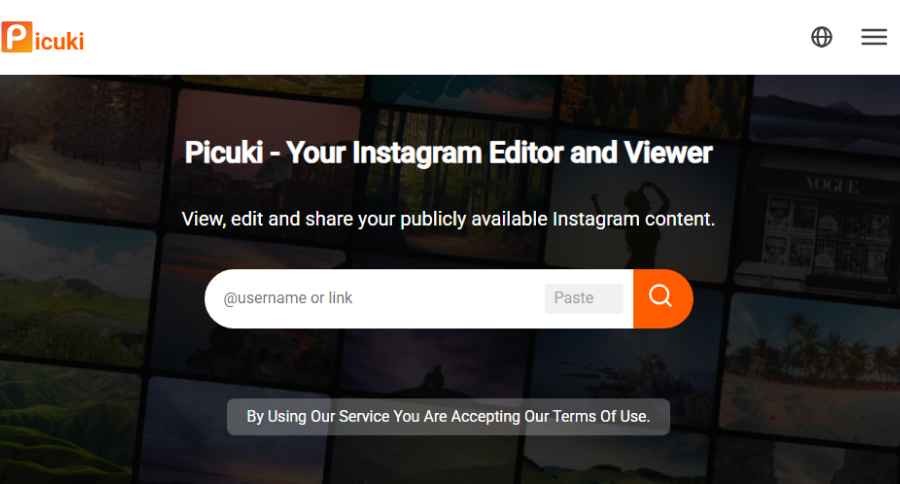
- Picuki: One of the most comprehensive Instagram viewers. Picuki lets you explore profiles, stories, hashtags, and locations, all while offering content downloading in a clean interface that feels like Instagram’s native experience.
- If you want to save public stories or posts, our Instagram Story Saver Guide shows you the easiest methods.
- Insta‑Stories: Focused on anonymous story viewing, Insta‑Stories also allows full profile browsing. Its simple, user‑friendly layout makes it ideal for quick, private checks.
- Dumpor: A versatile tool for profile viewing, hashtag searches, and location‑based browsing. Dumpor also includes a convenient image download feature and works entirely without an Instagram account.
- ImgInn: Specializes in high‑resolution image viewing and downloading from public Instagram profiles. Perfect for users who want quality visuals without signing in.
- Peekviewer: A browser‑based viewer that lets you explore public profiles, stories, tagged photos, and more without logging in or creating an Instagram account.
- StoriesIG: Mainly designed for story viewing, StoriesIG also allows profile browsing. Its minimal interface makes it lightweight, fast, and easy to navigate.
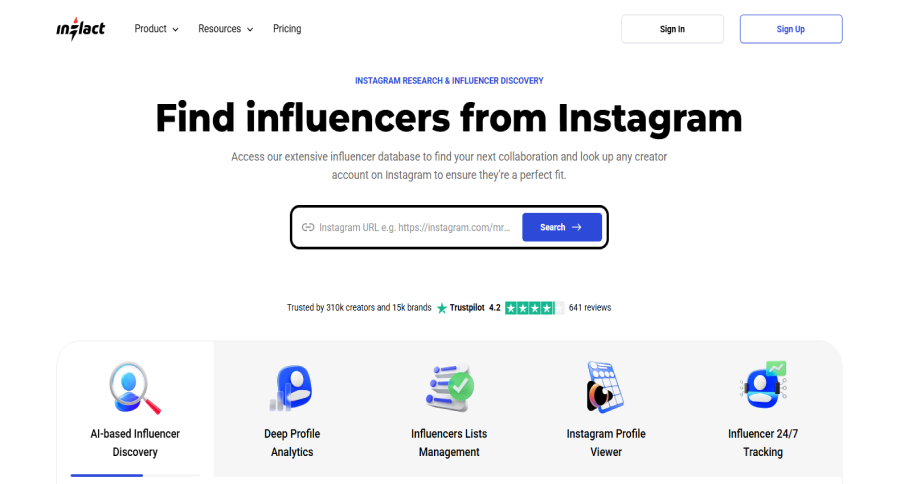
- Inflact: A more advanced option with profile analytics alongside anonymous viewing. Inflact is ideal for marketers or users who want deeper insights while browsing Instagram without an account.
How Web Viewers Access Instagram Public Profiles
Now that you are familiar with some of the top web-based tools to anonymously check IG public profiles, you may wonder how they access those profiles; let’s see!
Web-based Instagram viewers work by accessing Instagram’s public data through various methods.
Most utilize Instagram’s public API endpoints or employ web scraping techniques to retrieve and display content without requiring you to log in.
Such tools are mainly user-friendly and free to use, allowing users to easily check Instagram public accounts without having to log in or create a new account.
Besides, these services act as intermediaries, fetching Instagram content on your behalf while keeping your identity anonymous from Instagram’s tracking systems.
Best Android Apps for Instagram Anonymous Browsing
If you prefer using your Android device to browse public Instagram profiles without logging in, these Android‑friendly apps make it possible; just always remember to stick with public accounts and respect creator rights.
Top Android App Options
- Anonymous Stories Viewer for Instagram: A lightweight Android app letting you view public Instagram Stories anonymously. Just enter a username and go. Works without an Instagram login.
- IGviewer: Anonymous Instagram Stories Viewer; Available as an APK for Android; this app enables viewing stories of public accounts without logging in.
- InsAnony – Instagram Story Viewer; A web tool compatible with Android devices, offering anonymous story and profile viewing and downloads for public content.
What to Look for in a Good Android Viewer App
- No login required: Avoid any app that asks for your Instagram credentials.
- Supports only public accounts: Any promise to bypass private accounts is a red flag.
- Minimal permissions: Ideally, no access to your contacts, camera, or device storage unless necessary.
- Updated recently: Apps that haven’t been updated may stop working due to Instagram changes.
Safety & Legal Notes
Using third‑party apps to browse Instagram anonymously carries risk: these tools may violate Instagram’s TERMS OF SERVICE, and some may contain malware or heavy advertising.
Use VPNs, keep permissions minimal, uninstall unused apps, and never enter your Instagram password into a third‑party tool.
iOS Options for Accessing Instagram Without Login
For iPhone or iPad users, there are fewer native apps due to Apple’s tighter App Store policies, but you can still browse public Instagram profiles and stories without a login using the right tools and workarounds.
Recommended iOS Methods
- Profile Plus+ Story‑Reposter: As noted in recent reviews, this iOS‑friendly tool allows anonymous story viewing via a username input; free tier limits apply.
- Web‑based viewers (via Safari or Chrome on iOS): Since native apps are restricted, using a mobile browser to access trusted anonymous Instagram viewer websites is often the safest choice.
Tips Specific to iOS Users
- Use mobile Safari in Private/Incognito mode: Minimizes cookies and tracking when accessing anonymous viewer sites.
- Check for browser‑viewers instead of App Store apps: Many iOS “anonymous viewers” either don’t exist or violate store rules; web tools are more reliable.
- Avoid any app requiring sideloading or a jailbreak: These carry a high security risk and may invalidate device warranties.
Privacy & Compliance Considerations
Even on iOS, the same ethical and legal standards apply. Just because a tool works doesn’t mean it’s approved by Instagram or Meta.
Respect copyright, don’t download or redistribute content without permission, and always use public profiles only.
Safety Concerns When Using Third-Party Viewers
While these tools provide convenient access to Instagram content, they come with potential risks. Many free services monetize through aggressive advertising, which may include misleading download buttons or pop-ups.
Some viewers might track your browsing habits or collect information about the profiles you view. Always use these services with caution and consider employing a VPN for additional privacy.
Avoid services requiring you to install software or browser extensions with extensive permissions, as these could potentially harvest personal data or contain malware.
Worried about notifications while viewing content? Learn if Instagram notifies users when someone screenshots a story.
Privacy Features to Look for in Viewing Apps
When selecting an anonymous Instagram browsing mobile application, there are some privacy features you need to consider.
It is better to look for apps that require fewer permission requests, such as location, personal information, and contact access.
Then, make sure there are no login requirements needed for basic functionality; It is recommended to use an application with no tracking or analytics that could identify you.
If you are thinking about using a free app, note that they usually monetize through advertising or data collection; so, if you care about your privacy, use paid ones!
Browser Extensions That Enhance the Instagram Viewing Experience
Here are the best browser extensions to anonymously view Instagram public accounts:
Chrome Extensions for Instagram Anonymous Browsing
Google Chrome users can enhance their Instagram browsing experience with these extensions:
- IG Downloader: Allows viewing and downloading Instagram content without an account.
- Story Saver for Instagram: Focuses on anonymous story viewing with additional profile browsing features.
- Instagram Without Login: Bypasses Instagram’s login requirements for extended browsing sessions.
- Ghost (Stories for Instagram): Lets you anonymously view and download stories directly on instagram.com, with a stealth toggle.
- Anonymous Stories: Simple anonymous story-viewer tool, reliable toggle on/off per session.
Firefox Add-ons for Public Profile Access
Firefox users have several privacy-focused options:
- Imgbun: Offers comprehensive Instagram browsing with Firefox’s enhanced tracking protection.
- Insta Opener: Simplifies viewing Instagram content without login requirements.
- Instagram Direct: Provides a clean interface for anonymous profile browsing.
- StoryHub / StoriesHub: Offers anonymous viewing, downloading, recording Lives and stories, plus upload capabilities.
- Social Switch: Redirects Instagram URLs (posts, stories, tagged content) seamlessly to anonymous web viewers like Picuki or Imginn—no login needed.
How to Use Extensions Safely and Effectively
Browser extensions operate with significant permissions, so follow these safety practices:
1. Install extensions only from official browser stores (Chrome Web Store, Firefox Add-ons)
2. Review the permissions requested during installation
3. Check developer information and user reviews before installing
4. Regularly audit installed extensions and remove unused ones
5. Consider using a separate browser profile for social media viewing
Step-by-Step Guide to Browsing Instagram Without an Account
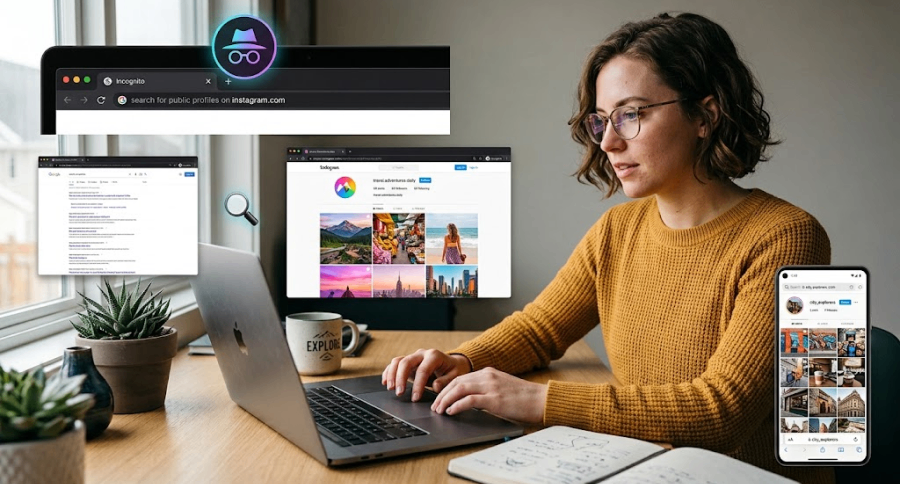
Now it’s time to learn how to use browsers to anonymously check Instagram public accounts.
Setting Up Your Anonymous Viewing Environment
Create an optimal setup for private Instagram browsing:
1. Use a privacy-focused browser like Firefox or Brave
2. Enable enhanced tracking protection in your browser settings
3. Install a reliable VPN service to mask your IP address
4. Create a separate browser profile dedicated to social media research
5. Clear cookies and cache before and after browsing sessions
This foundation ensures maximum privacy regardless of which viewing method you choose.
Best Practices for Private Instagram Navigation
Follow these techniques for effective anonymous browsing:
1. Start with Google searches to locate specific profiles or content
2. Use web-based viewers for initial profile exploration
3. Employ browser extensions for more in-depth browsing
4. Avoid clicking suspicious ads or download buttons
5. Limit browsing sessions to 15-20 minutes before changing methods
6. Download essential content rather than repeatedly viewing it
These practices maximize access while minimizing detection and restrictions.
Troubleshooting Common Access Problems
When encountering issues with anonymous browsing, there are some quick solutions. For example, if a web viewer stops working, try an alternative service.
When facing login walls, clear cookies and try a different browser; if repeatedly blocked, wait 24 hours before attempting access again; and when images appear blurry, try a different viewing tool.
Lastly, if profile content won’t load, try accessing it through Google search results, and when images appear blurry, try a different viewing tool.
Advanced Techniques to Find Instagram Content Without an Account
If you’ve tried the mentioned methods and yet none of them were your favorite, here are some advanced yet simple methods:
Using Google to Access Instagram Public Profiles
Did you know that one of the most reliable methods for accessing Instagram content without an account is through Google searches?
Here’s how to do so:
– `site:instagram.com username` – Find a specific user’s profile
– `site:instagram.com “hashtag”` – Locate posts with specific hashtags
– `site:instagram.com location` – Discover content from particular places
How to Search Instagram Hashtags Without an Account
Hashtags are powerful tools for discovering content, even without an account. To start, use web viewers that support hashtag searches (Picuki, Dumpor), try Google searches with `site:instagram.com/explore/tags/yourhashtag, and use third-party hashtag research tools that provide content previews.
While Instagram limits hashtag browsing for non-users, these methods can still uncover relevant content.
Finding Location-Based Instagram Content Anonymously
Discovering content from specific locations:
1. Search Google with `site:instagram.com/explore/locations/` followed by location names
2. Use web viewers with location search capabilities
3. Try searching for location names along with “Instagram” in search engines
Location-based searching often reveals valuable local content that hashtag searches might miss.
Limitations of Anonymous Instagram Browsing Methods
Have you ever wondered if there might be any limitations while using any of the mentioned Instagram browsing methods? If so, the following are some of them!
What Content Remains Inaccessible Without a Login
Despite the tools available, certain Instagram content remains unavailable without an account, including private profiles and their content, Instagram Reels in their full functionality, full comment sections on popular posts, direct messages and interactions, and Instagram Live content.
These limitations reflect Instagram’s strategic approach to encouraging account creation and engagement.
Curious about viewing Instagram Live without logging in? Our guide on watching Instagram Live anonymously explains how.
How Instagram Detects and Blocks Anonymous Viewers
Instagram employs several techniques to identify and restrict anonymous browsing:
- IP-based tracking to detect multiple profile views.
- Browser fingerprinting to identify unique users.
- Rate limiting on API requests from unregistered sources.
- Progressive restrictions based on browsing patterns.
- Blocking known web viewers and scraper services.
The platform regularly updates these detection methods, leading to periodic breakdowns in anonymous viewing tools.
Working Around Common Access Restrictions
To maximize anonymous browsing success, it is recommended to rotate between different viewing tools and methods, limit the number of profiles viewed in a single session, use a VPN to change your IP address regularly, and try accessing content during off-peak hours when restrictions may be lighter.
These techniques won’t guarantee access, but can significantly improve your browsing experience.
Privacy and Ethical Considerations When Browsing
When browsing anonymously, it’s important to balance your right to privacy with the rights of content creators and the platforms hosting their work.
Respecting Content Creators’ Rights and Privacy
Anonymous browsing raises important ethical questions about respecting creators; thus, the first thing to keep in mind is respecting content creators’ privacy.
How to do so? Start by considering that creators earn income through engagement metrics, recognizing that public doesn’t always mean “intended for everyone”, and avoiding downloading and sharing content without attribution.
Ethical browsing means respecting the spirit of the platform even when bypassing its technical restrictions.
For more insights on how creators track story views, read Can You Sort Instagram Story Viewers?
Legal Boundaries of Anonymous Instagram Viewing
The legal landscape around anonymous viewing includes several considerations, such as viewing publicly available content is generally legal, using accessed content for commercial purposes may create legal liability, downloading content may violate copyright in some contexts, and scraping data at scale typically violates Instagram’s Terms of Service.
While casual browsing will generally not result in legal issues, businesses must be particularly cautious.
Ethical Guidelines for Responsible Browsing
Follow these principles for ethical anonymous browsing:
1. Prioritize publicly available content intended for wide distribution
2. Avoid excessive viewing of any single profile
3. Don’t use anonymously viewed content for harassment or stalking
4. Consider the impact of lost engagement metrics on creators
5. Use anonymous viewing primarily for research, inspiration, or legitimate personal reasons
Responsible browsing ensures these tools remain available without causing harm to content creators.
Conclusion
Browsing Instagram without an account remains a possibility despite increasing restrictions. Web viewers provide the most straightforward form of casual surfing, and browser extensions provide an even more immersive experience.
Advanced users might combine these approaches with VPNs and search techniques for comprehensive access.
Remember that anonymous browsing comes with ethical responsibilities too; be respectful towards content creators, maintain reasonable browsing habits, and consider creating an account for routine use to contribute to the platform and content creators you are fond of.
Ultimately, the best approach combines different methods based on your specific needs while maintaining awareness of privacy and ethical considerations.
The good news is that we discussed all the methods and top tools you need to safely check Instagram public accounts without having an account!
FAQs
Are Instagram viewer tools safe to use?
Some of them are! It is better to stick to well-known tools, avoid anything that asks for your login, and don’t download sketchy apps.
Is it legal to browse Instagram without an account?
If the content is public, you’re not breaking any laws. Just avoid tools that scrape private data or bypass privacy settings.
How to view an Instagram profile without following?
If the profile is public, you can view it without following. Private accounts, however, require approval to see any content.
Can I view Instagram without an account in 2026?
Yes, but your access is limited. You can still see some public profiles and posts, though Instagram often blocks full browsing without logging in.
How can I see an Instagram profile without an account using a website?
Just enter the username on a trusted Instagram viewer site; no login is needed, as long as the profile is public.
What’s the best way to view Instagram anonymously?
Using a reliable third-party Instagram viewer is your best bet. Just make sure it doesn’t ask for your info or look shady.

Emi Daniel
Buy an Established Instagram Account
Skip starting from zero. Browse Instagram/TikTok accounts with audiences across many niches.
See Available AccountsRelated articles
-

How to See Who Reposted Your Instagram Post (2026 Guide)
Someone reposted your Instagram post, but you have no idea who it was. You check notifications, search through your profile, and still cannot find a clear answer. …
18 min readEmi Daniel
-

How to Reset Instagram Algorithm in 2026
Instagram can start showing too much of the same type of content. Your Explore page may no longer match your interests, Reels may feel repetitive, or suggested…
12 min read -
300 Instagram Notes Ideas to Attract Attention
Are you looking for a new and creative way to communicate with your followers and grab their attention? You don’t have to search anymore, as Instagram Notes…
27 min read