

This can be the worst scenario for almost any Instagram user: You have the best content ready to publish, yet you can’t add music to your post! The first question you would ask yourself is: “Why can’t I add music to my Instagram post, and how can I fix it?”
If you are currently struggling with this problem, you’re not the only one here; it’s a common issue that business and regular Instagram accounts usually face.
The good news is that finding the reason behind this dilemma and fixing it is easy, and that’s what we will discuss in this article.
Buy an Established Instagram Account
Skip starting from zero. Browse Instagram/TikTok accounts with audiences across many niches.
See Available AccountsHere, you will learn about all the possible reasons why you can’t add music to your Instagram post, from technical to in-app issues, along with easy and quick solutions, so you can upload your perfect post.
What “Can’t Add Music” Actually Refers To?
When users complain of an inability to add music to an Instagram post, it does not mean the same thing for everyone. What you experience may differ from what your friend sitting next to you is experiencing. This is because the feature can fail in different ways.
While you might not see the music option when creating a feed post, your friend may see the music icon but can’t find any songs, or the music simply doesn’t play after the post is published.
In certain cases, Instagram allows you to add music during the upload process, but the audio disappears once the post goes live. You may consider this annoying, but another common point of confusion is that Instagram music works on Stories or Reels, but not on feed posts.
Since Instagram rolls out features differently across post formats, it’s possible for music to be available in one area of the app and unavailable in another, even on the same account.
In short, “can’t add music” can refer to:
- The Instagram music button not showing up on feed posts.
- Music not available or searchable in the song library.
- Music disappearing after posting.
- Music working on Stories or Reels but not on regular posts.
Understanding which version of the problem you’re facing is important, because each scenario has a different cause, and a different fix. In the next sections, we’ll break down the exact reasons why Instagram music isn’t working and how you can resolve it quickly.
Instagram frequently updates features and layout, which can affect how tools like music are shown, check our latest Instagram updates in 2025 and 2026 to stay informed.
Main Reasons You Can’t Add Music to Your Instagram Post
If the music option isn’t showing up on your Instagram post, it isn’t random. There’s almost always a specific reason behind it, even if Instagram doesn’t explain what’s going on.
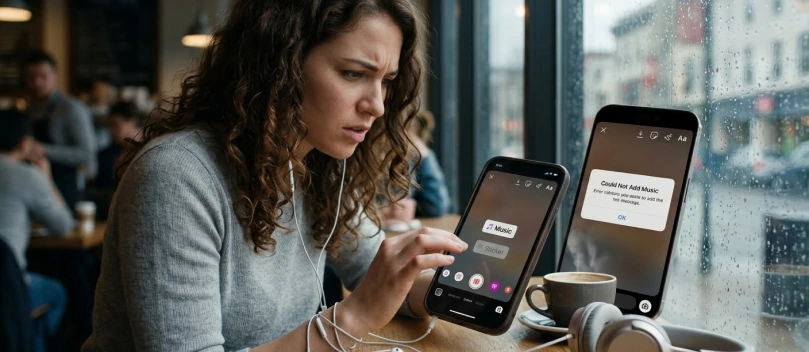
Here are some of the most common reasons you may face this issue:
Technical Reasons You Can’t Add Music to Your Instagram Post
Sometimes it’s not your account or your phone; it’s just the app acting up. Instagram updates its features all the time, and if you’re using an old version, some options like adding music might disappear. Bugs happen too, and occasionally the music library fails to load for no obvious reason.
The good news is that most of these issues are temporary and can be fixed by updating the app or restarting it. It’s one of the simplest things to check before assuming there’s a bigger problem.
Restrictions and Account Type Issues
One of the biggest reasons you might not see the music option is your account type. Instagram treats personal, creator, and business accounts differently when it comes to music.
For example, business accounts often have limited access because of copyright rules, so the app restricts some songs to avoid legal concerns. That’s why you might see music working fine on your personal account or a friend’s account, but not on a business profile.
Another restriction comes from your region; even if your account type is fine, Instagram only offers its full music library in certain countries. If you’re outside those regions, some songs, or the entire music option, may be missing.
So if you can’t add music, check two things first:
- What type of account you’re using (personal, creator, or business)
- Where your account is registered.
Instagram Music Copyright Issues
Even when everything else seems fine, sometimes the song you want just isn’t allowed. Instagram has to follow copyright laws, so not every track is available for posts, especially for business accounts. Some songs might be missing because the rights holder hasn’t given Instagram permission, or the track is restricted to certain regions.
This is why you might see a song in Reels but not in feed posts, or why some older tracks suddenly disappear from the library. Unfortunately, there’s not much you can do to unlock those restricted songs, but usually, choosing another track from the library will work without any trouble.
App Cache or Data Glitches Prevent Music Feature
Sometimes the issue is smaller than you think! Like when Instagram just glitches. The music button might disappear or songs won’t load, even though everything else looks fine. Most of the time, it’s because the app has old cache or temporary files that are causing trouble.
The easiest fix is often to restart the app, clear the cache, or reinstall Instagram. That makes the music option come back. It’s annoying, but it usually works quickly.
Weak Internet or an Unsupported Device Can Block Music
Sometimes it’s just your internet being slow, or maybe your phone is old. Either way, Instagram might not show the music button at all. Many users have reported this happening on their phones a few times.
The easiest fix is switching to Wi-Fi or updating the phone; most of the time, that’s all you need to do.
Some users switch to Instagram Lite when their device or internet isn’t strong enough; learn the main differences and decide if that’s right for you.
How to Fix Instagram Music Not Working on Posts (Step-by-Step Guide)
If your Instagram music isn’t working, don’t panic. Most of the time, it’s something small you can fix yourself.
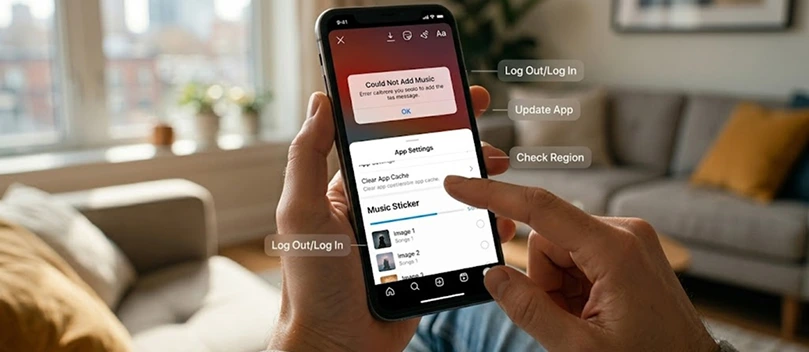
Here are the best things to check first; they often solve the problem pretty quickly:
Update the Instagram App
The simplest fix is to see if your app is up to date, as sometimes Instagram changes things, and the old version just won’t show music. This might already be happening on your device; the music button disappears until you update the application.
To solve it, go to the App Store (iOS) or Google Play Store (Android), check for updates, install them, then open Instagram again and see if it’s back.
Since music is often used in Reels, you might also enjoy learning how Instagram algorithm works for Reels to grow your Instagram.
Switch Account Type (If Applicable)
If you’re using a business account, some songs might be blocked (due to copyright laws or legal issues). Creator or personal accounts usually have more music options.
Note that switching accounts isn’t always necessary, but if you want certain tracks, it’s worth checking. You can change the account type in the settings under Account → Switch Account Type.
Check Regional Settings & Use Workarounds
Sometimes Instagram limits music based on where you live (regional restrictions) If your country isn’t fully supported, the music library might be empty or missing certain songs.
A quick check is to see if friends in other regions see the same library. Some people use VPNs to access more songs, but it’s hit or miss and can be tricky.
Clear Cache or Reinstall
Apps store temporary files, and sometimes those mess things up. Clearing the cache (Android) or reinstalling the app (iPhone/Android) can make Instagram “fresh” again.
It usually fixes the music button disappearing. You can do this when nothing else works, and it almost always solves the problem.
Contact Instagram Support
If none of the above works, the last option is to report the problem to Instagram.
Open the app, go to Settings → Help → Report a Problem, and explain what’s happening. Sometimes it takes a bit to get a response, but it’s worth it if the music button just won’t come back.
If you think this process is way too long, shake your phone while you are in the app, and tap on the “Report a problem” option that pops up.
Conclusion
Not being able to add music to your Instagram post is super annoying, and it can happen to pretty much everyone at some point.
Most of the time, it’s something small, like the app glitching, your account type, or a slow connection.
Before taking big steps, try the easiest options, such as updating the app or restarting your phone; remember that clearing cache or checking your region can help too.
If nothing works, contacting Instagram support is still an option that can solve the problem, even if it takes longer than other solutions.
FAQs
Why am I unable to add music to my Instagram post?
There could be a few reasons: your account type, your region, or a temporary app glitch. Sometimes updating Instagram or switching account type fixes it quickly.
How to fix an Instagram music glitch?
Try restarting the app, updating it, or clearing the cache. If that doesn’t work, reinstalling Instagram often solves most glitches.
Why is Instagram not allowing me to use music?
It’s usually because of copyright rules, account type restrictions, or regional limits. Personal and creator accounts usually have more options than business accounts.
How to fix audio unavailable on Instagram posts?
The easiest fixes are updating Instagram, checking your region, or picking a different song. Sometimes clearing the cache or reinstalling the app helps too.
How do I remove music restrictions on Instagram?
You can’t remove copyright or region restrictions yourself, but switching to a personal or creator account sometimes gives more music options.
Why am I limited to music on Instagram?
Restrictions come from account type, copyright rules, and your location. Instagram limits certain songs to comply with licenses.
What are the Instagram music rules?
Instagram lets users add music depending on account type, region, and copyright laws. Business accounts have stricter limits than personal or creator accounts.
Is Instagram music region-locked?
Yes, some songs are only available in certain countries. That’s why the music library might look different depending on where you are.
How do I clear Instagram cache?
On Android, go to Settings → Apps → Instagram → Storage → Clear Cache. On iPhone, the easiest way is to reinstall the app, since there’s no direct cache option.

Lina Stewart
Buy an Established Instagram Account
Skip starting from zero. Browse Instagram/TikTok accounts with audiences across many niches.
See Available AccountsRelated articles
-

How to Clear Instagram Cache on iPhone, Android & Desktop
Instagram can quietly build up a lot of temporary files while you scroll through Reels, watch Stories, save posts, and upload your own content. You may not…
12 min readEmi Daniel
-

How to See Who Reposted Your Instagram Post (2026 Guide)
Someone reposted your Instagram post, but you have no idea who it was. You check notifications, search through your profile, and still cannot find a clear answer. …
18 min read -

How to Reset Instagram Algorithm in 2026
Instagram can start showing too much of the same type of content. Your Explore page may no longer match your interests, Reels may feel repetitive, or suggested…
12 min read