

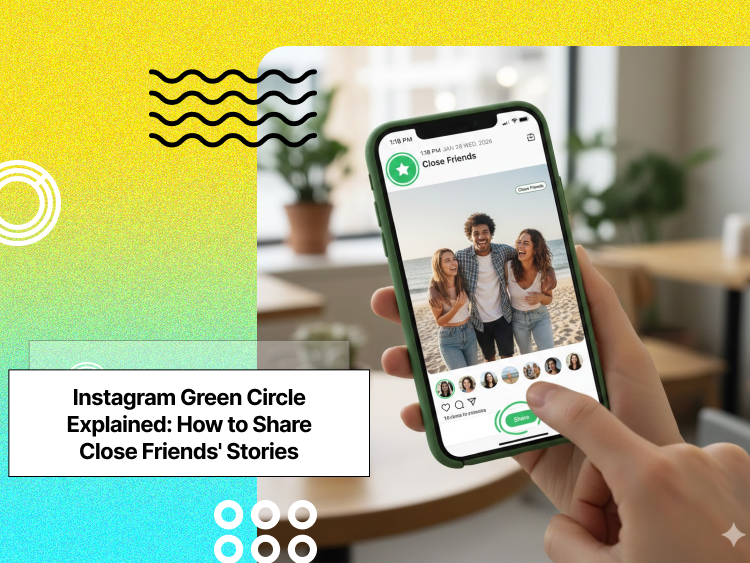
Instagram Stories are a central part of the Instagram experience. But when you want to share moments only with a select group of people, the Instagram Green Circle lets you post privately to your Close Friends.
Enter the Instagram green circle: The platform’s visual indicator for Close Friends Stories. This feature allows you to create a curated list of your closest connections and share more personal content exclusively with them.
The green circle appears around your profile picture when you’ve posted a Story visible only to this select group.
Buy an Established Instagram Account
Skip starting from zero. Browse Instagram/TikTok accounts with audiences across many niches.
See Available AccountsInstagram created this feature, recognizing that not all content is meant for everyone, as Close Friends offers a solution for more authentic, private sharing without creating separate accounts or constantly managing your broader privacy settings.
What the Instagram Green Circle Means: Close Friends Stories Explained
The green circle is Instagram’s visual shorthand for “private content for close friends.” When you see a green ring around someone’s profile photo in your Stories feed, it means they’ve shared something exclusively with their Close Friends list, and you’re on it.
As a creator, the process works differently; when posting a Story, you’ll see an option to share with “Close Friends” (shown by a green star icon).
After posting, your Story appears with a green ring around your profile picture, but only to those on your list. Everyone else won’t see this content at all, not even knowing you’ve posted a Close Friends Story.
The benefits of using this feature extend beyond basic privacy:
- Share more authentic content without worrying about professional contacts seeing it.
- Test engagement with a smaller audience before sharing broadly.
- Create a sense of exclusivity and connection with your inner circle.
- Post more frequently without overwhelming your general audience.
- Share location-based content with trusted friends without broader privacy concerns.
Close Friends essentially creates a “Story within a Story,” a more intimate space within the broader Instagram experience.
How to Create Your Instagram Close Friends List: Step-by-Step Guide
Setting up your Close Friends list takes just a few minutes:
Step 1- Open Instagram and go to your profile.
Step 2- Tap the hamburger menu (three lines) in the top right.
Step 3- Select “Close Friends” from the menu.
Step 4- Browse the suggested list of followers.
Step 5- Tap the circle next to each person you want to add.
Step 6- Use the search bar to find specific accounts.
Step 7- Tap “Done” when you’ve finished your selection.
How to Edit and Manage Your Close Friends List on Instagram
Your list can be edited anytime! To manage your list later:
1. Go to your profile
2. Tap the hamburger menu
3. Select “Close Friends”
4. Add new people by tapping the circle next to their name
5. Remove people by tapping the green circle next to their name
Instagram doesn’t notify users when you add or remove them from your Close Friends list, giving you complete control over your audience without creating awkward social situations.
Best Practices for Choosing Close Friends on Instagram
Deciding who belongs in your inner circle requires thoughtful consideration:
Start with your genuine close connections, family members, best friends, and significant others with whom you’d share more personal content.
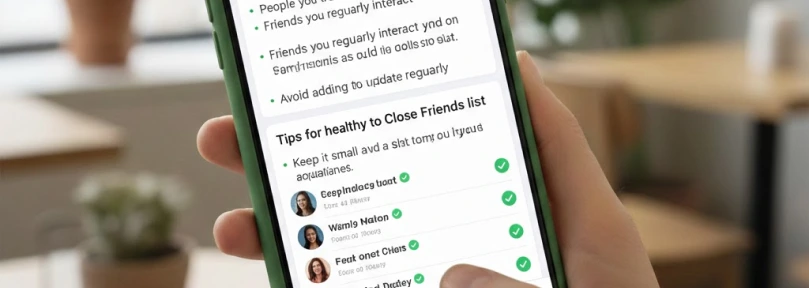
These relationships form the core of your Close Friends list.
Consider your content’s nature; If you post work-related behind-the-scenes content, include trusted colleagues. For personal life updates, stick to actual friends rather than professional connections.
Quality trumps quantity; The average Close Friends list contains 20-30 people, but yours might be smaller. A focused list makes sharing feel more meaningful and reduces privacy concerns.
Remember these etiquette principles for Close Friends content:
- Don’t use the feature just to exclude specific people (Instagram has mute and hide features for that).
- Avoid posting significantly different personas between your main Stories and Close Friends.
- Consider how comfortable you’d feel if your Close Friends content were accidentally shared more broadly.
- Respect the implied trust when someone adds you to their Close Friends.
How to Share Instagram Stories with Close Friends (Green Circle Stories)
Creating content for your Close Friends follows the same process as regular Stories, with one key difference.
1. Open Instagram and swipe right or tap your profile picture to open the camera.
2. Take a photo/video or upload from your gallery.
3. Add any effects, text, stickers, or interactive elements as desired.
4. Instead of tapping “Your Story,” tap “Close Friends” (the green circle with a star).
5. Your content will post only to people on your Close Friends list.
To verify who can see your private story:
1. View your own Story
2. Tap the viewer list at the bottom
3. You’ll see only people from your Close Friends list who have viewed the content
Unlike regular Stories, Close Friends content doesn’t appear in hashtag searches or Explore pages, ensuring it stays within your selected audience.
Before posting, consider using editing tools to enhance your Story; check out our guide on how to edit Instagram Stories to make your content truly stand out.
What You Shouldn’t Share on Instagram Close Friends Stories?
- Overly personal or sensitive information
Just because it’s a smaller audience doesn’t mean it’s risk-free. Avoid sharing things like your address, financial info, or private conversations.
- Anything that could offend or hurt someone
Close Friends doesn’t mean drama-free. If something might cause tension, gossip, or hurt feelings, it’s better not to post it.
- Explicit or inappropriate content
Even though it’s a private list, Instagram’s guidelines still apply. Posting adult or graphic content can still get your account flagged.
- Too many “flex” posts or bragging
Constantly showing off money, luxury items, or wild behavior can come off as arrogant, even to your Closest Friends.
- Screenshots of private DMs or other people’s posts without permission
Just because you trust your Close Friends list doesn’t make it okay to expose someone else’s content or messages.
- Future plans or travel details in real-time
Sharing exactly where you are or where you’re going can be a security risk, even with trusted followers.
Who Can See Your Instagram Close Friends’ Stories?
- Only the people you’ve added to your Close Friends list can view your Close Friends Stories.
- They’ll see a green circle around your profile photo in the Stories section; that’s how they know it’s a Close Friends Story.
- Instagram doesn’t notify anyone when you add or remove them from your Close Friends list, so it’s completely private.
- Everyone else won’t see that Story at all. If someone isn’t on your list, the Close Friends Story won’t even appear in their feed.
- You can edit your list anytime, and changes apply instantly to future Close Friends Stories.
- Screenshots are not restricted, so while the list is private, people can still screenshot the Story like normal.
7 Creative Ways to Use Instagram Close Friends Stories for Personal or Business Use
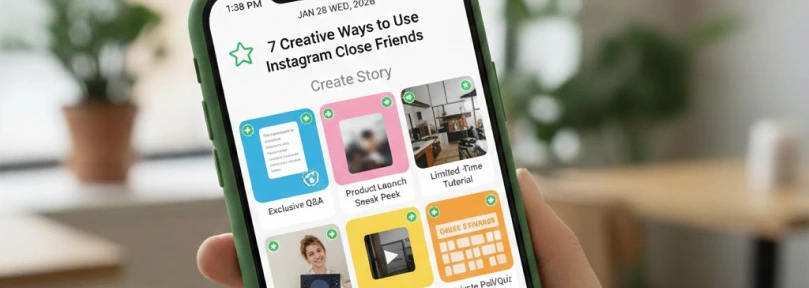
- Behind-the-scenes glimpses: Share the unfiltered moments of your day that might not fit your public aesthetic but build deeper connections with close friends.
- Location sharing when traveling: Post real-time updates about your whereabouts without broadcasting to everyone. It’s perfect for solo travelers who want safety without oversharing.
- Content testing ground: Use your Close Friends as a focus group before deciding if content deserves broader sharing. Their reactions can help refine your approach. It specifically helps you upload better Reels because you already know how most of your followers/friends would react to it.
- Personal celebrations and milestones: Share intimate moments from weddings, baby announcements, or family gatherings with those who care most, without overwhelming your entire follower list.
- Exclusive promotions: For business accounts, reward your most engaged followers with special offers or early access to products, creating both loyalty and FOMO. It’s also a great opportunity to announce exclusive offers or a limited collection to your loyal customers and followers.
- Political or controversial opinions: Express views you might hesitate to share publicly but want to discuss with trusted connections.
- Daily life moments: Share the small, mundane aspects of your day that would overwhelm your main Story but help maintain closer connections with your inner circle.
Once you’ve shared Close Friends Stories, consider turning your best moments into Instagram Highlights to keep them accessible for your inner circle.
How to Tell if You’re on Someone’s Instagram Close Friends List?
Instagram doesn’t explicitly notify you when you’re added to someone’s Close Friends list. Instead, you’ll simply begin seeing their green-ringed Stories in your feed.
If you see a Story with a green circle around it, it means:
- You are part of that person’s inner circle.
- They’re sharing more personal or selective content with you.
- They trust you.
- They see you as a reliable friend, not someone who is nosy!
The appropriate response to being added is simply to engage naturally with the content if it interests you. There’s no obligation to add them to your own Close Friends list in return!
Privacy Considerations for Close Friends Content
While Close Friends provides an additional privacy layer, it’s not foolproof:
- Screenshots are still possible. Instagram notifies you when someone takes a screenshot of disappearing photos in direct messages, but not when they screenshot Stories (Close Friends or otherwise).
- Anyone on your list can record your content using another device.
- People can still describe or share details about your private content verbally.
To enhance privacy protection:
1. Regularly audit your Close Friends list, removing anyone you no longer trust
2. Avoid sharing extremely sensitive information even with Close Friends
3. Consider the potential impact if your private content were shared more broadly
4. Use disappearing messages for ultra-sensitive content instead of Stories
If your private content does leak beyond your intended audience, document the breach, report any policy violations to Instagram, and adjust your sharing approach moving forward.
For stories you want to keep private but organized, our guide on archiving Instagram Highlights can help you manage your content efficiently.
Troubleshooting Instagram Close Friends Green Circle Issues
Several technical issues can affect the display of the green circle:
- App version outdated: Ensure you’re running the latest Instagram version.
- Caching issues: Try clearing your app cache or force-stopping the app.
- Account restrictions: If your account has violated community guidelines, some features might be temporarily limited.
- Server problems: During Instagram outages, the Close Friends feature may not function correctly.
Resolving these problems typically involves:
1. Updating the Instagram app
2. Logging out and back into your account
3. Clearing the app cache through your device settings
4. Checking Instagram’s status page for known outages
5. Waiting 24-48 hours if the problem persists after trying these steps
If these solutions don’t work, contact Instagram support through the Help Center in your profile settings.
Conclusion
Instagram’s Close Friends feature, with its distinctive green circle, creates a valuable middle ground between completely public sharing and direct messaging.
By thoughtfully curating your list and sharing targeted content, you can build deeper connections while maintaining appropriate boundaries.
The most successful Close Friends users treat the feature as a tool for authentic connection rather than exclusion.
They share content that genuinely adds value to their inner circle’s experience, creating a more meaningful Instagram presence.
Use it wisely, update your list regularly, and enjoy the freedom of more personal expression with the people who matter most.
Instagram regularly updates its features; stay current with the top Instagram updates in 2025 to make the most of your Close Friends Stories.
FAQs
Can people see if you remove them from your Close Friends list?
No, Instagram doesn’t notify users when they’re removed from Close Friends lists. They’ll simply stop seeing your green-circled Stories.
Do Close Friends Stories last 24 hours like regular Stories?
Yes, Close Friends Stories follow the same 24-hour lifespan as regular Stories. They can also be saved to Highlights, but will only be visible to those on your Close Friends list.
Can you create multiple Close Friends lists for different groups?
Currently, Instagram only allows one Close Friends list per account. For more granular sharing, you’ll need to manually adjust your list before posting different content or use alternative features like group DMs.
Will my Close Friends be notified when I add them?
No, Instagram doesn’t send notifications when you add someone to your Close Friends list. They’ll only notice when they start seeing your green-circled Stories.
Can Close Friends see all my regular Stories too?
Yes, people on your Close Friends list can see both your regular Stories and Close Friends content unless you’ve specifically hidden your Stories from them using the Story privacy settings.
What happens to my Close Friends list if I switch to a business account?
Your Close Friends list remains intact when switching account types. Business, creator, and personal accounts all have access to the Close Friends feature.

Emi Daniel
Buy an Established Instagram Account
Skip starting from zero. Browse Instagram/TikTok accounts with audiences across many niches.
See Available AccountsRelated articles
-

How to Go Live on Instagram: A Step-by-Step Guide
Going live can feel more stressful than posting a Reel. You cannot remove a pause, rewrite a sentence, or start over after an awkward moment. But that…
17 min readEmi Daniel
-

Instagram Instants Feature: What It Is, How It Works, and How to Turn It Off
The first time I opened Instagram Instants, I almost backed out. I had taken a normal photo. Nothing worth editing. Nothing worth posting. Nothing that needed an…
11 min read -

How to Clear Instagram Cache on iPhone, Android & Desktop
Instagram can quietly build up a lot of temporary files while you scroll through Reels, watch Stories, save posts, and upload your own content. You may not…
12 min read