

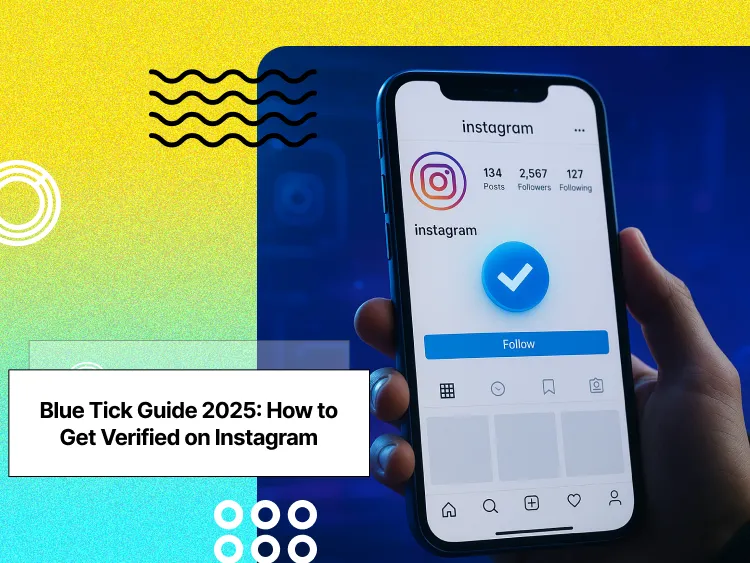
I have seen many people search for the blue tick on Instagram. They think it is only for celebrities. That is not always true.
A blue badge can help people find your real account. It can also help when fake accounts use your name or brand.
I checked Instagram’s current options before writing this guide. There are two ways to get a blue badge in 2026. You can join Meta Verified if it is available in your region and you meet the identity rules.
Buy an Established Instagram Account
Skip starting from zero. Browse Instagram/TikTok accounts with audiences across many niches.
See Available AccountsYou can also apply for traditional verification. This option is for public figures, creators, brands, and organizations with real public interest and media coverage.
You do not need a certain number of followers for traditional verification. Your account needs to be real, public, complete, and active. Instagram also looks at how well-known you are outside the app.
What Is an Instagram Blue Badge?
For years, everyone chased the Instagram blue tick like the ultimate status symbol. But what does it actually mean in 2026, and how do you get it?
The Instagram Blue Badge is that small checkmark you see beside certain profiles. It’s not just there for show; it tells you that Instagram has confirmed the account is authentic.
For example, you have definitely looked up a celebrity on Instagram before, like Zendaya; there are hundreds of profiles in her name and you can only find her real account because of the blue badge. The blue badge helps you spot her official profile instantly.
If you are building a brand on the platform, you can sell your Instagram account when you are ready to move on to another project.
But what about smaller creators or brands that aren’t household names? How do they prove they’re real on Instagram? That’s where Instagram verification comes in.
The Evolution and Purpose of Instagram’s Verification System
Instagram launched verification in 2014 to fight fake accounts, as there are always too many fake accounts that claim to be a famous person or brand. The system has changed many times since then. Instagram has updated its rules many times. If you want to understand how to get verified on Instagram today, you need to know how these changes affect the process.
Instagram wants to verify accounts that matter to the public; they look for real people and businesses that others search for online. What is the reason behind all of these efforts? The goal is to protect users from impersonation and fake news.
Authenticity means being real, so your account must represent a genuine person or business. Notability means being well-known or important in your field, which is why Instagram weighs both factors when reviewing applications.
The verification system protects famous people from impostors. It also helps users find official accounts for brands they love; this builds trust across the entire platform.
Different Types of Verification on Instagram
Instagram offers a few types of verification, but the blue verification badge is by far the most recognized and sought-after. This badge is usually given to prominent public figures, celebrities, brands, and organizations, the very accounts that come to mind when most people think of ‘Instagram verification.’
But are you old enough to remember the gray tick? In the past, gray verification badges existed specifically for businesses, but Instagram rarely uses them today. Most eligible business accounts now receive a blue badge if they meet the current criteria.
Some accounts got verified under Instagram’s older rules. Today, these accounts might not meet the stricter standards, and anyone applying now has to follow the updated requirements.
Meta Verified vs Traditional Instagram Verification: What’s the Difference?
To get the blue check on Instagram in 2026, you have two options:
- Meta Verified → a paid subscription available to most users who meet basic requirements.
- Traditional Verification → the original blue badge for people, brands, and organizations that are publicly notable.
While both options display the same blue badge, the requirements and benefits are very different.
| Feature | Meta Verified | Traditional Verification |
| Cost | Paid monthly subscription. In the U.S., Meta lists Standard at $11.99 per month on the web or $14.99 per month in the app. Higher-priced plans may be available in eligible regions. | Free |
| Purpose | Confirms your identity and adds account protection | Confirms public notability and authenticity |
| Who can get it | Any user who meets ID and age requirements | Public figures, brands, journalists, and notable creators |
| Approval process | Fast ID check through subscription | Manual review by the Instagram team |
| Blue badge | Active only while the subscription is active | Permanent unless removed by Instagram |
| Difficulty | Easy to get if you qualify | Hard to get, requires media presence |
| Best For | New creatorssmall businessesusers who want immediate verification and protection | Public figuresInfluencersJournalistsmajor brandsOrganizations with an established public presence. |
Meta Verified plans, prices, and included features can vary by country, account type, and purchase method. Check Instagram’s Meta Verified page in your Account Center for the options available to your account.
Both paths show the same blue check on your profile, but they don’t mean the same thing. Meta Verified focuses on identity and protection, while traditional verification signals public notability and recognition.
Meta Verified Subscription Levels (2026)
Now that we know the difference between the Meta and Traditional badges let’s see how the Meta levels differentiate.
| Plan | Monthly Price | What You Get | Best For |
| Standard | $14.99/month | Blue badge, identity verification, impersonation protection, basic support | New creators and individuals |
| Plus | $49.99/month | Everything in Standard + faster support response and stronger protection tools | Small businesses and active creators |
| Premium | $149.99/month | Priority support, better recovery tools, enhanced account security | Growing brands and professional creators |
| Max | $499.99/month | Highest support priority, advanced protection, enterprise-level assistance | Agencieshigh-profile creatorslarge accounts |
Remember: All plans renew monthly, and your badge disappears if you stop paying.
The blue badge is the same across all tiers, the difference is support speed and protection features.
Benefits of Getting Verified on Instagram
The blue check has become one of the most recognizable symbols online. Some chase it for status, others use it to protect their name, but it means more than most people think.
- It makes you look real.
When people see the badge, they don’t have to second-guess if your account is fake. It’s Instagram’s stamp of approval, and in a world full of copycats, that’s no small thing.
- You show up more often.
Ever notice how some accounts show up in search before others? Verified profiles often seem to get better visibility in Explore, hashtags, and search results. It won’t make you famous overnight, but it can give you a small edge when people search for your name or brand.
- Sometimes you get to test new toys first.
Instagram often releases new features to a smaller group first, and verified accounts usually get early access. From promotional tools to extra insights, you might get to try them before anyone else.
- It changes how your profile feels.
The blue badge adds an extra layer of professionalism, like walking into a meeting in a sharp suit instead of sweatpants. For brands, influencers, and small businesses, that polish can open doors.
- It sets you apart.
Instagram is crowded, with millions of posts every day. The blue check doesn’t make you better, but it helps people notice you among similar accounts. Sometimes, that small edge is all you need.
- People engage differently.
Followers are more likely to trust, comment, and share when they know your account is legit. It’s a subtle shift, but over time it can boost your overall engagement without changing much in your strategy.
The blue tick isn’t just a decoration. It’s a trust signal, a growth tool, and in many cases, a door-opener. If you’re serious about building your presence, it’s worth more than its size suggests.
Complete Eligibility Requirements for Instagram Verification
Getting verified on Instagram isn’t just about filling out a form; Instagram checks for a few clear standards before handing out that blue tick:
- Authenticity
The account has to represent a real person, business, or organization. With very few exceptions, Instagram only verifies one account per person or brand. A profile photo, a short bio, and at least one live post are required, and older accounts with steady activity usually have a better shot.
- Notability
Instagram gives the badge to accounts that people look for. That could mean being mentioned in local or international news, being featured in reputable outlets, or having consistent public interest in your work.
- Profile Quality and Activity
A strong profile makes a difference. Use a clear image, write a bio that says who you are, and share quality posts. Staying active and interacting with your audience shows Instagram that your account is current and worth attention.
- Following the Rules
Instagram checks whether you play fair. Accounts that break community guidelines, collect strikes, or face repeated issues can lose their shot at verification, and even a badge that’s already granted can be taken back; if your request is turned down, you can appeal.
Who Can Apply?
Creators, businesses, non-profits, and personal accounts are all eligible. The process is similar across countries, though local coverage and recognition can strengthen applications outside global markets.
If you’re not sure what being a “creator” means on Instagram, we broke it down in our guide to what a digital creator is and why it matters for growth.am, we broke it down in our guide to what a digital creator is and why it matters for growth.
Pre-Application Strategy and Profile Optimization

Pre-Application Strategy and Profile Optimization
Before you even think about hitting that “Apply for Verification” button, take a step back. Instagram isn’t only looking at your follower count. They want to see that your account is complete, active, and credible.
Think of it like showing up to a meeting, you wouldn’t walk in unprepared; the same applies here.
Which One Should You Pick?
First and foremost, decide what option suits you best:
- Choose Meta Verified if you want a quick blue badge, account protection, and support.
- Choose Traditional Verification if you already have public visibility and media coverage.
Simple rule:
If you’re still building your name, Meta Verified is usually the faster option. If you already have news coverage or a strong public profile, traditional verification is worth pursuing.
Profile Audit and Optimization
Start with editing your profile to look more professional:
Your profile photo should be easy to recognize, you wnt your audience to know you by just seeing your profile picture on a screen, the best options are:
- For individuals → clear headshot
- For brands → clean logo
Then move on to your bio, anyone reading your bio should know who you are and what you do in seconds. Make it simple and clear by mentioning:
- Your Role
- Your Niche
- Your main work
Have your friends look at your bio, if they feel like it’s unclear, try fixing it again.
Important steps are to:
- Make sure your username matches on every platform
- You add a link to your main website
Content Strategy for Verification Readiness
Above all else, Instagram cares about the value your content is adding to their platform. Posting random content won’t get you anywhere, you have to be intentional about your content strategy:
- Post consistently (don’t spam)
- Focus on useful or interesting content
- Connect posts to trends when it makes sense
One of the easiest ways to stay consistent is by using a social media calendar that works for Instagram growth. It keeps your content organized, timely, and aligned with your goals.
Building Notability and Media Presence
This is where most candidates struggle. You need to show Instagram that people know who you are even outside of the app.
It feels scary but you don’t need big announcements on Fox News to pull it off. Count your small wins like:
- Local news mentions
- Blog features
- Podcast interviews
- Industry shoutouts
Keep these all in a folder and slowly they will collect to become proof of your credibility.
Cross-Platform Presence Development
It helps if you’re active in more than one place. LinkedIn, Twitter, and YouTube are great options depending on your field. A chef, for example, might share recipes on YouTube, quick tips on Twitter, and behind-the-scenes kitchen moments on Instagram.
Having an updated, professional-looking website is also key since Instagram often checks it to confirm legitimacy. Think of your site as your home base, where everything else points back.
Documentation Preparation
Gather what you’ll need for the application.
- Individuals → government-issued ID
- Businesses → registration documents
Step-by-Step Process: How to Get Verified on Instagram in 2026
I applied for the verification badge and made a checklist of all the steps, broke down the details and the tips I used to make sure my application was approved
Make sure you have the latest version of the app to avoid bugs and follow these steps carefully and your chances of approval go up by a bunch!
Step 1: Access the Verification Option
Open Instagram and go to your profile.
Then tap:
- Menu (☰)
- Settings
- Account Center
From there, you’ll usually see either:
- Meta Verified
- Request Verification
Keep in mind that menu names can vary slightly based on your region and app version.
Step 2: Complete the Application
Before you apply, prepare:
- Your legal name or business name
- Your account category
- A public profile with accurate information
- Supporting details that prove your identity or public presence
For traditional verification, you’ll also be asked to explain why your account is notable.
A strong example might be:
“Founder of a digital marketing agency featured in industry publications and a speaker at social media conferences.”
This works because it’s specific, professional, and supported by real achievements.
Step 3: Upload Your Documents
Instagram reviews your identity and account details before making a decision.
Accepted documents typically include:
- Government-issued ID for individuals
- Business registration documents for companies
Make sure all information matches your Instagram profile.
Even small differences in names or business details can slow down the review process.
One simple check can save you days of waiting: compare your application details against your documents before uploading anything.
Step 4: Submit and Wait for Review
Once submitted, Instagram reviews your application and supporting information.
Most users receive a decision through email or in-app notifications, although review times can vary.
My Recommendation
Should you apply as soon as verification becomes available? Usually not.
I’ve found that users who spend time improving their profile, organizing documents, and gathering credibility signals tend to have a smoother experience than those who apply immediately.
One common mistake in 2026 is submitting incomplete information or weak supporting evidence.
Before applying, create a simple verification checklist with your ID, profile details, website, and media mentions. Taking 15 minutes to prepare can help you avoid delays, rejections, and repeat applications.
Common Application Mistakes to Avoid
- Incomplete fields: Fill out all sections accurately to avoid automatic rejection.
- Poor-quality documentation: Ensure IDs and documents are clear and fully visible.
- Wrong category selection: Choose the category that best matches your account; “Public Figure” works for most individual users.
- Premature application: Apply only when your account has sufficient activity, media coverage, and public recognition.
Advanced Verification Strategies by Industry
Different industries have unique paths to verification, and understanding what Instagram looks for in your field can increase your chances of earning that coveted blue badge.
- Entertainment and Media
Actors, musicians, and influencers need credible media coverage to show notability. Focus on trade publications, IMDb credits, awards, and mainstream features beyond social media follower counts.
- Business and Entrepreneurship
CEOs, founders, and corporate brands should highlight press coverage of milestones, funding rounds, product launches, and industry recognition. Consultants can showcase expertise through articles, speaking engagements, and trade media mentions.
- Sports and Fitness
Professional athletes and coaches should emphasize achievements, media coverage, and certifications. Fitness influencers benefit from press mentions, speaking opportunities, and industry recognition.
- Journalism and Academia
Journalists, researchers, and authors should highlight publications, awards, media mentions, and speaking engagements. Thought leaders need evidence of expertise beyond their immediate field.
- Non-Profit and Advocacy
Activists, non-profits, and community leaders should showcase media coverage, awards, charitable work, and civic recognition to prove notability.
- Creative Industries
Artists, photographers, writers, and fashion influencers should highlight exhibitions, published work, awards, and mainstream media coverage.
- Building External Recognition
Pursue awards, speaking opportunities, and professional certifications. Active participation in associations, leadership roles, and media engagement strengthens verification applications.
Common Myths and Misconceptions Debunked
The biggest myth is needing millions of followers! However, Instagram doesn’t set follower minimums. The thing is that many verified accounts have under 50,000 followers, and some have even fewer than 10,000.
Chasing fake or low-quality followers won’t help your chances. We explained this in detail in our guide on Fake Followers on Instagram: Identifying and Preventing Them.
You cannot pay a third party to get traditional Instagram verification. Services that promise to sell a blue badge or guarantee approval are scams.
Meta Verified is different. It is Instagram’s official paid subscription, available to eligible users in supported regions.
Instagram does offer a Meta Verified subscription in some regions. With this, you pay a monthly fee and, after submitting your government ID, you can get a verified badge, extra protection from impersonation, and some account support.
Another myth: Only celebrities earn the blue check. Not true! Business owners, journalists, activists, and even local community leaders can qualify as well.
The focus should be on building genuine public recognition. This comes from media coverage, professional achievements, and community impact. Follower count matters much less than real-world influence.dia coverage, professional achievements, and community impact. Follower count matters much less than real-world influence.
What to Do If Your Application Is Denied

Getting denied isn’t the end of the road; understanding why your application failed and taking strategic steps can dramatically increase your chances of success next time.
Understanding Rejection Reasons
Instagram rarely provides specific reasons for denial. Most rejection emails simply state that you don’t meet their eligibility requirements at this time. This generic response covers various possible issues.
Common reasons include insufficient notability, incomplete profile information, lack of media coverage, or recent community guideline violations. Sometimes the issue is timing: you applied too early in your career or platform growth.
Many successful verified accounts were denied multiple times before approval. The process involves human reviewers who make subjective judgments about notability.
Study Instagram’s official eligibility criteria again after rejection. Compare your application to these requirements honestly. Identify specific areas where you might fall short of their standards.
Improving Your Application for Resubmission
Focus on building additional media coverage between applications. Reach out to journalists, pitch story ideas, or create newsworthy events that generate press attention.
Strengthen your profile completeness and activity. Post more regularly, improve your bio description, and ensure all profile elements look professional and complete.
Gather stronger supporting documentation. If you used local newspaper coverage before, try to get coverage in larger publications. Quality of media mentions matters more than quantity.
Work on building your online presence across multiple platforms. Instagram reviews your entire digital footprint, not just your Instagram account. Strengthen your LinkedIn, website, and other professional profiles.
Strategic Waiting Period Activities
Use the 30-day waiting period productively; actively work on improving your notability and public presence during this time.
Continue creating high-quality content on Instagram. Show consistent activity and engagement with your community. This demonstrates ongoing platform commitment.
Expand your media outreach efforts. Build relationships with journalists and bloggers in your industry. Offer expert commentary on current events or trends in your field.
Network with other professionals in your industry. Collaborate on projects, participate in events, or create content together. These activities often generate additional media coverage opportunities.
Reapplication Best Practices
Wait at least 30 days before reapplying. Instagram enforces this waiting period strictly. Applying earlier results in automatic rejection and potentially longer delays.
Update any information that has changed since your first application. New achievements, media coverage, or professional developments should be included in your reapplication.
Consider adjusting your chosen category if you think you selected incorrectly before. Research what categories other people in similar positions use for their successful applications.
Be patient and persistent, but not pushy. Some accounts get approved on their second attempt, others take four or five tries. Consistency and gradual improvement usually lead to eventual success.
Alternative Credibility-Building Strategies
While the blue tick is the most visible form of credibility on Instagram, there are several strategies you can use to build authority and trust even before verification.
Instagram Programs & Official Recognition
Join Instagram’s creator programs or partnerships to gain platform recognition. Participate in industry-specific programs and attend official workshops to strengthen your credibility.
Third-Party Verification & Industry Recognition
Seek professional or sector-specific verification, media features, awards, and listings. Build authority on LinkedIn through endorsements and certifications to complement your social presence.
Building Authority Without the Blue Tick
Focus on high-quality, consistent content that educates or entertains. Engage your community actively, establish thought leadership, and form strategic collaborations with respected peers.
Long-Term Brand Building
Grow your audience authentically, prioritize value-driven content, and maintain genuine engagement. Monitor your online presence to protect and enhance your reputation over time.
Troubleshooting and Advanced Tips
Even after submitting your application, there are technical and strategic considerations that can affect your verification journey.
Knowing how to troubleshoot and optimize your approach gives you a real advantage.
Technical Issues and Solutions
If the verification request option doesn’t appear in your settings, update your Instagram app to the latest version. Older versions may not include all features.
If uploads fail, try reducing the file size and uploading a clearer copy of your document.
Account access issues during the application can usually be resolved by logging out and back in. Clear your app cache if problems persist.
Browser compatibility problems affect desktop users more than mobile users. Use Instagram’s mobile app for the most reliable verification request experience.
Edge Cases and Special Situations
Managing multiple accounts requires a careful strategy. You can only verify one personal account per person. Choose your most important account for verification focus.
International accounts should provide documentation in English when possible. If documents are in other languages, consider providing certified translations.
Name changes can complicate verification. If you’ve legally changed your name, ensure all documentation reflects your current legal name consistently.
Account merging isn’t officially supported by Instagram. If you need to consolidate accounts, you’ll need to rebuild your presence on your chosen primary account.
Working with Instagram Support
Contact Instagram support only for technical issues with the application process. They cannot provide guidance on eligibility or expedite reviews.
Document your support requests with screenshots and detailed descriptions. This helps support representatives understand and address your specific issues.
Response timeframes vary significantly. Support requests can take several days to weeks for responses, especially for non-urgent issues.
Escalation procedures exist for persistent technical problems. If initial support responses don’t resolve your issue, you can request escalation to specialized teams.
Future-Proofing Your Verification Strategy
Stay updated with Instagram’s policy changes by following their official announcements. Verification requirements and processes evolve.
Build sustainable authority that doesn’t depend solely on social media. Develop your expertise and recognition through multiple channels and platforms.
Monitor emerging trends in social media verification. New technologies and approaches may change how platforms verify authenticity in the future.
Focus on building genuine influence and recognition rather than gaming the system. Authentic notability provides the strongest foundation for long-term verification success.
Conclusion
The process demands patience and strategic thinking. Most successful applicants spend months building their credentials before applying. Quick fixes and shortcuts don’t work for legitimate verification.
Start with profile optimization and consistent, high-quality content creation. Build your external presence through speaking engagements, professional achievements, and media outreach.
Remember that verification is a recognition of existing notability, not a path to fame. Build your influence first, then apply for verification as confirmation of your established credibility.
The blue tick opens doors, but your expertise and authentic audience provide the real value. Whether or not you get verified, focus on building meaningful connections with your community.
Start optimising your profile today and take your first step toward that blue tick. As your audience and credibility grow, Social Tradia provides a marketplace for established Instagram accounts.
FAQs
How to get Instagram verified cheaper?
There is no “cheap hack” for verification. If you mean Meta Verified, that is the only paid option and it starts at about $14.99/month (depending on your region and plan). The cheapest real way is still improving your profile and applying for traditional verification, which is free but harder to get.
Does Meta Verified make a difference?
Yes. Meta Verified gives you a blue badge, identity verification, account protection, and access to support. It does not prove public notability.
Do you need 1000 followers to get verified on Instagram?
No. Instagram does not require a minimum follower count.
Can I get verified if I’m not famous?
Yes, verification isn’t limited to celebrities. Professionals, business owners, journalists, activists, and experts in various fields can qualify based on notability in their respective areas.
How soon can I reapply after being denied?
You can reapply 30 days after a denial. Use this time to build additional media coverage and improve your profile.

Emi Daniel
Buy an Established Instagram Account
Skip starting from zero. Browse Instagram/TikTok accounts with audiences across many niches.
See Available AccountsRelated articles
-

How to Clear Instagram Cache on iPhone, Android & Desktop
Instagram can quietly build up a lot of temporary files while you scroll through Reels, watch Stories, save posts, and upload your own content. You may not…
12 min readEmi Daniel
-

How to See Who Reposted Your Instagram Post (2026 Guide)
Someone reposted your Instagram post, but you have no idea who it was. You check notifications, search through your profile, and still cannot find a clear answer. …
18 min read -

How to Reset Instagram Algorithm in 2026
Instagram can start showing too much of the same type of content. Your Explore page may no longer match your interests, Reels may feel repetitive, or suggested…
12 min read