

Behind every successful Instagram business account are skilled administrators who strategically manage content, engagement, and growth.
But what exactly does an Instagram admin do? How do they balance creativity with strategy to grow a brand’s presence? And what tools and skills are essential to excel in this ever-changing role?
Whether you’re a business owner looking to manage your Instagram more effectively or someone considering a career in social media, understanding the role of an Instagram admin is key.
Buy an Established Instagram Account
Skip starting from zero. Browse Instagram/TikTok accounts with audiences across many niches.
See Available AccountsLet’s dive into the responsibilities, challenges, and tools that make Instagram administration a vital part of modern marketing success.
Understanding Instagram Admin Fundamentals
What Does an Instagram Admin Do?
Instagram admins create and upload content, respond to comments and messages, monitor performance metrics, and ensure that the account aligns with overall marketing goals. The admin is the brand’s voice on Instagram, creating a genuine presence that resonates with followers.
Unlike habitual Instagram users who post at random, admins approach the platform strategically, making content calendars, posting frequently, and engaging actively in building an active community. They understand and take advantage of Instagram’s algorithm to obtain maximum reach and impact on content.
Why Businesses Need Dedicated Instagram Administrators
The stakes on Instagram are high. With 90% of users having at least one business account they follow, the platform has immense potential for customer interaction and brand awareness. However, it can be realized only through proper management.
Dedicated-only Instagram admins have consistent posting schedules, instant customer responses, and integrated visual storytelling. They avoid the hazards of muddled branding, over-promotion, or inactive engagement that damage a brand image. A solely dedicated admin enables businesses to turn their Instagram presence into a usable marketing tool rather than an idle social one.
5 Key Responsibilities of an Effective Instagram Admin

The scope of Instagram management extends far beyond simply posting photos. Successful admins excel in several critical areas that drive meaningful results.
Content Creation and Publishing Schedule Management
Effective Instagram admins plan content calendars based on marketing objectives and seasonal relevance. They schedule posts weeks in advance, offering a consistent flow of quality content that maintains interest.
This responsibility includes:
– Creating a balanced mix of content types (feed posts, Stories, Reels, etc.)
– Developing themes and aesthetics that reinforce brand identity
– Scheduling posts for optimal engagement based on audience activity patterns
– Maintaining a content buffer for unexpected marketing opportunities
Great admins understand that consistency builds audience expectations and trust, making posting frequency and quality control essential aspects of this role.
Community Engagement and Follower Response Strategies
A successful Instagram admin knows how to communicate with followers to keep them engaged with the account.
Effective engagement strategies include:
– Responding to comments immediately
– Using user-generated content through reposts or mentions
– Creating interactive content like polls, questions, and contests
– Engaging with industry peers and potential customers
– Answering DMs in the possible short time
Analytics Monitoring and Performance Reporting
A good admin knows what tools to use for analyzing Instagram and how to prepare and give effective reports.
Key analytics responsibilities include:
– Setting up tracking for relevant KPIs
– Creating regular performance reports for stakeholders
– Identifying trends in content performance
– Making data-backed recommendations for strategy adjustments
Brand Voice Consistency Across All Communications
Every caption, comment reply, and Story represents your brand. Effective admins maintain a consistent voice that reflects brand values and resonates with the target audience.
This responsibility involves:
– Developing style guides for Instagram communications
– Ensuring all content aligns with established brand personality
– Adapting language appropriately for different content formats
– Training team members on brand voice guidelines
Crisis Management and Reputation Protection
What is the point of having an Instagram admin if they can’t manage social media crisis, such as negative comments, to keep followers and customers satisfied?
Crisis responsibilities include:
– Monitoring mentions and comments for potential issues
– Developing response protocols for common scenarios
– Knowing when to take conversations private
– Coordinating with broader PR teams during significant events
Quick, transparent responses can transform potentially negative situations into opportunities to demonstrate brand values and commitment to customer satisfaction.
Essential Skills Every Instagram Admin Should Master
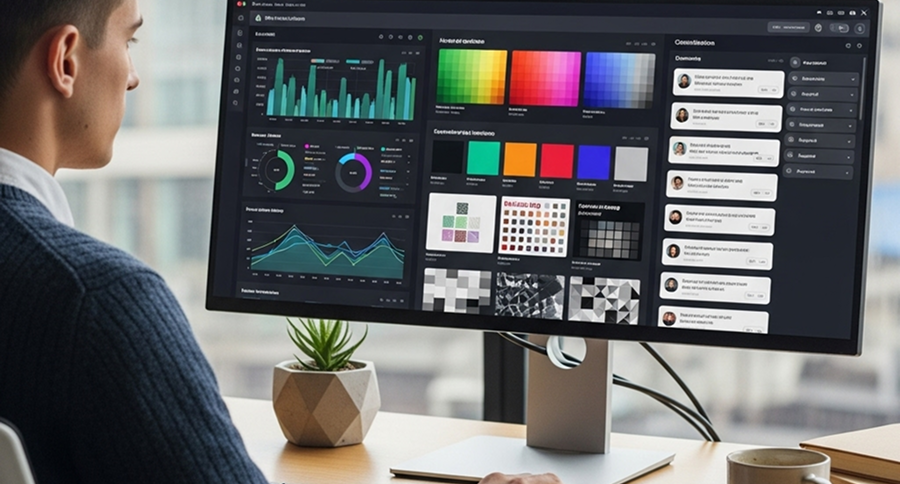
Success as an Instagram admin requires a diverse skill set spanning creative, analytical, and interpersonal abilities.
Visual Design Fundamentals for Engaging Content
Instagram is a visual platform, so design skills are not optional for admins. They don’t need to be professional editors or designers, but they must know the basics!
Important visual design skills include:
– Basic photo editing and enhancement
– Composition and visual storytelling
– Color theory and brand palette application
– Typography for Stories and graphics
– Creating cohesive grid aesthetics
Copywriting Techniques for Captions That Convert
While images capture attention, captions drive action. Effective Instagram admins craft compelling copy that encourages engagement, communicates value, and supports marketing objectives.
Key copywriting skills include:
– Writing attention-grabbing openings
– Crafting clear calls-to-action
– Using storytelling to create emotional connections
– Incorporating relevant hashtags strategically
– Adapting tone for different content types
The best Instagram captions balance personality with purpose, giving followers both a reason to engage and a clear understanding of what action to take.
Data Analysis for Informed Decision Making
Successful Instagram administration is increasingly data-driven. Admins need to extract meaningful insights from performance metrics to continually refine their approach.
Essential analytical skills include:
– Interpreting Instagram Insights data
– Tracking conversion metrics from Instagram traffic
– A/B testing different content approaches
– Recognizing patterns in audience behavior
– Translating data into actionable recommendations
These skills enable admins to move beyond gut feelings to make strategic decisions based on actual audience response.
Time Management for Multi-Account Handling
Instagram management involves numerous recurring tasks across potentially multiple accounts. Efficient time management prevents important responsibilities from falling through the cracks.
Effective time management techniques include:
– Batching similar tasks (like content creation or engagement)
– Using productivity methods like time blocking
– Setting up systems to track recurring responsibilities
– Delegating appropriate tasks when possible
– Creating templates for common content types
With strong organization systems, admins can maintain quality while handling the diverse demands of Instagram management.
Powerful Tools for Instagram Admin Success
The right tools can significantly enhance an Instagram admin’s effectiveness and efficiency. Here are essential solutions worth considering.
Content Scheduling Platforms Worth Investing In
Scheduling tools allow admins to plan and automate posting, maintaining consistency without being constantly active on the platform.
Top scheduling options include:
– Later: Excellent visual planning with a drag-and-drop calendar
– Sprout Social: Comprehensive scheduling with robust analytics integration
– Hootsuite: Multi-platform management with team collaboration features
– Buffer: User-friendly interface with first comment scheduling
– Meta Business Suite: Free native scheduling directly from Meta
These tools save time while ensuring content goes live when audience engagement typically peaks.
Analytics Tools That Reveal Audience Insights
Beyond Instagram’s native insights, specialized analytics tools provide deeper understanding of performance and audience behavior.
Valuable analytics platforms include:
– Sprout Social: Comprehensive reporting with competitive benchmarking
– Iconosquare: Detailed Instagram-specific metrics and competitor analysis
– Sendible: Custom report generation and automated delivery
– Keyhole: Hashtag performance and industry trend monitoring
– Dash Hudson: AI-powered content performance prediction
These tools help admins connect content strategies to business outcomes through more sophisticated data analysis.
Design Applications for Professional Visual Content
Creating standout visuals doesn’t require professional design experience with these user-friendly tools:
– Canva: Templates for all Instagram formats with brand kit functionality
– Adobe Express: Professional templates with Adobe Creative Cloud integration
– Over: Mobile-focused design app with excellent typography options
– Unfold: Story template specialist with minimal, elegant designs
– Snapseed: Powerful mobile photo editing with professional-grade filters
These applications help admins maintain visual quality even without dedicated design resources.
Comment Management and Moderation Solutions
As accounts grow, manually managing engagement becomes challenging. These tools help admins stay on top of community interactions:
– Agorapulse: Inbox management with assignment features for team handling
– Sprout Social: Smart inbox with automated tagging and sentiment analysis
– Falcon.io: Comprehensive engagement management with response suggestions
– Khoros: Enterprise-level moderation with custom workflow options
– Moderate: AI-powered comment filtering to hide inappropriate content automatically
These solutions ensure no important interaction goes unnoticed while streamlining the engagement process.
Building an Instagram Admin Workflow

A well-designed workflow prevents important tasks from being overlooked.
Daily, Weekly, and Monthly Task Organization
Breaking Instagram management into different time frames helps admins balance immediate needs with longer-term strategic work.
Daily tasks typically include:
– Responding to comments and messages
– Posting scheduled content and Stories
– Engaging with relevant accounts and hashtags
– Monitoring mentions and tags
Weekly responsibilities often cover:
– Content creation and scheduling for the coming week
– Reviewing performance of recent posts
– Updating hashtag research
– Checking competitor activity
Monthly activities should include:
– Comprehensive analytics review
– Content planning for the upcoming month
– Strategy adjustments based on performance data
– Trend research and feature updates
This tiered approach ensures both responsive day-to-day management and strategic long-term planning.
Collaboration Systems for Team-Based Administration
When multiple team members contribute to Instagram management, clear collaboration systems prevent confusion and maintain consistency.
Effective collaboration approaches include:
– Defining clear roles and responsibilities
– Creating shared content calendars with assignment tracking
– Establishing communication channels for quick approvals
– Documenting brand guidelines and voice examples
– Setting up shared asset libraries for approved content
Tools like Asana, Trello, or Monday.com can facilitate team coordination.
Creating Efficient Content Approval Processes
Approval bottlenecks can derail even the best Instagram strategies. Streamlined processes keep content flowing while maintaining quality control.
Effective approval workflows often include:
– Clear submission templates with all required elements
– Designated approvers with backup options
– Reasonable timeframes for review and revision
– Batch approvals for efficiency when possible
– Emergency protocols for time-sensitive content
Established approval systems reduce last-minute scrambling while ensuring content meets brand standards before publication.
Tips to Measure Instagram Admin Effectiveness
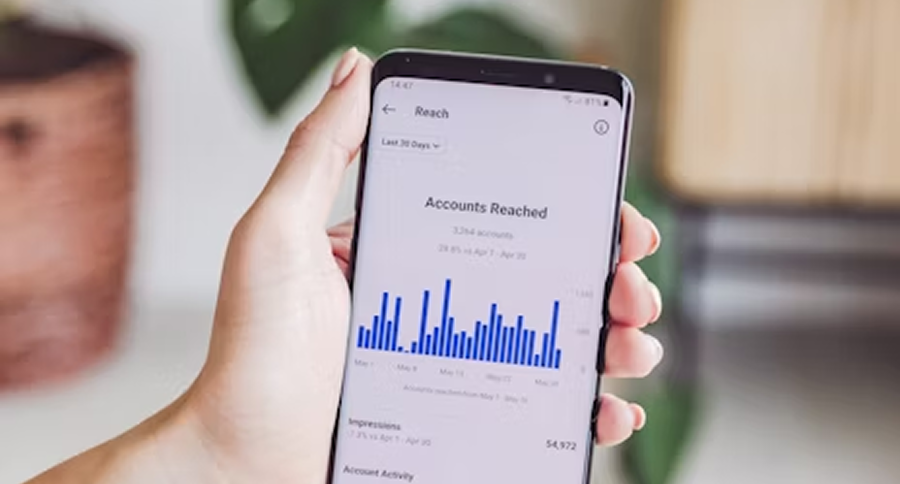
Defining success metrics helps organizations evaluate Instagram administration performance and justify resource allocation.
Setting Realistic KPIs for Admin Performance
Effective measurement starts with appropriate key performance indicators that align with business objectives:
– Engagement metrics: Likes, comments, shares, saves, and DMs
– Growth indicators: Follower count, reach, and impressions
– Community health: Response rate, response time, and sentiment
– Content efficiency: Engagement rate per post type
– Business impact: Website clicks, lead generation, and conversions
Tracking Engagement Metrics That Matter
Not all engagement metrics carry equal weight. Admins should prioritize indicators that reflect meaningful audience connections:
– Comments often represent deeper engagement than likes
– Saves indicate content with lasting value
– Shares demonstrate content worth spreading
– Direct messages suggest relationship-building potential
– Profile visits and website clicks show interest beyond the platform
By focusing on these higher-value interactions, admins can distinguish between passive scrolling and genuine audience interest.
Calculating ROI from Instagram Management Efforts
Ultimately, Instagram administration should deliver business value. Calculating return on investment helps justify continued resource allocation:
– Track conversions from Instagram traffic using UTM parameters
– Assign value to different types of engagement based on historical conversion patterns
– Compare Instagram customer acquisition costs to other channels
– Measure Instagram’s contribution to customer retention and lifetime value
– Assess brand awareness lift from Instagram campaigns
While not all Instagram benefits are directly quantifiable, connecting activity to business outcomes remains essential for demonstrating admin value.
Hire vs. Outsource Instagram Management: What’s Best for Your Business?
Deciding between hiring an in-house Instagram admin or outsourcing to an agency depends on your brand’s goals, budget, and resources.
In-House Instagram Management: Pros & Costs
Hiring internally gives you more control and alignment with your brand.
Key benefits include:
- Deep understanding of your products and audience
- Faster response times and internal collaboration
- Long-term knowledge retention and brand consistency
However, consider the costs:
- Salaries, benefits, and training
- Social media tools and management overhead
- Time spent on onboarding and process integration
This option suits brands with high content needs and a strong internal marketing team.
Outsourcing to an Instagram Agency
Agencies offer expert support and scalability, especially useful for:
- Launching new campaigns
- Adapting to platform updates
- Managing large or complex accounts
Choose an agency with:
- Industry experience and strong client results
- Transparent performance metrics
- Clear communication and format versatility
Agencies work best for businesses needing specialized help or short-term boosts.
A Hybrid Approach: Training Your Internal Team
Many businesses benefit from training existing staff while using agencies for support.
Best practices include:
- Choosing team members with interest in social media
- Offering structured Instagram training and resources
- Documenting workflows and assigning mentors
This blended strategy builds in-house capability while reducing reliance on external providers.
Conclusion
Instagram is an effective tool for creating brand identity, interacting with your fans, and generating tangible business results.
Whether you opt to build an in-house team, contract an agency that knows what they’re doing, or meet somewhere in the middle of both, the initial step is viewing Instagram as a key part of your marketing mix.
With the right people, gear, and processes in place, your business can tap into good engagement, strengthen customer relationships, and ultimately drive growth.
Remember, great Instagram management isn’t about gaining followers; it’s about creating value. When done well, it transforms your account from a fixed presence into a vibrant, high-impact channel of marketing. Prioritize it, invest in it, and watch your online presence become a real business asset.
FAQs
How many admins can be on Instagram?
You can have up to 5 admins on an Instagram Business account by assigning roles through Meta Business Suite. This allows the account to be managed collaboratively by team members without the need to share login information.
What skills should an Instagram admin have?
They should know content creation, hashtags, engagement strategies, and basic analytics.
What does an Instagram admin do?
An Instagram admin manages content, engages with followers, and oversees account growth and performance.
What tools do Instagram admins use?
Common tools include Meta Business Suite, Canva, Later, and Hootsuite for scheduling and analytics.

Emi Daniel
Buy an Established Instagram Account
Skip starting from zero. Browse Instagram/TikTok accounts with audiences across many niches.
See Available AccountsRelated articles
-

How to Clear Instagram Cache on iPhone, Android & Desktop
Instagram can quietly build up a lot of temporary files while you scroll through Reels, watch Stories, save posts, and upload your own content. You may not…
12 min readEmi Daniel
-

How to See Who Reposted Your Instagram Post (2026 Guide)
Someone reposted your Instagram post, but you have no idea who it was. You check notifications, search through your profile, and still cannot find a clear answer. …
18 min read -

How to Reset Instagram Algorithm in 2026
Instagram can start showing too much of the same type of content. Your Explore page may no longer match your interests, Reels may feel repetitive, or suggested…
12 min read