
Instagram Stories have become a central feature of communicating and sharing moments. With over 500 million daily active users, Stories offer a quick glimpse into people’s lives, but their 24-hour lifespan can leave you wishing you could preserve certain content.
Whether you’re tracking competitors’ content for your business strategy or simply want to save a friend’s vacation highlights, knowing how to save Instagram Stories efficiently can be invaluable.
This comprehensive guide will walk you through various methods to save Instagram Stories, from built-in features to third-party solutions, while keeping ethical considerations at the forefront. Let’s dive into Instagram Story saving and discover the most effective approaches for 2025.
The Importance of Saving Instagram Stories

Saving Instagram Stories serves multiple valuable purposes:
For businesses, saved Stories provide competitive analysis material and content inspiration. They also preserve customer testimonials or product features that might otherwise disappear.
For individuals, saving Stories helps preserve memories, reference information, or keep content from influencers and friends that resonates with you.
Common Challenges When Trying to Save Instagram Stories

Saving Instagram Stories isn’t always as simple, especially when it comes to other people’s stories. Because Instagram is all about privacy and temporary posts, many common saving methods fall short.
Stories Disappear After 24 Hours
Instagram Stories are designed to vanish after a day, making it difficult to save them unless quick action is taken.
No Built-in Download Option for Other Users’ Stories
Instagram only allows you to save your own Stories. Saving someone else’s Story requires third-party tools or workarounds.
Limited Features on the Instagram App
The app doesn’t support features like story archiving for others, batch saving, or direct sharing outside the platform without limitations.
Besides, some limitations can be bypassed when you buy pre-aged Instagram accounts with built-in engagement and features that newer accounts lack.
Screenshot Quality Is Often Poor
Screenshots may capture low-resolution images, miss videos entirely, or distort the Story’s layout and design.
Third-party Apps Raise Privacy and Security Risks
Many external apps ask for login credentials, putting your Instagram account at risk of being hacked or compromised.
Stories with Music or Stickers Lose Functionality When Saved
Downloading Stories with music, polls, or interactive elements often results in a static or incomplete version.
Private Accounts Make Stories Inaccessible
If an account is private and you don’t follow them, you won’t be able to view or save their Stories at all.
Native Methods to Save Instagram Stories

Instagram also has some native tools for saving Stories, including your own. They are easy to use and don’t require any third-party apps, but they do come with some caveats.
How to Save Your Own Instagram Stories Directly
Instagram makes it relatively simple to save your own Stories before or after posting:
Before posting, tap the download button (downward arrow) in the story editor. This saves the photo or video to your device’s gallery without any Instagram stickers or text.
After posting, open your active Story, tap the three dots in the bottom right corner, and select “Save.”
Using Instagram’s Archive Feature for Future Access
Instagram’s Archive feature automatically saves your expired Stories:
1. Go to your profile and tap the hamburger menu (three lines) in the top right
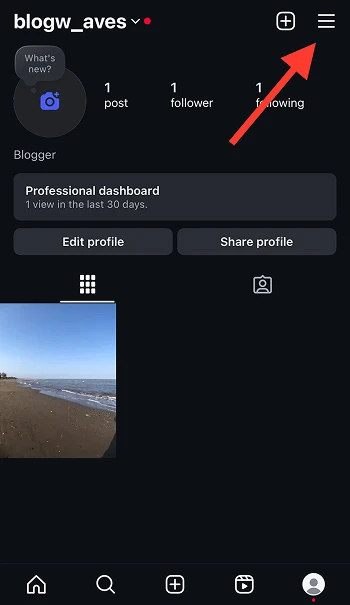
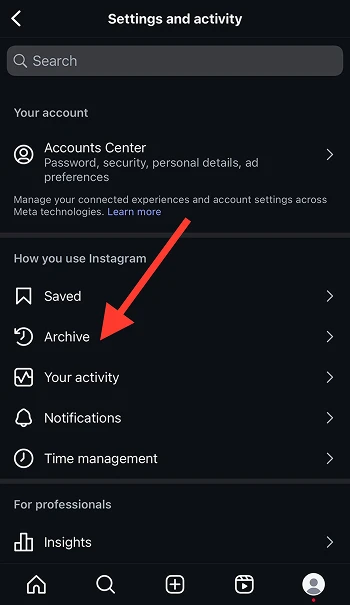
2. Select “Archive”
3. At the top, toggle between “Stories Archive” and “Posts Archive”
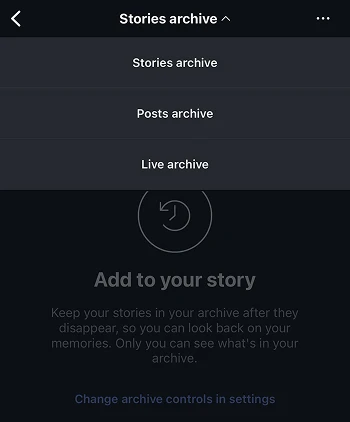
4. Browse your previously posted Stories by date
This feature allows you to revisit past content or even reshare it to your Stories again. For businesses tracking campaign performance over time, the Archive provides a convenient historical record of your Story content.
Taking Screenshots: The Quick but Limited Approach
The most straightforward approach to saving others’ Stories is taking a screenshot:
On iPhone: Press the side button and volume up button simultaneously
On Android: Press the power and volume down buttons at the same time
While simple, screenshots have limitations. They only capture still images (not videos), may include unwanted screen elements, and don’t maintain the highest quality. For businesses monitoring competitors, screenshots offer quick reference points but lack the polish needed for professional analysis.
Third-Party Apps for Saving Instagram Stories
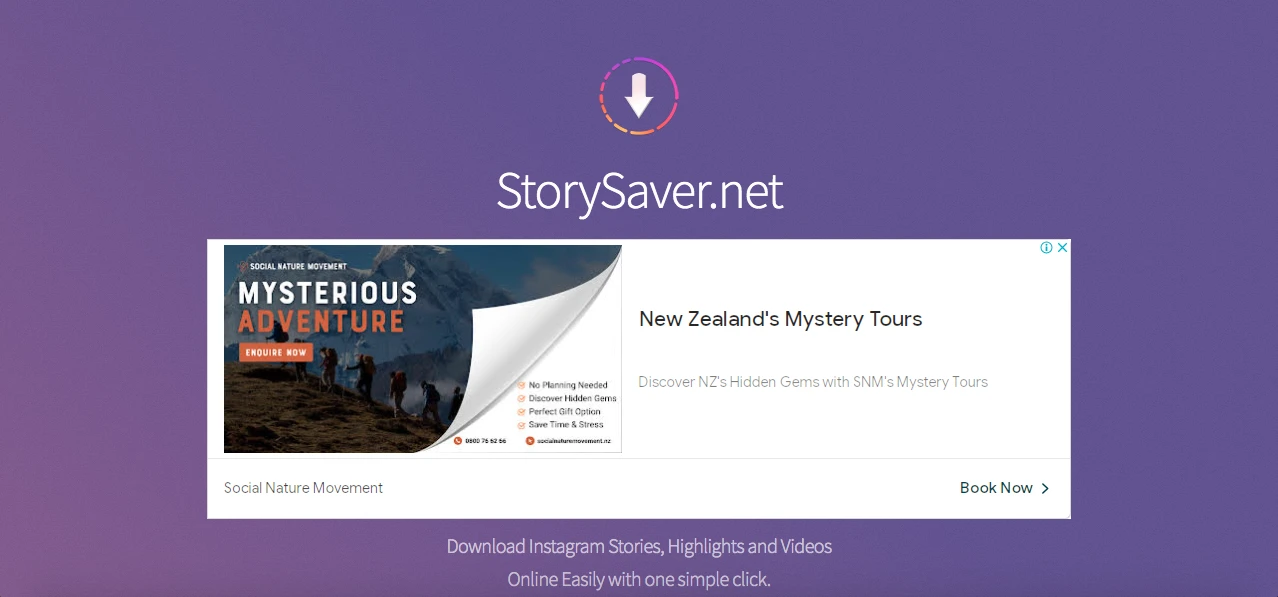
If native Instagram tools don’t meet your needs, third-party apps can offer more flexibility, especially for saving Stories from other users.
Top 5 Instagram Story Saver Apps for Android Users
- Story Saver for Instagram: Offers a clean interface that allows downloading Stories, highlights, and posts. Simply copy the profile URL and paste it into the app.
- StorySaver.net: A web-based tool that also offers an Android app, letting you view and download Stories anonymously.
- Repost for Instagram: Beyond saving, this app helps you repost content while giving proper credit to the original creator, essential for business accounts.
- Story & Post Saver: Features a built-in browser that simplifies the saving process without leaving the app.
- Instore – Story Saver: Offers batch downloading capabilities and organizes saved content by accounts you follow.
Always verify that your chosen app has recent updates and positive reviews, as Instagram frequently changes its code, which can render older apps ineffective.
Best Story Downloader Apps for iPhone in 2025
- Story Reposter: Allows saving and reposting of Stories with proper attribution, maintaining the original poster’s username.
- StorySave: Features a clean, intuitive interface that makes browsing and saving Stories straightforward.
- Repost Story for Instagram: Offers quick downloading of Stories and posts while maintaining high video quality.
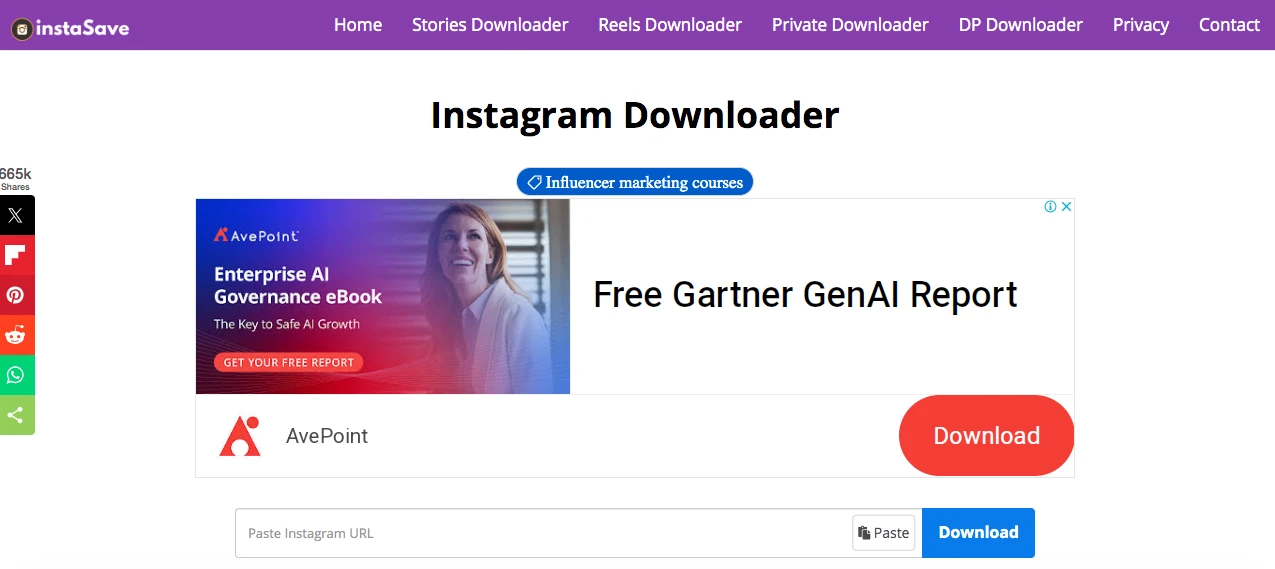
- InstaSave: Provides a secure environment for downloading Stories without requiring login credentials.
- Story Assistant: Includes additional features like Story viewing without being seen by the poster.
Due to Apple’s stricter App Store policies, iPhone users may find fewer options available compared to Android users, and functionality may be more limited.
How to Evaluate Safe and Reliable Story Saver Apps
When choosing a story saver app, consider these safety criteria:
- Avoid login requirements: Reliable apps should never ask for your Instagram password. Instead, they should work with publicly available content or through Instagram’s official API.
- Check permissions: Be wary of apps requesting excessive device permissions unrelated to their function.
- Read reviews carefully: Look beyond star ratings to read specific user experiences, particularly regarding security and reliability.
- Verify developer reputation: Research the app developer’s other products and online presence to ensure legitimacy.
- Update frequency: Regular updates indicate the developer maintains compatibility with Instagram’s changing systems.
For businesses, the safeguards around choosing third-party tools are particularly important to protect company accounts and sensitive information.
Browser Extensions and Online Tools for Story Saving
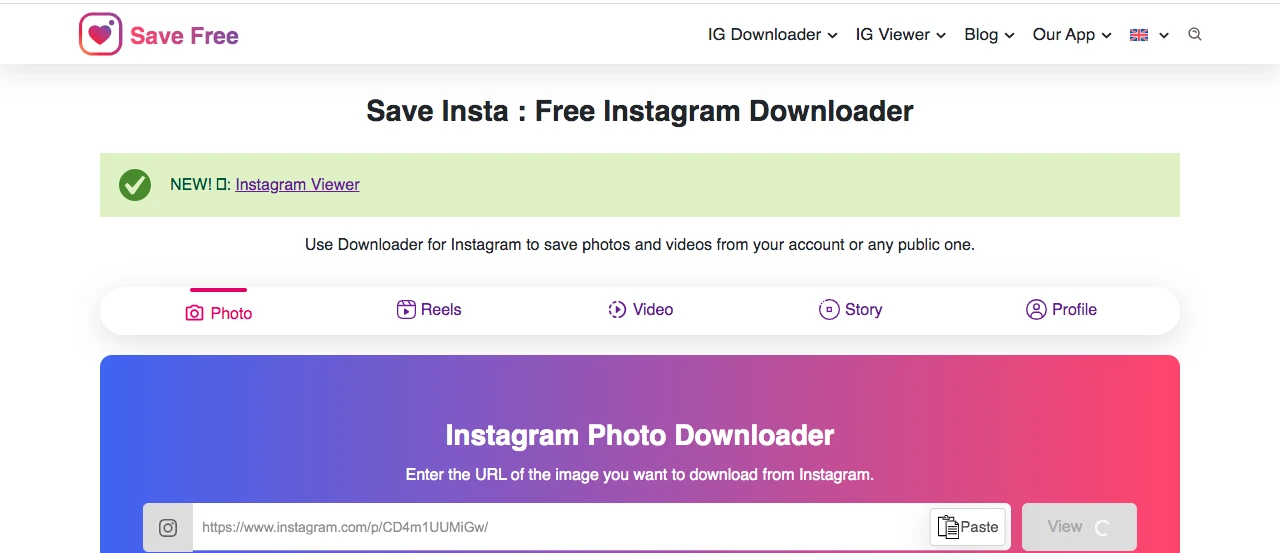
If you prefer working from a desktop or want quick access without installing apps, browser extensions and online tools can be a great way to save Instagram Stories.
Chrome Extensions That Make Instagram Story Saving Effortless
Browser extensions offer convenient ways to save Instagram Stories directly while browsing:
- IG Stories for Instagram: Adds a download button to Stories viewed in your browser, allowing one-click saving.
- Downloader for Instagram: Works across Instagram content types, including Stories, posts, and IGTV.
- Story Saver: Designed specifically for saving Stories with minimal interference to your browsing experience.
- InstaG Downloader: Enables quick downloading of Stories, Reels, and posts with easy access from the toolbar.
- Saver for Instagram™: Provides a simple interface to save Stories and other Instagram media directly from the browser.
These extensions integrate directly with your Chrome browser, making them ideal for social media managers who primarily work from desktop computers.
Web-Based Instagram Story Downloaders: No Installation Required
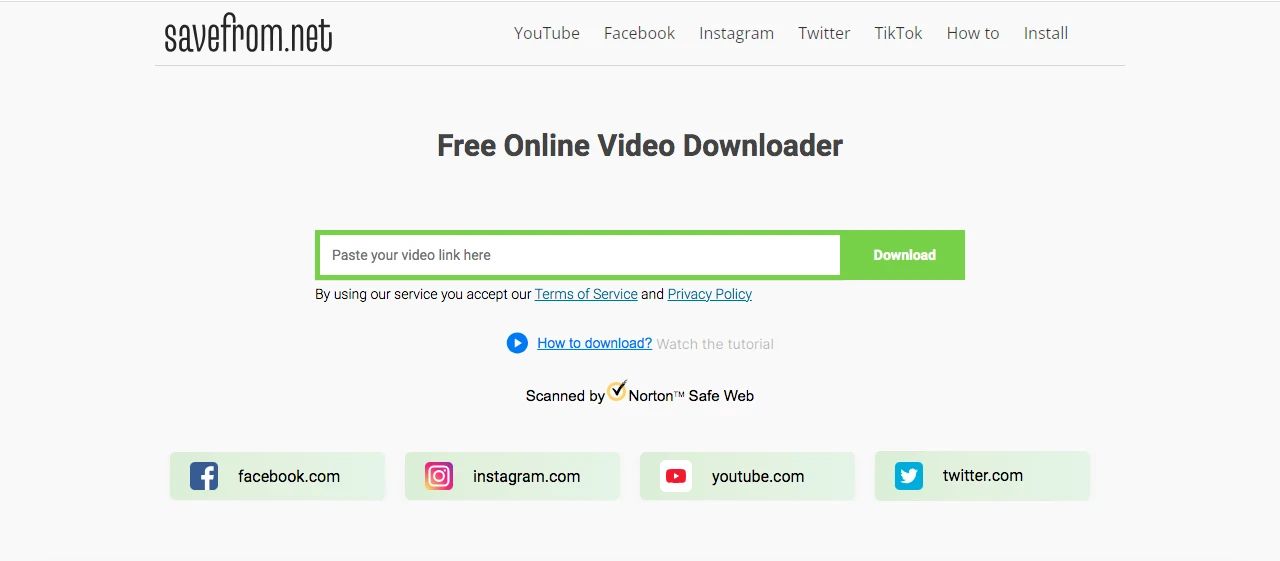
For those preferring not to install software, several web services offer Story downloading capabilities:
- StoriesIG.com: Simply enter an Instagram username to access and download their public Stories.
- InstaDP.com: Beyond Stories, this site allows downloading of profile pictures and posts.
- SaveFrom.net: A multi-platform downloader that includes Instagram Story saving functionality.
- StoryDownloader.net: Allows anonymous viewing and downloading of public Instagram Stories and Highlights without login.
- Dumpor.com: Offers easy access to download Stories, Reels, and posts from public Instagram accounts with a simple search.
These browser-based tools are particularly useful for occasional use or when working from computers where you can’t install extensions.
How Browser Tools Handle Instagram Story Privacy Settings
Browser tools can only access content that’s already visible to you on Instagram:
- Public accounts’ Stories are accessible to most tools without restrictions.
- Private accounts’ Stories can only be downloaded if you’re already an approved follower and are logged in.
- Close Friends Stories present additional challenges, as most third-party tools cannot access this exclusive content.
- Instagram’s Constant Privacy Updates: Instagram regularly updates its privacy settings and API restrictions, which can suddenly limit or block access for browser tools, even for Stories you previously could save.
- Limited Access to Interactive Story Features: Browser tools often fail to capture interactive elements like polls, questions, or music stickers, meaning saved Stories may not fully reflect the original content’s engagement features.
For businesses researching competitors, these privacy limitations mean you’ll need to follow relevant accounts to access their Stories through browser tools.
Advanced Techniques for Saving Instagram Stories
These techniques can give you greater control, whether you’re downloading individual Stories, batching multiple accounts, or even viewing content anonymously.
Using Developer Tools to Extract Instagram Story Media
For those with technical skills, browser developer tools offer a more direct approach:
1. Open Instagram in Chrome or Firefox and navigate to the Story you want to save
2. Open Developer Tools (F12 or right-click and select “Inspect”)

3. Go to the Network tab
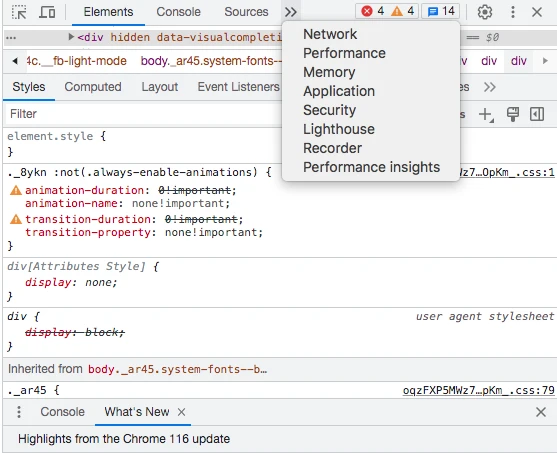
4. Play the Story and look for files with .jpg or .mp4 extensions

5. Right-click these files and select “Open in new tab” to download
This method bypasses third-party tools entirely but requires some technical knowledge. For businesses with IT resources, this approach offers greater control and security.
Batch Downloading Multiple Instagram Stories Simultaneously
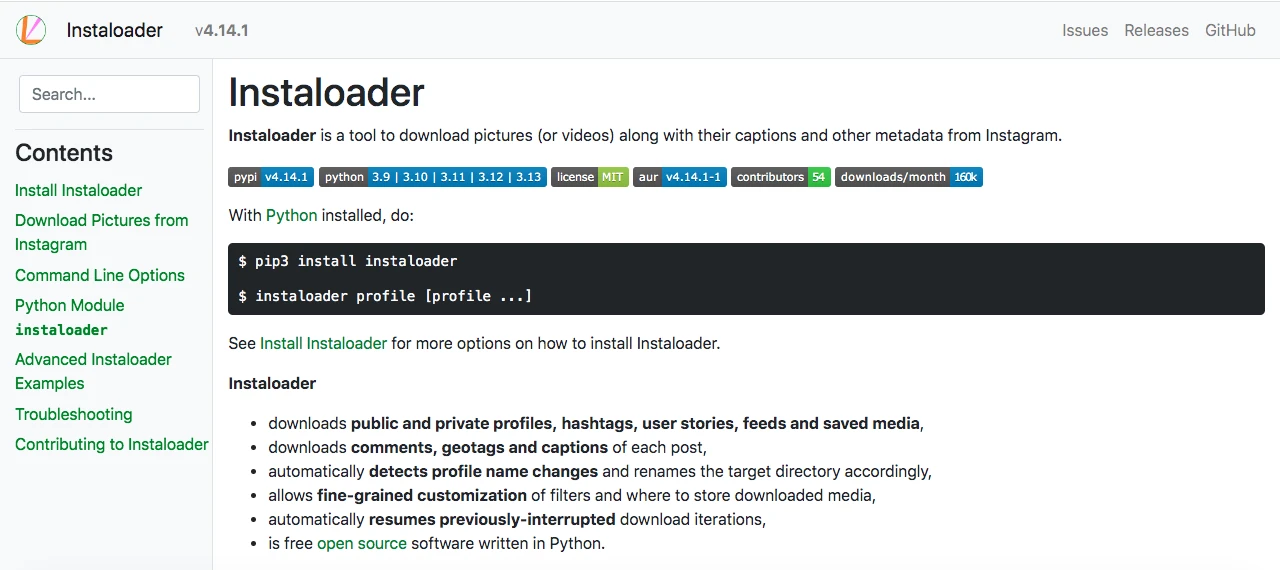
When monitoring multiple accounts or saving extensive Story content:
- 4K Stogram: A desktop application that allows users to follow multiple Instagram accounts and automatically download their stories.
- Instaloader: A command-line tool that can be scheduled to download Stories from specified accounts regularly.
These batch methods are particularly valuable for market researchers and social media analysts who need to track multiple competitors systematically.
Saving Instagram Stories Without Account Detection
For situations where viewing discretion is important:
- Anonymous Story Viewer websites: Services like StoriesIG.me allow viewing Stories without appearing in the creator’s viewer list.
- Instagram web interface: Using Instagram through a web browser rather than the app sometimes prevents your name from appearing in Story view counts.
Legal and Ethical Considerations When Saving Stories

Before downloading or sharing someone else’s Story, it’s important to be aware of Instagram’s policies, copyright laws, and ethical boundaries to avoid potential issues.
Understanding Instagram’s Terms of Service for Content
Instagram’s Terms of Service specify important points regarding content usage:
Users grant Instagram a “non-exclusive, royalty-free, transferable, sub-licensable, worldwide license to host, use, distribute, modify, run, copy, publicly perform or display, translate, and create derivative works of your content.”
However, this license is not provided to other users. The original owner still maintains the copyright of their content despite it being posted on Instagram.
Third-party downloading tools typically operate within a legal gray area that technically violates Instagram’s policy.
Respecting Copyright and Personal Content Boundaries
Even when you can technically save someone’s Stories, ethical considerations should guide your actions:
Never represent someone else’s content as your own. This constitutes copyright infringement and can have legal consequences.
Consider the context and sensitivity of the content. Personal moments shared with followers aren’t necessarily meant to be preserved by others.
For businesses, maintaining ethical standards regarding content saving is crucial for managing reputation and building trust with their audience and partners.
When and How to Request Permission for Story Sharing
Best practices for requesting permission include:
Direct messaging the creator with a specific request, explaining how you plan to use their content.
Offering attribution and tagging in any repurposed content.
For businesses, formalize the contract if you are using another’s work for commercial purposes.
Remember that oral consent may not be sufficient for commercial use—written consent is safer for all concerned.
Organizing and Managing Your Saved Instagram Stories

Once you’ve saved your Instagram Stories, the next step is organizing and managing them so you can easily find and use them whenever needed.
Creating an Effective Filing System for Instagram Content
Once you’ve saved Instagram Stories, organizing them becomes essential:
Create a dedicated folder structure on your device, perhaps organized by account name, date, or content category.
Implement a consistent naming convention that makes content easily searchable.
Consider using tags or metadata in your file management system to enable more advanced sorting and filtering.
A well-organized system saves countless hours for businesses tracking multiple competitors or campaigns when retrieving specific content later.
Best Practices for Backing Up Your Story Collection
Protect your saved content with proper backup procedures:
- Implement the 3-2-1 backup rule: maintain three copies of important data, on two different media types, with one copy stored off-site.
- Consider cloud storage solutions like Google Drive, Dropbox, or iCloud for automatic backups.
- Regularly verify your backups are working by attempting to restore files periodically.
For businesses using saved Stories as part of competitive analysis or market research, these backups represent valuable intelligence that warrants protection.
Tools for Editing and Repurposing Saved Instagram Stories

Once saved, Stories can be repurposed with these tools:
- Canva: Perfect for adding branding elements or reformatting Story content for other platforms.
- Adobe Express: Offers templates specifically designed for repurposing social media content.
- CapCut: Great for editing saved Story videos and preparing them for other platforms.
- Pixlr: A free alternative to Photoshop that works well for quick edits to saved Story images.
- InShot: A user-friendly app for trimming, adding effects, and resizing Story videos for different platforms.
- Snapseed: A powerful mobile photo editor ideal for enhancing saved Story images quickly and easily.
Ultimately, if you’ve built a content-rich account with lots of saved stories, it might even be time to sell your Instagram account securely to someone looking for a niche profile.
Troubleshooting Common Instagram Story Saving Issues

Sometimes saving Instagram Stories doesn’t go as smoothly as we’d like. Whether it’s a technical glitch, privacy settings, or Instagram’s own restrictions, understanding the common issues can help you find the right fix faster.
Why Some Instagram Stories Can’t Be Saved
Several factors can prevent successful Story saving:
- Rights management: Some music or branded content in Stories triggers protection mechanisms that block downloading.
- Private accounts: Stories from private accounts are only visible to approved followers and may resist third-party saving methods.
- Story settings: Creators can sometimes enable additional protections for their Stories, particularly for sensitive content.
- Technical limitations: Instagram regularly updates its code to prevent unauthorized downloading, which can break existing saving methods.
For businesses facing these challenges, building relationships that allow for official content sharing may be more effective than technical workarounds.
Fixing Download Errors and Quality Problems
When saved Stories don’t look right:
- Resolution issues: Ensure your display settings are maximized before capturing content. For third-party apps, look for “HD” or “high-quality” options in settings.
- Incomplete downloads: Check your internet connection stability; intermittent connections can result in corrupted files.
- Format compatibility: Some devices may struggle with certain video codecs; consider converting files to more universal formats like MP4.
- Storage limitations: Insufficient storage space can cause partial downloads or compression of saved media.
For businesses where presentation quality matters, investing in premium tools often delivers better results than free alternatives.
Solutions When Story Saving Methods Stop Working
When your go-to saving method suddenly fails:
Check for app updates, as developers often release fixes when Instagram changes affect functionality.
Research alternative methods, as the saving ecosystem constantly evolves in response to Instagram’s updates.
Take advantage of formal channels like approaching the originator of the content for content, especially in business-to-business transactions.
Pay attention to Instagram’s API changes, which typically mean changes to what third-party tools can view.
Conclusion
Instagram Stories are designed to be quick, engaging, and temporary—but sometimes, we come across a Story worth saving. Whether it’s for inspiration, reference, or just to keep a moment you don’t want to lose, having the right tools and know-how makes a big difference.
As Instagram continues to evolve, so do the ways we save content. Staying informed, choosing safe and reliable tools, and being mindful of what—and whose—content you’re saving is key.
At the end of the day, it’s not just about convenience; it’s about finding that balance between preserving valuable content and respecting the creators behind it. With the tips and insights from this guide, you’re all set to save Stories in a smart, simple, and respectful way.
FAQs
How Instagram’s updates affect story saving methods?
Instagram’s frequent updates tighten content security, making older saving methods less effective. With stronger detection against third-party apps and new sharing features encouraging proper credit, saving Stories, especially from others, is becoming more limited and controlled.
Can I save someone else’s Instagram Story without them knowing?
No, Instagram notifies users when someone views their Story, and most saving methods don’t prevent this notification.
Can I save Stories from private Instagram accounts?
Only if you follow the private account and have access to their Stories; otherwise, saving is not possible.
