
Have you ever posted something on Instagram, looked back, and thought it didn’t match your feed? Instagram feed represents your brand, product, or art and is the first thing that catches your audience’s eye, so you must organize your posts carefully.
But we are not experts to always know how to arrange our IG feed, right? So what should we do?
Back to my first question! If you have ever been in such a situation, you may wonder if it is possible to rearrange Instagram posts.
To be honest, yes!
Here, I will discuss reasons for reordering your IG feed, how to do so, the mistakes to avoid, and more.
Reasons to Reorder Instagram Feed

Let’s see the common reasons you may want to rearrange your Instagram feed.
To enhance the account’s visual appeal
A well-designed and cohesive feed attracts the attention of your profile visitors. Organizing your feed according to a thoughtful theme, color, and content type creates a more polished look, which enhances your account’s visual appeal.
To increase engagement

An organized Instagram feed encourages your followers to engage more and increases the chances of gaining new followers by uploading new content.
To maintain consistency

Reordering your Instagram posts allows you to maintain a consistent look, which is essential for branding and protecting your identity.
To stand out among competitors
Having an organized feed helps you stand out from the crowd and shows that you care about your audiences and are thoughtful about your brand.
Rearranging Your Instagram Posts
If you don’t like the order of posts on your IG feed, you can reorder them. Here are different methods to help you out!
Method 1: Pin your favorite post
Pin favorite posts to your profile in case you want them to appear in the first row of your feed. You can pin up to three posts by following the steps given below:
Step 1- Open Instagram and go to your profile by tapping on your profile icon.

Step 2- Select the posts you want to pin.
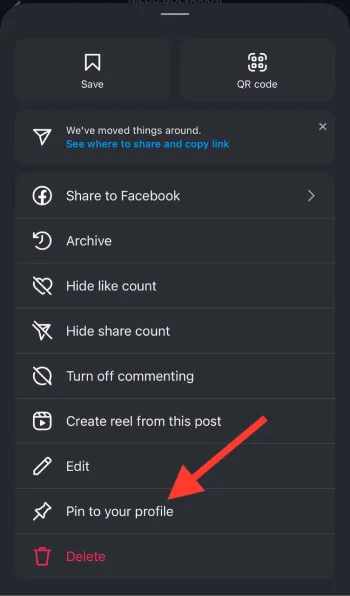
Step 3- Tap the three-dot icon and choose “Pin to your profile” from the menu.
Method 2: Rearrange your post after posting
This method allows you to rearrange the order of pictures in your post once posted.
Step 1- Open Instagram and choose the post you want to reorder the pictures.
Step 2- Suppose you want to put the second picture at the end. Click the three-dot icon to see a trash can icon on each image.
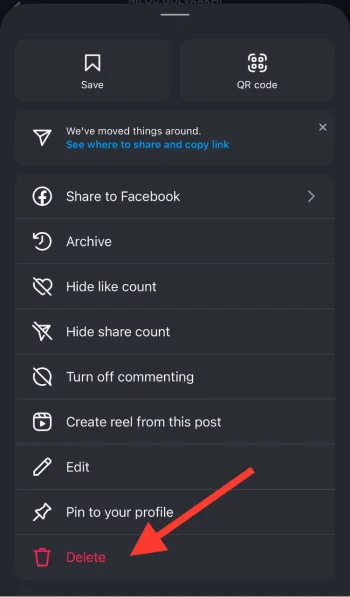
Step 3- Tap the trash can icon on the picture you want to rearrange and tap “Done.”
Step 4- Return to your profile and tap the hamburger icon.
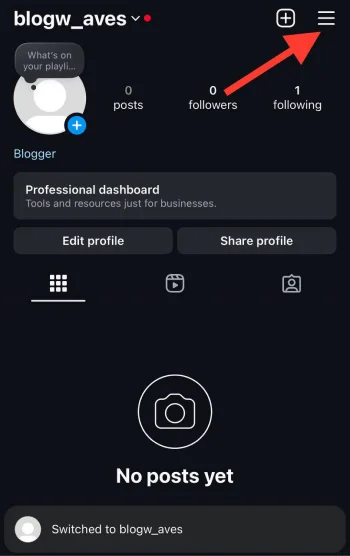
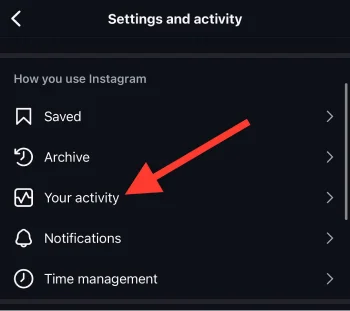
Step 5- Select “Your activity” from the menu.
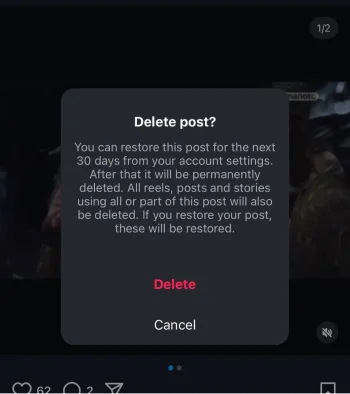
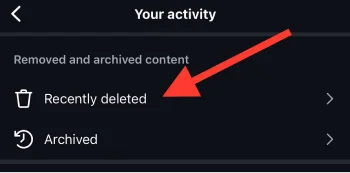
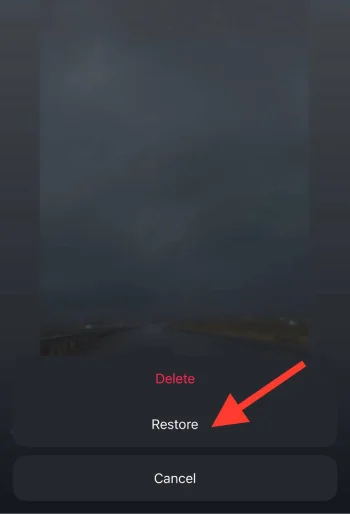
Step 6- Choose “Recently deleted.” Click on the “restore” icon.
Step 7- Return to your profile once you have restored the deleted picture.
Step 8- Open your post, and you will see that the deleted photo is placed as the last one.
Method 3: Archive and unarchive old posts
This method is one of the best ways to rearrange the order of your Instagram posts.
Archive old posts to remove them from your feed
Step 1- Open Instagram and go to your profile.
Step 2- Choose the post you want to archive.
Step 3- Tap on the three-dot icon on the post.
Step 4- Select “Archive” to finish the process.
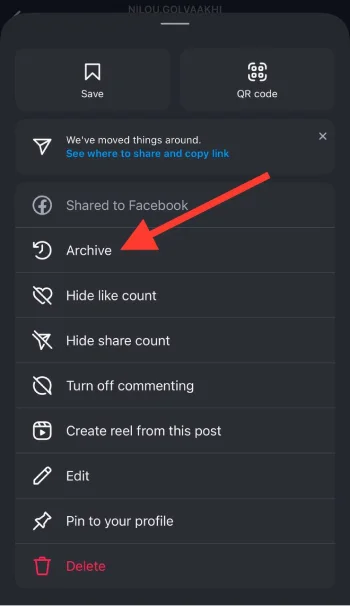
Unarchive a post to reappear on your feed
Step 1- Go to your profile and tap on the three horizontal line icon in the top right corner of the screen.
Step 2- Choose “Post archive.”
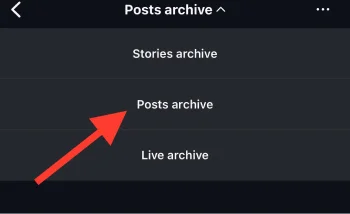
Step 3- Select the post you want to unarchive and tap on the three-dot icon on the post.
Step 4- Tap “Show on profile.”
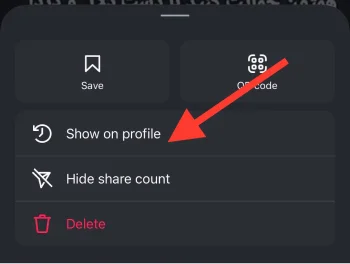
Method 4: Create carousel posts
You can create a carousel post to organize your Instagram feed without deleting and reposting posts.
Use this method to delete posts or videos you don’t want on your profile and repost them as a carousel post.
Method 5: Third-party tools
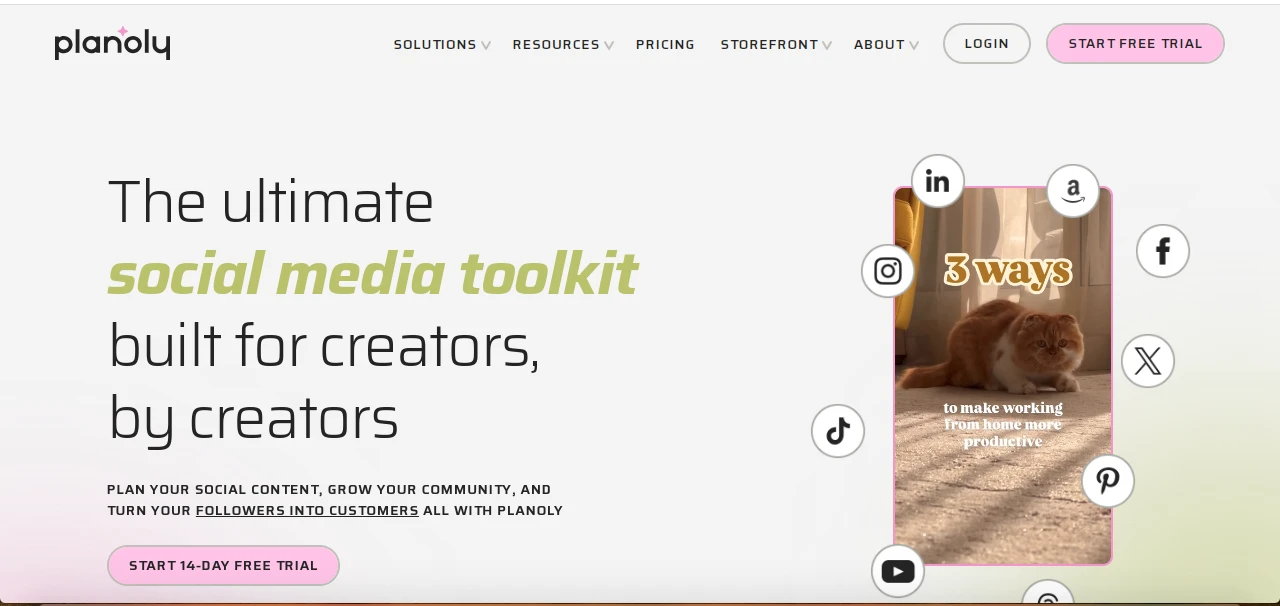
Instagram doesn’t have an in-built ‘posts rearranging’ feature. You can create a planned and organized feed using third-party apps.
UNUM, Preview, Planoly, and a few other popular apps allow you to drag and drop your posts before re-uploading them.
Note that you cannot tap and move your Instagram posts around, but these methods help you manage your account much better and organize your feed.
Mistakes to Avoid When Rearranging Instagram Posts

Rearranging Instagram posts is a great way to create a more visually appealing feed; however, there are some mistakes you should avoid to get the best results.
Reordering too much
Rearranging Instagram posts might be tempting. However, constantly reordering Instagram posts can have the opposite effect, making your feed look disorganized rather than curated.
Forgetting about feed balance

You do want all your best content to be at the top of your feed, but you should balance different types of content and avoid uploading posts with one specific type.
Ignoring your audience’s experience
Organizing your Instagram feed should enhance the user experience, not disrupt it! If you share too many similar posts or keep rearranging your posts, your followers may get confused or lose interest in your profile.
Conclusion
Organizing your Instagram feed is a great way to increase its visual appeal and engagement while representing your brand with high-quality content.
Note that rearranging your Instagram feed is not just about making your profile look good, but creating a visual story to finally catch the eye of your followers.
I hope you enjoy reading this article and that those methods will help you rearrange your posts on Instagram in the best way possible!
FAQs
Can I rearrange my Instagram feed with carousel posts?
Yes! You can upload your carousel post in any order you prefer, making it a useful tool for visual organization.
Does archiving a post affect its performance or visibility?
No, archiving a post doesn’t affect its visibility or performance in terms of engagement.
Will rearranging my feed help me get more followers?
A well-organized feed shows that you care about your content and brand, which can increase engagement and bring new followers.
