


As of 2026, Instagram is changing and developing, and it is introducing smarter and more creative ways for users to organize and share their content. The most useful feature of Instagram for this process is Instagram Story Highlights, which allows you to save the stories you like on your profile after they’ve been deleted from the feed.
Story Highlights give you a unique opportunity to curate your content, giving your profile a polished, professional look while ensuring significant moments remain readily available for your followers.
It’s quite easy to curate content based on your interests, products, branding, and more, creating themed content collections. Thus, irrespective of whether your goal is to share life events, products, or other themed content, Story Highlights can be used for the purpose.
Buy an Established Instagram Account
Skip starting from zero. Browse Instagram/TikTok accounts with audiences across many niches.
See Available AccountsThis is especially useful for social media influencers who would like to create one powerful profile, for brand owners who want to tell their brand’s tale and interact with their fans, or for any other person who desires to save cherished memories for their own personal use or for sharing with friends and fans.
What are Instagram Highlights and Archives?

Instagram has clearly made a play towards copying Snapchat’s Memories in rolling out the archive Instagram story feature.
This feature automatically archives your stories in a private section, which you can access in your profile. Let’s see what are these two new features:
Let’s see what these two features are:
Instagram Highlights
Instagram’s highlights are grouped collections of your Stories pinned to your profile page, and everyone who follows your account or visits it can see your highlight archive.
Unlike regular Stories that vanish after 24 hours, Highlights remain visible and accessible to your followers until you remove and delete them.
This provides an excellent opportunity to show critical moments, share insights, and communicate your brand’s essence in a way that captivates your audience and attracts new followers.
To learn all the best ways to create and customize these collections for your profile, read our full guide on how to create, customize, and use Instagram Highlights effectively.
Instagram Archives
They are your vault of past Stories that have expired from the 24-hour cycle. While these stories are no longer visible on your profile, they’re not lost forever, and you can access them in your profile.
When you enable the Instagram Archive feature, you can preserve your Stories within your account, allowing you to revisit them in the future; for example, you can add them to your story again after a year or whenever you want.
Finally, both Highlights and Archives offer a chance to extend the lifespan of your content and tell a more complete story to your followers. They provide a creative space to show your personality, experiences, and brand identity.
How to Archive Instagram Highlights in 2026
In 2026, more creators are using Instagram Highlights not just for aesthetic appeal but as mini content hubs, like travel diaries, product demos, or Q&A reels.
In this step-by-step guide, we’ll examine archiving Instagram Highlights, ensuring that you are able to archive your story highlights and reuse them again.
Step 1- Access Your Profile
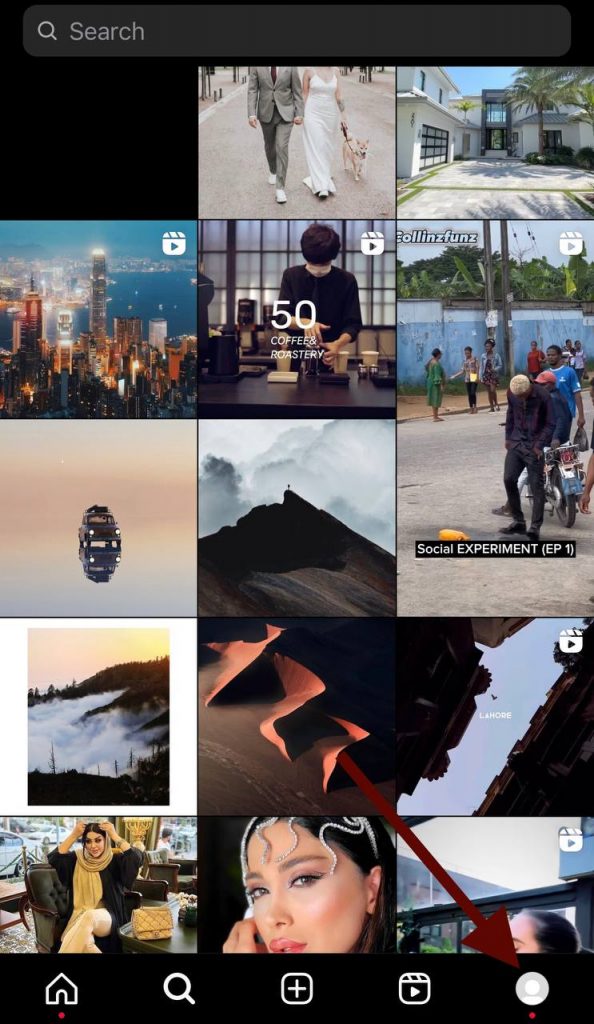
Open the Instagram app on your phone, and navigate to your profile by tapping your profile picture in the bottom right corner.
Step 2- Explore Your Existing Highlights

Above your profile’s main feed, you’ll find your existing Highlights, the circular icons that showcase your saved stories. Tap on any of them to enter the Highlight.
Step 3- Enter Edit Mode
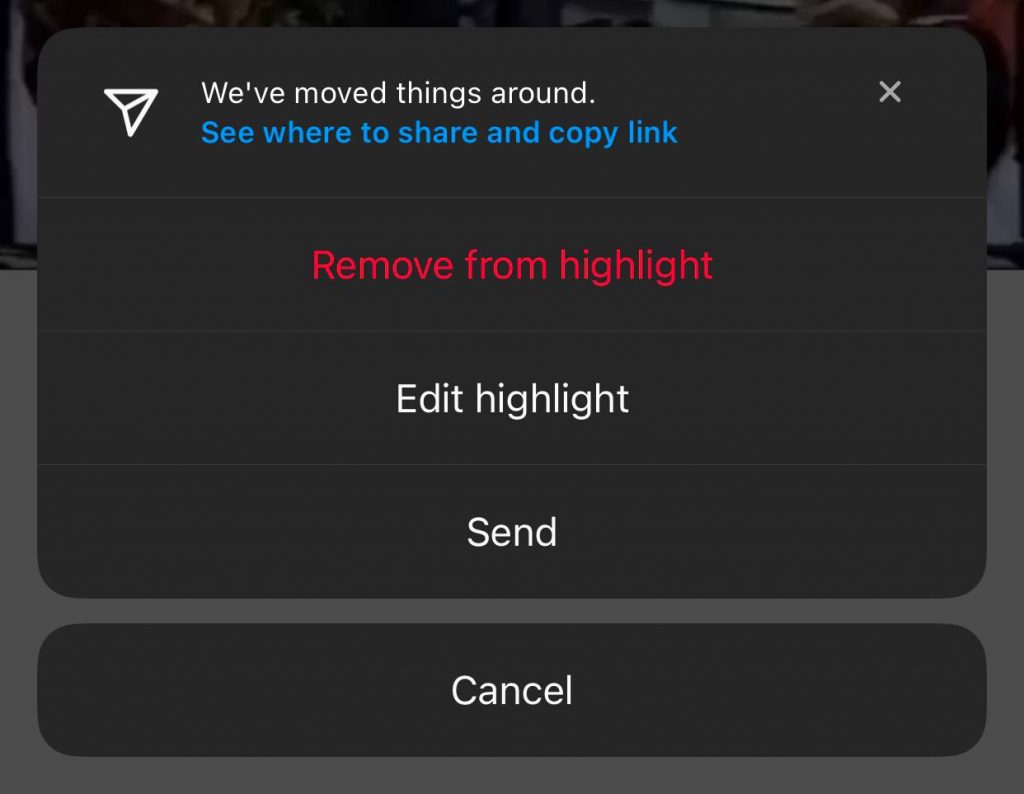
Once inside a Highlight, tap the three dots icon (The “More” button) in the bottom right corner to open a menu, and select “Edit Highlight.”
Step 4- Archive the Highlight
In the Edit Highlight menu, you’ll see an option called “Archive.” Tap on it to confirm archiving the Highlight.
Note: Archiving a Highlight doesn’t delete it; it simply removes it from your profile, and you can access and use them later.
Following these simple and short steps, you’re on your way to mastering the art of archiving Highlights and creating a profile that leaves a lasting impression, increases your engagement, and attracts more followers.
How to Access Archived Instagram Highlights in 2026?
The Archive option on Instagram is a total game-changer for storing expired content in your feed.
The archived Highlights help users go back through their Stories or restore them while staying organized and entertained on the platforms, whether you are just a user, a brand, or even an influencer.
Step 1- Launch the Instagram app on your iOS or Android device.
Step 2- Go to your profile by tapping your profile picture in the bottom-right corner.
Step 3- Tap the hamburger menu (three lines) in the top-right corner and select Archive.
By default, Instagram shows your Stories Archive, but you can toggle to view Posts Archive if needed.
Make sure your Instagram app is updated to the latest 2026 version, as Meta has improved archive navigation and layout for easier management.
How to Delete Archived Instagram Highlights?
Deleting old or irrelevant Highlights helps keep your Instagram profile clean, organized, and engaging.
Access Your Archived Highlights
- Go to your profile → tap the hamburger menu → select Archive → switch to Highlights Archive.
Delete a Highlight
- Tap the Highlight → tap the three dots → select Delete → confirm.
- Tip: Once deleted, it cannot be restored, so double-check before confirming.
Remove Individual Stories (Optional)
- Tap the Highlight → select a story → tap three dots → choose Remove from Highlight.
- The story stays in your Archive but is removed from that Highlight.
Tips To Better Use Archived Stories on Instagram in 2026
Instagram Story Highlights aren’t just a way to preserve your content; they’re a powerful tool to boost engagement, tell your story, and maintain a polished profile. Here’s how to make the most of your archived stories in 2026.
Access Your Archived Highlights
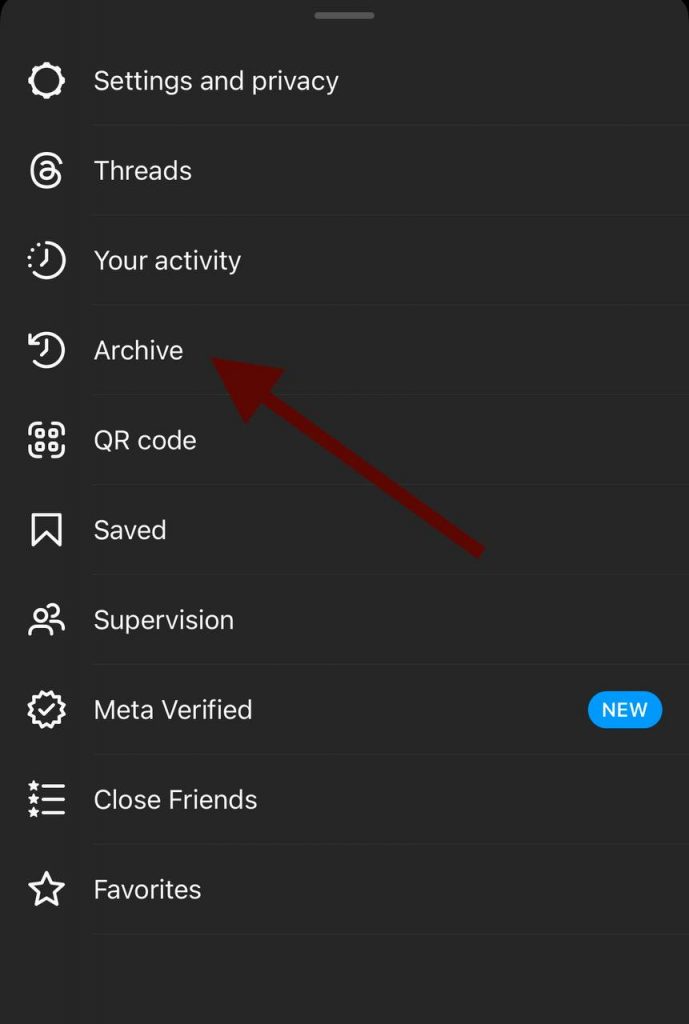
To access your archived Highlights, return to your profile and tap the “Archive” icon in the top right corner, and you’ll find your archived Stories and Highlights.
Pro tip: Use the Archive to identify top-performing stories that resonated with your audience. Reposting or turning these into Highlights can help improve engagement and keep your profile fresh.
Restore or Delete Archived Highlights

Note that inside the Archive, you can review your archived Highlights, so if you wish to restore a Highlight to your profile, select it and tap “Show on Profile.”
To remove a Highlight permanently, tap on it and then tap the three dots icon in the top right corner, then choose “Delete” to remove it.
Regularly review your archived Highlights to remove outdated or low-performing stories, keeping your profile clean, relevant, and engaging for new followers.
Showcase Restored Instagram Highlights
Once you restore a Highlight, it becomes immediately visible on your profile. This gives your audience access to curated, memorable content that reflects your brand, personality, or journey.
Organize Highlights into categories like “Travel,” “Tips,” or “Products” to make your profile visually appealing and easy to navigate, encouraging users to spend more time exploring your content.
Customize Highlight Covers for Maximum Impact
Archived stories can be grouped into Highlights with custom covers to make your profile stand out.
- Use branded icons, colors, or thematic images to match your Instagram aesthetic.
- Consistent Highlight covers improve profile navigation and encourage users to explore multiple Highlights.
If you don’t know where to look for Instagram highlight covers, you MUST visit Pinterest! You will find the best options that match your brand’s vibe and aesthetic.
To enhance the visual appeal of your Stories before you archive or highlight them, check out how to edit Instagram stories to make your stories stand out.
Analyze Archived Stories to Optimize Engagement
Instagram’s Archive feature lets you review views, replies, and interactions from your past Stories.
- Identify which content types drive the most engagement.
- Reuse or update those stories in Highlights to increase reach and retention.
- Track trends over time to understand what your audience prefers, making your Highlights strategic, not just decorative.
Do you have an Instagram account with an engaged following and stunning highlights? If you’re no longer actively using the account, why not put it to good use? You can easily sell it on Social Tradia and unlock its full potential by turning your Instagram account into cash!
What Are Instagram Archive Features?

Now that you are familiar with the Instagram Archive feature, you should know that it offers many options that allow you to maintain a polished profile.
Let’s see some of the key features of Instagram archive:
Stories Archive
Stories disappear after 24 hours, but the Stories Archive automatically saves them. This allows you to:
- Revisit past content.
- Repurpose old Stories into new Highlights or posts.
- Keep a personal or professional record of memorable moments.
Highlights
Highlights let you feature your best Stories permanently on your profile. In 2026, the
Highlights Archive lets you:
- Restore or reuse old Highlights.
- Organize your profile into categories or themes.
- Keep your profile attractive for new followers.
If you want more tips on how many Highlights to include without cluttering your profile, check out our article on how many Instagram highlights are ideal for optimizing your profile.
Reusing Content

One of the features of archived stories is that you can reuse the old content; this feature is helpful when you run out of new content and don’t have enough time to make new stories.
Did you know you can turn your Instagram highlights into creative and engaging Reels? This is a great opportunity for brands, content creators, and influencers to reshare their top highlights into Reels to reach a wider target audience and share memories with their followers!
How to Convert Highlights to Instagram Reels?
Step 1- Select the Highlight you want to convert.
Step 2- Tap and hold it.
Step 3- Choose “Convert to Reel.”
Step 4- Edit the Reel with text, stickers, or music to make it engaging.
Regularly reviewing your archived stories can help you identify your most engaging content, repurpose it effectively, and keep your profile relevant and visually appealing.
FAQs
Can I hide or archive Instagram highlights?
Yes, you can go to the settings menu and find the “save story to archive” option, by clicking on that you can easily archive your highlights without deleting them.
How to archive posts on Instagram 2026?
Select the desired post> Tap on the three-dot icon in the top right corner of the post> Select “Archive” from the menu.
Are people who I hide from my stories able to see my highlights?
No. If someone is restricted from your stories, they also can’t see your Highlights, unless you’ve manually made them public to everyone.
Why did Instagram delete my highlights?
If you don’t regularly maintain your highlights, Instagram will expire or delete them; so, you need to update them from time to time.
Conclusion
In 2026, Instagram Highlights will continue to be vital to how creators, influencers, and brands present themselves online.
Whether you must save special memories, create themed story packs, or make your profile more visually appealing, Highlights and Archived Stories offer a flexible, user-friendly way to keep your best stuff alive.
If you want to attract your target audience, it is better to use Instagram’s different features, to show off your profile and increase engagement.
This feature also opens up new opportunities for brands to get creative and express themselves; businesses can highlight different categories such as best outfits or product lines.

Emi Daniel
Buy an Established Instagram Account
Skip starting from zero. Browse Instagram/TikTok accounts with audiences across many niches.
See Available AccountsRelated articles
-

How to Go Live on Instagram: A Step-by-Step Guide
Going live can feel more stressful than posting a Reel. You cannot remove a pause, rewrite a sentence, or start over after an awkward moment. But that…
17 min readEmi Daniel
-

Instagram Instants Feature: What It Is, How It Works, and How to Turn It Off
The first time I opened Instagram Instants, I almost backed out. I had taken a normal photo. Nothing worth editing. Nothing worth posting. Nothing that needed an…
11 min read -

How to Clear Instagram Cache on iPhone, Android & Desktop
Instagram can quietly build up a lot of temporary files while you scroll through Reels, watch Stories, save posts, and upload your own content. You may not…
12 min read