
Ever noticed a little “Share your chat activity” option on Instagram?
Instagram lets your followers know when you’ve last been online. Instagram has done so to facilitate interaction between you and your followers.
Does it concern you, or do you like to turn it up and tell others when to reach you?
Well, you’re just at the right place! Today, we’re all about tips and tricks on Sharing Activity option. So, let’s know all about it!
‘Share your Chat Activity’ on Instagram And Its Usage
Instagram revolves around its users, so this platform chooses to be more user-friendly. As you know, Instagram is renowned for its interactive and engaging experience.
What Does ‘Share your Chat Activity’ Do?

The ‘Share your Chat Activity’ feature allows people you’ve directly messaged on Instagram to see when you were last active.
This could mean the exact moment you were last active, like ‘Active Now,’ or it could be more general, like ‘Active Today’ or ‘Active one hour ago.’ It’s all about sharing your availability status to enhance the chat experience.
You can also see when anyone has been last online, so you know the best time to DM them!
Insights into how the ‘Share your Chat Activity’ feature functions
‘Share your Chat Activity’ automatically turns on when creating an Instagram account. It only shares your status with people you’ve had direct messages with and not with your entire follower list.
So, if you’ve sent a DM to a friend, they can see when you’re online or last active. However, you shouldn’t worry since you have control over this feature. You can turn it off or on based on your privacy preferences.
The significance of the ‘Active Now’ status
The ‘Active Now’ status, shown by a green dot next to your username, means that the user is currently online and active on Instagram.
This feature makes communication more feasible and explains the best time to reach someone.
But bear in mind, just like the ‘Share your Chat Activity’ feature; this too can be managed as per your preference.
Managing Your Instagram Chat Activity

You don’t like your followers to know when you’ve been online? Do you feel the green dot burdens your shoulders, creating an urge to reply to any DM now?
Well, you’re not alone! The good news is
A step-by-step guide to enabling and disabling the ‘Share your Chat Activity’ feature
Whether you’re a seasoned Instagrammer or a newbie who wants to manage their Instagram, these steps are easy to follow:
Step 1
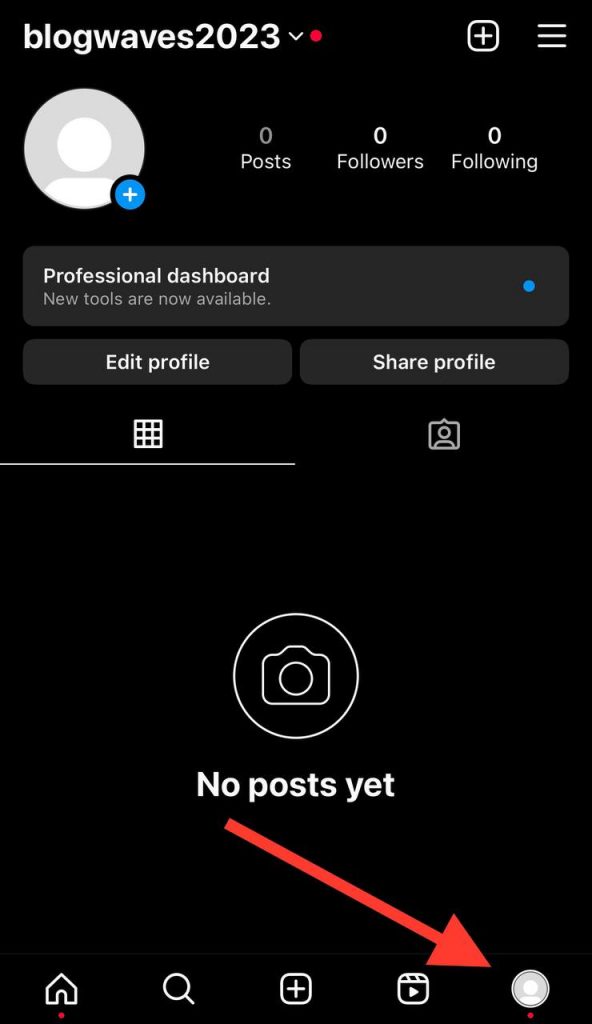
Open the Instagram app on your smartphone. Navigate to your profile by tapping the small profile icon at the bottom right of the screen.
Step 2
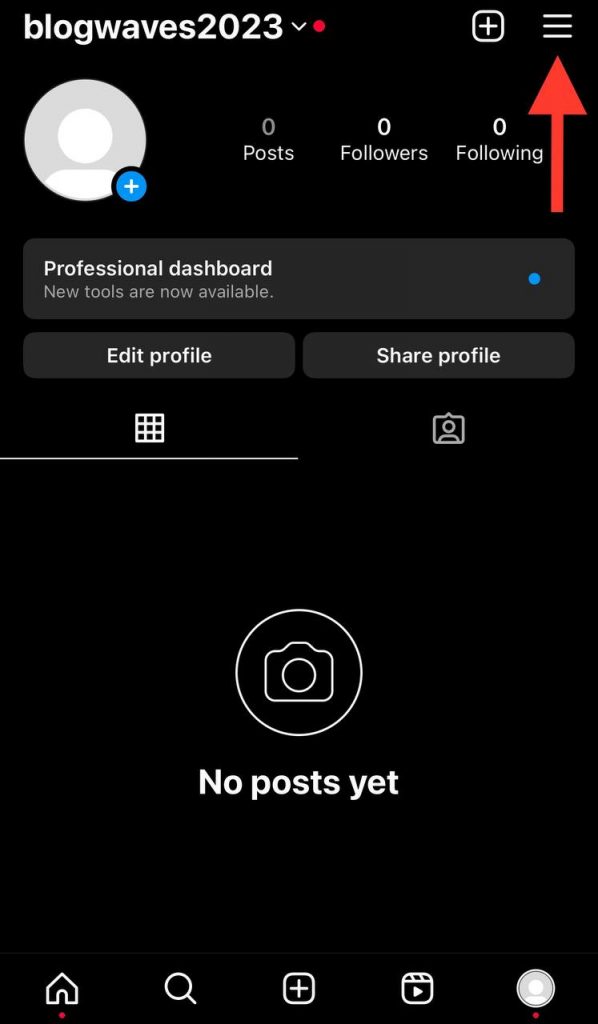
When you’re on your profile page, you must notice three horizontal lines. This is the Menu icon. There it is! look at the top right corner of the screen.
Tap on it and let it open a side menu.
Step 3
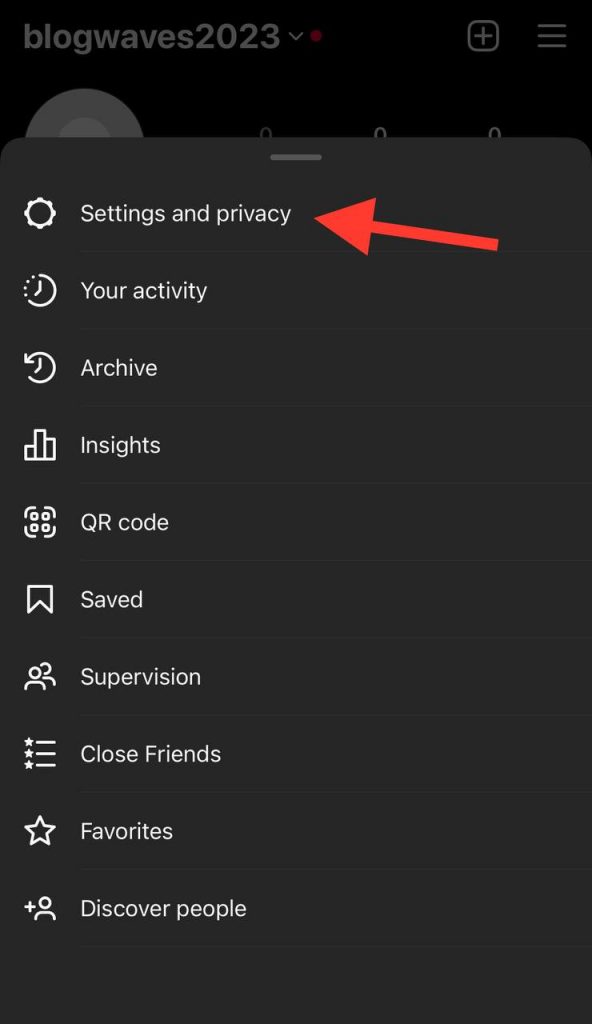
You will find ‘Settings’ in the side menu at the bottom. Tap on it to open your account settings.
Step 4
In the ‘Settings’ menu, tap on ‘Privacy.’ Here, you’ll find many options that Instagram provides to maintain your privacy.
Step 5
You will see ‘ Activity Status ‘ under the ‘Privacy’ settings. Tap on it and toggle the switch to turn it ON (if you want to share your chat activity) or OFF (if you want to hide your chat activity).
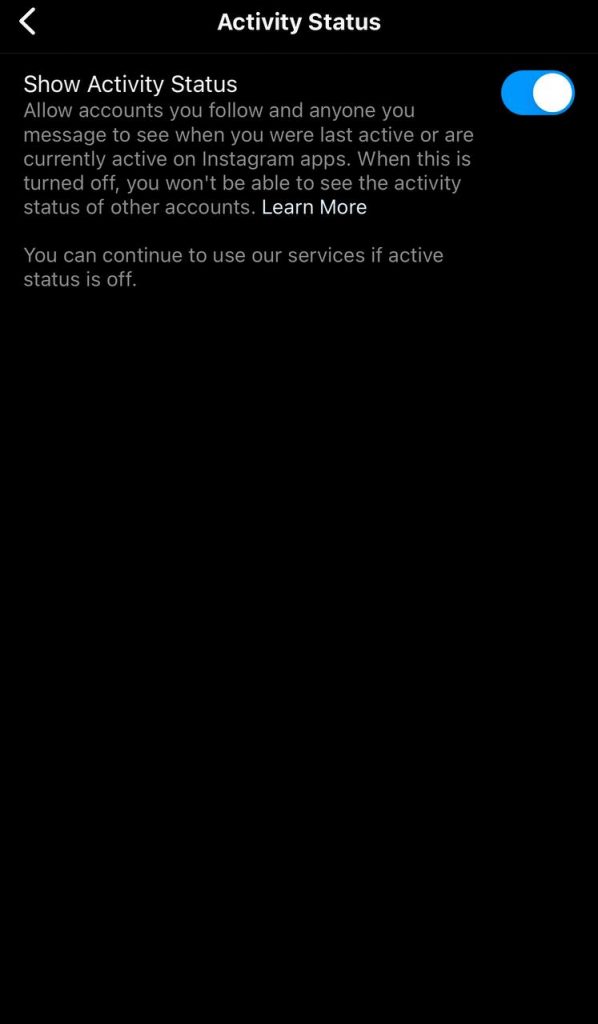
Deciding to Keep the Activity Status On or Off
How to communicate on Instagram is always your choice!
Keeping the activity status on would be good if you enjoy real-time chats and don’t mind others knowing your online status. It facilitates instant messaging and makes your Instagram chats more lively and spontaneous.
But if you value your privacy more and prefer to browse Instagram at your own pace without others knowing your online status, you may turn off the activity status.
Understanding the Accuracy of the ‘Active Now’ Status
You may wonder, “How accurate is the ‘Active Now’ status?” In most cases, the ‘Active Now’ status is fairly accurate as it updates in real-time based on the user’s activity.
However, ‘Active Now’ doesn’t always mean that the person is actively browsing Instagram at that very moment. They could be using the app in the background or have it open without actively engaging with the content.
So, if someone’s appearing active but doesn’t answer your DMs, don’t take it personally! Factors such as internet connection, app glitches, or device settings might sometimes affect the real-time accuracy of the status.
Navigating Instagram’s Privacy Settings
Want to go more private on Instagram?
Whether you prefer to broadcast your availability or keep it a secret, Instagram gives you the freedom to choose.
Let’s dive into how you can navigate these settings.
Step-by-Step Process of Turning Off Your Activity Status
Here’s how you can turn off your activity status on Instagram:
Step1
Open the Instagram app and tap your profile icon at the bottom right.
Step2
Tap on the menu icon (three horizontal lines) at the top right of the profile page.
Step 3
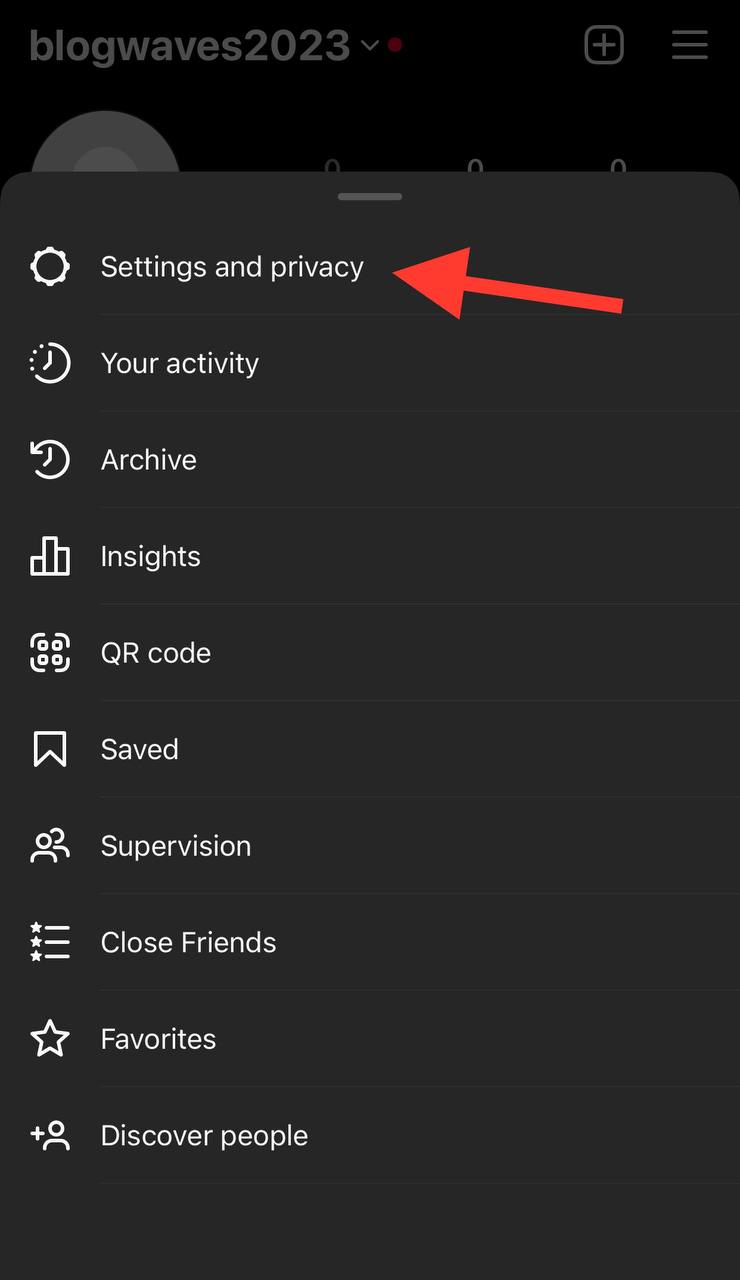
Select ‘Settings’ from the menu.
Step 4
In the ‘Settings’ menu, tap on ‘Privacy.’
Step 5
Under ‘Privacy,’ you will find ‘Activity Status.’ Tap on it.
Step 6
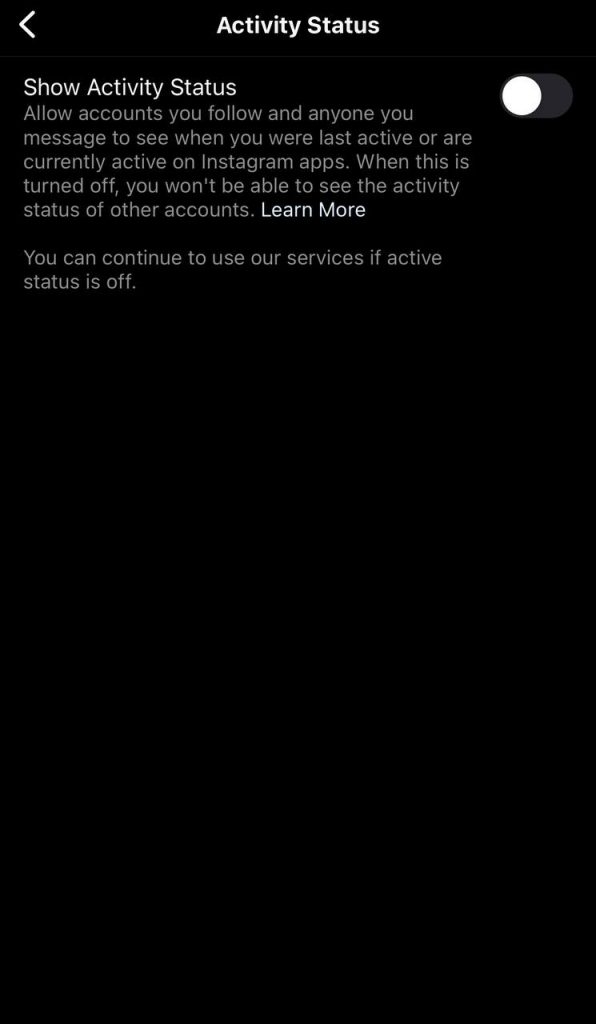
Toggle the switch next to ‘Show Activity Status’ to turn it off.
Frequently Asked Questions

How can you confirm if someone is online during an Instagram chat?
The ‘Active Now’ status, shown by a green dot next to the user’s profile picture in direct messages, is a quick indicator of whether someone is online. However, remember that a person might not have this feature enabled or be using the app passively with it open in the background.
What are some methods to determine if someone is active on Instagram?
Apart from the green dot, you can see a person’s activity status in Direct Messages. You can see their activity status under their username, stating ‘Active Now,’ ‘Active Today,’ or ‘Active X hours/minutes ago.’ However, this is only possible if the person has the ‘Share your Chat Activity’ feature turned on.
Explaining ‘Active Today’ on Instagram
‘Active Today’ means that the user was active on Instagram at some point during the current day. It doesn’t provide the exact time of activity but gives a broad idea that the person used Instagram that day.
What happens when you don’t see the green dot on Instagram?
Not seeing the green dot next to a user’s profile in your DMs can mean that they might not be online at the moment, have the ‘Share your Chat Activity’ feature turned off, or have not engaged in a DM conversation with you.
How does Instagram’s activity status affect your privacy?
Instagram’s activity status can affect your privacy based on how you use the feature. If you have the ‘Share your Chat Activity’ feature turned on, people you’ve DM’d see when you’re online or the last time you were active on Instagram.
Is Instagram’s ‘Active Now’ status always accurate?
The ‘Active Now’ status is generally accurate in real-time. However, it might not always mean that the person is actively using Instagram at that moment. The status automatically turns off if the person is inactive on the app for a few minutes, but factors like internet connection, app glitches, or device settings can influence the accuracy.
Concluding Thoughts
So now you mean why the green dot’s showing near your name!
As we navigate Instagram’s v universe, it’s fascinating to see how the ‘Share your Chat Activity’ feature adds a dynamic layer to Instagram’s user experience.
It is originally designed to bridge gaps by offering real-time connectivity, creating an environment where interactions feel more immediate and personal.
But remember, while we enjoy these real-time connections, we also have complete control over how we want to share our presence on this platform.
Yet, Instagram respects user privacy by controlling their online status’s visibility. You have the power to customize it to fit your preferences.
So whether you’re a social butterfly or someone who likes their quiet time, go ahead and make the most of Instagram in a way that brings you joy.
