

Are you looking to find Instagram accounts using only a phone number? In 2025, there are several ways you can do this, including using Instagram’s built-in features and external tools.
You can find your friends, family, or people you know with nothing more than their phone numbers!
The search can be accomplished within the Instagram app by using third-party tools or other clever methods.
Before diving into third-party tools or alternative strategies, it’s important to understand what Instagram allows regarding phone number-based searches.
Can you find someone on Instagram just by entering their phone number? And if so, how accurate or reliable are the results? What privacy restrictions might get in the way?
Let’s explore the platform’s features and services to understand these questions.
Finding Instagram Accounts Using Their Contact Numbers
You can easily search any Instagram account by their phone number; however, you should note that you can only search for users with their phone numbers if they have linked their accounts to their Instagram profiles.
Follow the steps below to find Instagram accounts with phone numbers.
Step 1- Open the Instagram application on your Android or iOS device.
Step 2- Tap on the hamburger icon in the top right corner of the screen.
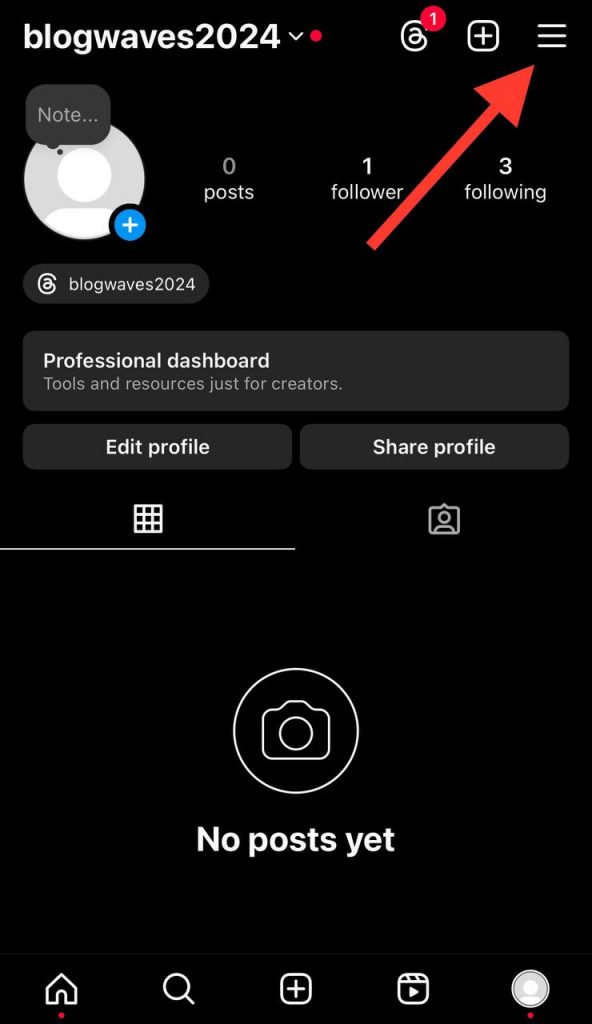
Step 3- Choose ‘Meta Account Center’ from the menu and select ‘Your information and permission.’
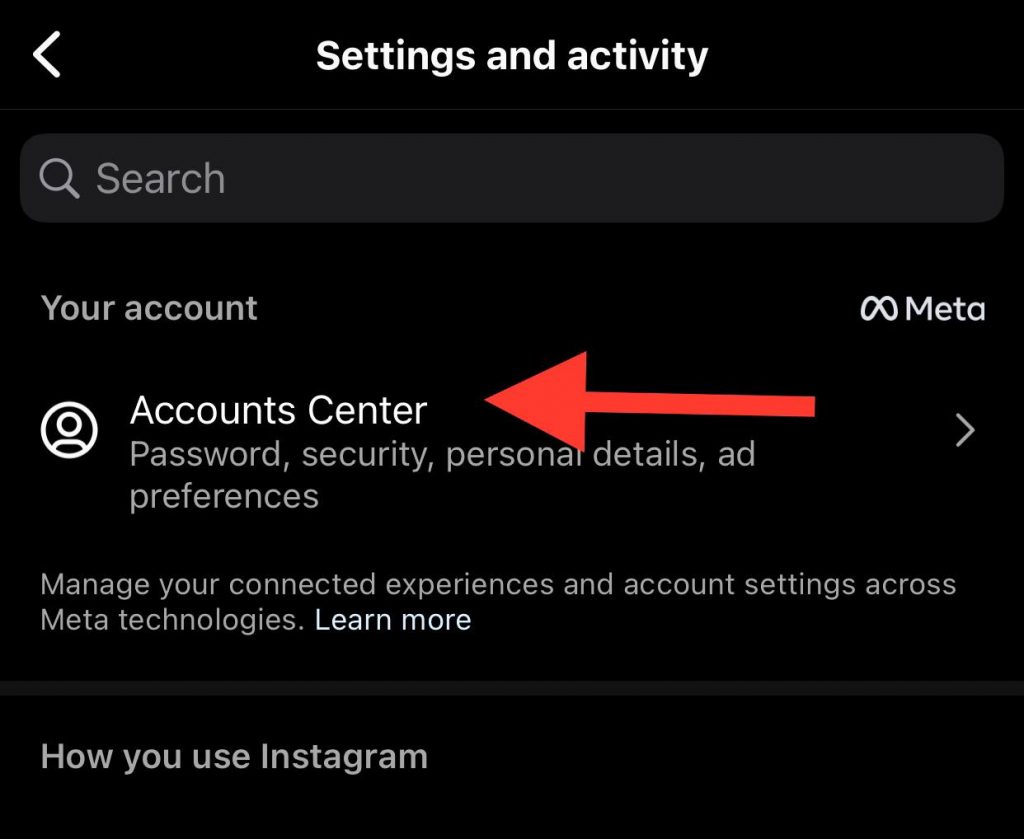
Step 4- Now, tap on the ‘Upload contacts’ option.
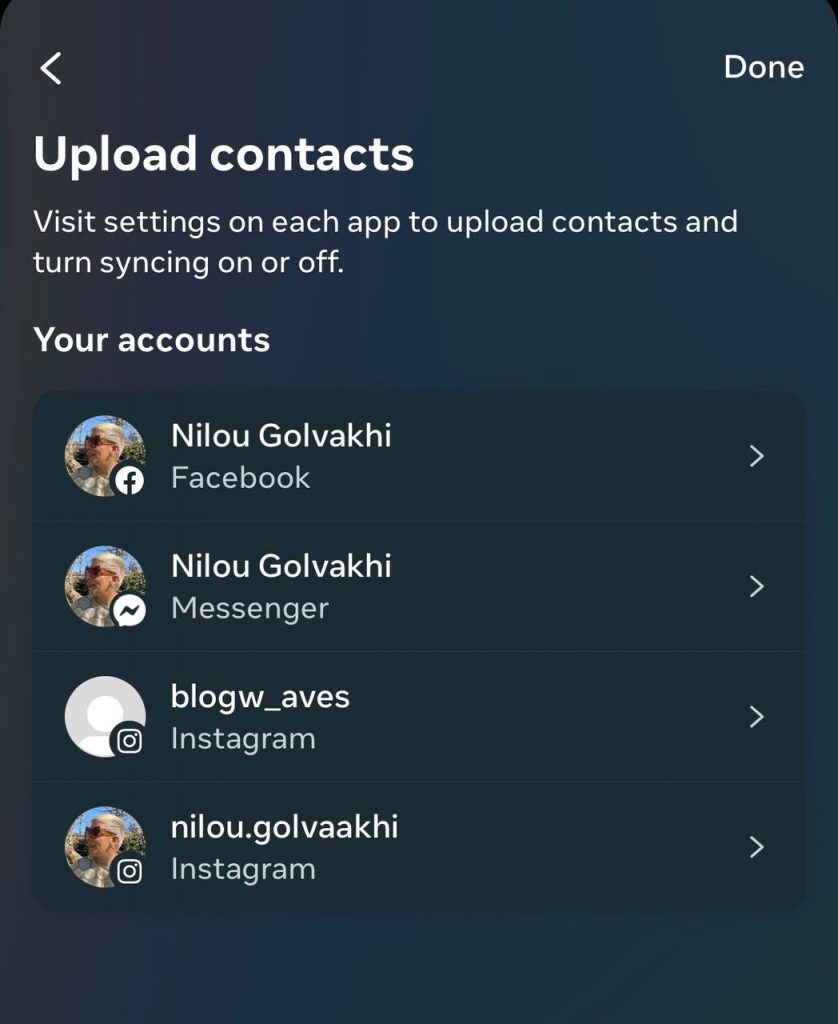
Step 5- Turn on the ‘Connect contacts’ option.

These simple steps allow Instagram to keep syncing your contact information, so you can find your contacts on Instagram and stay connected with them.
Keep in mind that you can turn off this option anytime you want to stop syncing your contact information.
Privacy Considerations When Using Phone Numbers
What Happened to ‘Discover People’ Feature on Instagram?
As you may know, Instagram had a feature called “discover people,” which allowed users to find their contact’s Instagram accounts just by their phone numbers.
However, users have reported that they can no longer find this option on Instagram. If you are among these people, you should know that Instagram has removed this feature with this name.
The good news is that you can still find people on Instagram using their phone numbers, which we explained in the section above.
In the following section, you will learn other methods to find your friends without using the ‘discover people’ feature.
Other Ways to Find Instagram Accounts Without the Discover People Feature
While Instagram’s ‘Discover People’ feature has long been a go-to for finding friends and expanding your network, it’s not there anymore, and it is better to try other methods to connect with your friends on Instagram.
Discovering New Paths to Your Favorite Profiles
Exploring beyond ‘Discover People’ can give you access to a wealth of Instagram profiles you might not find otherwise. Here are some alternative methods to tap into:
Search using hashtags
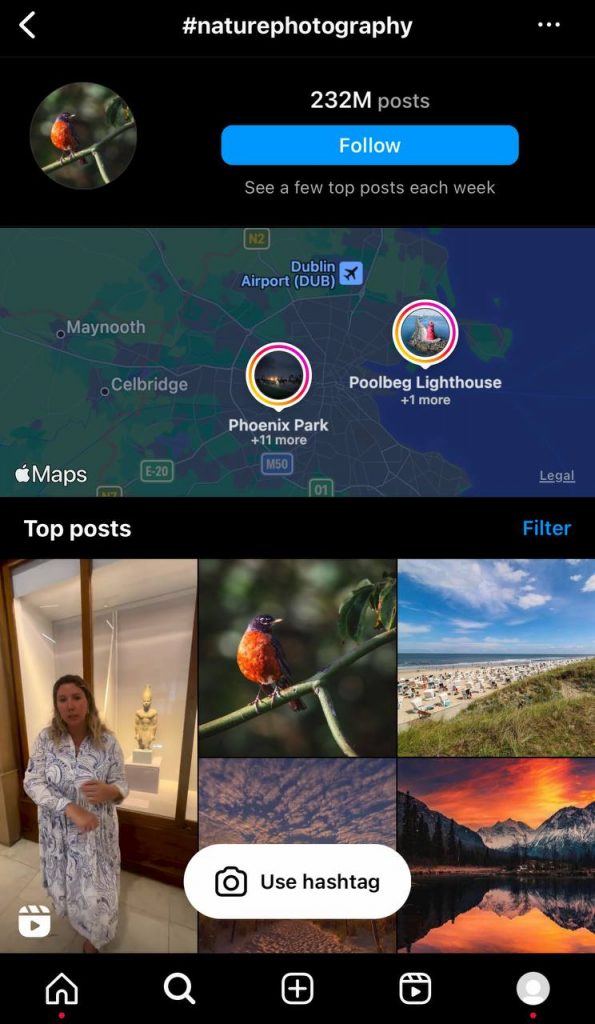
Instagram is built around the use of hashtags. If you know the interests or hobbies of the person you’re looking for, try searching for relevant hashtags.
For instance, if they’re into nature photography, #naturephotography could lead you to their profile.
Geo-tags
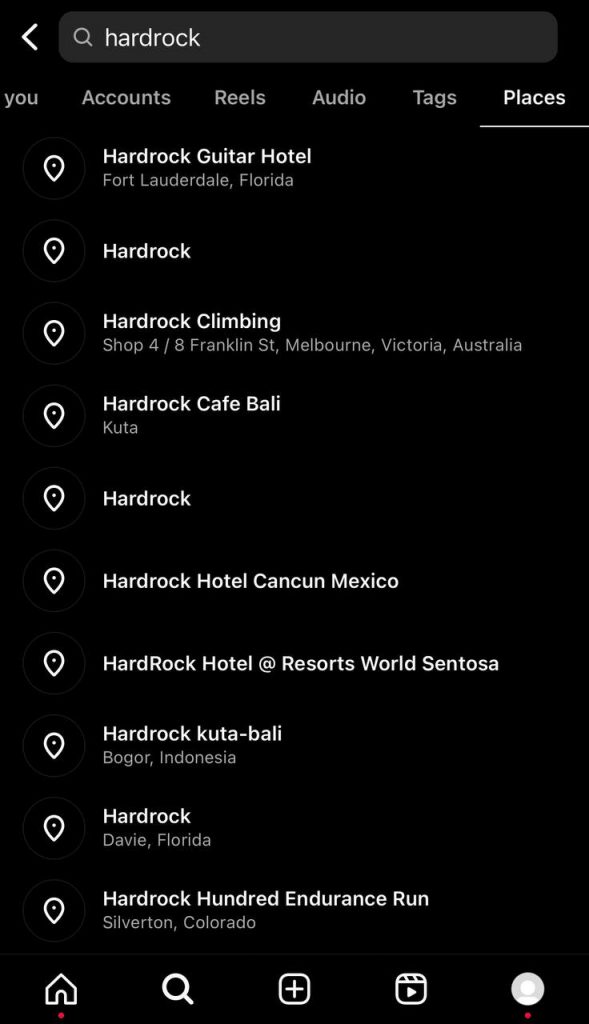
If you know where this person lives or places they frequent, you can use geo-tags to locate their Instagram posts.
When users add a location tag to their posts, it becomes discoverable to anyone searching for that location.
Explore page

The Instagram Explore page is a curated feed of posts tailored to your interests. While it might not help you find a specific person, it can help you discover profiles with similar interests and activities.
Mutual Friends
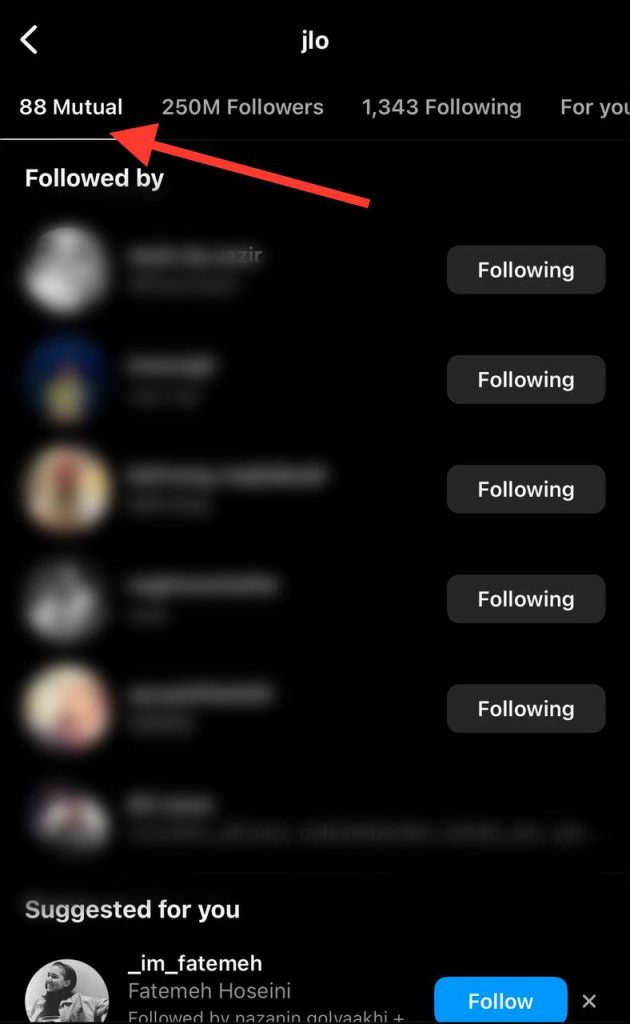
Look at the following and followers list of your mutual friends. There’s a chance you’ll find the person you’re looking for here.
Tagged Photos

If the person you’re looking for interacts frequently with others you know on Instagram, check the tagged photos of those friends. There’s a good chance you could find your person tagged in one of those pictures.
Social Media Synergy: Using Other Platforms to Unearth Instagram Treasures
Our virtual identities are often linked across multiple platforms in today’s interconnected digital world. This interconnectedness can become a valuable tool for finding someone’s Instagram profile.
Maximizing the Power of Social Media Interconnectivity
Facebook owns Instagram, and the two platforms are closely integrated. This close relationship opens up possibilities when trying to find an Instagram profile.
But how to harness the power of social media synergy:
Facebook Friends
If the person you’re looking for is a friend on Facebook, there’s a good chance they could be found through the ‘Friends on Instagram’ feature, which suggests the Instagram accounts of your Facebook friends.
Twitter Contacts
If you have the person’s Twitter handle, you can try searching for it on Instagram. Many people use the same handle across social media platforms for consistency.
LinkedIn Connection
If you are connected with the person on LinkedIn, check their contact info. Often, users include links to their other social media accounts, including Instagram.
Other Social Networks
Depending on the individual’s preferences, their Instagram handle may be linked to other social media platforms such as Snapchat, TikTok, or Pinterest.
Google Search
A simple Google search with the person’s name followed by “Instagram” can often lead you to their Instagram profile
Using Third-Party Tools for Insta Search Success
While Instagram provides some features to search for users, certain third-party tools can benefit more specific, targeted search results.
These tools can further streamline your search process and give you more information about the user.
Note: Third-party tools are not affiliated with Instagram and may require a subscription. Always review privacy policies before use.
Spokeo
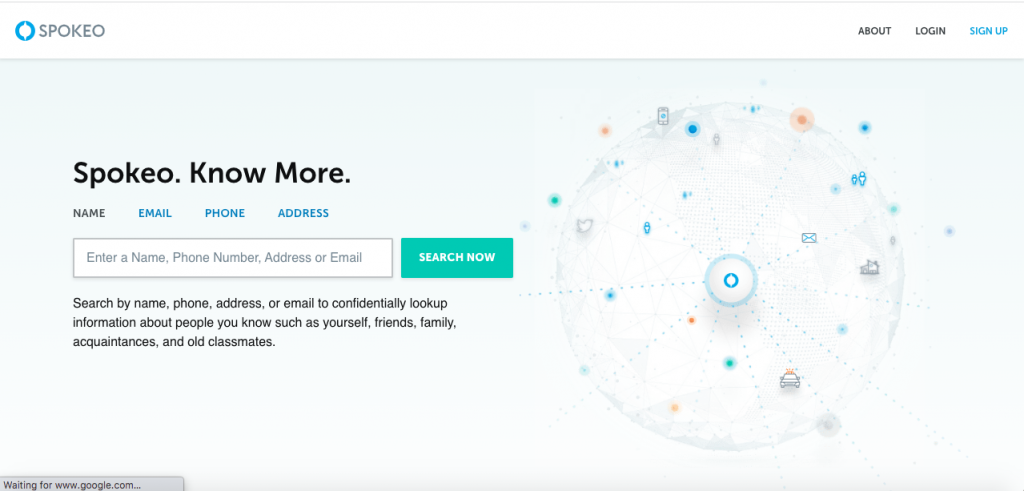
Spokeo is a people search engine that can help you find a person’s social profile, including Instagram, location, email addresses, and more, using just their phone number.
This service requires a subscription, but it can be especially helpful if you’re trying to find more information about someone using minimal initial details.
BeenVerified

With BeenVerified, you can search for Instagram accounts using just a phone number, but the service also provides additional details such as address history, email addresses, criminal records, and more.
It’s a paid service, but its depth and breadth of information can make it a worthwhile investment for your searches.
PeopleLooker

Much like BeenVerified, PeopleLooker is a background check service. You can input a phone number and connect to a person’s Instagram account if it’s linked to that number.
It’s also a paid service, but it can be a very useful tool for those who need a deep dive into someone’s background.
Social Catfish
Social Catfish is an influential people search engine that tries to verify identities and track digital footprints online. It offers reverse phone lookup to help uncover Instagram and other social media profiles linked to a specific number.
They also search through email addresses, usernames, or even images, which helps identify fake accounts or verify one’s online identity. Although it may require a subscription, the in-depth search results make it popular for users who need good social discovery software.
TrueCaller
TrueCaller is best known for unknown caller ID and spam blocking, but it’s also beneficial when looking up social media contacts. If users are granted permission to access this data, TrueCaller displays social links associated with a saved number, such as Instagram or Facebook profiles.
While not specifically crafted for social media searches, TrueCaller can provide surprise results that link a telephone number to a digital identity. Therefore, it is a helpful tool to remember during your search process.
How to Hide and Reveal Your Phone Number On Instagram
If you want more control over your privacy on Instagram, you should learn how to hide or reveal your phone number.
To do so, follow the steps below:
Step 1- Open Instagram and go to your profile.

Step 2- Tap on the three-line icon at the top right corner of the screen, and choose ‘Accounts Center.’
Step 3- Choose ‘Personal details.’
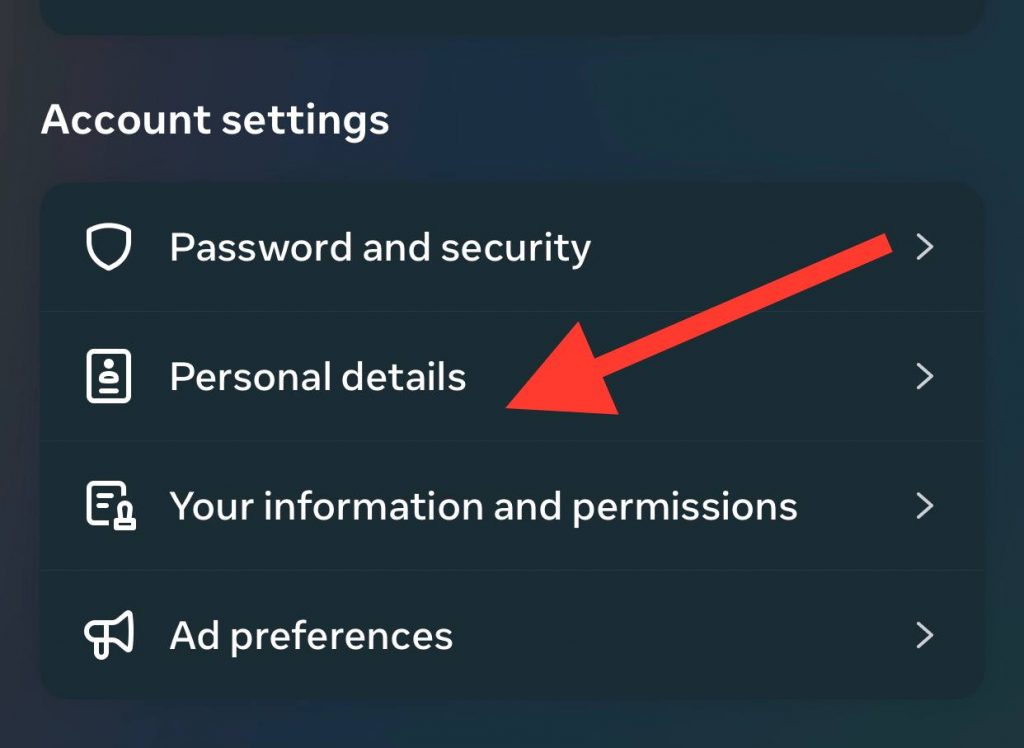
Step 4- Tap on the ‘Contact info’ option. Now, tap on your phone number.
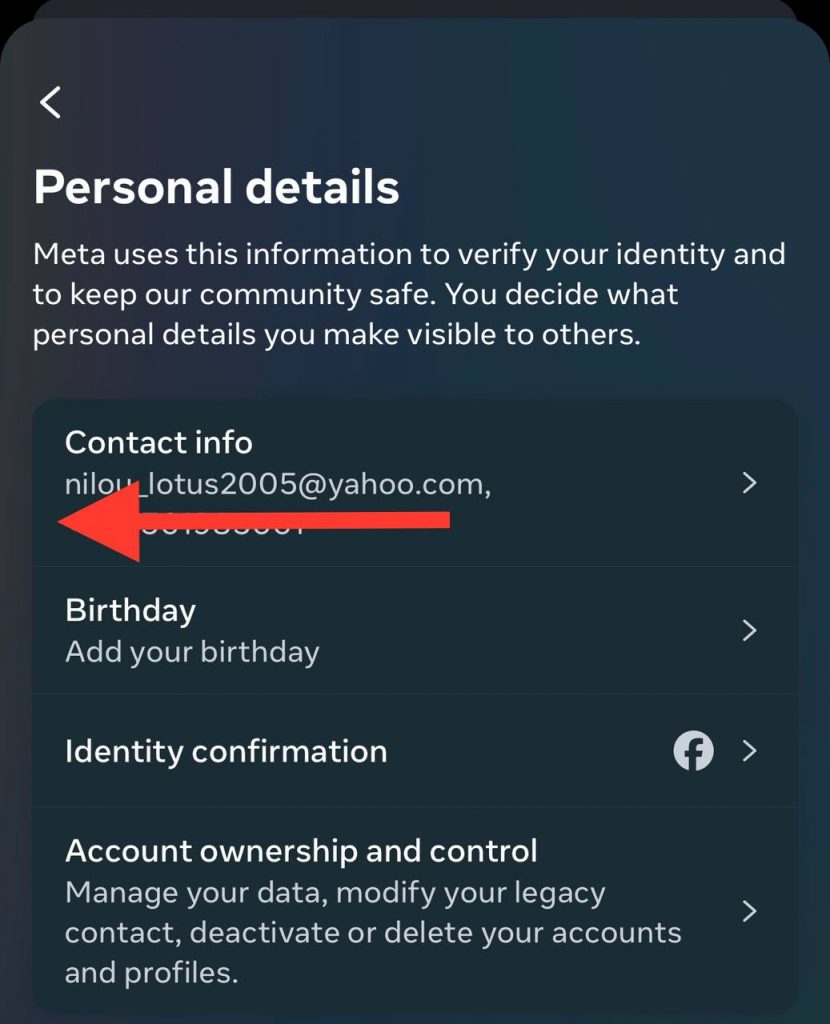
Step 5- You have two options now: 1) Remove phone number 2) Hide my phone number.
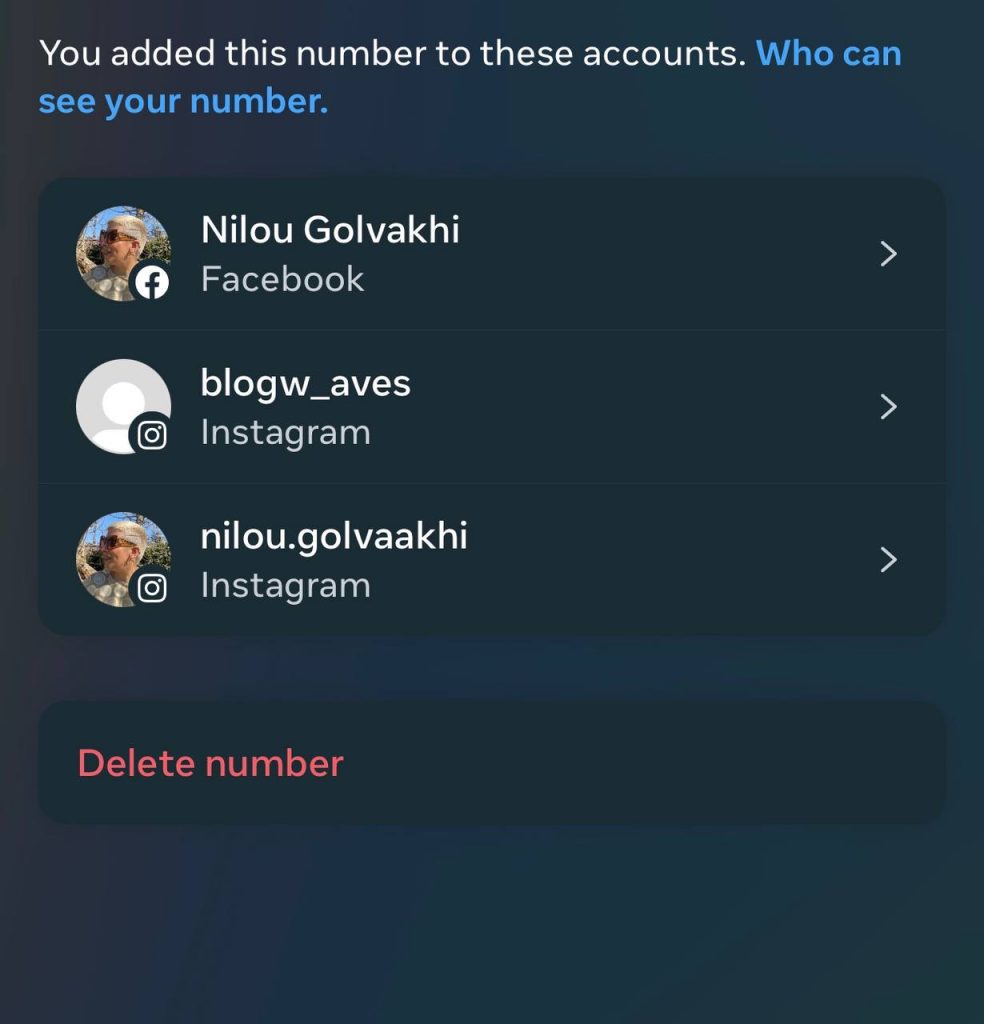
Step 6- Choose the option that best suits your needs and confirm your choice to finish the process.
Troubleshooting Your Insta Search
If you’re facing challenges while searching for your friend on Instagram using their phone number, consider the following reasons and solutions:
Privacy Settings
Instagram users have the option to keep their accounts private. If the person you’re trying to find has opted for a private profile, you might not be able to find them using their phone number.
You must find their username and send them a follow request to connect.
Updated Phone Number
Instagram profiles are linked with the phone number provided during account creation. If your friend has changed their phone number and has yet to update it on Instagram, you won’t be able to find them using their new number.
Blocked Accounts
If a user has blocked you on Instagram, you won’t be able to find their profile by any means, including their phone number. In such cases, try contacting someone outside of Instagram to resolve any issues.
Technical Glitches
Instagram, like any other digital platform, can sometimes experience technical glitches.
If you can’t find someone using their phone number, try logging out and back into your Instagram account or uninstalling and reinstalling the app.
Frequently Asked Questions
Is it possible to track an Instagram account using just a phone number?
Yes, it is possible if the user has linked their phone number with their account and hasn’t set their profile to private. However, Instagram respects user privacy, so searching for someone using a phone number can sometimes be limited.
What if the phone number isn’t on the Instagram profile?
If the phone number isn’t listed on the Instagram profile, you can’t find the person using their phone number. Instead, you can try finding them using other methods, such as searching for their username, checking mutual friends, or through tagged photos
Are third-party apps reliable in finding Instagram users by phone number?
For privacy reasons, Instagram does not support third-party apps that claim to find users by phone number.
Can I use mutual friends’ profiles to find someone on Instagram?
Yes, you can browse the people your friends are following, check the photos where your friends are tagged, look at the suggestions that Instagram provides based on your friends or watch your friends’ Instagram stories for any tags.
What could stop me from finding someone on Instagram using their phone number?
The person not linking their phone number to their Instagram account, the person updating their phone number and not changing it on Instagram, or the person blocking you are the factors that keep you from finding their account.
How can I safeguard my phone number on my Instagram profile?
You can set your account to private. This will restrict your profile and contact information to only your followers.
Conclusion
In 2025, finding Instagram accounts with just a phone number is still possible—but it depends on how the user has set up their privacy.
Several ways exist to locate someone’s profile, from syncing your contacts on the Instagram app to using trusted third-party search tools. Be mindful of privacy boundaries and use verified tools to ensure accurate results.
Remember, Instagram is always full of surprises, so keep exploring!

