


Instagram adventurers, to a delightful escapade where we unveil the secrets of saving those captivating Instagram Reels! As you may know, Instagram Reels has emerged as a captivating alternative to TikTok, allowing users to create 90-second videos infused with music.
Many Instagram accounts are popular because of the Reels they share daily. Now we are going to teach you to save reels on your phone (iPhone or Android) and also there are some APPs you can use to download and save them on your desktop.
Since its inception in 2020, Reels have become a captivating form of content for brands, businesses, and creators. However, if you’ve ever tried to save an Instagram Reels video for future reference or to explore on another platform, you may have encountered a perplexing predicament.
Buy an Established Instagram Account
Skip starting from zero. Browse Instagram/TikTok accounts with audiences across many niches.
See Available AccountsInstagram lacks a built-in feature for downloading Reels made us write this guide. In this article, we will guide you through various methods and clever tricks to successfully download Instagram Reels and save them to your device.
How to Save Instagram Reels in the Camera Roll on iPhone

You can save an Instagram Reels video to your iPhone device by downloading a third-party app and following the below steps:
- Open App Store on your iPhone
- Download any third-party video downloader app from App Store and install it.
- Once you have downloaded the app, set it up.
- After that, give the required permissions to access the images and media on the phone.
- Open Instagram and look for the Reel you want to download.
- Click the three-dot button on the down-right side to reach the menu.
- From the menu, choose the “Copy Link” option.
- Paste the reels video URL into the video URL bar in the Video Downloader app.
- Choose the blue tick or Ok button.
- Click on the Save button.
- The saved Instagram reel will be saved on the iPhone photo gallery.
How to Save Instagram Reels in the Camera Roll on Android

You can save Instagram Reels to your Android device by downloading a third-party app and following the below steps:
- Open Play Store on your Android device
- Download any Video Downloader app from the Google Play store on your phone.
- Install the app and set it up.
- Give access to files and media for your Android device
- Open Instagram and choose the Reel you want to download.
- Choose the three-dots icon and select Copy Link.
- Return to the video downloader and paste the Instagram Reels link in the search box.
- Wait for the video to load. Then, tap on the “Download” button.
- Go to your phone’s gallery to find the Reel there.
How to Download Instagram Reels on Desktop
You can also download Instagram Reels to your computer desktop. Following the steps below, you can save or download Instagram Reels to your PC. After saving the reels, you can share them with anyone via Messenger, WhatsApp, etc.

You should have a link to the Reel to download Instagram reels; all third-party tools need that link to download Instagram Reels. If you don’t know the process to get the Reels video URL, follow the below:
- Go to your Instagram account.
- Find the video or Reel you want to download to your desktop.
- Click the three-dotted icon.
- Select the Copy link option.
- Paste the link to the search bar of the app
- Choose the download button
- The video will be downloaded to the chosen destination of your PC.
Note: The video you will choose must be from a public account. If you use these third-party tools on a private account, they may not work correctly. For example, you might face an error instead of receiving the download screen.
How to Save Instagram Reels in the App
You can also save Instagram Reels in the app and watch them later. Following the steps below, you can save Instagram Reels within your Instagram app:
- Open Instagram and choose the Reels button.
- Tap the “search” button to find the Reel you want to download or save.
Note: You can also do this step from a user’s profile. Just choose the Reels tab next to the Profile tab and find the Reels you want to download.
- When you open the Reel, choose the three-dots icon at the down-right side of the menu.
- Choose the “Save” option.

- After you save the Reel in the app, you can watch it by clicking on the profile icon.
- To access your saved Reels, go to the Instagram home screen
- Choose the profile icon
- Click on the hamburger menu icon
- Go to Settings
- Go to Account
- Choose Saved.
- You’ll find your saved videos in the All Posts folder.

How to Save a Reel to My Camera Roll Without Posting It?
You can record an Instagram reel video and save it to your phone without uploading it after you make the video. Instead, you can save the created Reel in your draft; the video will be saved until you post or delete it.
Like posts or stories you save and upload later, you can save limitless Reels on Instagram.
But, if you don’t want to save your created Reels on your Instagram draft for any reason, you can use other methods which can help you save your Reels to your phone gallery without posting them. One of these methods is as below:
- Post your Reels on your secret account (another account)
- Choose Preview App’s Reel tab
- Choose “+”
- “Repost”
- Find your Reels
- Tap the three dots “…”
- “Copy Link”
- Go back inside Preview
- Save your Reels to your camera roll
- Delete or Archive the Reels on your secret account so it doesn’t pass on the Instagram
Another Method that You Can Use is Also as Below:
- Send the Reel to your Story but don’t share it.
- Zoom in to your liking and choose the three dots.
- Click on Save.
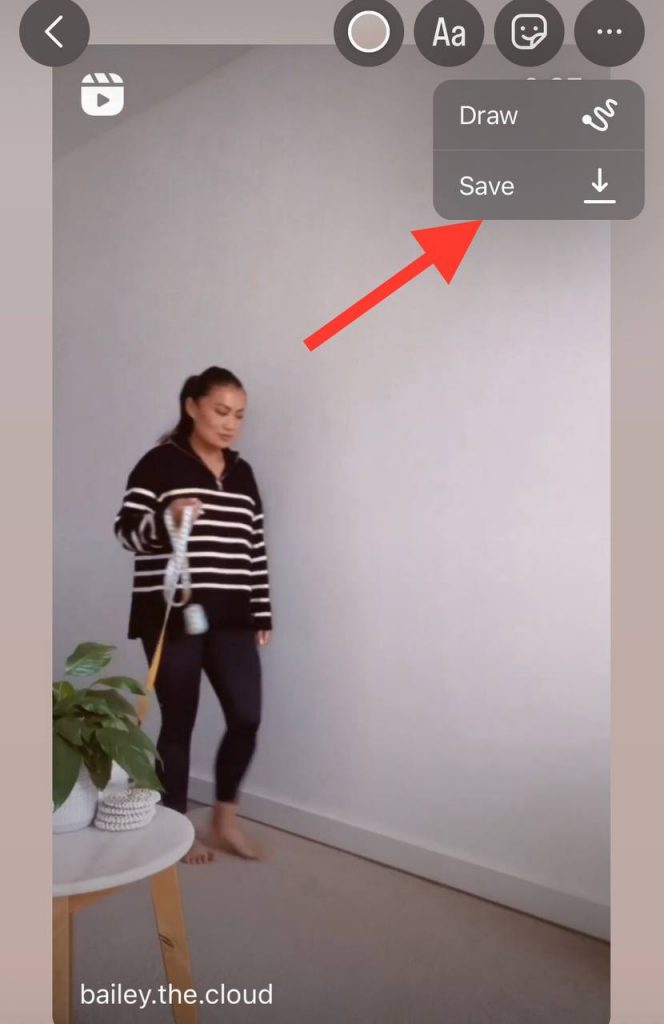
- The Reel is saved to your gallery.
Alternative Methods for Saving Instagram Reels
As we discussed, you can download Instagram Reels to your phone by installing third-party apps.
But not all apps work correctly, and some include many ads or bother you with poping-up requests for in-app purchases and pay for monthly subscriptions. Therefore, we would like to suggest you some other methods for saving Instagram reels to your device, and some of them are as below:
Save Instagram Reels to Camera Roll Using Free Online Tools
If you don’t want to install any app on your device, you can use online tools to download Instagram Reels and save them. The best thing about these online tools is that they let you save videos without limitations or adding watermarks.
Here are 4 of the best online tools to download Instagram Reels:
- InDown
- Instadp
- Igram.io
- Instagram Reels Downloader (InstaVideoSave)
Download Instagram Reels through Screen Recording
You can also save Instagram Reels via screen recording on your iPhone and Android device.
For iPhone
- Add the screen recording option to your Control Center.
- To do this, go to Settings
- Go to Control Center
- Choose Customize Controls
- Next, open the Instagram app and choose the Reel you want to download.
- Swipe up to your iPhone’s Control Center.
- Click on Start Recording and then play the video on Instagram.
- When the Reel is played to the end, stop the screen recording by choosing the red bar at the top
- The video will be saved to your Photo gallery.
For Android
You have to use the built-in screen recorder or install a third-party app for screen recording. Either way, follow the steps below:
- open Instagram
- Open the video you want to download.
- Play the video
- When the video plays to the end, choose the stop button to stop your recording.
- The screen recording is saved to your phone’s gallery.
Best Tools for Downloading Instagram Reels
Instagram is one of the most trendy platforms for social media users. As a result, you will miss a lot if you don’t know how to download Instagram reels which are one of the most viral features of Instagram these days.
Many Instagram downloader tools will help you to download Instagram Reels, stories, videos, and even photos.
It might take a lot of time and effort to find the best Instagram video/Reels downloader because there are many options. But you don’t need to worry about that because we are here to introduce you to the best tools to download an Instagram reels video.
Insaver for Instagram(Android and iPhone)
This tool is one of the fastest and safest downloaders for Instagram reels. You can save different media from Instagram to your phone gallery. You can also download Instagram Reels video in Insaver’s built-in library and save it.

Reels Downloader Story Saver (Android and iPhone)
One of the best downloader apps is Reeld downloader story saver. Using this app is straightforward, and it has a user-friendly UI. You can download photos, videos, IGTV, Reels, and more by Reels downloader story saver. In addition, you can use this app for free and download any reels from Instagram.
Video downloader for Instagram (Android and iPhone)
This app will help users to download Instagram reels video to their phone gallery. This app is not integrated with Instagram, but you can download Instagram reels video and use it to save Instagram reels. Video downloaders for Instagram can access the Instagram API and recover the videos or reels you want to download. Then, when you download an Instagram reels video, you can watch it offline, send it to friends and save it to your phone gallery to watch later.
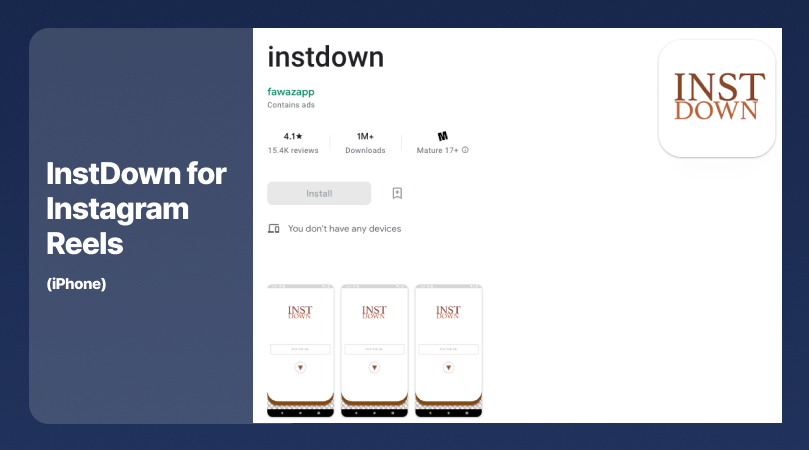
InstDown for Instagram Reels (iPhone)
This app will help you download any photos and videos you want, especially if you are an engaged Instagram user. This app is easy to use without complications and supports many other professional tools and features.
iTubeGO (Android)
This app is one f the best tools for downloading Instagram reels/videos in many audio and video formats. iTubeGo has a built-in video converter feature to convert your reels to MP3, MP4, 4K, and HD in just a few seconds. You can also cut some of your reels or videos to send them to WhatsApp, TikTok, Facebook, or any other short video-sharing platform.
Barosave (Android)
This app is created explicitly for downloading Instagram Reels on Android devices. Barosave will help you save as many Instagram reels as possible next to other videos and photos. This app has a simple UI, and it is easy to use. Besides, its downloading feature is free for all users.
Eros Story Saver for Instagram (Android)
This downloading tool is free for users and supports a built-in UI that helps users to download limitless reels and save them in the Eros Story saver’s library. You can save the videos and reels and even repost them on Instagram or any other platform. Eros Story Saver is one of the fastest and safest apps for downloading Instagram reels.
ETM Video Downloader for Instagram (Android)
This app will let users download and save Instagram reels and watch them later offline. ETM video downloader for Instagram supports many languages.
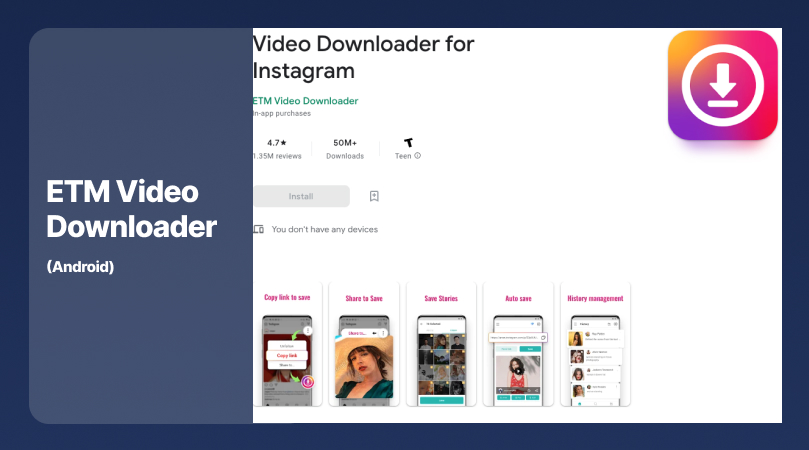
You can download any content from Instagram with this app, such as photos, videos, stories, and reels. The content will be downloaded with the original quality without any limitations.
Wrapping Up
Instagram Reels is one of the most engaging methods for creating exciting content for the user and a loyal community. But you won’t be able to get the best out of Reels if you don’t know how to download them and save them to your device.
In this blog, we tried to introduce you to the different methods of downloading and saving Instagram Reels. Now that you are familiar with them, you can easily download Reels Instagram videos and even re-purpose them to other platforms such as Facebook, Twitter, TikTok, or YouTube. Knowing how to download Instagram Reels is an advantage that you have compared to other creators in this competitive market.
On the other hand, Instagram Reels are very popular these days, and sometimes a Reel will pop up for you, but you don’t have the time to watch it now. But, when you learn how to download and save Instagram Reels, you can keep them and watch them whenever you want.
That is the reason that we tried to explain all methods for downloading and saving Instagram Reels that are out there. You can follow our step-by-step instructions for different devices and download any Reels on Instagram using third-party apps or other alternative methods.

Emi Daniel
Buy an Established Instagram Account
Skip starting from zero. Browse Instagram/TikTok accounts with audiences across many niches.
See Available AccountsRelated articles
-
How to Use Instagram: The Creator’s Guide to Building an Audience
Instagram in 2026 is no longer just a place to collect followers. The creators who grow consistently are the ones who understand how to earn attention, turn…
17 min readEmi Daniel
-

How to Go Live on Instagram: A Step-by-Step Guide
Going live can feel more stressful than posting a Reel. You cannot remove a pause, rewrite a sentence, or start over after an awkward moment. But that…
17 min read -

Instagram Instants Feature: What It Is, How It Works, and How to Turn It Off
The first time I opened Instagram Instants, I almost backed out. I had taken a normal photo. Nothing worth editing. Nothing worth posting. Nothing that needed an…
11 min read