


Have you created an Instagram avatar for your profile?
Many users might consider Instagram marketing simple and trivial, but numerous details impact your performance on the platform.
One of the most influential factors on Instagram is your profile picture. Whether you have a personal profile or a business account on Instagram, you must choose your profile avatar carefully.
Buy an Established Instagram Account
Skip starting from zero. Browse Instagram/TikTok accounts with audiences across many niches.
See Available AccountsInstagram avatars can be created both on the Instagram app and using third-party tools. In this article, you’ll learn how to create Instagram avatars and how to use an avatar on Instagram.
What Is an Instagram Avatar?
The Instagram avatar feature enables you to create avatar stickers that look like emojis. You can create your own avatar on Instagram to represent yourself or your brand on the platform.
You’ll have the opportunity to customize your own avatar and make it look like yourself. There are many options, such as an avatar’s skin tone, hairstyle, and other things, to edit the same avatar on Instagram. After creating Instagram avatars, you can share them on Instagram Stories and DMs with friends.
Another advantage of using an Instagram avatar is that it’s aesthetically more beautiful. You can search among the different categories of Social Tradia’s IG accounts to see which one is more valuable. Of course, people, especially youngsters, are willing to acquire IG accounts with more attractive profile pictures.
Steps to Create Your Own Instagram Avatar
Here are simple steps to creating Instagram avatars:
- Go to your Instagram profile
- From the pop-up menu on the top right corner, choose “Settings”
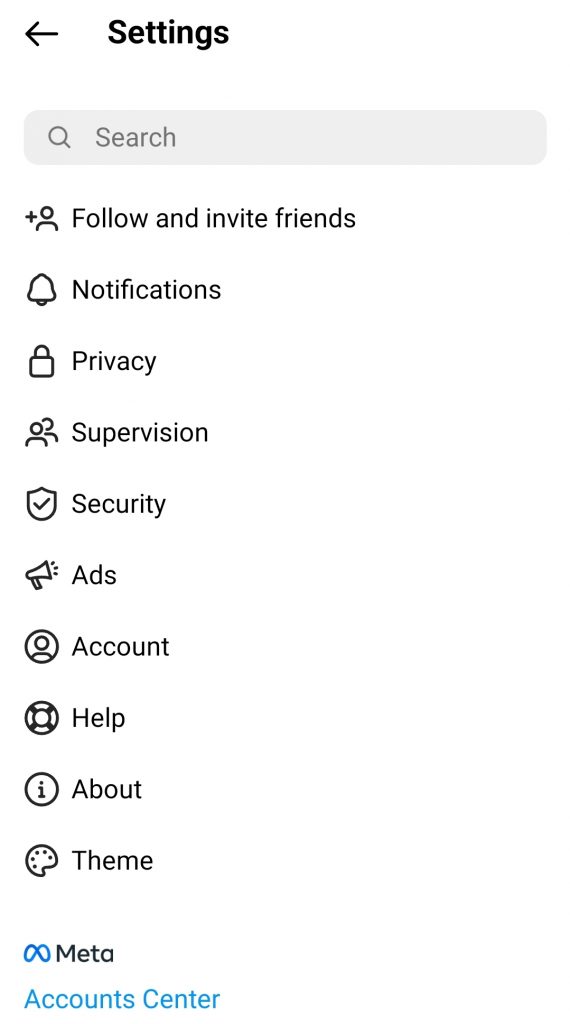
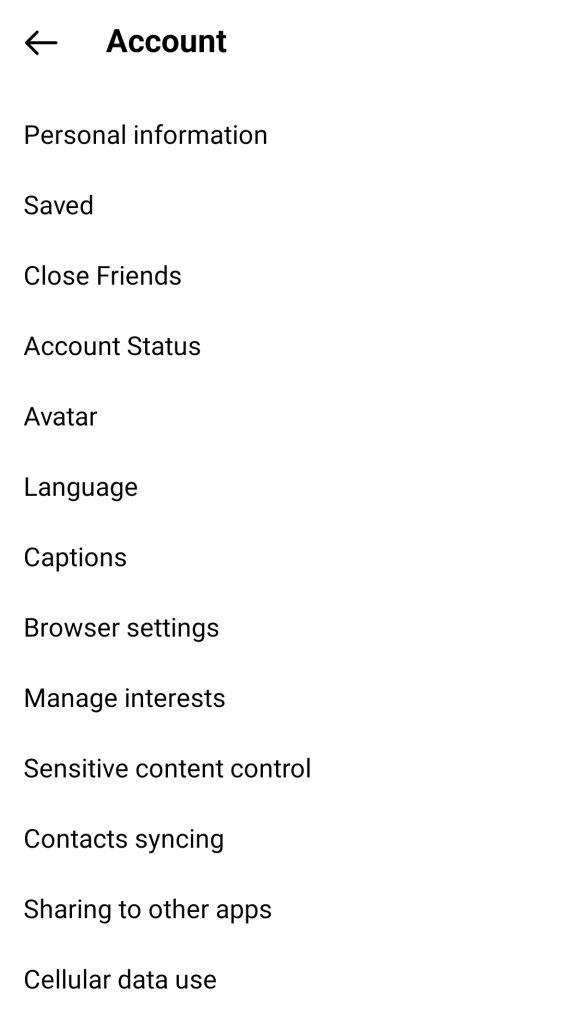
- Click on “Account”
- Choose “Avatar”
- Customize your Instagram avatar using the editor
Here is how:
- Change the skin tone using the options Instagram offers
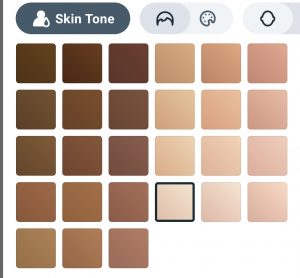
- Choose the hairstyle from the options

- Select other facial items like face, eye, eyewear, eyebrow, ear piercings, nose, mouth, body, facial hair, outfit, headwear, and hearing devices
Instagram also provides various templates to simplify the process. Then, you have the opportunity to customize the IG avatar. After the customization, tap “Done” at the top right corner and then click “Save Changes.”
Share Your Instagram Avatar on Stories
You can make avatar stickers on Instagram Stories and share your Instagram avatar on this feature. To do that, follow the instruction below:
- Open Instagram Stories
- Click on the Instagram sticker icon at the top-right corner
- Select “Avatar” from the list of stickers. You’ll be given access to your personalized avatar on Instagram.
- Put the sticker on your image
- Click “Your Story” to add the avatar to your Instagram Story.
Share Instagram Avatar Emojis in DMs
Fortunately, you can use your Instagram avatar in a direct message.
First, you need to open the IG chat window. Then, click the sticker icon that is in the textbox at the right corner. Now, select “Avatar” to see different emojis based on your avatar.
By choosing the avatar sticker you want, you can send it to your friend. This will add a personal identity to your message.
Best Third-Party Tools to Create Instagram Avatars
Fortunately, there are lots of useful tools to help in creating avatars and adding extra features to them.
Here are some of the best avatar-making tools:
Photoshop
Photoshop is a famous desktop software program and an industry-leading tool for designers. You can use it to design the best IG avatars.
You must need to know the standard size of Instagram account pics:
- Size: 110 X 110 px
- Aspect ratio 1:1
Of course, working with Photoshop requires experience, and that’s one of its drawbacks, along with the fact that you can only use it on desktop computers.
Profile Picture Maker For Instagram

As it comes from the name, this tool is a picture maker for Instagram. Despite Photoshop, it’s only available for iOS devices.
The tool has been released by Pixel Sheep Studios and provides you with more than 50 creative filters to make a customizable persona.
Insta Circle
Insta Circle is another great profile image-maker tool you can use to create an Instagram profile picture.
It’s available for both iOS and Android users, but there is no option for desktop users at the moment. Remember that if you get addicted to this user-friend tool, you will stick to it.
As it comes from the name, this app is specifically great for creating circular images to be used as profile pictures on social media, especially on IG.
Additionally, it has excellent editing features such as rotating, resizing, flipping, and more importantly, sharing on social networking sites/apps.
So if you need an all-in-one app for designing avatars of your social media accounts, don’t go anywhere else.
Square Shape Snap Pic
Square shape snap pic might be the craziest profile avatar maker tool out there. It’s available only for Android users, and this is actually the only disadvantage of this app.
It can help you with lots of things regarding your avatar, including adding collages, a variety of shapes, emojis, text effects, etc.
The best app you can find to challenge your competitors on Instagram is Square Shape. If you want to impact your audience with your avatar and gain more followers at first glance, you must go for the different shapes offered by this app.
Its emojis can make your IG profile avatar as crazy as your visitors press the Follow button immediately.
It has more than 20 shapes, 9 photo collages, and 30 different filters to bring about real beauty to your avatar.
Canva
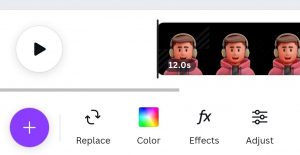
Canva is a well-known name in the realm of graphic design, and social media graphic is no exception.
You’re free to call it the best avatar maker for the profile of social networking websites from Facebook to Snapchat.
The good news is that it’s available online, and therefore, you’re a click away from creating an IG avatar.
Just go to your browser, type canva.com, then search for profile pictures or avatars. You’ll see countless eye-catching designs and professional-level graphics that set Canva apart from other avatar-making tools.
Final Thoughts
Creating an Instagram avatar is a new feature that the platform has provided. It makes your profile more fun and is greatly impactful when it comes to engagement rates. Accounts that use an Instagram avatar are more likely to get new followers, as the first impression is very important.

Emi Daniel
Buy an Established Instagram Account
Skip starting from zero. Browse Instagram/TikTok accounts with audiences across many niches.
See Available AccountsRelated articles
-
How to Clear Instagram Cache on iPhone, Android & Desktop
Instagram can quietly build up a lot of temporary files while you scroll through Reels, watch Stories, save posts, and upload your own content. You may not…
12 min readEmi Daniel
-
How to See Who Reposted Your Instagram Post (2026 Guide)
Someone reposted your Instagram post, but you have no idea who it was. You check notifications, search through your profile, and still cannot find a clear answer. …
18 min read -
How to Reset Instagram Algorithm in 2026
Instagram can start showing too much of the same type of content. Your Explore page may no longer match your interests, Reels may feel repetitive, or suggested…
12 min read