

Have you ever watched a video on YouTube and wished you could watch it with your friends and family at the same time, but you couldn’t?
As you know, YouTube is one of the biggest platforms for watching all kinds of videos online, from personalized content and ads to educational content. That’s why many businesses and influencers in different categories have an account on this platform.
One of the most attractive features of this platform is called YouTube Party, which allows you to share your favorite videos on YouTube with your friends and watch them simultaneously.
Buy an Established Instagram Account
Skip starting from zero. Browse Instagram/TikTok accounts with audiences across many niches.
See Available AccountsIn this article, we will discuss YouTube Party and its features thoroughly.
What is a YouTube party?
The YouTube party is an engaging, easy way to create watch parties and watch videos and share with your friends all over the world to watch the video together.
It is a Chrome extension that allows watching YouTube videos synchronized with people you share a YouTube video with. To do this, you can simply choose a video and send its link to your friends so that they can watch the video with you.
The exciting thing is that while you all are watching the YouTube video playback, you can chat and communicate with each other and talk about your favorite moments of the video and feel that you are all next to each other.
How does the YouTube party work?

Using this feature is easy; in order to use party on YouTube, follow the steps below:
Step 1) Go to the Google Chrome store and install the YouTube party extension. It just takes a few moments and is also free to download and install.
Step 2) Now, you need to create your watch party video. But before that, you need to make sure that your friends have installed the extension so that you can invite them.
But the vital thing to remember is to ensure you have pinned the extension to your extension bar.
Step 3) Find and select the YouTube video you are willing to watch with your friends, open the video, and then the extension icon will light up. Now you have to click on the extension icon, select your username, and tap “start the party.”
Step 4) Send the link to your friends with the extension; you can text the link or email it. After they receive the link, they don’t have to click on anything because they will join your session automatically.
Moreover, you will receive a notification on the chat bar when they join the party.
Also, to be able to exit a party session, just reopen the extension and click on the option to leave the session and exit it quickly.
As you have seen, it is effortless to create and use YouTube Watch Party, and by following a few simple tips and the mentioned steps, you can invite your friends to watch party together, chat and enjoy.
How to start a YouTube party on Google Meet
One of the ways you can create a YouTube watch party and watch party with your friends is by using Google Meet.
In order to be able to watch YouTube videos with your friends at the same time through Google Meet, you must observe the following points:
- Use a device with the Android operating system
- Use YouTube and Google Meet using a Google account
- You must have a premium YouTube membership
The vital thing to note is that to start a party session through Google Meet, only you, as the creator of that session, need a premium membership, and other users do not need it to watch the video.
But still, there are people who cannot use Google Mate to watch party at the same time, including:
- People under 18 years old
- Anyone that uses Google Meet with a paid workspace account
- Users with a Family Link account
Note that among these, there are exceptions who have access to this feature; subscribers of Google One Premium and Workspace individuals are among the exceptions we mentioned. These are paid subscriptions and, because of that, have access to the feature.
Benefits of using YouTube watch party

As you have noticed by now, this feature is very interesting, and it definitely has advantages that we will examine below:
- It is easy to install and use
- You can watch exciting videos with your friends and talk to them at the same time, which makes you feel that you are together.
- If you want to analyze a video, you can watch it simultaneously and share important points through the chat section.
- There is no location limit, and you can share your favorite videos with your friends around the world
- Installing its extension is free
Considering these benefits, if you have not used this feature until now, download and install the YouTube Party extension with the help of this article and enjoy watching the video with your friends at the same time.
Conclusion
As mentioned, YouTube is one of the largest platforms for watching videos online and has unique features such as YouTube Party, which allows more people to connect with each other and enjoy watching YouTube videos together.
If you are one of those people who like to share interesting YouTube videos with your friends constantly, this feature is for you!
In this article, we have explained all the information and details you need to know about YouTube party, including how it works, how you can use it, and its benefits.
We hope that with the help of this article, you can share your favorite YouTube videos with your friends and family and enjoy watching them at the same time. This way you can increase your audience engagement and site statistics easily.

Emi Daniel
Buy an Established Instagram Account
Skip starting from zero. Browse Instagram/TikTok accounts with audiences across many niches.
See Available AccountsRelated articles
-

How to Go Viral on Instagram: A Practical Guide
A viral Instagram post can begin with something very simple, like a clear idea, a familiar feeling, or a moment that makes someone think, ‘I need to…
25 min readEmi Daniel
-
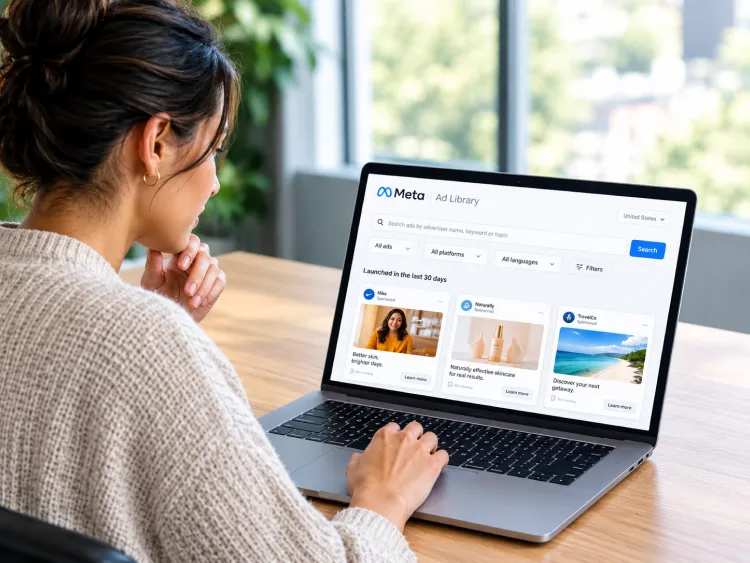
Meta Ad Library: How to Find and Analyze Competitor Ads
Some ads are easy to ignore until you notice the same brand appearing in your feed again and again. You may start wondering what they are saying,…
18 min read -

Best Influencer Marketing Software in 2026: Top Platforms to Grow Your Brand
Influencer marketing used to feel optional, something you tried after you’d “done” everything else. Now it’s often the first place customers hear about a brand. The problem…
18 min read