


A great Reel can lose momentum when the audio feels old, overused, or completely unrelated to the video. The right sound will not guarantee views, but it can help your Reel feel current and make the format easier for viewers to recognise.
Note that reels trends move quickly. Music availability can vary by country, account type, and licensing rights, so check each sound in Instagram before planning your video around it.
Below are the Instagram Reels songs and audio formats worth checking this week, along with practical ways to find new sounds, save the ones that suit your content, or download audio from Instagram for inspiration and future editing.
Buy an Established Instagram Account
Skip starting from zero. Browse Instagram/TikTok accounts with audiences across many niches.
See Available AccountsTrending Instagram Reels Songs in 2026

We selected these songs and sounds by looking for audio currently gaining traction on Instagram Reels, especially tracks marked with Instagram’s upward-arrow trend signal and sounds appearing repeatedly in recent Reels.
We also considered how well each one fits common Reel formats, such as transitions, lifestyle edits, product videos, storytelling, comedy, and short tutorials.
“The Fate of Ophelia” By Taylor Swift
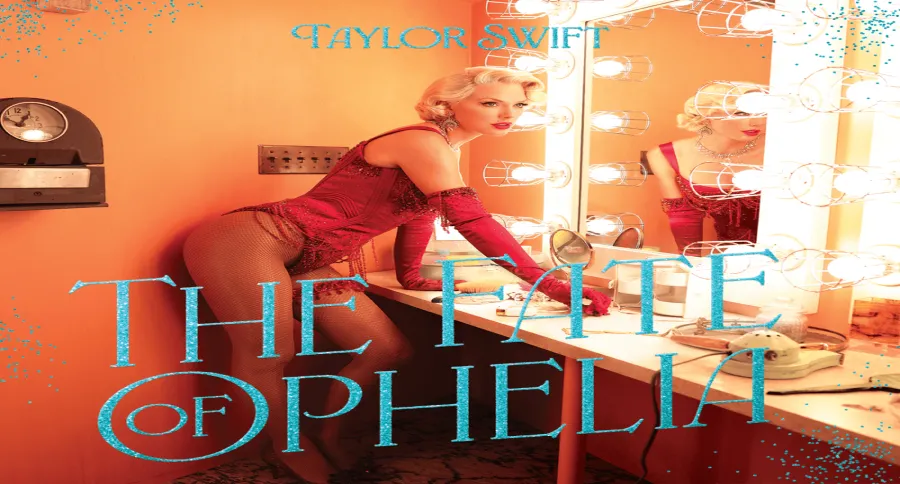
Best for: Before-and-after videos, relationship jokes, soft lifestyle clips, dramatic reveals, and short story-led Reels.
This track is being used in the “What Did My Husband Pray For?” trend, where creators begin with a calm or polished setup before switching to an unexpected, chaotic reveal.
How to use it: Start with a simple caption that sets up the contrast. Keep the first shot clean and calm, then make the visual change land with the lyric or beat that viewers associate with the trend.
Good to know: This is a licensed track, so it may not be available on every business account.
“Right Round” By Flo Rida
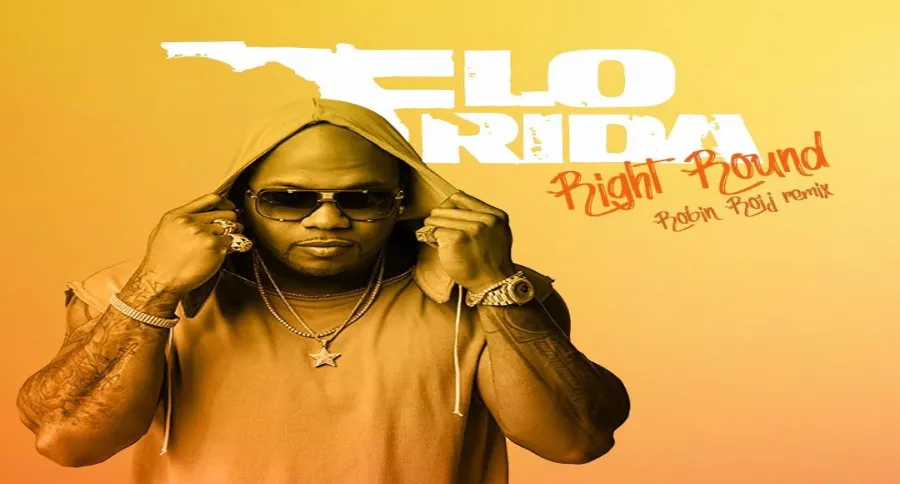
Best for: Comedy clips, messy situations, friend-group content, surprise reveals, and exaggerated “morning after” videos.
The current format uses a flash-style reveal inspired by a paparazzi scene. It works when the first shot looks ordinary, then suddenly exposes something unexpected.
How to use it: Use the first seconds to create curiosity. Cut to the reveal at the strongest beat, then keep the rest of the Reel short.
Good to know: This trend uses licensed music, so check your music library before editing your Reel.
“Sun Kiss” By TUIDE
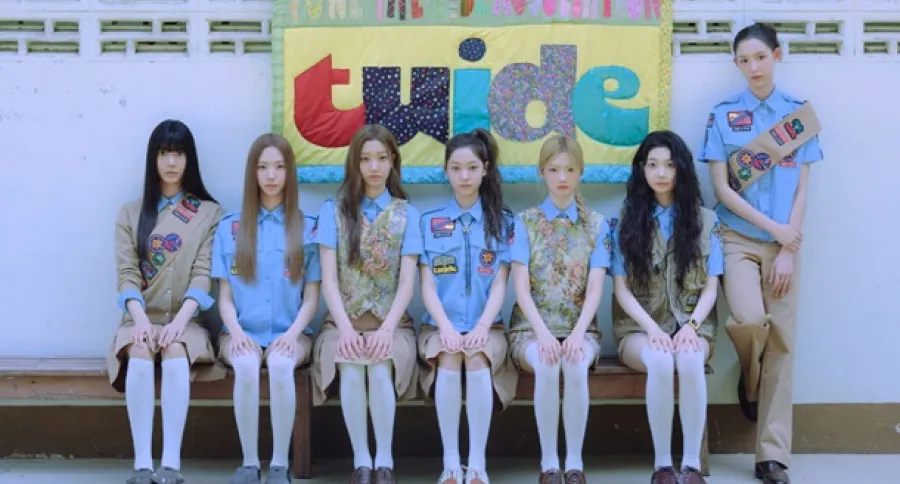
Best for: Dance Reels, fashion edits, K-pop content, group videos, energetic product clips, and fast transitions.
“Sun Kiss” has gained traction through dance-challenge content and was reported among Instagram Reels’ rising audio tracks in early September.
How to use it: Use quick cuts, movement, or a transition that matches the rhythm. A slow talking-head video is unlikely to fit this sound.
“GRLS” By TUIDE
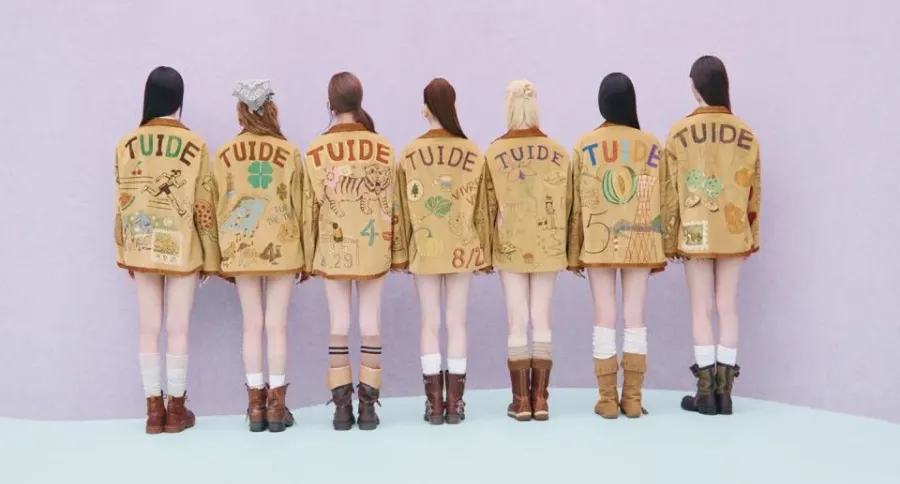
Best for: Dance challenges, friendship content, beauty videos, outfit reveals, and short group clips.
“GRLS” is another TUIDE track linked to the group’s current social-media dance momentum.
How to use it: Keep the edit bright, fast, and visual. Use the catchiest part of the song early, especially when your Reel includes a reveal, pose change, or dance move.
“A New Season Had Begun” By Original Audio
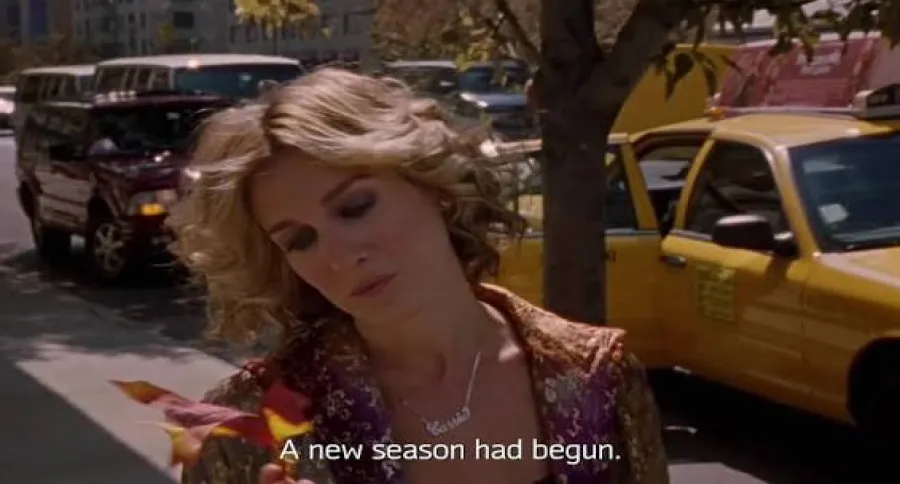
Best for: Autumn content, travel recaps, cosy routines, home décor, cafés, fashion layers, and “life lately” edits.
This is a softer, stitched-clip format built around seasonal visuals rather than a strong joke or dance trend.
How to use it: Use several short clips instead of one long shot. A walk outside, coffee, books, rain, city scenes, or a wardrobe change can all fit the tone.
Good to know: The sound is associated with creator audio, but availability can still vary. Check it in Instagram before posting branded content.
“Going Crazy” By Original Audio

Best for: Funny POVs, reaction videos, quick story-times, business behind-the-scenes clips, and relatable creator content.
Original audio is performing strongly in current Reels trends, especially for formats that rely on a caption, a clear point of view, or a short spoken line.
How to use it: Keep the visual idea simple. Let the caption explain the situation, then use the audio to support the punchline or reaction.
“Potential-Maxxing” By Original Audio
Best for: Progress updates, productivity content, fitness routines, creator milestones, study videos, and personal-development Reels.
This trend is built around proving progress with visible results instead of vague claims. It works well for creators who can show real numbers, changes, or a clear before-and-after.
How to use it: Start with a direct line such as “Things I did instead of waiting to feel motivated,” then show your result, routine, or progress in quick clips.
Good to know: As original audio, it can be a practical choice for business accounts that cannot access many licensed songs.
“Flop-Core” By Original Audio
Best for: Funny failures, behind-the-scenes mistakes, creator bloopers, failed recipes, gym mishaps, and honest business content.
Instead of showing a perfect highlight reel, this format leans into small failures and awkward moments.
How to use it: Use a clear caption that frames the expectation, then show what actually happened. The more specific the situation, the more relatable the Reel can feel.
Good to know: This format uses original sound or voiceover, making it more accessible for businesses and brands.
“10/10 Habits” By Original Audio
Best for: Educational Reels, routines, wellness content, creator tips, product demonstrations, and simple list-style videos.
This format lets creators share a habit, tip, product, or belief they would rate as a “10 out of 10.”
How to use it: Put your main point in the first line. For example: “A 10/10 habit for filming better product videos.” Then show one practical action rather than listing too many ideas.
Good to know: The trend works without licensed music, which makes it suitable for many account types.
“Not Very Nonchalant” By Original Audio
Best for: Relationship jokes, friendship Reels, funny reactions, pet content, and moments where someone is clearly more excited than they pretend to be.
This audio works best when the video has a simple contrast: someone says they do not care, then their reaction shows the opposite.
How to use it: Let the caption set up the situation. Keep the reveal quick so the joke lands before viewers scroll away.
Good to know: Current reporting identifies this as a format that can work without licensed-music restrictions.
“Truck Driver Lip Sync” By Original Audio
Best for: POV videos, workplace humour, short skits, niche jokes, and one-take lip-sync Reels.
This trend works because it feels spontaneous. It does not need polished editing or complicated transitions.
How to use it: Film in one take, keep the framing stable, and make the caption specific to your audience or industry. The audio works best when the viewer understands the joke immediately.
Good to know: The format is not locked to a licensed track, so it can be more usable for brands and business accounts.
How to Find Trending Audio on Instagram
A song can move from new to overused very quickly. Instead of relying only on a list, use Instagram to spot audio that is gaining momentum in your own niche.
Check the Trending Tab in the Music Library
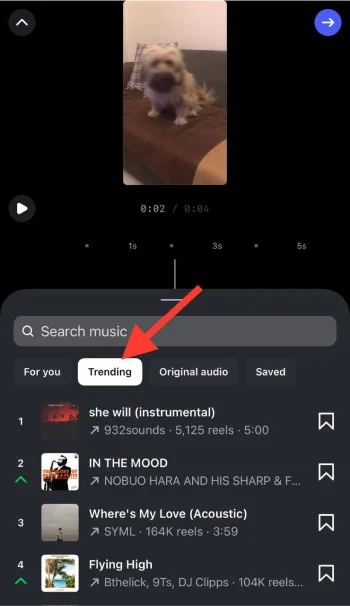
When you create a Reel, Instagram may show a Trending section inside the music library.
- Tap the + icon and select Reel.
- Add or record your video.
- Tap the music icon.
- Open the Trending tab.
- Preview a sound, then save it if it suits an upcoming Reel.
The exact labels can vary by account type, location, and app version. Some accounts may see fewer tracks because of music licensing restrictions.
Look for the Upward Arrow on Reels Audio
When a sound is gaining traction, Instagram may show an upward-arrow icon beside its name.
Tap the audio title at the bottom of a Reel to open the sound page. There, you can see how creators are using it and decide whether the format works for your content.
The best time to use a trend is often when you notice it appearing across several relevant Reels, not after every account has already posted the same idea.
Check the Professional Dashboard
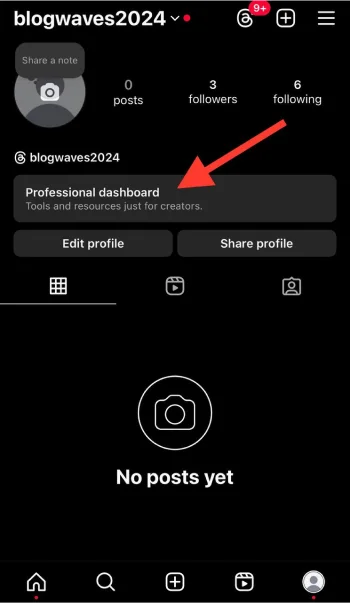
Eligible professional accounts may see a Trending Audio, Reels Trends, or Inspiration area inside the Professional Dashboard.
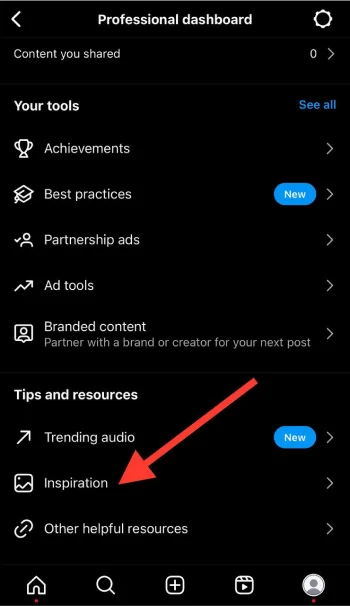
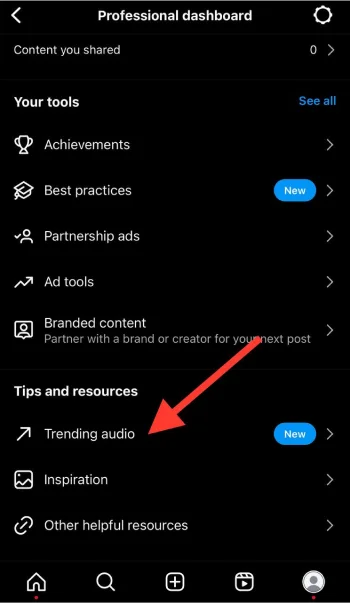
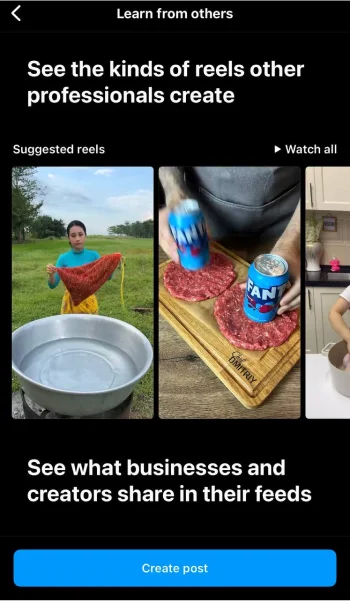
Open your profile, tap Professional dashboard, then look for audio or trend-related tools. Instagram can change the name and location of these features, and availability may depend on your country and account type.
Save Audio You Want to Use Later
When you find a sound that suits your content, tap the audio name at the bottom of the Reel and select Save audio.
When you come across a Reel with a sound or format you may want to use later, you can save Reels on Instagram and return to them when you are ready to plan your next video.
Before publishing, check the sound again. A rising trend may have become saturated, or the audio may no longer be available to your account.
How to Choose the Right Song for Your Reel

A popular song is not automatically the right choice. The audio should support the video instead of distracting from it.
Match the Mood of the Video

Use a soft, nostalgic sound for a travel recap, quiet routine, or story-led Reel. Use a fast, energetic track for a dance clip, product reveal, transformation, or quick-cut edit.
When the audio and visuals feel disconnected, people are less likely to understand the point of the Reel.
Use the Recognizable Moment Early
Start with the lyric, beat drop, spoken line, or transition point that made the sound popular.
Do not spend the first five seconds building up to the best part. Most viewers decide quickly whether to keep watching.
Choose Rising Sounds Before They Peak
A sound that is beginning to appear repeatedly can be more useful than one that has already been used everywhere.
Look at the audio page and recent Reels. When the same format appears across many accounts, the trend may already be crowded. A newer sound with a clear format can give your Reel more room to stand out.
Keep Voiceovers Clear

For tutorials, product demonstrations, educational Reels, and story-times, lower the music volume so people can hear the voiceover.
A trending song should support the message, not compete with it.
Can Business Accounts Use Trending Songs on Instagram?
Business accounts may not have access to the same music library as personal or creator accounts. Some popular songs are restricted because Instagram’s licensed music library is generally intended for personal, non-commercial use.
Before planning a Reel around a song, search for it in your account’s music library. If it does not appear, use music from Meta Sound Collection, original audio, or music you have licensed for commercial use. Music access can also differ by country and by the type of content you publish.
Original-audio trends can be a useful alternative for businesses. This week, formats such as “Potential-Maxxing,” “Flop-Core,” “10/10 Habits,” and “Truck Driver Lip Sync” are examples of trend styles that do not depend on a mainstream licensed track.
Should You Use Trending Audio, Original Audio, or Royalty-Free Music?
A trending song can help a Reel feel timely, but it is not always the best choice. The right audio depends on the purpose of the video, the account you are posting from, and how important your message is.
| Choose this option | Best for | Why it works |
| Trending song | Fashion edits, lifestyle clips, transitions, comedy, quick product reveals, and trend-based content | It can make the Reel feel familiar and current when the sound fits the visual idea |
| Original audio or voiceover | Tutorials, story-times, behind-the-scenes videos, product explanations, expert tips, and personal content | Your message stays clear, and the Reel does not depend on a song being available or still trending |
| Royalty-free music | Business content, ads, branded collaborations, client work, and evergreen promotional videos | It is a safer choice when you need music cleared for commercial use |
For example, a beauty transition or travel montage may work well with a popular song that is rising on Reels. But a product tutorial usually works better with a voiceover and quiet background music, because viewers need to hear the explanation.
Before editing your Reel, check that the sound is available from the account you plan to post with. When a trending song does not appear in your music library, choose original audio, music you have licensed, or a track from Meta Sound Collection instead.
Common Mistakes When Using Trending Reels Audio

- Choosing a song because it is popular, even though it does not fit the video.
- Copying a trend exactly instead of adapting it to your niche or audience.
- Using a sound after it has become heavily overused.
- Starting the Reel before the familiar lyric, beat, or joke.
- Making the music louder than a voiceover or product message.
- Assuming every trending track is available for a business account.
- Relying on a song to carry a video with no clear hook or visual idea.
- Posting a Reel without checking that the song is still available in Instagram’s music library.
Final Thoughts
Trending audio can help a Reel feel current, but the song should always support the idea behind your video. A sound may be popular for a few days, yet it will not hold people’s attention when the visuals, caption, and message do not match.
Use this list as a starting point, then check Instagram’s Trending tab and audio pages before you post. Save sounds that suit your niche, watch how other creators are using them, and pair the right track with trending Instagram Reels effects when they fit the idea behind your video.
The best Reels do not rely on a song alone. They pair the right audio with a strong opening, clear visuals, and an idea people want to watch, share, or save.
FAQs
How do I find trending songs on Instagram?
Create a Reel, tap the music icon, and check the Trending tab. You can also look for an upward-arrow icon beside audio while scrolling Reels, open audio pages to review examples, and check trend tools inside the Professional Dashboard when they are available.
What does the upward arrow next to Instagram audio mean?
The upward-arrow icon can indicate that a sound is gaining popularity. It is useful for spotting rising audio before it becomes widely used, although it does not guarantee that a Reel will perform well.
Do trending songs make Instagram Reels go viral?
No. Trending audio can help a Reel feel timely and can provide a familiar format, but it does not guarantee views, engagement, or sales. A clear hook, relevant idea, strong visuals, and audience fit still matter more.
Why can’t I find a trending song on my Instagram account?
Music availability can depend on your country, account type, and licensing rights. Business accounts may have fewer popular tracks than creator or personal accounts. Try original audio, Meta Sound Collection, or music you have licensed for commercial use.
How do I save trending audio on Instagram?
Tap the sound name at the bottom of a Reel to open its audio page, then select Save audio. You can find saved sounds later when adding music to a new Reel.
Can I use a trending Instagram song in an ad?
Usually, do not assume that a song available in Instagram’s standard music library is cleared for paid advertising or branded content. For an Instagram Reels ad, use original audio, music from Meta Sound Collection, or music you have licensed for commercial advertising. Meta notes that certain business accounts and post types have limited access to licensed music, while Sound Collection provides royalty-free music and sounds for commercial uses on Meta platforms.

Emi Daniel
Buy an Established Instagram Account
Skip starting from zero. Browse Instagram/TikTok accounts with audiences across many niches.
See Available AccountsRelated articles
-
Instagram Hashtags That Actually Work in 2025: Strategy, Research & Reels
Instagram posts with hashtags see 70% higher engagement rates and 12.6% more reach than those without. Yet most Instagram users struggle with hashtag strategy in its complex…
25 min readEmi Daniel
-
Top 30 Black Instagram Models to Follow in 2025
Black models are among the most followed in the industry on Instagram. A great example is “Naomi Campbell,” who has over 15 million followers. The main reason…
22 min read -
Good Times to Post on IG: Maximize Engagement and Reach in 2025
Your Instagram posts are getting lost in the noise. Since 2020, engagement rates have dropped by 30% across the platform. This means timing your posts has never…
27 min read