

Have you heard about Instagram’s “Restrict” feature? If so, you know that when someone restricts your Instagram account, they are limiting your interactions with their accounts.
Sometimes, it is difficult to tell if someone has restricted your account, but don’t worry—there are ways to help you determine if it has been restricted.
When you block an Instagram user, they can no longer see when you are online or read their messages, and your comments on their posts will only show to you and them.
Buy an Established Instagram Account
Skip starting from zero. Browse Instagram/TikTok accounts with audiences across many niches.
See Available AccountsSo, once your Instagram account is restricted, all the items mentioned above will happen to it. If you are still unsure whether someone might have restricted your Instagram account, this article is for you.
In this comprehensive article, we will explain what restriction means on Instagram, discuss signs that show your account has been restricted, how to make sure your account is restricted, and more.
What Is a Restriction on Instagram?

Before we proceed, let’s examine what a restriction on Instagram means and how it affects access to other profiles.
As the name suggests, Instagram restrictions limit your access to interact with the account that has restricted your Instagram profile.
In fact, this feature allows you to control who can interact with your content, comment on your posts, see your last seen, etc.
Therefore, once you restrict an account, they can no longer see your last seen or other activities and their comments on your posts will only be visible to you, not others.
However, it is important to note that the restricted accounts can still comment on your posts or like them because restriction does not work the same as blocking; so if your account is restricted, you can do all the usual interactions on Instagram, but in a limited format.
Finally, if someone restricts your Instagram account, they won’t receive notifications if you like their posts, add comments, etc.
Why People Use Instagram Restriction Feature

The main reason for using this feature is to protect their accounts from cyberbullying, offensive comments, and any online harassment that makes them feel uncomfortable using Instagram.
Besides, Instagram’s restriction feature allows users to maintain their privacy on the platform by restricting certain accounts to control who can access and interact with their content.
Additionally, not everyone wants to receive messages from all their followers, so people may use this feature to avoid getting unwanted messages and interactions and filter out who can interact with their accounts.
Another reason that people use this feature is to manage trolls and offensive comments on their posts to avoid engaging with toxic accounts that would enter their privacy on the application.
It is interesting to know that some people use this feature to better control their relationships with their friends and followers, as it allows them to limit interactions without completely blocking or unfollowing them on Instagram.
Thus, if you are looking to protect your privacy on Instagram, avoid getting unwanted messages, have better control over your account, and create a more personalized and positive place on the app, you can use this feature.
Signs Showing Someone Has Restricted You on Instagram
As mentioned, a few signs show someone has restricted you on Instagram; let’s review them.
The first sign is that you are no longer able to see their stories or live videos, which means you can not interact with their stories.
Moreover, you won’t be able to see the “Seen” status in the direct messages to understand when they have read your message.
When you add a comment to their posts, no one else can see your comment, which means Instagram will automatically hide your comments from others.
Thus, if your mutual friend tells you they can not see your comment on someone’s posts you both follow, it is a big sign that they might have restricted your account.
Ultimately, you can not see their activity status; a small green dot appears next to their username in the direct message section. Note that to see this status, they must have activated this feature.
How to Find Out You Are Restricted on Instagram

Now that you know what restriction means on Instagram and are familiar with the signs that someone has restricted your account, it is time to learn how to ensure that your account is not restricted.
Try sending them a direct message
The first quick way is to try to send them a direct message. If someone has restricted your Instagram account, your message will appear in the request folder rather than the DM conversation.
Moreover, you will get confused because you are unsure if they have read your message and ignored you or are simply busy and haven’t checked your message yet.
Check their activity status
Another helpful way is to check their activity status to see if you are restricted. As said before, when someone restricts your Instagram account, you can’t notice whether they are online.
Note that you must enable this option on your profile to see others’ activity status. If you don’t know how to enable it, follow the steps below:
Step 1- Launch the Instagram application on your device and go to your profile.
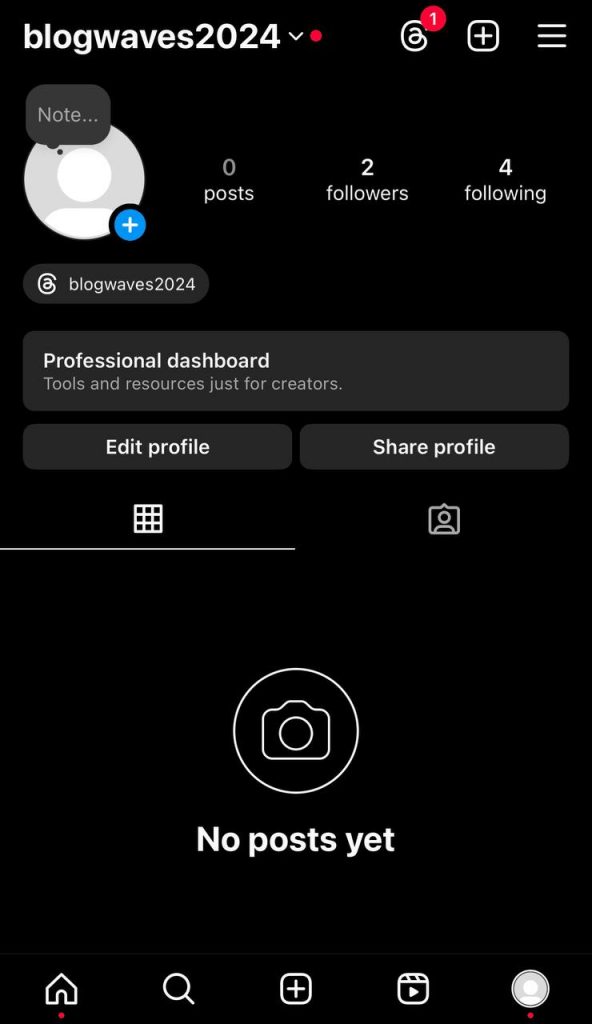
Step 2- Click on the three-line icon in the top right corner.
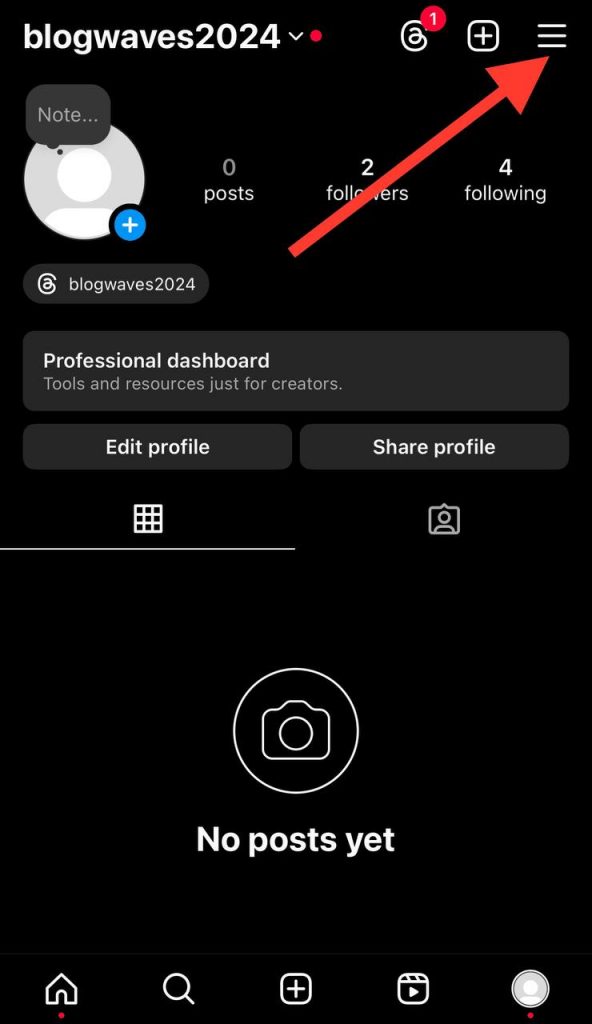
Step 3- Scroll down the menu and tap the “Messages and story replies” option.
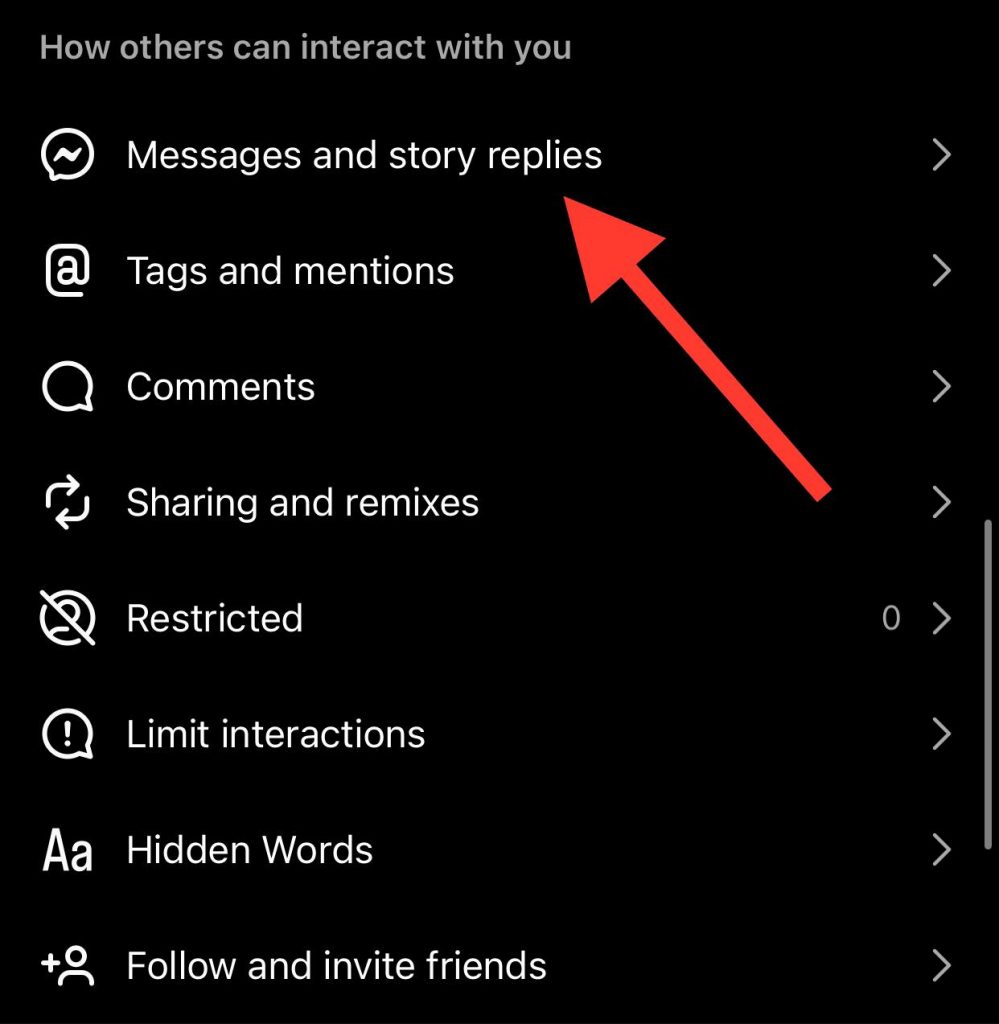
Step 4- Choose the “Show activity status” option.
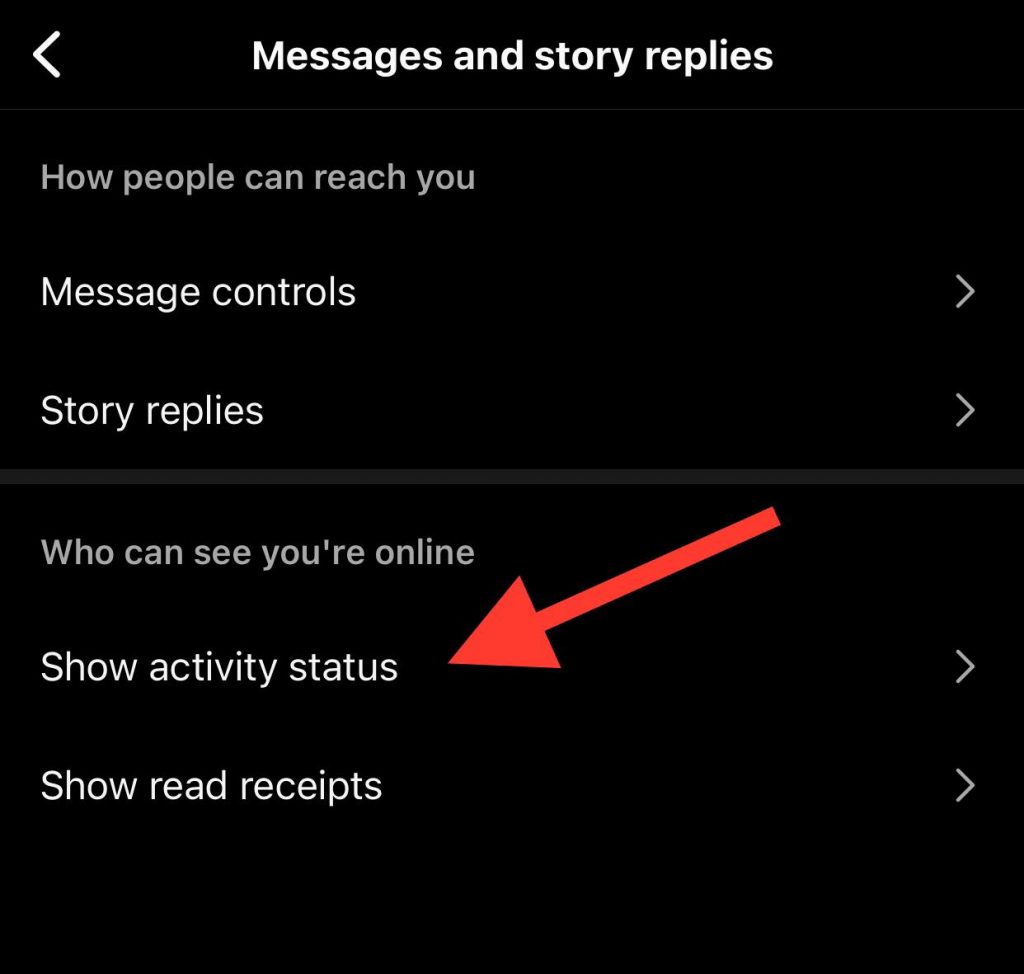
Step 5- Toggle the option before it to enable the activity status feature.
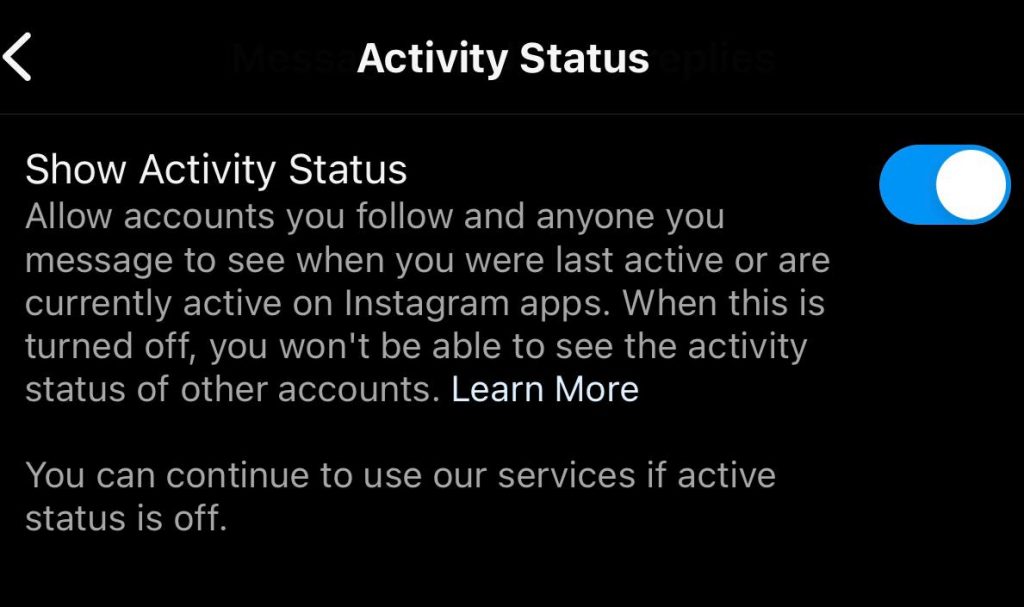
Once you have enabled this feature, visit the account you suspect restricts you and check its activity status or last seen.
Use another account to check your comments
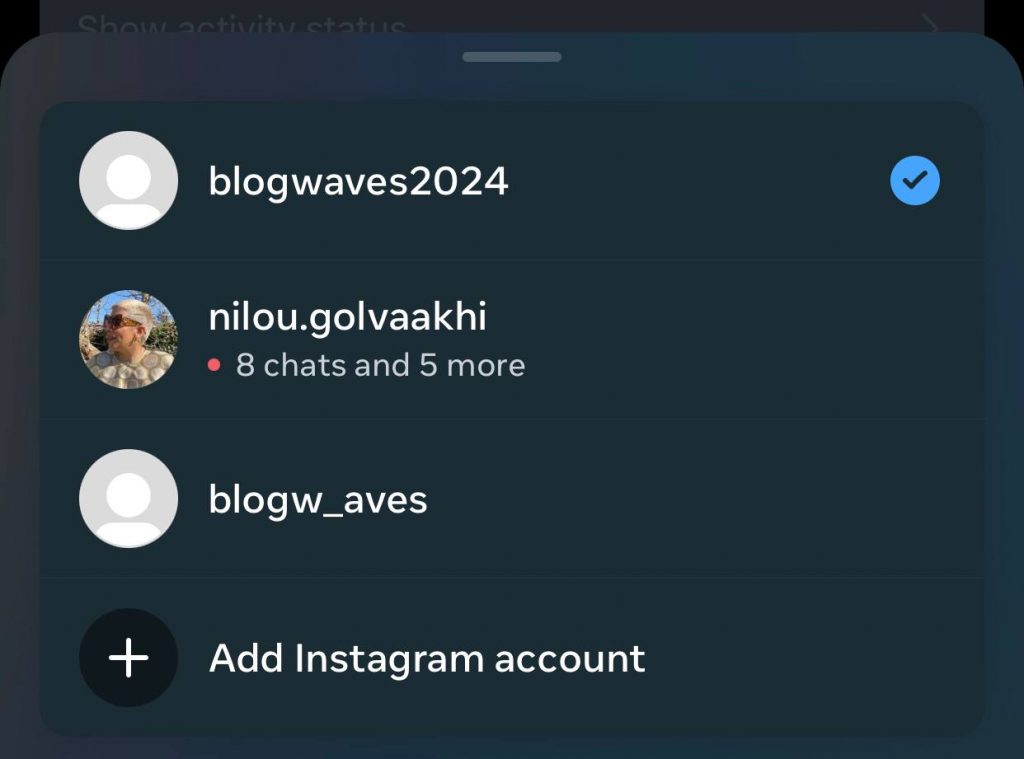
As mentioned, once someone restricts you on Instagram, your comments are only visible to you and the account owner.
Therefore, you can ask someone else to check your comments on the account you think has restricted you or use another account to check the comments yourself.
If you can not find your comments on their posts using another account, they will most likely have restricted your account!
How to Restrict an Instagram Account
In this section, we will explain four different methods that help you to restrict an Instagram account that you want to limit their interactions with your profile and content.
1- Restrict an account through their profile
The first method is to restrict someone from their Instagram profile. To do so, follow the steps below:
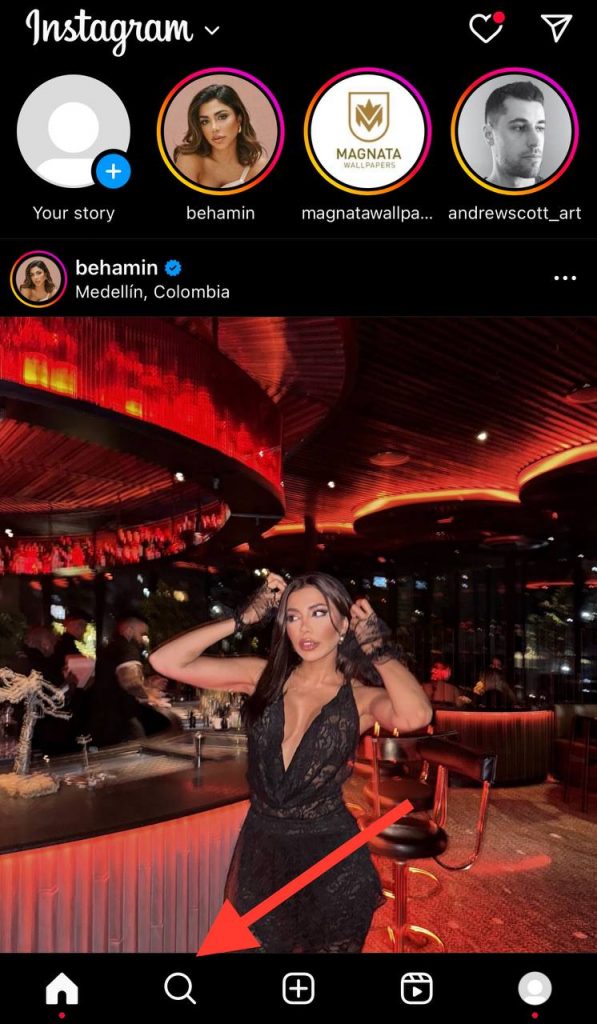
Step 1- Open Instagram on your device, tap the magnifier icon, and search for the desired account from the search bar.
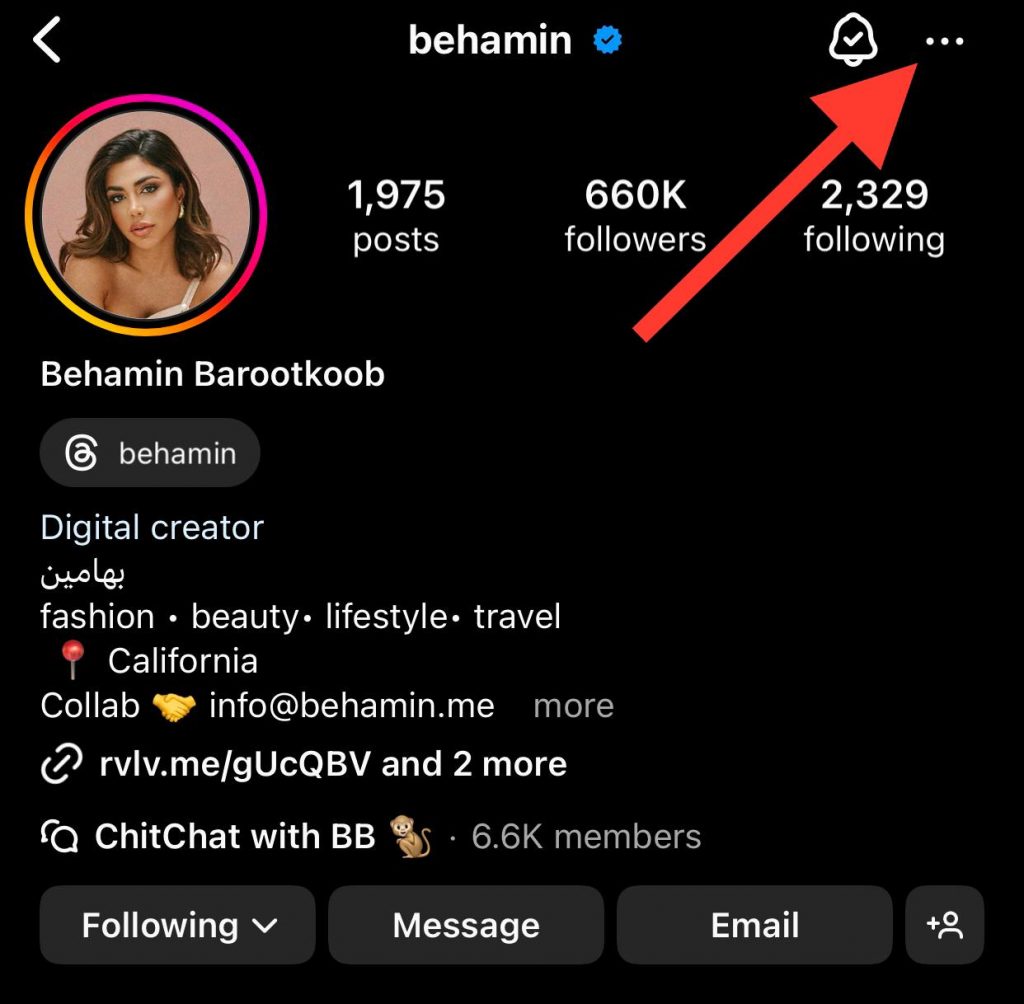
Step 2- Visit their profile and tap on the three-dot icon in the top right corner of the screen.
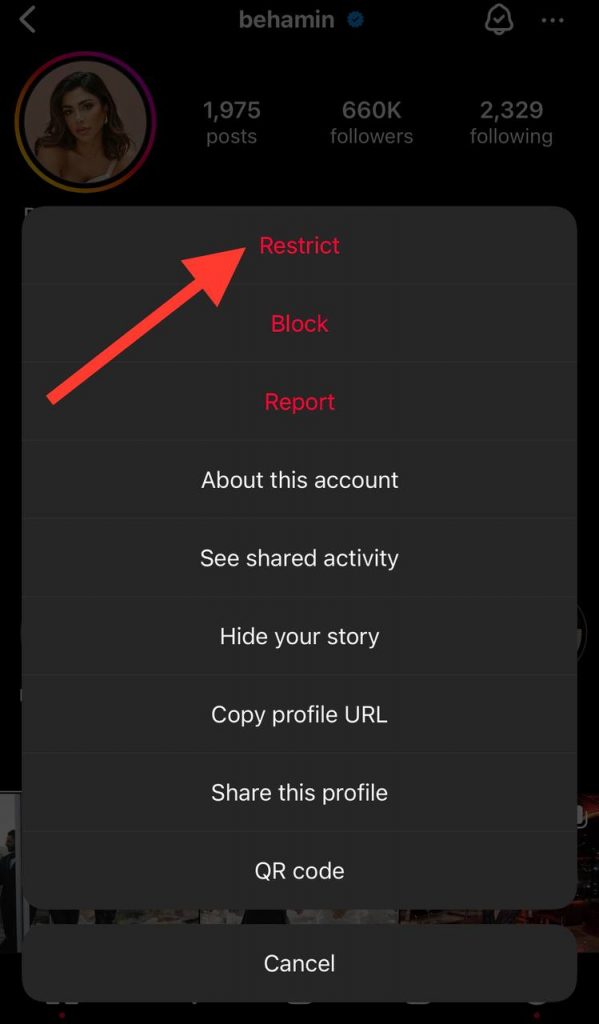
Step 3- Now, click on the “Restrict” option from the menu to restrict their account.
2- Restrict an account in direct messages
You can immediately restrict an account that sends you unwanted or inappropriate messages that make you uncomfortable to avoid receiving such messages.
Follow the steps below to restrict an account in your DMs:
Step 1- Open the Instagram application and swipe left to access the direct message section.
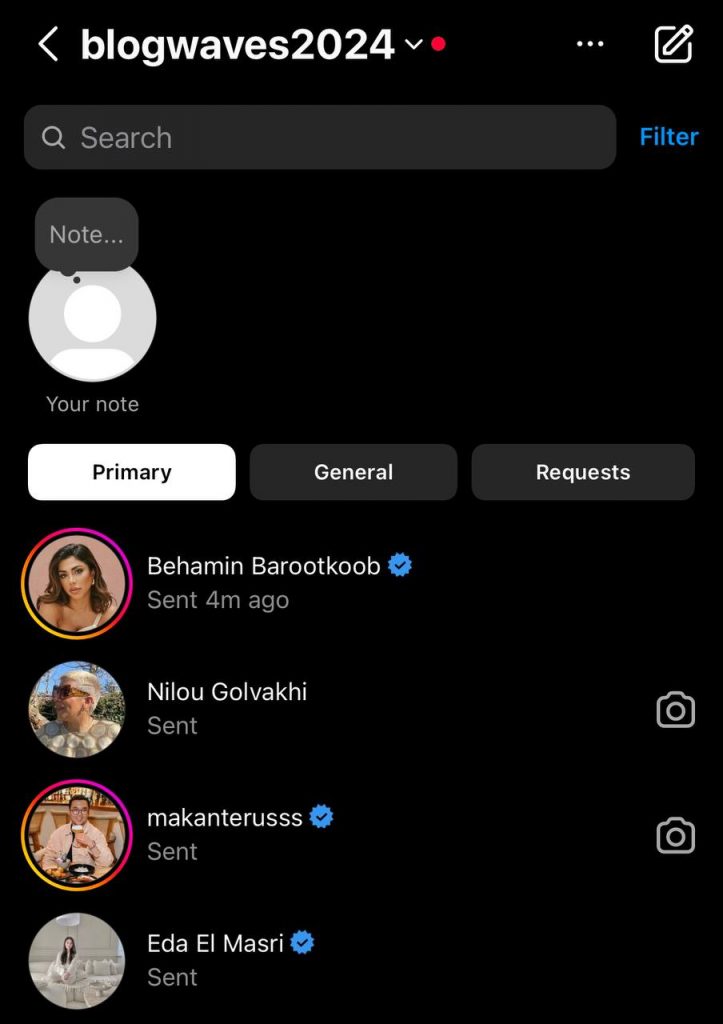
Step 2- Select the desired message and tap on their username from the chat screen.
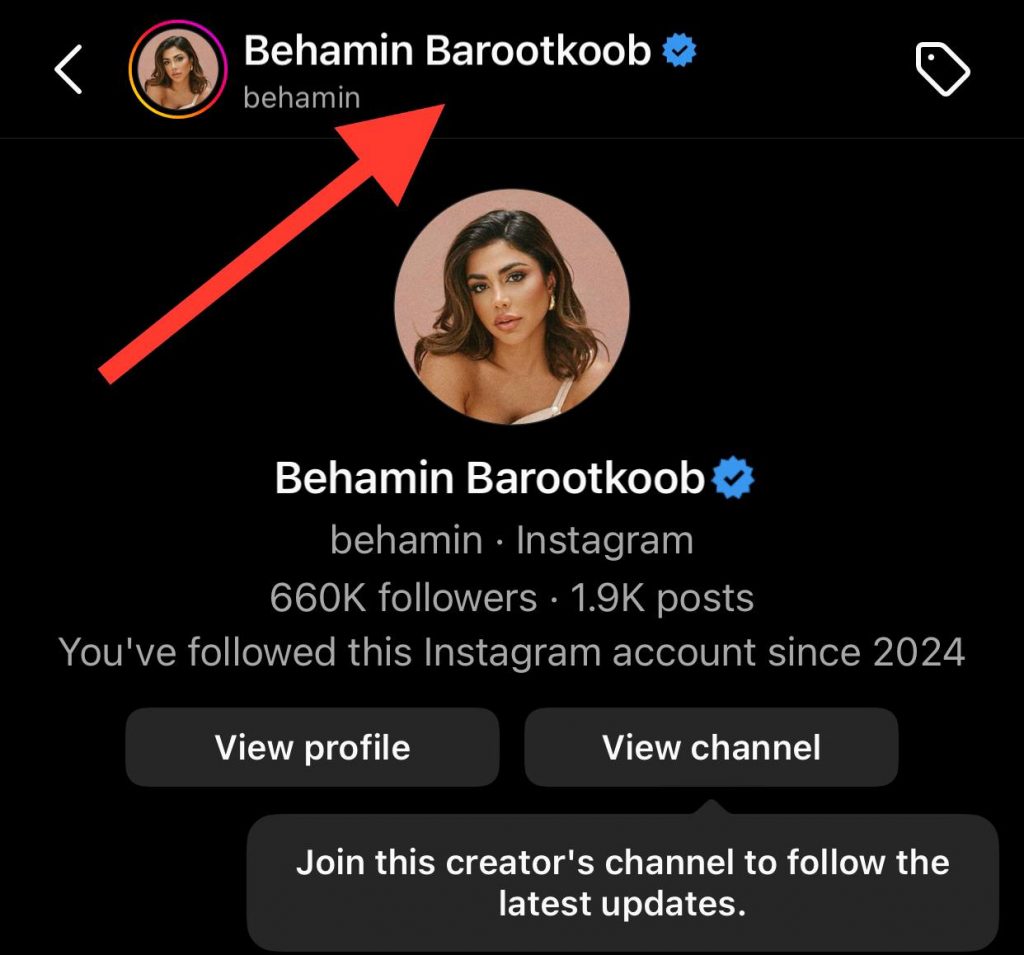
Step 3- Now, tap “Options” and choose “Restrict” to finish the process.
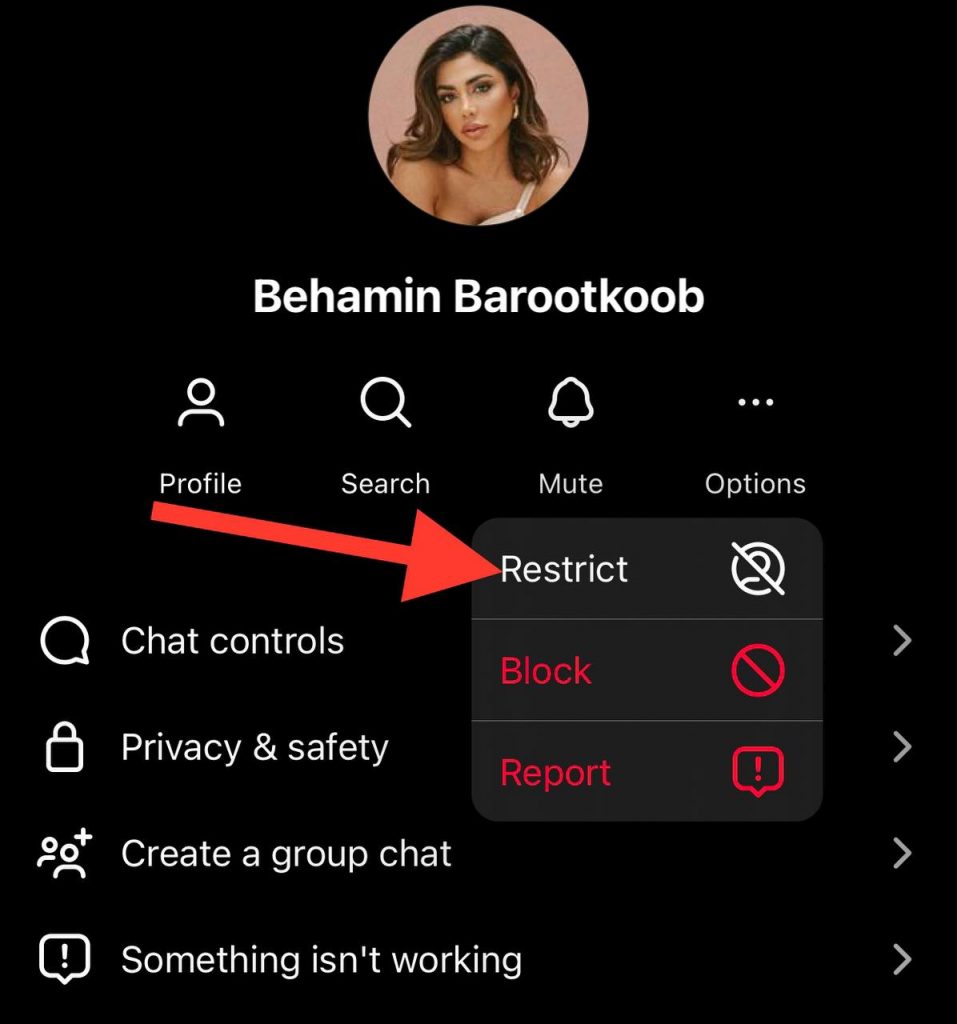
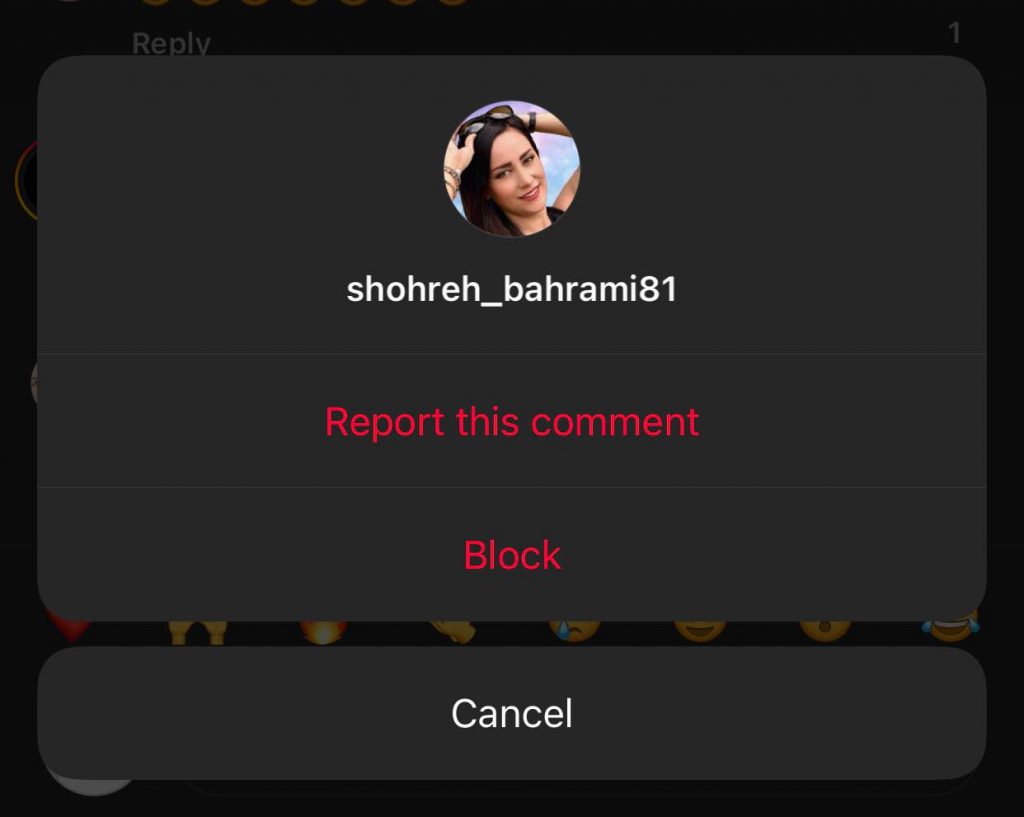
3- Restrict an account through comments
If you don’t want people to comment on your posts or others to be able to read those comments, you can simply restrict them.
To do so, follow the steps below:
Step 1- Open the desired post, go to the comment section, and tap the “View all comments” option.
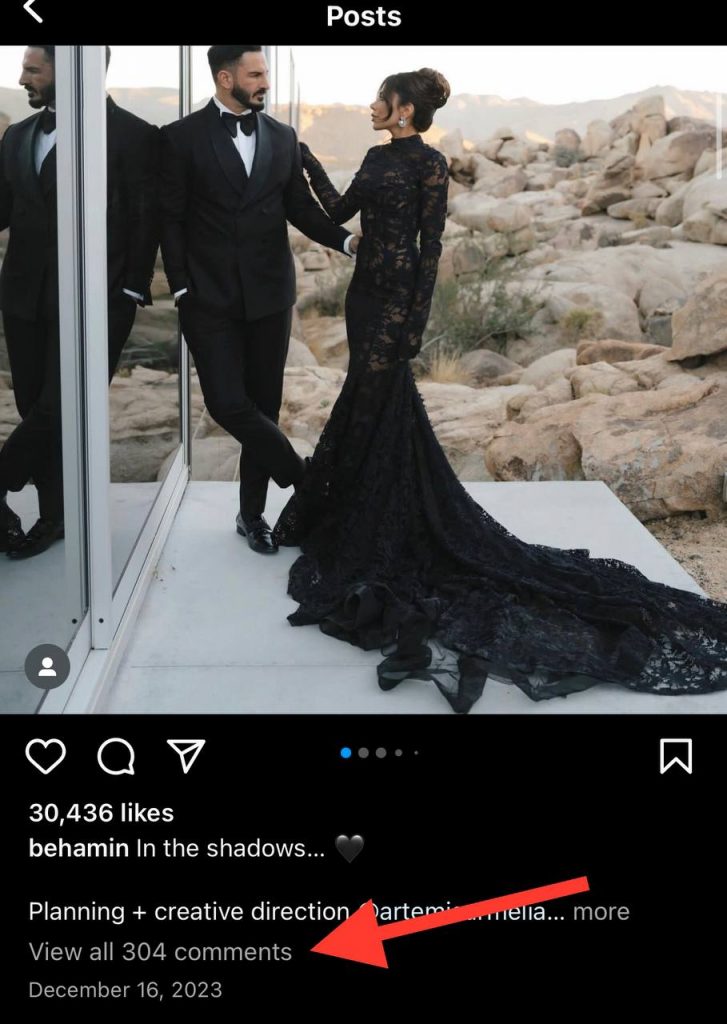
Step 2- Select the comment from the user you want to restrict.
Step 3- Slightly swipe the comment to the left and click the exclamation mark icon.
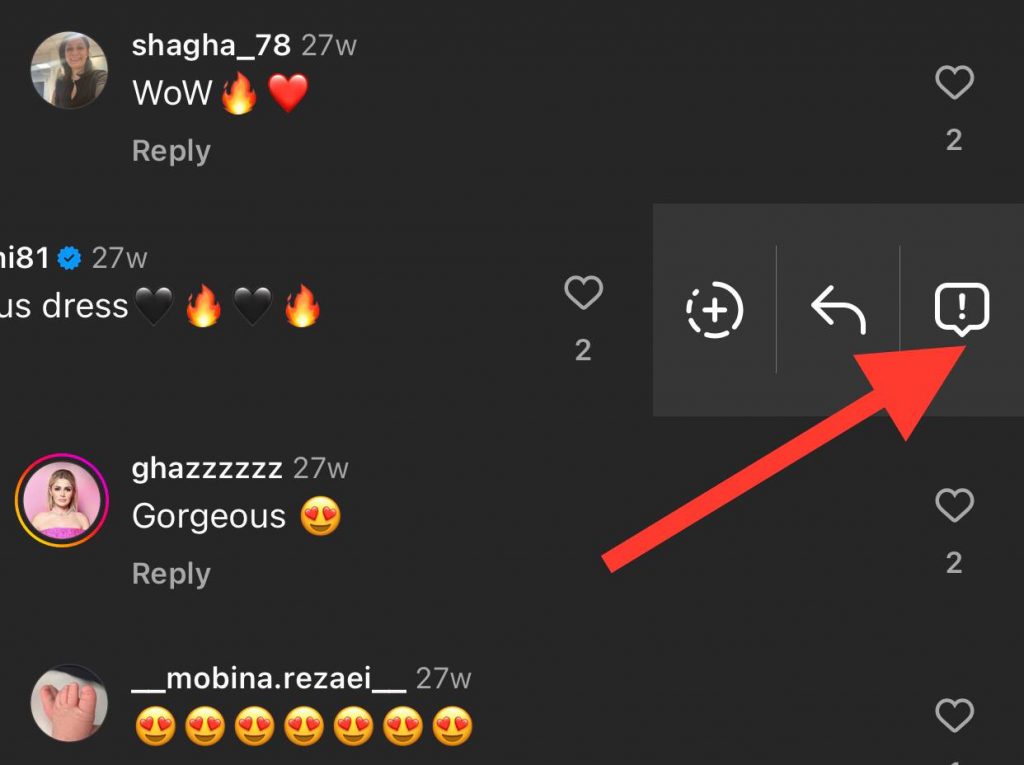
Step 4- Now, tap the “Restrict” option to avoid receiving unwanted comments from that account.
4- Restrict an account from the settings menu
The answer is yes if you are scrolling through Instagram settings and wondering if you can restrict an account from the settings menu. Follow the steps below to finish the restriction process easily through the settings menu.
Step 1- Open Instagram and go to your profile.
Step 2- Tap on the three-line icon to open the menu.
Step 3- Scroll down the menu and select “Restricted.”
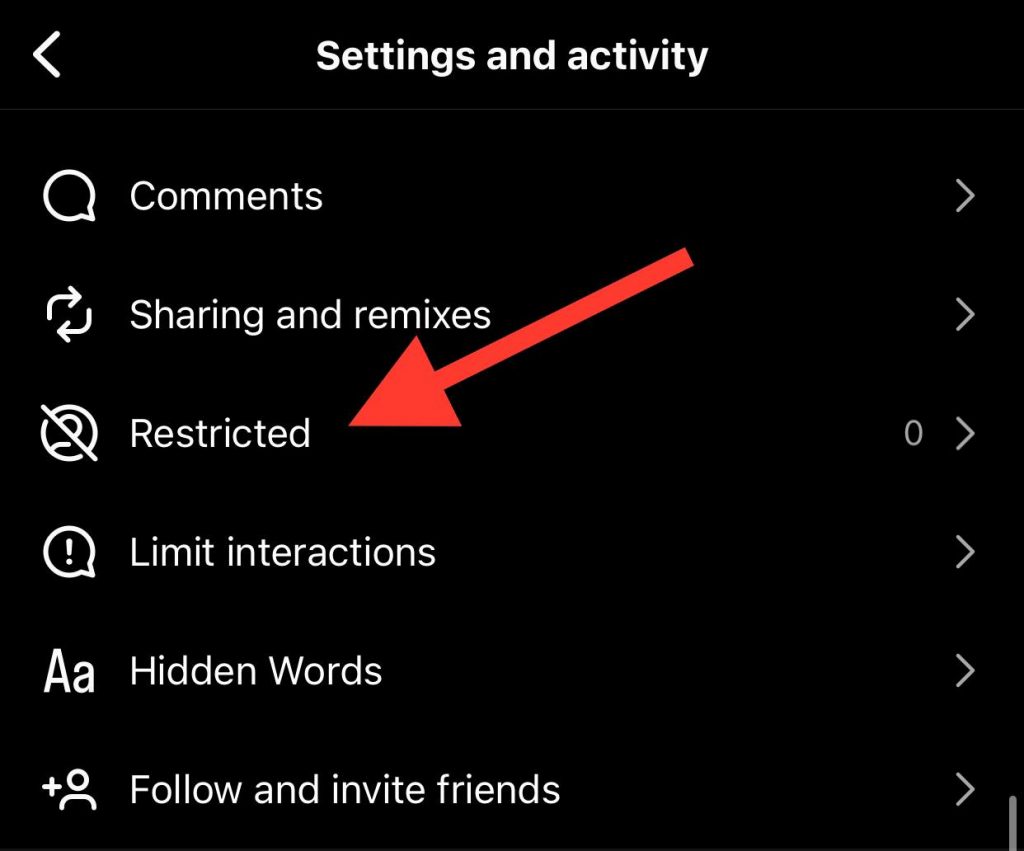
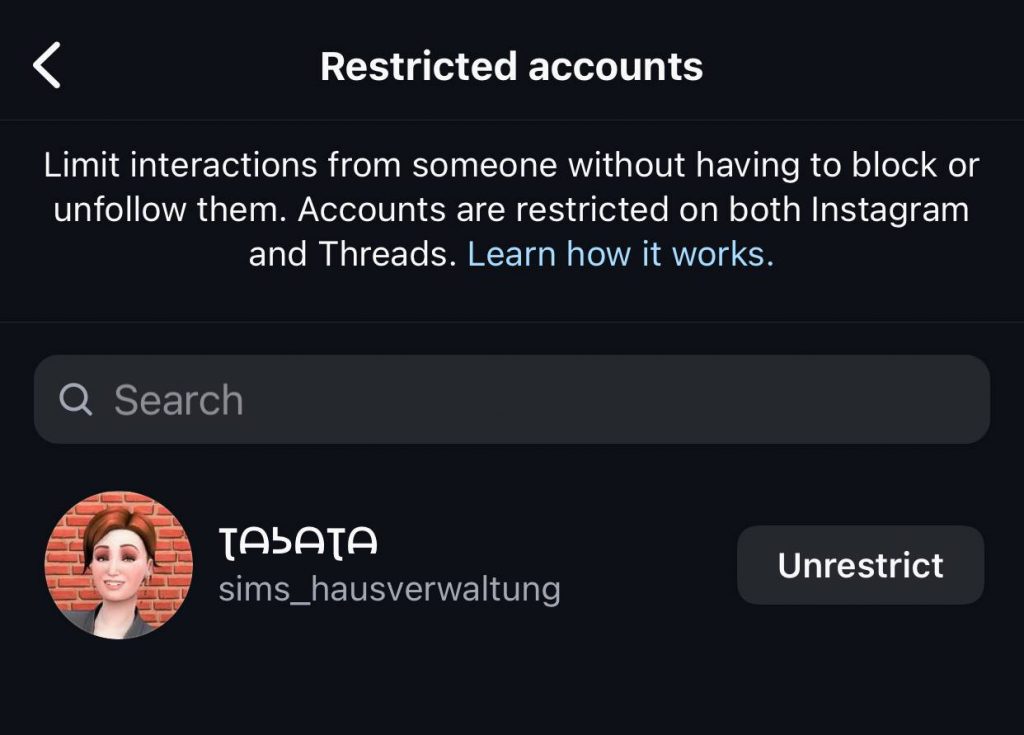
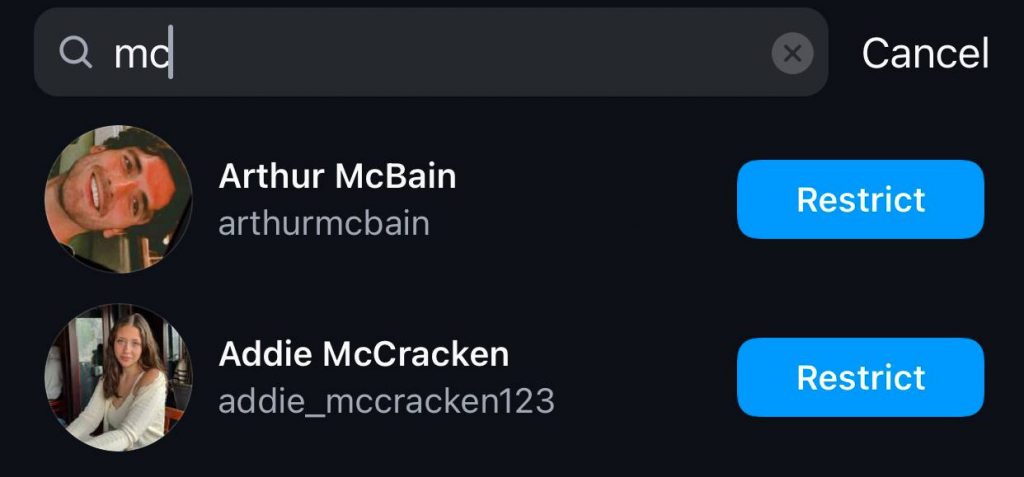
Step 4- Here, you can see all the accounts you have restricted and restrict new accounts by searching for their usernames.
Step 5- Once you find the account you want to restrict, tap “Restrict” before its name.
What to Do If You Suspect Someone Has Restricted Your Instagram Account

Sometimes, you realize a person you didn’t expect has restricted you on Instagram and wonder how to react in such a situation.
The first thing you should do is respect their decision and boundaries because we can not force others to always be interested in interacting with us on social media platforms like Instagram.
As said before, people may restrict you on Instagram for various reasons, and it is better to respect their decision; however, if you notice your account is being restricted constantly, you should adjust your behavior on Instagram and avoid interacting with all accounts you follow.
However, if you suspect someone close to you has restricted your Instagram account, you can directly approach them and ask them if they have restricted your account on purpose or by mistake; doing so allows you to clarify the situation.
Finally, if you are uncomfortable asking the person yet want to ensure you are restricted or not, you can use some third-party tools that claim they can show you which accounts have restricted you on Instagram.
Note that you must choose these applications wisely and be aware of the information you provide them to access your account; otherwise, using these tools is not suggested.
Conclusion
We use Instagram as a source to interact with our friends and other accounts to build better relationships, so it is an unpleasant experience to notice that someone has restricted your account to prevent your interactions with their content.
It is good to know that Instagram doesn’t notify you when someone restricts your account, which means you need to find out yourself to determine whether someone has restricted you or not.
However, the methods mentioned in this article allow you to quickly understand if your account is restricted.
Thus, if you suspect any accounts are restricting your profile, try the methods mentioned in this article to see if you can still interact with their content or if they have restricted your profile.
FAQs
What is the difference between blocking and restricting someone on Instagram?
As mentioned, blocking and restricting are not the same because when you block someone on Instagram, they lose all access to your profile and can’t even find your account; however, restricting simply limits their access.
Is it possible to check if someone has restricted me without directly asking them?
Yes, you can simply check their accounts to see if you notice any changes in interaction patterns, such as seeing their stories, commenting on their posts, etc.
What should I do if someone has restricted me on Instagram?
People would restrict you on Instagram for various reasons, so it is better to respect their decision. If you are close to the person who has restricted your Instagram account, you can ask them directly to explain why they have made such a decision.
Is restricting an Instagram account the same as blocking?
No, they are not the same. As the name suggests, restricting an Instagram account limits their interactions with your content and account, as they can still see your posts, while blocking cuts off all communication and access to your account.
Does Instagram notify users when you restrict them?
No, when you restrict an account on Instagram, it won’t notify the user, and they have to find out for themselves.

Emi Daniel
Buy an Established Instagram Account
Skip starting from zero. Browse Instagram/TikTok accounts with audiences across many niches.
See Available AccountsRelated articles
-

How to Clear Instagram Cache on iPhone, Android & Desktop
Instagram can quietly build up a lot of temporary files while you scroll through Reels, watch Stories, save posts, and upload your own content. You may not…
12 min readEmi Daniel
-

How to See Who Reposted Your Instagram Post (2026 Guide)
Someone reposted your Instagram post, but you have no idea who it was. You check notifications, search through your profile, and still cannot find a clear answer. …
18 min read -

How to Reset Instagram Algorithm in 2026
Instagram can start showing too much of the same type of content. Your Explore page may no longer match your interests, Reels may feel repetitive, or suggested…
12 min read