

You must have visited your explore page on your Instagram account. The Instagram explore page is one of the most important parts of this platform.
According to Social Tradia, most of the users of this application spend most of their time scrolling through this page and seeing various posts in this section.
This page helps people discover new content based on the Instagram algorithm. Instagram’s explore page contains photos, videos, stories, and various reels from different accounts that users can access.
But if you don’t like the content shown on the explore page, can you change or reset Instagram explore page?
In this article, we will explain how to reset Instagram explore page.
What is the Instagram explore page?

The Instagram explore page is a part of this application where users can watch different content such as photos, stories, videos, and reels and find new accounts.
In order to access to explore part of Instagram, just click on the magnifying glass sign at the bottom left of the page so that you can see the posts on this page.
As the name suggests, this section is for discovering and searching for new content.
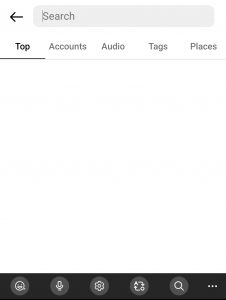
You can search for different accounts or trend hashtags and new topics through the search box of this section at the top of the explorer page and use the results.
Suppose you search for the word t-shirt; when Instagram wants to show you the results, the results are placed in 5 categories: Top, Accounts, Audio, Tags, and Places, which you can click on each one according to your needs.
For example, the Top shows the best results related to t-shirts, or Accounts offers you accounts that sell t-shirts or are related to this topic.
Therefore, it is natural that most Instagram users use the explorer page to see new content and have fun.
How posts are chosen for explore page
You may have noticed that your Instagram explore section contains a series of posts that are similar to the content of the accounts you follow.
It is interesting to know that the explore page of each user is unique to him.
But how can Instagram create an explorer page for everyone, and how does it choose what content to put on your explore page?
Instagram uses advanced tools to measure different factors from your activity; based on that, it shows you different posts on the explore page. Some of these factors include:
- The accounts you follow
- Content that you like or save on Instagram or comment on
- Search history section
- The accounts you are connected to on Instagram
Through specific tools, Instagram’s algorithm checks your activity properly and decides what content and posts to show you on the explore page.
For example, suppose you are interested in travel and follow accounts that produce content about it, or you have searched for travel-related topics and reacted to the posts of this type of content. In that case, a large part of your explore page contains posts related to travel.

Is the Instagram explore page based on your interests?
As we said in the previous section, Instagram uses special tools to determine what type of content you react to the most and prepares your explorer page based on that.
Obviously, you react to content or post when you are interested in it and want to see more photos and videos from that kind of content.
So yes! Your Explore page contains a collection of content, photos, and videos you are interested in, and by searching for those topics or reacting to them, you let Instagram know that you want to see more of them.
But does your interest in a series of topics and content always remain the same, or does it change? Do you always want to see some specific content in Explore?
You may want to see new content in the explore section or even reset Instagram explore page.
If you have such a decision, we will tell you how to do it in the next part.
How to reset Instagram explore page or change it?
As we mentioned earlier, you may get tired of seeing a series of regular content on your explore page, or you want to see new videos and photos with new content.
To do this, you can reset or change the explorer page.
In the following, we will explain how to do so with a few simple steps.
Reset your Instagram explore feed
Step 1) Open the Instagram app on your mobile phone
Step 2) Tap on the “Profile” icon in the bottom right corner
Step 3) Then, tap on the three-line icon in the top right corner
Step 4) Select “Settings” and then tap on the “Security” option
Step 5) Now choose the “Search history” option
Step 6) Tap on “Clear all”
After completing the steps, Instagram will ask you whether you want to clear search history section, and when you click the clear all option, you’ll actually reset Instagram explore page.
Change your Instagram explore page
Step 1) Open Instagram and go to the explore page
Step 2) Choose a post that you don’t want to see on your feed
Step 3) Now tap on the three-dot icon of that post
Step 4) Select “Not interested”

By doing these simple steps, Instagram realizes that you are not interested in such content and will no longer show you these types of posts in Explore.
Can you disable explore section?
The explore page is an important part of the Instagram application, and almost all bloggers who have a public page wish to see the content of their account on this page because it has many advantages.
On the other hand, as we mentioned, most Instagram users spend most of their time on the explore page, and in this way, they find new accounts and have fun with different content.
Therefore, you cannot disable the explorer page in any way, but as we said in the previous section, you can see some posts less or change and reset Instagram explore page.
Conclusion
Instagram is one of the best and most favorite social media apps, with many users going to the explore section to see exciting new content. Instagram shows different kinds of content to each user’s explore page based on their taste and interest. In this article, we explained completely and comprehensively what the explore page is and how Instagram prepares the content that each person likes for him, and most importantly, we explained how you could reset Instagram explore page so that you can see more of your desired content or even change and reset the explore page taking some simple steps.
