

These days, everyone has Instagram on their mobile phones, and many users worldwide use this application to share their photos and beautiful moments with others.
You must have heard the word hashtag and used it many times and wondered what its benefits are.But how many Instagram hashtags should you put for each post to help your post be seen? If you want to answer this question, read this article to the end.
What Are Instagram Hashtags?
If you are new to social media, you should know that Instagram hashtags are phrases, words, or even numbers and emojis with a hashtag symbol (#) in front of them that you can find them in Instagram captions or stories.
People use hashtags to categorize their Instagram posts and make them discoverable so more people find them on Instagram.
According to Instagram, you can add up to 30 hashtags on each of your posts, but knowing how many hashtags to use to get the best results help your content to be seen by more users.
Finally, let’s see some Instagram hashtags examples:
#socialmedia
#Marketingstrategy
#Socialmediatools
As you can see, there is no space between hashtags and you should use words all together but be careful to not make them very long.
Why Do Instagram Hashtags Matter?

Using hashtags is important for your posts to be seen, but why should you use them? The answer is simple! Because they have good benefits and using them is helpful.
Hashtags help your posts to be seen by more people; they show them to people who are your target followers, help your posts to go viral, which can get you many followers, increase the engagement of your posts, show your posts to people who are interested in your content, etc.
These are good reasons to use hashtags in your posts to show your content to more people and attract more followers.If you have a business account, using hashtags will ultimately help more people to know your brand and products, and you will have more sales.
How Many Hashtags On Instagram To Use?

If you want to use hashtags on Instagram so more people see your content, you should know how many hashtags to use to get the best results.
Instagram recommends to use 3 to 5 hashtags for each post while choosing them completely related to your content.
However, you are free to add up to 30 hashtags which is the maximum number you can use. If you want to get the most visibility, you can add hashtags on the first comment of your post, which help you to use more hashtags and reach more audience.
Finally, it doesn’t matter how many hashtags you want to add to your posts (we suggest following Instagram algorithms to get the best results), you need to ensure you are choosing the most relevant hashtags for your posts, so Instagram show it to your target audience.
How to Find Relevant Hashtags
If you think that putting every hashtag in your post will work for you, you are wrong because to use hashtags correctly, you need to find hashtags related to your content, and in this section, we will tell you how to do this.
Create A List of Related Keywords
Try to make a complete list of topics and keywords related to your account’s topic, and write as many related words as you can in your list because this will help you find relevant and better hashtags, which will lead your post to be seen more.
Use Hashtag Tools
These tools analyze pages that share content similar to yours and help you find the most relevant hashtags. Hashtag tools also help you find the best hashtags in less time, and this way your post will be shown to others sooner.
Know What Hashtags to Use
One of the important things to consider is that not all trending hashtags are going to help you and be suitable for your content. In other words, you need to know your hashtags to ensure they fit the type of your content and brings attention to your posts.
Note that if you ignore this and keep choosing irrelevant hashtags you end up hurting your brand and start loosing followers instead of gaining.
Use The Hashtags Other Brands Are Using
In order to find hashtags that are related to your brand and business, you can check brands that are similar to yours and use the same hashtags that they use.
Make Your Own Branded Hashtag
You can convert the name of your brand or account into a hashtag and use it in all your posts. This will make you have your own hashtag and help your posts be seen more.
For example, you can use this #YourBrandName.
Instagram Features
If you look at any hashtag page, you will see a list of all related hashtags on that page as top and recent hashtags; this help you find the most relevant hashtags for your posts.Besides, using this method help you find niche hashtags quickly that enables you to reach more target audience with less competition.
What Are the Different Types of Instagram Hashtags?
The following are the main types of hashtags to consider:
Branded
Branded also known as product hashtags are those hashtags you create with your brand or product name in them that are mostly used to increase brand awareness.
Community

These hashtags are related to a specific community, and using them helps people quickly find the place they belong to and make new relationships, which also brings you more followers. So, if you are looking for finding new communities, try using community hashtags!
Trending
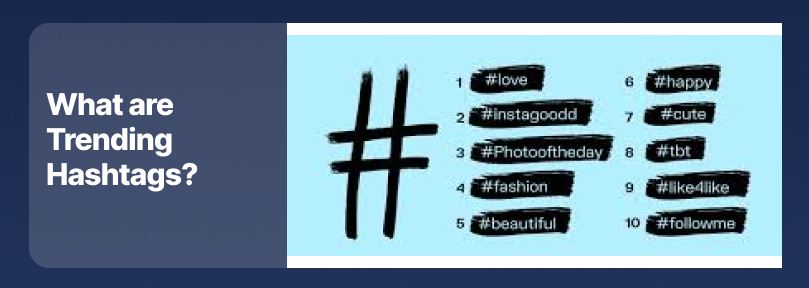
Hashtags that are often used for a hot topic, such as news, events, or holidays, are said to be trending hashtags. A good example for such hashtags is #blackfriday, which people use it for a short time, and it fades away after a while.
Industry
These hashtags are specific to a specific field and are not recommended for everyone. You should use them to connect with your target audience and show your business and content.
Examples: #FashionBlogger, #TechNews.
Campaign
These hashtags are related to marketing campaigns you are running, which involve the brand’s name that runs the campaign.
Moreover, two brands can collaborate with each other and use a campaign hashtag to promote their collaboration.
Where To Use Hashtags?

You can use hashtags in captions, stories, reels, and comment section. Using in each section has advantages and disadvantages.
As an example, if you use hashtags in the comments, it may be difficult for people to discover them, which means it won’t help your post to show to the target audience.
Moreover, you can add hashtags to your stories to point out to a specific subject such as a trending content.
Finally, according to Instagram algorithms, it is better to use relevant hashtags in the captions so more people reach your content.
Conclusion
Instagram is one of the biggest and most popular social media platforms that people use it to share content and reach their target followers; hashtags are one of the best tools that help users show their posts to more people.
Moreover, once you find out what hashtags and how many of them you want to use it’s time to test and analyze them to ensure you are using the right ones.
Finally, hashtags are a great way to reach new followers and grow your account, but remember that it takes time and effort to see big results.
