

Here we are again dealing with one of the most common and strangely complicated Instagram issues you might have come across.
Instagram is undoubtedly one of the most significant social media platforms ever. We all use it to communicate, run business, or even focus on our educational growth. And it offers a lot of services. However, despite its numerous advantages, Instagram is not without its fair share of challenges.
People have been complaining about errors and bugs from all over the world. I personally have been bothered by one of the errors you probably have heard of: Challenge Required.
Buy an Established Instagram Account
Skip starting from zero. Browse Instagram/TikTok accounts with audiences across many niches.
See Available AccountsAs annoyed as I was, I wanted to know what this error was about. Was it something I had done? Was my account hacked? What was I supposed to do to get rid of it?
So, I searched and sought help from friends who had experienced a similar situation, only to realize that it wasn’t as significant as I had initially thought. It was annoying, of course, but nothing serious.
I’m here to tell you about what I have learned about the “challenge required issue.” In this blog, we are going to find out what causes this, how to fix it, and how to make sure it never happens again. Keep on scrolling and fix your problem in the blink of an eye!
What Does challenge required mean?

The first question that we need to answer is about what this “challenge required” thing really means.
You see, Instagram has this huge obsession about whether or not you are a bot or a fake account. And that’s why it detects suspicious activities. And in my opinion, this has led to a huge enhancement to the platform’s security.
However, sometimes Instagram might make a mistake and detect an actual person as a bot. It basically kicks you out of your account as a result of this misidentification.
Let me rephrase it for better clarity: Imagine having a magnificent house in Hollywood, safeguarded by bodyguards and advanced sensors that promptly alert you whenever an intruder enters your property. In response, you promptly take action to deal with the intruder. However, only later do you realize that the intruder was none other than your own child.
“Challenge required” means that Instagram has sensed strange activities from your account, and decided it is best for everyone’s safety to log you out, ban you, or maybe even block you.
You might be thinking: “But I didn’t do anything wrong. Why did this happen then?”
What Triggers the Error?
You probably didn’t do anything wrong. But as I said, Instagram is highly concerned for user’s safety.
When I checked what might have caused this error, I was really shocked. Because I didn’t have a single clue about how these things could have convinced Instagram I am a bot.
Here are common things that trigger and cause Instagram to send you this error. Read them to better understand what may have caused this problem.
VPN Program

Using VPNs is one of the most common reasons why the “challenge required” may appear. See if you have logged in to your account with different servers
Third-party Applications

One of the reasons that could cause this sort of issue, could be third-party apps. But what are third-party apps exactly?
Third-party applications are software created by a company other than the operating system you are using.
Let me give you an example. You are using Google and every program written by Google is considered a first-party app. Any other platform or system that is provided by a company different from Google, is a third-party application.
These apps may be helpful, however, they could cause a little trouble now and then. Because they kind of make it easy for others to hack and control your device, or even infect your device with viruses and malware.
How do we fix the challenge required error on Instagram?
If you have accidentally used any of the tools above, do not worry. You can easily find the solutions below. Please take note of the following guidelines:
Clear Cache And Reinstall
- Go to “settings”.
- Find “Instagram app”s
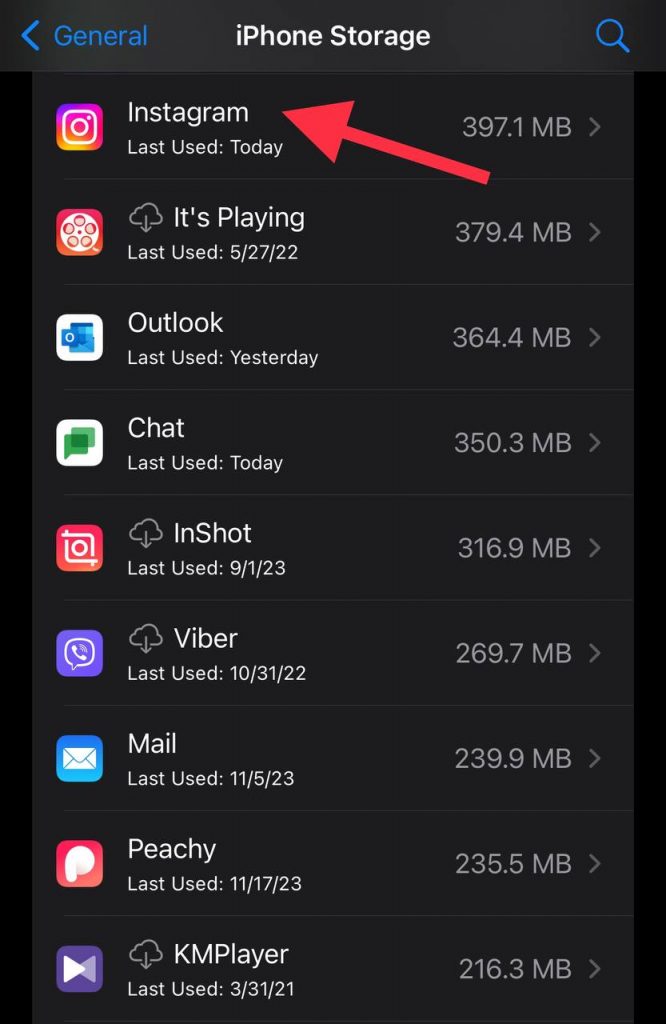
- On iPhone, click on “offload app” and on Android click on “clear cache”
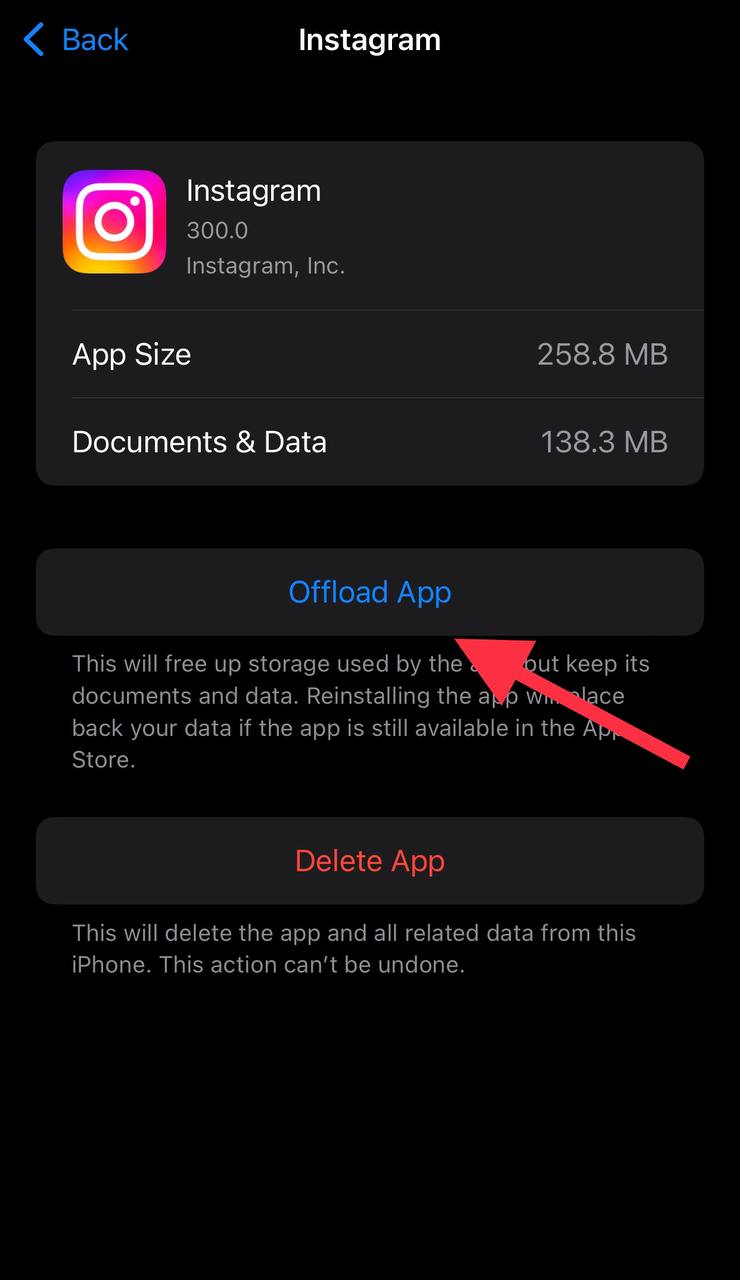
- Then uninstall and reinstall the application.
- Try using Instagram to see if it works.
Complete the Verifications

Instagram may want to make sure that you are a human; therefore, it will ask you to do some tests. For example, it may show you some numbers and ask you to write them in the box, or, it will show you some pictures and ask you to choose the ones with specific details.
Network Connection

Sometimes, the issue might be about the way Instagram interacts with your network. So, to fix that, you can switch your network from Wi-Fi over to cellular or the other way around.
Once you are done, close the Instagram app and open it again.
If your network is the issue, this would fix it.
Log In With Desktop
But what if Instagram logged you out and now won’t let you log back in? And it constantly shows “challenge required”?
Do not worry. The solution is way simpler than you may think.
- Go to Google and search for Instagram login
- After this, you’ll probably see the desktop page.
- Enter your phone number
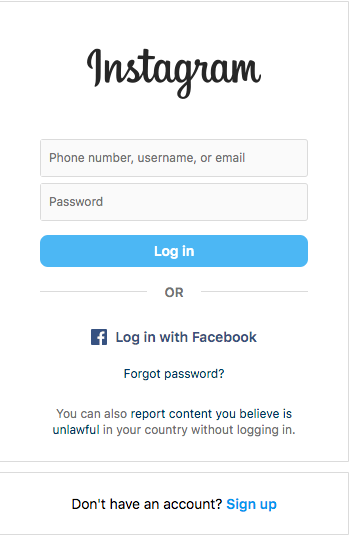
- Wait for the verification code
- Enter the verification code
- Restart the app and see if it worked.
Log In With Link
Another solution for when Instagram won’t let you have access to your account because of the “challenge required” error, is this:
- Go to the Instagram website and click on “forgot password”
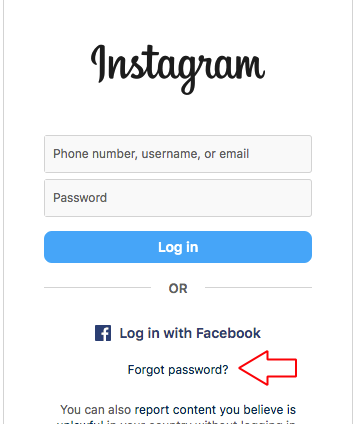
- Instagram would send a link to your Gmail through which you can log in to your account.
Once you log back into your account you can see what was the problem. Maybe you violated their guidelines or maybe it was just a simple bug.
How long does the ‘Instagram challenge required’ error last?
Do not worry if you encounter the “challenge-required” error. This error usually lasts around 24 hours, and it goes away after that.
Recap
Now you know what may cause errors such as “challenge required” and how to prevent it from happening again. As I said, these problems are not concerning. Since Instagram, like any other highly secured social media platform, prioritizes safety, these coincidences may occasionally happen.
However, keep in mind that it can be challenging. If you keep doing what you have been warned about, Instagram may eventually delete your account. And that means all your data and pictures will be erased and you no longer have access to them.
It is not worth it. So, respect Instagram terms and conditions, do not cross the red line, and enjoy using this wonderful platform!

Emi Daniel
Buy an Established Instagram Account
Skip starting from zero. Browse Instagram/TikTok accounts with audiences across many niches.
See Available AccountsRelated articles
-

How to Go Live on Instagram: A Step-by-Step Guide
Going live can feel more stressful than posting a Reel. You cannot remove a pause, rewrite a sentence, or start over after an awkward moment. But that…
17 min readEmi Daniel
-

Instagram Instants Feature: What It Is, How It Works, and How to Turn It Off
The first time I opened Instagram Instants, I almost backed out. I had taken a normal photo. Nothing worth editing. Nothing worth posting. Nothing that needed an…
11 min read -

How to Clear Instagram Cache on iPhone, Android & Desktop
Instagram can quietly build up a lot of temporary files while you scroll through Reels, watch Stories, save posts, and upload your own content. You may not…
12 min read