

Instagram offers millions of users with several handy features that make it easy and fun to share content with your audience. However, sharing links is not yet a function many people can use as it’s only granted to users with 10k followers or higher.
So can you add a link to an Instagram post? Luckily, there are ways to bypass the issue described above and eventually manage to share links in captions even though you cannot directly put a hyperlinked URL in your post. The primary solution is to use third-party sites. We will show you the best options available at this given moment to achieve that.
Add a shortened version of the URL in the Post Caption
Instead of adding a link a mile long in your Instagram caption, which pushes the chance your followers will make an effort to fill it out in their browser further away (remember, Instagram does not let you hyperlink captions and posts), you can use a URL shortener service such as Bitly. You will get a super-short alternative of the URL you wish to add without even having to subscribe or sign up with Bitly. You generate it on its homepage directly.
Opt for a sponsored Instagram post
This applies mainly to Instagram business profiles since it requires paying for a sponsored post. The post will appear either within Stories or the main feed of even people that do not follow you yet, as long as they fit your specified target range. Sponsored posts are great solutions as they enable you to share an actual hyperlink within them. You can tell them from regular posts by the linked call to action at the bottom (i.e., Learn more) and the fact that they are marked as sponsored.
Update the link in your bio
This is probably the most common way that users share links. Since Instagram allows you to have one link on your profile (the bio section), adding the link you want to share there will get the job done.
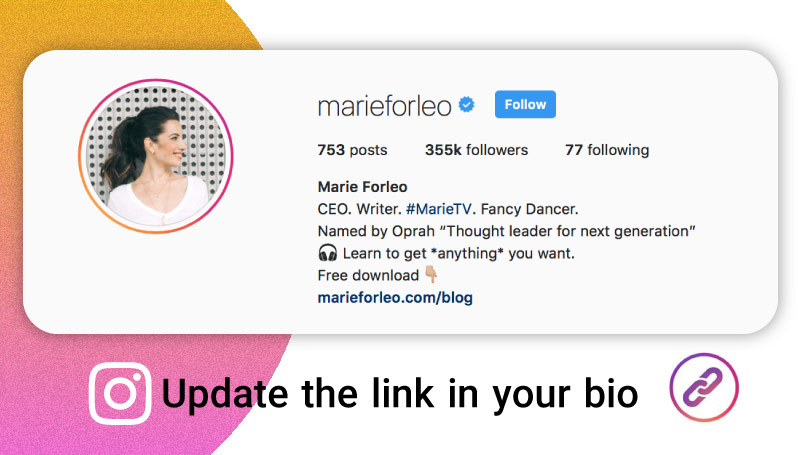
You simply go to your Instagram profile and change the link in your bio every time you wish to include a different link with your Instagram post. Then, head to the post’s caption and say something like “Link in bio” to point followers to your profile so they can take the action you want them to take.
Use Linktree
This is a free service that lets you mirror your Instagram account and create a small website for it. The layout is extremely simple as it’s not designed for web design savvy users. Instead, you add as many links as you wish and then sit back to view how many visitors have clicked on these links.
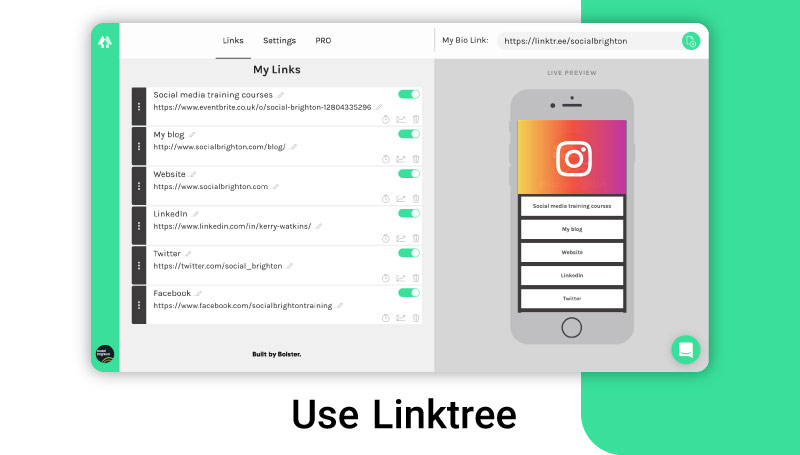
To get it all done:
- Start by registering with Linktree using your Instagram account details.
- Then, copy your Linktree URL and paste it into your bio.
- Ensure that you add a new link on your Linktree every time you post a new image.
- Lastly, simply put a “Link in bio” notification in the caption.
Use LinkedIn’s advertising platform
You will need to change from a personal to business Instagram account as advertising is a feature business profiles can use exclusively. But don’t worry – nothing will be changed to your Instagram account. You will only have some added functions to use such as the ability to boost posts and analytics tracking.
Head to your profile and then tap Settings > Switch to Business Profile > Continue. You should be able to see the blue Promotion tab on your photos. Tap it to be redirected to Facebook, which deals with Instagram advertising campaigns, and submit your payment. At this point, you will be asked to add the desired link.
Some of these ways to add links can be quite time-consuming and tiresome. Hopefully, Instagram changes its policies about adding links soon. In the meantime, you have some practical solutions to pass a link on to your followers!
