

Type “best Instagram followers app” into Google right now and one of the most recommended tools from just two years ago will send you somewhere completely different.
Combin, once a go-to name in growth app roundups, shut down in 2024, and its old domain now hosts a recording studio product that has nothing to do with Instagram.
Meanwhile, plenty of “coin exchange” apps still promise 1,000 free followers in five minutes, as long as you hand over your username and password first.
Buy an Established Instagram Account
Skip starting from zero. Browse Instagram/TikTok accounts with audiences across many niches.
See Available AccountsThe apps actually worth using in 2026 never touch your login credentials. They track your growth, research hashtags, flag fake followers hiding in someone else’s audience, or simply help you post on a schedule.
None of them can make Instagram’s algorithm favor you overnight, but they can stop you from losing your account to something that promised the opposite.
Here are the 10 Instagram followers apps worth comparing in 2026, organized by what they actually do, with the follower-buying schemes called out separately so you know exactly what to skip.
Best Instagram Followers Apps at a Glance
- The best overall free pick is Buffer: schedule and analyze up to 3 channels without paying anything, forever.
- Best for follower and unfollower tracking is NapoleonCat: see exactly who left and when, with demographics Instagram’s own app doesn’t show.
- Best for hashtag research is Flick: find the hashtags actually driving reach instead of guessing.
- The best free fake-follower checker is HypeAuditor: run a free audit on any account before trusting its follower count.
- Best free growth benchmarking is Social Blade: watch your follower curve next to any public account, for free.
Why Finding a Real Instagram Followers App Is Harder Than It Should Be
Search results for this topic split into two worlds that barely talk to each other. One side is legitimate scheduling and analytics software.
The other is a graveyard of coin-exchange apps, follow-for-follow trackers, and “instant followers” tools that ask for your login the moment you open them.
Instagram has been explicit about where it stands on the second group. The platform states plainly that third-party apps generating inauthentic likes, follows, and comments “violate our Community Guidelines and Terms of Use,” and that accounts using them “may see their Instagram experience impacted,” meaning restricted reach or an outright ban.
Buying Instagram followers isn’t just against the rules either. The FTC’s case against Devumi resulted in a $2.5 million judgment for selling fake social media influence, with regulators stating outright that buying or selling fake followers is illegal.
I’ve watched a small business account gain 400 followers overnight from a paid “growth” service, then lose 600 the following week once Instagram cleared the fakes out. The number moved. Nothing else did, and the account was worse off than before it started.
That’s the real reason people go looking for an Instagram followers app in the first place. Not because they want a bigger number, but because they’ve been burned once already and want something that actually holds up.
How We Tested and Ranked
- Checked official pricing pages directly, not affiliate roundups
- Flagged every app that asks for an Instagram password
- Confirmed whether a free plan genuinely exists, not just a trial
- Cross-checked Trustpilot and G2 reviews for recurring complaints
- Verified which apps are still operating and current in 2026
Quick Comparison Table
| App | Price | Platforms | Free Plan | Password Required | Best For |
| Buffer | Free / Essentials from $5 per channel/mo | Web, API | Yes, 3 channels forever | No | Best free overall |
| Later | Free plan / Starter from $18.75/mo (annual) | Web, iOS | Yes, limited posts | No | Best for scheduling and link-in-bio |
| Iconosquare | Free plan / Launch from €33/mo (~$36, annual) | Web, mobile app | Yes, 2 profiles | No | Best for deep analytics |
| NapoleonCat | No free plan / Standard from $89/mo | Web, mobile app | No, 14-day trial only | No | Best for follower and unfollower tracking |
| Social Blade | Free / Bronze from $3.99/mo | Web | Yes, ad-supported | No | Best free growth benchmarking |
| Flick | No free plan / Solo from £11/mo (annual) | Web | No, 7-day trial | No | Best for hashtag research |
| Hootsuite | No free plan / Standard from $99/mo | Web | No, 14-day trial | No | Best for multi-platform management |
| Sprout Social | No free plan / Essentials from $79/mo per seat | Web, iOS, Android | No, 30-day trial | No | Best for team and agency reporting |
| HypeAuditor | Free audit tool / platform from $299/mo | Web | Yes, audit tool only | No | Best free fake-follower checker |
| Instagram Insights (native) | Free | iOS, Android | Yes, always | N/A | Best free built-in baseline |
The 10 Best Instagram Followers Apps

Each app on this list is selected based on real growth impact, ease of use, and how well it helps you manage content, engagement, and analytics in one place.
1. Buffer: Best overall free pick
Buffer is the simplest starting point on this list, a scheduling and analytics tool that connects directly through official platform integrations without ever touching your Instagram password.
Key Features
- Visual content calendar with an ideas board for saving drafts
- First-comment scheduling and a built-in hashtag manager
- Multi-channel publishing across Instagram, TikTok, LinkedIn, and more
- AI Assistant for caption suggestions
Free Plan Limits
Free forever for up to 3 connected channels, 10 scheduled posts per channel that refill anytime, 100 saved ideas, and 1 user. Essentials starts at $5/month per channel and unlocks unlimited scheduling and advanced analytics.
Pros & Cons
Pros
- Genuinely free, not a disguised trial
- No password or automation risk since it only uses official APIs
- Per-channel pricing scales down well for solo creators
Cons
- Pricing adds up fast per channel for anyone managing several accounts
- Some users report billing surprises when switching from annual to monthly plans
- Posting occasionally fails and needs a manual retry, according to user reviews
Platforms Available
Web, with API access
Best For
Solo creators and small accounts who want reliable scheduling without paying for features they won’t use.
2. Later: Best for scheduling and link-in-bio
Later pairs a visual content calendar with a customizable link-in-bio page, aimed at creators who plan posts visually before publishing.
Key Features
- Auto Publish for Instagram business and creator accounts
- Customizable Link in Bio page
- Visual calendar for planning a cohesive feed
- Multi-network support including TikTok, Pinterest, and YouTube
Free Plan Limits
The free plan includes a limited number of posts per month, one access group, the Link in Bio tool, and introductory analytics. Starter begins at $18.75/month billed yearly for 8 profiles and 30 posts per profile.
Pros & Cons
Pros
- Link in Bio tool is genuinely useful and included even on the free plan
- Visual calendar makes feed planning easier than a plain list view
- Supports a wide range of networks beyond just Instagram
Cons
- Trustpilot reviews frequently mention surprise auto-renewal charges
- Refund requests are reportedly difficult to resolve
- Analytics history is limited on lower tiers
Platforms Available
Web, iOS
Best For
Creators who care about how their feed looks as a whole and want a link-in-bio page bundled in.
3. Iconosquare: Best for deep analytics
Iconosquare goes further into Instagram-specific analytics than most scheduling tools, built for anyone who wants to understand performance, not just publish content.
Key Features
- Deep analytics across feed posts, stories, and reels
- Best-time-to-post scheduling recommendations
- Exportable, white-label reports
- Social listening on higher tiers
Free Plan Limits
The free plan includes 1 user, 2 social profiles, 10 scheduled posts per profile monthly, and basic analytics. Launch starts at €33/month billed annually (around $36), adding 5 profiles and 100 posts monthly.
Pros & Cons
Pros
- Analytics depth exceeds most tools at this price point
- Free plan is usable enough to properly evaluate the platform
- White-label reports are genuinely useful for freelancers with clients
Cons
- Trustpilot rating sits at “Poor,” with reliability complaints about autoposting failures
- Some users report the platform logging their accounts off unexpectedly
- Pricing is listed in euros, which adds a conversion step for USD users
Platforms Available
Web, mobile app
Best For
Anyone who wants to actually understand why their content performed the way it did, not just schedule it.
4. NapoleonCat: Best for follower and unfollower tracking
NapoleonCat tracks daily follower counts with a level of demographic detail Instagram’s own Insights tab doesn’t offer, including country, city, age, and gender breakdowns.
Key Features
- Daily follower and unfollower history, not limited to a 30-day window
- Competitor account tracking for benchmarking growth
- Audience demographics by location, age, and gender
- Automated scheduled reports emailed weekly or monthly
Free Plan Limits
No permanent free plan. A 14-day trial on the Expert plan is available with no credit card required. Paid plans start at Standard, $89/month (around $79/month billed annually), for 2 users and 5 profiles.
Pros & Cons
Pros
- Demographic detail on followers goes beyond what most competitors offer
- Can track competitor accounts, not just your own
- 1:1 onboarding included even on entry plans
Cons
- No free-forever tier, only a trial
- Pricing jumps quickly once you need more than 2 users or 5 profiles
- Follower tracking only works going forward from when you connect an account, since Instagram’s API has no historical unfollow data
Platforms Available
Web, mobile app
Best For
Anyone who specifically wants to know who unfollowed them and when, with real demographic context attached.
5. Social Blade: Best free growth benchmarking
Social Blade is a public stats-tracking site rather than a growth tool, letting you compare your follower curve against any public account across Instagram, YouTube, TikTok, and more.
Key Features
- Historical follower and subscriber growth charts
- Cross-platform account comparison
- Top lists and rankings by category
- No login required to look up any public account
Free Plan Limits
Free account with ad-supported access, roughly 14 days of tabular history, and no data exports. Paid tiers start around $3.99/month for 15 favorited profiles per platform and an ad-free view.
Pros & Cons
Pros
- Genuinely free with no functional gatekeeping for basic lookups
- No account access or password needed, purely public data
- Useful for benchmarking against competitors without paying anything
Cons
- Trustpilot reviews mention difficulty deleting accounts and canceling
- More detailed stats have moved behind the paywall over time
- Read-only, so it won’t help with scheduling or content planning
Platforms Available
Web
Best For
Checking your own or a competitor’s growth trend without creating an account anywhere else.
6. Flick: Best for hashtag research
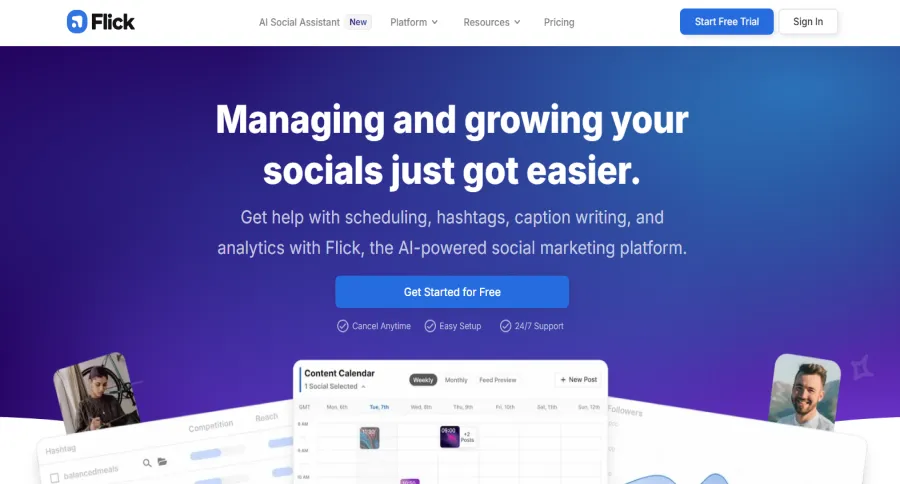
Flick narrows in on the part most followers apps skip entirely: whether your content is actually reaching new people through hashtags and discoverability, not just follower count.
Key Features
- Hashtag search with performance metrics and saved collections
- Hashtag performance auditing plus a randomizer tool
- Best-times-to-post scheduling with a feed preview
- Instagram, Facebook, TikTok, and LinkedIn scheduling
Free Plan Limits
No permanent free plan on the main product, only a 7-day trial. A separate free “Academy” tier includes an AI caption generator and courses but no scheduling. Solo starts at £11/month billed yearly for 4 profiles and 30 scheduled posts.
Pros & Cons
Pros
- Best-reviewed tool in this entire list, 4.7 out of 5 from 137 reviews on G2
- Hashtag research is genuinely differentiated, not a bolted-on feature
- Reasonably priced compared to the enterprise-tier tools on this list
Cons
- No free-forever scheduling tier
- Requires linking Instagram through Facebook to set up, which some users find confusing
- No Pinterest or Threads support yet
Platforms Available
Web
Best For
Accounts whose real problem is discoverability, not follower count.
7. Hootsuite: Best for multi-platform management
Hootsuite is built for managing several social networks from one dashboard, aimed more at brands juggling multiple platforms than solo Instagram growth.
Key Features
- Unified inbox across multiple social networks
- AI-assisted content and image generation
- Social listening and competitor monitoring
- Automated reporting on higher tiers
Free Plan Limits
No free plan, only a 14-day trial with throttled posting limits. Standard starts at $99/month billed annually for 10 social accounts and unlimited scheduling.
Pros & Cons
Pros
- Strong for managing many networks at once, not just Instagram
- AI content tools reduce time spent drafting captions
- Competitor monitoring built directly into the dashboard
Cons
- Trustpilot rating is “Poor,” with recurring billing complaints after cancellation
- Pricing is steep for anyone managing a single Instagram account
- Support is largely handled through an AI chatbot, according to reviews
Platforms Available
Web
Best For
Brands and teams managing several social platforms who need one place to run all of them.
8. Sprout Social: Best for team and agency reporting
Sprout Social targets agencies and larger teams that need structured reporting and approval workflows across a client roster, not solo creators looking for a quick follower boost.
Key Features
- Profile and post-level performance reporting
- Consolidated inbox with team collaboration tools
- Competitor, tag, and paid insight tracking
- Mobile apps for iOS and Android
Free Plan Limits
No free plan. A 30-day free trial is available with no credit card required. Essentials starts at $79/month per seat for 5 social profiles.
Pros & Cons
Pros
- Reporting depth suits agencies managing multiple client accounts
- 30-day trial is longer than most competitors offer
- Mobile apps are fully featured, not an afterthought
Cons
- Priced per seat, which scales expensively for larger teams
- Overkill for a single personal Instagram account
- Entry tier caps social profiles at 5, which agencies outgrow quickly
Platforms Available
Web, iOS, Android
Best For
Agencies and teams that need client-ready reporting more than they need a bigger follower count.
9. HypeAuditor: Best free fake-follower checker
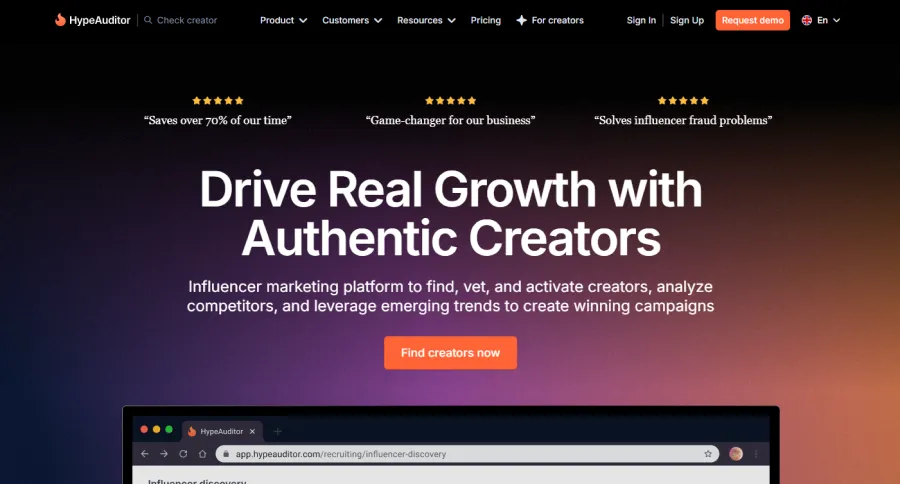
HypeAuditor offers a free Instagram audit tool that checks any public account’s engagement rate, follower count, and an Audience Quality Score, useful for vetting your own account or anyone else’s before trusting the numbers.
Key Features
- Free Audience Quality Score and fake-follower detection
- Engagement rate and follower growth history in the full report
- Influencer search and campaign tools on paid tiers
- Brand safety and fraud analysis
Free Plan Limits
The free Instagram Audit tool shows engagement rate, follower count, and Audience Quality Score with no stated signup requirement. The full platform starts at $299/month billed annually for 500 creator reports and 1 active campaign, aimed at brands rather than individual creators.
Pros & Cons
Pros
- The free audit tool alone is genuinely useful for spotting fake followers
- Audience Quality Score gives a quick, quantified read on account health
- No account access or password required to run a check
Cons
- The full platform is priced for brands and agencies, not individual creators
- Free tool only covers basic metrics, deeper reports require the paid plan
- Not a growth tool itself, purely for auditing and vetting
Platforms Available
Web
Best For
Checking whether your own follower base, or someone else’s, actually holds up before making a decision based on the numbers.
10. Instagram Insights: Best free built-in baseline
Instagram’s own Insights tab is the one option on this list that’s already installed, free, and requires connecting nothing to a third party at all.
Key Features
- Follower growth over the past 7 or 30 days
- Reach, engagement, and content interaction breakdowns
- Audience demographics for business and creator accounts
- Built directly into the app with no setup
Free Plan Limits
Completely free for business and creator accounts, with no paid tier since it’s not a standalone product.
Pros & Cons
Pros
- Zero cost, zero setup, zero third-party access
- No risk of violating Instagram’s own terms of service by definition
- Good enough for most casual creators who don’t need deep historical data
Cons
- Limited to a 30-day lookback window
- No competitor tracking or benchmarking against other accounts
- Can’t schedule posts or manage multiple platforms from here
Platforms Available
iOS, Android
Best For
Anyone who wants a genuinely free baseline before deciding whether a paid tool is even necessary.
Apps and Growth Services to Avoid
Not everything that shows up in “best Instagram followers app” searches belongs on a list like this one. Two categories come up constantly and both carry real risk.
Services that ask for your Instagram password. Kicksta states directly on its own site that “your password is required for the system to work,” using it to automate follows, unfollows, and DMs on your behalf.
Nitreo and UpGrow work the same way, connecting to your account to run automated engagement. All three carry Trustpilot complaints describing fake followers, sudden account suspensions, and difficulty canceling. Handing your login to a third-party automation tool is exactly the behavior Instagram’s own policy names as a violation.
Free-followers exchange apps. Apps like GetInsta, InstaUp, and Turbo Follower run on a coin system: you follow and like other accounts to earn coins, then spend them on followers for yourself. GetInsta advertises “1000+ likes and followers within 5 minutes,” but independent reviews describe the delivered accounts as fake or bot-based. InstaUp requires your Instagram username and password directly, and even its own site advises using a secondary account rather than your real one, admitting “using your real account can risk a ban”.
I’ve seen the coin-exchange type up close, and the accounts that use them always look the same afterward: a follower count that doesn’t match the engagement underneath it at all. Real growth is slower and a lot less exciting to screenshot, but it’s the only kind that doesn’t disappear the moment Instagram runs a cleanup.
If you see Combin recommended anywhere, know that it shut down in 2024 and its domain now points to an unrelated product. It’s a good sign the list you’re reading hasn’t been updated in a while.
Apps by Use Case
The following apps focus on tracking who follows or unfollows you, helping you spot trends and manage your audience more effectively.
Best for Follower and Unfollower Tracking
NapoleonCat wins here for demographic depth, though it’s trial-only before the $89/month Standard plan. If you just want a free running total without any signup commitment, Social Blade covers the basics at no cost.
Best for Hashtag Research and Discoverability
Flick is the clear pick, since it’s the only tool on this list built specifically around finding hashtags that actually drive reach rather than guessing.
Best for Teams and Agencies
Sprout Social and Hootsuite both fit here, with Sprout better suited to reporting-heavy client work and Hootsuite better for managing several platforms under one roof.
Best for Checking Someone Else’s Follower Quality
HypeAuditor’s free audit tool is built exactly for this, whether you’re vetting an influencer before a partnership or just curious whether an account’s numbers hold up.
Best Free Option With Zero Setup
Instagram’s native Insights tab beats every paid tool here on one metric: it’s already on your phone and asks for nothing.
Free vs. Paid: What You Actually Get
This breakdown highlights the key differences in features, limits, and value so you know exactly what you gain by upgrading.
Free that stays free
Social Blade and Instagram’s native Insights don’t push you toward a paywall for basic use. Social Blade’s free tier is ad-supported but functional, and Insights is simply part of the app.
A free plan that’s genuinely usable
Buffer, Later, and Iconosquare all offer real free tiers, not just trials. Buffer’s is the most generous at 3 channels forever, while Later and Iconosquare cap you at a small number of profiles and posts before nudging you toward a paid plan.
Trial only, no free-forever option
NapoleonCat, Flick, Hootsuite, and Sprout Social all require a paid plan once the trial ends, ranging from $79 to $99 a month at the entry tier. These are built for people who already know they need the deeper features, not for casual testing.
Free tool, expensive platform
HypeAuditor’s audit tool costs nothing, but the full platform starts at $299/month and is priced for brands running influencer campaigns, not individual creators checking their own numbers.
The ones that aren’t actually growth tools at all
Kicksta, UpGrow, and Nitreo charge $19 to $129 a month to automate engagement using your login credentials. Whatever they deliver isn’t something Instagram’s terms of service allow you to keep.
How to Choose the Right Instagram Followers App
Start by identifying your main goal, since different apps focus on tracking, content support, or overall account management.
Question 1: Do you mainly want to know who’s following and unfollowing you, or do you need help creating content?
If tracking matters most, go with NapoleonCat for demographic detail or Social Blade if a free running total is enough. If content and posting are the actual bottleneck, move to question 2.
Question 2: Are you managing this account alone, or as part of a team?
Solo creators do fine with Buffer’s free plan or Later’s Starter tier. Teams and agencies juggling multiple clients get more from Sprout Social or Hootsuite, where reporting and approval workflows justify the higher price.
Question 3: Is discoverability the real problem, not the follower count itself?
If your content isn’t reaching new people regardless of who follows you, Flick’s hashtag research targets that directly, and it’s a different fix than anything a follower-tracking app offers.
Still not sure? Start with Instagram’s own Insights tab. It’s free, it’s already installed, and half of what paid apps sell you is a nicer version of data you already have access to.
Final Thoughts
None of these apps can replace a good caption, a clear niche, or just posting consistently, and that’s worth sitting with before subscribing to anything.
Buffer and Later solve the scheduling problem for free or cheap. Iconosquare and NapoleonCat solve the “what actually happened to my followers” problem. Flick solves discoverability, and HypeAuditor’s free tool solves the trust problem when you’re vetting someone else’s numbers.
The apps to avoid solve nothing. They move a number around temporarily, then Instagram claws it back and your account carries the risk that’s left over.
Pick based on what’s actually broken for you, posting consistency, discoverability, or visibility into who’s leaving, and you’ll get more out of whichever app you choose than anyone chasing a bigger number ever will.
Frequently Asked Questions
What’s the best free app to track Instagram followers?
Social Blade is free and shows follower growth history with no signup limits. NapoleonCat gives more detail, like demographics, but only during its 14-day trial before requiring a paid plan.
Is it safe to use an Instagram followers app?
It depends entirely on what the app asks for. Scheduling and analytics tools like Buffer or Iconosquare only need official API access, while any app requesting your Instagram password is a real security and ban risk.
Can I buy Instagram followers safely?
No. Instagram removes inauthentic followers and can restrict accounts that keep using third-party apps to inflate numbers, and the FTC has already fined companies for selling fake social media influence.
Which app shows who unfollowed me on Instagram?
NapoleonCat tracks follow and unfollow activity in detail, though only going forward from when you connect your account, since Instagram’s API doesn’t provide historical unfollow data to anyone.
What happened to Combin, the Instagram growth app?
Combin shut down in 2024 and its old domain now hosts an unrelated recording app. If you see it recommended anywhere in 2026, that list hasn’t been updated in a while.

Emi Daniel
Buy an Established Instagram Account
Skip starting from zero. Browse Instagram/TikTok accounts with audiences across many niches.
See Available AccountsRelated articles
-

How to Clear Instagram Cache on iPhone, Android & Desktop
Instagram can quietly build up a lot of temporary files while you scroll through Reels, watch Stories, save posts, and upload your own content. You may not…
12 min readEmi Daniel
-

How to See Who Reposted Your Instagram Post (2026 Guide)
Someone reposted your Instagram post, but you have no idea who it was. You check notifications, search through your profile, and still cannot find a clear answer. …
18 min read -

How to Reset Instagram Algorithm in 2026
Instagram can start showing too much of the same type of content. Your Explore page may no longer match your interests, Reels may feel repetitive, or suggested…
12 min read