

Have you ever searched for the TikTok application on the Google Play Store and discovered a similar app? You’ve probably seen another app called TikTok Lite.
It’s difficult to recognize which application is the original one and which is the Lite version, since they look almost the same.
You certainly have some questions, such as: “Why would there be two TikTok applications?” and “Which one should I use?”
Buy an Established Instagram Account
Skip starting from zero. Browse Instagram/TikTok accounts with audiences across many niches.
See Available AccountsTikTok Lite is a simplified, data-saving version of the TikTok app, built for users with limited storage, slower networks, or older smartphones.
The important point here is that these two apps may seem the same on the surface, but some key differences affect everything from video creation to performance.
A lot of people prefer TikTok Lite because it uses way less data, up to 20% less, which can make a huge difference if you’re always running low or don’t have the best connection.
In this article, we’ll break down what TikTok Lite is, how it compares to the original TikTok app, who it’s made for, and more.
What Is TikTok Lite?
TikTok Lite is a lighter version of the main TikTok app for users who have less storage space, a slower network, or older smartphones. It gives a faster, lower-data mode of scrolling and watching videos.
While it appears and feels almost identical to TikTok, the Lite variant will usually miss some or all of these capabilities, such as posting videos, more elaborate editing tools, or live streaming, but will allow watching content instead of content creation.
When and Why Was TikTok Lite Launched?
TikTok Lite first came out in 2018. It wasn’t a big, flashy launch; more of a quiet rollout in countries where fast internet and newer phones weren’t as common.
The idea was simple: not everyone has extra storage or unlimited data to spare, so ByteDance built a lighter version of TikTok that could run smoothly on older devices.
Fewer features, way less data, and it didn’t hog your phone’s memory. It was designed to work for people in places where the full app just wasn’t practical.
How Content Creation Differs on TikTok Lite?
This is where the Lite version feels different. You can still record videos, but the tools you get are much more basic. The filter options are limited, and in some areas, the music library doesn’t have as many tracks.
Text and editing features are stripped down, and there aren’t many AR effects or flashy add-ons. For anyone who just wants to film a quick clip or respond to something, it works.
However, creators who rely on advanced editing tools, transitions, or effects will find the full TikTok app far more suitable for producing high-quality content.
For those interested in learning how to create and share content more effectively, even on limited tools, check out our guide on UGC Creators: What They Do and How to Become One for tips on getting started.
TikTok Lite vs TikTok: App Size, Speed, and Performance Differences
TikTok Lite is designed to give the same experience on low-end devices and slow networks, but with the same core functionality.
Comparing Download Speeds Between Both Versions
TikTok Lite doesn’t just install faster; it also loads content more efficiently.
The app requires less bandwidth to function properly:
- Initial loading screens appear 30-40% faster
- Videos begin playing with shorter buffer times
- The app adapts more gracefully to fluctuating connection speeds
- Lower-resolution video options are available by default
This optimization means users in areas with 3 G or inconsistent 4G connections can still enjoy a relatively smooth experience, whereas the standard app might struggle with constant buffering.
Battery Life: Does TikTok Lite Save More Power Than TikTok?
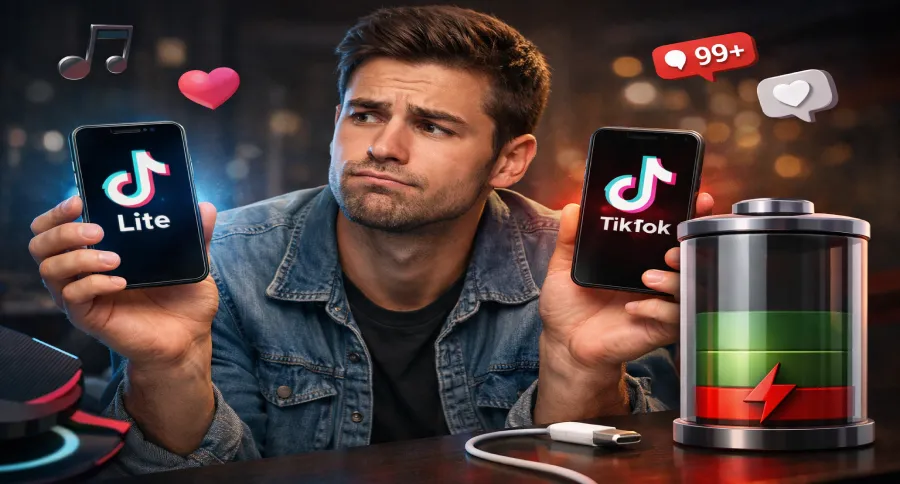
If your phone battery life is always living on a shoestring, TikTok Lite is the app to look at.
It consumes far less energy than the full app, 35 to 45 percent less, according to some tests.
That’s mainly because it eliminates frills that drain your phone’s battery life: intense animation, high-powered video decoding, constant background work, and deep analytics monitoring. With all that dialed back, the app still works flawlessly but doesn’t pound your battery nearly as hard.
For the individual scrolling through TikTok all day long, that might mean getting through bedtime without frantically scrambling for a charger.
TikTok Lite Performance on Low-End or Budget Phones
TikTok Lite truly shines on entry-level and budget smartphones.
On devices with 2GB RAM or less, the standard TikTok app often experiences:
- Frequent stuttering when scrolling between videos
- Lengthy load times when opening the app
- Occasional crashes when switching between functions
- Overall system slowdown
Data Usage Comparison for Mobile Users
If you’re using the regular TikTok app, you can easily go through 70 to 150 megabytes per hour just watching videos, and that’s without changing any settings.
With the Lite version, it’s a different story. Videos play at a lower quality by default, and the app just doesn’t try to load as much in the background. It also doesn’t buffer a bunch of videos in advance like the full app does.
Overall, it ends up using a lot less, usually around 40 to 60 percent less in our tests.
So if you’ve got a limited data plan or a spotty connection, TikTok Lite is probably going to feel a lot friendlier.
How the TikTok Lite Interface Differs from the Original App
While both versions serve endless videos, TikTok Lite’s overall look, feel, and features are noticeably scaled back to prioritize speed and simplicity.
Navigation and Layout Changes in TikTok Lite
The most noticeable changes include:
- A more streamlined navigation bar with fewer options
- Reduced animations when transitioning between screens
- Simplified profile pages with fewer interactive elements
- More compact comment sections with limited formatting
- Fewer interactive stickers and effects when viewing
Missing Features and Limitations in TikTok Lite
TikTok Lite omits several features found in the standard app:
- Fewer filters and effects for content creation
- Restricted live streaming capabilities
- Simplified sharing options
- Reduced integration with other platforms
- Fewer advanced editing tools
- Limited collaborative features like Duets and Stitches
Video Quality and Viewing Experience Comparison
While both apps show the same content, the viewing experience differs notably. TikTok Lite:
- Applies more aggressive compression to reduce data usage
- Offers fewer quality adjustment options
- Provides less immersive sound processing
- Displays slightly smaller video previews in feeds
How to Download, Install, and Use TikTok Lite (Step-by-Step)
Getting started with TikTok Lite is a breeze, especially if you’re using an Android phone.
Here’s how to do it:
1. Go to the Play Store
Just open the Google Play Store on your Android phone and type in “TikTok Lite.”
Make sure you’re downloading the one with the gold-ish icon (and not the regular black TikTok logo).
See how TikTok Lite is not available on iPhone, so this one’s Android only for now.
2. Download and Install
Tap Install. The app is featherlight, so it won’t take a second, even if your internet connection is slow or your phone storage is nearly full.
3. Log In or Sign Up
Now that the app’s installed on your phone, go ahead and open it up.
4. Start Watching
Like the regular TikTok app, you can scroll through videos, like, comment, and share.
TikTok Lite Pros and Cons (Is It Worth Using?)
TikTok Lite offers a lightweight alternative to the main app, but whether it’s right for you depends on how you use the platform.
Pros of TikTok Lite
- Uses less mobile data
Perfect for those who have lower data plans or slower internet.
- Faster to download and install
You can get up and running in seconds, even on older devices.
- Consumes less battery power
The Lite app runs efficiently, helping your device last longer between charges.
- Simple and easy to use
A minimalist interface enables quick and easy video browsing.
- Takes up less storage space
Ideal for phones with limited memory, since the app size is significantly smaller than the full version.
Cons of TikTok Lite
- Less tooling for content creation
Most iterations won’t allow you to upload videos or have access to advanced editing features.
- No live streaming
Live capability is usually missing, discouraging interaction and engagement.
- Fewer customization options
Effects, filters, and AR tools are often unavailable.
- Feels more like a viewer-only app
Great for watching, but not ideal if you’re a content creator.
Who Should Download TikTok Lite (and Who Shouldn’t)
TikTok Lite is suitable for low-end phones or phones with older specifications (2GB RAM or less) and those with restricted monthly data allowance.
Do you prefer less cultured and simpler interfaces? Then TikTok Lite is your best option, especially if you only wish to watch and not create content.
Users who want to minimize battery use or users in countries with low-quality and unstable internet will have to use this version of TikTok.
If you’re considering the full TikTok app to create content, you can draw inspiration from the Top 100 TikTok Influencers in the United States to see what strategies and trends help creators grow their audience.”
TikTok Lite Algorithm vs TikTok Algorithm: Are They the Same?
Even though both apps offer access to the same core content, the way that content is delivered, and how personalized it feels, can vary quite a bit between the two versions.
While ByteDance has not made all technical details officially known, inspection suggests that TikTok Lite employs an altered version of the mythical recommendation algorithm.
Key differences appear to include reduced personalization complexity, simplified user interest modeling, more weight given to broadly popular content, and less computationally intensive prediction models.
The result is a feed that feels personalized but may show slightly less diverse content. Most users report still finding engaging videos, though discovering truly unique creators may happen less frequently.
Privacy and Security Considerations: TikTok vs. TikTok Lite

If you’re wondering whether TikTok Lite offers more privacy or stronger security, the answer is: not really, but there are a few subtle differences worth noting.
Data Collection
They both share the same underlying privacy policy. But TikTok Lite collects slightly less comprehensive usage and location data, may track fewer device specifics, and still collects basic personal data, just like the full app.
Bottom line: there’s no major privacy advantage to using Lite; both apps collect similar types of data.
Security Features
TikTok Lite includes all the essentials, such as private account settings, basic parental controls, comment filters and reporting tools, and two-factor authentication.
Note that some advanced settings may be simplified, but your account is still protected.
Regional Compliance
Both versions adjust features to match local laws, including content moderation rules that may differ by country, data storage, and age checks follow regional guidelines, and some features (like in-app purchases) vary by location.
These differences are based on local regulations, not on the app version itself.
TikTok Lite Updates and Future Features to Expect
As TikTok Lite continues to evolve, ByteDance may introduce features that help creators learn and improve their skills, similar to how users can leverage the TikTok Academy to master content creation and grow their audience efficiently.
- Smarter data-saving tools for users on tight plans
- More options to download and watch videos offline
- Basic editing tools for quick and easy video creation
- Better performance even on ultra-budget Android phones
- Lightweight e-commerce features tailored for growing markets
- Wider rollout in more countries with slow internet infrastructure
These upgrades show that TikTok Lite isn’t just a stripped-down version, it’s becoming a smarter, more focused alternative for millions of users around the world.
Conclusion
TikTok Lite isn’t trying to be everything, and that’s the point. It’s built for people who don’t have the newest phone, unlimited data, or room for yet another bloated app.
You still get the endless scroll of short videos, the weird, funny, oddly specific content TikTok is known for, just without all the extras running in the background.
If you make videos yourself or like playing with effects and editing tools, the full app is going to feel more complete. But for casual users who just want to watch and scroll without draining their phone or data plan? TikTok Lite does the job, quietly and efficiently.
Curious which version fits your lifestyle best? Try downloading both TikTok and TikTok Lite to see which one feels right for you.
FAQs
What is TikTok Lite?
TikTok Lite is a lighter version of TikTok designed for low-end devices and slow internet connections. It uses less storage and data.
What are the main differences between TikTok and TikTok Lite?
TikTok Lite is smaller, faster, and has fewer features, mainly designed for watching content, not creating it.
Is TikTok Lite available on iOS?
No, TikTok Lite is currently only available for Android devices via the Google Play Store.
Does TikTok Lite use less data?
Yes, TikTok Lite is optimized to consume less mobile data compared to the original TikTok app.
When should I use the original TikTok instead of TikTok Lite?
Use the full app if you create content, want HD video, use features like Duets or Live, or run a brand or business account.
Can you upload videos on TikTok Lite?
In most regions, TikTok Lite does not support video uploads or advanced editing tools.

Emi Daniel
Buy an Established Instagram Account
Skip starting from zero. Browse Instagram/TikTok accounts with audiences across many niches.
See Available AccountsRelated articles
-
From 1,000 to 1 Million Followers: How Much TikTok Pays at Every Level
In my research, I have seen TikTok help ordinary people earn from short videos. Some creators now work on TikTok full time. Many started with a phone…
14 min readEmi Daniel
-

TikTok Creator Rewards Program (Formerly Creator Fund): Everything You Need to Know in 2026
Gone are the days when TikTok was just an app for funny videos and quick trends. Today, it is also a serious income stream for creators. Some…
18 min read -
TikTok Creative Center: Complete 2026 Guide to Trends, Ads & Analytics
Mastering TikTok Creative Center is quickly becoming the secret advantage behind top-performing ads, viral videos, and fast-growing brands in 2026. Whether you’re a creator, marketer, or eCommerce…
22 min readLina Stewart