

Mastering TikTok Creative Center is quickly becoming the secret advantage behind top-performing ads, viral videos, and fast-growing brands in 2026.
Whether you’re a creator, marketer, or eCommerce business, one thing is clear: TikTok is no longer a platform you can “guess” your way through. The brands winning today aren’t lucky; they’re using TikTok’s data, insights, and AI tools to guide every creative decision.
And that’s exactly where the TikTok Creative Center comes in.
Buy an Established Instagram Account
Skip starting from zero. Browse Instagram/TikTok accounts with audiences across many niches.
See Available AccountsThis all-in-one intelligence hub shows you what’s trending before it blows up, which ads are converting right now, what audiences are searching for, and how competitors structure their winning videos. The brands using it are producing better hooks, smarter scripts, stronger concepts, and higher-performing creatives in a fraction of the time.
In this guide, we’ll break down every feature inside TikTok Creative Center, compare it to other TikTok tools, and walk you through the step-by-step workflow professionals use to test and scale concepts. We’ll also show you how to leverage its insights to consistently create content and ads that perform.
What Is the TikTok Creative Center?
If you’ve ever wondered how some TikToks just seem to blow up overnight, the TikTok Creative Center is part of the reason. But what is TikTok Creative Center?
It’s basically a one-stop hub where you can peek at what’s trending, which ads are performing well, and which sounds or hashtags are getting everyone’s attention. It’s a complete source of everything each brand, business, and creator needs to succeed on the platform.
Think of it like your personal research assistant for TikTok, but without the coffee runs! Whether you’re a creator looking for fresh ideas, a marketer trying to plan a campaign, or a small business hoping to stay one step ahead, this tool gives you a glimpse into what works and why.
Note that it’s not just a list of popular stuff, as you can dig into top-performing ad formats, see what kind of captions get clicks, and even spot trends before they go viral. In short, the Creative Center helps you make smarter choices so your next TikTok has a much better shot at catching fire.
Reasons Businesses and Marketers Should Use TikTok Creative Center
If you’re a business or marketer, the TikTok Creative Center is like having a cheat sheet, but the legal kind.

Here’s why it’s worth your time:
- Spot trends before everyone else does: From viral sounds to trending hashtags, the Creative Center helps you see what’s hot before it hits everyone’s For You page. You will be among those users who get millions of views before a trend or song goes viral.
- Analyze what really works: Instead of guessing, you can check which ads are performing best, what hooks grab attention, and which formats drive clicks and engagement. It’s helpful when you are on a low budget or don’t have enough time to see what works best for you.
- Get inspiration without copying: See the types of content that succeed and use them as a springboard for your own ideas. No one likes a copycat, but everyone loves a smart remix. Remember that here is where you need to be creative and smart more than ever!
- Understand your audience better: Learn which trends, sounds, and formats resonate with your niche, so your content lands with the people who matter.
- Plan smarter product launches: Check which products or types of content are trending and time your campaigns for maximum impact.
- Save time and effort: Instead of scrolling endlessly, you get a clear, organized view of TikTok’s top-performing content in one place. That’s why content creation has never been easier!
Now, what do you think? Are you convinced to use this tool? If so, check out the following section to learn how to access it.
How to Access TikTok Creative Center?
Getting into the TikTok Creative Center is simpler than you might think.
Whether you’re a casual creator or a full-on marketing team, you don’t need any special software or secret access; just a device and an internet connection.
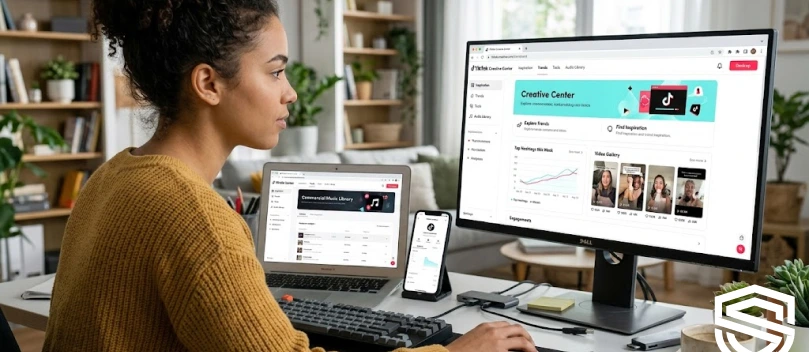
Here’s how to get started in 2026:
Step 1- Go to the official website:
Open your browser and head to TikTok Creative Center. This is the main hub where all the tools, trends, and insights live.
Step 2- Sign in with a TikTok account (optional but helpful):
You can explore most features without logging in, but signing in with a TikTok or TikTok Business account lets you:
- Save collections of top-performing ads
- Access region-specific trends
- Customize filters for your industry
Step 3- Choose your region and industry:
Use the filters at the top to select your country and the industry relevant to your business. This ensures the trends and ads you see are tailored to your target audience.
Step 4- Explore the dashboards:
Once inside, you’ll find tabs like Top Ads, Trend Discovery, Keyword Insights, and Creative Tools.
Click around to start exploring what’s trending, what’s working, and where your next idea could come from.
Step 5- Bookmark it for regular visits:
Make it a habit to check the Creative Center at least a few times a week, especially if you’re running campaigns or posting frequently.
Accessing the Creative Center is straightforward, but knowing what to look for and how to use it is what gives you an edge.
Who Can Use TikTok Creative Center?
If you think TikTok Creative Center is just for big brands or professional marketers, you are wrong, as it’s designed to help anyone who wants to understand what works on TikTok and use those insights to create better content.

Let’s see who can use it and who can benefit most:
- Creators & Influencers: Whether you’re posting for fun or building a personal brand, the Creative Center helps you spot trending sounds, hashtags, and video formats that increase your chances of going viral.
- Small Businesses & Entrepreneurs: If you’re selling products or services, you can see which ads, captions, and trends are performing well in your niche. This helps you make smarter marketing decisions without spending months figuring it out.
- Digital Marketers & Agencies: Professionals can use the platform to research competitor campaigns, analyze top-performing ads, and plan data-driven strategies for clients across industries.
- E-commerce Stores: From product launches to trend-based promotions, online stores can track which products and creative approaches are gaining traction, helping them plan campaigns that convert.
- Brands Testing TikTok Ads: Even large companies can use the Creative Center to test ad concepts, discover new creative ideas, and understand what resonates with TikTok audiences before launching full-scale campaigns.
The TikTok Creative Center is for anyone who wants to take the guesswork out of TikTok!
If you’re looking to collaborate with top-performing TikTok creators to boost your product’s reach, the TikTok Creator Marketplace is an essential companion to the Creative Center for finding the right influencer partnerships.
TikTok Creative Center vs. Other TikTok Tools
Yes, TikTok Creative Center is a whole package of what you need to grow your presence on the platform; however, TikTok has a whole ecosystem of tools, and it’s easy to mix them up, especially if you’re new to the platform.
The Creative Center sits at the research and inspiration stage, while other TikTok tools handle things like publishing, managing ads, and editing videos.
Here’s how they differ:
TikTok Creative Center vs. TikTok Ads Manager
Creative Center is all about finding ideas and understanding what works, while Ads Manager is where you run and manage your ads.
- Creative Center = research, insights, trends, and creative inspiration
- Ads Manager = budget, targeting, campaign optimization, reporting
- Most marketers use the Creative Center before creating ads, then use Ads Manager to launch them
Still confused? Consider the TikTok Creative Center as a place that helps you decide what to make, and the Ads Manager helps you decide who should see it.
TikTok Creative Center vs. TikTok Business Center
Have you ever heard of TikTok Business Center? It is more like the admin dashboard for organizations. It’s where teams manage permissions, assets, ad accounts, and billing.
- Creative Center = insights and creative data
- Business Center = account management and team collaboration
- Ideal for agencies, brands with multiple teams, or anyone managing several ad accounts
Think of Business Center as the “backend” and Creative Center as the “brainstorm room.”
TikTok Creative Center vs. TikTok Analytics (in-app)
Just like Instagram’s professional dashboard, TikTok’s built-in analytics show your own performance.
Creative Center shows everyone’s top ads, trends, keywords, and market-level insights.
- In-app analytics = past performance of your content
- Creative Center = wider market data and real-time trend discovery
- Use both to understand what works globally AND what works for your audience specifically
TikTok Creative Center vs. TikTok Symphony (AI Tools)
TikTok Symphony is TikTok’s suite of AI tools for generating scripts, captions, and even full video concepts.
- Creative Center = insights + inspiration
- Symphony = execution + AI-assisted creation
They work best together:
Use Creative Center to understand what the audience wants, then use Symphony to help create content that matches those insights.
TikTok Creative Center Features Breakdown (2026 Guide)
TikTok has packed a lot into the Creative Center, but each feature has a specific purpose. Below is a simple, practical walkthrough of the tools you’ll use and how to get the most out of them.
Top Ads: How to Analyze High-Performing TikTok Ads Like a Pro
The Top Ads section shows you the real ads that are getting results on TikTok right now. This is where creators, brands, and agencies go to reverse-engineer what works.
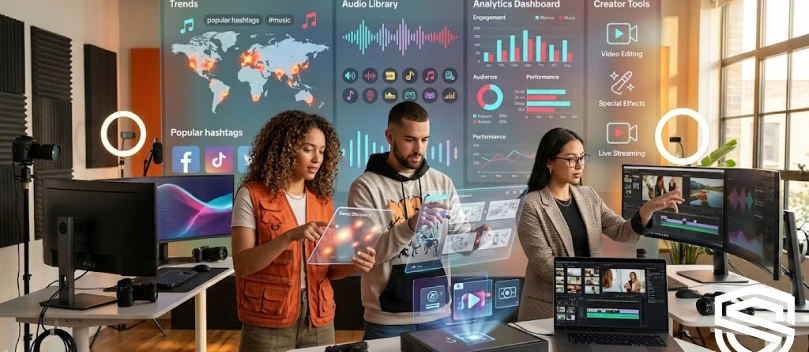
Here’s what to look for:
- Hook timing: Study the first 1–2 seconds. What makes you stop scrolling?
- Ad format: UGC style? Green screen? Voiceover? Unboxing? Problem–solution?
- Length: TikTok ads vary, but the best-performing ones usually fall between 8–22 seconds.
- CTAs: Notice how many high performers use “Watch till the end,” “Don’t skip,” or “Try this.”
- Engagement patterns: Comments, shares, and saves can tell you how organic the ad feels.
A secret tip for professionals: Use the filters on the left (industry, objective, region, performance) to find ads relevant to your niche, not just what’s trending globally.
Trend Discovery: Using Trending Songs, Hashtags, Videos & Creators
This is the section most creators check first. Why? Because it’s where TikTok reveals what’s blowing up in real time, which helps you be among the first ones who create videos that will absolutely go viral.
You can explore trends across:
- Songs: See which sounds are rising, stable, or dropping.
- Hashtags: Check usage growth, top videos, and audience interest.
- Videos: What formats and editing styles people are engaging with right now.
- Creators: Accounts gaining traction in your region or industry.
A friendly reminder: Use the “Growth Rate” filter to find sounds and hashtags before they hit peak popularity.
Keyword Insights: Finding High-Intent Phrases to Use in Scripts & Captions
This feature tells you what people are searching for on TikTok. It doesn’t matter if you are an influencer, business owner, or content creator; this section helps you reach your target audience.
What you’ll find:
- High-volume search terms
- Audience demographics
- Related keywords
- Search growth trends
Is it useful? Yes, here’s why:
- Add these keywords directly into your scripts, voiceovers, and on-screen text.
- Use them to craft captions that match real user intent.
- Spot new content opportunities your competitors haven’t noticed yet.
Let’s understand it better with an example: If “skincare routine for beginners” is trending, a beauty brand can instantly create multiple videos based on that phrase.
Creative Insights: Hooks, Patterns & Proven Creative Techniques
This is where everything gets creative! This part breaks down what makes TikTok content effective on a structural level.
You can explore things like:
- Best-performing hooks (e.g., “I wish I knew this sooner…”)
- Storytelling formats (before/after, expectation vs. reality, step-by-step demos)
- Editing patterns
- Visual styles
- Script structures
Product Insights: Finding Winning Products
This is the favorite part for every brand and business owner! Especially valuable for e-commerce brands and drop shippers.
Here’s what Product Insights shows:
- Products gaining traction
- Categories trending up or down
- Popular items across regions
- Search demand and engagement signals
Why did I say it’s their favorite section? They can instantly see what people are buying, what’s likely to become the next viral product, and what they’re searching for.
This is perfect for deciding what to sell, what to feature in your videos, or which angles to test in ads.
Creative Tools & AI: Symphony and Asset Creation
TikTok’s AI suite, Symphony, is built into the Creative Center and gives you tools to streamline content creation.
With Symphony, you can:
- Generate script ideas
- Create hook variations
- Get auto-edited video concepts
- Build storyboards or creative outlines
- Produce captions using TikTok’s AI writing tools
You may wonder why it matters, right? Let’s find out!
If you’re not a designer or editor, these tools help you move from idea → draft → to finished content much faster. And if you are a professional creator or marketer, Symphony helps you scale concepts and test more variations without burning time.
How to Use the TikTok Creative Center in 2026? (Step-by-Step Guide)
I can see how interested you are in using this amazing feature, and the good news is that using the TikTok Creative Center isn’t complicated, but knowing where to click and what each tool actually does makes a big difference.
Here’s a simple walkthrough so you can get the most out of it in 2026:
Step 1- Go to the TikTok Creative Center Homepage
You can access it directly through TikTok’s Business Suite. No login is required for general browsing, but logging in unlocks more features like product insights and advanced filters.
Step 2- Choose Your Country and Industry
Before diving into data, set your region and industry category at the top of the page.
This step matters because trends, ads, and product popularity vary wildly by location and niche.
Step 3- Explore the “Top Ads” Section
Here’s where you can study the best-performing ads in your market.
- Use filters like objective, format, region, industry, and performance.
- Watch how strong ads hook viewers within the first 3 seconds.
- Save ads you like or click “View Analytics” to see metrics such as CTR, CVR, and average watch time.
This is one of the easiest ways to reverse-engineer what’s working right now.
Step 4- Dive Into Trend Discovery
This is the heart of the Creative Center, and you will visit it more than you think!
Here, you’ll find trending songs, rising hashtags, popular creators, and viral videos.
To get the best results, you can sort trends by region, popularity score, growth rate, and industry relevance.
Step 5- Use Keyword Insights for Content and Ad Copy
This page shows you the exact words and phrases users are typing, engaging with, and responding to.
What will you see in this section? Everything you need! Including search volume, example ads using those keywords, and engagement levels.
Step 6- Study Creative Insights (Hooks, Formats, Patterns)
This section breaks down what creators and advertisers are doing on repeat because it works.
Once you reach this page, you will learn high-performing formats, common hook styles, visual patterns (like jump cuts, reviews, unboxing shots), and CTA styles that convert.
Think of this page as a shortcut to learning TikTok psychology without endless trial and error.
Step 7- Check Product Insights (If you sell physical products)
If you run an e-commerce brand or work with one, this page is gold. You can see:
- Which products are trending
- How is interest rising or dropping
- Competitor examples
- Audience demographics
This is especially useful for product testing, new launches, or spotting trends before they peak.
Step 8- Use the New AI Tools (Symphony & Asset Creation)
In 2026, TikTok’s AI tools have gotten much stronger and give you more valuable information than you expect.
Here you can:
- Generate script ideas
- Build fast ad concepts
- Create or remix video assets
- Test multiple versions of your ads
Step 9- Save Ideas and Build Your Own Workspace
If you’re logged in, you can save ads, trends, keywords, and product ideas into collections.
This is especially helpful if you work with a team or handle multiple accounts.
Step 10- Export Your Findings Into a Strategy
Once you’ve explored all sections, you should have:
- A list of hooks
- Strong keywords
- Trending audio options
- Example ads to learn from
- Creative angles
- Visual patterns
- Potential products (if applicable)
Put these into a simple content plan, then build, test, and iterate.
To track your progress and understand how each concept performs, you can complement the Creative Center insights with TikTok analytics tools; learn more in our guide to TikTok counters and tracking success.
How to Use TikTok Creative Center for Winning Products and Trending Audios
If you’re trying to spot products with breakout potential or keep up with the sounds everyone’s suddenly using, the TikTok Creative Center makes the whole process much easier.
Want to know a trick? It’s all about knowing what signals to look for and how to read them.

Here’s how to use it like someone who’s been doing this for years.
Start With Product Insights (Your Shortcut to What’s Selling)
The Product Insights page is built for both e-commerce sellers and marketers. It shows you which products are gaining traction and which ones are cooling off.
Here’s what to pay attention to:
- Growth Curve: A product with a steep upward curve usually means creators are pushing it, and people are buying.
- Interest Over Time: If interest is stable for weeks, it’s not a fad; it’s a reliable performer.
- Audience Breakdowns: Age and gender data can help you tailor your content or choose which creator to work with.
- Example Videos: TikTok shows you real posts and ads driving the product’s momentum. Watch a few to understand the angle people respond to.
Check the “Associated Trends” for Each Product
Every trending product has related hashtags, sounds, and content formats attached to it.
For example, if a skincare item is trending, you might see:
- “night routine”
- “get unready with me”
- “this changed my skin”
Use these trends when creating your own videos. TikTok rewards familiar patterns.
Move to the Trending Songs Page
This area updates constantly, so it’s one of the fastest ways to understand what sounds are about to explode.
Look at:
- Rising Songs (the ones with rapid growth)
- Viral Songs (already huge, safe to use, but slightly more competitive)
- Regional data (what’s trending in your specific market)
If you’re creating ads, choose a sound that’s hot but not overused yet. This helps you ride the momentum before it peaks.
Look at the “Performance Trends” for Each Sound
Every sound comes with a small analytics section. You’ll see how quickly the sound is growing, audience interest, what types of videos people are using it for, and example videos.
Pick the sound that matches the vibe of your video, not just the popularity.
Combine Product + Audio Trends for Maximum Impact
Here’s where the Creative Center becomes genuinely useful:
If you pair a trending product with a rising sound, your chances of getting pushed by the algorithm go way up.
A simple workflow:
- Pick a product from the “Rising” or “Breakout” list
- Check which creators are using it and how
- Head to “Trending Songs”
- Cross-match the vibe of the sound with the style of videos already working
- Create a version that fits your brand or personality
This is the same process used by top TikTok UGC creators and brands.
Save the Winners and Build a Content Folder
You can bookmark both products and audios directly inside Creative Center.
Keep a small folder where you save fast-rising sounds, promising products, competing videos, and example hooks.
Keep Checking Every 24–48 Hours
Trends on TikTok move quickly. A sound that barely shows up today might explode tomorrow after one viral video.
Checking the Creative Center a couple of times a week helps you stay ahead rather than chase trends after they’re already crowded.
For anyone just starting out or looking to sharpen their TikTok skills, combining Creative Center insights with lessons from the TikTok Academy is a surefire way to stay ahead of trends and improve performance.
How to Test TikTok Concepts & Scale Winners — Workflow + Templates
The TikTok accounts that grow fast don’t rely on hope; they test ideas in small batches, find what actually works, and then scale the winning angles.
Below is a simple workflow you can follow, plus templates you can copy straight into your content plan.

Start with 3–5 Test Concepts (Not Just One Big Idea)
Instead of overthinking a “perfect” video, create a few quick variations around the same product or message.
Think in terms of angles, not scripts:
- “Problem → solution”
- “I didn’t know I needed this”
- “TikTok made me buy it”
- “Before vs after”
- “Unpopular opinion: this product actually works”
You’re not testing the product, you’re testing the approach.
Use the Creative Center to Validate Each Concept Before You Film
Before recording anything, jump into the Creative Center and check trending hooks, related songs or formats, top ads in your niche, and audience interest levels.
If you see similar angles performing well, you know your test concepts aren’t just shots in the dark.
Film Fast, Keep It Simple, and Upload Raw Versions
Testing content doesn’t need high production quality. Remember that the goal is speed and variety.
A test video should take 10–20 minutes to film, minimal editing, and a single clear hook. Why? Because if you spend too long on a test, it defeats the purpose.
Publish 3–5 Variations Over 48–72 Hours
Space them out slightly so TikTok has room to push each one. You should test variations like different hooks, a shorter vs longer version, different sound choices, and “Talking to the camera” vs “voiceover.”
Look at the Right Metrics (Not Vanity Metrics)
Don’t judge by likes alone! Focus on signals that TikTok’s algorithm cares about. What are the key metrics to watch?
- Retention (Do people watch past 3 seconds? 50%? To the end?)
- Shares (The strongest indicator of viral potential)
- Click-throughs (If running ads)
- Comments (A sign the content sparked emotion)
The best-performing video will almost always be the one with the highest retention + most shares, even if it doesn’t have the most likes yet.
Pick Your Winners (Usually 1–2 out of 5)
You’ll notice patterns quickly:
- One hook that people stay for
- One sound that keeps retention up
- One angle that feels effortless
This becomes your new foundation.
Scale Your Winners (The Fun Part)
Once you have a winning angle, scale it through:
A. Organic Scaling
- Recreate the same concept with new footage
- Try a fresh hook but keep the structure
- Add a trending audio to the proven format
- Turn it into a mini-series (“Day 2 using this product…”)
B. Paid Scaling
If you run ads, turn the winning concept into a Spark Ad. These usually perform better than polished studio ads because they feel native to TikTok.
Once you’ve found a winning concept, you can turn it into a Spark Ad to maximize reach and engagement; if you’re new to Spark Ads, check out our complete guide on running your first TikTok Spark Ad to make your campaigns even more effective.
Keep Iterating Weekly
Testing isn’t a one-time thing. Even winning angles eventually slow down.
A sustainable rhythm is something like this:
- 3–5 new concepts each week
- 1–2 scaled videos based on winners
- 1–2 evergreen “brand” pieces
This gives you a perfect balance of exploration + growth.
Templates You Can Use
Use these templates to map out your ideas quickly and keep your testing process organized and repeatable.
Concept Testing Template (Copy/Paste)
Concept:
Hook Options:
- First hook
- Second hook
- Third hook
Angle:
- Problem/Solution
- Testimonial
- Demonstration
- POV
- Trend Match
Video Length:
Sound Choice:
Expected Outcome:
Winner Scaling Template
Original Winning Video:
Why It Won: (Retention, hook, audio, angle)
Scaling Variations:
- Recreate with new footage
- Add trending audio
- Shorter version (5–9 seconds)
- Longer version (15–20 seconds)
- POV version
- UGC-style testimonial
- Series continuation
Common Mistakes to Avoid When Using TikTok Creative Center
Even though the Creative Center is packed with useful data, many users miss its full value by making a few avoidable mistakes.
Here are the big ones:
- Checking Trends Too Late: If you only look at what’s already viral, you miss the early momentum. Focus on rising trends instead.
- Copying Instead of Adapting: Don’t recreate trending videos word-for-word. Use the angle or pattern, not the exact script.
- Ignoring the Data Behind Trends: Always check growth speed, audience fit, and example videos before using a sound or hashtag.
- Only Using It for Trends: The tool also gives you competitive ads, keyword insights, product data, and proven hooks; use all of it.
- Not Saving Ideas: If you don’t bookmark examples, you’ll lose them. Trends move fast.
- Picking Trends That Don’t Fit Your Niche: A sound might be viral, but that doesn’t mean it works for your audience. Niche relevance matters.
- Overthinking Instead of Testing: Use Creative Center to spark fast content tests, not as a reason to delay posting.
Pros and Cons of Using TikTok Creative Center
The TikTok Creative Center is one of the most useful tools TikTok offers, but like any tool, it has strengths and limitations.
Here’s a balanced look at both so readers know what to expect.

Pros
- It shows you what’s working right now
Real-time data on trending sounds, hashtags, ads, and creators helps you stay ahead instead of guessing.
- It reveals proven creative patterns
You can study hooks, formats, ad angles, and storytelling styles that consistently perform well.
- It helps you understand your niche
Filters for country, industry, and audience make the insights more relevant and actionable.
- It speeds up content planning
With trending examples and ready-to-use insights, brainstorming becomes quicker and more intentional.
- It’s completely free
You get access to a huge amount of data without paying for third-party tools.
Cons
- Insights can change quickly
Trends move fast on TikTok, so information can become outdated within days if you don’t check often.
- It’s easy to fall into “copy mode”
Because the examples are so good, beginners sometimes rely too heavily on imitation instead of using them as inspiration.
- Not all data is equally detailed
Some industries get richer insights than others, depending on overall content volume.
- It doesn’t replace real testing
The Creative Center shows what’s working for others, but you still need to test angles yourself to know what works for your audience.
Conclusion
Mastering the TikTok Creative Center in 2026 gives creators, marketers, and brands a real edge.
Instead of guessing, you can spot rising trends, analyze top-performing ads, discover winning products, and craft content that resonates with your audience.
By using its insights, testing ideas, and scaling winners strategically, you turn data into action and increase your chances of creating viral, high-performing TikToks.
Stay consistent, check the Creative Center often, and let it guide your creative decisions to stay ahead in TikTok’s fast-moving landscape.
FAQs
What is TikTok Creative Center?
TikTok Creative Center is an all-in-one hub for discovering trends, analyzing top-performing ads, researching keywords, and finding creative inspiration. It helps creators, marketers, and brands make data-backed decisions for better-performing content.
Is TikTok Creative Center free?
Yes! Most of the Creative Center’s features are free to use. You can browse trends, top ads, and keywords without a paid account, though logging in unlocks extra filters and the ability to save collections.
How often should I check the TikTok Creative Center?
Trends on TikTok move fast, so it’s best to check the Creative Center at least 2–3 times a week. This keeps you ahead of rising trends, trending sounds, and viral product insights before competitors notice them.
Can TikTok Creative Center replace testing content?
No. While it shows what’s trending and what works for others, the Creative Center doesn’t replace testing. Always create multiple variations, analyze performance, and scale the winners based on your own audience’s response.

Lina Stewart
Buy an Established Instagram Account
Skip starting from zero. Browse Instagram/TikTok accounts with audiences across many niches.
See Available AccountsRelated articles
-

From 1,000 to 1 Million Followers: How Much TikTok Pays at Every Level
In my research, I have seen TikTok help ordinary people earn from short videos. Some creators now work on TikTok full time. Many started with a phone…
14 min readEmi Daniel
-
TikTok Creator Rewards Program (Formerly Creator Fund): Everything You Need to Know in 2026
Gone are the days when TikTok was just an app for funny videos and quick trends. Today, it is also a serious income stream for creators. Some…
18 min read -
TikTok Lite vs TikTok: What’s the Difference and Which One Should You Use?
Have you ever searched for the TikTok application on the Google Play Store and discovered a similar app? You’ve probably seen another app called TikTok Lite. It’s…
11 min read