

Are you a fan of scrolling through Pinterest to learn about the latest trends? If yes, you are among the 600 million users who visit this platform monthly.
Whether you are an influencer, content creator, or regular user, Pinterest is a great source of fresh content. As long as you want your creativity to bloom, this platform is your best option!
Still, one common challenge for users is saving videos on Pinterest in high quality. That’s where Pinterest video downloaders come to the rescue!
Buy an Established Instagram Account
Skip starting from zero. Browse Instagram/TikTok accounts with audiences across many niches.
See Available AccountsIf you think you must pay to access such tools, you are wrong! Here, I will examine the top FREE tools to download Pinterest videos in the highest possible quality.
Besides, if you are looking for more features in a downloader tool, we’ve got you covered, as we will also review paid downloaders that offer additional features.
What Is Pinterest Video Downloader?
Doesn’t Pinterest allow users to directly download videos from the app? The answer is no, which is why there are free or paid Pinterest video downloaders that come as extensions, applications, or websites.
Using these tools, you can download your favorite Pinterest videos on your device, with your preferred quality and format.
Reasons to Download Pinterest Videos

Let’s see the common reasons you may want to download your favorite videos on Pinterest.
Content creation
If you think creating engaging content is difficult, you haven’t checked Pinterest to learn about the best methods for content creation that will bring more engagement and followers to you.
Download Pinterest videos to easily save creative ideas, analyze trending formats, and repurpose inspiration for your social media strategy, including how to turn Pinterest inspiration into viral user-generated content.
Personal use
Are you into fashion and style? Do you want to discover new ways to look more stylish? If yes, Pinterest should be your favorite platform! Sometimes, it is challenging to find the right color that matches your vibe and style. That’s when you should visit Pinterest, search for what you want, and download your favorite videos.
Having your favorite Pinterest videos saved lets you revisit outfit ideas anytime, even when you’re offline, helping you refine your personal style effortlessly.
Inspiration
Do you want to redecorate your room but lack inspiration? Your best solution is to look for fresh ideas on Pinterest. What is the best way to keep them on your device, other than downloading them?
Downloading inspiring Pinterest videos ensures you always have a visual mood board ready to spark creativity whenever inspiration strikes.
Offline access
If you can’t always be online and search for your favorite videos on Pinterest, you can download them in a few seconds to access them offline.
This makes Pinterest video downloads perfect for travelers, students, or anyone who wants instant access to tutorials and ideas without relying on an internet connection.
Share with others
You can indeed share Pinterest videos through the app via Telegram, WhatsApp, Facebook, etc., but what if your friend deletes all their social media accounts? Then, downloading the video helps you share it with them offline or in other ways.
Plus, downloaded Pinterest videos can be easily shared via AirDrop or cloud storage, making collaboration and idea-sharing smoother than ever.
Top 10 Free Online Pinterest Video Downloaders

After testing dozens of tools, we’ve rounded up the top 10 free Pinterest video downloaders that combine speed, quality, and safety. Here’s our expert pick list for 2025.
PinHunt.app
PinHunt.app is ideal for users who want a simple, no-sign-up tool to download Pinterest videos, images, and GIFs in high resolution.
Key features
It supports downloading videos, images, and GIFs from Pinterest without creating an account, while letting you save media in HD, depending on the original quality.
This tool works entirely through your browser, and no software or extension is needed.
PinHunt is also compatible across devices: desktop, tablet, and mobile.
Pros:
- Free and no registration required
- Clean, user-friendly interface
- Works on Android, iOS, Windows, macOS
- Supports multiple media types (videos, images, GIFs)
Cons:
- Quality limited to what’s available in the original upload (can’t upscale)
- May show ads to support the service
- Occasional slowdowns during peak traffic
How to use:
Step 1- Copy the URL (link) of the Pinterest video, image, or GIF you want to save.
Step 2- Visit PinHunt.app in your browser.
Step 3- Paste the URL into the input box and click “Download.”
Step 4- Choose from available quality options and save the file to your device.
Best for:
Users who want a reliable browser-based Pinterest downloader that works across devices without needing to install anything.
SavePin
SavePin is one of the most popular free Pinterest downloaders that lets you grab videos and images without watermarks, perfect for creators who value clarity and style.
Key features
It’s one of the most popular Pinterest downloaders available on all browsers. It allows you to download videos, images, and GIFs from Pinterest and ensures the videos are downloaded in the highest resolution.
One significant point about SavePin is that it downloads videos without watermarks, providing clean and original content.
Pros:
- It offers different quality resolutions.
- Installing the app is optional.
- It is available on iOS, Android, Windows, Web, and macOS.
- It’s free to use and completely safe.
Cons:
- Some users reported they faced restrictions on the number of videos they could download.
- It doesn’t allow downloading audio-only files.
- Downloads may be temporarily limited during high traffic hours.
How to use
Step 1- Copy the Pinterest file link.
Step 2- Paste the link into the white box and tap “Download.”
Step 3- Choose the desired video format and quality, and it will be downloaded on your device.
Best for:
Users who want no-watermark Pinterest downloads in HD.
PinDown
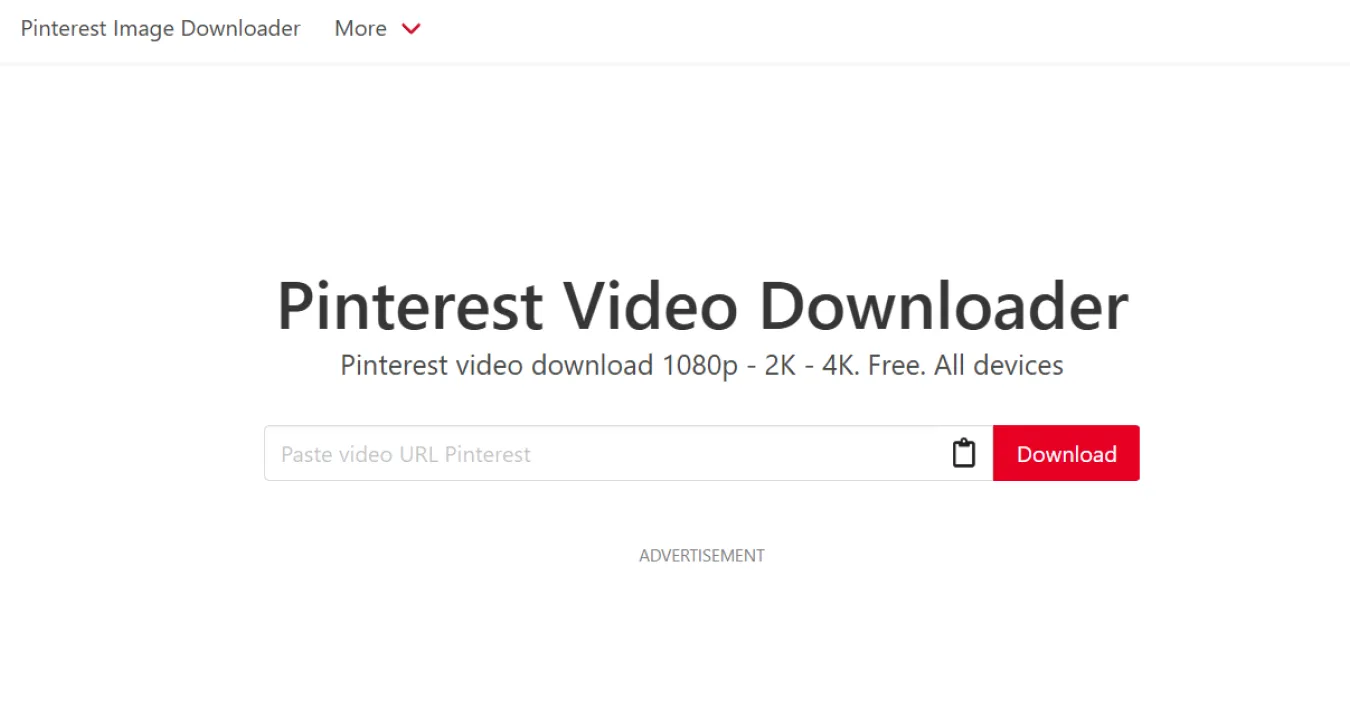
PinDown is designed for users who love crisp visuals because it’s one of the few Pinterest downloaders that supports full HD and even 4K downloads right from your browser.
Key features
PinDown allows users to download Pinterest videos in Full HD and 4K resolution to review the videos offline in the highest quality. This tool is free, and you don’t need to download or install any software, allowing you to access Pinterest videos and pictures safely.
Pros:
- Available on all devices: mobile phone, tablet, laptop, and PC.
- Completely free to use.
- It supports multiple video formats.
- No registration or account is needed.
Cons:
- You may face too many ads and pop-ups.
- Ads can be intrusive on mobile browsers.
How to use
Step 1- Get Pinterest’s video link.
Step 2- Open Pindown.io and paste the video URL into the white box.
Step 3- Tap “Download” to finish the process.
Best for:
Users who want to download Pinterest videos in 4K without software.
SnapPin
SnapPin offers lightning-fast downloads and an easy-to-use interface, ideal for people who regularly save Pinterest videos for inspiration.
Key features
You can use SnapPin on your mobile device and laptop to download videos from Pinterest in seconds. SnapPin is free to use and allows you to download unlimited videos without restrictions.
Pros:
- It offers fast download speed.
- Allows you to download videos in high quality up to 4K format.
- It’s easy to use.
- You can use both the web and the application.
- No limits on downloading Pinterest videos.
Cons:
- You may face ads.
- Occasional slowdowns during peak usage times.
How to use
The steps are almost the same on the web and the application.
Step 1- Copy the link.
Step 2- Open the SnapPin app or visit Snappin.app.
Step 3- Paste the link, tap download, and wait until the video is downloaded and saved.
Best for:
People who need to download unlimited Pinterest videos fast.”
PinDew
PintDew keeps things simple and efficient, allowing users to download Pinterest videos in high definition without any complicated steps.
Key features
One of the free Pinterest video downloaders with the highest positive reviews is PinDew. It is easy to use, completely free, and helps users experience a smooth download in the highest quality and resolution.
Pros:
- It’s free to use.
- You can download videos in different formats.
- Available for PC, laptop, tablet, and mobile.
- It’s safe and secure.
- No limits to download videos.
Cons:
- Limited Control over Video Formats / Sizes.
- Dependence on Original Upload Quality & Potential Downtime
How to use
Step 1- Copy the Pinterest video link.
Step 2- Visit Pindew.com on your device.
Step 3- Paste the link and tap the “Download” button.
Best for:
Users are looking for high-quality downloads and a simple interface.
Experts PHP
Experts PHP supports not only videos but also GIFs and images, all from one convenient online platform.
Key features
This online tool allows you to download images, GIFs, and videos from Pinterest; the only thing you need is the link to the content.
It’s completely free to use and user-friendly. Expert PHP is available on all platforms and systems, so you can download videos quickly.
Pros:
- Free.
- Available for Android and iOS users.
- It has a simple interface.
- No account or registration is needed.
- Supports various download formats.
Cons:
- Sometimes shows a captcha before downloading.
How to use
Step 1- Copy the video or image link from Pinterest.
Step 2- Open expertsphp.com and paste the link.
Step 3- Tap the “Download” button to finish the process.
Best for:
Users who want an all-in-one Pinterest downloader that supports images, GIFs, and videos.
PinDownload.io
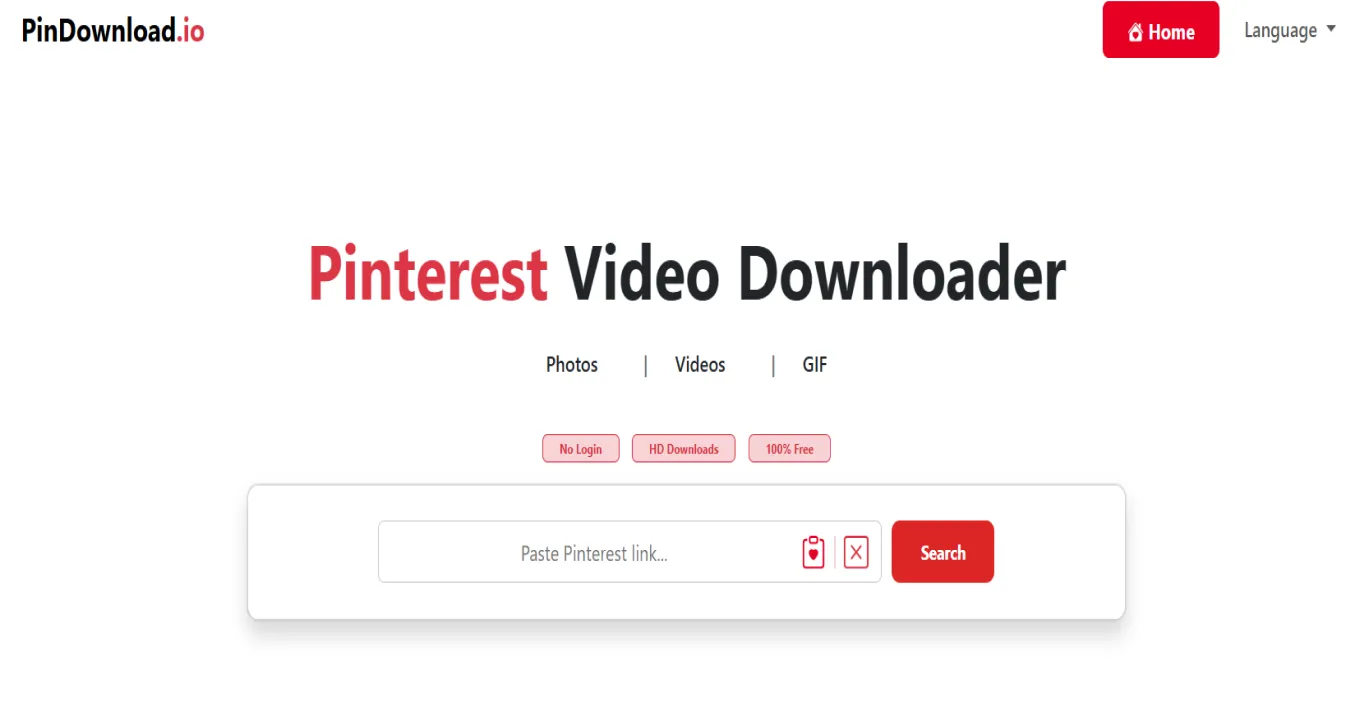
PinDownload.io is a straightforward, free tool that allows users to download Pinterest videos, images, and GIFs directly to their devices without the need for registration or software installation.
Key features
PinDownload.io lets you quickly download Pinterest videos, images, and GIFs in high quality, including HD and 4K resolutions.
The tool works directly in your browser on any device, with no registration or software installation required, and supports multiple formats such as MP4 for videos and JPG/PNG for images.
Pros:
- Completely free with no hidden charges.
- No login or registration required.
- Supports high-quality downloads up to 4K.
- Works across all major platforms and devices.
Cons:
- May experience slowdowns during peak usage times.
- Does not support batch downloading.
- Occasionally, not all video formats may be available for download.
How to use
Step 1- Copy the URL of the Pinterest video, image, or GIF you wish to download.
Step 2- Visit PinDownload.io in your web browser.
Step 3- Paste the copied URL into the provided input field.
Step 4- Click the “Download” button and select your desired quality and format.
Step 5- Save the file to your device.
Best for:
Users seeking a simple, no-frills tool to download Pinterest content without the need for accounts or software installations.
SocialPlug.io
SocialPlug.io is more than just a Pinterest video downloader; it’s an all-in-one social media tool for creators who manage multiple accounts and require quick access to content.
Key features
Social Plug is not just a Pinterest video downloader! It’s a full package for those who want to grow their social media accounts, such as Instagram, TikTok, Pinterest, Twitter, etc. This tool offers advanced features for free and helps you safely download Pinterest videos without any restrictions or limits.
Pros:
- Available for iOS, Android, Windows, and macOS devices.
- It’s ad-free.
- Works on smartphones, tablets, laptops, and PC.
- It’s free to use without any charge or hidden fee.
- You don’t need to download any application.
Cons:
- Sometimes, it may be slow.
- Free version may limit advanced analytics.
How to use
Step 1- Copy the video link from Pinterest.
Step 2- Open Socialplug.io on your device.
Step 3- Paste the link and tap “Download.”
Best for:
Creators managing multiple platforms like TikTok, Pinterest, and Instagram.
SavePinMedia
A free Pinterest video downloader that lets you quickly save videos, images, and GIFs in high quality directly from Pinterest.
Key Features:
SavePinMedia lets you download Pinterest videos, images, and GIFs in high quality directly from your browser. You don’t need to create an account or install any software, and it works seamlessly across devices, including PC, tablet, and mobile.
The tool ensures fast downloads while maintaining the original resolution, making it easy to save your favorite Pinterest content instantly.
Pros:
- Download Pinterest content instantly without any cost.
- No Software Needed: Use our tool directly from your browser, with no app installation required.
- High-Quality Downloads: Download your Pinterest videos, images, and GIFs in crisp, high-resolution clarity.
- Whether you’re on a PC, tablet, or mobile, our downloader is fully compatible.
Cons:
- No batch downloading support.
- Limited to downloading one item at a time.
How to Use:
Step 1- Copy the Pinterest link.
Step 2- Visit SavePinMedia.com.
Step 3- Paste the link into the download box and click “Download.”
Best For:
Users seeking a straightforward tool for high-quality Pinterest downloads without additional features.
KlickPin
KlickPin is lightweight, fast, and beginner-friendly, making it ideal for users who just want a straightforward Pinterest video saver that gets the job done.
Key features
KlickPin is a free tool that allows users to download videos, images, and GIFs from Pinterest with the highest quality and in the shortest possible time, without any watermark.
Pros:
- No registration is needed.
- You don’t need to download or install any software.
- It’s user-friendly and easy to use.
Cons:
- You may face occasional slow performance.
How to use
Step 1- Open Pinterest and get the video link.
Step 2- Visit Klickpin.com and paste the link into the white box.
Step 3- Tap the “Download” button and enjoy the high-quality video.
Best for:
Users looking for a lightweight and clean Pinterest downloader.
A Quick Look at the Best Pinterest Video Downloaders You Can Use for Free in 2025
| Tool Name | Best For | Platforms | Watermark-Free | Max Resolution | Unique Feature |
| PinHunt.app | Users who want a browser-based, no-login tool | PC, Mobile, Tablet | Yes | HD | Supports GIFs & images too |
| SavePin | No-watermark Pinterest downloads in HD | iOS, Android, Web, PC | Yes | HD | Optional app installation |
| PinDown | 4K video downloads without software | All devices | Yes | 4K | Full HD & 4K support |
| SnapPin | Unlimited downloads, fast | Web & App | Yes | 4K | Extremely fast downloads |
| PinDew | Simple, high-quality downloads | PC, Mobile, Tablet | Yes | HD | Smooth, easy-to-use interface |
| Experts PHP | All-in-one downloader (video, GIF, image) | Android, iOS, Web | Yes | HD | Supports multiple media formats |
| PinDownload.io | Quick, no-frills downloads | All devices | Yes | 4K | No software needed |
| SocialPlug.io | Creators managing multiple platforms | iOS, Android, PC | Yes | HD | Multi-platform social media support |
| SavePinMedia | Straightforward high-quality downloads | PC, Mobile, Tablet | Yes | HD | Browser-based, fast downloads |
| KlickPin | Lightweight & beginner-friendly | Web | Yes | HD | Minimalist, easy-to-use interface |
Are There Any Legal Considerations While Downloading Pinterest Videos?

That’s a good question because you need to know some legal considerations before downloading videos from Pinterest.
Copyrighted content
Most people think all content on Pinterest is copyright-free! It’s not how it works and many Pinterest videos are copyrighted, which means they are protected by law.
If you are not looking for a problem, asking the original owner’s permission before using their content is better.
Pinterest’s terms of service
To download videos from Pinterest safely, you must follow its terms of service to avoid trouble. For example, you should only download videos that Pinterest allows by offering a download or save option.
Commercial use
If you want to use a video for a commercial purpose, you must ensure the content is not copyrighted; if it is, you should obtain permission from the original creator.
Unlicensed downloading tools
Always make sure you are using the right third-party tools to download Pinterest videos because some of them may not follow the app’s terms of service or copyright laws.
Doing so may be flawed because downloading and using such content means using it unlawfully.
International laws
Remember that copyright laws differ in each region, and something legal in your country may be illegal in another! Therefore, make sure you are downloading videos whose copyright laws apply to your location.
How to Download Pinterest Videos on Mobile
This is how to download Pinterest videos directly from the app:
Step 1- Open Pinterest and find the desired video.
Step 2- Tap on the upload icon.
Step 3- Tap “Download.”
Step 4- Visit your device’s gallery to access the video.
*Note that not all Pinterest videos offer this option, so you should save the video or use third-party tools.
How to Download Pinterest Videos on Desktop
If you mainly scroll Pinterest on your desktop, you are lucky because you can download and save Pinterest videos and pictures on your desktop in a few seconds.
Step 1- Open Pinterest on your desktop and select the video.
Step 2- Tap on the three small dots icon and copy the link to the video.
Step 3- Open the Pinterest video downloader on your desktop.
Step 4- Paste the link and click on the download button.
Step 5- Save the video, GIF, or picture on your device.
How to Choose the Best Video Downloader for Pinterest
Here is a list of things you should look for in a Pinterest video downloader to download videos safely and quickly.
- It should be user-friendly and easy to use.
- Consider what quality options (720p, 1080p, or higher) it offers.
- Make sure it can process and download videos quickly.
- Read its reviews and recommendations and ensure it has positive feedback.
- Check if it supports both mobile and desktop.
- Ensure it protects your privacy and doesn’t require you to share personal information.
- Look for extra features, such as batch downloading, extensions, support for multiple formats, etc.
- Make sure it follows the copyright law.
- Check for customer support.
Considering these small tips helps you choose the best video downloaders for Pinterest to easily download your favorite videos, while also learning how SEO and social media work together to boost your online presence and engagement.
How to Share Pinterest Videos Through the App
If you can’t directly download a Pinterest video or don’t want to use third-party apps and video downloaders, you can share the video through the app.
Pinterest allows you to copy the video or picture link and share it through Telegram, WhatsApp, iMessage, Facebook, email, Instagram, Skype, etc.
This is how it’s done:
Step 1- Open Pinterest and select the desired photo or video.
Step 2- Tap on the three small dots or upload icon.
Step 3- Choose how you want to share the content (e.g., by copying and sharing the link through Telegram, WhatsApp, etc.).
Step 4- Suppose you want to share it on Telegram; tap the Telegram icon and select the contact or group you want to share the video with.
What Is the Best Way to Download Pinterest Videos?
The best way is to use safe and trusted video downloader tools and third-party apps.
Here is a summary of the best methods.
Using online Pinterest video downloaders: It’s one of the easiest ways! You should only copy the link to the video and paste it into the downloader to download and save the video quickly.
Browser extensions: Installing video downloader extensions to your browser allows you to download videos quickly while scrolling through Pinterest on your desktop.
Through mobile apps: Different applications for iOS and Android users allow users to download Pinterest videos, GIFs, and images safely.
Tips to Download Pinterest Videos Safely
Following these small tips helps you to download videos, images, and GIFs from Pinterest more safely.
- Only use trusted video downloaders with positive reviews.
- Make sure your device has an updated anti-virus software.
- Avoid using suspicious websites, especially those that require downloading unnecessary files or applications.
- Ensure you use a tool or application downloaded from a trusted source, such as the Google Play Store or App Store.
- Ensure the website has HTTP in its URL, showing the connection is secured.
That’s how easily you can safely protect your privacy and download Pinterest videos.
Conclusion
Pinterest is a treasure trove of creative inspiration, from home décor ideas and fashion trends to DIY projects and lifestyle tips.
Whether you’re a content creator, influencer, or casual user, having the ability to save Pinterest videos instantly can significantly enhance your productivity and creativity.
With the top free Pinterest video downloaders listed in this guide, you no longer need to pay for tools or struggle to save your favorite content.
These trusted online downloaders allow you to download Pinterest videos, GIFs, and images in high quality, quickly, safely, and without hassle.
Take action today! Download high-quality Pinterest videos, expand your creative library, and make the most of everything Pinterest has to offer.
FAQs
Are Pinterest video downloaders safe?
If the website or app doesn’t require downloading unnecessary files or clicking on suspicious links, you can consider it safe.
Can I download Pinterest videos without a watermark?
Yes! Many free Pinterest video downloaders, like SavePin or PinDown, let you download videos without watermarks. When you paste a Pinterest video link into these tools, you can usually choose “No watermark” before downloading.
How to download high-quality videos from Pinterest?
The best way is to use websites that offer various download qualities.
Which Pinterest video downloader works best on Android?
For Android users, tools like SnapPin, ExpertsPHP, and Pinterest Downloader work smoothly in mobile browsers. You just copy the Pinterest video link, paste it into the site, and download it directly, no app installation needed.
What are alternative ways to download videos from Pinterest?
Use the screen record feature on your mobile to record the video! It’s not legal, but if you don’t have access to any tool, it can be your fastest option.

Emi Daniel
Buy an Established Instagram Account
Skip starting from zero. Browse Instagram/TikTok accounts with audiences across many niches.
See Available AccountsRelated articles
-
A Guide to Gen Z Emojis: Speak Their Language on Social Media
Emojis are more than fun add-ons for Gen Z. They can signal humor, irony, tone, and shared cultural references in a few characters. For brands and creators,…
17 min readEmi Daniel
-
Top 10 Apps Like Pinterest to Try for Free (2026 Guide)
Pinterest used to feel like flipping through someone’s real taste. Lately it feels more like scrolling past ads with a few actual pins mixed in, and a…
21 min read -

How to Increase Your Snapchat Score in 2026: Records, Strategies & Smart Tips
Snapchat Score is one of social media’s most mysterious features, and plenty of people check it every day just to see that number go up. At first…
15 min read