
How much do you care about the number of your Instagram followers? Do you only follow people who follow you back, or it doesn’t matter if they don’t follow your account?
As you may know, some Instagram users with private accounts only follow their friends and expect them to follow them back, while others follow whoever they want without caring if they follow them back.
Discovering someone you have been following on Instagram doesn’t follow you back and has no interaction with your content may be an unpleasant experience, especially when you find out about this subject too late.
If you are looking to see who doesn’t follow you back on Instagram, you are in the right place.
In this article, you will learn how to check who isn’t following you on Instagram to make a better decision whether to keep following them or unfollow their account.
How to Follow and Unfollow Users on Instagram
As you know, to interact with accounts and your favorite content on Instagram, it is better to follow them.
Sometimes, you don’t want to see content from specific accounts and are uncomfortable blocking them; that’s when you can easily unfollow them.
In the section below, you will learn the basics of how to follow and unfollow Instagram accounts.
Following accounts on Instagram:
Step 1- Open Instagram on your device.
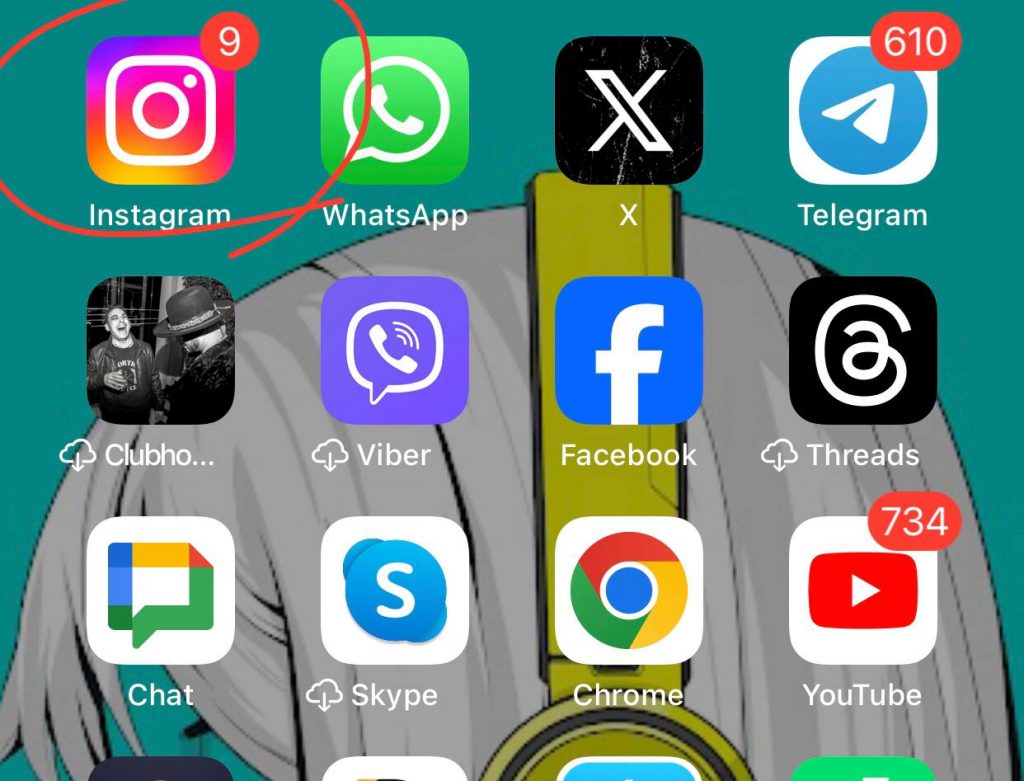
Step 2- Tap on the magnifier icon next to the home page icon.
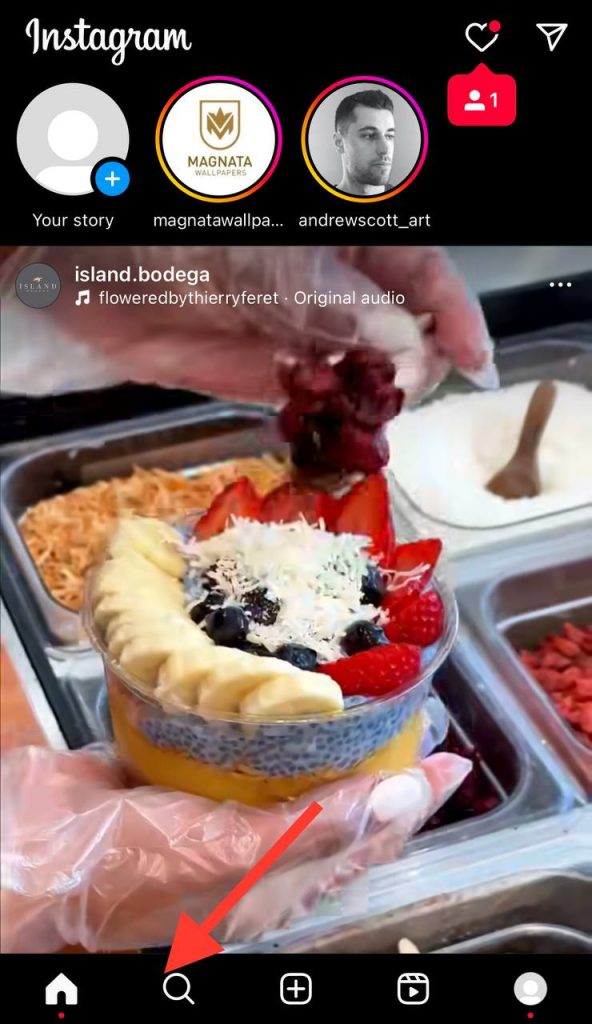
Step 3- Search for the desired account.
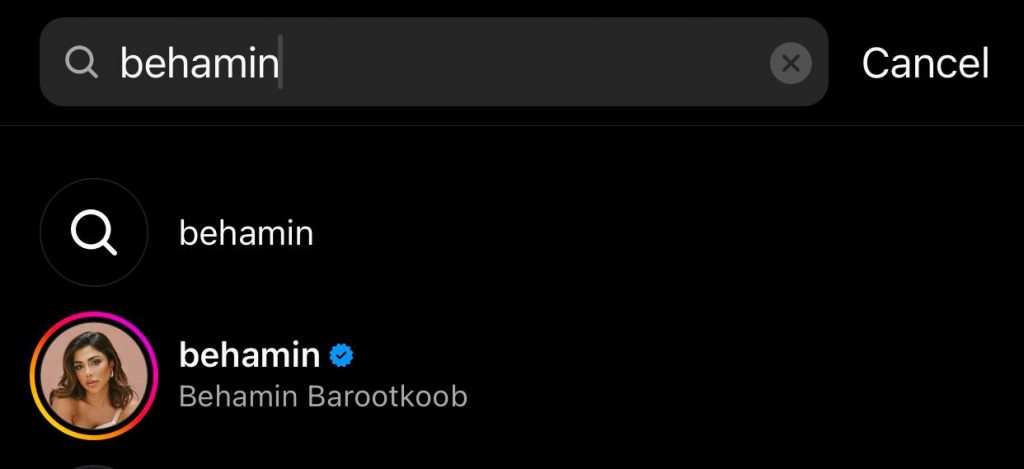
Step 4- If they have a private account, you must send them your follow request, and they will accept or ignore it. But if they have a public account, tap on the follow button, and you are their follower from now on.
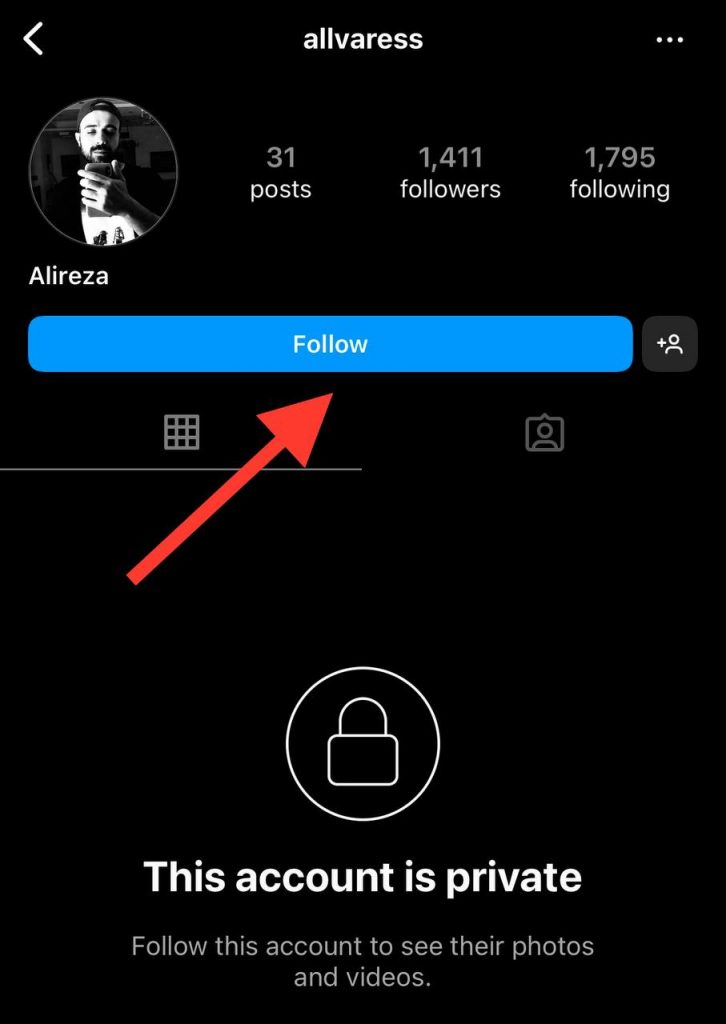
Note that you can easily follow public accounts you see in the explore section by clicking on the follow button on their account.
Unfollowing accounts on Instagram:
Step 1- Open the Instagram application.
Step 2- Tap on the magnifier icon and search for the account in the search bar.
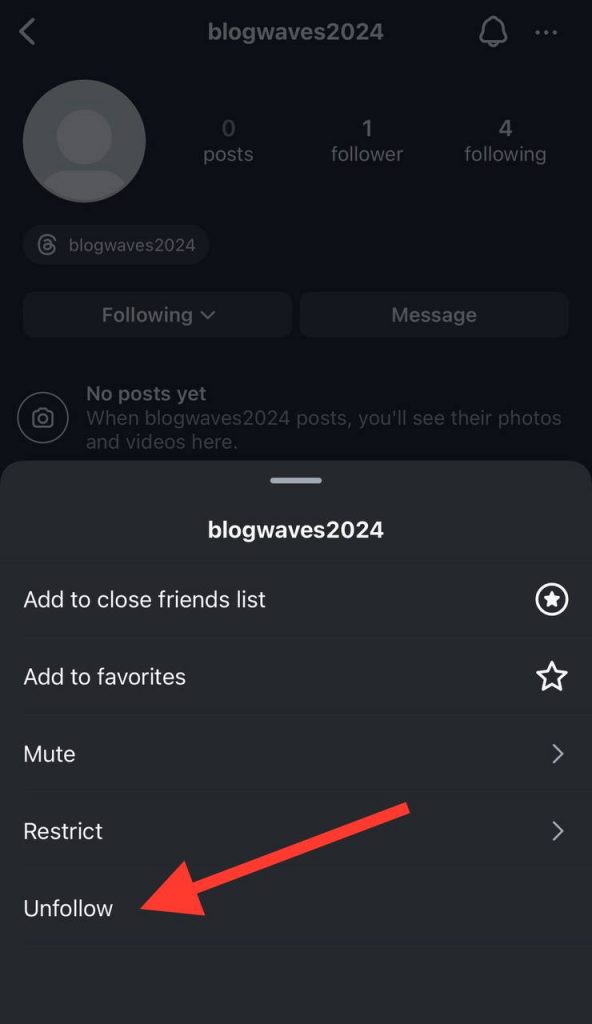
Step 3- Now, tap on the “Following” button.
Step 4- If they have a private account, Instagram asks you to confirm the process because once you unfollow a private account, you can no longer see its content. However, tapping on the “Following” button on a public account will just unfollow the account.
Why Is It Important to Know Who Doesn’t Follow You Back on Instagram

One of the essential parts of every Instagram account, especially the public ones, is the number of followers, and it affects the engagement of the account in various ways, so it is important to understand who doesn’t follow you back on Instagram to make more informed decisions about your following and unfollowing strategies on the platform.
Determining who doesn’t follow you back on Instagram helps you better detect your account’s engagement rate and develop better Instagram strategies to grow your account.
Discovering the non-follower accounts on Instagram enables you to put your time and energy into loyal followers and build solid relationships rather than wasting your time on non-followers who just want you to follow them.
In addition, having a balanced follower and following list enhances your credibility on the platform, and more new people are likely to follow you.
Finally, when you know who doesn’t follow you back on Instagram, you are able to unfollow them and avoid any further interaction with their content.
How to Manually Check Who Doesn’t Follow You Back on Instagram
The first thing you can do to check who is not following your account is to do so manually, which we will explain in the section below.
Search your follower’s list
It is the first and the easiest thing you can try to see who isn’t following you on Instagram:
Step 1- Open the Instagram app on your mobile.
Step 2- Tap on your profile icon to see your profile.
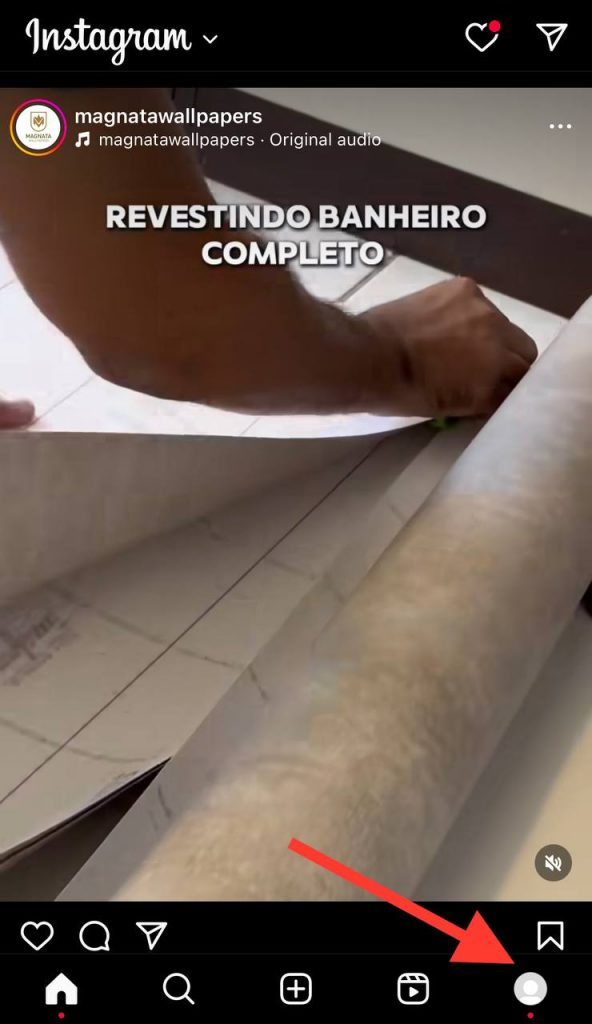
Step 3- Click on the followers of your account.
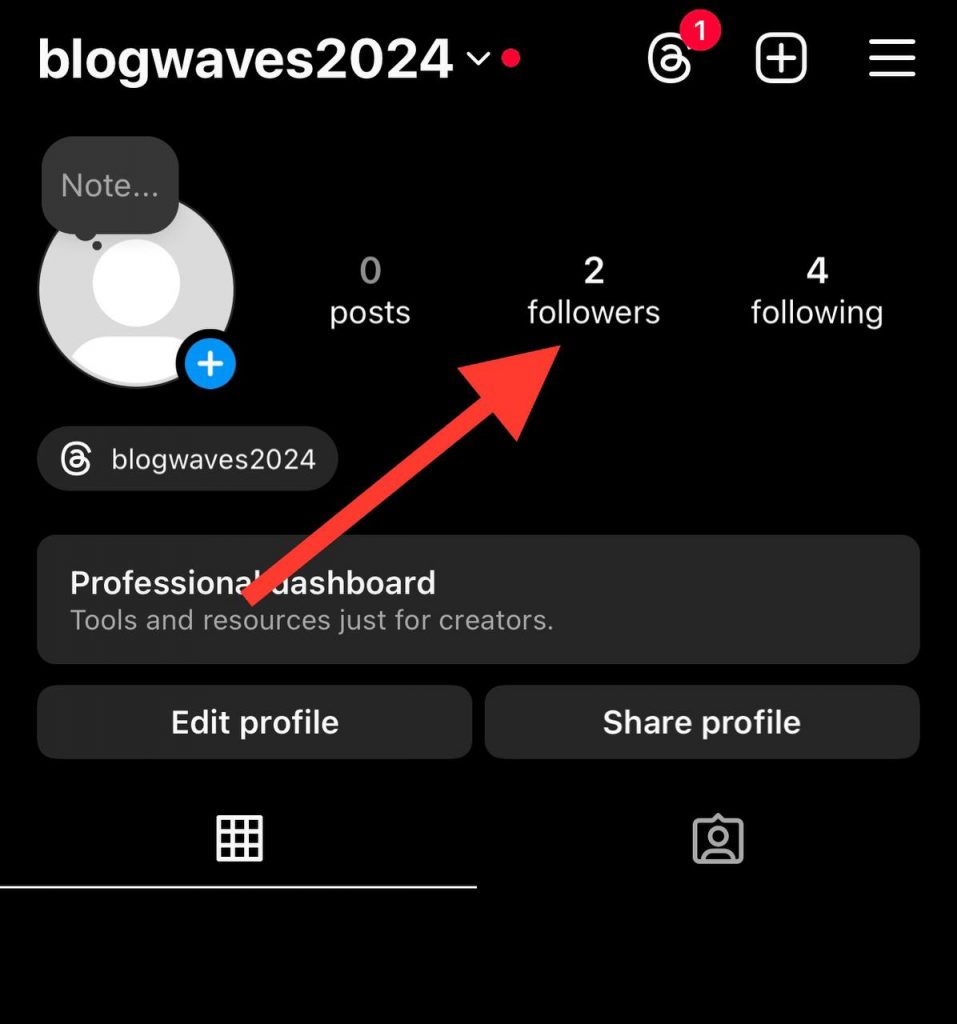
Step 4- Search for the accounts you believe are not following you back in the search bar.
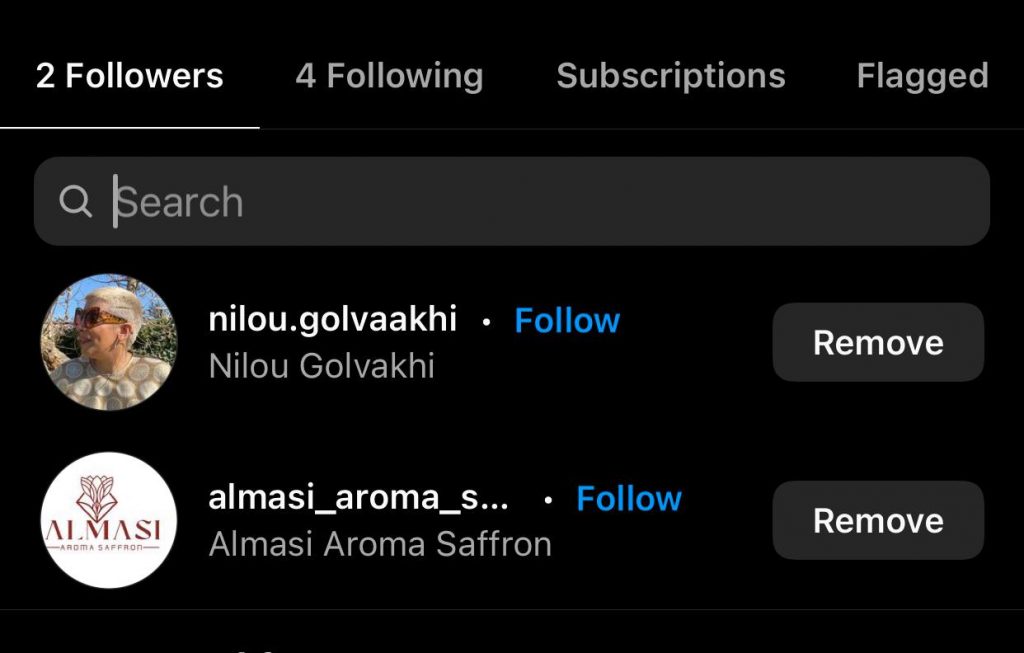
Step 5- Once on their profile, tap on the following list.
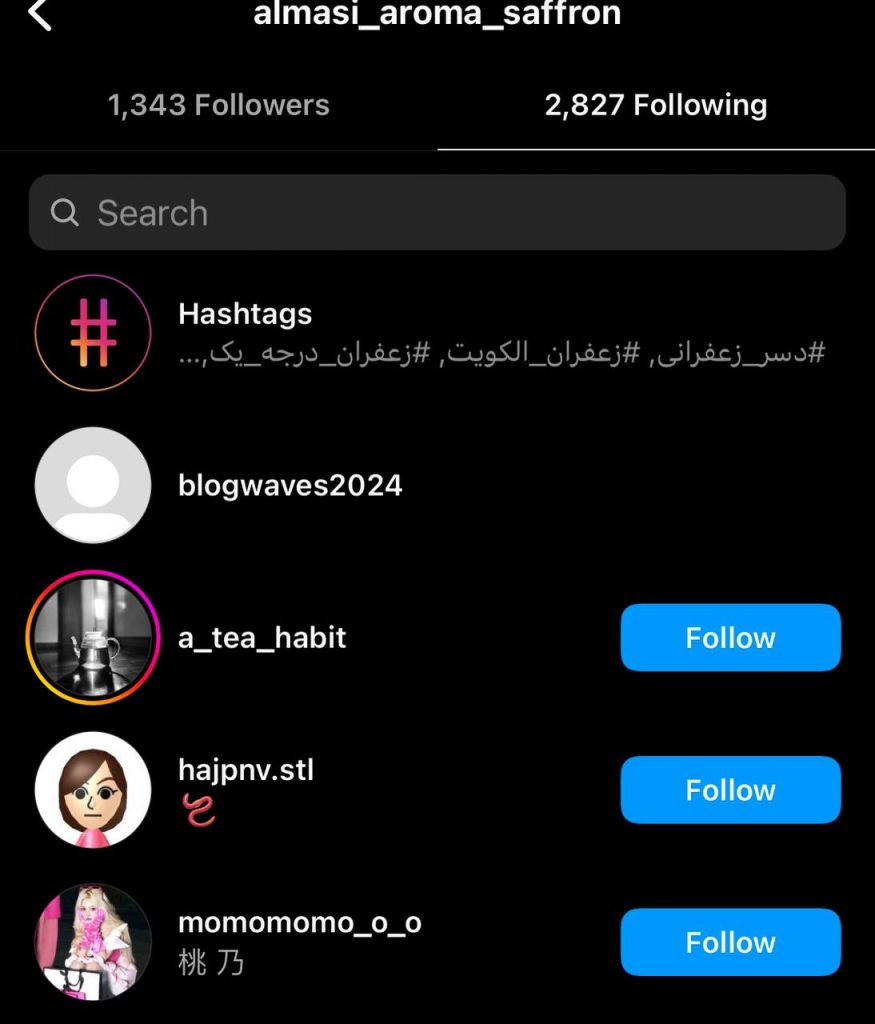
Step 6- Search for your account; if you can’t find it, they are not following you.
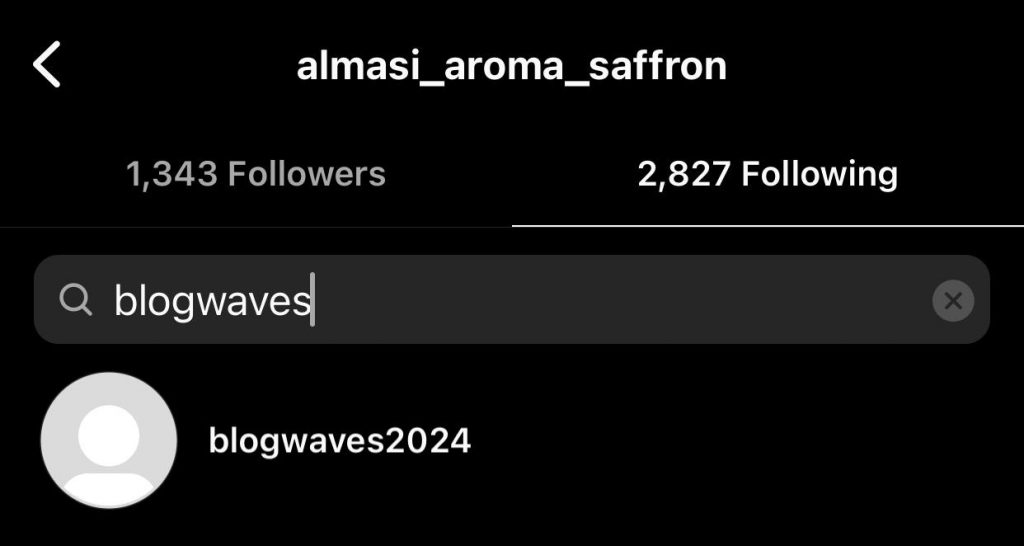
The important point in this section is that once you tap on their following list if they are following you, your username will be shown at the top of the list; if not, search your username to ensure whether they are your followers.
Check out the shared activity
This is another helpful method to try:
Step 1- Open Instagram and go to your profile.
Step 2- Tap on the following list of your account.
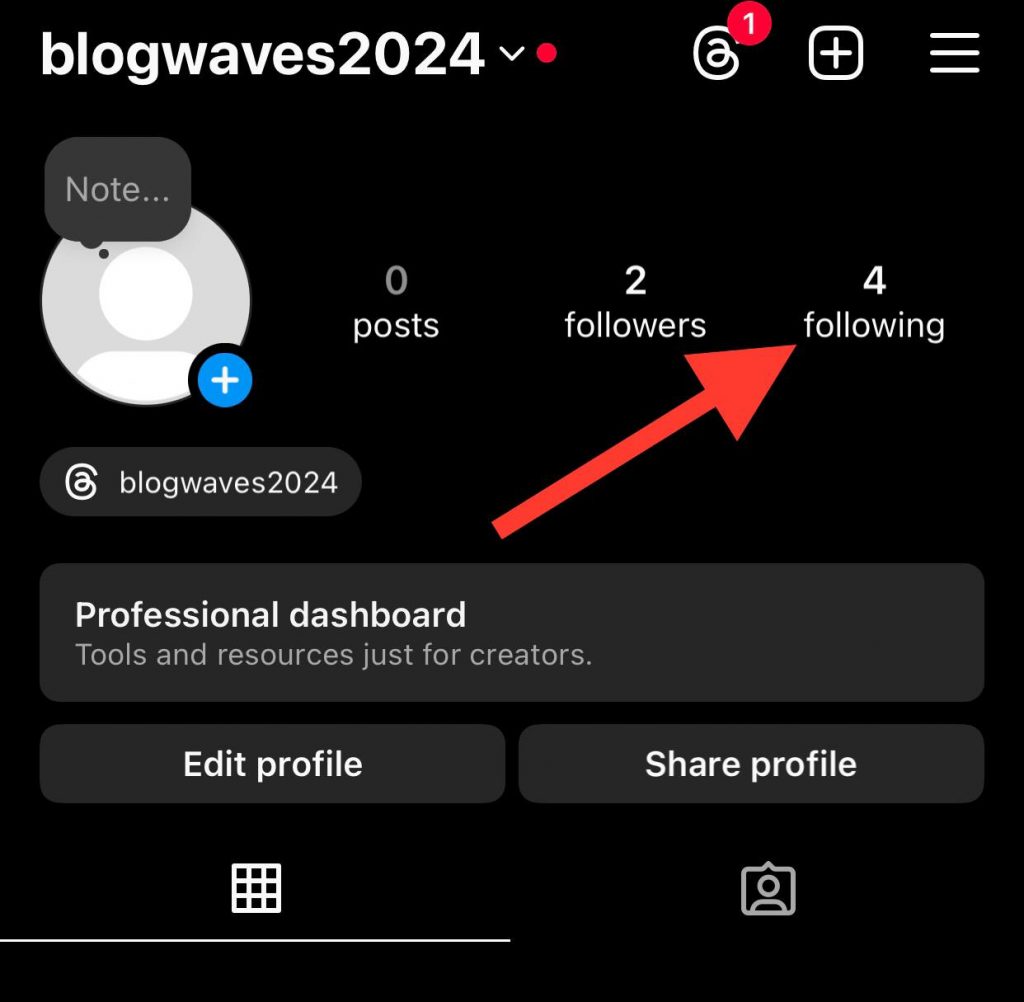
Step 3- Tap on the three dots icon next to the desired account.
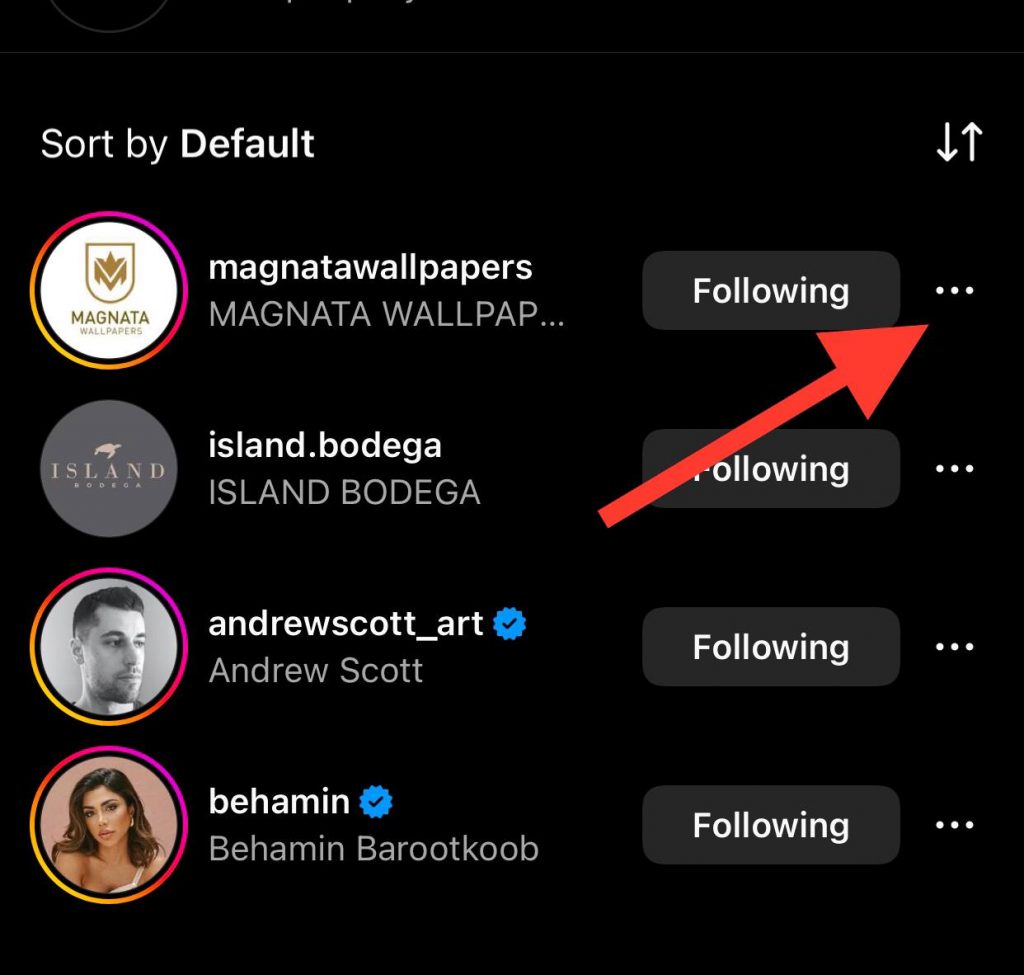
Step 4- Now, choose the “See shared activity” option from the menu.
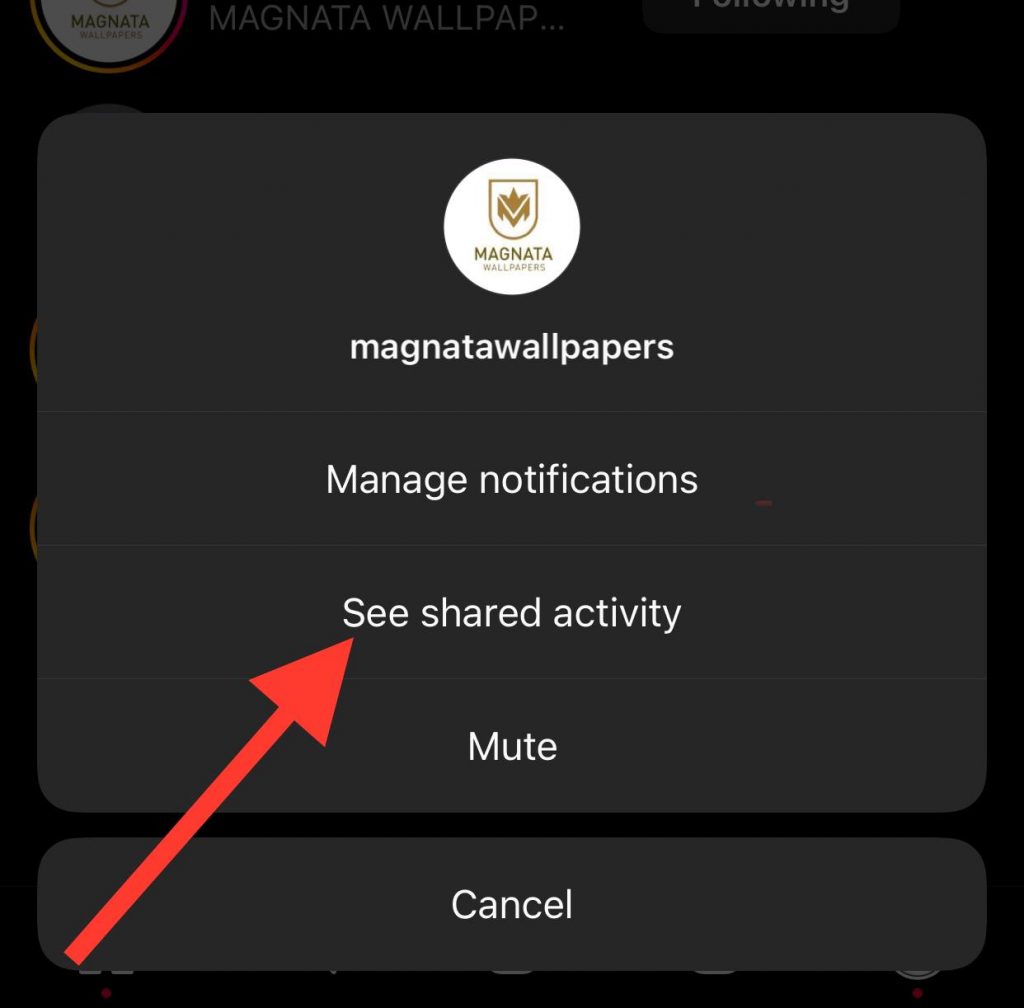
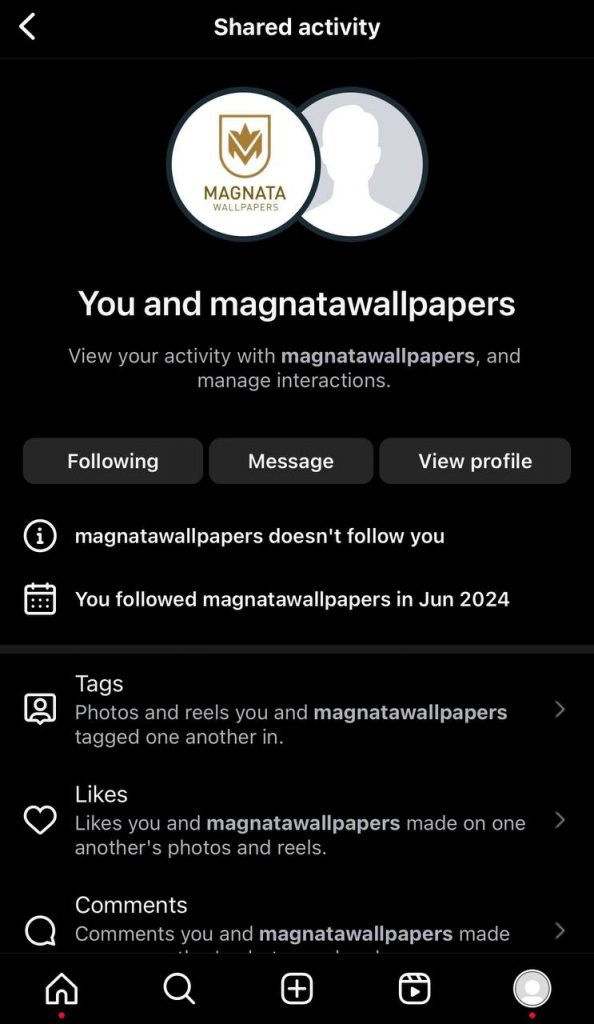
Step 5- Here, you can find valuable information, including whether they are following you, photos and reels you two tagged each other on, the mentioned comments, etc.
Try the download your information option
Not everyone knows this trick of getting full information about your Instagram account, but you can try it and access exact details about the following and unfollowing process of your profile.
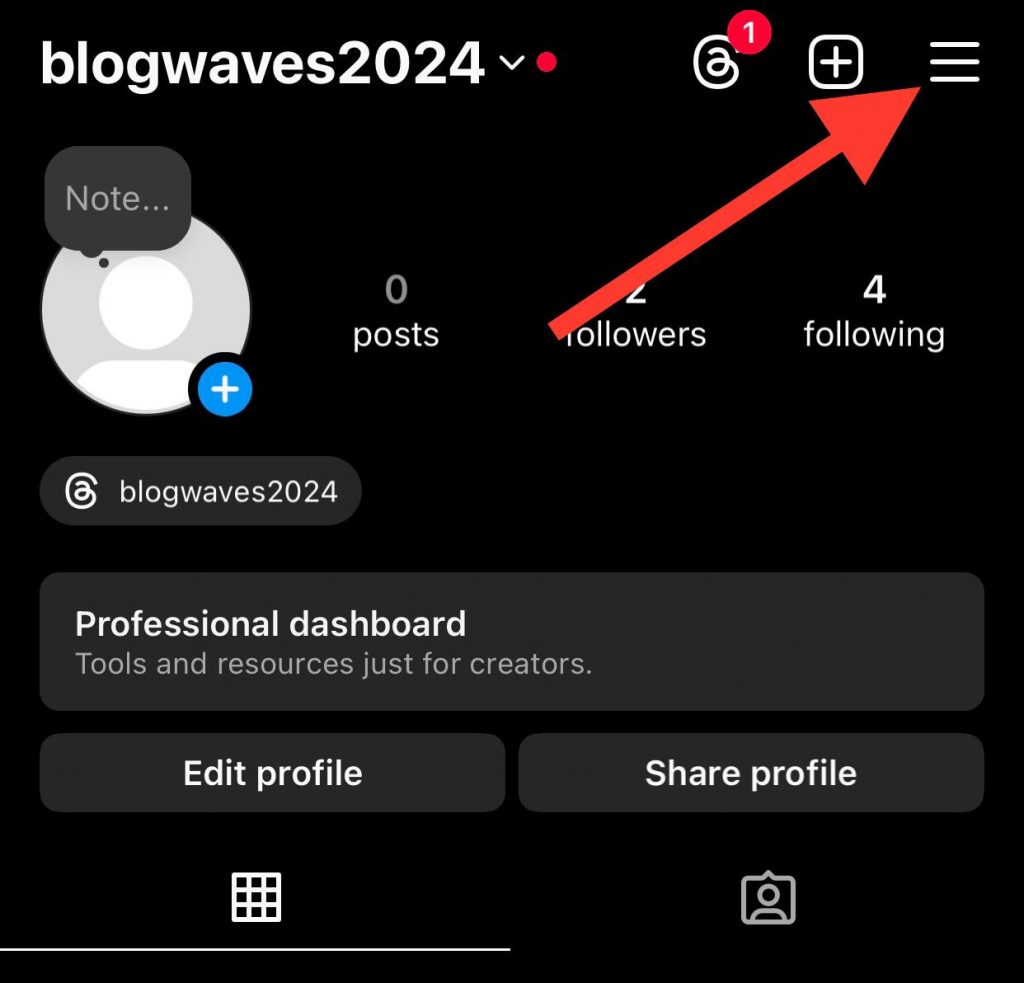
Step 1- Open Instagram, go to your profile, and tap on the three-line icon in the top right corner of the screen.
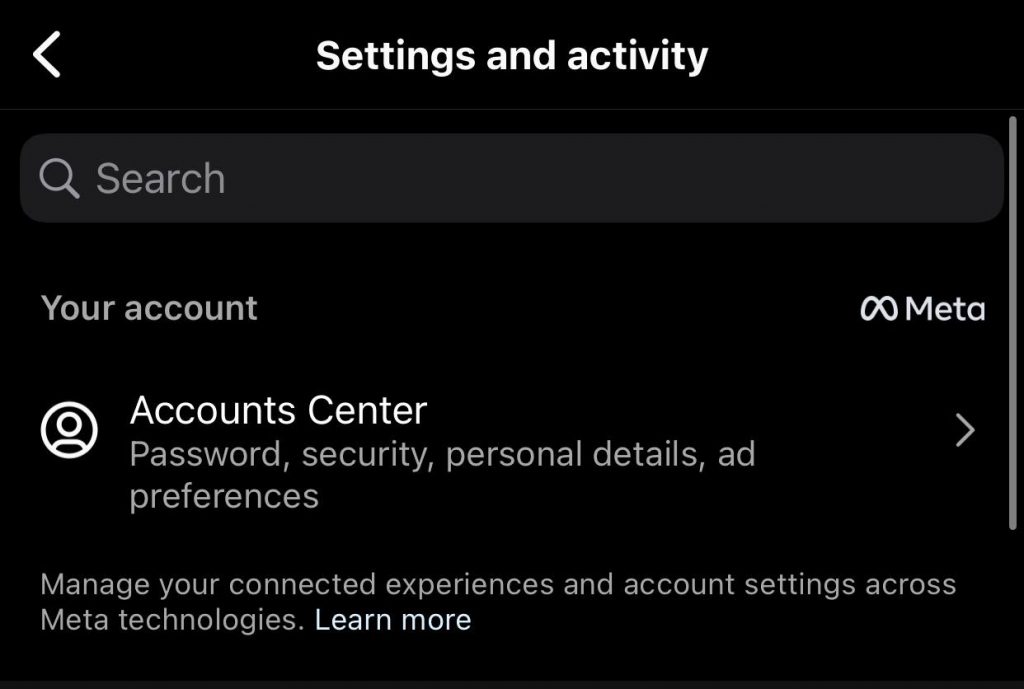
Step 2- Select the “Account Center” option from the menu.
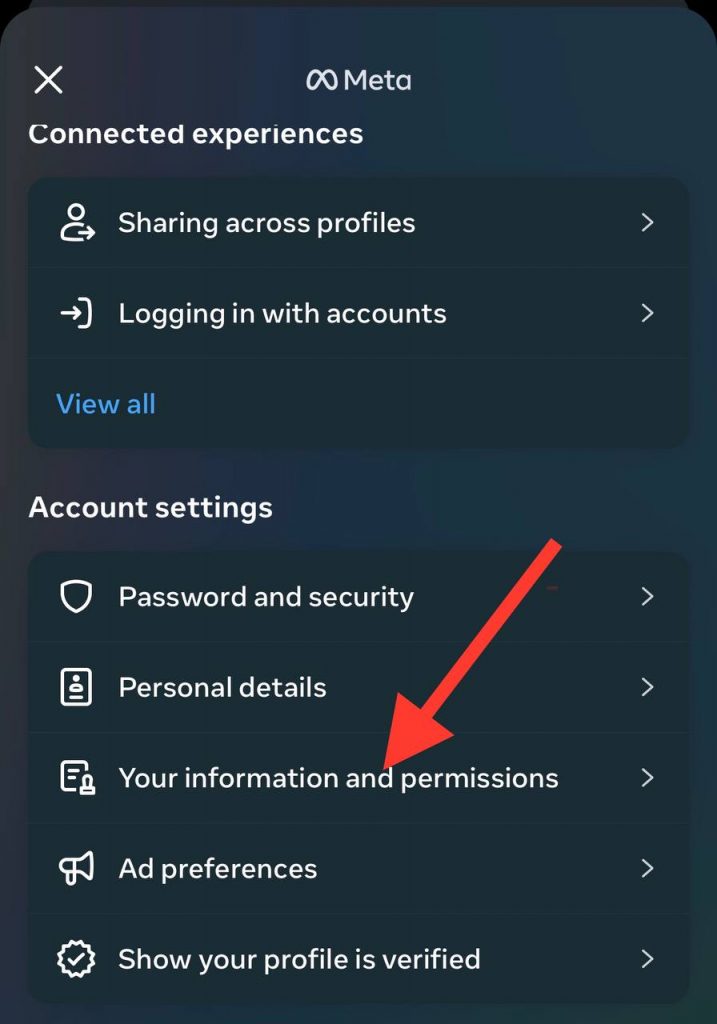
Step 3- Choose “Your information and permissions.”
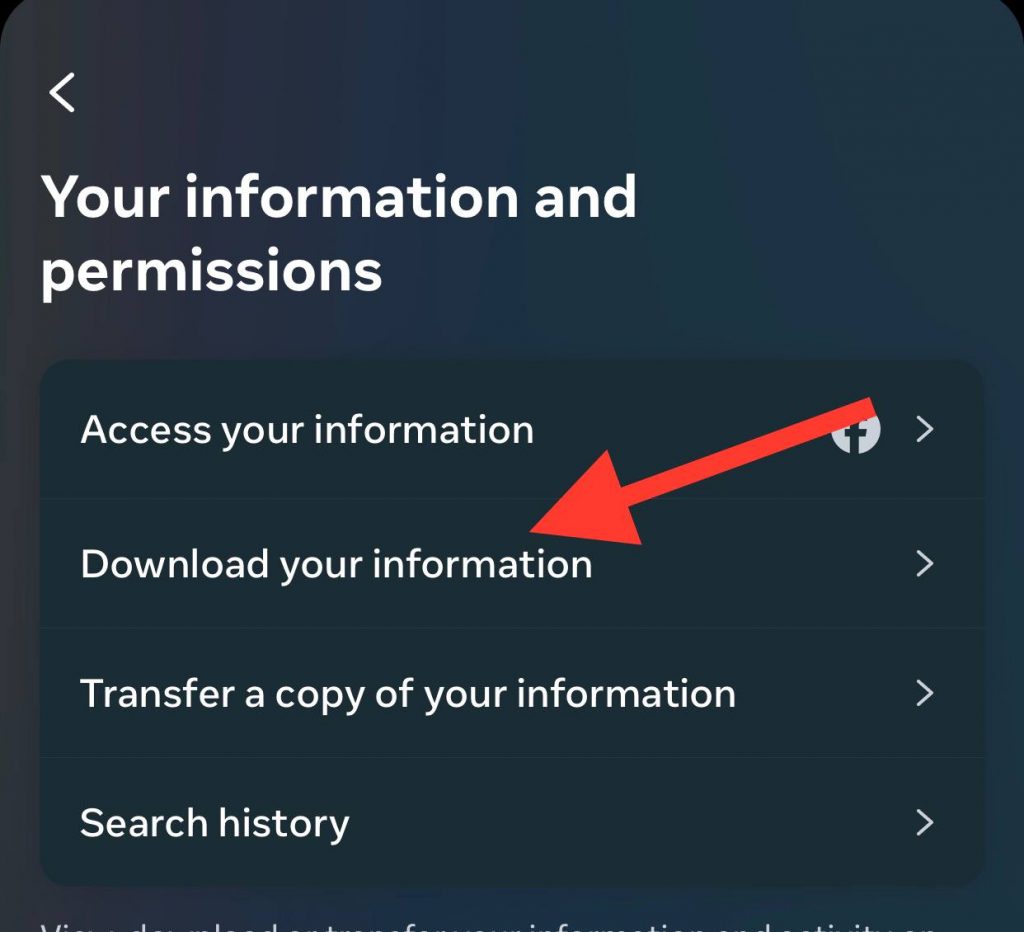
Step 4- Tap “Download your information,” then select “Download or transfer information” from the new page.
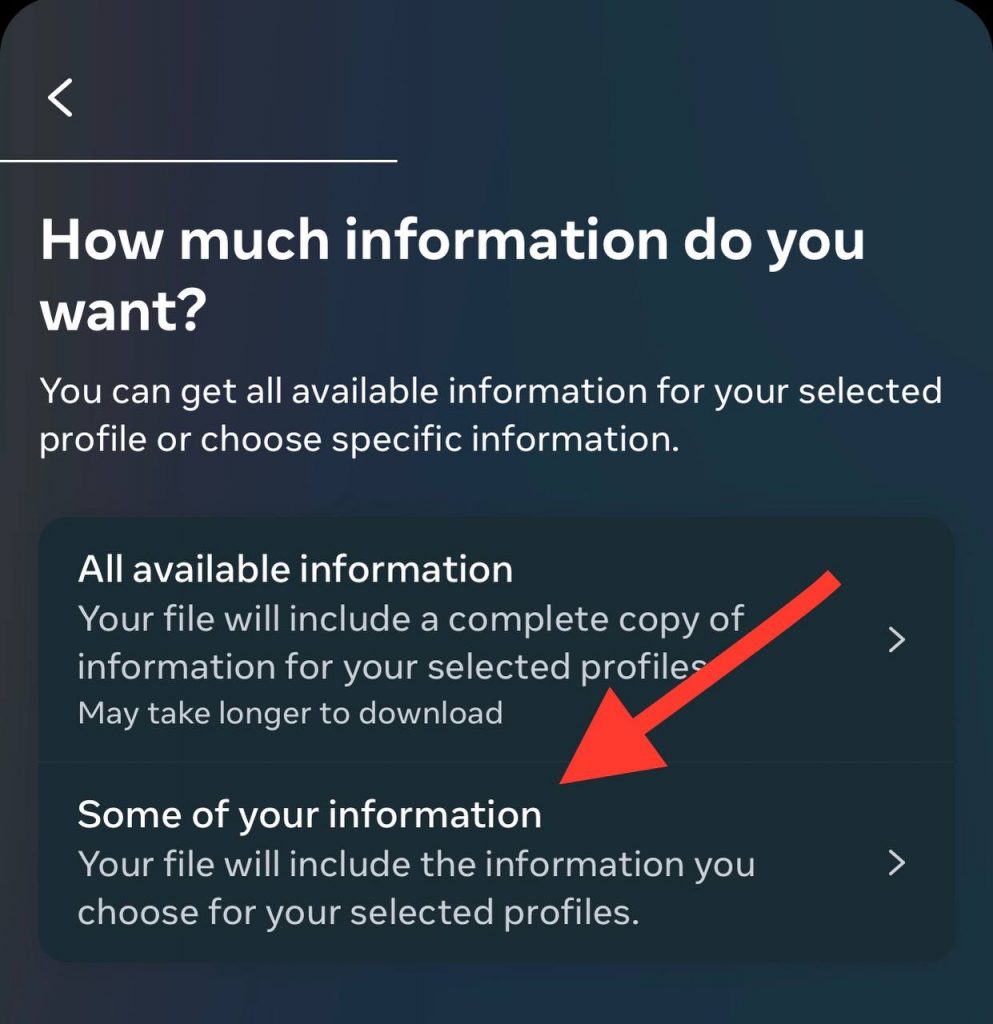
Step 5- Now you have two options: “All available information” and “Some of your information,” choose the second one.
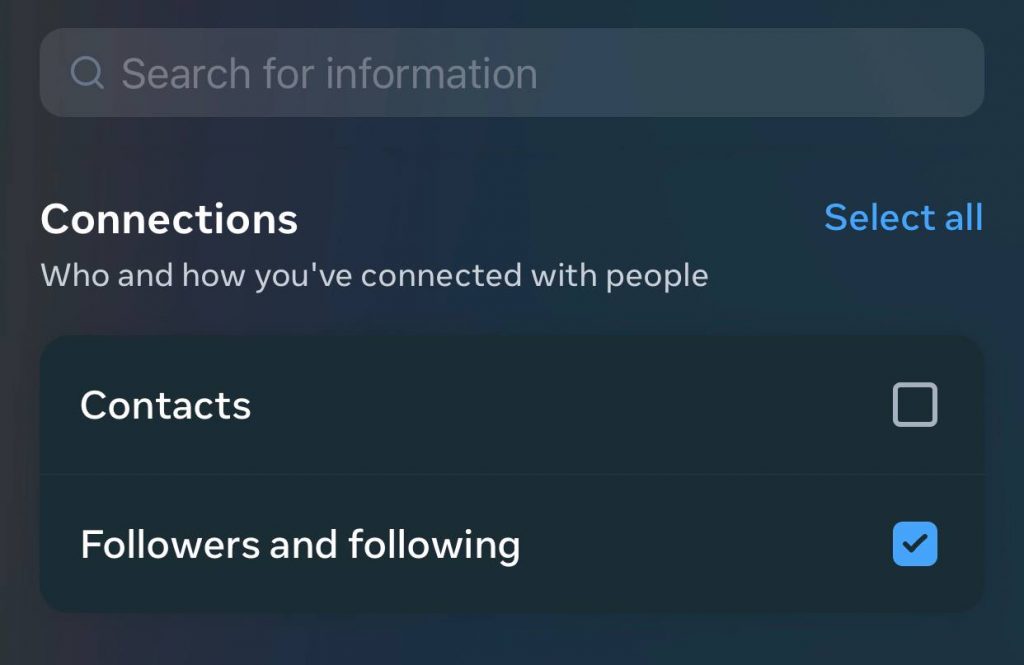
Step 6- Scroll down the menu and choose “Followers and following” under connections, then tap “Next.”
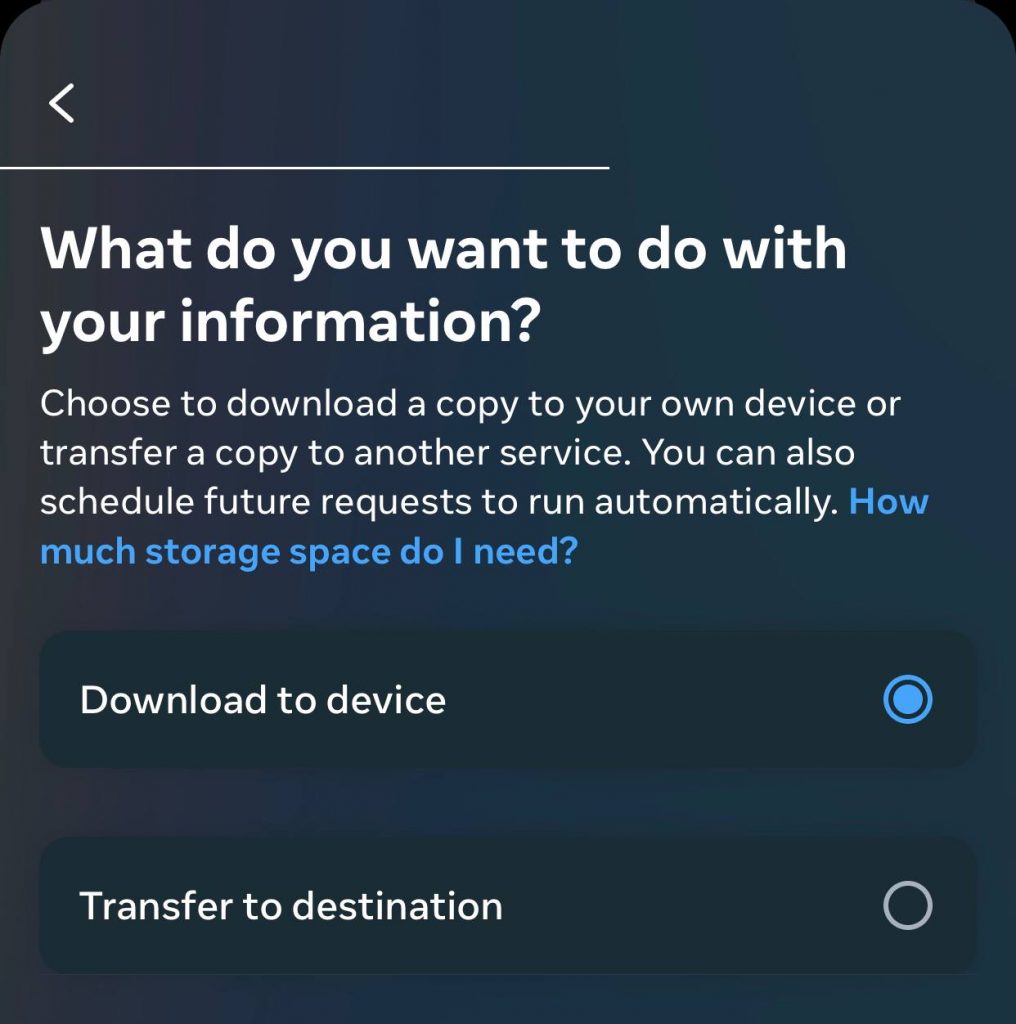
Step 7- Choose whether you want to download the information to your device or transfer to your destination, and tap “Next.”
Step 8- Set up the desired format and media quality, and tap on the “Create files” option.
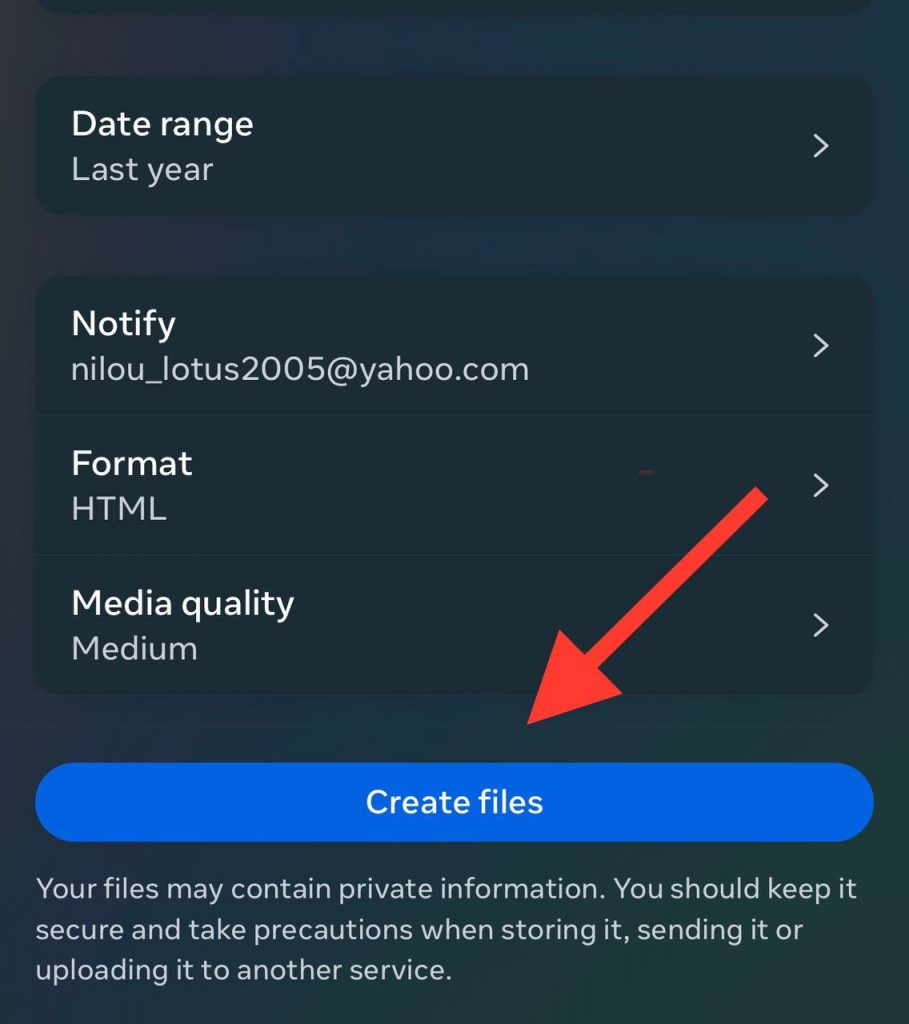
Step 9- Now, you have to wait for the email containing the final file of your request.
Step 10- Download the file and enjoy your account’s exact information. Note that you must enter your account password to download the file.
Using Third-party Apps to See Who Doesn’t Follow You Back on Instagram
If you have numerous followers, it is better to use third-party apps to understand who doesn’t follow you back on Instagram.
FollowMeter (iOS and Android)
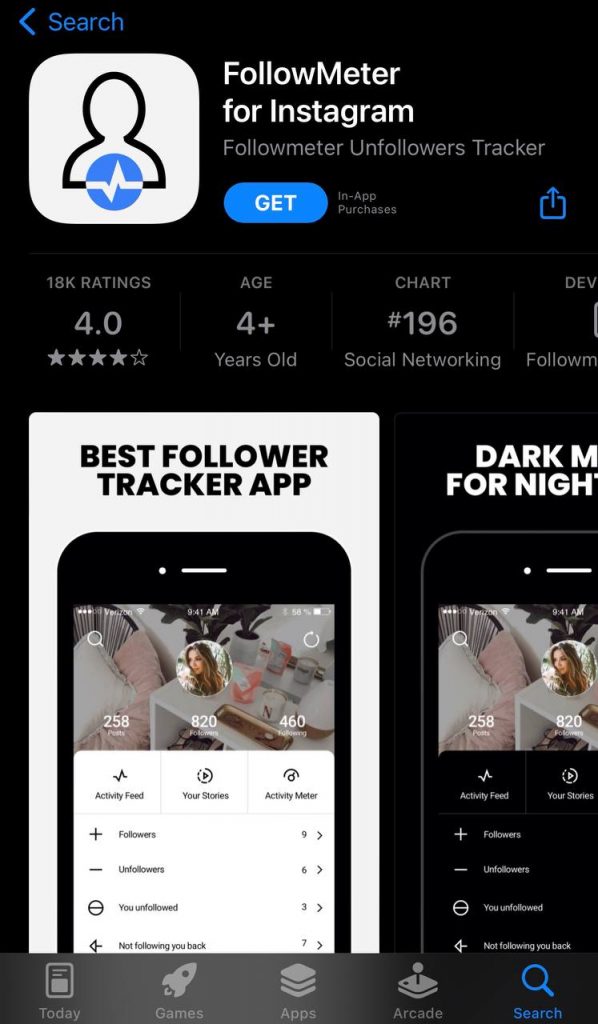
This analytics application helps you analyze your Instagram account to understand who does not follow you back in the shortest possible time.
Follow the steps below to use this app on both iOS and Android devices:
Step 1- Install and open the app on your device.
Step 2- Log in to your Instagram account.
Step 3- Once the app finishes analyzing, click on the first tab in the bottom left corner of the screen to see who unfollowed you.
Step 4- Tap the “Unfollowers” option to see a list of accounts that recently unfollowed you.
Followers Tracker and Unfollow
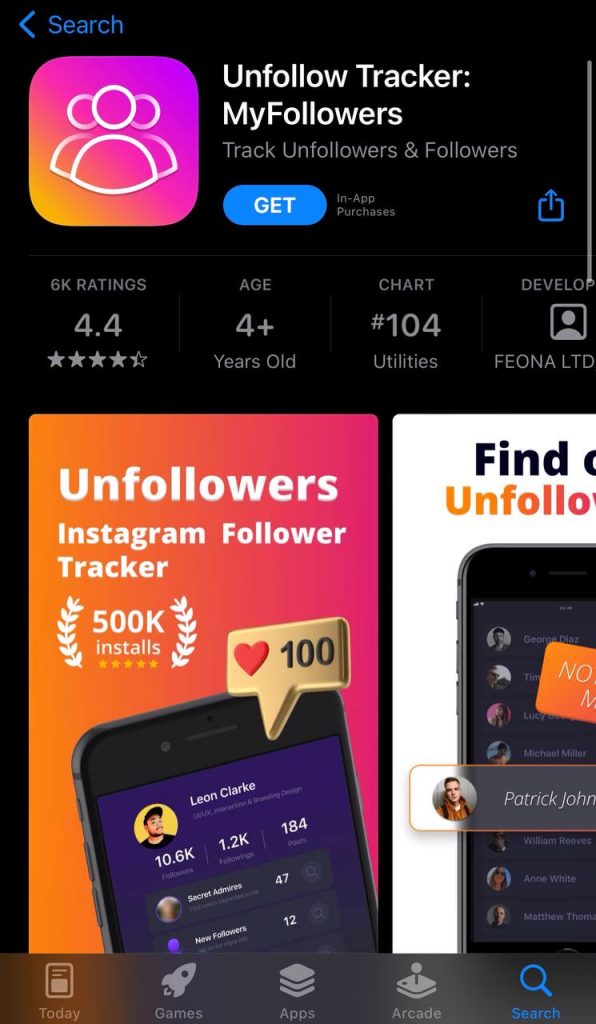
This is a free application only for iOS users that enables you to understand who you need to remove from your following list because they are no longer following you.
This app offers different features, such as detecting ghost followers, finding accounts that unfollowed you in the last 7 days, and helping you detect active followers.
Note that although this app is free, you need to buy one or twelve-month subscription plans to use the advanced features.
InstaFollow
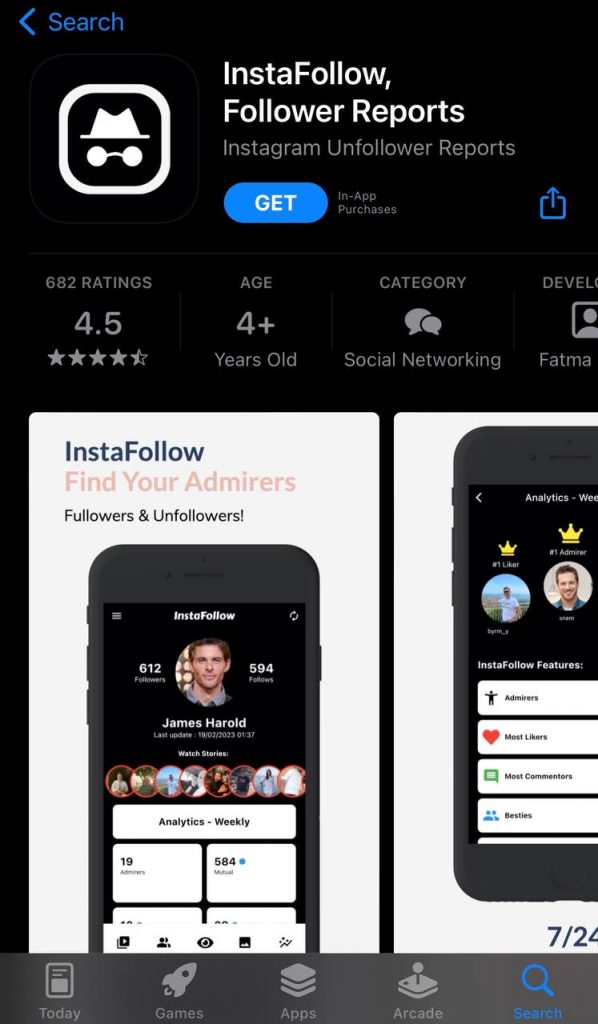
This application is only for iOS and iPad users and offers various features to help you analyze your Instagram account better.
Some of the features InstaFollow offers include viewing stories, analyzing likes and comments, detecting fake followers, detecting non-followers, etc.
How to Unfollow All Accounts Not Following You Back
Sometimes, you notice that too many accounts are not following you back and want to unfollow them all at the same time.
As mentioned earlier, you can unfollow accounts by tapping the unfollow button on their profile, but unfollowing a vast number of accounts simultaneously can be challenging.
However, you can still use third-party apps like the ones we mentioned earlier to select all the accounts you want to unfollow.
Note that this method might be faster, but the security risks remain, so make sure you use the best tool.
Conclusion
Finally, finding out who doesn’t follow you back on Instagram is vital because it can affect your account’s engagement.
Therefore, when you identify those accounts, you are able to detect your loyal followers and close friends to build stronger relationships with them.
Besides, keeping track of non-followers on Instagram helps you better understand the exact number of your followers and make more informed decisions about who you want to engage with on the platform.
In this article, we examined different methods to discover who doesn’t follow you back on Instagram and explained important information about following and unfollowing on the Instagram application.
FAQs
Should I unfollow those who don’t follow me back on Instagram?
It’s all up to you. You can unfollow them without worrying you are doing something rude. Moreover, you can keep engaging with them to encourage them to follow you again.
Why do people decide not to follow me back on Instagram?
It may have various reasons. For example, they don’t like the content you share, they want more privacy, they prefer not to interact with you, etc.
Do I have to block those not following me back?
Blocking these accounts is unnecessary; however, the decision is up to you. You can just unfollow them so you don’t have any interactions with them.
