

Have you ever noticed that you can’t see a certain person’s posts in your Instagram feed or cannot send them direct messages (DMs) anymore?
If you have had such an experience recently, you should know that it is possible that they haven’t posted anything for a while, or they may have blocked you on Instagram.
Note that Instagram does not notify users when someone blocks them on the platform, so how would you notice who blocked you on Instagram?
Buy an Established Instagram Account
Skip starting from zero. Browse Instagram/TikTok accounts with audiences across many niches.
See Available AccountsThere are different methods to find out who blocked you on Instagram, and you can try each method in just a few seconds.
In this comprehensive article, we will discuss the most common reasons that someone may want to block a user on Instagram, explain what happens when you block someone on this platform, and, more importantly, review the best 9 methods for discovering who blocked you on Instagram.
Why Someone May Want to Block You on Instagram
As mentioned before, there are various reasons that people may want to block you on Instagram. In the following section, we will examine the most common reasons why someone may want to block you on this application:
Inappropriate behavior
One of the most common reasons someone decides to block you on Instagram is that they notice inappropriate behavior from you on the application, such as bullying others, sharing improper content, or sending offensive and threatening messages.
It is true that social media allows users to speak freely and share their thoughts on different subjects, but that is not a good excuse for people to show destructive behaviors on the platform.
Therefore, you should always act mindful on this platform and treat others the way you would want them to treat you!
Negative interactions
Have you ever seen two or more people arguing with each other in the comment section of a post over a pointless subject?
If yes, you should know that negative interactions, such as arguing in the comment section, usually end in blocking each other.
Thus, it is better not to participate in such unnecessary arguments to avoid such conflicts or negative interactions!
Personal reasons
We are not always blocked on Instagram by strangers; sometimes, our followers prefer to manage their online presence to protect their privacy on social media, so they decide to block us from accessing their accounts.
You may think it’s not a mature action, but remember that you should respect others’ decision to unfollow or block you on Instagram because you may also want to block someone on Instagram for personal reasons, so it is better to accept their choice.
Privacy violation
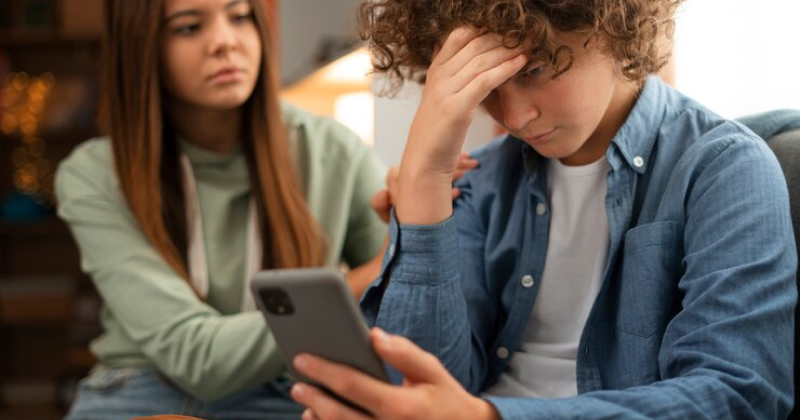
As you know, Instagram cares about user’s privacy, which is why there is an option for blocking users who violate others’ privacy.
Actions that are considered privacy violations include stalking someone, sending constant messages, sharing others’ personal information without their consent, etc.
Ultimately, if you want to prevent others from blocking your account, you should respect their privacy on the platform.
However, remember that you can also block those who ignore your privacy and continue to bother you with unwanted messages or inappropriate behavior.
Engaging in spam or scamming activities
Engaging in activities such as sending scam messages or posting fake content is another common reason that leads to getting blocked on Instagram.
To prevent getting blocked for these reasons, it is better to avoid engaging in suspicious activities on your Instagram account.
What Happens When Someone Blocks You on Instagram
Sometimes you may feel disrespected or confused when someone blocks you on Instagram. But do you know what happens when you are blocked on Instagram? Let’s find out!
No more interaction with that account
When someone blocks you on Instagram, you are no longer able to interact with that account, which means you can’t like, comment, or DM them and can’t tag or mention them anymore.
You can’t visit their profile
Another thing that happens in such a situation is that their account will be invisible to you, which means that you can’t find their account when you search for their username and can’t see their posts and stories.
You won’t receive any notification
As mentioned earlier, Instagram won’t notify you when someone blocks you, so you don’t get a message or notification informing you that you’ve been blocked.
Moreover, you don’t receive any notifications or messages from the account that blocked you because all interactions have been restricted since they blocked you.
You will be removed from the follower/following list

If you follow someone on Instagram and suddenly notice that you are no longer in their following list, it’s because they have blocked you, and blocking someone will automatically remove them from the following/follower list.
Limited visibility
We explained that your interactions will be restricted when someone blocks you on Instagram. In some cases, when you are blocked, you may be able to see their comments on other’s posts, but you can’t interact with their content or view their profile.
Different Ways to See Who Blocked You on Instagram
Now that you know the common reasons people block each other on Instagram, and what happens after blocking someone, it is time to learn the different methods that help you see who blocked you on this platform.
1- Search for the account that may have blocked you
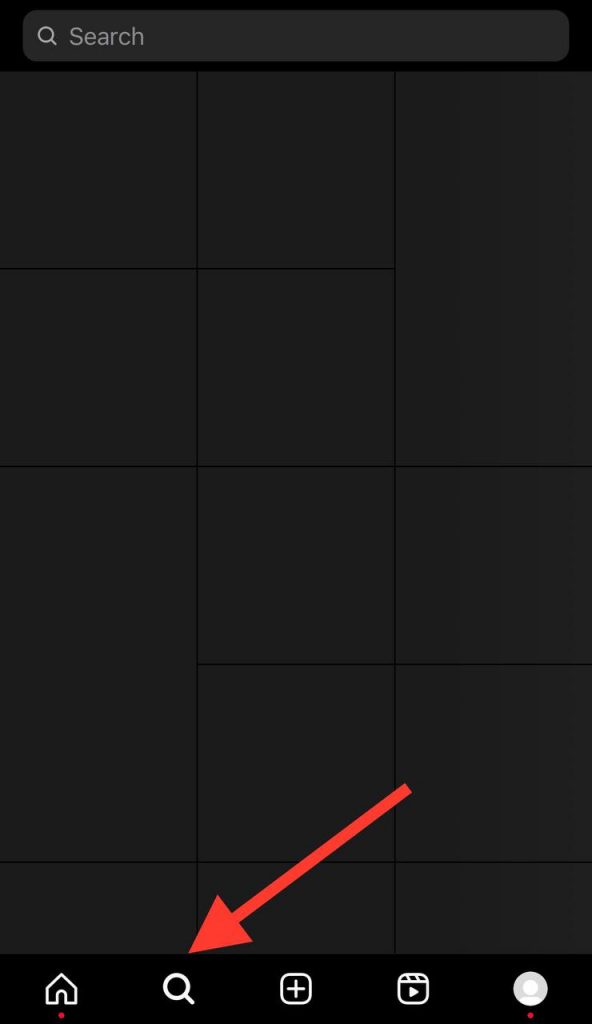
The first thing you can do to check if someone has blocked you on Instagram is to search for their username.
To do so, tap on the search icon (magnifier) and type the desired username. If there is no result for their account, you have probably been blocked.
There are two points that you need to pay attention to when you think they blocked you:
- If the account you are searching for is private and you can’t find it, you are blocked.
- You are blocked if the account is public, but you can’t see any of their posts, profile pictures, and follower count.
2- Use the Instagram profile link
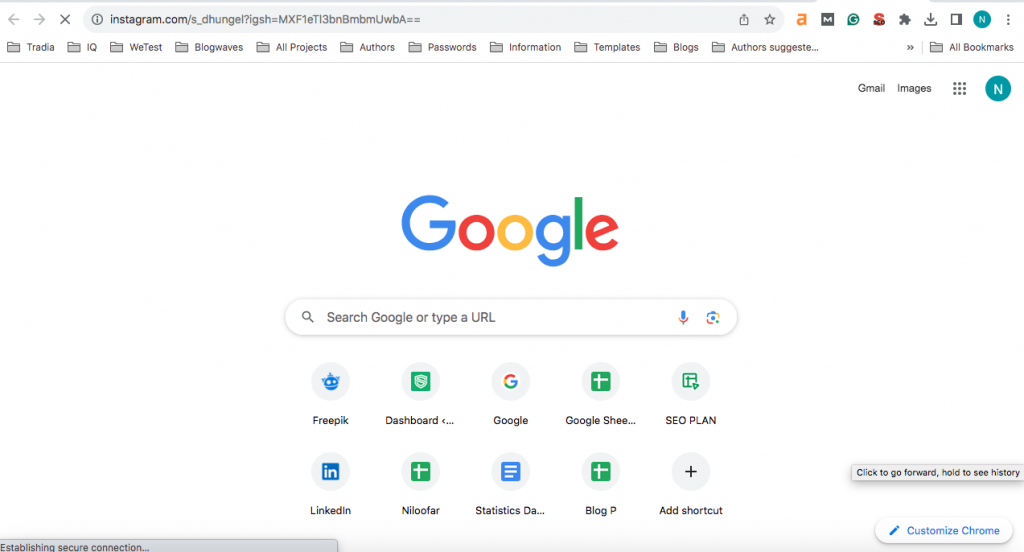
As you may know, when you set up your Instagram account, you are assigned a specific URL that contains your username.
One way to see whether someone has blocked you or not is to replace the username in the profile link with the desired username; if you can’t see their profile, you are most likely blocked.
Besides, you can open Instagram in your browser and search for their profile using a direct link, if you can visit their profile, you are not blocked, but if you get this message: “Sorry, this page isn’t available” then they have blocked you.
3- Check your direct messages
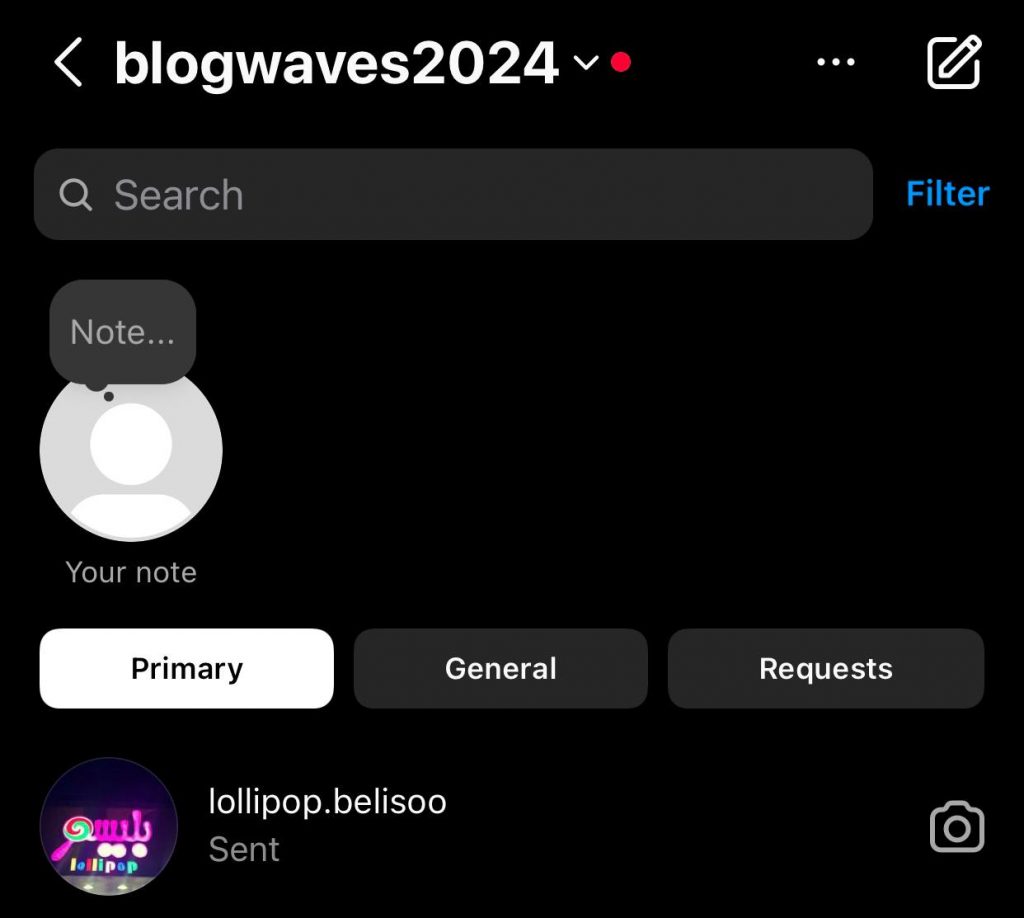
If someone blocks you on Instagram, the application will automatically remove any messages that you have had with that user.
Thus, if you are unsure whether your friend has blocked you or not, try checking your DMs. If you can’t find the chat, then you are probably blocked.
However, sometimes you can’t find your chat because they have deactivated or deleted their accounts, so it is better to check group messages to see if you can find their name in the group chat.
If you can find their names in the group chats only and not other sections, then they have blocked you on Instagram.
4- Check out your posts to find their comments
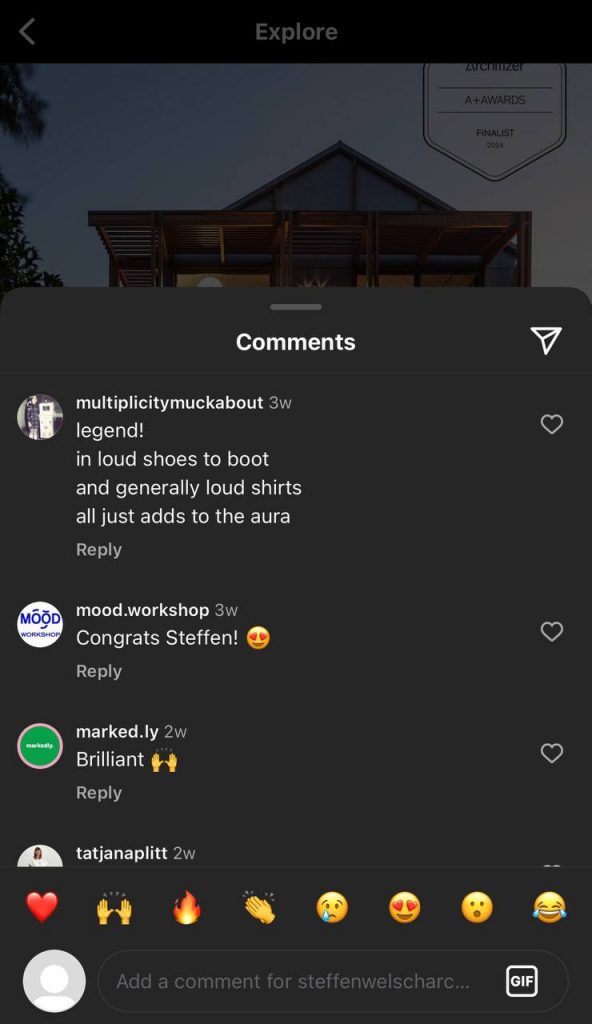
Another easy way to find out who blocked you on Instagram is to look at the posts you know that person commented on and tap on their profile.
If you can find their profile but can’t see any details (profile picture, follower/following count) or get this message “Sorry, this page isn’t available,” it means you are blocked!
The important thing to pay attention to is that sometimes you are not able to comment on someone’s post. This doesn’t always mean that you are blocked; sometimes, it’s because they have disabled or limited the comment section.
5- Check your following and followers count
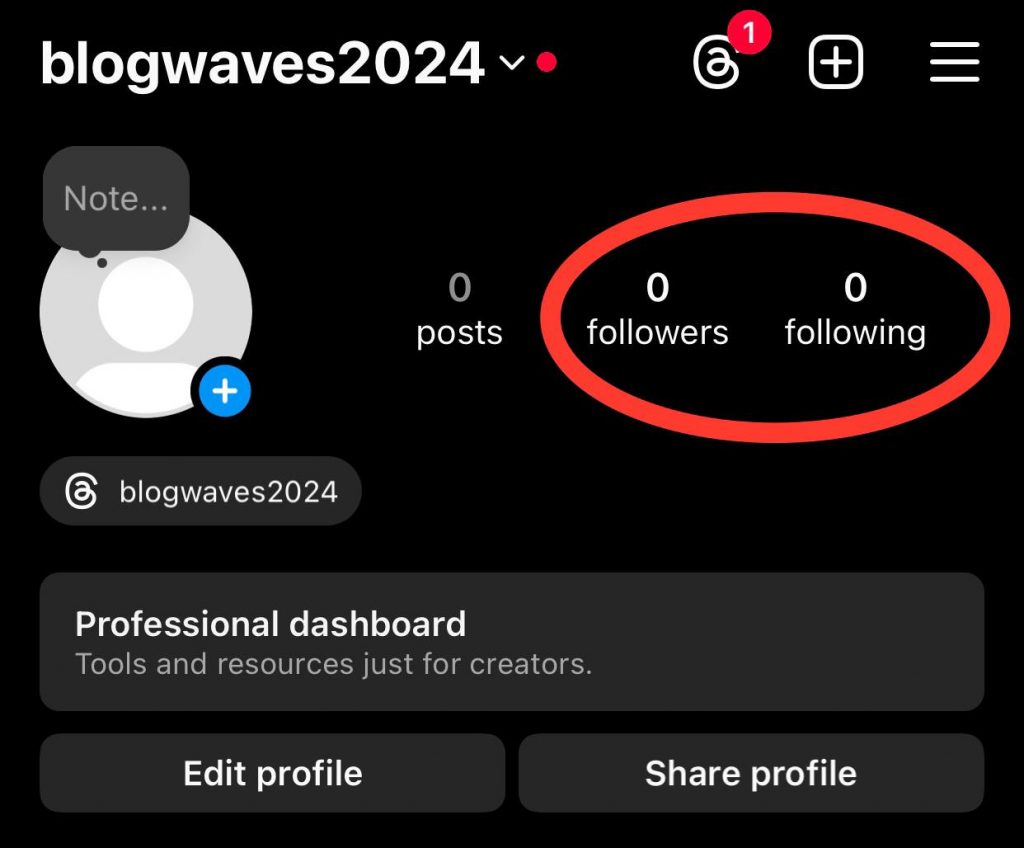
As mentioned earlier, when someone blocks you on Instagram, it’s like both of you have unfollowed each other.
Therefore, to see who blocked you, it is better to look at your following and follower list; if you notice that they both have dropped simultaneously, it means that you are blocked.
6- Try to mention and tag the account
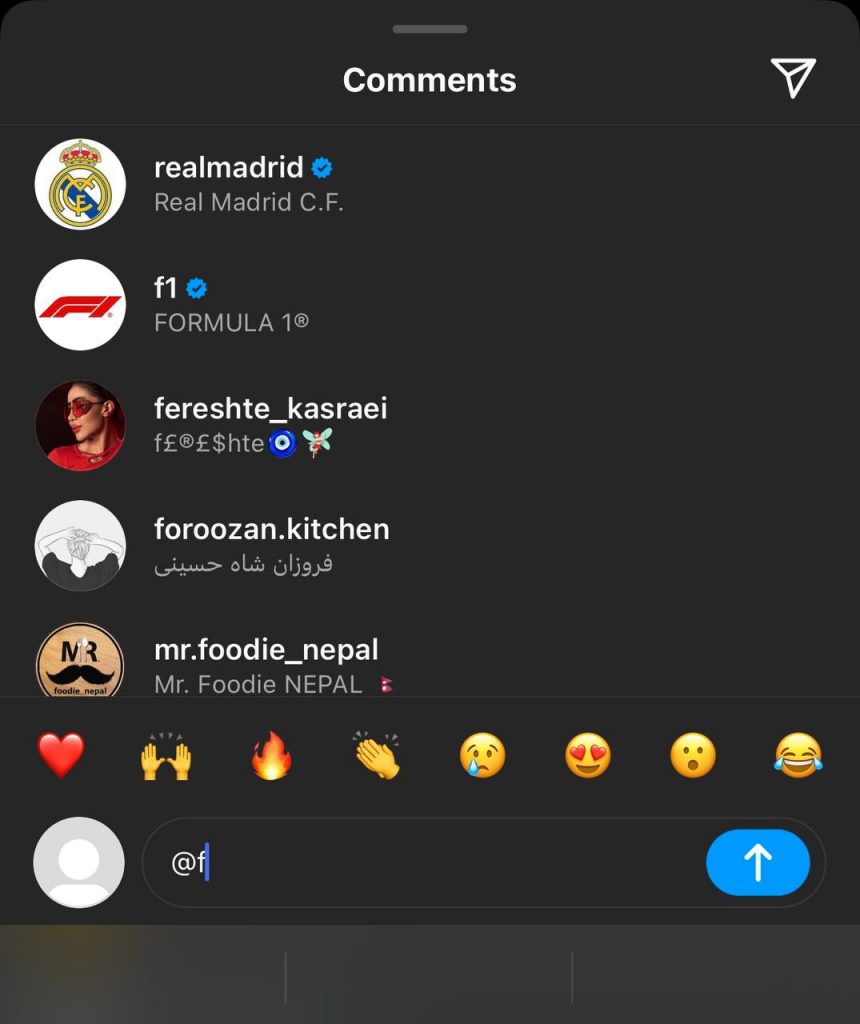
When people block you on Instagram, you are no longer able to tag or mention them in your posts, stories, or comments.
So, trying to mention or tag them by searching for their username is another way to find out if someone has blocked you or not.
7- Use another Instagram account
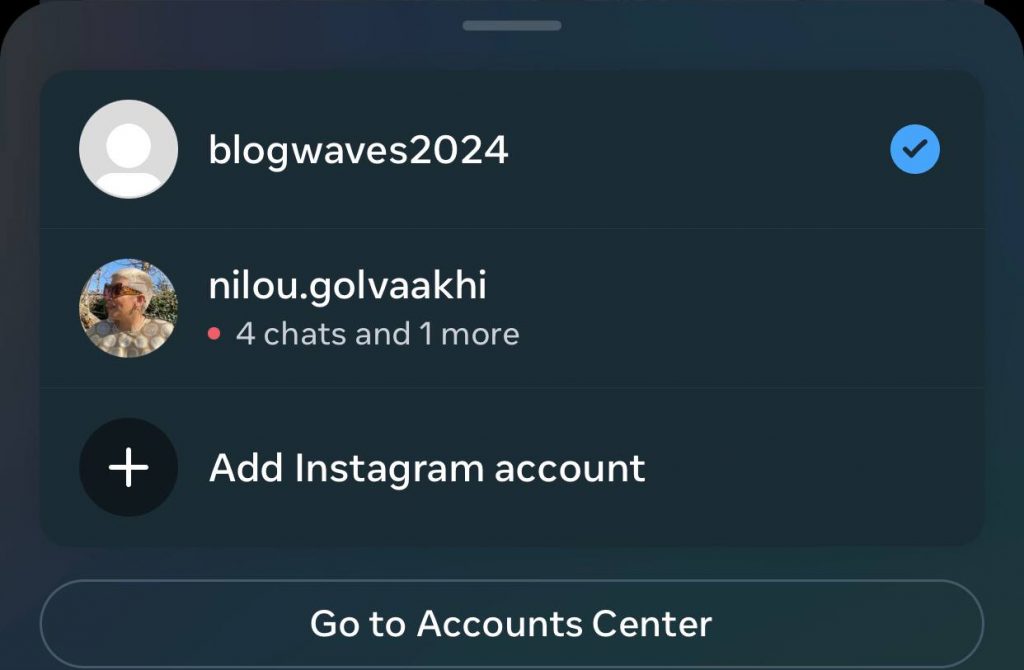
Another easy way to check if someone has blocked you on Instagram is to use another Instagram account and search for their username; if you can find their username with the second account but can’t while using your account, you are blocked.
If you don’t access another account or device at the moment, you can ask a close friend to search for their username and update you with the results!
8- Check the likes or comments you left on the user’s posts
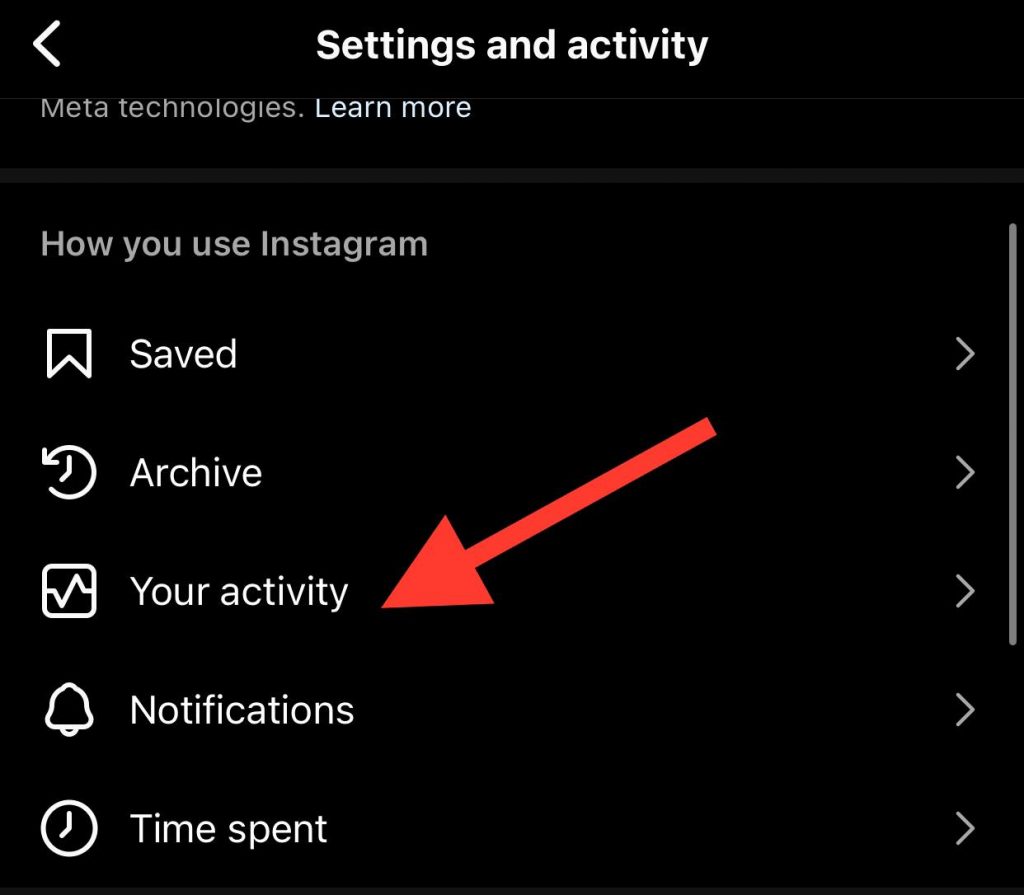
If you remember which post of a certain account you have liked or left a comment on, you can check to see if you are able to see them or if they have disappeared.
To do so, go to the settings menu and choose the “Your Activity” option, then search “Interactions.” If you can’t see the post among your interactions, it is better to consider it a sign of being blocked.
9- Try following the same account again
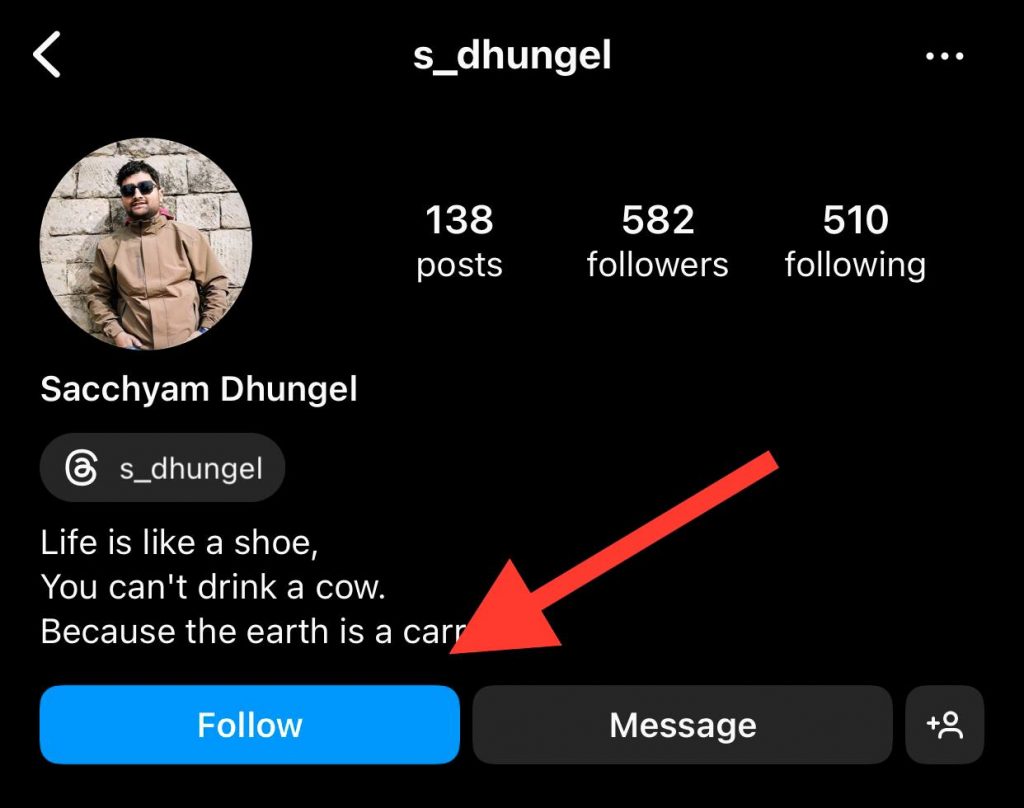
If you search for an account and you can’t see any details on their profile, you can try to follow them again.
If the person has unblocked you or hasn’t blocked you at all, you can directly follow them, but if you mistakenly unfollowed or removed them from your account and they have a private account, you have to wait until they accept your request.
Conclusion
As mentioned earlier, Instagram won’t notify users when someone blocks them, so one day, you may randomly notice that someone has blocked you, which may not be a pleasant feeling.
However, some easy methods exist to see who has blocked you on Instagram. If you are close to the person who blocked you, you can ask them the reason, and they may unblock you.
Note that it doesn’t matter why people block you on Instagram; the important thing is that you should respect their decision, whether you agree or not.
In this article, we explained everything you need to know to see who has blocked you on Instagram, including why people block you, what happens if you get blocked, and the top methods to discover who has blocked you. We hope you find it helpful!
FAQs
1- Can you still visit a blocked account on Instagram?
When you block someone on Instagram, they won’t receive a notification, and you can still search for their username to see their account; however, since blocking someone is like unfollowing, you can no longer see their posts, stories, lives, etc.
2- How do I see blocked users on the Instagram browser version?
You can check your blocked list on Instagram by going to your profile and searching for the “Blocked Account” option. You will see all the accounts you have blocked on the app.
3- How does blocking all accounts on Instagram work?
When you want to block someone on Instagram, the app will offer you the option to block all the other related accounts to that user (if they have more than one account), so when you choose this option, they can’t find your account anymore, while they are using those profiles you have blocked.

Emi Daniel
Buy an Established Instagram Account
Skip starting from zero. Browse Instagram/TikTok accounts with audiences across many niches.
See Available AccountsRelated articles
-
Instagram Instants Feature: What It Is, How It Works, and How to Turn It Off
The first time I opened Instagram Instants, I almost backed out. I had taken a normal photo. Nothing worth editing. Nothing worth posting. Nothing that needed an…
11 min readEmi Daniel
-
How to Clear Instagram Cache on iPhone, Android & Desktop
Instagram can quietly build up a lot of temporary files while you scroll through Reels, watch Stories, save posts, and upload your own content. You may not…
12 min read -
How to See Who Reposted Your Instagram Post (2026 Guide)
Someone reposted your Instagram post, but you have no idea who it was. You check notifications, search through your profile, and still cannot find a clear answer. …
18 min read