


YouTube is one of the most popular social media platforms, with over a billion users worldwide who look for various types of video content.
This platform recently launched a new feature called “YouTube Shorts.” As the name suggests, these videos are the short form of the longer videos, and they can be said to be like Instagram Reels or TikTok videos.
This feature was a successful idea for YouTube, and more and more people are sharing shorts daily because it’s a great way to show their content to a wider audience in less time.
Buy an Established Instagram Account
Skip starting from zero. Browse Instagram/TikTok accounts with audiences across many niches.
See Available AccountsThere are various ways that help your YouTube Shorts go viral, but one of the most effective ways is using the relevant and correct hashtags to attract your target audiences.
Using the right hashtags related to your content can significantly boost your engagement and give you more views, so it is essential to know the trend and viral hashtags to use.
In this article, we are going to discuss all the information you need to know about hashtags for YouTube Shorts and will provide the top 50 trend hashtags you can use in your videos to increase engagement.
What Are YouTube Shorts?

Before we go any further, we should clarify what YouTube shorts are. In simple words, they are vertical video content that can be up to 60 seconds, and you can record, edit, and add music or filters to your videos using your mobile phone.
Note that you can record multiple videos on your device, edit them to create engaging Shorts, and directly upload them to the YouTube application.
Users who see your shorts can share, like, comment, and dislike them, and if they find your videos attractive, they can subscribe to your channel while watching the video.
One of the most important reasons people love YouTube shorts is that they are not like Instagram or Snapchat stories. These videos won’t disappear after a specific time; they will remain on YouTube as long as you wish.
How to Make YouTube Shorts?

If you want to create YouTube shorts but don’t know where to start, consider the following explanation:
Note that you can create YouTube shorts on both your mobile and desktop, which we will examine in this section.
Creating YouTube Shorts on mobile
Step 1- Open the YouTube application on your mobile and sign in to your account.
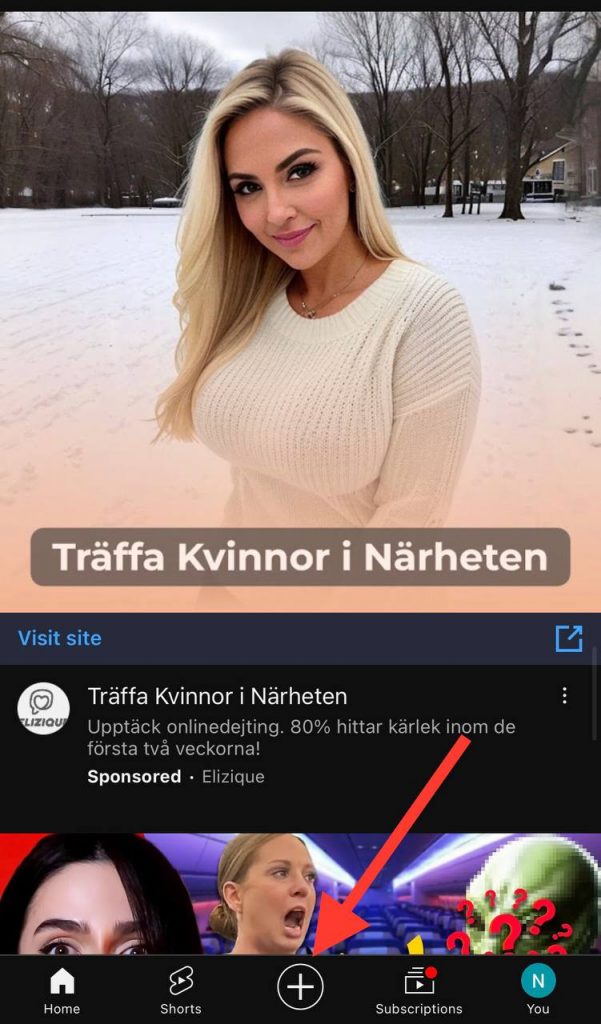
Step 2- Tap on the plus (+) icon and select “Create a Short.”
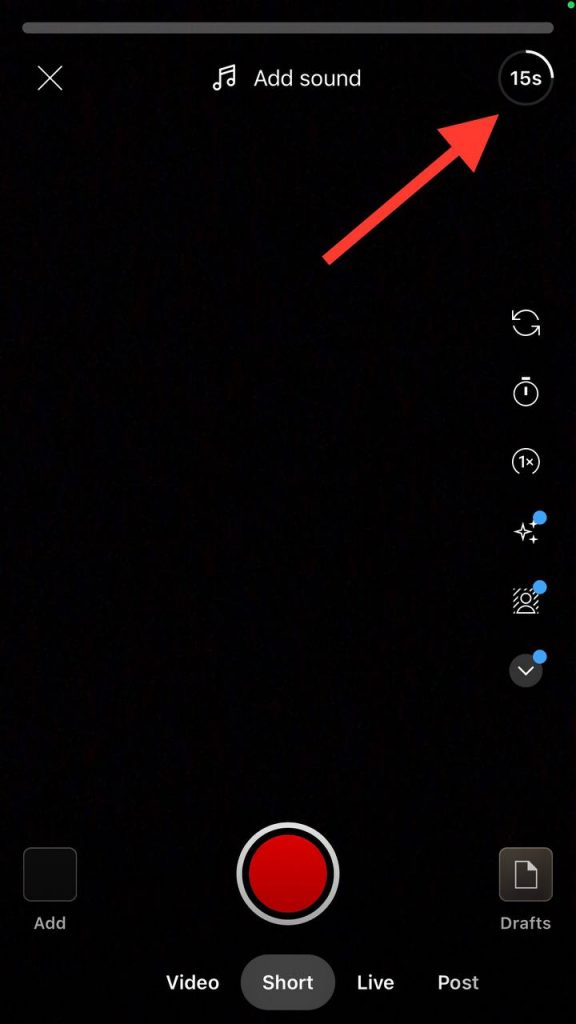
Step 3- If you want to create a video longer than 15 seconds, tap the “15 seconds” button in the top right of the screen and change it to 60 seconds.
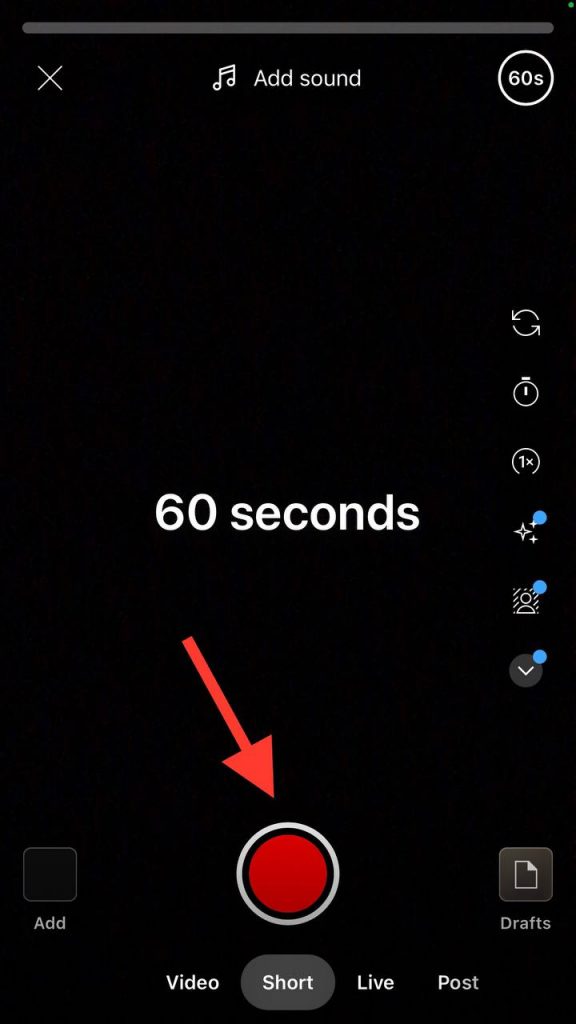
Step 4- Start recording the video by holding the record button.
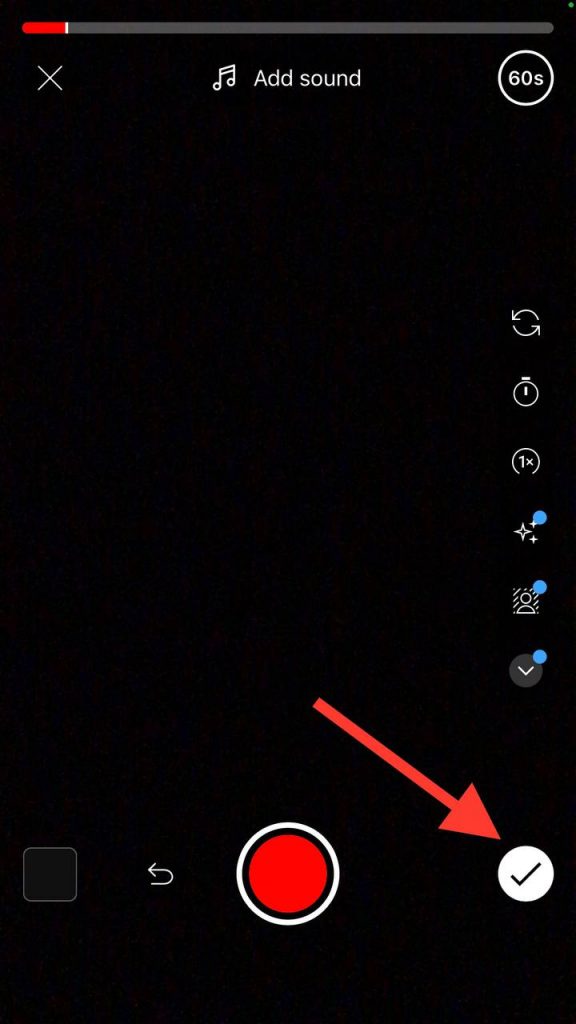
Step 5- Now, you have to tap the “thick” icon to preview and edit it.
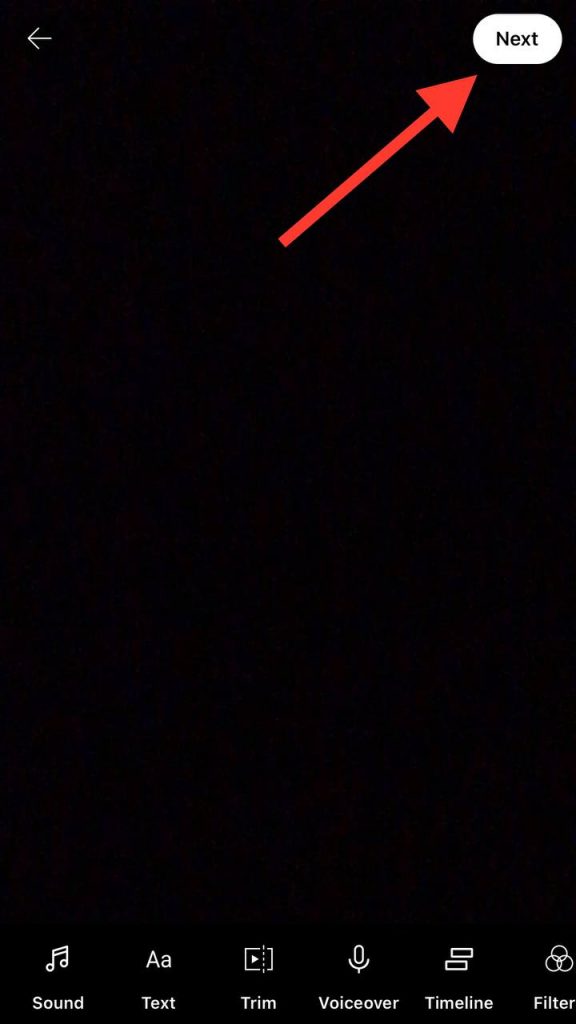
Step 6- Once you have applied the necessary changes, select “Next” to add a title and set the settings for your video.
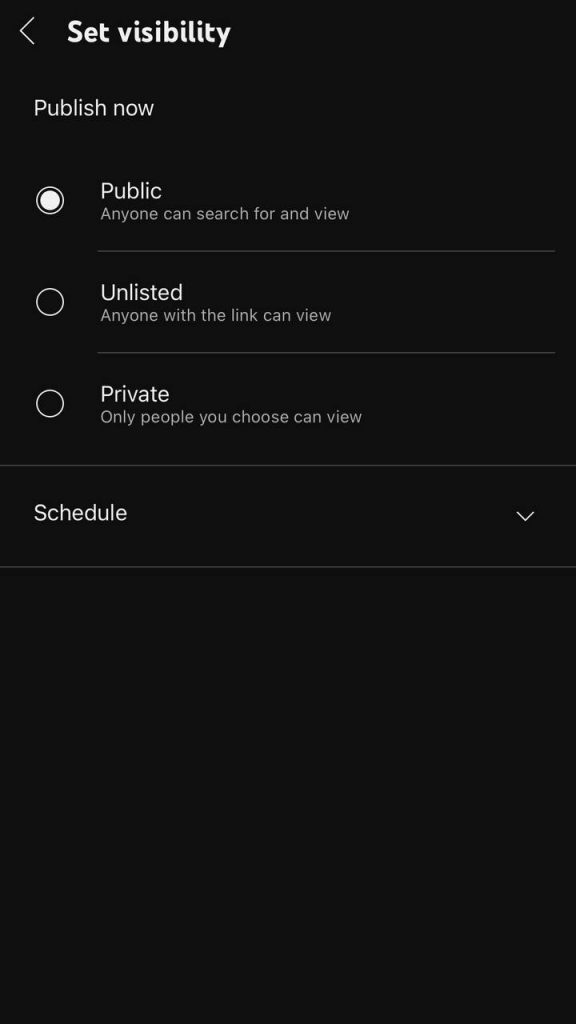
Step 7- In this step, tap “Select Audience” to determine whether the video is suitable for children.
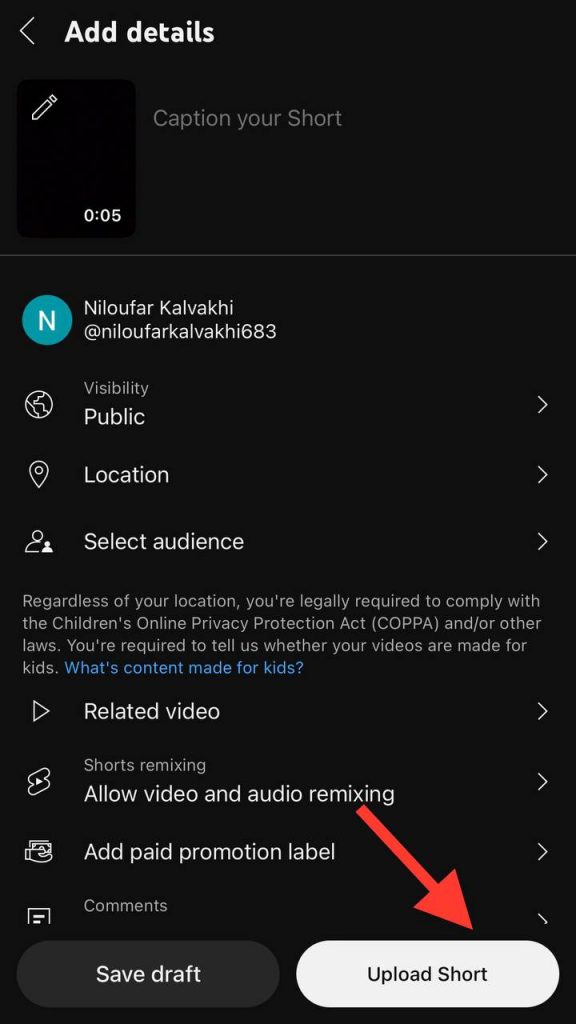
Step 8- That’s it! Select “Upload” to finish the process by sharing your shorts.
Creating YouTube Shorts on a desktop
Step 1- Log in to the YouTube Studio.
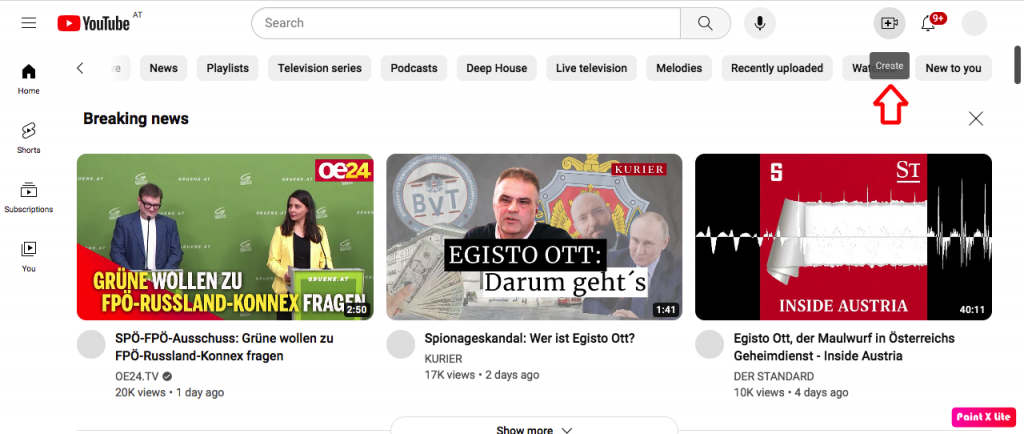
Step 2- Tap on the “Create” button in the top right of the screen.
Step 3- Choose “Upload Videos.”
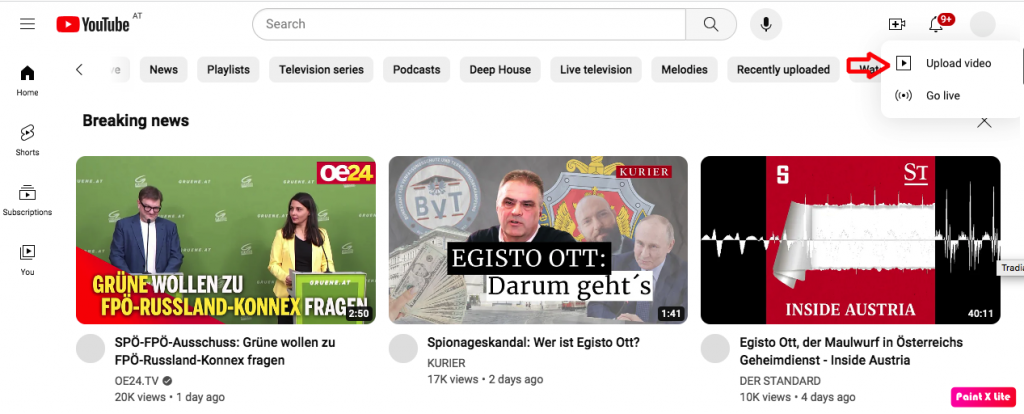
Step 4- Select the video file you want to share. Note that it must be up to 60 seconds and in vertical form.
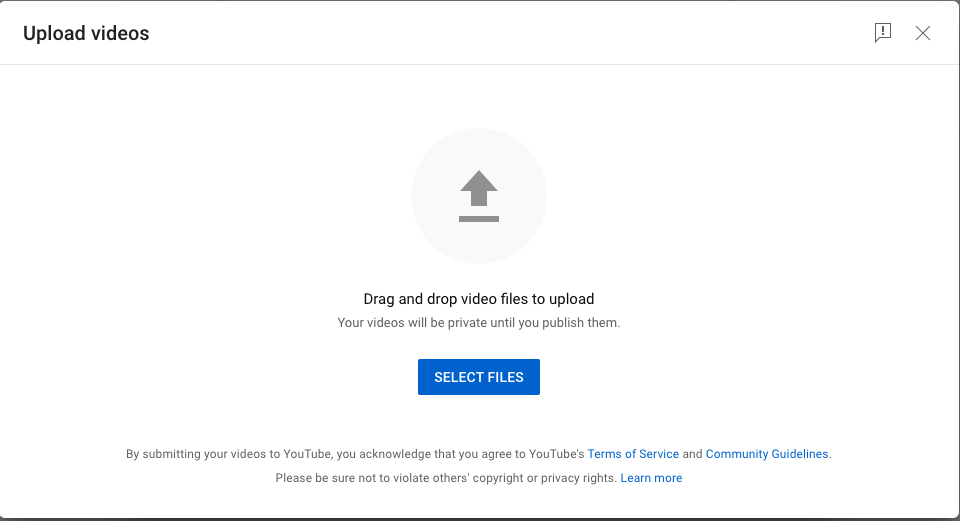
Step 5- Make all the necessary changes and upload your videos to your audience.
Why Use YouTube Shorts Hashtags

There are various reasons why you should use hashtags in your YouTube Shorts; let’s see the most important ones:
- Using the right hashtags can draw new subscribers to your channel and will show your videos to more new people.
- Hashtags help YouTube to suggest your videos to the target audience.
- They will show your videos as the first search results on the platform.
- YouTube can sort your content better.
- They can help you gain more subscribers.
- Users will discover your content more easily.
No doubt, there are more reasons why you need to start adding relevant hashtags to your YouTube videos, but there are the most common ones.
How to Choose the Best Hashtags for YouTube Shorts?

As you may know, to get the most out of YouTube short hashtags, you must choose the best and most relevant hashtags for your videos.
In this section, we will examine how you can choose the correct and most effective hashtags.
The best way to start looking for trending hashtags on YouTube is to think about the related keywords to your content and search for their popularity on the platform; you can use free third-party tools, such as Google Trends.
In addition, you need to look for the hashtags that are most similar to your content and video type, so you can attract your target audience.
Finally, remember that using hashtags on YouTube means that this platform understands your content and tries to show it to the people you want to watch your videos, so ensure you use them correctly.
How Many Hashtags to Use in YouTube Shorts

Now that you know what YouTube Shorts are and how to create and publish them on your account using the right hashtags, you should know how many hashtags to use.
Users can add up to 30 hashtags to each Short; however, the critical point is to strike a balance when using hashtags. You can easily overuse them, which may negatively affect your content.
Moreover, remember that too many hashtags may look spammy to users and YouTube, and the platform can remove your post.
To get the best results using YouTube shorts hashtags, it is suggested to use 5 to 10 hashtags for each video.
Top 50 Trending YouTube Shorts Hashtags
In this section, we will examine the top 10 YouTube shorts hashtags for five of the most popular YouTube channels. You can be inspired by them and add trending and relevant hashtags to your next video to reach more engagement.
Top 10 trending YouTube Shorts hashtags for vlogging

- #ShortsVlog
- #Travelvlog
- #VloggingTips
- #Vloggerlifetyle
- #dailylifevlog
- #YouTubelife
- #lifestyletips
- #adventure
- #lifestory
- #lifehack
Top 10 trending YouTube Shorts hashtags for food channels

- #foodshorts
- #foodtour
- #foodfacts
- #foodie
- #foodlovers
- #easyrecipes
- #foodvlog
- #foodblogger
- #trendingrecipes
- #tasty
Top 10 trending YouTube Shorts hashtags for education

- #educatedlife
- #universityvlog
- #futurecareer
- Studyvlog
- #educationmatters
- #StudyMusic
- #StudyWithMe
- #teachinghacks
- #learning
- #funfacts
Top 10 trending YouTube Shorts hashtags for gaming channels

- #gaming
- #gamers
- #pcgaming
- #gta6
- #youtubegamer
- #livegaming
- #gamereview
- #gamecraft
- #gameplay
- #pubg
Top 10 trending YouTube Shorts hashtags for comedy

- #FunYouTubeshorts
- #ShortsSatire
- #ShortsSpoof
- #Shortscomedy
- #shortstiktok
- #funnyvideos
- #lol
- #fun
- #meme
- #ShortsComedy
- #FunnyShorts
- #ComedyShorts
- #ShortsHumor
Conclusion
According to this article, using the correct hashtags for YouTube shorts increases the popularity and engagement of your content, leading to reaching more target subscribers.
The vital thing to keep in mind is that you can’t use random and irrelevant hashtags on your YouTube shorts because they can have vice versa results.
It is better to find the popular and trending hashtags that best suit your content and audience’s needs to stay ahead of the crowd.
In this article, we shared valuable information about using the right hashtags on your YouTube Videos and provided the top 50 trending and viral hashtags that can help you get the best results.
Finally, don’t forget that YouTube is a great platform, and you have many competitors out there, so if you want to shine, you need to consider the hashtags you want to use; thus, make sure you are using the best ones!
FAQs
1- What hashtags quickly go viral on YouTube Shorts?
There is no specific answer to this question; however, relevant hashtags that include the main keywords are more likely to go viral.
2- Do YouTube Shorts go viral?
If the YouTube short you create is perfect, well-edited, and of high-quality, it will go viral. One of the most important things that makes every video go viral is that it should be engaging and satisfying to watch.
3- How many YouTube Shorts should I post a day?
If you want your channel to grow faster, you need to post videos frequently, ideally between one and three times a day, to increase your chances of going viral.
However, if you want to gather loyal followers, it doesn’t matter how many videos you share per day; the quality of your content matters the most.

Emi Daniel
Buy an Established Instagram Account
Skip starting from zero. Browse Instagram/TikTok accounts with audiences across many niches.
See Available AccountsRelated articles
-

Meta Ad Library: How to Find and Analyze Competitor Ads
Some ads are easy to ignore until you notice the same brand appearing in your feed again and again. You may start wondering what they are saying,…
18 min readEmi Daniel
-

Best Influencer Marketing Software in 2026: Top Platforms to Grow Your Brand
Influencer marketing used to feel optional, something you tried after you’d “done” everything else. Now it’s often the first place customers hear about a brand. The problem…
18 min read -

The Ultimate Digital and Social Media Marketing Playbook: From Basic to Advanced Tactics
Are you tired of trying different methods and realizing your brand doesn’t get the attention it deserves? If so, you need to come up with the right…
23 min read