


Have you heard of an application called Threads? It’s among the fastest-growing online applications, and many people compare it to Twitter.
It’s not a very long time since Meta launched Threads, and it already managed to onboard 100 million users all over the world.
It is good to note that Threads was developed by Instagram developers, which means these two applications are related to each other.
Buy an Established Instagram Account
Skip starting from zero. Browse Instagram/TikTok accounts with audiences across many niches.
See Available AccountsIn other words, to use Threads, you must have an Instagram account so you can log in to this app.
However, Instagram always offers the best user experiences, and that is why we are going to tell you how you can use Threads without having an Instagram account.
What Is Threads?

As mentioned earlier, Threads is a social media platform from Instagram that allows users to share messages and discuss different topics and is somehow similar to X (Twitter) because it offers a friendly space for people to engage and interact with each other.
This application was launched in July 2023 and attracted a million users in the first couple of hours because it was associated with Instagram, which has a billion users.
The developers of Instagram created Threads, so Instagram users can share their experiences on a text-based platform and enjoy finding new friends.
Since Instagram and Threads are connected, you can follow your friends and favorite influencers on Threads, including those you follow on Instagram and more.
As mentioned before, you must have an Instagram account to use Threads, but in the latest updates, you can use this app without an Instagram account, which we will discuss later.
How to Set Up A Threads Account?
You can download and use Threads on your mobile or laptop. Let’s see how you can set up a Threads account in a few minutes.
Step 1- Search for Threads on your device in the App Store or Google Play Store (iOS or Android).

Step 2- Now, you must enter your current Instagram information to log in to your account.
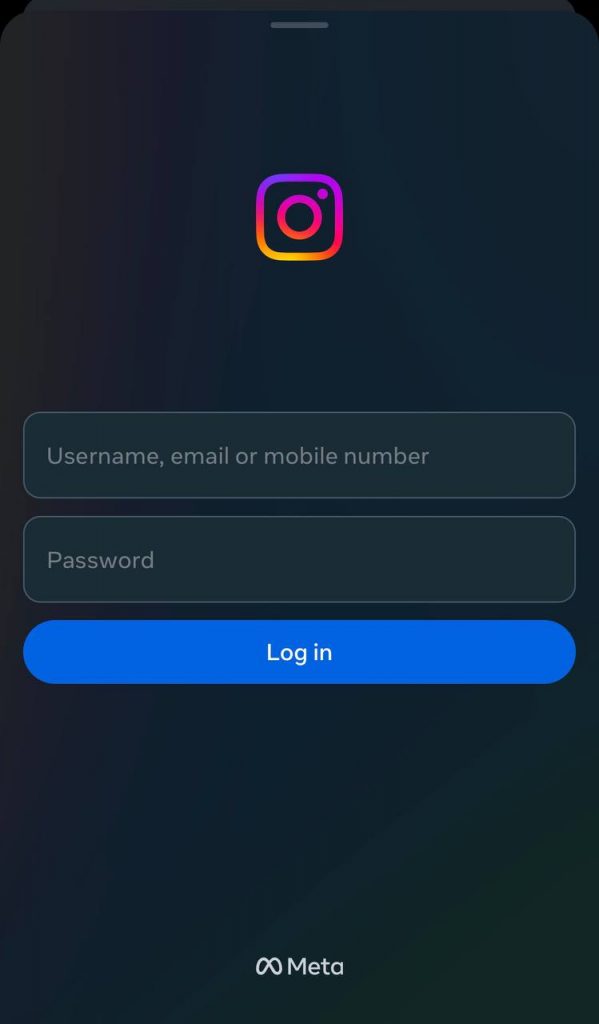
Step 3- Import all your Instagram information, such as name, bio, and link.
Step 4- Decide whether you want a public or private account.

Step 5- You can now follow the same accounts you follow on Instagram or search for new people.
Step 6- You are almost there! Scroll your timeline to see the latest posts and make new friends!
Do You Need An Instagram Account to Use Threads?

We already answered this question, so yes! You must have an Instagram account to connect and use Threads.
Some users didn’t like the fact they had to sign up to Instagram and use Threads, but others believed that making Threads an Instagram extension was a smart move from meta.
Therefore, if you want to use Threads, you need to use it from your Instagram account, and if you don’t have one, you can sign up for an Instagram account and then log in to Threads, which means these two accounts will be linked together.
How To Use Threads Without Instagram

As you may know, Threads and Instagram are connected, and to use Threads, you must have an Instagram account. However, you can visit the Threads website to use this application without Instagram.
Note that the website doesn’t allow you to log in to your account, which means you should only use the web version of the application to regularly use Threads.
Moreover, when you use the web version, you can not reshare, like, comment, or post anything.
Therefore, to fully access all features on Threads, it is better to download the application on your device and use it properly.
Can You Delete Threads Without Deleting Your Instagram Account?
As we mentioned earlier, these two applications are linked together, and once you log in to Threads, your Instagram account will connect to it.
This has many benefits, but one of the pushbacks was that you couldn’t delete Threads without deleting your Instagram account!
The good news is that this has changed now, and all users are able to delete or deactivate their Threads account without deleting their Instagram.
How To Delete Threads Account
If you want to delete your Threads account without losing your Instagram, you need to know that you can temporarily deactivate your account or delete it permanently. Let’s see how you do each.
Temporarily deactivate your Threads account:
Step 1- Open Threads on your device and tap on the profile icon from the bottom toolbar.

Step 2- Now, choose the menu icon.

Step 3- Go to Account and then “deactivate or delete profile.”

Step 4- You should select the “deactivate profile” option to temporarily disable your account.

By following these steps, all your posts will be hidden from your followers, but you will still access them if you log in to your account again.
Permanently delete your Threads account:
This method is for when you are sure that you don’t want to use Threads again.
Step 1- Open Threads and go to your profile.
Step 2- Tap on the menu option and go to Account.
Step 3- Choose “delete profile” to finish the process.

Note that when you choose this option, you need to log in to your account for the last time to confirm the action.
Finally, remember that completely deleting your Threads account will remove all your information and posts from Meta’s servers after 30 days, so make sure you want to do this before it’s too late!
Does All Instagram Information Transfer to Threads?

The answer to this question is very simple! Yes, when you log in to Threads with your Instagram account, all your information, including your username, will transfer to Threads, which helps others find you on this platform easily.
However, you can decide to choose some of your information, such as choosing a new profile picture, bio, links, etc.
Note that when you sign up for a new Threads account, you will see the option that asks you to import your data from Instagram or not. So, it’s all up to you.
FAQs
1- Is there a web version of Threads?
Yes, you can now use the web version of Threads on your desktop and access its various features.
2- Can I use Threads without an account?
In order to use Threads, you must have an Instagram account to log in to Threads with the same information.
3- Is Threads similar to Twitter?
They have many similarities, for example, both allow users to share short messages with others; however, there are some major differences.
4- Is It Possible to Use Threads Without the Application?
Yes, you can use the web version of the application. You can search for Threads.net to log in to your account without downloading the application.
Conclusion
Instagram is one of the most popular social media platforms, and Threads is its text-based space that allows you to discover new people and build strong relationships.
In this article, we discuss how you can use Threads without an Instagram account; however, remember that since Threads is an Instagram extension, you need an active Instagram account to use it.
We hope this article helps you better understand how to use Threads without Instagram!

Emi Daniel
Buy an Established Instagram Account
Skip starting from zero. Browse Instagram/TikTok accounts with audiences across many niches.
See Available AccountsRelated articles
-

How to Use Instagram: The Creator’s Guide to Building an Audience
Instagram in 2026 is no longer just a place to collect followers. The creators who grow consistently are the ones who understand how to earn attention, turn…
17 min readEmi Daniel
-

How to Go Live on Instagram: A Step-by-Step Guide
Going live can feel more stressful than posting a Reel. You cannot remove a pause, rewrite a sentence, or start over after an awkward moment. But that…
17 min read -

Instagram Instants Feature: What It Is, How It Works, and How to Turn It Off
The first time I opened Instagram Instants, I almost backed out. I had taken a normal photo. Nothing worth editing. Nothing worth posting. Nothing that needed an…
11 min read