


Want to know when you became friends with someone on Facebook? The quickest place to check is Facebook’s See Friendship page, which can show posts, photos, and other activity you share with that friend.
Open your friend’s profile, select Options, then tap See Friendship to view shared posts, photos, and your “Friends since” information.
If the date is not visible there, you can also check your Activity Log, Facebook Memories, or older Messenger conversations for helpful clues.
Buy an Established Instagram Account
Skip starting from zero. Browse Instagram/TikTok accounts with audiences across many niches.
See Available AccountsIn this post, you will see the simplest way to find your Facebook friendship date, along with a few backup methods that can help when the information is not easy to find.
Is Viewing Your Facebook Friendships a Privacy Risk?
Like many features on the platform, Facebook’s friendship history comes with potential privacy considerations. While viewing your friendship details isn’t inherently dangerous, it’s essential to understand that Facebook collects and stores a wide range of personal data.
If you use Facebook, you’re already accepting a certain level of data sharing. From third-party app access and misconfigured privacy settings to scams on Facebook Marketplace and even risks from online predators, the platform does present privacy challenges. For many users, social media overuse or addiction is also a concern.
In the case of the “See Friendship” feature, the main risk is how much of your shared content is visible to others. Posts, photos, tags, and comments between you and a friend may be publicly accessible depending on your settings.
Three Ways to Discover Facebook Friendship Dates
Facebook does not always show the friendship date in the same place for every account. The quickest method can depend on your device and the activity Facebook still has available.
Finding the Friendship Anniversary
Step 1: Visit Your Friend’s Profile

Search for the person’s name in Facebook’s search bar, then open their profile. You can also open their profile by clicking their name in a post, comment, or your Friends list.
Step 2: Open Options

On a computer, click Options below your friend’s cover photo. In the Facebook app, tap Options on or near the cover photo.
Step 3: Select “See Friendship”

Select See Friendship to open the Friendship Page. It can show your shared posts, photos, mutual networks, and “Friends since” information.
Look through the Friendship Page for the “Friends since” information. Facebook may show the month and year you became friends, along with shared posts, photos, and other activity between you.
Using Facebook Activity Log
Step 1: Navigate to Your Profile

To begin, log in to the Facebook account where you added the person as a friend, then go to your profile page by clicking your profile picture or name. This is especially important for people who manage two Facebook accounts and may have connected with the same person from a different profile.
Step 2: Access Your Activity Log

On Facebook, select your profile picture, then choose Settings & privacy → Activity Log. Open Activity history, then use Connections and the date filter to look for the period when you added the person.
Step 3: Filter Your Activity Log

In Activity Log, open Activity history, then look for Connections or a similar friend-related category. Use the date filter to narrow the results to the year you think you became friends.
Step 4: Locate Your Friendship Date

Look for an entry showing that you added the person as a friend. This can help you identify when the connection was made.
Another Way to Open the Friendship Page
You can also open the Friendship Page from your own friend list. Go to your profile, select Friends, find the person, and open their profile. Then choose Options → See Friendship.
This takes you to the same Friendship Page, where Facebook may display your friendship timeline, shared posts, photos, and “Friends since” information.
Bonus Tip: Using Facebook Memories
Facebook Memories can sometimes resurface friendship milestones and older posts. You can also view old Facebook Stories when you want to revisit past content you shared beyond your friendship timeline.
Alternative Methods if That Doesn’t Work
When the Friendship Page or Activity Log does not show a clear date, these options can help you work out roughly when you first connected.
Look at When You First Messaged Them in Messenger
If you couldn’t find the friendship date with the previous methods, there’s another trick you can test!
Go to your Messenger app or its website, and find the conversation with this friend. Scroll back to your first Messenger conversation.
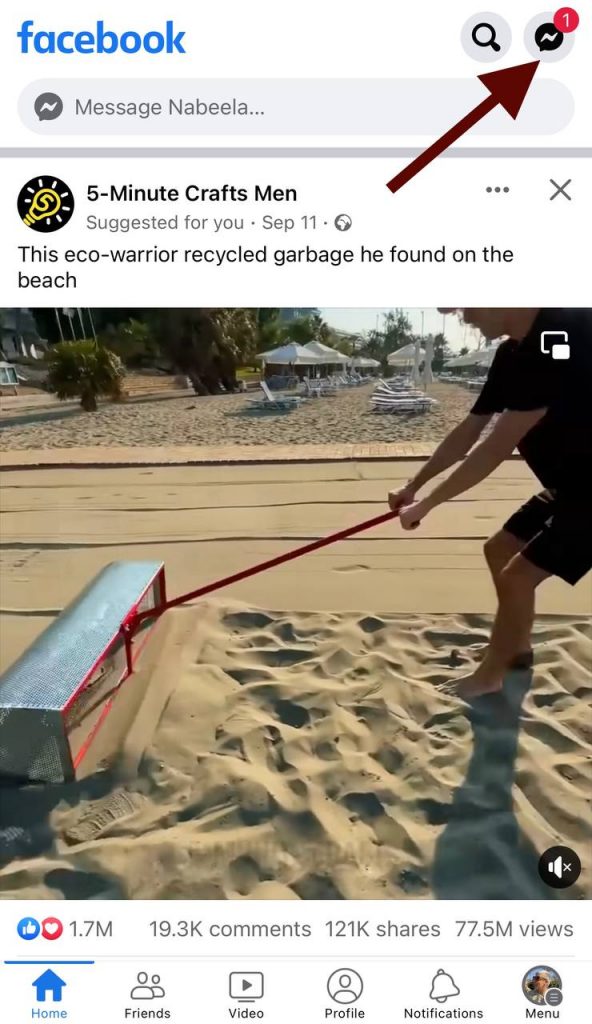
It can help you estimate when you first connected, but it does not always show the exact date you became Facebook friends. You may have exchanged messages before becoming friends, or become friends before sending your first message.
Look at When You Tagged Them in Something
The first time you tagged each other in a photo or post can help you estimate when the friendship began. It does not confirm the exact date, but it can be useful when the Friendship Page does not show a clear “Friends since” entry.
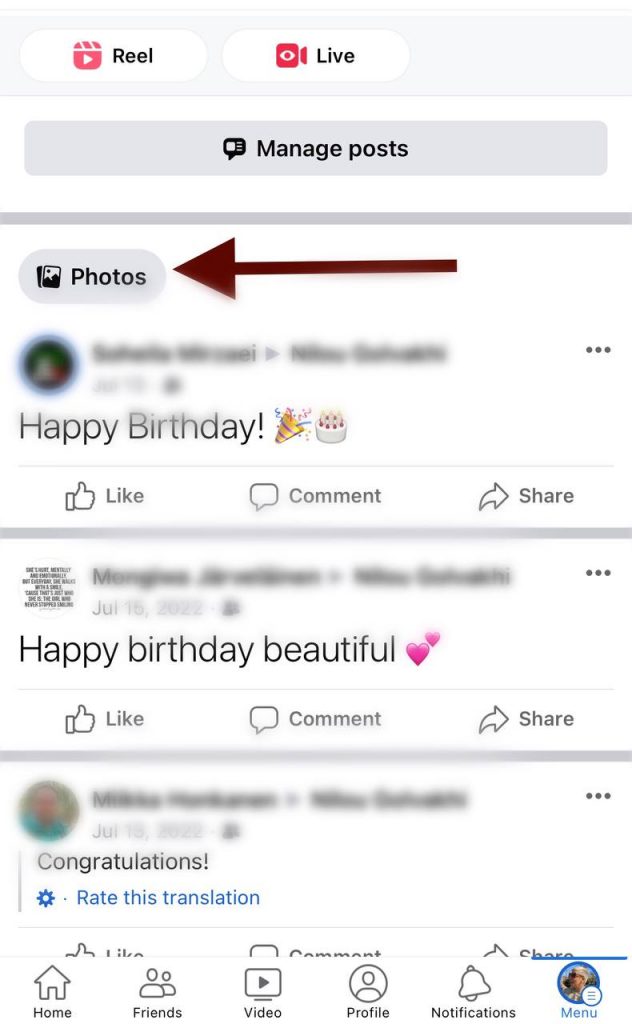
Go to your profile and check your posts or photos for older content involving that friend. You can also search their name on Facebook to look for shared posts, comments, and tagged photos from the period when you first connected.
Can You Still View the Friendship Between Two People on Facebook?
Facebook used to allow individuals to view the friendship timeline between two people even if you were not a participant. Because privacy concerns have grown, Facebook removed this feature so that user interaction and information could be better protected.
Now, you can only see your friendship history with another Facebook friend. Facebook’s Friendship Page is designed to show the history you share with one of your own Facebook friends. It is not a reliable way to view the friendship date between two other people.
To view your own friendship history, open your friend’s profile and select Options → See Friendship. The page can show shared posts, photos, networks, and friendship information available to both of you.
Conclusion
Knowing the exact date you became friends with someone on Facebook can be a fun trip down memory lane! It can bring up fun memories, and give you a reason to celebrate something with this friend!
Whether you’re reconnecting with old friends or just talking about the moments you shared, these techniques can help you reflect on that special day.
Facebook can show information about when you became friends with someone through the Friendship Page or your own Activity Log. And while some people ask if people still use Facebook, it is still a place where many long-term friendships and shared memories are stored.
By checking the Friendship Page or your own Activity Log, you may be able to find when you became friends or narrow the connection down to a specific period.
When the date is not visible, Messenger history, tagged posts, Facebook Memories, and old shared content can help you work out when you first connected.
Remember to respect your friends’ privacy settings, and enjoy discovering all about your Facebook friends!
FAQs
How can I find the date I became friends with someone on Facebook?
You can use a few methods to find out about the date you became Facebook friends with someone. You can use the activity log, friendship page, or check your Messenger chat history.
What if my friend’s profile doesn’t have a “See Friendship” option?
The option can appear differently depending on the Facebook app version, device, and the information available between the two accounts. Try opening the person’s profile on another device, then look for Options → See Friendship. If it is not available, check your own Activity Log or Messenger history instead.
Can I Use Facebook’s Download Your Information Tool?
Yes. You can request an export of your Facebook information through Settings → Meta Account → Your information and permissions → Export your information. Facebook lets you select categories of information to export, including connection-related data. This can be useful if you cannot find an old friend-related entry in Activity Log.
Can I find out when I became friends with someone if they unfriended me?
After someone unfriends you, the See Friendship option may no longer be available. You may still be able to look through your own Activity Log for an old friend-related entry, but Facebook does not guarantee that every past connection will be easy to find.
Is there a way to find out if someone has sent me a friend request in the past?
You can view your friend requests by clicking on the friend request icon (which is usually two images) in the top right corner of your Facebook homepage.
Can I find the date if the other Facebook account is deactivated?
You may not be able to open the person’s Friendship Page if their account is unavailable. However, you can still check your own Activity Log, Messenger history, old tagged posts, or an export of your Facebook information for clues about when you connected.
Why do I need to know my friendship date on Facebook?
Knowing your friendship date can be a fun way to reminisce about your connections and celebrate milestones on stage with your friends.

Emi Daniel
Buy an Established Instagram Account
Skip starting from zero. Browse Instagram/TikTok accounts with audiences across many niches.
See Available AccountsRelated articles
-
How to Go Viral on Instagram: A Practical Guide
A viral Instagram post can begin with something very simple, like a clear idea, a familiar feeling, or a moment that makes someone think, ‘I need to…
25 min readEmi Daniel
-
Meta Ad Library: How to Find and Analyze Competitor Ads
Some ads are easy to ignore until you notice the same brand appearing in your feed again and again. You may start wondering what they are saying,…
18 min read -

Best Influencer Marketing Software in 2026: Top Platforms to Grow Your Brand
Influencer marketing used to feel optional, something you tried after you’d “done” everything else. Now it’s often the first place customers hear about a brand. The problem…
18 min read