
Instagram app is one of the largest social media platforms, with millions of users worldwide daily who use this platform for various purposes.
One of the main reasons that made this application attractive is providing new updates and adds new and useful features to this platform, which gives users a good experience using this application.
One of the new features recently added to Instagram and made a lot of noise is Threads, which was able to attract attention in the world within a day and claimed the top spot in the Apple App Store.
The Threads platform is affiliated with Instagram but outside of it; you must have an active Instagram account to create an account on it.
In this comprehensive article, we will examine in detail all the information you need to know about this new feature. So, keep reading if you are interested!
What Is Threads?
Let’s take a deeper look at the brand-new Threads application, the latest Instagram feature that is a Twitter clone and provides various features like content creation, like features, photo and video sharing, and already got over 10 million signups just in a day.
Threads is a social networking platform that is made by Meta, which is also the creator of Instagram and Facebook. With the help of this feature, you can view a feed of everything that shows what is going on with your friends or anyone you may be interested in.
Using Threads, you are able to post your messages (like sharing a story on Instagram). Knowing you can post texts, videos, and photos is good. People can like your posts and messages or leave a comment on them, and you can do the same.
In fact, Instagram Threads is a standalone application allowing its users to create and join topic-based Threads, which is similar to Twitter.
When Instagram users join Threads, they are able to follow people, follow hashtags, reply to messages, follow different conversations, and send Direct Messages to others. So, it basically seems like an Instagram platform.
How To Set Up A Threads Account?
As mentioned earlier, it is quite easy to use the Threads app, and setting up an account on this platform is also straightforward.
In this section, we will discuss the 2 steps you can follow to create a Threads account and explore it easily.
First Method
Step 1- First, you must download the Threads app from the Apple Store or Google Play Store.
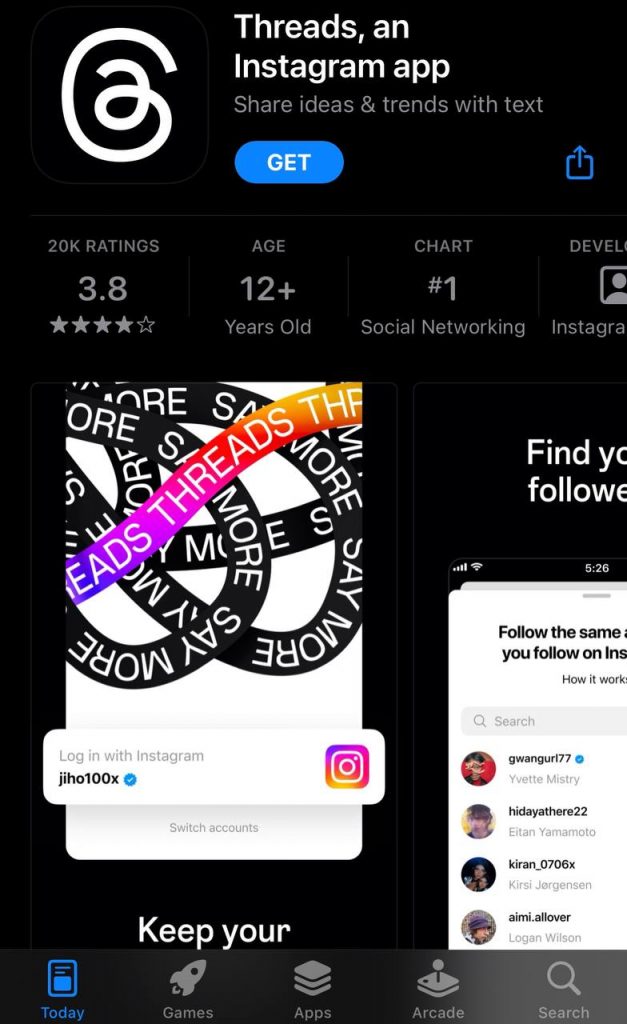
Step 2- Log in to an existing Instagram account.
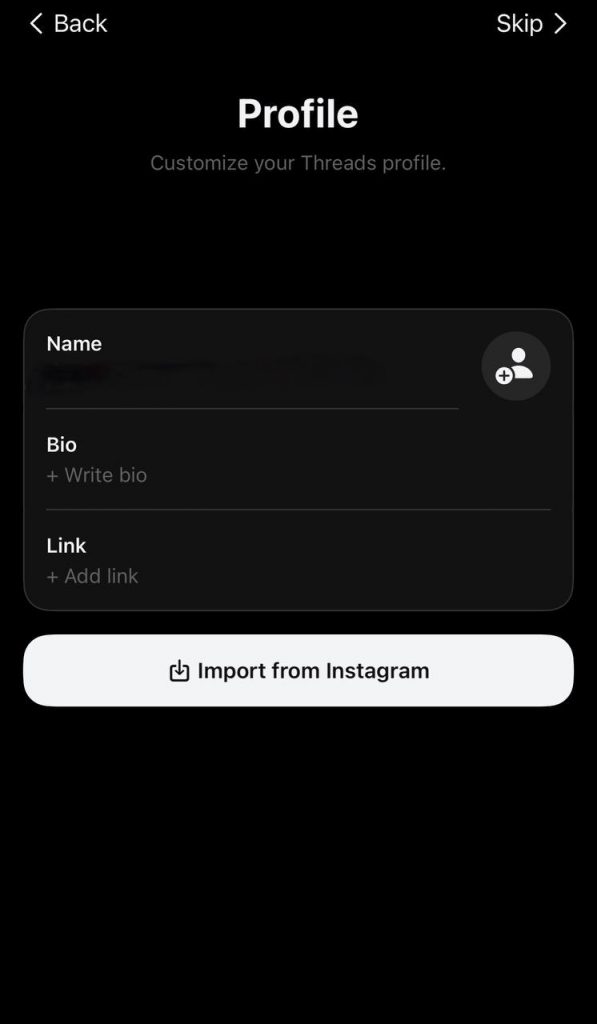
Step 3- Set up your Threads profile. In this part, you must add and confirm your personal information, write a bio, enter your website link, etc.
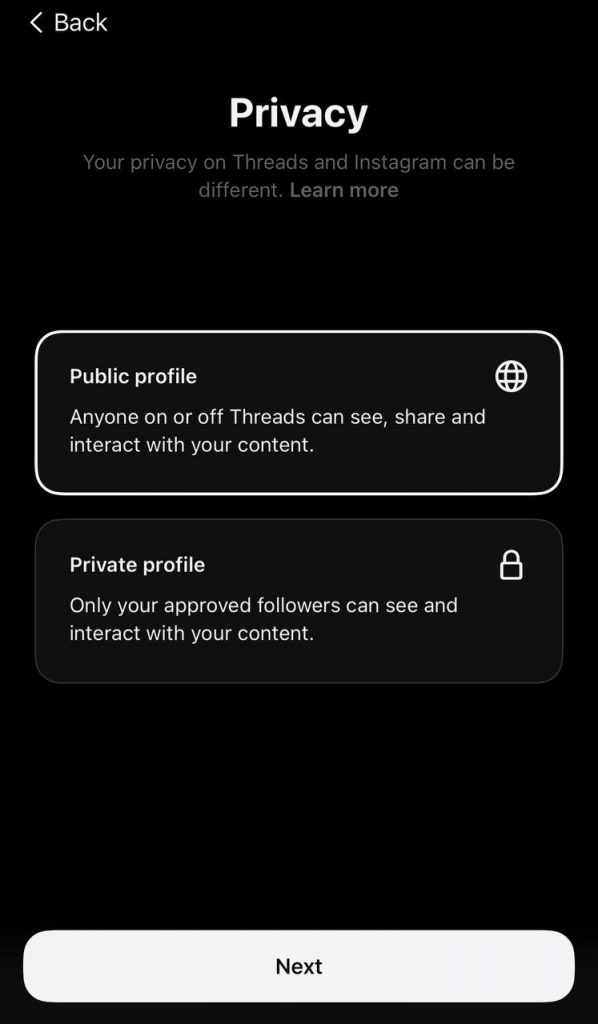
Step 4- Decide whether you want your account to be public or private.
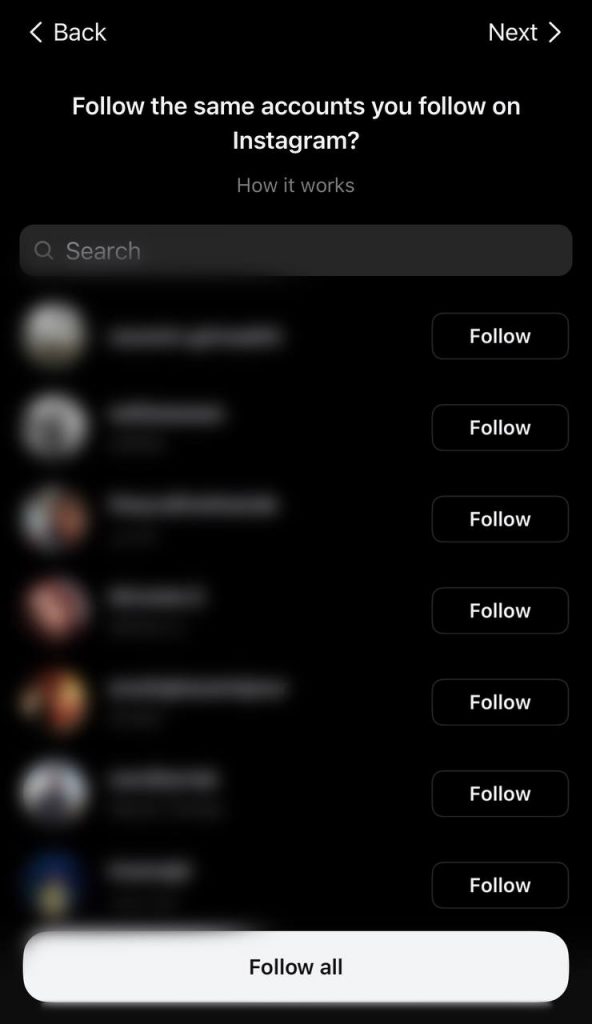
 Step 5- Stat discovering and following people. Note that in this section, you will have 2 options. The first option is to follow all the same people you follow on Instagram, or you prefer to select among your followers.
Second Method
Step 1- Log in to your Instagram account and open the application.
Step 2- Go to your profile by tapping the profile icon on the bottom right of the screen.
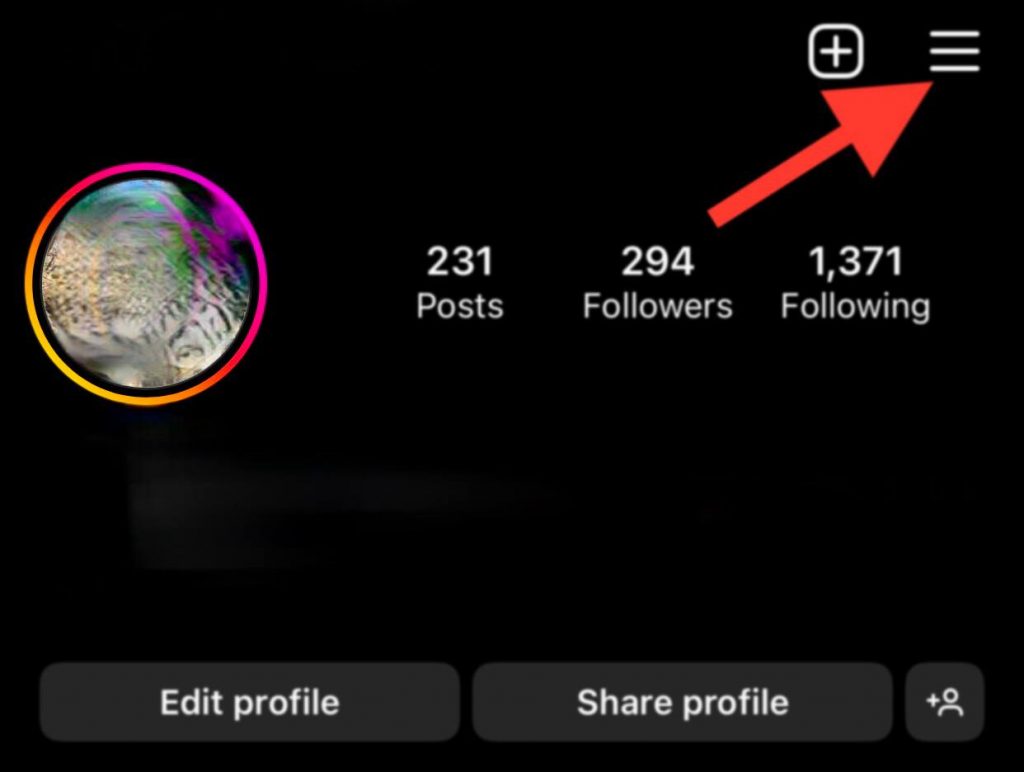
Step 3- Click on the three lines icon on the top right side of the profile page.
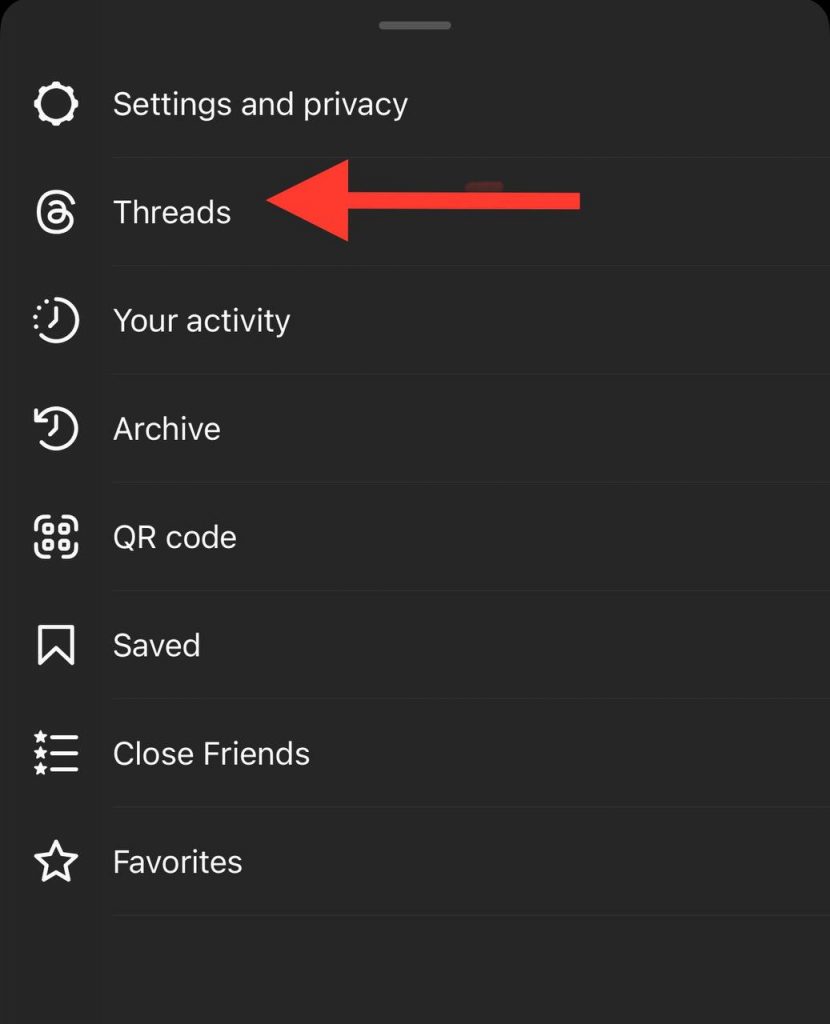
Step 4- Select Threads from the menu.
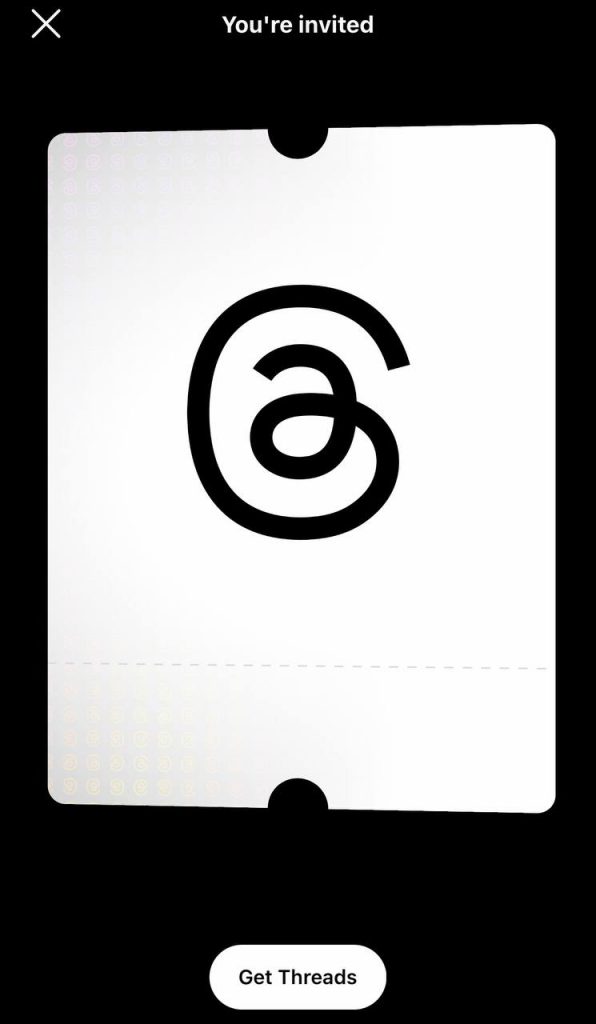
Step 5- Now, you need to tap “Get started,” which will direct you to Apple Store or Google Play Store.
Note 1: To use the second method, you should ensure that your Instagram is updated to the latest version.
Note 2: After downloading the app, follow the rest of the steps mentioned in the first method.
Note 3: If you have multiple accounts on Instagram, you can switch your accounts. Just ensure that you are signed up for all your accounts.
How Does Instagram Threads App Work?
It is good to know that Threads is a text-based application that enables you to communicate with other users and discuss different issues on the platform. But how does it work?
When you open the application, you will see your Threads feed which shows you various things from people you follow and recommended content from other creators.
Suppose you want to post something on Threads; you should note that your post could be up to 500 characters long; it can have photos or videos up to 5 minutes which is very useful.
In general, it can be said that working with this program is very easy, especially if you have used Twitter or similar social media platforms before; you can easily use this application and expand your circle of friends.
Let’s take a deeper look at how Threads work:
- When you open the Threads, you will see your feed, and you can scroll it to refresh the home page and see new content.
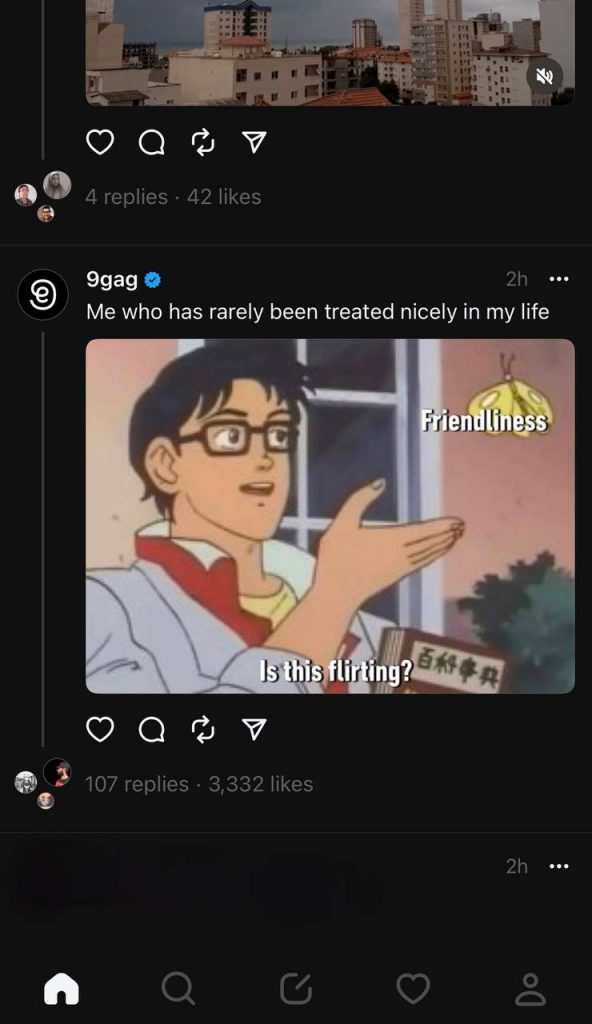
- You will see different posts on your home page. They might be from the people you follow or just be suggested content you may be interested in.
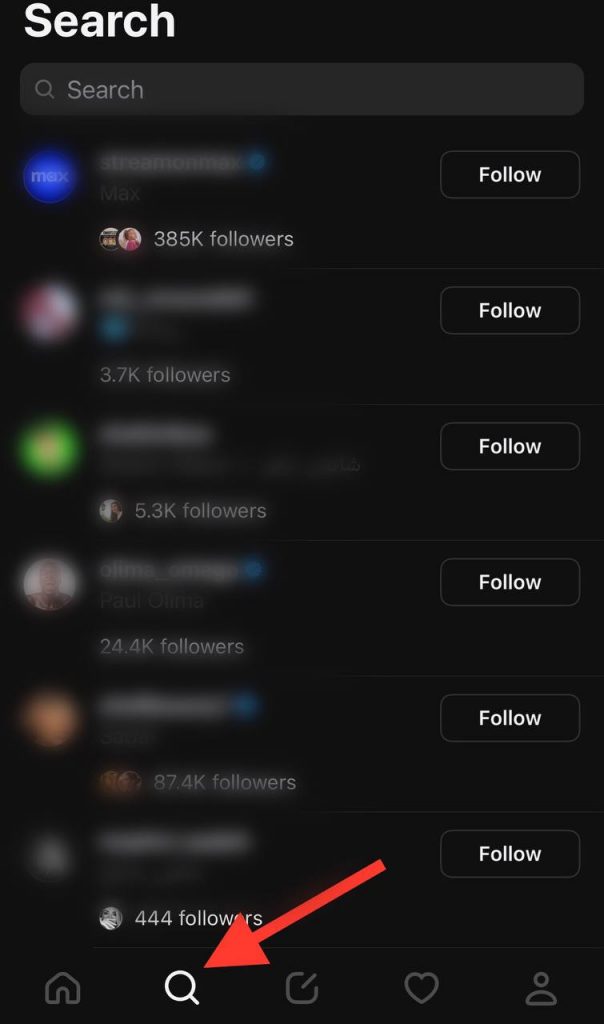
- If you tap the magnifier icon, you can search for different accounts to see their accounts or follow them on Threads.
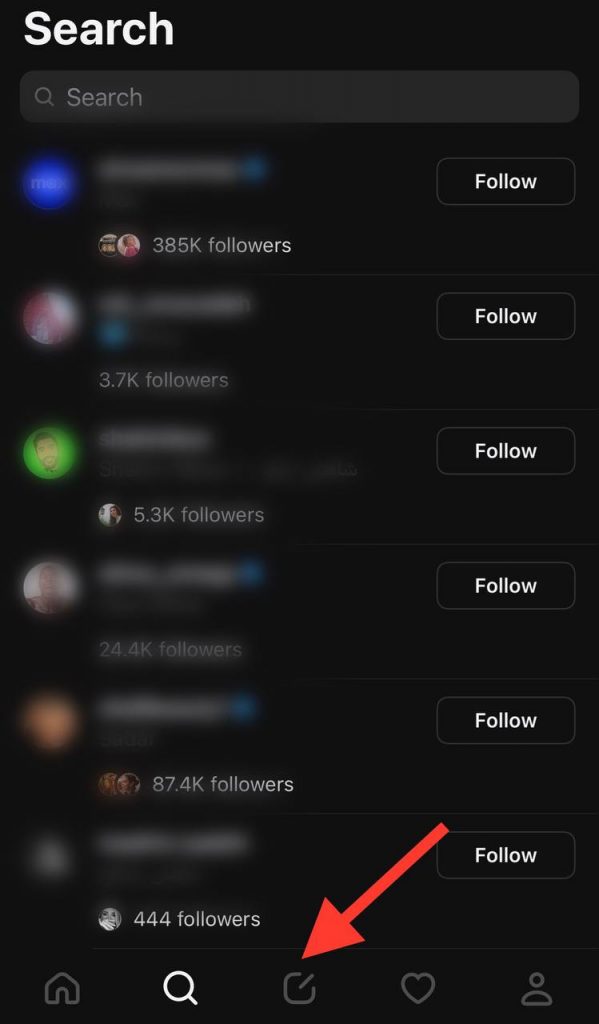
- Next to the magnifier icon, there is a note symbol that is where you can write and post your own Thread, which as mentioned, can be up to 500 characters.
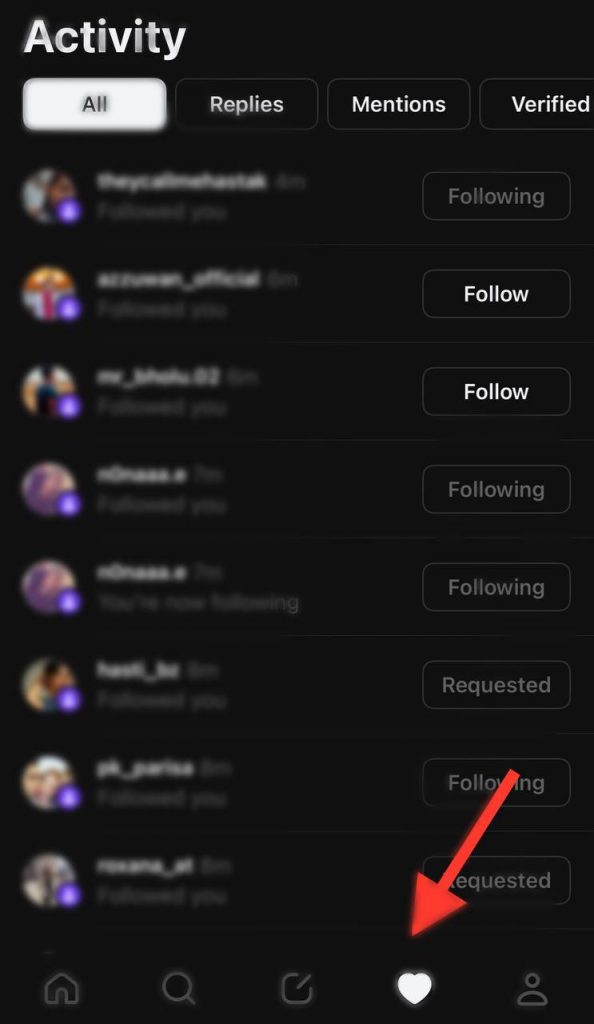
- Right next to the note icon is a heart symbol that will show your activity and all of your notifications. You can see what people replied to you, who mentioned you, etc.
- Additionally, on the bottom right of the screen, you will see your profile icon. When you go to your profile, you can see your posts, bio, replies, etc. In this section, you can edit or share your profile.
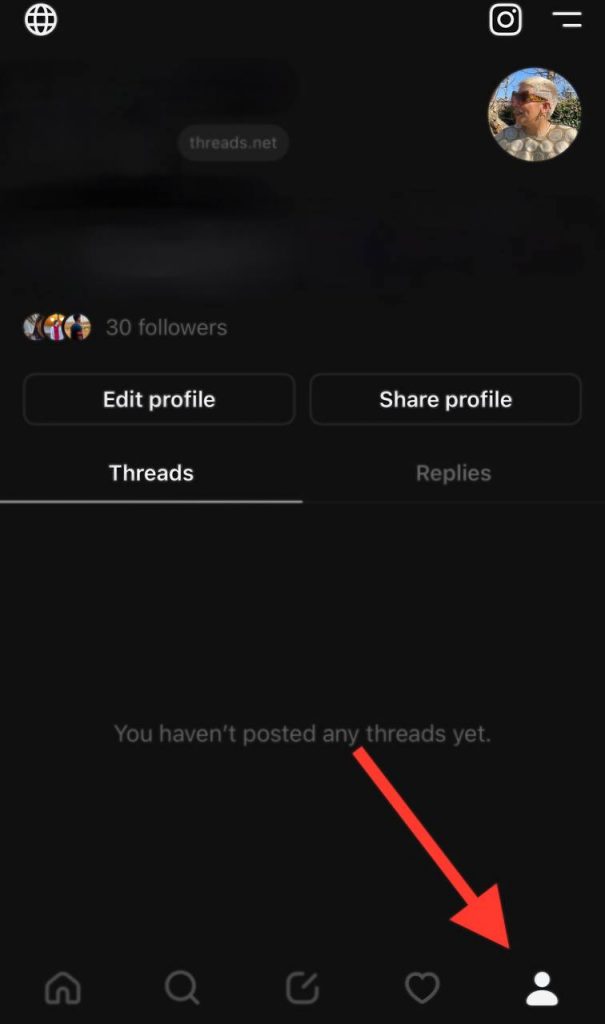
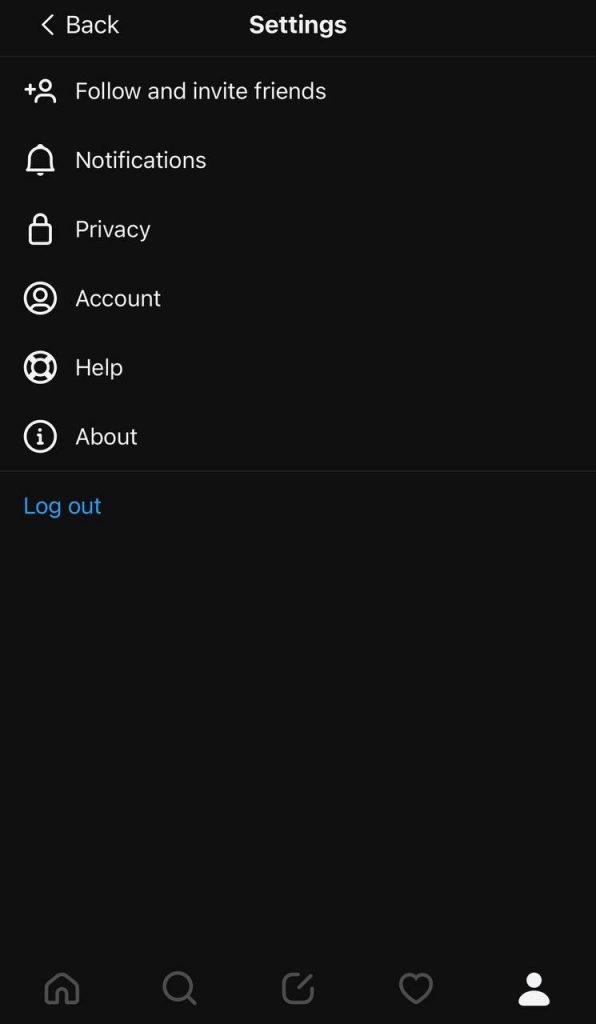
- A two-line icon at the top right side of your profile page will give you more setting options. When you select the setting menu, you can change or set your privacy, manage your notifications, manage hidden words, invite friends, etc.
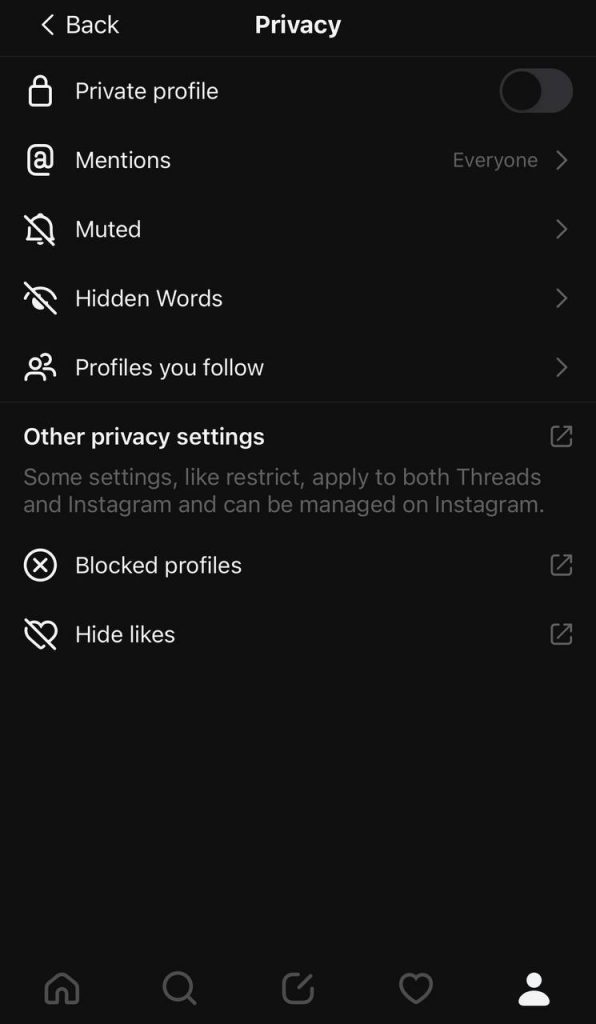
- You can tap the “Global” icon on your home page to see your privacy options. In this section, you can make your account private, you can manage who can tag and mention you; you can manage muted accounts, etc.
How To Interact With A Thread?
Interacting with a Thread is easy and most likely to other social media platforms like Threads. Let’s see how you can interact with a Thread simply.
You can either search for an account to interact with or just choose a post on your feed to start interacting with it.
Let’s say you want to interact with the Instagram account on Threads. First, you must search for the Instagram account using the magnifier icon.
First, you can follow an account or unfollow it if you already follow it, which is a very easy option.
You can like a post, leave a comment, and tap on the icon next to the comment option to repost the content on your profile.
Moreover, a share option enables you to send the post as a message to someone else. It also lets you send the post as a Tweet outside the platform. You can add the post to your Instagram story by choosing “Add to story.”
You also have more privacy options when you tap the three dots icon of any posts you can use to follow or unfollow people and mute or hide them.
How To Share A Post On Threads?
As mentioned, you can share text, photos, or videos on Threads, and by doing a few simple steps, you can easily upload your first post on Threads and share them on Instagram same accounts.
Step 1- First, tap on the note icon from the option on your home page.
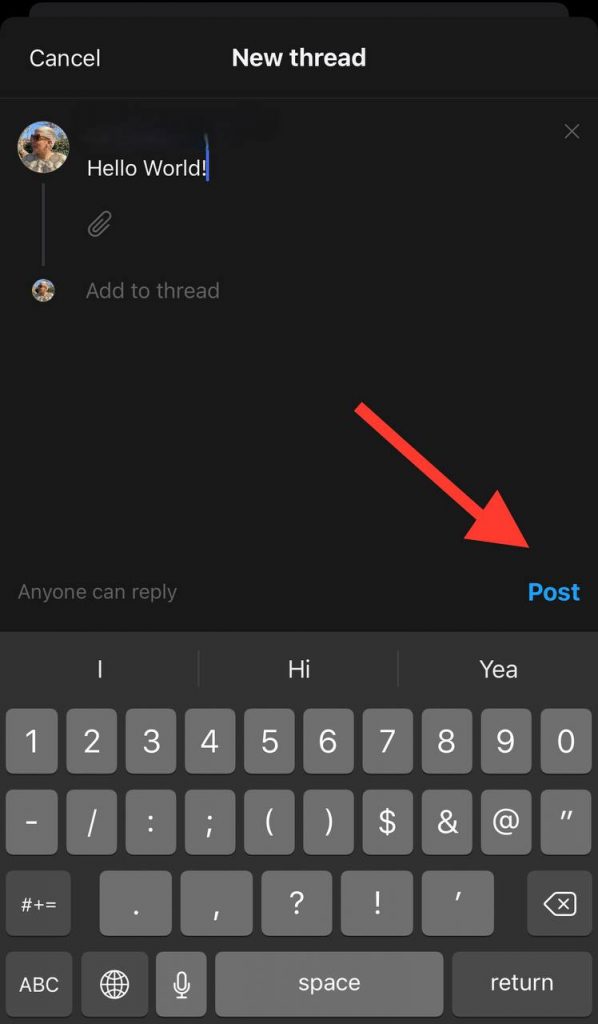
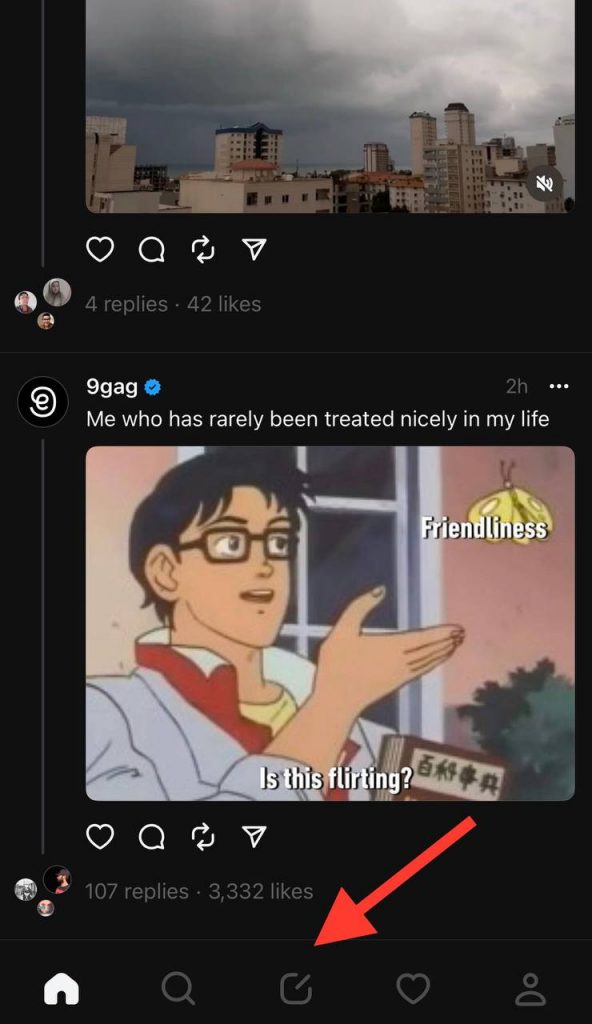 Step 2- Now, you must start composing what you want to share. If you want to share a text post, press “Post” after finishing writing your text.
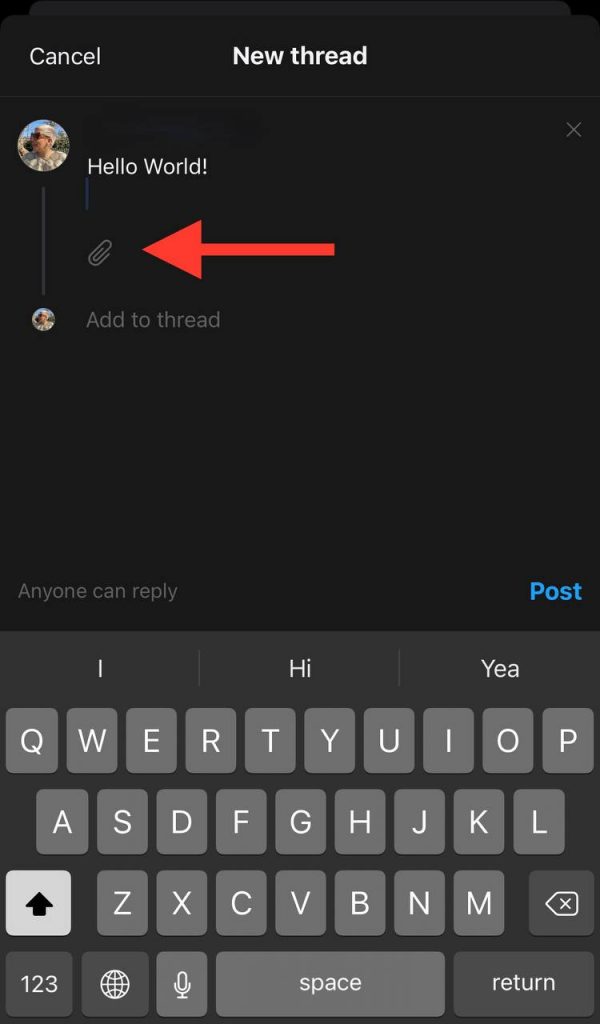
Step 3- Tap the attached file icon to share a photo or a video. If you want to share a photo or video, you must permit Threads to access your gallery.
Step 4- After finishing these steps, tap “Post” to end the process. You can find your Thread on your profile, and anyone can interact with your Threads.
Note 1: You can also write captions for your posts, including photos or videos.
Note 2: You can tag or mention people on your posts. To do so, just use the @ icon and tag the people you want on your Thread, which is common on different social media platforms.
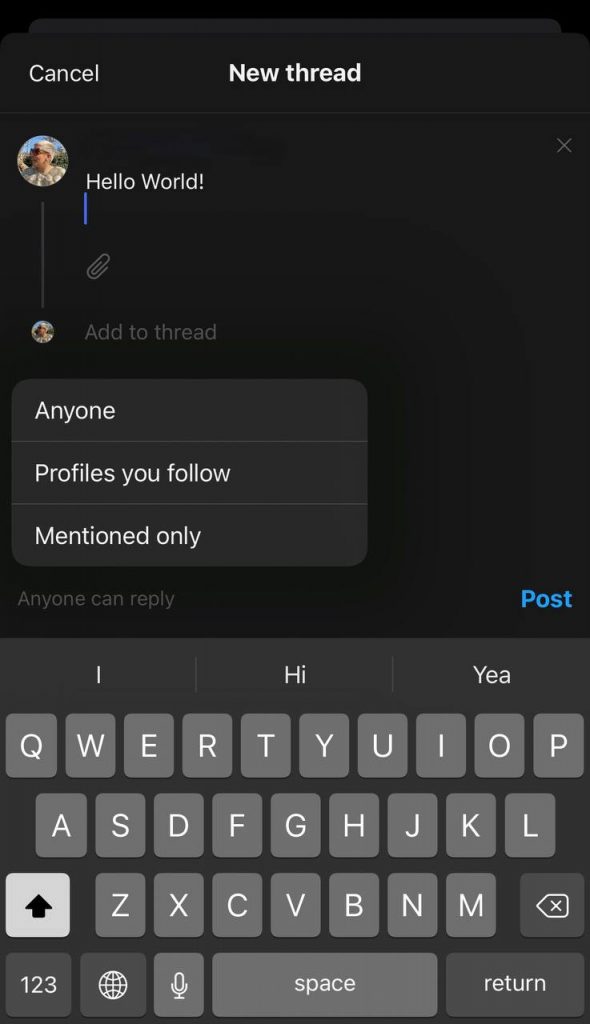
Note 3: You can change the “Anyone can reply” settings. Tap on the option and decide who can reply to your Threads, which can be accounts that follow you or only people you mention.
Lastly, following these simple steps, you can easily add a new Thread to your profile and use this positive and creative space to develop your relations with others. Remember that you can also share your Threads on your Instagram feed and story.
Conclusion
As mentioned, the updates and new features of Instagram separate it from other social media platforms and attract more people to this application and use it. Threads application, the latest feature that Instagram unveiled, is a competitor of Twitter and attracted individuals with its attractive features.
In this comprehensive article, we talked about all the features and important points of this app and provided you with the information you need to use this app easily.
We explained what Threads is, its features, how you can share posts on this platform, and how you can react to other people’s posts, and we reviewed important points about using this program.
Using the information in this article, you can easily use this application and take advantage of its benefits.
