


I have seen Instagram posts get plenty of likes and views but send very little useful traffic to a website. Numbers on the app can look good, but they do not always lead to clicks, leads, or sales.
That is where Google Analytics 4, or GA4, helps. It shows what people do after they click an Instagram link and visit your site.
Once your tracking is set up, you can see which links, campaigns, ads, Stories, creator partnerships, and landing pages bring in real visitors. You can also check which ones lead to sign-ups, purchases, or other key actions.
Buy an Established Instagram Account
Skip starting from zero. Browse Instagram/TikTok accounts with audiences across many niches.
See Available AccountsThis data is also useful when looking at an Instagram account marketplace. It gives you a clearer idea of an account’s audience quality, engagement, and business potential.
In this guide, I will show you how to track Instagram traffic in GA4, find the right reports, and use the data to make better marketing decisions.
What Google Analytics Can Track From Instagram
Google Analytics does not connect to Instagram as a native account-reporting tool. It cannot tell you how many likes, saves, comments, followers, or profile visits an Instagram post received. Those are Instagram metrics, and you should review them in Instagram Insights.
If you are still deciding how to set up your profile for marketing and reporting, understanding what a professional Instagram account offers can help you choose the right account type.
GA4 measures website behavior. When someone clicks a link in your Instagram bio, Story, ad, link-in-bio page, or creator campaign and lands on your site, GA4 can report what happens next.
That includes:
- Website sessions from Instagram
- Landing pages viewed by Instagram visitors
- Engaged sessions and engagement rate
- Sign-ups, form submissions, and other key events
- Purchases, revenue, and conversion performance
- Campaign, content, ad, and creator-level results when you use UTM parameters
This distinction matters. Instagram Insights can tell you whether content earned attention inside the app. GA4 tells you whether that attention resulted in meaningful action on your website.
What You Need Before You Start
Before you build an Instagram report, make sure GA4 is installed and collects data on every website page you want to measure. If your site is not sending page views or events to GA4, no UTM link will solve the problem.
You also need to decide which business actions matter. Before measuring results, make sure your profile is structured to support your wider goals. Setting up an Instagram account for your business gives you a stronger foundation for publishing content, reviewing native insights, and directing visitors to tracked website pages.
For an ecommerce store, that might be a purchase, add-to-cart action, or checkout start. For a service business, it could be a contact-form submission, booked call, newsletter signup, or account registration.
In GA4, these important actions are called key events. Google defines a key event as an action that is particularly important to a business’s success. Once key events are properly configured, you can measure whether Instagram traffic is actually producing outcomes rather than just clicks.
Use UTM Links to Track Instagram Traffic
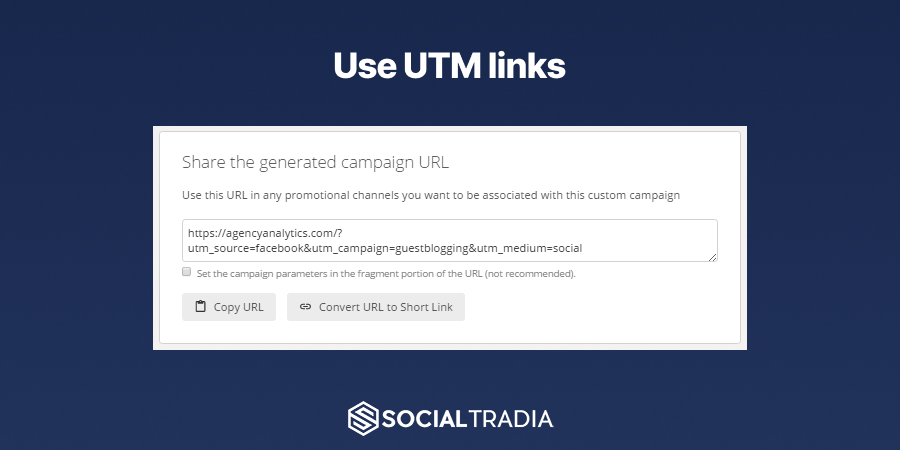
A UTM link is a normal website URL with extra labels added to it. These labels tell GA4 where a visitor came from and which marketing activity led to the click.
Without UTMs, some Instagram traffic may still appear in GA4, but the data can be inconsistent. Instagram links may open in an in-app browser, and untagged visits can appear under different referral sources or as Direct traffic. UTMs create a consistent reporting structure and help you compare campaigns accurately.
For example:
https://www.example.com/product?utm_source=instagram&utm_medium=social&utm_campaign=summer_sale&utm_content=story
In this link, utm_source=instagram shows that the visitor came from Instagram. utm_medium=social identifies social media as the channel. utm_campaign=summer_sale names the campaign. utm_content=story identifies the specific placement: an Instagram Story.
GA4 uses these manually tagged URLs to populate reporting dimensions such as manual source, medium, campaign, term, and content. Use the same UTM naming format across every Instagram link so your reports remain accurate and easy to compare.
A practical Instagram UTM convention
I have found that the naming system matters more than the exact words you choose. You can call a Story link story, story_link, or ig_story. Just pick one format and keep using it.
If the same campaign appears under three different names, GA4 treats them as three separate campaigns. Keep everything lowercase, avoid spaces, and agree on labels before your team starts publishing links.
| Instagram placement | Example source | Example medium | Example campaign | Example content |
| Profile bio | social | evergreen | bio | |
| Story link sticker | social | summer_sale | story_1 | |
| Reel promotion | social | summer_sale | reel_product_demo | |
| Paid Instagram ad | paid_social | summer_sale | carousel_a | |
| Influencer link | influencer | creator_launch | creator_name | |
| Link-in-bio page | social | evergreen | linkinbio |
For example, a creator link could look like this:
https://www.example.com/?utm_source=instagram&utm_medium=influencer&utm_campaign=creator_launch&utm_content=alex_smith
That allows you to compare a creator’s website sessions, conversions, and revenue with other creators or paid campaigns. It is far more useful than trying to judge the partnership only by likes, comments, or follower count.
Create Your Instagram Tracking Links
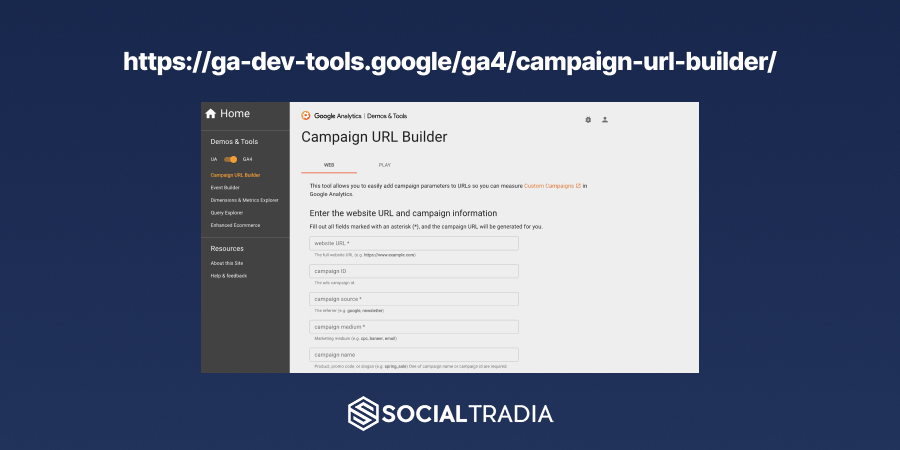
You can build UTM links manually or use Google’s Campaign URL Builder. Add your destination page first, then complete the source, medium, campaign, and content fields according to the convention you chose.
For most Instagram activity, use these fields:
- Website URL: The page you want people to visit.
- Campaign source: instagram
- Campaign medium: social, paid_social, or influencer
- Campaign name: A shared name for the promotion, such as summer_sale or new_collection
- Campaign content: The individual placement, post, ad variation, Story, Reel, or creator
I would not use one link everywhere. If your bio, Story, paid ad, and creator post all use the same URL, you will only know that Instagram sent traffic. You will not know which placement actually did the work.
If your bio link, Story link, ad, and creator partnership all use the same utm_content value, you will know Instagram drove traffic but not which placement did the work.
For example, if you are promoting the same product through a Story and a Reel, keep the source, medium, and campaign consistent while changing the content:
…?utm_source=instagram&utm_medium=social&utm_campaign=product_launch&utm_content=story_demo
…?utm_source=instagram&utm_medium=social&utm_campaign=product_launch&utm_content=reel_demo
This lets you compare two content formats that send visitors to the same landing page.
Add UTM Links to Instagram
Once you have built your tracking URLs, place them where Instagram users can click them. The best location depends on the campaign and the action you want the user to take.
Your bio link is useful for an always-on destination, such as a homepage, product collection, waitlist, or lead magnet. Use a separate UTM link for any link-in-bio tool so you can distinguish visits to the link hub from visits to a specific campaign.
For Stories, use a unique link for each promotion or at least each Story sequence. This makes it easier to compare a product launch, limited-time offer, giveaway, or educational campaign.
For paid Instagram ads, use dedicated UTM parameters for each campaign and creative. Meta Ads Manager can also use URL parameters dynamically, but the goal remains the same: every ad should be identifiable in GA4 by campaign and content.
For influencer marketing, provide every creator with a unique, pre-built tracking link. Do not ask creators to copy a generic bio URL or build their own UTM parameters. A controlled link naming system reduces reporting errors and makes creator performance comparable.
How to Find Instagram Traffic in GA4
After people begin clicking your tagged links, GA4 will start collecting the traffic-source data. You can use the Traffic acquisition report to see where sessions came from and how users behaved after arriving.
Follow these steps:
- Open your GA4 property.
- Select Reports in the left-hand navigation.
- Open Acquisition, then choose Traffic acquisition.
- Click the primary dimension at the top of the table.
- Select Session source / medium or Session manual source / medium.
- Search for instagram to isolate Instagram-related traffic.
The Traffic acquisition report may initially show a default channel grouping. Changing the primary dimension to a source, medium, campaign, or manual campaign field gives you a more precise view of your Instagram data.
A properly tagged organic Instagram link may appear as instagram / social. A paid campaign could appear as instagram / paid_social. If you use a creator-specific medium, you may see instagram / influencer.
Do not expect GA4 sessions to match Instagram link clicks exactly. Differences can occur because of cookie-consent choices, ad blockers, browser privacy settings, users who leave before the page loads, and visitors who return through another channel later. Use the reports to identify patterns and business outcomes, not to expect a perfect one-to-one count.
Review Your Instagram Campaigns
If you use UTM links, do not stop at source and medium. Campaign-level reporting shows which promotions are worth repeating.
In GA4, go to Reports, open Acquisition, then select Overview. Look for the card related to manual campaign sessions and choose View Manual campaigns. Google’s Manual report is specifically designed to show how manually tagged campaigns drive website or app traffic.
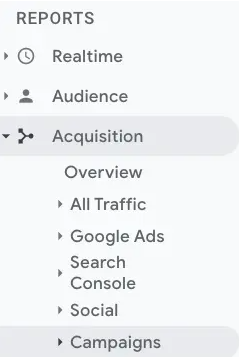
Review campaign names such as summer_sale, creator_launch, or black_friday. Then compare the metrics that match your goal. A campaign designed to build awareness may be evaluated by engaged sessions and landing-page interaction. A product campaign should be evaluated by add-to-cart actions, checkout activity, purchases, and revenue.
A campaign with fewer sessions can still be more valuable than one with a high click count. If 100 visitors from a Story campaign generate 12 purchases while 1,000 visitors from a giveaway produce no purchases, the Story campaign delivered more qualified traffic.
Measure Instagram Conversions and Revenue
Traffic is not the final metric. A useful Instagram report should show whether visitors took the next meaningful step on your website.
First, make sure your important GA4 events are set up correctly. For example, you may track:
- generate_lead for a completed lead form
- sign_up for a new account or email subscription
- purchase for an ecommerce transaction
- begin_checkout for checkout intent
- add_to_cart for product interest
Mark the actions that matter most as key events. Then, when you filter your acquisition or campaign report for Instagram, you can see whether Instagram visitors completed them.
For ecommerce brands, compare Instagram-generated revenue with the cost of content production, paid ads, creator fees, discounts, and product samples. That gives you a more meaningful view of return on investment than reach alone.
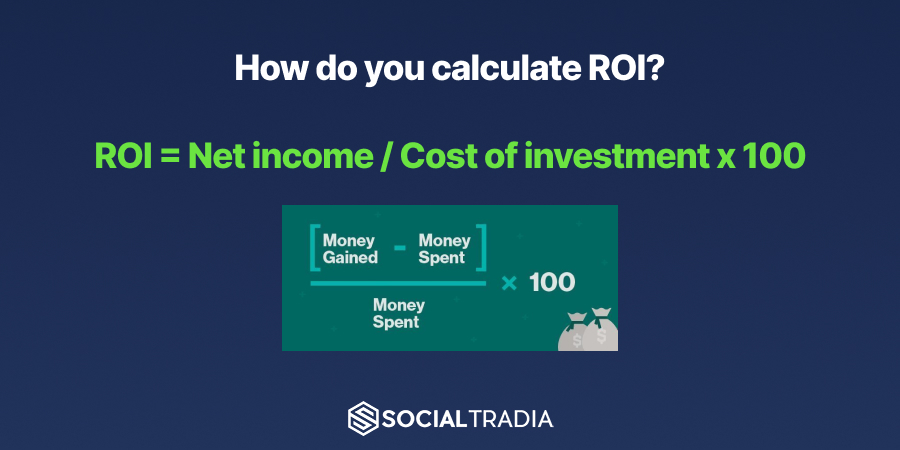
A basic ROI calculation is:
Instagram ROI= Revenue from Instagram−Instagram campaign cost Instagram campaign cost100
For example, if an Instagram creator campaign produces $8,000 in revenue and costs $2,000 in creator fees, product samples, and production costs, its ROI is:
8,000−2,0002,000100= 300%
GA4 can report the website revenue and conversion side of that equation. You still need to maintain accurate campaign-cost data outside GA4 or in your reporting workflow.
Look Beyond Last-Click Conversions
One of the most important areas competitors often miss is attribution. Instagram may introduce someone to your brand, but that person may return later through Google Search, an email campaign, or a direct visit before purchasing.
If you look only at the last recorded channel before a conversion, Instagram can appear less valuable than it actually is.
GA4’s Key event attribution paths report shows the sequence of touchpoints a user took before completing an important action, including purchases and form submissions. You can view the report under Advertising and change the breakdown to source, medium, or campaign.
GA4 also provides attribution settings that determine how credit is assigned across touchpoints. GA4 attribution settings can apply data-driven or last-click models, depending on your property configuration.
Use this report when an Instagram campaign has strong engagement or branded-search lift but seems to produce fewer direct purchases than expected. It may be influencing users earlier in the buying journey rather than closing the sale on the first visit.
Compare Instagram Landing Pages
A second area many Instagram tracking guides overlook is landing-page quality. An Instagram post may generate excellent click-through rates while the destination page fails to convert.
Review the landing pages used in your Instagram campaigns. Compare metrics such as engaged sessions, key-event rate, checkout starts, purchase rate, and revenue. If a Reel and a Story send visitors to different pages, you need to know whether a weak result came from the content itself or the page users reached.
For example, a product-focused Reel may perform well when it links directly to a product page but poorly when it links to a generic homepage. That does not necessarily mean the Reel was ineffective. It may mean the landing page created too much friction between interest and action.
Use a distinct utm_content label for each placement, then compare it alongside the landing page. This turns your Instagram reporting into a practical conversion-rate optimization tool, not just a traffic dashboard.
Use Instagram Reports for Influencer Marketing
Influencer campaigns are difficult to assess when you rely only on screenshots, estimated reach, or engagement reports supplied by creators. Unique UTM links give you a direct view of which influencer sent visitors to your website and what those visitors did after arriving.
Give each creator a link with the same campaign name but a different content value. For example:
…?utm_source=instagram&utm_medium=influencer&utm_campaign=spring_launch&utm_content=creator_jordan
…?utm_source=instagram&utm_medium=influencer&utm_campaign=spring_launch&utm_content=creator_samira
Now you can compare each creator by sessions, engaged sessions, key events, conversion rate, revenue, and average order value. This is especially useful when choosing whether to renew a partnership, negotiate a performance-based rate, or shift budget to a different type of creator.
A smaller account can outperform a larger account if its audience has stronger trust, better audience fit, or a more relevant content style. Engagement can provide useful context at the creator-selection stage, but it should not be the only deciding factor.
Comparing Instagram engagement rates and big brands can help you interpret native engagement before assessing website results. GA4 helps you see the difference after the click.
Build a Monthly Instagram Report
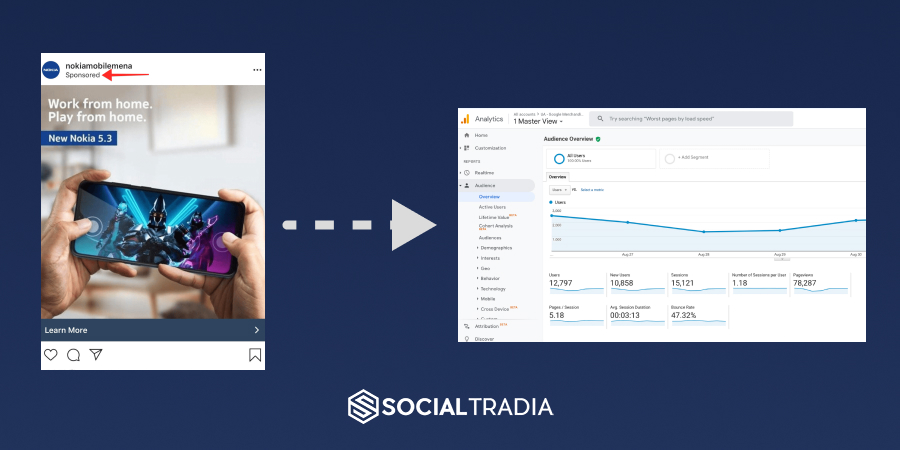
A good monthly report should answer a decision-making question, not just list numbers. Start by comparing Instagram against the previous month or the same campaign period. Then identify what changed: more traffic, better quality traffic, stronger conversion rates, or lower results despite higher reach.
Include the following information:
- Total sessions from Instagram
- Engaged sessions and engagement rate
- Top campaigns and placements
- Top landing pages
- Key events and conversion rate
- Revenue or lead value
- Best-performing creator, ad, Story, Reel, or bio-link destination
- Attribution insights for campaigns that assist later conversions
Write a short conclusion beside the numbers. For instance: “Instagram Stories produced fewer sessions than Reels but generated a higher purchase rate. Next month, test more Story-led product launches with direct links to the best-converting product page.”
That is the difference between reporting and analysis. The report shows what happened; the analysis tells your team what to do next.
Common Instagram Tracking Problems in GA4
The following issues can make Instagram traffic look incomplete or misleading in GA4, even when people are clicking your links.
Instagram traffic appears as Direct
If Instagram users visit your site but you see unusually high direct / none traffic, the likely issue is missing or inconsistent UTM parameters. In-app browsers and privacy controls can also affect referral data, which is why manually tagged links are important for campaign reporting.
Check that the complete UTM link is placed in Instagram, that no redirect strips the parameters, and that the final landing-page URL still contains the tags before the page loads.
Instagram traffic is split across several sources
You may see traffic under variations such as instagram.com, l.instagram.com, or manually tagged instagram / social. This can happen when some links are tagged and others are not.
Do not try to hide the issue with old Universal Analytics filters. Instead, tag all new Instagram links consistently and use the manual source/medium and campaign dimensions for your primary reporting. Over time, clean tagging will make your data easier to interpret.
You have traffic but no conversions
First, confirm that your website events and key events are configured correctly. Then review the landing page, page speed, offer, checkout experience, and audience-message fit. A high volume of Instagram traffic with low engagement may indicate that the content promise does not match the page users reach.
Your campaign names are messy
If one person uses Summer Sale, another uses summer-sale, and another uses summer_sale, GA4 treats them as separate campaigns. Create a simple UTM naming sheet and use it for every Instagram link. Consistency is a reporting advantage.
Google Analytics vs. Instagram Insights
Instagram Insights and GA4 work best together. They answer different questions.
| Use Instagram Insights for | Use GA4 for |
| Reach, impressions, views, likes, comments, saves, shares, and follower growth | Website sessions, engagement after the click, leads, purchases, and revenue |
| Understanding in-app content performance | Understanding website and business performance |
| Identifying posts that attract attention | Identifying campaigns and placements that drive qualified traffic and conversions |
| Reviewing profile activity and audience behavior on Instagram | Reviewing landing pages, checkout behavior, and attribution paths |
Do not choose one platform over the other. Use Instagram Insights to understand what earns attention, and use GA4 to understand what generates business results.
Final Thoughts
I do not use GA4 to prove that Instagram is popular. Instagram already gives you likes, views, reach, and follower numbers for that.
I use GA4 to see what happens after someone leaves Instagram and lands on the website. Did they read the page? Did they sign up? Did they buy? Or did they leave right away?
Start with a simple UTM system. Make sure the events that matter to your business are set up in GA4. Then check which links, posts, creators, ads, and landing pages bring in people who actually take action.
Over time, this makes Instagram reporting much easier. You stop guessing based on likes and start seeing what is worth repeating.
Frequently Asked Questions
Can Google Analytics track Instagram?
Yes. GA4 tracks what people do on your website after clicking an Instagram link, including sessions, landing pages, sign-ups, purchases, and revenue. It does not track native Instagram metrics such as likes, reach, saves, or follower growth.
How do I see Instagram traffic in GA4?
Go to Reports → Acquisition → Traffic acquisition. Change the primary dimension to Session source / medium or Session manual source / medium, then search for Instagram.
Why does Instagram traffic show as Direct in GA4?
GA4 uses Direct when it does not receive a reliable referral source. Instagram’s in-app browser, redirects, privacy settings, and untagged links can cause this. Use UTM parameters on every Instagram link to improve attribution.
Do I need UTM links for Instagram?
Yes, if you want to reliably track where traffic came from. UTMs let you distinguish visits from your bio link, Stories, Reels, ads, influencer campaigns, and individual promotions.
Can GA4 track Instagram conversions and revenue?
Yes. Add UTM parameters to your Instagram links and set up important actions, such as purchases, form submissions, or sign-ups, as GA4 key events. You can then see the conversions and revenue generated by each Instagram campaign.

Emi Daniel
Buy an Established Instagram Account
Skip starting from zero. Browse Instagram/TikTok accounts with audiences across many niches.
See Available AccountsRelated articles
-

How to Go Live on Instagram: A Step-by-Step Guide
Going live can feel more stressful than posting a Reel. You cannot remove a pause, rewrite a sentence, or start over after an awkward moment. But that…
17 min readEmi Daniel
-

Instagram Instants Feature: What It Is, How It Works, and How to Turn It Off
The first time I opened Instagram Instants, I almost backed out. I had taken a normal photo. Nothing worth editing. Nothing worth posting. Nothing that needed an…
11 min read -

How to Clear Instagram Cache on iPhone, Android & Desktop
Instagram can quietly build up a lot of temporary files while you scroll through Reels, watch Stories, save posts, and upload your own content. You may not…
12 min read