


This might seem trivial, but many users struggle to come up with profile picture ideas for Instagram.
This is actually the first thing that impresses new visitors, and as you know, the first impression can be really influential.
Both business accounts and individuals try to look great on this social media platform to gain as many followers as possible. If you check Social Tradia’s Instagram accounts, you’ll see that the more attractive the profile picture is, the higher the value of the account is.
Buy an Established Instagram Account
Skip starting from zero. Browse Instagram/TikTok accounts with audiences across many niches.
See Available AccountsIf you also want your Instagram account stands out, think about your profile picture as the first great step.
In this post, we’ll let you know the importance of a good Instagram profile photo with some great Instagram profile pic ideas. In the end, we’ll also mention some great tools to help you make your own Instagram profile photo like a pro.
The Importance of your Instagram Profile Picture
The profile picture represents your online identity, and therefore, it’s important to be aligned with your personality.
No matter why you’re using social media, it can significantly affect the way others behave toward you. It’s even important to use different profile pictures for different social media platforms, such as LinkedIn and Instagram. In fact, it’s your followers that determine what type of profile picture you have to use.
For example, if you want to use LinkedIn to find a job, you can’t use the same profile photo as on Instagram. Remember that more than many managers look at the candidate’s LinkedIn profile picture to recognize their official appearance.
Actually, a professional profile photo on a social network like LinkedIn inspires confidence. On Instagram, on the other hand, your friends and relatives might want to see you in a casual manner.
So it’s essential to think of the best Instagram profile picture idea if you want a successful presence.
Also, it’s good to know some technical details about Instagram profile picture size. Instagram will compress profile pictures to 320 x 320 pixels, so try to use a higher-quality profile photo with a 1:1 aspect ratio. Also, it displays your profile photo at only 110 x 110 pixels, which is why you must consider the margin of your profile photo.
The maximum file size your Instagram profile photo can have is 10MB. So avoid uploading larger profile pictures.
Creative Instagram Profile Picture Ideas
Now, let’s see some great profile picture ideas for Instagram to help you choose a better Instagram profile picture.
Show your face: the most common IG profile picture

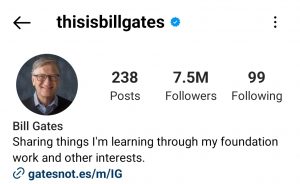
This is actually the most popular Instagram profile pic for a creator or personal account. Actually, your face plays the same role as a logo does for business profiles.
Of course, many influencers can creators can use their faces as their profile pictures. For example, coaches or consultants, freelancers, and entrepreneurs can do that.
Clean the background: let your face stands out

It’s vital to ensure that the major portion of the picture is visible in a profile picture for Instagram because it’s quite tiny. Backgrounds that are too cluttered or busy should be avoided. As a result, followers will be able to see you and know which page you belong to.
Before uploading, use a picture editing tool to fix a photo backdrop that is too cluttered. Remove extraneous elements from images, change the color contrast of the image, and make it look more organized and clean.
Use the sunlight: make a penumbra
Near a window or in bright shades are your best options to make a penumbra using a light source. Then tilt your head to face the light! It’s difficult to master backlights. Harsh shadows will be created by spotlights and strong flashes.
Official pictures: become professional
Do not post an unprofessional “selfie” if you want individuals to take you seriously as a businessman. Make sure your picture is clean and sharp, and you look professional. Remember that the front-facing camera on your phone may deflate your face.
You can also call a professional photographer to make a profile picture for you. If you’re using this kind of picture, you should not change your profile picture soon. This way, you can be remembered by niche audiences.
Wear relevant outfits: clothes are great for branding

Of course, Instagram won’t show much of your cloth, but you have to wear and show part of your clothes to add colors. It’s important that your clothes fit your brand culture.
For example, the clothes of sportspersons, businesspeople, and models should be different on Instagram or, generally, on all social networking platforms.
Smile: be human, not a machine
You should not appear stuffy and unfriendly on Instagram because this will damage your online reputation.
You have to seem professional, but it doesn’t mean that you have to forget to smile. Smiling is the first step toward becoming likable. In your pose, make eye contact and show your personality! Positive vibrations are attractive. Boring phrases are neutral.
Be careful about angles: avoid snobbing
A low angle is to be avoided. You don’t need a double chin, and no one wants to look up your nose.
Try tilting your head at various angles from a little above. Pick your favorite appearance from a collection of photographs.
The Best Tools for Creating your Instagram Profile Picture
Now, it’s good to become familiar with the best tools for creating a perfect Instagram profile picture.
Canva

Canva is our first suggestion for every social media graphic design task, especially creating your Instagram profile picture.
It’s a well-known multi-purpose web-based design and development tool. Canva assists social users and businesses in creating photos like a pro. Since it enables you to easily make images with various functionalities, this software is the most popular.
Once you’ve gotten the hang of it, picture creation will come in handy. And with a free profile picture maker, you can design a wide range of layouts using different pallets and other features.
Canva also assists you with your company’s social media accounts by uploading creative photos. You may construct websites, photos, films, and more using a software program. So try to leverage its power to create a great social media avatar for your account.
Other features of Canva that are useful for social media pictures:
- Ability to generate curved texts
- Lots of creative photo effects
- Image enhancer tools
- Adding different frames to images
- Adding text to your photos
- Video recorder tool
- Online video trimmer
- Convert different videos to MP4
Fotor

Fotor is also a great name in the realm of online graphic design tools. It’s a photo editing website that’s available online and is one of the best choices for creating a professional Instagram profile picture.
Fotor’s software is found on every main mobile device, computer, and online platform. Fotor One-Tap Enhance, a tool designed to quickly address the most frequent imaging worries, is one of the many distinctive capabilities.
Fotor lets you create a great Instagram profile picture in several easy steps:
- Upload your image using Fotor’s editing tool.
- To get rid of your picture background, use the “Background Remover” feature. Next, you’ll need to pick a new background color for your picture by clicking the “Change Background” button.
- Apply filters and stickers to your photos by clicking the “Effects” and “Elements” buttons.
- Using the picture resizer tool, you may reduce the size of your picture to match your Instagram profile picture dimensions.
- Click the “Download” button when you’re done to save your picture.
Other key features of Fotor:
- API.
- Batch Processing.
- Content Import/Export.
- Customizable Templates.
- Data Storage Management.
- Content Sharing.
- Blockchain Support.
- Collaboration Tools.
Profile Picture Maker For Instagram

Remember that many tools for Instagram profile pictures are not available on the web. Many simple smartphone applications can do miracles in creating professional-looking social media graphics.
For iPhone devices, Profile Picture Maker For Instagram is the best. It’s good to know that Pixel Sheep Studios created and maintained this app, which is available on the Apple app store. This is one of the best apps for iPhone users to create stunning Instagram profile photos.
It provides more than 50 different filters, gorgeous stickers, and crazy texts to choose from.
Photoshop
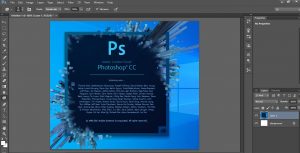
The best Instagram profile pictures can be designed with Photoshop, a well-known desktop application. Have you ever wondered how big an Instagram profile pic is?
It won’t take a day to master Photoshop; it’ll take time. However, with Photoshop, you can create visual marvels. However, your Instagram profile picture isn’t exempt from that.
Final Thoughts
Instagram profile pictures can be really impactful in your Instagram marketing. With a cool profile picture, you can make your niche audiences remember your profile. Remember that you should not use the same photo that you use in other places here. Instagram has different user demographics, so it’s good to work more on your profile pic. Last but not least, you need to use profile picture ideas for Instagram so that you match your profile pic with your style and other items like your Instagram bio.

Emi Daniel
Buy an Established Instagram Account
Skip starting from zero. Browse Instagram/TikTok accounts with audiences across many niches.
See Available AccountsRelated articles
-

How to Go Live on Instagram: A Step-by-Step Guide
Going live can feel more stressful than posting a Reel. You cannot remove a pause, rewrite a sentence, or start over after an awkward moment. But that…
17 min readEmi Daniel
-

Instagram Instants Feature: What It Is, How It Works, and How to Turn It Off
The first time I opened Instagram Instants, I almost backed out. I had taken a normal photo. Nothing worth editing. Nothing worth posting. Nothing that needed an…
11 min read -

How to Clear Instagram Cache on iPhone, Android & Desktop
Instagram can quietly build up a lot of temporary files while you scroll through Reels, watch Stories, save posts, and upload your own content. You may not…
12 min read