


If you want to boost your Business Instagram account followers, spice up your Instagram Stories, and effectively draw user engagement. The most impactful strategy you could take is to utilize Instagram Stickers. Henceforward, in this article, we have compiled some of the best Instagram Stickers that could grab your followers’ attention. So, let’s jump to it:
What Are Instagram Story Stickers?
Instagram Stickers are added for special effects, interactive purposes, and additional spice and fun to Instagram Stories. Different stickers can be utilized which we will discuss the most popular and the best ones to use for your Instagram Stories and enhanced Social Media Marketing Strategies. To add an Instagram Sticker within your stories, you just have to:
- Open your Instagram app on your smart Android or iPhone Device.
- On your Instagram Home Page, click on the “Plus” icon in the icon bar at the bottom of the screen. The plus icon is directly in the middle and the third icon between the five tabs on the bottom of the screen.
- On the new screen, choose “Story” to start creating your Instagram Stories.
- Add your photo, video, or text to make your stories.
- Now, tap the sticker button with the Square Smiley Face.
- Once the Sticker Tray Opens, Find the sticker you wish to use either by searching or scrolling through the stickers.
- Select the sticker of your choosing by tapping it, and the sticker will pop on your Instagram Story.
- You can now use your finger to drag, drop, and arrange the sticker to the location you want on your story.
- You may also use two thumbs to expand the sticker to make it bigger or pinch your thumbs close together to make it smaller to your desired size.
- Now Finish creating your Story and Click “Done.”
The Best Instagram Stories’ Stickers That Could Grab Your Audience’s Attraction And Boost Your User Engagement.
Now that you understand what Instagram Story Stickers are, let’s check out the most effective Stickers for your Instagram Stories, Social Media Marketing, and most importantly, for your Instagram Marketing engagement objectives. Henceforward, we have listed the best Instagram Stories stickers that you could utilize to grab your audience’s attraction and increase their engagement on your content, story, and Instagram Account.
Buy an Established Instagram Account
Skip starting from zero. Browse Instagram/TikTok accounts with audiences across many niches.
See Available Accounts#1. Question Poll
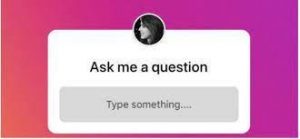
There are generally 4 Sticker types of Poll Stickers, and one of those stickers that can give you immense leverage is the Question Sticker. The question sticker is a great way to drive your followers to engage with your content while asking you questions and being involved in your business. The question sticker is an open-ended question with the freedom to answer the questions within three lines. This sticker is an excellent initiative for brands because businesses can use the question poll to drive engagement and get ideas about the content their audience wishes to see. Moreover, it’s an excellent opportunity to answer their frequently asked questions, understand their perspectives, and find ways to improve their businesses’ accounts and frameworks.
#2. Quiz Poll
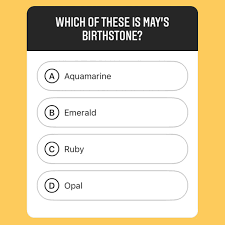
The Quiz Poll Sticker is one quiz question with four possible choices. This sticker is quite useful, too, particularly if you want your audience to choose among a couple of options. It’s a great tactic to drive response from your audience.
#3. The Emoji Slider
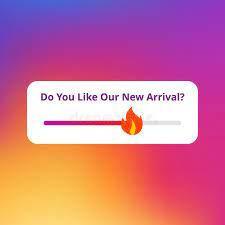
Emoji Slider Polls are an excellent sticker bar that followers can drag to draw a response from the audience and gain their reaction about an Instagram Story Photo or Video.
#4. The Classic Sticker Polls
The classic poll is a two-choice option sticker which is just as easy to utilize and respond to as an Emoji Slider. It allows businesses to find out their viewers’ motivation without having to run long, tedious surveys.
You can use this two-choice sticker poll to gain input into your viewers’ preferences on two product or service types, colors, or experiences to customize your business according to your customer’s preferences.

#5. The “Location” Instagram Story Sticker
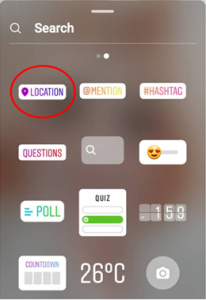
The Location Sticker allows you to mention your location within your story. This is perfect for location-based businesses which want to put their brand on the map using Instagram Stories or even reels. Since location, Instagram Stories Stickers give precise geographical placement, making it easier for potential customers to find your brand’s store. While giving your Instagram Stories enhanced views that lead to potential buying customers.
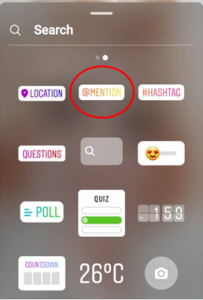
#6. The “Mention” Instagram Stickers
The mention sticker is an Instagram Marketing Strategy that gives both the person mentioned and the person mentioning a great opportunity to engage more followers, boost screen response, and drive traffic towards both brands. The “Mention” Instagram Stories Stickers are used to give a shout-out and recognize another group on Instagram. Used mainly by Instagram Influencers, it’s a great way to show your relationships with other brands on Instagram. Particularly since the account mentioned gets notified and will equivalently share the same story giving you additional views, promotion, and exposure to new followers.
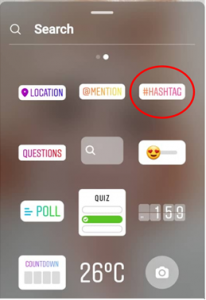
#7. The “Hashtag” Instagram Stories Stickers
Hashtag Stickers puts you on the map just as much as the Location Sticker. Your users can click on the hashtag sticker to be redirected to its related page by using hashtags. It is especially recommended to create and use a branded hashtag icon. By using branded hashtags, you’ll guide your users directly to your brand, page, account, product, service, and event to promote your business further. We also recommend using Instagram Hashtag Generator Tools to identify the right hashtags for your niche, interest, and brand.
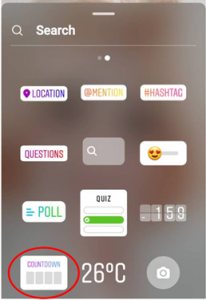
#8. The “Countdown” Instagram Stickers
The Countdown Sticker is another sticker barely used for Instagram Stories but could give your brand great exposure. To use Instagram Stories countdown stickers, you can create anticipation, hype, and promotion for upcoming events, product launches, and product reveal through the story and the countdown sticker.
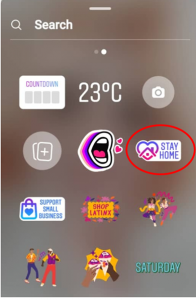
#9. 2019, 2020, 2021, and 2022 Pandemic Related Stickers
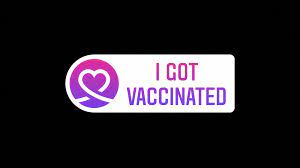
Well, the pandemic has engulfed the world since 2019 all through 2020 and now to mid-2022. Hence, it’s no shocker that Instagram stories stickers related to the covid-19 pandemic are beneficial to engaging users. These stickers can make your content, story, and Instagram account viral among other users’ posts. By making your Instagram stories, Reels, and wind up on the Instagram Explore page. Particularly with all the debates about staying home and getting vaccinated. So, posts and content promoting “vaccination” and “staying home” through Instagram Story Stickers would make your content stand out and go viral.
The most significant advantage of using Covid correlated Instagram stickers is that the Instagram algorithm will highlight those stories once used. Even further highlighted, the algorithm will put them ahead of other stories in your users’ feed once you create a story post with the stickers below.
#10. The Product Sticker
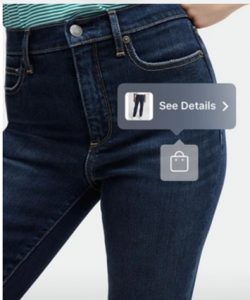
To use Instagram to sell brand products has become old news. However, a new addition has been the “Product” Sticker which allows your users to tap on the shopping bag and, in return, gain more details into the product details.
#11. The “Music” Instagram Story Sticker
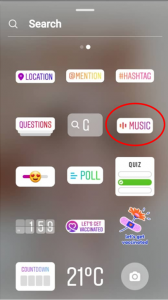
The music sticker is a great way to promote your posts while grabbing your users’ interests through the Music Sticker. They are not only creative, fresh, fun, and exciting, but they also spike up your audience’s mood with a variety of sounds, lip-syncing videos, and tunes, all chosen from Instagram’s own Music library.
#12. Occasional Festivity Stickers
Occasional Festivity Instagram Stories Stickers is another method to spice up your photos and videos story posts. These stickers that relate to an upcoming festivity can also spike the Instagram Algorithm to be seen boldly in the Instagram Story Feed Bar in your Users’ Instagram Accounts. Recent occasions that have had stickers which give you extra highlights include:
- Ramadan

- Christmas
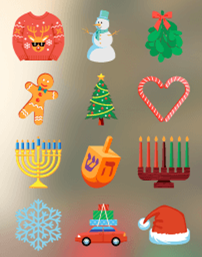
Among other festivity and seasonal-based GIF stickers that depend on your date and geography are April Fool’s Day, Halloween, Thanksgiving, or Chinese New Year. By using any of the images, you could create extra highlights and users for your story.
#13. The “Swipe Up” GIF Sticker
The swipe-up feature has been a new addition to Instagram Stories, giving you the ability to add links to stories and drive users towards your website. But to entice users even further to swipe up would be to use the “Swipe Up” image available within the sticker’s search with few different designs.
You could also create Instagram Call-To-Action GIFs like “Follow Me,” “Check It Out,” “Sound On,” or “New Post” to persuade action from the users.

#14. GIFs Search
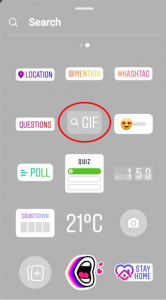
Apart from the mentioned Instagram Stories Stickers, the Instagram App provides many GIF sticker Icons. All you have to do is click the GIF Search and then type in the relevant subject of the image you are looking for to find an engaging sticker of your choice.
#15. Emojis, Fonts, and GIPHYs
By clicking the Search Bar with the Instagram Story Sticker Bar, you can access any sticker you think will engage your users and help your Instagram Story Post stand out among other Stories. Whether an emoji, a font, a word, a phrase, or a GIPHY, you can find it all by searching through the Instagram Stories Stickers and add it to your story video or image post before posting.
The Best Instagram Story Stickers That Grab Attention
When it comes to Instagram Stickers, there is no right or wrong as long as you use the associated Instagram Sticker that relates well to the photos or videos you have set on your screen to later post as an Instagram Story you are on the right track. Ensure you have fun, choose the right GIFs, GIPHY image, font, and sticker, and utilize them well to benefit your digital marketing strategy. All while ensuring that it’s engaging your followers and creating an investment return by grabbing your users’ attention through the usage of a simple Instagram Sticker.

Emi Daniel
Buy an Established Instagram Account
Skip starting from zero. Browse Instagram/TikTok accounts with audiences across many niches.
See Available AccountsRelated articles
-

How to Go Live on Instagram: A Step-by-Step Guide
Going live can feel more stressful than posting a Reel. You cannot remove a pause, rewrite a sentence, or start over after an awkward moment. But that…
17 min readEmi Daniel
-

Instagram Instants Feature: What It Is, How It Works, and How to Turn It Off
The first time I opened Instagram Instants, I almost backed out. I had taken a normal photo. Nothing worth editing. Nothing worth posting. Nothing that needed an…
11 min read -

How to Clear Instagram Cache on iPhone, Android & Desktop
Instagram can quietly build up a lot of temporary files while you scroll through Reels, watch Stories, save posts, and upload your own content. You may not…
12 min read