
Curious about who your closest friends are on Snapchat? The Snapchat Planets, also called the Friend Solar System, is a feature of Snapchat Plus that displays your friendships in the form of a solar system.
You are the Sun, and your friends will be the planets orbiting you, ordered from closest to furthest based on your interactions-from your best friend on Mercury to the least close one on Neptune.
Snapchat Planets is inspired by the real solar system, and it makes it easy to visualize your top Snapchat friends.
In this article, we will explain how Snapchat Planets work, each planet’s meaning, how the order of friends works, and some tips to check and improve your rankings.
Read on for everything you need to know about Snapchat’s Friend Solar System and how it can help you view your friendships in a whole new way.
What Are Snapchat Planets?
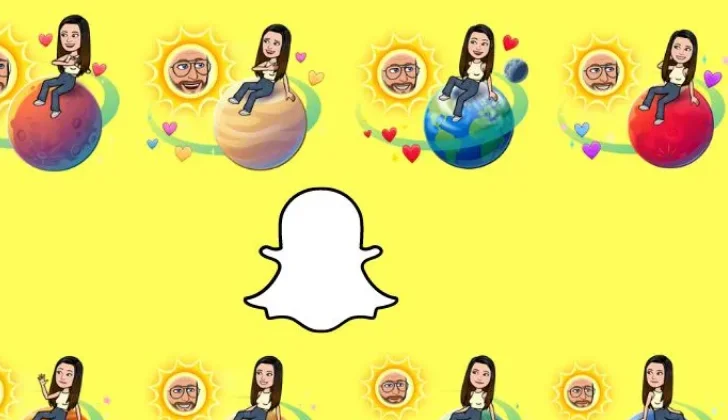
Snapchat Planets, also referred to by the longer name Friend Solar System, is a special feature on the app that is now available to Snapchat Plus subscribers. It is a feature that enables your friendships to appear like a solar system. You will be the Sun in this arrangement, while your eight best friends will always appear as planets that orbit around you.
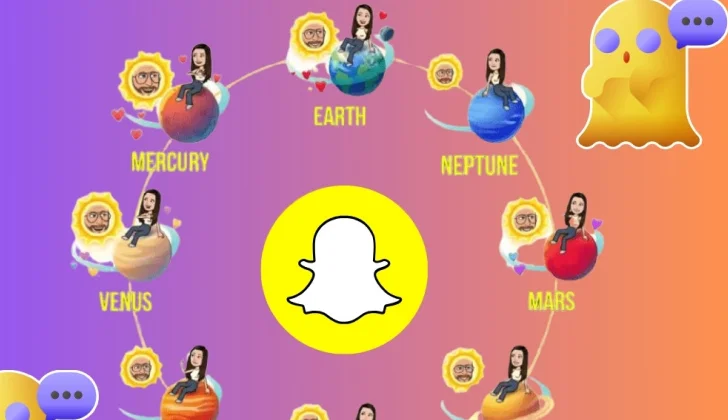
The nearest planet to you, Mercury, represents your closest friend based on your Snapchat interactions, while the furthest planet, Neptune, represents the friend you interact with the least. The planets in between, Venus, Earth, Mars, Jupiter, Saturn, and Uranus, denote your friends in a reducing order of proximity.
Each Snapchat Planet is dynamic, so your status in these can change depending on your friends’ solar systems. For example, you can be Mercury in your friend’s solar system, while in another, you can be Mars or Uranus, depending on your engagement with the user.
In other words, Snapchat Planets give you an interesting graphical representation of your most important friendships on the app by arranging your friends from most to least based on your level of interaction.
How Does Snapchat Planets System Work
The first thing you need to know before learning how the Snapchat Planet system works is that you should subscribe to Snapchat Plus to use this feature to better know how close your friends are to you.
Each Snapchat Planet represents your friendship with a friend on Snapchat. Once you subscribe to Snapchat’s paid version, you may see a Best Friend or Friend badge on your friend’s profile, displayed inside a golden ring.
If you and your friend both have the Best Friend badge, it means that you are in each other’s top eight planets in the solar system.
However, if you can only see a Friend badge, it means that you are in their friend’s solar system, but they are not in any of your planets.
Exploring engaging content trends on other platforms can give you new ways to connect with friends; for instance, our guide on trending effects on Instagram Reels shows creative ways to boost interactions with visual content.
Can you Organize Your Snapchat Planet Manually?
Many users wonder if they can change the order of their Snapchat Planet system manually. The answer is no; Snapchat determines your planet ranking automatically based on your interactions, such as Snaps, chats, and story engagement.
However, your position can change naturally over time. If interaction with your friends changes, for example, if you start snapping or chatting with someone else more often, Snapchat might readjust their placement in your Friend Solar System.
Therefore, while you cannot manually reorder planets, you may influence your ranking over time by interacting more frequently with specific friends through snaps, chats, and story engagement.
Using Snapchat slang like ONB in your chats can make your interactions more engaging and help you connect better with friends, which may naturally improve your position in the Snapchat Planet system.
What Is Snapchat Planets Order in 2026
Now that you are entirely familiar with the meaning of Snapchat Planets and know how this solar system works, it is time to learn the order of this system to better understand it and see how your top Snapchat friends are ranked in 2026.
Mercury
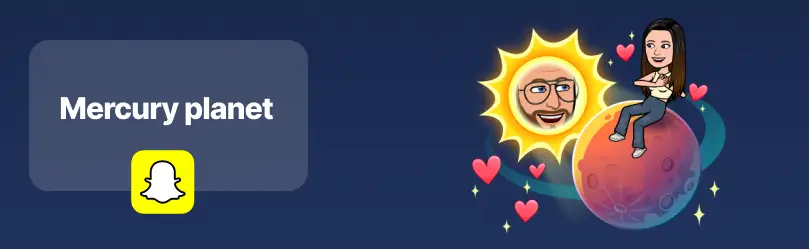
The first planet in your Snapchat solar system is Mercury, which is for your first and closest friend, with whom you chat and share snaps most often, so Snapchat detects this person as your best friend and puts their name on the Mercury planet (based on interactions like snaps, chats, and story views, which determine Mercury’s placement).
Venus
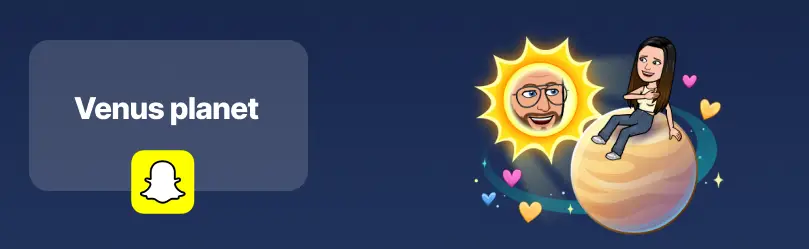
Your second-best friend will be on Venus, the planet whose Bitmoji is light brown and surrounded by multiple colored hearts, such as yellow, pink, and blue representing your second-closest friend.
Thus, the second person you frequently talk to on Snapchat or share snaps, but not as much as your first best friend, is the owner of this planet according to Snapchat Planets 2026.
Earth
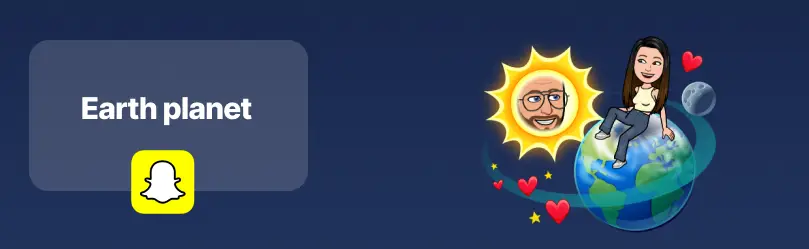
The third planet on Snapchat’s solar system is Earth, which shows your third-best friend’s place around the Sun.
The Bitmoji of Earth on this system is green and blue to represent the actual Earth; it also has small red hearts and yellow stars around it and has a small moon for decoration.
The beautiful thing about the Bitmoji of this planet is that it has a moon around it, which is very pretty.
Mars
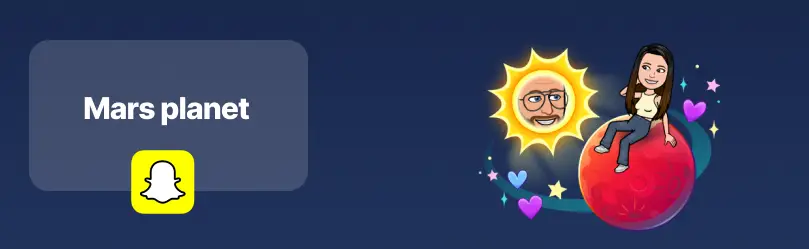
Mars is the fourth planet on Snapchat and represents your fourth-best friend, with whom you chat and share snaps too often.
Mars’s Bitmoji is red, surrounded by pink, purple, and blue hearts, which have little yellow stars to show its shine and reflects interaction levels with this friend.
Jupiter
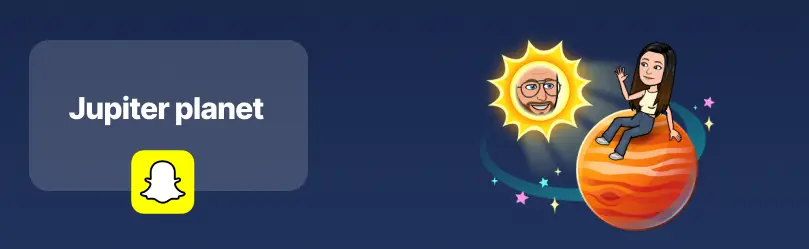
Your fifth-best friend will be on Jupiter, which looks like an orange with red tints. This shows that this person is almost close to you, and you keep in touch with them a few times a week.
As mentioned before, this planet’s Bitmoji (color) is orange, and multiple colored stars enhance its beauty and shine and indicate the ranking in Snapchat Planets 2026.
Saturn
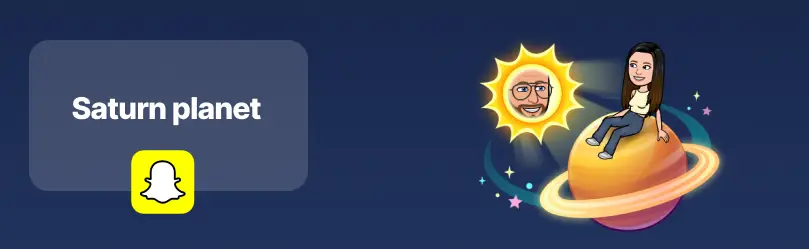
Like the actual solar system, Saturn is the sixth planet on the Snapchat Planets system and represents your sixth-best friend, with whom you usually share snaps or chat on the application.
The Bitmoji of Saturn is yellow with an eye-catching ring around it, which is surrounded by colorful stars like yellow, pink, and blue.
Uranus
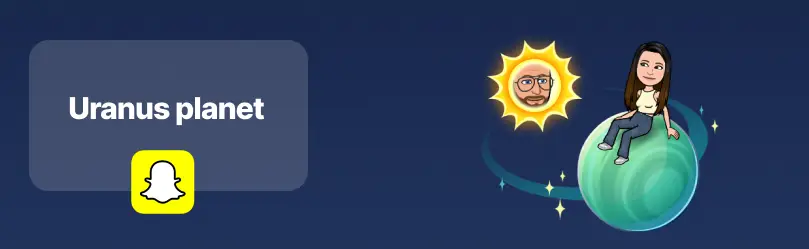
Just like the real solar system, Uranus is the seventh planet on the Snapchat Planets system and represents your seventh-best friend.
The color of this planet is green, which is surrounded by beautiful yellow stars. Being Uranus simply reflects your current interaction levels; it doesn’t affect your friendship in real life.
Neptune
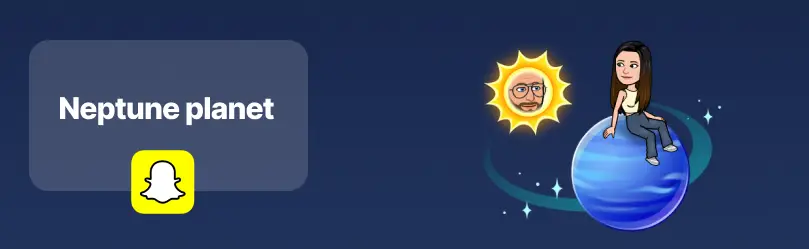
The last and your eighth-best friend has the Neptune planet, which means you have the fewest Snapchat interactions with this person, yet they are your friend, and you want them to be near you.
Neptune represents your eighth-closest friend based on Snapchat interactions and does not reflect the importance of your real-life relationship.
Planet visuals may change with app updates, so designs may look different in 2026.
How to Check Your Planet on Your Friend’s Snapchat Planet System?
Curious about your place in a friend’s Snapchat Planet system 2026? Here’s how you can check your ranking:
Step 1: Open Snapchat on your device.
Step 2: Go to your friend list and select the friend whose solar system you want to see.
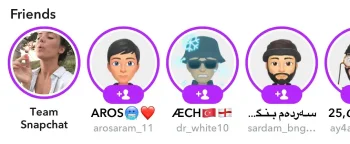
Step 3: Tap their profile and look for the Friend Solar System badge (or Friend Planet icon).
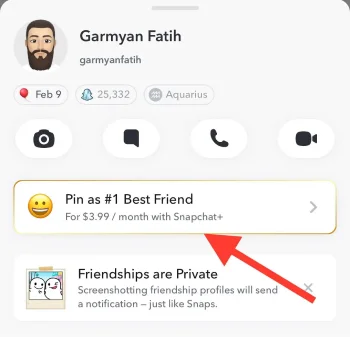
Step 4: You’ll see which planet you are and your number in their friend list. Remember, this ranking is based on your interactions, and not all friends may display a full solar system if they don’t use Snapchat Plus.
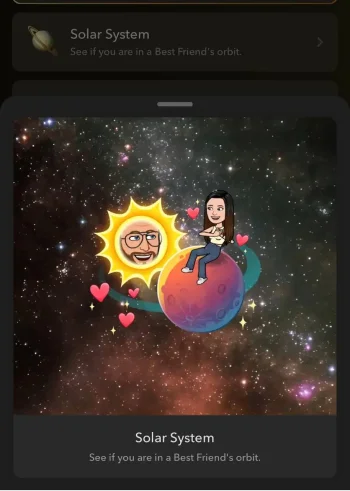
This ensures you can check your Snapchat Planet 2026 ranking while understanding that placement is determined by snaps, chats, and story interactions.
How to Level Up in the Snapchat Planet Rankings?
Did you know you can improve your rankings in the Snapchat Planet system? Here’s how it’s done:
- Keep interacting and engaging with your friends by checking their Snaps regularly and replying to them.
- Be the one who starts a conversation with your friends and try to reply their messages quickly.
- Check their stories and always leave a comment or use emojis to show how interested you are in their content.
- Send them as many snaps as possible to maintain a 100+ day streak store on Snapchat.
- Share old, common memories with them, which will lead to deep conversations, keep you engaged, and improve your rank.
- Send them personal Snaps or thoughtful messages to communicate and interact with them.
- Engage with new features like Bitmoji reactions or My AI responses, which may also influence Friend Solar System rankings.
Want to engage with friends more effectively? Learning popular social media slang like LFG can make your chats more fun and interactive.
What Is Snapchat Plus?
Now, let’s take a closer look at how to use the whole Snapchat Planet and other exclusive feature on the app.
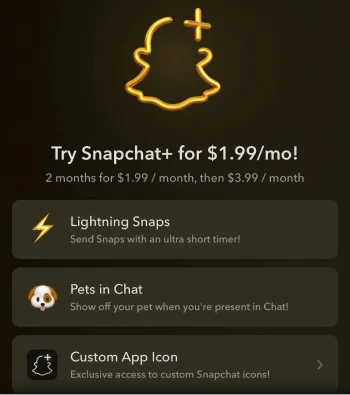
As said, Snapchat Plus is the premium subscription version of Snapchat, designed to give users early access to new features, exclusive icons, and other perks. One of the most popular Snapchat Plus features is the Friend Solar System (Snapchat Planets), which visually ranks your friends based on your interactions.
In 2026, Snapchat Plus is available in several countries, including the USA, UK, Canada, Saudi Arabia, France, New Zealand, Germany, UAE, and Australia, with availability continuing to expand.
How to Subscribe to Snapchat Plus in 2026?
Follow these steps to subscribe to Snapchat Plus and access exclusive features:
Step 1- Open the Snapchat application on your mobile. If you don’t have it installed on your device, download and install it first.
Step 2- Log in and open your profile.
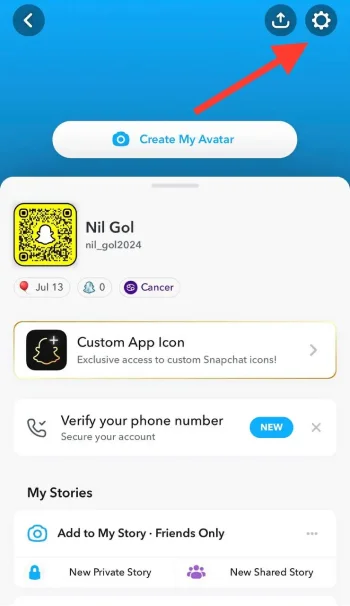
Step 3- Tap the settings icon in the top right corner.
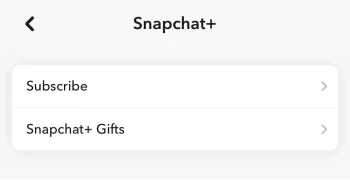
Step 4- Select Snapchat+ (or the “Subscribe” option in your menu).
Step 5- Review the features and click Next.
Step 6- Choose your plan (monthly, 6-month, or annual) and, if available, start your free trial.
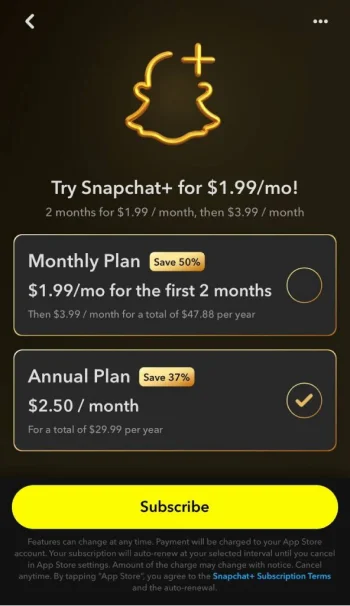
Step 7- Add your payment method. Once completed, the exclusive Snapchat Plus features will unlock automatically.
How Much Is the Snapchat Plus Subscription?
Want to subscribe to Snapchat Plus? This is how much it costs:
| Plan | Features | Price |
| Special Offer | Access to all 40+ Snapchat+ features.Cancel or change the plan at any time. | $4.99 ($1.99 for the first 2 months, then $4.99 per month) |
| Annual | Access to all 40+ Snapchat+ features.Save 60% when paying upfront for the year. | $2.50 per month; use the special offer and subscribe for $1.99 per month. $23.90 for the first year, then $29.99 per year) |
| Friends & Family | Access for you and 2 friends.Save up to 53% for each member. | $2.33 per person; for a total of $6.99 per month. |
| Lens + | Access to all 40+ Snapchat+ features.Over 100 exclusive lenses. | $8.99 per month |
| Platinum | No story or lens ads.Over 100 exclusive lenses. Access to all 40+ Snapchat+ features. | $14.99 per month |
How to Enable and Disable the Snapchat Friend Solar System?
Some users feel that the Snapchat Solar System is not suitable for the younger generation, which is why the company has disabled this feature by default and to use it, you have to subscribe to Snapchat Plus.
However, enabling and disabling this feature is a smooth process. Follow the steps below to learn how it’s done.
Enabling the Friend Solar System on Snapchat
Step 1- Open Snapchat on your device.
Step 2- Tap on your profile in the top left corner.
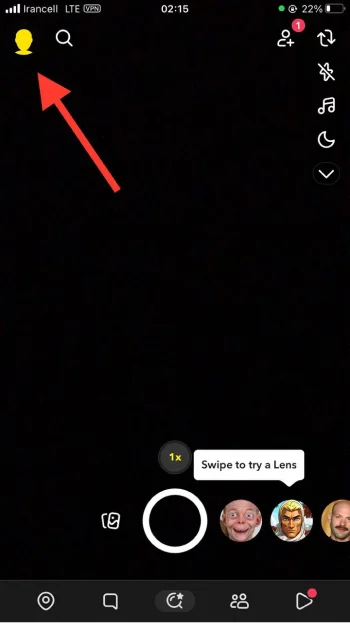
Step 3- Select the “Snapchat +” option below your bio.
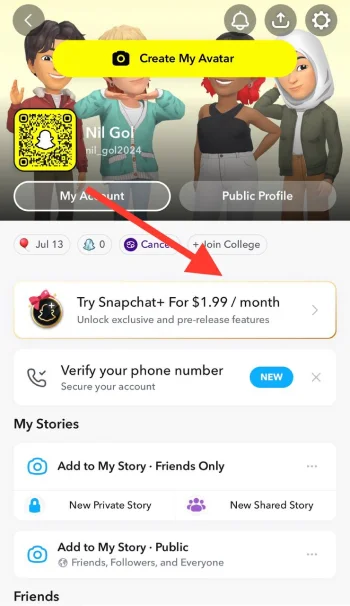
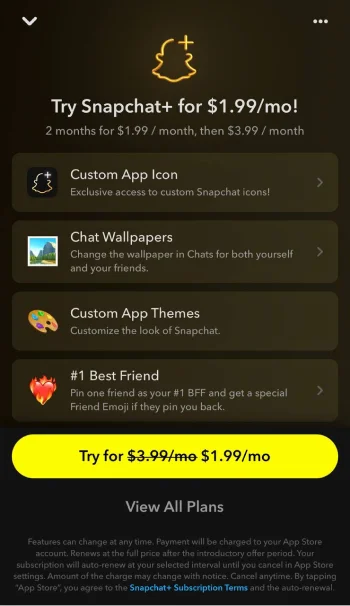
Step 4- Check out its new features on the new screen.
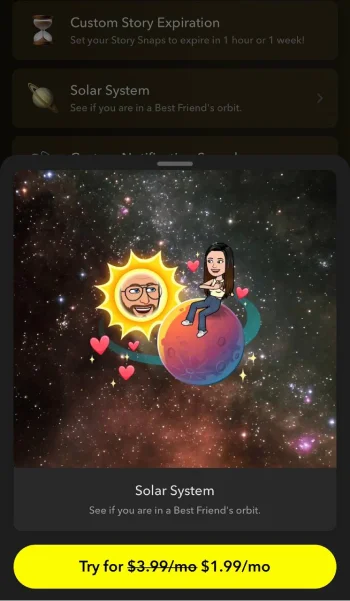
Step 5- Scroll the menu to reach the “Solar System” feature.
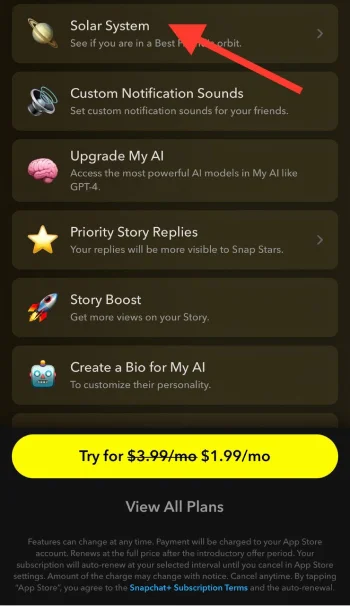
Step 6- Toggle it on and confirm the action by clicking on “Okay” in the pop-up.
Disabling the Friend Solar System on Snapchat
Disabling this feature is easy! Just follow the mentioned steps in the previous section until you find the “Solar System” feature. Then, click the toggle button in front of it to turn it off.
What Are the Features of Snapchat Plus?
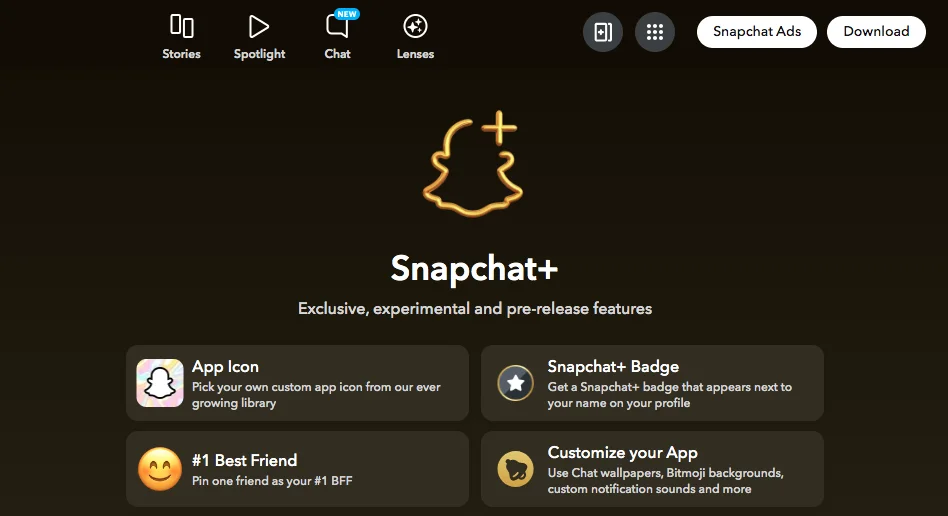
Here is a complete list of the features that Snapchat Plus provides for users:
- Replay your own snaps: This allows you to view and replay the snaps you sent.
- Replay again: You will get an extra replay before your snaps expire.
- Snapscore multiplier: It grows your score 2X faster when you Snap with other Snapchat Plus subscribers.
- Lightning snaps: You can send Snaps with an ultra-short timer.
- Post view emoji: This feature allows you to select a unique emoji for each of your friends after they see your Snaps.
- Custom notification sounds: Set a custom notification sound for each of your friends.
- Custom ringtone sounds: Set custom ringtones for each of your friends.
- Custom app icon: You will have access to Snapchat app-exclusive icons.
- Chat wallpapers: This enables you to change chat wallpapers for both yourself and your friends.
- Custom app themes: You can customize the look of Snapchat with exclusive themes.
- #1 best friend: It helps you quickly access your #1 best friend and gives you a special Friend Emoji if they pin you back.
- Story rewatch: You can see how many friends have rewatched your stories.
- Bitmoji backgrounds: You will have exclusive backgrounds for your Bitmoji.
- AI creative tools: Use generative AI tools to create and edit your Snaps like a pro.
- Snapchat + badge: It shows a Snapchat + badge next to your username.
- Custom story expiration: You can set when your story expires—after one hour or a week!
- Solar system: It allows you to check if you are in your friend’s orbit.
- Upgrade My AI: It gives you access to the most powerful AI models in M AI.
- Priority story replies: Your story replies will be more visible to Snap stars.
- Story boost: It helps you get more views of your stories.
- Create a bio for My AI: You can create a bio for My AI to customize your personality
- Custom Bitmoji pets: You can use AI to create your pet Bitmoji or an imaginary pet Bitmoji.
- Snapstreak restore: It gives you a free restore to save a lost Snapstreak.
- Extended best friend list: You can expand your best friend list to 16 members and see when their position changes.
- Generative chat wallpapers: You will get unique and exclusive chat wallpapers for both you and your friends.
- Generative profile backgrounds: Allows you to create customized backgrounds for your Bitmoji.
- Home tab: You can choose the tab to which the application opens.
- Extend Snaps: This enables you to create a zoomed-out version of your Snaps to extend them.
- Peek a peek: You can see when your friends half-swip into a chat.
- Snapstreak reminders: The app will remind you when Streaks are ending.
- Instant streaks: You can skip the wait and start a Streak on day 1.
- New and exclusive lenses: It gives you early access to new and exclusive lenses
- Custom chat colors: You can set your favorite color and set it as how your name appears in the chats.
- Story timestamps: It shows you the exact time your friends see your story.
- Pets in chat: You can show off your cute pet while chatting!
- Story view notifications: The app notifies you when a friend views your story.
- Unlimited AI story replies: You can generate as many AI story replies as you want.
- Friends in chat: See when your friend is in the chat.
- AI stickers in chat: Use AI to create custom stickers in chat.
- AI captions: You can easily generate AI captions for your Snaps.
Conclusion
Snapchat remains one of the most popular social media platforms, with millions of active users worldwide who use it to share visual content, make friends, and build relationships.
For those looking to unlock exclusive features, subscribing to Snapchat Plus is the way to go. With Snapchat Plus, you can access the Snapchat Planets feature, allowing you to see your friends’ names on planets based on your interactions, a fun and unique way to visualize your friendships.
Currently, Snapchat Plus and its Planet feature are available in around 25 countries, so if you don’t see it yet, it may not have launched in your region.
In this guide, we covered everything you need to know about Snapchat Planets, how they work, what each planet represents, the order of friends, and tips to check or improve your rankings.
Use this feature to gain insights into your friendships, stay connected with your closest friends, and enjoy a fresh perspective on your social interactions.
FAQs
Are Snapchat planets visible to my friends?
No, your Snapchat planets are only visible to you, and others can not see your solar system unless you share the information with your friends.
Can I change the order of my solar system on Snapchat?
No, Snapchat does not allow you to change the order of the planets because the order manually has been designed and determined by Snapchat’s algorithm according to your interaction on the app.
However, once the pattern of your interactions with certain accounts changes on Snapchat, the application may change its position on your solar system.
Can I use Snapchat on my desktop?
Yes, Snapchat is available on the desktop; however, you can not check your friends’ solar systems on the desktop version.
