

Have you ever caught yourself staring at someone’s profile picture on Instagram and wished you could download their picture or take a closer look at it?
If your answer to this question is yes, you are not alone. Profile pictures are often the first thing that attracts our attention to their profiles, and when users have pretty profile pictures, many of us may want to download them for easy access.
The critical thing to remember is that Instagram does not allow users to download others’ profile pictures directly because it is against its community guidelines, and Instagram is a platform that protects its users’ privacy.
Buy an Established Instagram Account
Skip starting from zero. Browse Instagram/TikTok accounts with audiences across many niches.
See Available AccountsSo, what should you do if you want to download someone’s profile picture on Instagram to see it better?
To do this, you must use third-party tools that enable you to download any profile picture on Instagram.
In this article, we are going to discuss why and how you should download Instagram profile pictures, and we will examine the top seven free tools that facilitate this process and allow you to download and save Instagram profile pictures quickly.
What Are Instagram Profile Picture Downloaders?
Before we go any further, it’s better to explain what Instagram profile downloaders are.
In simple words, they are services that Instagram Downloader websites offer to users so they can access and view profile pictures in full size and download them if they want to.
By using these third-party tools, you can download and save Instagram profile pictures on your device with the highest quality and in their full size.
These tools offer various features that help you better use the Instagram application; we will review the best suggested tools in the following sections.
Why Use Instagram Profile Downloaders?
One of the main questions that you might ask yourself is why someone would want to download others’ profile pictures.
There are various reasons, some of which may be personal or just out of curiosity; however, we prepared a list of common reasons you may want to download and save someone’s profile picture on Instagram using Instagram Profile Picture Downloaders.
You have offline access
Using these tools helps you access any profile pictures even when you are offline. As you know, we may miss someone on Instagram who has blocked us, and we can’t always be online on Instagram. So, these tools help us review their pictures whenever we want.
You can archive memories
People can use an Instagram profile picture downloader to save their own or others’ profile pictures to preserve their memories and specific moments.
You have access to full-sized profile pictures
Instagram only shows a small version of profile pictures; however, using a PF downloader app allows you to access full-sized versions of profile pictures with high resolution and quality.
You can reach your backup goals
These tools also help users to download a post or any visual content on Instagram, which means they can use such tools to back up their Instagram content, including profile pictures.
You will notice small changes in profile pictures
Social media platforms like Instagram are dynamic, and users frequently update their accounts. These tools help users track changes people make to their profile pictures.
Finally, it’s crucial to note that while these reasons highlight the utility of Instagram profile downloaders, users should always respect privacy and adhere to Instagram’s terms of service when using such tools.
How to Download a Private Instagram Account Profile Picture
If you are wondering whether you can download every profile picture on Instagram, including private accounts, you should know that you may get an error notification while downloading from a private account.
The errors you may receive are: “Couldn’t extract user ID,” “Failed,” and “Unexpected error occurred.”
To resolve such issues, you must be logged in to your account and import essential cookies from your browser so that the Instagram application has access to the browser where you are logged in.
Following these simple steps will help you download any Instagram profile picture from any private account that you follow.
Best 10 Instagram Profile Picture Downloaders in 2025
1- InstaDP
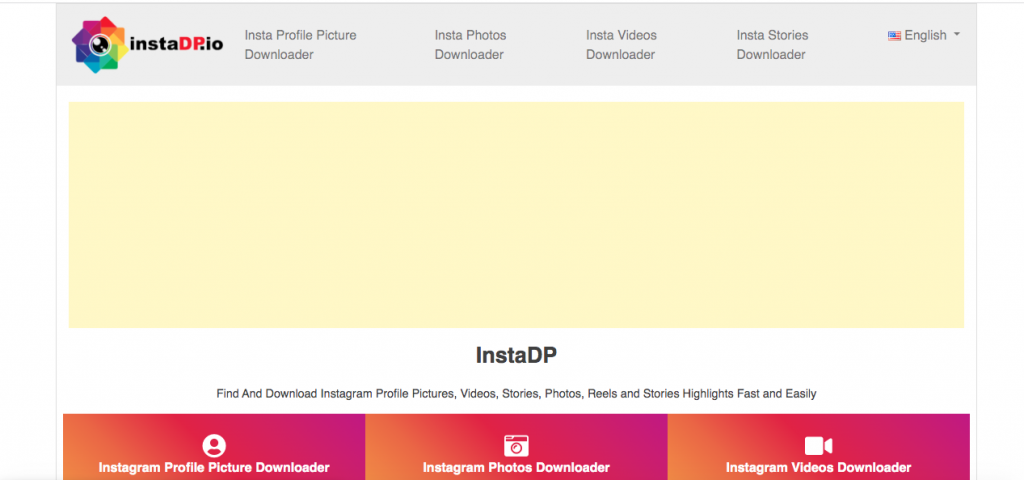
One of the best Instagram profile picture downloaders you can use in 2025 is InstaDP because it enables you to download every profile picture on Instagram with the highest quality.
You can find the desired account using this tool in the shortest possible time, and you won’t face any trial-and-error issues.
This tool also helps you to download Instagram Reels, photos, stories, and posts and save them on your device to use later.
This service is handy; you just have to search for the username you want to download its profile picture, and it will show you the right results in a few seconds.
Downloading Instagram profile pictures using InstaDP
Step 1- Visit the InstaDP on your browser.
Step 2- Click on “Instagram Profile Picture Downloader.”

Step 3- Type the username or the URL of the profile you want to download, and tap on the “Get” button.
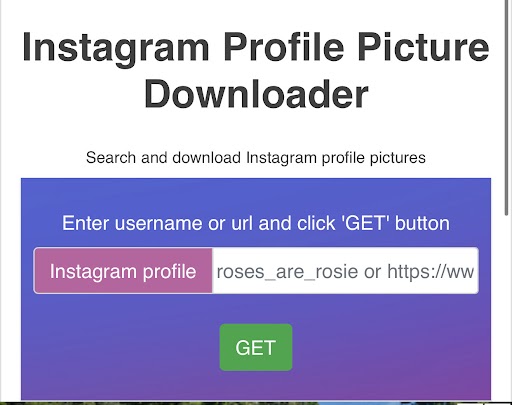
Step 4- Now, you will see the full-size image of the profile. Click on the download button to finish the process.
2- WFDownloader
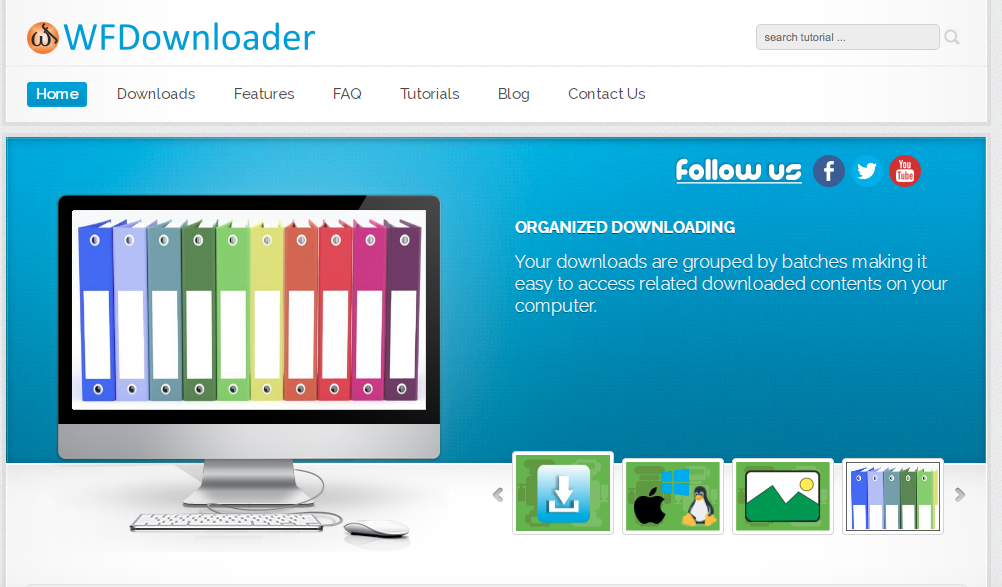
WFDownloader is an application that enables users to view and download Instagram profile pictures with just a few clicks.
Note that this app also works for other social media platforms, such as Pinterest and Twitter, which means you can use it for similar purposes on different platforms.
Downloading Instagram profile pictures using WFDownloader
Step 1- Open Instagram and copy the URL/link of the profile you want to download its picture.
Step 2- Now, Open the WFDownloader application on your device or download it if you don’t have it.
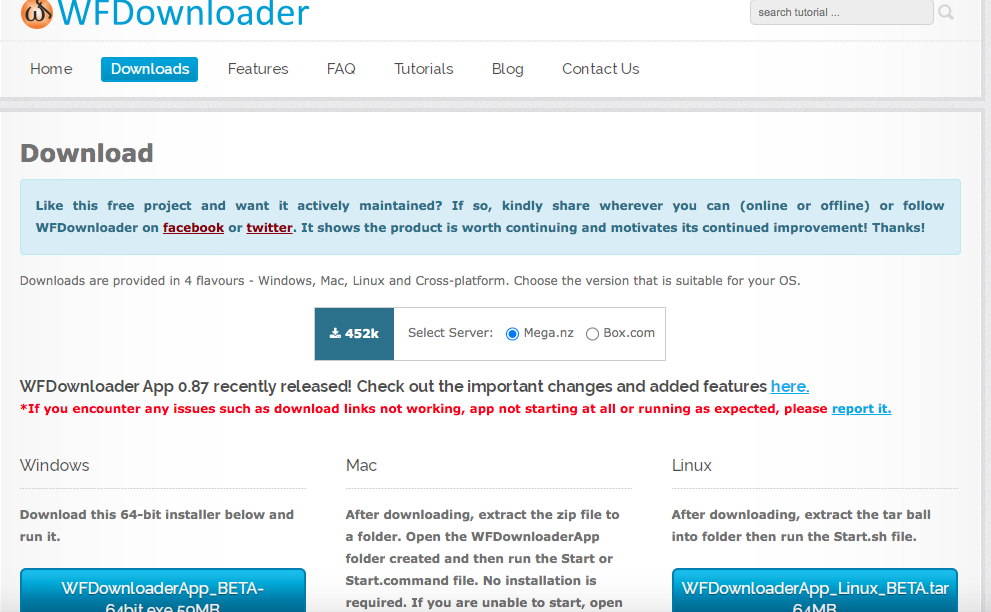
Step 3- Tap on the “Add” button and paste the link you have copied from Instagram.
Step 4- Click “Confirm” so the application starts searching for the profile picture.
Step 5- Now you have to click on the “Start” icon, and it will download the image for you.
3- SaveInsta

This is another easy-to-use Instagram profile picture downloader to view and download Instagram profile pictures, Reels, stories, videos, etc.
This tool allows users to download Instagram profile pictures in HD format and in full size. Moreover, SaveInsta is free to use, and you can download any content from Instagram using any browser and device.
It also offers a zoom option that helps you to zoom in on the profile images and view them in full size and with the highest quality.
Downloading Instagram profile pictures using SaveInsta
Step 1- Open your browser on your device and go to SaveInsta.
Step 2- Type and enter the username of the account you want to download.

Step 3- Now, you have to choose the preferred resolution, which can be SD or HD, and the format, such as MP4, PNG, or JPG.
Step 4- Tap on the “View” button, and you will see the profile picture.
Step 5- Hit the “Download” icon, and it will download the image on your device.
4- IGdownloader.app
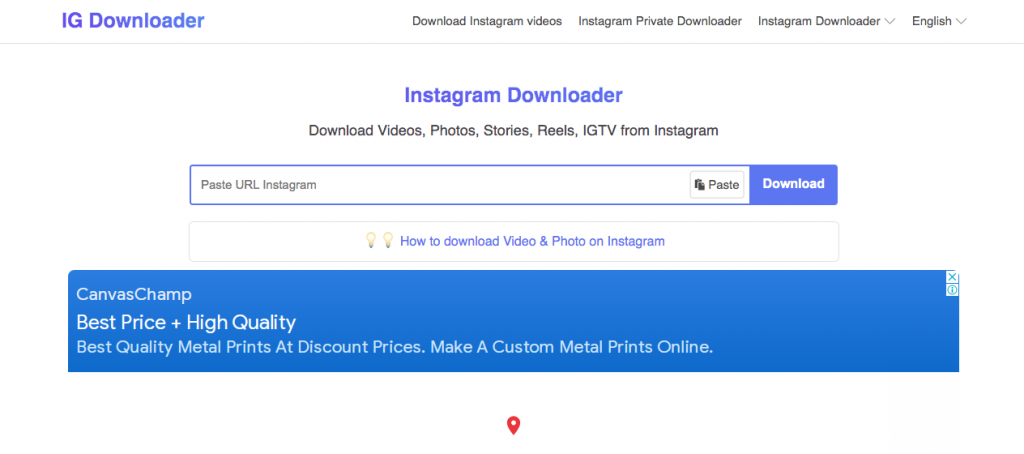
IGdownlaoder app is one of your best choices for viewing and downloading various types of content from Instagram, including profile pictures.
It offers seven features, and you can use each of them separately and enjoy the high quality of what you download.
Furthermore, using this website, you can download IGTVs, Reels, posts, videos, and photos from every public account on Instagram.
Downloading Instagram profile pictures using InstaDownload
Step 1- Open Instagram and copy the desired profile’s URL.
Step 2- Open IGdownloader on your browser and paste the link into the Instagram profile downloader box.
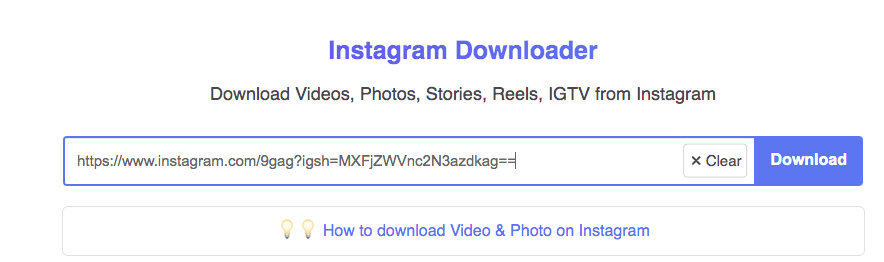
Step 3- Once you click on the “Download” icon, it will start downloading the profile picture.
5- SnapInsta.app

As you may know, Instagram profile pictures are shown in small size by default, which means you can’t zoom in or see them in full size.
However, using the SnapInsta.app, you can zoom in on profile pictures, view them in full size, and download them in high quality and resolution.
Downloading Instagram profile pictures using InDownloader.net
Step 1- Open the Instagram application on your device and copy the account username you want to download.
Step 2- Now, go to the snapinsta website and paste the username/URL in the input box.

Step 3- Tap on the “Enter” icon and wait until the website displays the full-size profile picture.
Step 4- Click on the “Download” button to finish the process and save the image on your device.
6- Izuum

Izuum is one of the top-rated and suggested tools among Instagram users because it cares about users’ privacy and offers various handy features.
You don’t have to share your personal information to access the features of this tool, and there is no need to download any application.
In addition, using this service is very easy, and it enables you to download any profile picture on Instagram even from private accounts.
Downloading Instagram profile pictures using Izuum
Step 1- Search for Izzum.net on your browser.
Step 2- Enter the selected username and paste it into the download box.
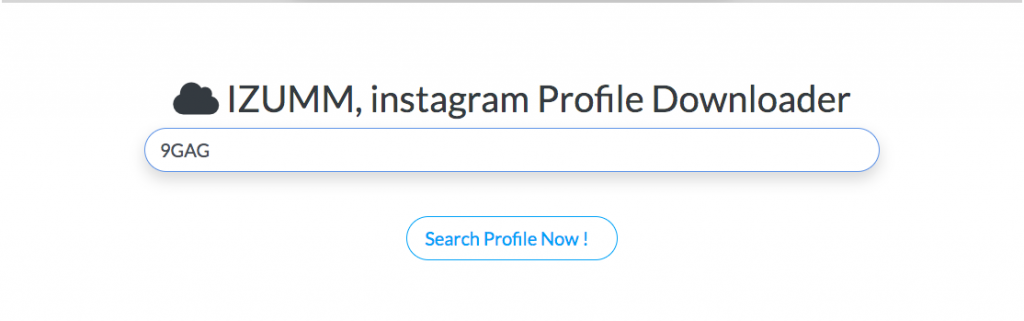
Step 3- Tap on “Search Profile Now.”
Step 4- Once the website finds the profile, you have to select “Download,” and it will download the image on your device.
7- Toolzu
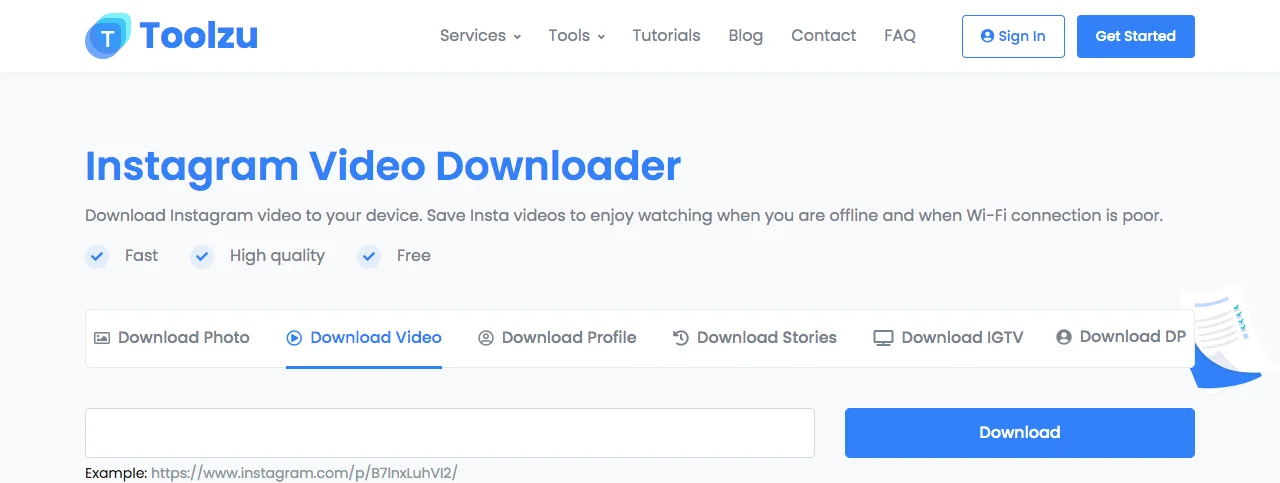
Another effective tool to download Instagram profile pictures from public accounts is Toolzu, which is easy to use and provides a list of all content from your searched account.
Toolzu also allows you to download Reels, stories, highlights, IGTV, and photos, which helps you save more time and energy.
Downloading Instagram profile pictures using Toolzu
Step 1- Search for toolzu.com in your browser.
Step 2- Enter (copy or write) the desired username (with @) in the search bar.
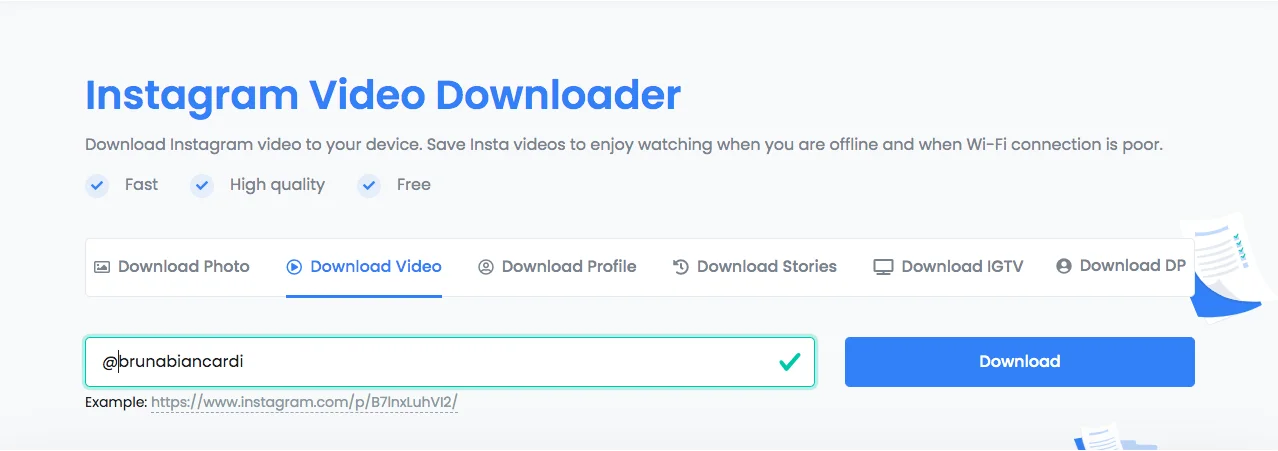
Step 3- Tap “Download.”
Now, you have a complete list of shared content from the desired account.
8- SnapDownloader
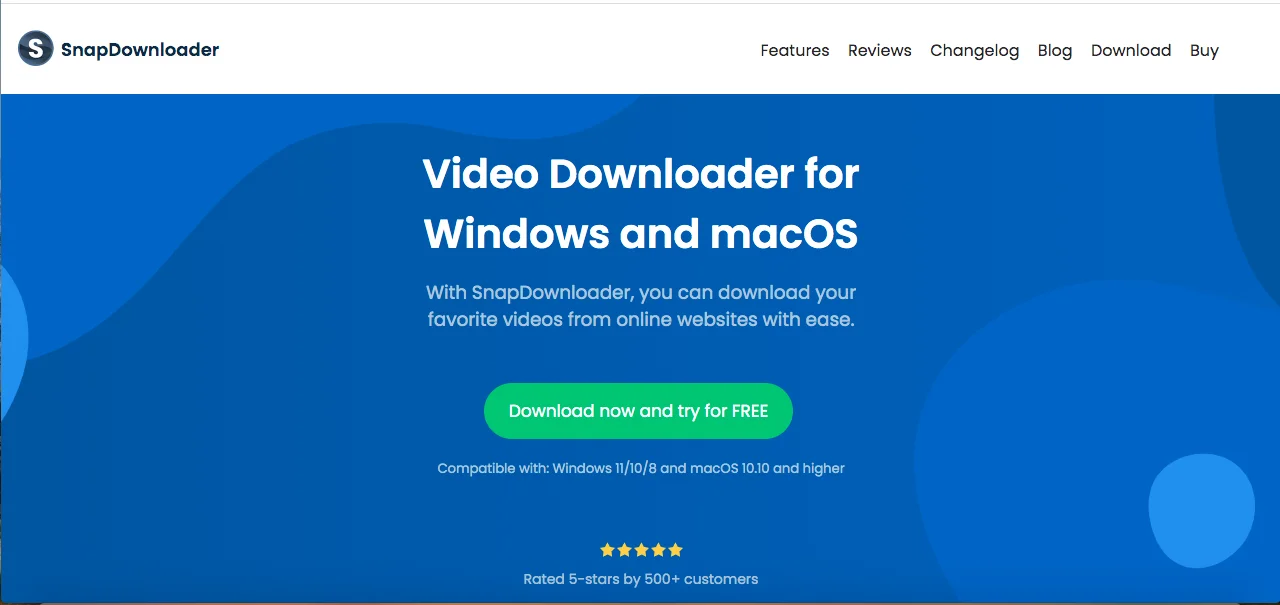
Don’t miss your chance to use this amazing free tool! SnapDownloader enables you to download Instagram profile pictures, videos, and images. Besides, you can use it to download your favorite videos from YouTube.
If you download its Desktop version, you can download content from more than 1000 sites, download private videos, and convert videos to different formats.
Downloading Instagram profile pictures using SnapDownloader
Step 1- Open your browser and search for Snapdownloader.com.
Step 2- Choose an Instagram profile downloader.
Step 3- Enter username (with @) or profile URL in the search bar.
Step 4- Tap the blue “Download” button.
9- Poko Insta
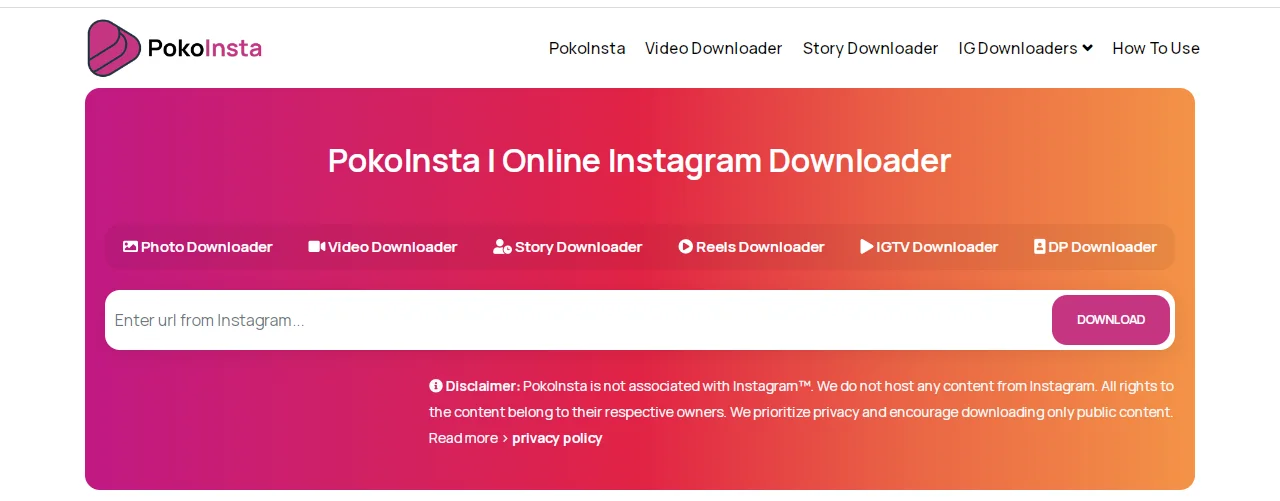
If you care about your privacy on social media, Poko Insta is one of your best choices to quickly download DP from all accounts on Instagram.
It’s free to use, user-friendly, and allows you to download profile pictures, Reels, IGTV, videos, and pictures.
Downloading Instagram profile pictures using Poko Insta
Step 1- Open pokoinsta.com on your browser.
Step 2- Tap on “DP Downloader.”
Step 3- Enter the username (no @ needed) or use this format: https://www.instagram.com/USERNAME
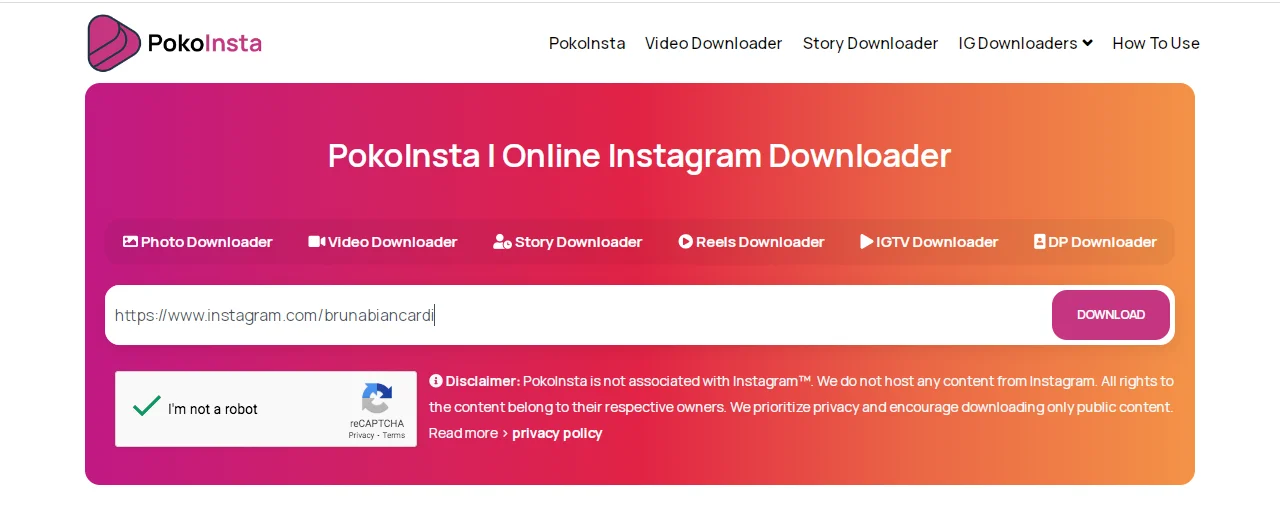
Step 4- Fill in the reCAPTCHA.
Step 5- Tap the purple “Download” button.
10- HiDownloader
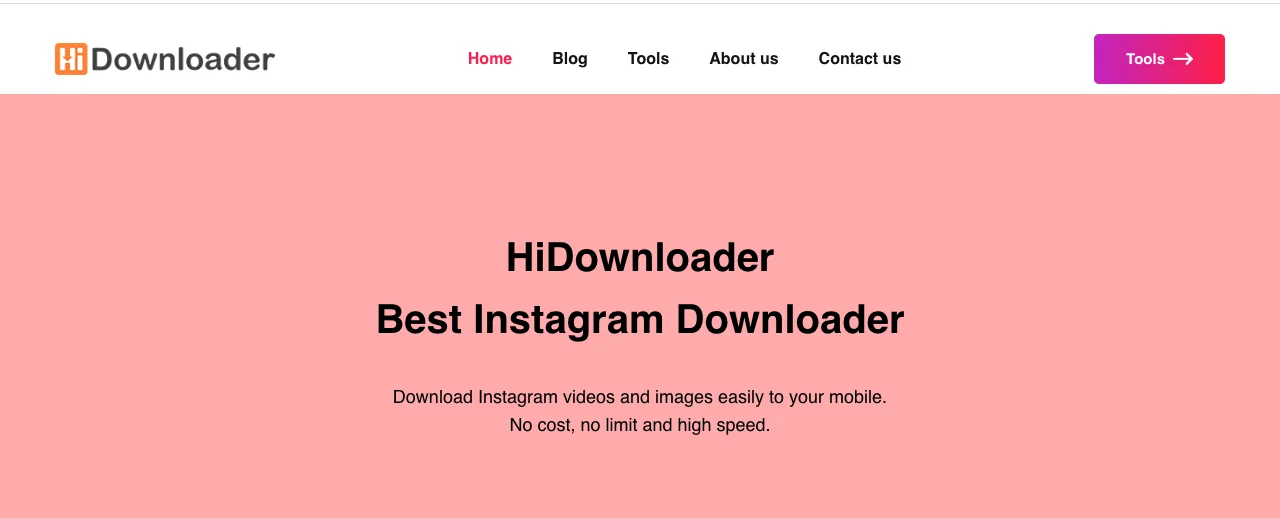
This amazing tool allows users to download Instagram profile pictures, Reels, captions, photos, IGTV, and videos in the highest quality in just a few seconds.
You can use HiDownloader to freely get DPs from both public and private accounts. One good thing about this tool is that it lets you download profile pictures even from blocked accounts!
HiDownloaders also shows all the information in the bio of the searched account.
Downloading Instagram profile pictures using Hidownloader
Step 1- Open hidownloader.com in your browser.
Step 2- Tap “Profile.”
Step 3- Enter the desired username in the box.
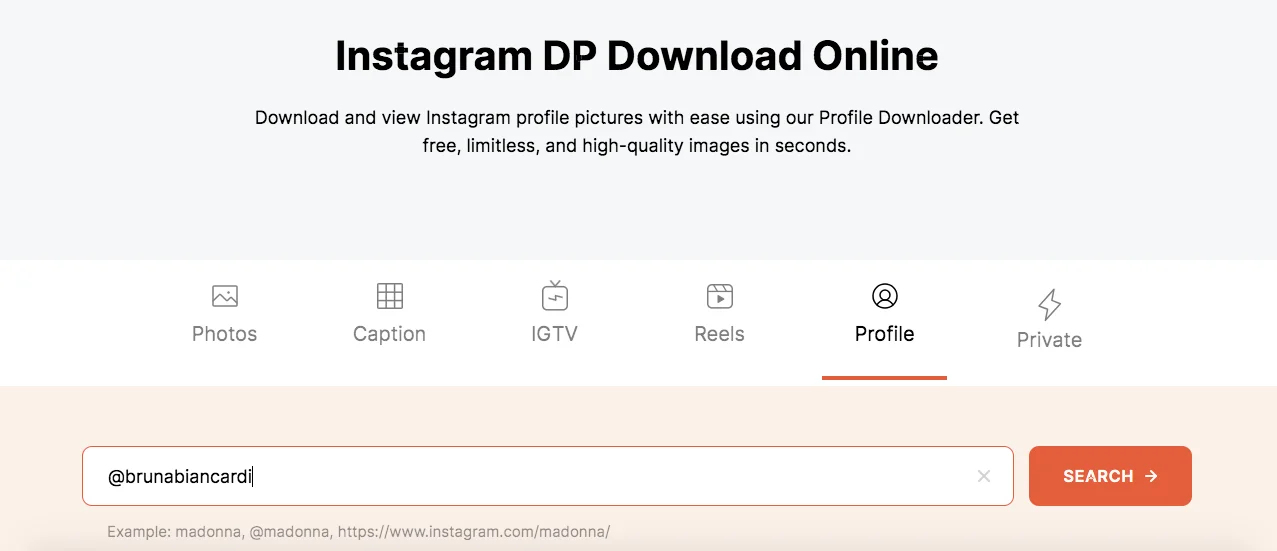
Step 4- Tap “Search” to finish the process.
Make Your Final Decision: A Comparison List of All Top Tools
| Tool Name | Strength | Weakness | iOS/Android Support | Free/Paid | Quality |
| InstaDP | No account required, Downloads profile pictures in full size | Limited to profile pictures | Yes | Free | High |
| WFDownloader | Supports batch downloads | Requires installation | No | Free | High |
| SaveInsta | No login is required, Downloads stories, videos, and photos | Limited support for private accounts | Yes | Free | High |
| IGdownloader.app | Userfriendly, supports various types of content | May not support high-resolution downloads | Yes | Free | Medium |
| SnapInsta.app | Fast downloads for Instagram content | May display ADs | Yes | Free | High |
| Izuum | Downloads PF in full size, east to use | Limited to profile picture | Yes | Free | High |
| Toolzu | No installation required, supports iOS and Android | Do not support downloading PF from private accounts | Yes | Free | High |
| SnapDownloader | Up to 8K resolution, works on Windows and macOS. | Requires purchases after a free trial | No | Free for 48 hours | High |
| Poko Insta | All in one download, no account needed | May not support downloading from private accounts | Yes | Free | High |
| HiDownloader | Completely free, supports private profiles | Potential security risks | Yes | Free | High |
Conclusion
Instagram is a perfect place to share high-quality and visually appealing images, and the profile picture is the first thing that users add their best photo to attract more attention, which is why many people would like to download and save others’ profile pictures.
In this article, we shared important information about Instagram profile picture downloaders that help you easily download your desired profile pictures on Instagram.
We examined the best seven Instagram picture downloaders in 2025 that are very easy to use, and highly recommended by most users.
Moreover, the tools mentioned in this article can be used for all purposes, including downloading profile pictures, reels, or photos.
I hope this article helps you find the perfect Instagram DP downloader and use the application more effectively.
FAQs
Can I download the profile picture of an account that has blocked me?
As long as you can find that account on Instagram and access their account, you can use one of the mentioned tools above, follow the required steps, and you will easily download their profile picture.
How should I copy the link/URL of an Instagram account?
You can download their profile picture by visiting their profile, tapping on the three dots icon in the top right corner, and then clicking on “Copy Profile URL.” That’s it!
Is it possible to download Instagram profile pictures of private accounts?
It depends on the tool that you are using because most Instagram profile picture downloaders only allow you to download Instagram profile photos from public accounts.
Can I see and download old profile pictures on Instagram?
No, when you change your profile photo on Instagram, you can no longer see the previous one, and Instagram does not archive profile pictures. Therefore, once you or someone else changes the Instagram profile picture, no one can see or download it.

Emi Daniel
Buy an Established Instagram Account
Skip starting from zero. Browse Instagram/TikTok accounts with audiences across many niches.
See Available AccountsRelated articles
-
Instagram Hashtags That Actually Work in 2025: Strategy, Research & Reels
Instagram posts with hashtags see 70% higher engagement rates and 12.6% more reach than those without. Yet most Instagram users struggle with hashtag strategy in its complex…
25 min readEmi Daniel
-
Top 30 Black Instagram Models to Follow in 2025
Black models are among the most followed in the industry on Instagram. A great example is “Naomi Campbell,” who has over 15 million followers. The main reason…
22 min read -
Good Times to Post on IG: Maximize Engagement and Reach in 2025
Your Instagram posts are getting lost in the noise. Since 2020, engagement rates have dropped by 30% across the platform. This means timing your posts has never…
27 min read